


Concise summary
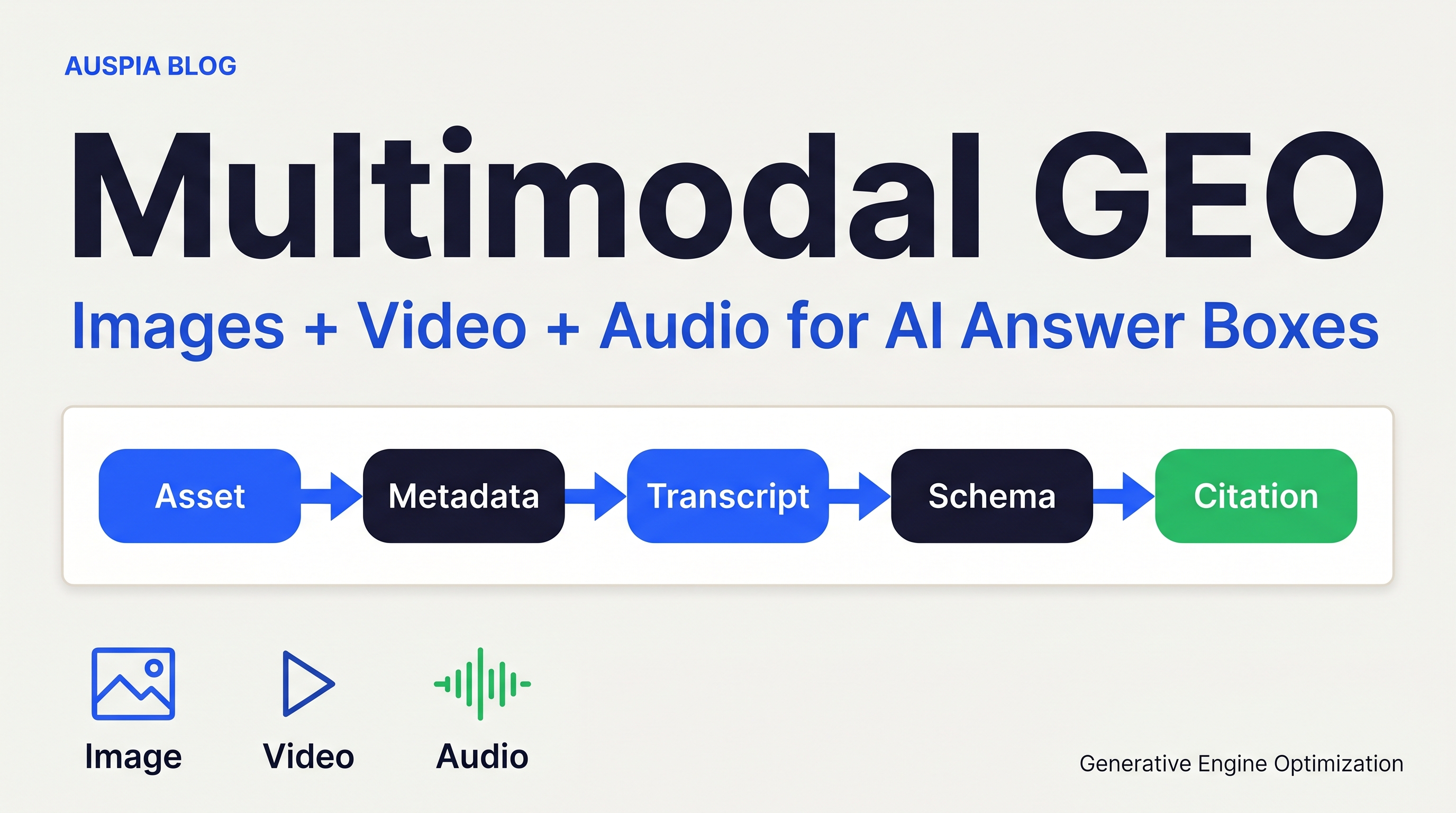
Multimodal GEO is the work of making images, videos, and audio easy for AI systems to discover, understand, quote, and trust. The practical job is not to publish more formats for the sake of volume. It is to turn every non-text asset into an answer-ready source: clear file names, descriptive surrounding copy, transcripts, chapters, schema, accessible media URLs, and measurement.
For most teams, the fastest wins come from three fixes:
- Give every important image a real caption, alt text, descriptive file name, and nearby explanatory text.
- Give every important video a transcript, chapter timestamps, a strong thumbnail, and
VideoObjectmarkup. - Give every podcast, webinar, or audio clip a full transcript page, show notes, speaker labels, and
AudioObjector podcast-style structured data where appropriate.
AI answer boxes are getting better at reading visual and audio context, but retrieval still favors assets that leave a clean trail. If the crawler cannot find the file, the model cannot cite it. If the transcript is missing, the answer engine has to infer. If the page has no context, the asset becomes decoration.
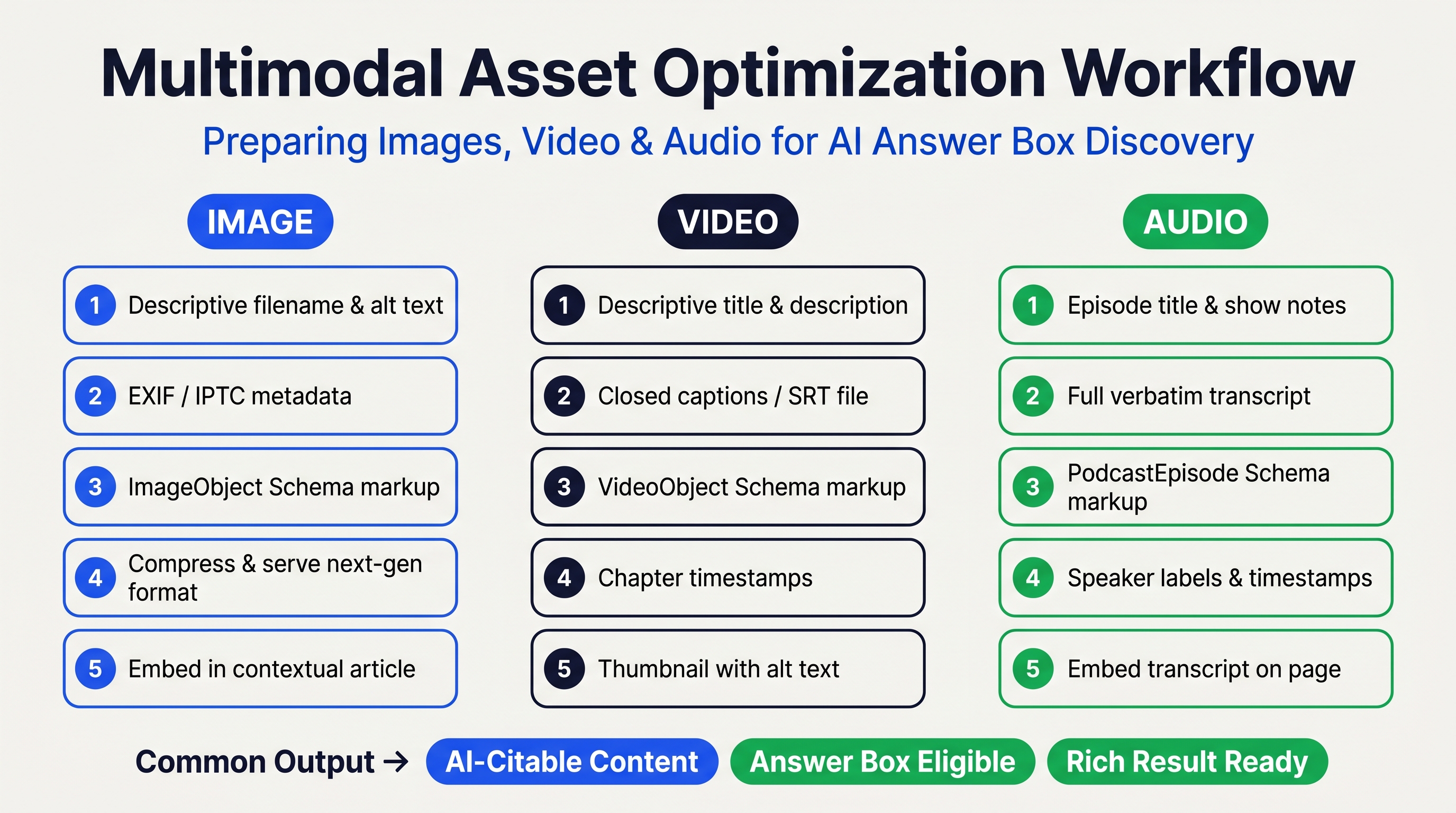
Caption: A multimodal GEO workflow turns each media asset into a source AI systems can parse, summarize, and cite.
What multimodal GEO means
Multimodal GEO means optimizing more than written paragraphs for generative engine optimization. It covers the media assets that AI search systems may use when forming an answer: product images, diagrams, screenshots, explainer videos, webinars, podcasts, voice clips, and short-form video.
The idea is simple. A good article can answer a question. A good diagram can explain the answer faster. A good video can prove the process. A good transcript can give the model exact language to quote.
That matters because AI answers often combine retrieval, ranking, summarization, and citation. Text still carries a lot of weight, but media assets add signals that plain text cannot: visual proof, step-by-step demonstrations, product screenshots, speaker authority, and user-facing examples.
The risk is also obvious. Many brand media assets are invisible to AI systems. The image is embedded as a CSS background. The video has no transcript. The podcast is locked inside an audio player with thin show notes. The chart has text baked into pixels but no surrounding explanation. Humans may understand it. Machines may not.
Auspia's view: multimodal GEO is not a separate department. It is a publishing standard. Every asset that supports a buyer answer should be treated as a citable source, not a decorative add-on.
Why this affects answer box exposure
AI answer boxes need extractable evidence. A model may mention a brand because it finds a concise answer, a comparison table, a cited claim, a demo video, or a product image with enough context. The common thread is clarity.
Google's own Search Central guidance still reflects the same operating principle. For images, Google recommends standard HTML image elements, descriptive alt text, relevant surrounding copy, image sitemaps where needed, and representative preview images through metadata such as og:image or schema properties. For video, Google recommends VideoObject markup, required properties such as name, thumbnailUrl, and uploadDate, plus options like Clip and SeekToAction for key moments. Schema.org's AudioObject also includes properties such as contentUrl, duration, encodingFormat, and transcript.
Those recommendations were built for search, but they are also useful for GEO because they reduce ambiguity. The asset becomes easier to fetch, classify, summarize, and connect to the page's main claim.
The answer box does not reward media just because it exists. It rewards media that helps answer a query.
The four-layer model for multimodal GEO
Use this model before asking for new production budget. It helps teams find problems in existing assets first.
Layer | What to check | Why AI systems care |
|---|---|---|
Discovery | Can crawlers find the asset URL, page, transcript, and thumbnail? | Unfound assets cannot support answers. |
Description | Does the page explain what the asset shows, proves, or demonstrates? | Models need context, not just pixels or audio. |
Structure | Is the asset marked up with useful schema, captions, timestamps, and metadata? | Structured clues reduce parsing errors. |
Evidence | Does the asset support a specific claim, comparison, process, or answer? | Citable assets need a clear informational job. |
If one layer is weak, fix that before producing more content. A brand with 200 uncaptioned videos usually does not need 50 more videos. It needs transcripts, chapters, stronger descriptions, and pages that explain why each video exists.
How to optimize images for AI answer boxes
Images work best for GEO when they are informational. Think charts, product comparison grids, process diagrams, annotated screenshots, before-and-after examples, and visual checklists. Stock art rarely helps because it does not add evidence.
Start with the basics:
- Use a descriptive file name, such as
b2b-saas-pricing-comparison-matrix.jpg, notimage-final-v3.jpg. - Add alt text that describes the actual image, not a stuffed keyword string.
- Place the image near the paragraph it supports.
- Add a caption that states the takeaway in plain language.
- Use standard
<img>or responsive image markup with a crawlablesrcfallback. - Add the image to relevant structured data when it represents the page, product, recipe, article, or organization.
- Avoid hiding important explanatory text only inside the image. Repeat the core takeaway in HTML text.
A good alt text does not try to do everything. For a chart, say what the chart compares and what the reader should notice. For a product image, describe the product and the visible differentiator. For a screenshot, name the interface state and the action shown.
Weak alt text: GEO AI SEO image answer box best optimization.
Better alt text: Diagram showing how image metadata, captions, schema, and surrounding text help AI systems understand a product screenshot.
The second version is longer, but it tells a model what the asset means.
How to optimize video for AI answer boxes
Video is valuable because it can show process. It is also easy to waste. A 20-minute webinar with a vague title and no transcript is hard for an answer engine to use. A 4-minute explainer with chapters, captions, a transcript, and a summary page is much stronger.
Build each important video around answer retrieval:
Video element | GEO action | Example |
|---|---|---|
Opening | Answer the target question in the first 20 to 40 seconds | "The fastest way to audit AI citation gaps is to compare your brand across five buyer prompts." |
Chapters | Add timestamps with descriptive labels |
|
Captions | Provide accurate captions or SRT files | Do not rely only on auto-captioning for technical terms. |
Transcript | Publish the transcript on the same page or a linked page | Clean speaker labels and remove filler where needed. |
Markup | Add | Mark the exact sections an AI system or search result can navigate to. |
Thumbnail | Use a representative image with a readable visual promise | Avoid generic faces or vague graphics. |
Google's video structured data guidance is especially useful here because it connects videos to discoverability and rich result presentation. Required fields such as name, thumbnailUrl, and uploadDate sound basic, but many sites still miss them on embedded videos.
For GEO, the transcript is often the real asset. It gives answer systems quotable text, lets search engines understand the video without guessing, and gives editors a place to add links, definitions, and supporting evidence.
How to optimize audio for AI answer boxes
Audio needs a text bridge. Podcasts, interviews, voice notes, and recorded webinars can contain excellent expert material, but a model cannot reliably use what it cannot retrieve in text.
For each audio asset, publish a companion page with:
- A short answer-first summary at the top.
- A full transcript with speaker names.
- Show notes that list the questions answered.
- Time markers for important sections.
- Links to mentioned resources.
AudioObjectproperties where useful, includingcontentUrl,duration,encodingFormat, andtranscript.
Do not bury the answer behind a player. Put the useful claim in the page copy. If an expert says, "B2B buyers compare vendors through problem prompts before brand prompts," turn that into a clear text excerpt on the page, then link to the timestamp.
Audio also matters for voice answers. Spoken answers favor concise, natural sentences. If your transcript reads like a pile of fragments, add a cleaned summary above it. Keep the transcript for completeness, but give AI systems a clean answer block to work with.
The multimodal answer-box checklist
Use this checklist before publishing any media-heavy page.
Requirement | Image | Video | Audio |
|---|---|---|---|
Discoverable URL | Crawlable image file | Crawlable watch page and thumbnail | Crawlable audio page or episode page |
Context | Caption and nearby explanation | Summary and description | Show notes and answer-first summary |
Text alternative | Alt text | Captions and transcript | Full transcript |
Structured data | Relevant page/image schema |
|
|
Evidence role | Shows the claim | Demonstrates the process | Captures the expert answer |
Measurement | Image search impressions, page engagement | Video impressions, chapter clicks, watch time | Transcript rankings, citations, listens |
This is also a useful audit format. Pick 20 pages that already drive organic traffic. Score the media assets. Fix the pages where media supports a high-intent query but the asset is not machine-readable.
Measurement: what to track
Do not measure multimodal GEO only by traffic. AI answers may change visibility before they change sessions. Track the signals in layers.
First, measure search visibility: image impressions, video rich result impressions, indexed transcript pages, and ranking changes for media-led queries.
Second, measure AI answer visibility. Run a prompt set across the surfaces that matter to your market. For example: ChatGPT with browsing, Perplexity, Gemini, Google AI Overviews, and any vertical AI assistant your buyers use. Track whether the answer mentions your brand, cites your page, cites a competitor, or uses your media-derived claim without attribution.
Third, measure asset usefulness. Look at scroll depth around diagrams, video chapter clicks, transcript page engagement, and conversions that start from media-heavy pages.
A simple prompt set is enough to start:
- "What is the best way to compare [category] platforms?"
- "Show me examples of [workflow] for a B2B team."
- "Which tools help with [problem]?"
- "Explain [technical concept] with a diagram."
- "What should I check before buying [product type]?"
Run the same prompts every two weeks. Save answer screenshots, cited URLs, and source positions. This gives your team a visibility baseline without pretending the ecosystem is perfectly measurable.
Common mistakes
The most common mistake is treating media as branding instead of evidence. A polished hero image with no informational content will not help much. A rough but clear workflow diagram often will.
Other common problems:
- Important screenshots are embedded as background images, so crawlers miss them.
- Charts contain tiny text that is unreadable on mobile and useless as a thumbnail.
- Videos are hosted on third-party platforms with no transcript on the brand site.
- Podcast pages have two-sentence summaries and no transcript.
- Schema exists, but it describes the wrong thing or uses the same generic image on every page.
- Alt text repeats the target keyword instead of describing the asset.
- Teams publish one media format and forget to connect it to the page's main answer.
The fix is usually editorial, not only technical. Decide what each asset proves, then make that proof visible in text, metadata, and markup.
A practical 14-day rollout plan
Day 1 to 2: pick one commercial topic cluster. Choose pages where media could answer a buyer question faster than text alone.
Day 3 to 5: audit existing images, videos, and audio. Record missing alt text, captions, transcripts, thumbnails, schema, and internal links.
Day 6 to 8: fix the highest-value assets. Add captions, rewrite alt text, publish transcripts, and add answer-first summaries.
Day 9 to 10: add structured data. Validate video markup with Google's Rich Results Test where relevant. Check that images and thumbnails are crawlable.
Day 11 to 12: create one new information asset. A comparison matrix, annotated screenshot, or short explainer video is enough. Do not start with a full content studio.
Day 13 to 14: measure the baseline. Use Search Console, media analytics, and an AI visibility prompt set. Document which assets are cited, ignored, or misread.
If you need a starting point, run your priority pages through Auspia's AI Search Visibility Checker and connect the findings to a media audit. For broader SEO and GEO tooling, use the Auspia tools hub.
FAQ
Is multimodal GEO only for ecommerce brands?
No. Ecommerce brands benefit because images and product videos are central to buyer decisions, but B2B, SaaS, education, healthcare, local services, and media brands can use multimodal GEO too. Any business with diagrams, demos, interviews, webinars, or product screenshots has media assets that can support AI answers.
Do I need to create new videos for every article?
Usually not. Start by upgrading existing media. Add transcripts, captions, schema, chapters, better thumbnails, and stronger page context. Create new media only when a visual or spoken asset genuinely answers the query better than text.
Should alt text include keywords?
Alt text can include a relevant phrase if it naturally describes the image. Do not stuff it. The best alt text is specific, useful, and accessible. It should tell a person or system what the image shows and why it matters in context.
Can AI systems cite images or videos directly?
Some answer surfaces cite pages that contain images or videos, while others summarize media-derived information without a visible media citation. The safest strategy is to place the asset on a strong page with extractable text, descriptive metadata, and structured data.
What is the first asset type to optimize?
Choose the asset type closest to buyer intent. If buyers need proof, optimize demos and screenshots. If they need explanation, optimize diagrams. If they need expert perspective, optimize webinar and podcast transcripts.
Sources checked
This article was informed by Google Search Central guidance on image SEO and video structured data, Schema.org's AudioObject reference, and two Chinese-language industry articles on multimodal GEO strategy published by SheepGeo and AIGC MKT/TideFlow in 2026. Auspia rewrote the topic for a global English-speaking SEO/GEO audience and did not reuse source imagery.
Author: Isabel Grant, Researcher of 2,000+ AI Citation Patterns at Auspia. Isabel writes about citation earning, source quality, and how AI systems turn web evidence into answers.


