There is an awkward problem at the center of most GEO measurement programs.
To know whether AI systems recommend you, you have to collect what they say. That means capturing answers from ChatGPT, Perplexity, Gemini, and the rest. Those answers often contain your client's positioning, your unpublished strategy, and sometimes your competitors' names in ways you would rather not transmit to another vendor.
So you face a choice: send the data to a third-party API to score it, or do not score it at all.
A local model removes the choice. This article covers how to score AI answers with Laya running entirely on your own machine, and the one calibration issue you have to handle carefully because of it.
What you will finish with
A scored answer set where every row carries:
- A presence class: named, mentioned, or absent
- A confidence value
- A routing decision: auto-accept or human review
- A run identifier, so you can compare across months
All of it produced without any captured answer leaving your machine.
Who this is for: a GEO or measurement lead who already captures AI answers and needs to score them without a data-handling problem.
Prerequisites:
- Laya installed and running locally
- Captured answers, one row per prompt per engine per run
- A defined prompt set
- Fifty answers you have already classified by hand, for threshold calibration
Definition of done: every captured answer has a presence class and a confidence value, nothing below your threshold is treated as final, and you know your agreement rate on the fifty-answer sample.
Capture first, judge second
This is the hard prerequisite, and it is where people try to take a shortcut that does not exist.
Laya has no live web access. It cannot query ChatGPT, cannot open Perplexity, cannot check what Gemini said this morning. Everything it judges has to be in the data you send it.
So the workflow has two distinct stages:
- Capture. You collect the raw answers from each AI surface and store them.
- Score. You send the captured answers to Laya and get structured judgments back.
If you try to skip capture and ask Laya "is my brand visible in AI search," you will get a confident answer built on nothing. That is the most common failure mode in this whole workflow.
A practical capture format:
{
  "prompt_id": "p_014",
  "prompt_text": "best project management software for small teams",
  "surface": "chatgpt",
  "captured_at": "2026-09-01T09:00:00Z",
  "answer_text": "For small teams, the most commonly recommended options are Asana, Trello, and Monday.com...",
  "cited_urls": ["https://example.com/best-pm-tools"]
}
Store one row per prompt per surface. If you run the same prompt monthly, that is a new row, not an overwrite. The trend across time is where the useful signal lives.
The presence taxonomy
Collapse every answer into one of three states. Decide this before you score anything.
Named. The brand appears by name in the answer.
Mentioned. The brand's content or domain was used, but the brand name does not appear in the answer text. This is a ghost citation, and it is the most useful class to track because it tells you that reach is not your problem.
Absent. Neither the brand nor its content appears.
The middle class is the one most dashboards skip, and it is the one that changes what you do next. An absent answer means you were not found. A ghost citation means you were found and not credited, which is a positioning or trust problem rather than a reach problem.
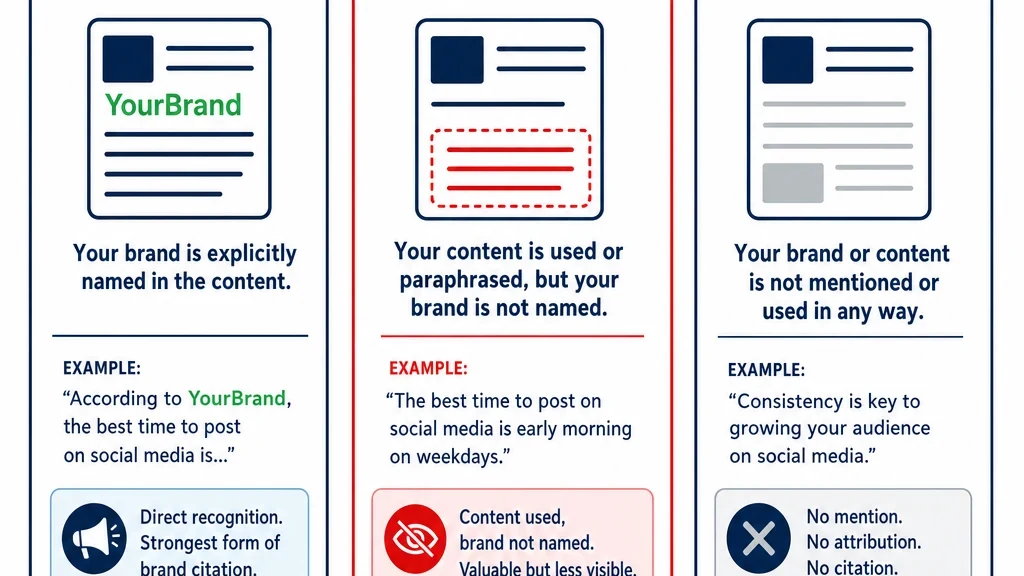
Three classes, not two. The middle one is where the useful signal lives.
Write the scoring questions
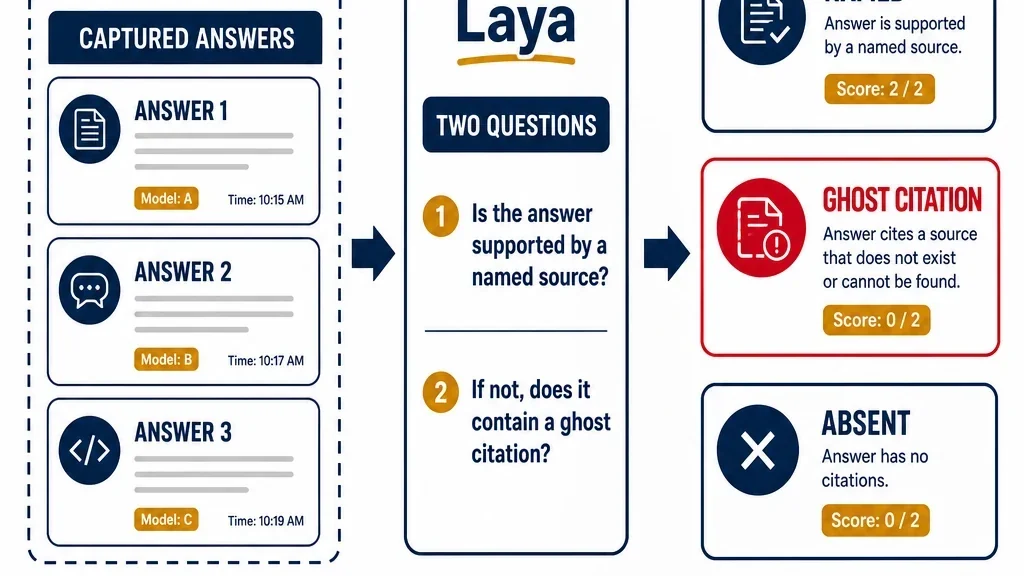
Two questions produce the class. Keep them separate, and derive the class in code rather than asking the model to decide it.
Question 1: is the brand named?
Does the answer contain the brand name as a string?

true  — the brand name appears explicitly in the answer text
false — the brand name does not appear anywhere in the answer text
This is a noul question. It is a literal string check with judgment about variants and misspellings, and it is the cheapest thing you can ask.
Question 2: was the brand's content used?
Was content from the brand's domain used to construct this answer?

true  — at least one cited URL belongs to the brand's domain, or the answer
        reproduces a distinctive claim from the brand's page
false — no cited URL belongs to the brand's domain and no distinctive brand
        claim appears
This one is harder, and the criteria matter. "Reproduces a distinctive claim" is doing real work here, because many AI answers do not cite URLs at all. If you only check citations, you will miss ghost citations in uncited answers.
Derive the class in code
if brand_named == true            -> NAMED
if brand_named == false
   and content_used == true       -> GHOST CITATION
if brand_named == false
   and content_used == false      -> ABSENT
Why derive it in code. The class is a rule, not a judgment. Letting the model decide the class adds a failure point for no benefit. Ask the model the two questions it is good at, then apply the rule yourself.
The calibration problem, and how to handle it
This is the part specific to running this workflow locally, and it needs care.
Laya returns a confidence value with every decision. But its probability outputs are not perfectly calibrated. Its reported calibration error is worse than the closed alternative's, and the temperature parameter used to tune it was fitted on training data.
Practically: a 0.9 confidence from Laya does not mean a 90% chance of being right. If you build your review threshold on the assumption that it does, you will auto-accept rows that should have been reviewed.
Set the threshold from your own data
Do not take a threshold from documentation. Measure it.
- Take your fifty hand-classified answers.
- Run them through the two questions.
- Compare the derived class to your hand classification. Record agreement.
- Bucket the results by the lower of the two confidences.
- Find the confidence level above which agreement is good enough for you.
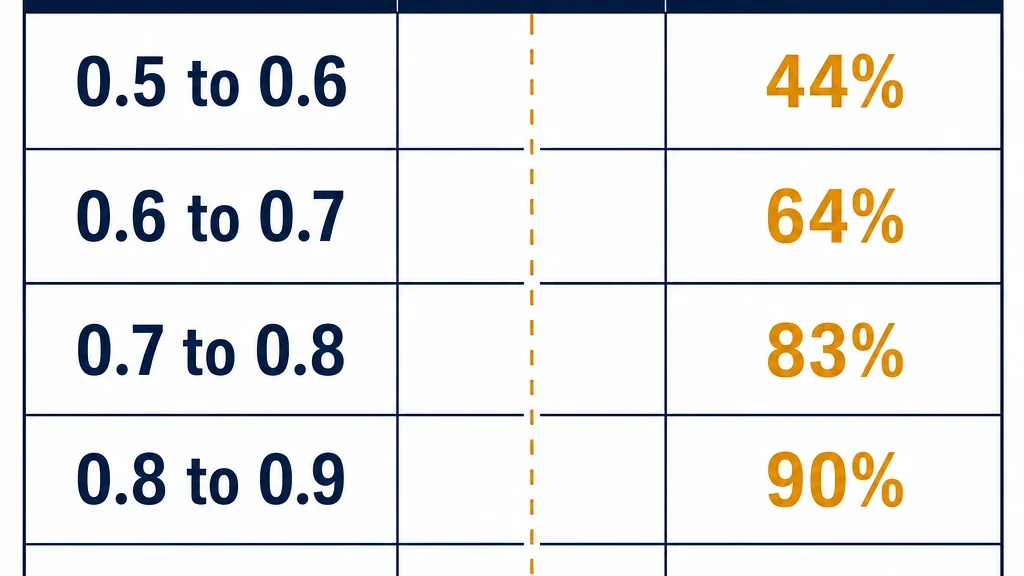
A worked example, with invented numbers:
Confidence bucket | Answers | Agreement |
|---|---|---|
0.5 to 0.6 | 8 | 50% |
0.6 to 0.7 | 10 | 70% |
0.7 to 0.8 | 12 | 83% |
0.8 to 0.9 | 11 | 91% |
0.9 to 1.0 | 9 | 100% |
A threshold of 0.8 gives roughly 91% agreement on auto-accepted rows. Whether that is good enough depends on what you plan to do with the output. If you are reporting to a client, you probably want higher.
Use the lower of the two confidences. If the model was confident that the brand was not named but unsure whether the content was used, the row is uncertain. Taking the minimum is the conservative choice, and conservative is correct when the alternative is a wrong client report.
Run it
Batch by surface
Group answers from the same engine together. It makes the output easier to compare and lets you spot engine-specific patterns, which are usually real.
Keep the full distribution
For every question, store the probability, not just the winner. A ghost-citation row where content_used came back at 0.55 is a different situation from one at 0.95, even though both classify the same way.
Store the run
Every row needs a run identifier. The entire value of this workflow is the comparison across runs, and you cannot compare what you did not label.
Confidence buckets from a worked example. Illustrative numbers only.
Verify before you report
Three checks before any of this goes into a client deliverable.
Hand-check the ghost citations. Read ten of them yourself and confirm the brand's content really was used. False ghost citations usually mean your content_used criteria are too loose, and they will send you chasing a positioning problem that does not exist.
Check confidence against correctness. If your low-confidence rows are not meaningfully worse than your high-confidence ones, the confidence value is not doing any work and your threshold is arbitrary.
Confirm the answer was actually captured. A missing answer is not an absence. If a surface returned an error or a rate limit, that row should be excluded, not scored as absent. This is the single most common way these reports go wrong, and it produces a fake drop in visibility that looks like a real finding.
What the output tells you
Rising named share. You are being recommended more often. Keep doing what you are doing.
Stable named share with rising ghost citations. You are being retrieved more but not credited. This is a positioning problem, and the fix is on your page, not in your outreach.
Falling named share with stable ghost citations. You are still being used as a source but someone else is being recommended. Check whether a competitor published something better structured on the same topic.
Rising absent share. You are losing retrieval. This is a content or authority problem, and it is the most serious of the three.
Maintain it
Run monthly. AI answers move, and a single snapshot tells you very little.
Re-measure your threshold after any model change. A new checkpoint is a new model, and your threshold was measured against the old one.
Keep the prompt set stable. If you change the prompts, you cannot compare across runs. Add prompts deliberately, and keep the original set intact for trend measurement.
Revisit the prompt set quarterly. Buyer questions change. A prompt set that was accurate six months ago may be measuring a market that no longer exists.
What to do next
Take your last captured answer set and classify every row into named, mentioned, or absent. Count the ghost citations.
If that number is not zero, you have a positioning problem rather than a reach problem, and you now know which prompts to look at first. Start with the highest-value prompt that produced a ghost citation, read the answer, and work out whether the issue is framing, entity clarity, or extractability.
And because all of this ran locally, you can do it on client data without a single conversation about data processing agreements.
Read the rest of the series
This article is part of a thirteen-part series on using Laya for SEO and GEO work.
- Start here: how to use Laya for SEO and GEO
- What Laya is: the open decision model, explained
- Running Laya locally: hardware, latency, and the real cost model
- Laya for search intent classification at scale
- Fine-tuning Laya on your own SEO labels
- Laya as a local reranker for internal search and RAG
- Laya for content audits: keep, update, merge, remove
- Laya for internal linking, and where it breaks
- Guardrails: using Laya to check your own agents
- Laya vs Jev: an honest decision guide
- Building a hybrid stack: Laya local, Jev cloud
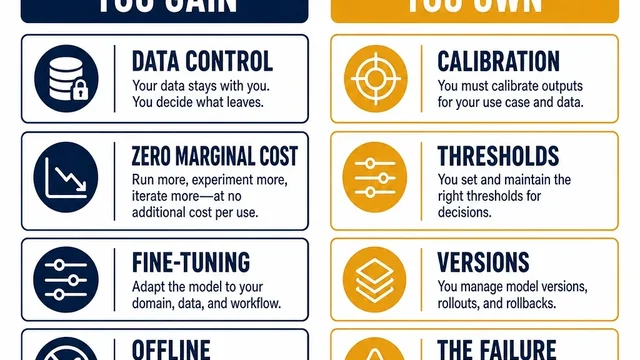
- The open-model trade: what you own when you self-host
Author: Ethan Marlowe, GEO Measurement Lead Across 500+ Prompts at Auspia. Ethan writes about prompt tracking, citation reporting, visibility dashboards, and AI answer quality checks.