作るもの
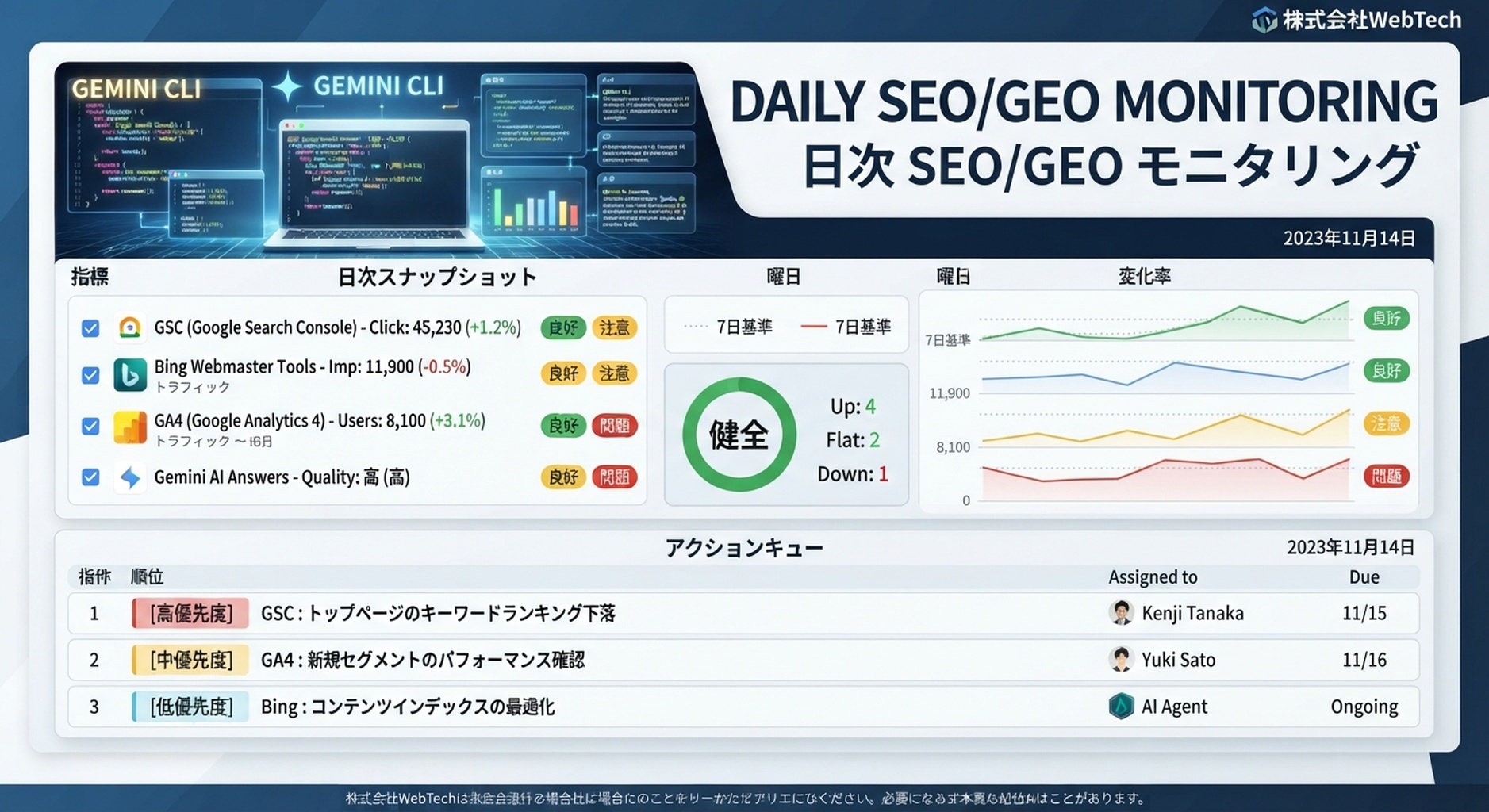
このtutorialでは、Gemini CLIでdaily SEO/GEO monitoring loopを作ります。websiteを自動編集するものではありません。snapshotsを集め、yesterdayと7-day baselineと比較し、conservative action queueを書きます。
作る構成は次のとおりです。
seo-geo/monitoring/
  prompts/core-prompts.md
  snapshots/YYYY-MM-DD/
  reports/YYYY-MM-DD.md
  scripts/compare-snapshots.mjs
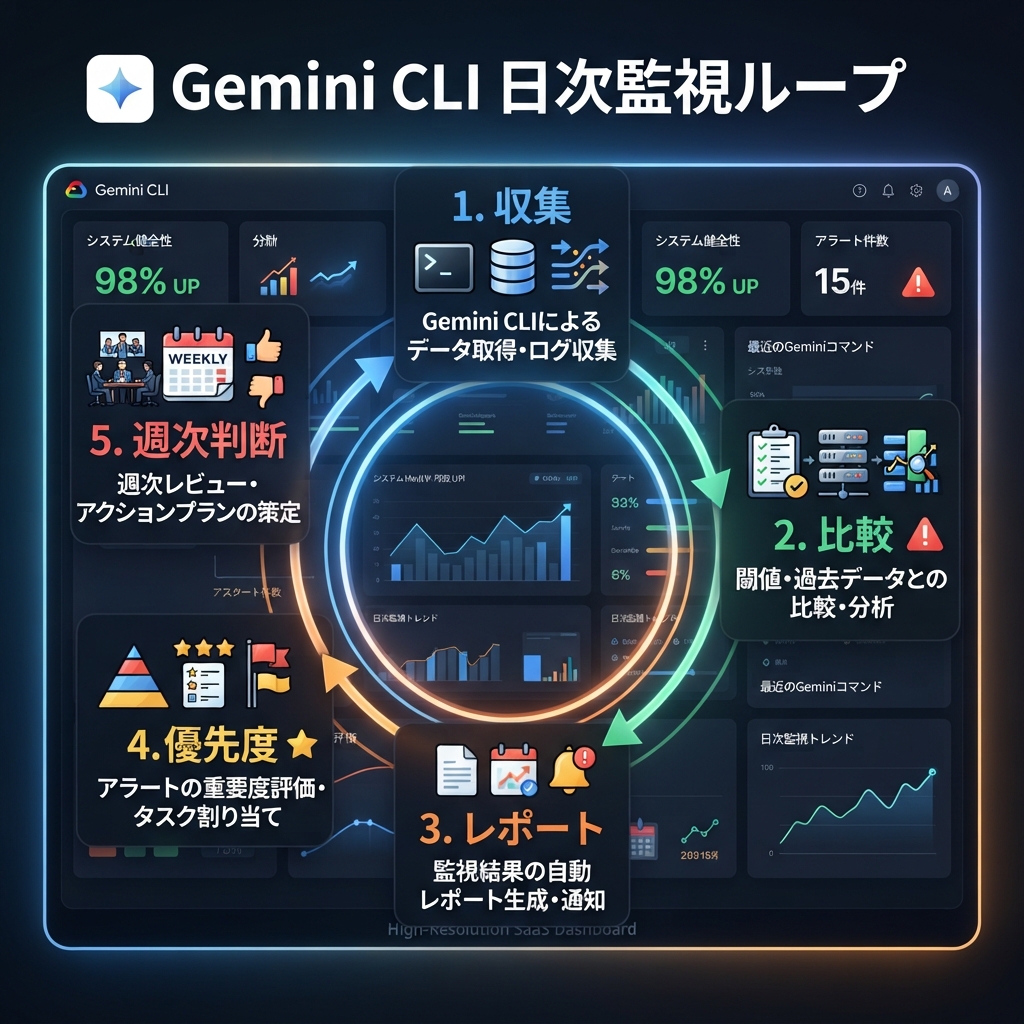
キャプション: Daily snapshotsは集めますが、編集判断は週次で行うとノイズに振り回されません。
Step 1: monitoring foldersを作る
mkdir -p seo-geo/monitoring/prompts seo-geo/monitoring/snapshots seo-geo/monitoring/reports seo-geo/monitoring/scripts
cp seo-geo/prompts/core-prompts.md seo-geo/monitoring/prompts/core-prompts.md 2>/dev/null || true
prompt fileがまだない場合は作ります。
cat > seo-geo/monitoring/prompts/core-prompts.md <<'EOF'
# Monitoring prompts
- What are the best tools for [category]?
- What does [brand] do?
- [brand] vs [competitor]
- How do I solve [problem] for [audience]?
EOF
Step 2: 今日のsnapshot folderを作る
TODAY=$(date +%F)
mkdir -p seo-geo/monitoring/snapshots/$TODAY
manualまたはscriptsからfilesを追加します。
seo-geo/monitoring/snapshots/2026-07-06/gsc-pages.csv
seo-geo/monitoring/snapshots/2026-07-06/bing-queries.csv
seo-geo/monitoring/snapshots/2026-07-06/ga4-pages.csv
seo-geo/monitoring/snapshots/2026-07-06/ai-answers.json
seo-geo/monitoring/snapshots/2026-07-06/crawl.json
Step 3: manual AI answer snapshotを作る
APIがまだない場合です。
[
  {
    "prompt": "What are the best tools for [category]?",
    "surface": "manual",
    "brand_mentioned": false,
    "citation_urls": [],
    "competitors": ["Competitor A", "Competitor B"],
    "notes": "Our brand is missing from category answer."
  }
]
次のpathに保存します。
seo-geo/monitoring/snapshots/YYYY-MM-DD/ai-answers.json
Step 4: comparison script placeholderを作る
cat > seo-geo/monitoring/scripts/compare-snapshots.mjs <<'EOF'
import fs from 'node:fs';
const today = process.argv[2];
const previous = process.argv[3];
if (!today) {
  console.error('Usage: node compare-snapshots.mjs TODAY_DIR [PREVIOUS_DIR]');
  process.exit(1);
}
console.log(JSON.stringify({ today, previous: previous || null, status: 'TODO: compare files' }, null, 2));
EOF
Step 5: daily Gemini CLI promptを実行する
Run today's SEO/GEO monitoring review.

Read:
- seo-geo/monitoring/prompts/core-prompts.md
- latest folder in seo-geo/monitoring/snapshots/
- previous snapshot folder if it exists

Do not edit website files.
Create seo-geo/monitoring/reports/YYYY-MM-DD.md with:
1. executive signal: green, yellow, or red;
2. search visibility changes;
3. AI answer mention/citation changes;
4. crawl or indexing risks;
5. missing data;
6. P0/P1/P2/P3 action queue;
7. follow-up prompts or pages to inspect.
Expected daily report
# Daily SEO/GEO Monitor - YYYY-MM-DD

## Executive signal
Status: yellow
Reason: brand missing from 3 category prompts; no technical P0 issue found.

## Search changes
| URL | Source | Change | Interpretation | Action |

## AI visibility changes
| Prompt | Brand mentioned | Citation | Competitors | Action |

## Technical checks
| Check | Result | Risk |

## Action queue
| Priority | Owner | Action | Evidence |
| P1 | SEO | Review category page answer block | brand missing from category prompt |
Step 6: priority rules
Priority | Use when | Example |
|---|---|---|
P0 | technical breakage | important page noindex |
P1 | 重要な可視性低下 | core promptsからbrandが消える |
P2 | コンテンツ機会 | low CTRまたは弱いanswer block |
P3 | watchlist | one-day noisy movement |
Gemini CLIには、1つのpromptが1回変わっただけでpage rewriteを勧めさせないでください。repeated signalsを求めます。
Step 7: weekly decision prompt
Read the last 7 daily monitoring reports.
Create seo-geo/monitoring/reports/YYYY-MM-DD-weekly-decision.md.

Group actions into:
- technical fixes;
- content refreshes;
- new evidence assets;
- prompt library updates;
- watchlist.

Recommend only 3 actions for next week.
Do not edit website files.
FAQ
Daily or weekly?
Daily snapshotsを集めます。decisionはweeklyにします。daily dataはconstant editsにはノイズが多すぎます。
Felo SearchやPerplexity APIsを使えますか?
teamがAPI accessを承認していれば使えます。outputsはdated JSONとして保存し、API keysはpromptsに入れないでください。
successとは何ですか?
毎日reportが出て、dated inputsを使い、missing dataをflagし、production filesを変更せずにconservative action queueを作ることです。
AI coding agents for SEO/GEO 学習パス
このpageはGemini CLI SEO/GEO trackに属します。まずterminal-focused tutorialsを進め、その後operating modelでeditor and workflow agentsと組み合わせます。
- Cursor vs Windsurf vs Gemini CLI:SEO/GEO自動化の選び方
- Gemini CLIでSEO/GEO Automation環境を作る方法
- MCPでGemini CLIをSEOデータに接続する方法
- Gemini CLIでDaily SEO/GEO Monitoringを行う方法
- Gemini CLI CheckpointingでSEO修正を安全にする方法
- Cursor、Windsurf、Gemini CLI、Codex、Claude CodeのSEO/GEO運用モデル
次に読む記事
前: MCPでGemini CLIをSEOデータに接続する方法
次: Gemini CLI CheckpointingでSEO修正を安全にする方法
Sources and notes
- Gemini CLI documentation: Gemini CLI Docs and MCP servers with Gemini CLI。
- Related Auspia guide: Cursor vs Windsurf vs Gemini CLI for SEO/GEO Automation。
Author: Gabriel Finch, Auspiaで1,200以上のAI AnswersをreviewしたSearch Retrieval Researcher。Gabrielはretrieval systems、AI discovery、search infrastructure workflowsについて執筆しています。