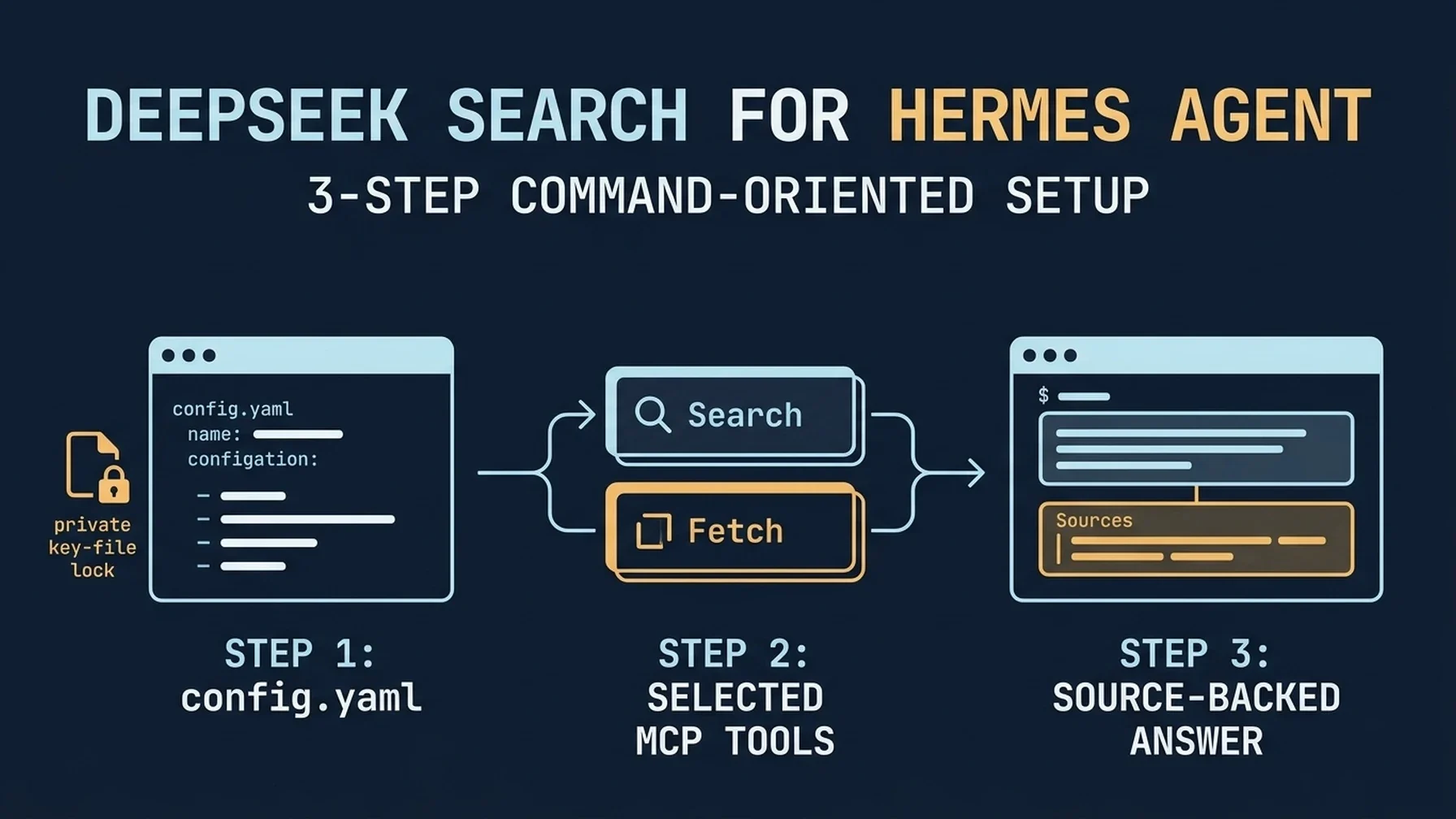
Prefer to have Hermes set this up? Give it this guide and ask it to prepare the mcp_servers entry, preserve your existing config, and explain how to verify the tools. Add your DeepSeek key locally; never send the secret in a prompt.Follow this guide to add DeepSeek Search to Hermes Agent. Inspect my current
~/.hermes/config.yaml first and preserve every existing MCP server. Prepare a
stdio entry that reads the key from my private env file, expose only the
Search and Fetch tools, and show me the change before saving. Do not read,
print, or transmit the key in chat. Run the Hermes MCP test, then wait for my
approval before making a paid DeepSeek request.Hermes makes MCP a first-class part of its own CLI: you can add a server, test the connection, choose which tools to expose, and reload MCP in an open session. That makes the key setup decision straightforward: use Hermes's persistent MCP connection when research is part of your agent workflow, or call a small helper from the terminal when it is an occasional lookup. Hermes MCP guide
Add DeepSeek Search from Hermes
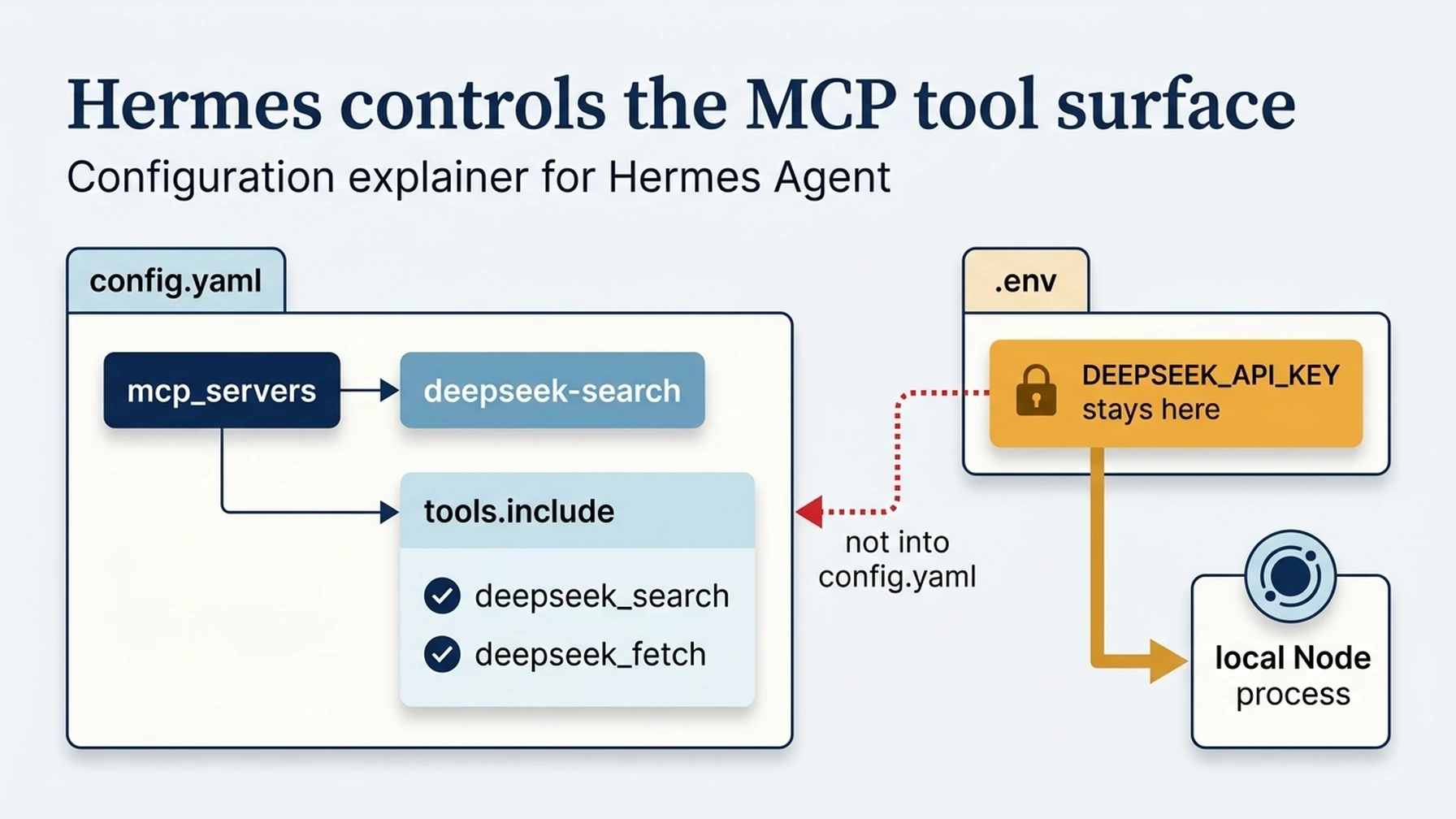
The MCP tool filter selects the adapter functions; the private env file holds the DeepSeek credential.
Install the local DeepSeek Search adapter and its pinned dependencies in a private directory, using Node.js 22 or newer and following the Claude Code setup guide. Create a separate env file containing DEEPSEEK_API_KEY=..., with restrictive file permissions. Do not put the key in config.yaml, a project file, or your conversation history.
Hermes's interactive mcp add flow can add a local stdio server and probe it. For an exact, repeatable configuration, place this entry under mcp_servers in ~/.hermes/config.yaml:
mcp_servers:
  deepseek-search:
    command: node
    args:
      - --env-file=/Users/you/.config/deepseek-search/.env
      - /Users/you/.local/share/deepseek-search/server.mjs
    enabled: true
    timeout: 30
    tools:
      include:
        - deepseek_search
        - deepseek_fetch
The tool names in the include list must match the adapter's advertised names. Check the adapter's README or its discovery output before enabling the filter; if its names differ, copy the exact IDs. Hermes supports stdio MCP servers through command, args, and env, and its filtering layer registers only the selected tools. Hermes MCP configuration and filtering
If you would rather use Hermes's CLI wizard, run hermes mcp and choose the option to add a custom server. The CLI's hermes mcp add command accepts a server name and either a URL or stdio command; hermes mcp configure can adjust selected tools later. Use the wizard's probe and review the proposed tool list before saving. Hermes CLI MCP commands
Test registration, then load the tools
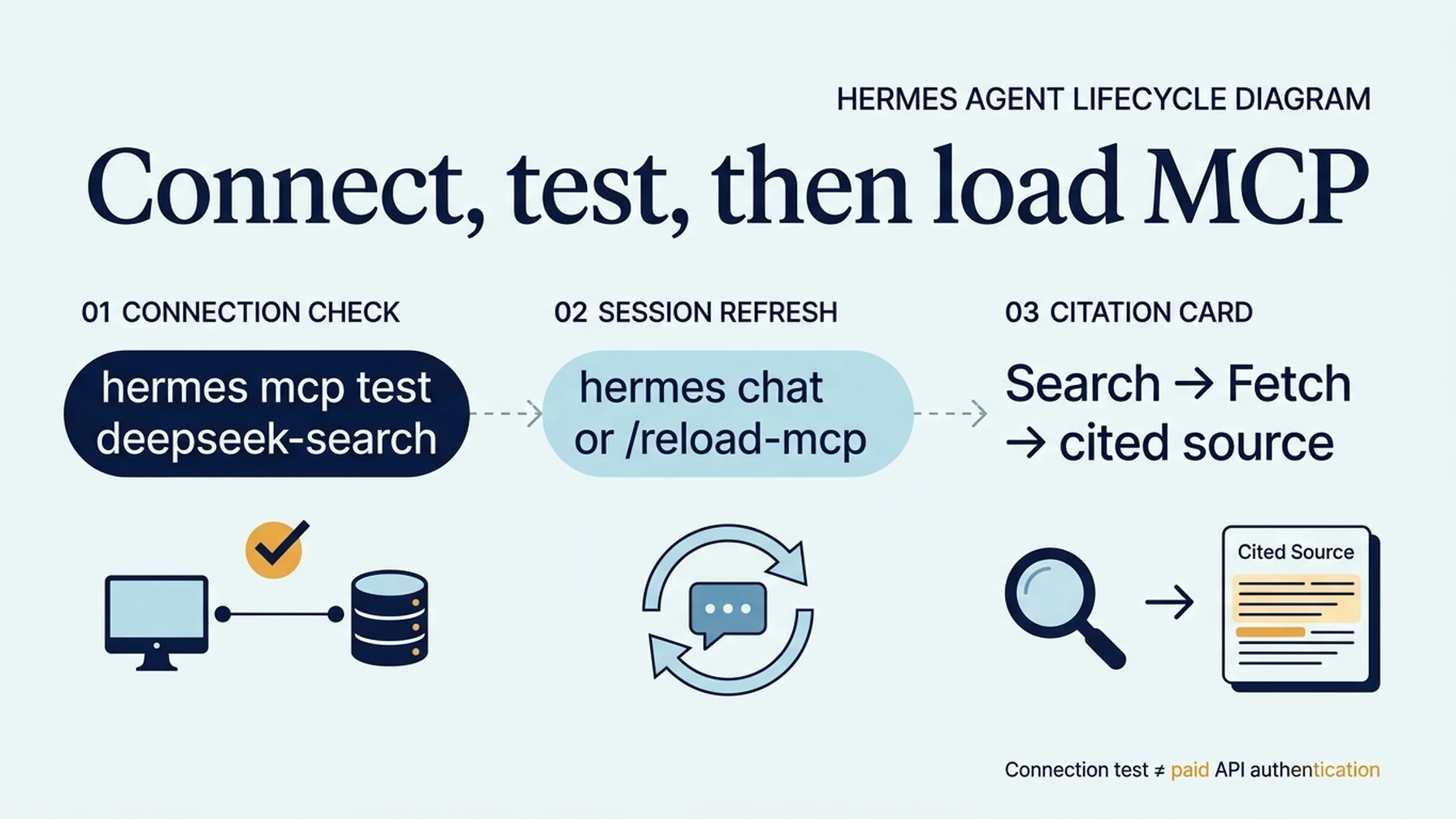
Connection testing, session loading, and an authenticated DeepSeek request are separate checks.
Ask Hermes to test the configured server:
hermes mcp test deepseek-search
hermes mcp list
The test confirms whether Hermes can connect and discover tools. If you edited YAML manually, start a fresh hermes chat session or use /reload-mcp in an existing session. The Hermes docs note that MCP tools are discovered at startup and can be reloaded during a session. Hermes MCP runtime behavior
Ask Hermes to search an official documentation question, fetch the best result, and cite the page URL. Check that the tool trace includes both Search and Fetch. A passing connection test does not validate DeepSeek authentication; the API key is checked only when the adapter makes a paid request.
Keep the tool list intentional
Search and Fetch do different jobs: Search finds candidate pages and summaries; Fetch reads a chosen page for source verification. For a research-focused profile, expose both. For a coding session that only needs one current fact, you may choose to leave the MCP server disabled and run the helper manually instead. Hermes supports disabling an entry with enabled: false, as well as selecting a smaller tool set with tools.include or excluding tools by name.
When a tool is missing, inspect the exact MCP tool IDs returned by discovery and the include filter. A typo can leave the server connected while exposing zero callable tools. Also check that the key file is readable by the Hermes process, not merely by the shell where you created it.
Use the shell helper for a one-off search
If you do not want Hermes to load another persistent MCP server, run the CLI helper directly. Reuse search-cli.mjs from the Claude Code guide and keep the env file outside the project:
node --env-file=/Users/you/.config/deepseek-search/.env \
  /Users/you/.local/share/deepseek-search/search-cli.mjs \
  search "Hermes Agent official MCP configuration" 3
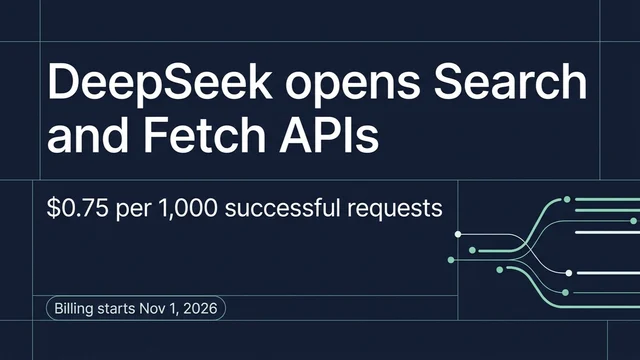
Fetch the selected result with the helper's fetch command. This route is useful for a manual check or a shell-based workflow; Hermes will not get a named Search tool from it. You can also make a direct cURL request for one query without configuring MCP. DeepSeek's Search & Fetch API guide documents the request shapes and current billing, so check it before running a batch.
Resolve common setup failures
If hermes mcp test reports a missing command, use the full path to Node in the config. If connection succeeds but Hermes cannot call a tool, compare tools.include with the adapter's discovered names and reload MCP. If the tool returns an authentication failure, repair the private env file and restart the session that owns the adapter. Avoid copying verbose diagnostics into a public issue if they contain request headers or local paths.
The setup is complete when Hermes can discover the selected tools, load them in a fresh or reloaded chat, and return a source-backed answer after Search and Fetch. Keep the key private, and open the fetched primary source before relying on its summary.
Explore more DeepSeek Search setup guides
Browse the complete agent setup guide
Related platform guides: Use DeepSeek Search in Goose Desktop and CLI · Connect DeepSeek Search to JetBrains AI Assistant.
Author: Martin Hayes, GEO Playbook Builder for 200+ Execution Checklists at Auspia. Martin writes practical setup guides and repeatable implementation checklists.