


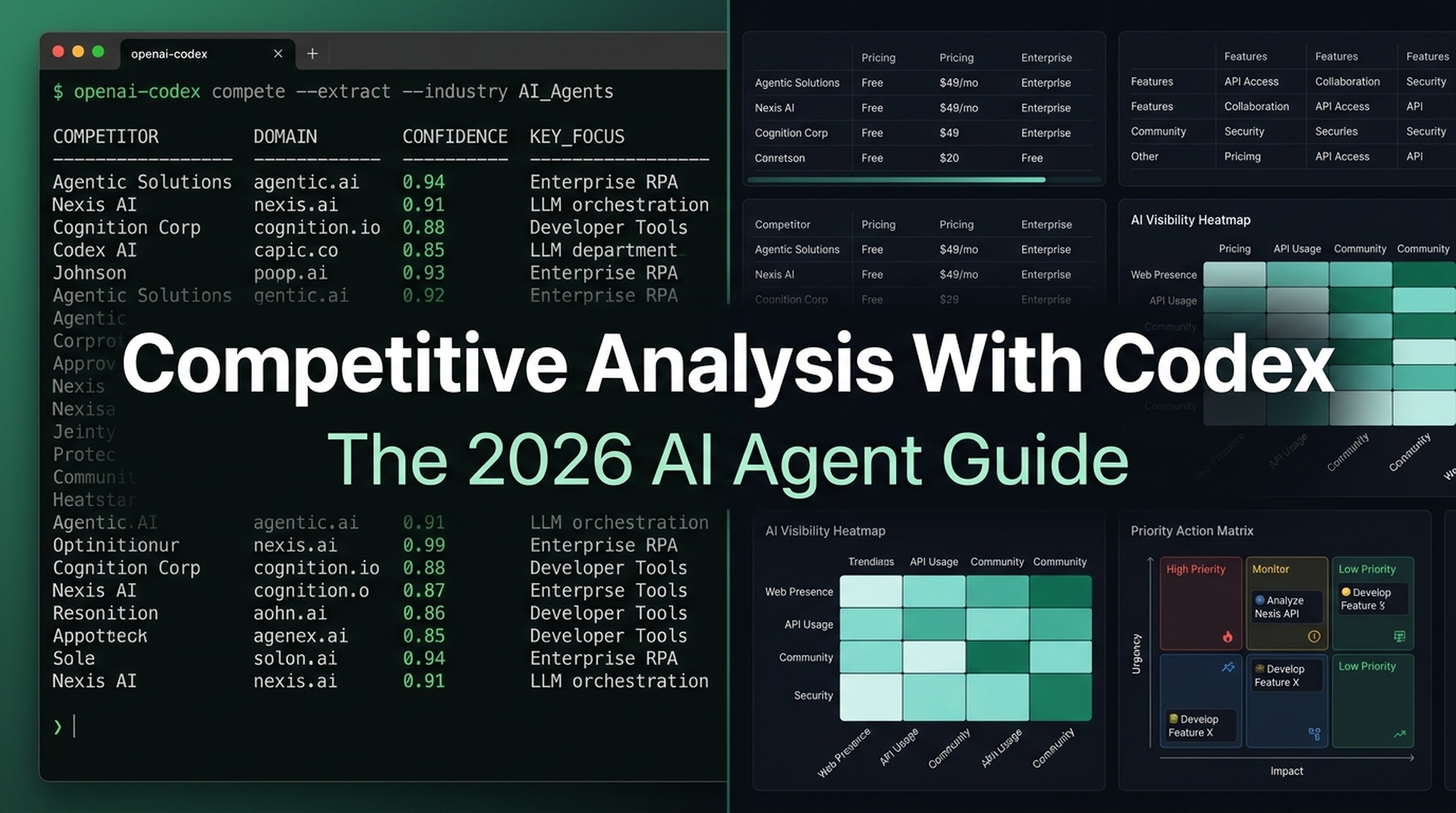
What You'll Finish With
By the end of this guide, you will have a complete competitive analysis report for your business — without opening a dozen browser tabs, copy-pasting data between tools, or spending hours reading reviews.
You'll use Codex (OpenAI's free terminal agent) to do the heavy lifting: finding competitors, comparing their market reach, extracting pricing and features, analyzing user reviews at scale, and benchmarking who shows up in AI-generated answers. You type the prompts. Codex runs the research.
Who this is for: SEO beginners, marketers, founders — anyone who needs to understand their competitive landscape and has never used a terminal agent before.
What you need:
- Codex installed (official guide) — free tier is enough for every step
- Your own website or business to analyze
- Optional: API keys for DataForSEO or Firecrawl if you want live keyword data (all prompts work without them — Codex labels what's missing)
Time: 30–60 minutes for a basic analysis with 3–5 competitors.
Definition of done: A competitive-analysis-report.md file covering who your competitors are, how visible they are, how their pricing stacks up, what customers actually say about them, and where they appear in AI answers. Every data point is sourced or labeled as an estimate.
Before You Start: Why This Guide Exists
Competitive analysis used to mean logging into Ahrefs, Brand24, G2, Capterra, Trustpilot, and a spreadsheet — then stitching everything together yourself. Each tool gave you one slice. You were the integrator, and it took half a day.
In 2026, Codex is the integrator. You describe what you need. It visits competitor pages, queries APIs if you've configured them, extracts structured data, analyzes review sentiment, and writes the report. You review, verify, and decide.
The six-step competitive analysis framework still holds. What changed is who does the work:
Step | Old Way (2023) | Codex Way (2026) |
|---|---|---|
Find competitors | Manually search Ahrefs Site Explorer | Codex searches the web and classifies competitors |
Compare reach | Ahrefs Rank Tracker + Brand24 | Codex checks organic, social, and AI citation data |
Compare pricing | Visit 5 pricing pages, copy into spreadsheet | Codex extracts structured pricing from all pages in parallel |
Analyze reviews | Copy-paste batches into ChatGPT | Codex fetches and analyzes 100+ reviews across G2, Capterra, Trustpilot |
Purchasing experience | Manual signup and checklist | Codex evaluates signup flows, outputs scored checklist |
Present conclusions | Build slides from scratch | Codex writes a structured report with prioritized recommendations |
Plus a seventh dimension that didn't exist in 2023: AI search visibility. ChatGPT, Perplexity, and Google AI Overviews now drive real traffic. If competitors get cited by AI answers and you don't, that's a measurable competitive gap.
Set Up Your Workspace
Open your terminal and create a project folder:
mkdir competitive-analysis && cd competitive-analysisStart Codex:
codexYou're inside an agent session. Every prompt in this guide can be pasted directly. Codex reads web pages, runs searches, organizes data, and saves files into your project folder.
A quick safety note: Codex runs on your machine and only accesses what you allow. It won't send data anywhere unless you connect external APIs. Every prompt below respects that — the agent labels where data came from and flags anything it can't verify.
Step 1: Discover Your Real Competitors
What this step produces: A ranked list of 3–8 direct competitors — companies selling a similar solution to the same buyers you target.
Why it matters: Most teams name the biggest brand in their space, or a company they lost one deal to. Real competitor discovery is systematic: who shares your search traffic, who bids on your branded terms, and who keeps showing up next to you in buyer conversations.
The Prompt
Copy this into Codex. Replace yourcompany.com and the description:
## Task: Discover My Direct Competitors

I run [yourcompany.com], which is [one-sentence description of what you sell and to whom].

### Part A: Organic search overlap
1. Visit my homepage. Extract what my product does, who it targets, and 3-5 key features.
2. Search the web for "[my product category] alternatives", "[my product category] vs", and "[my product category] software". Collect domains that appear across multiple searches.
3. Check G2, Capterra, and Reddit for my product category. Note domains that appear in comparisons and discussions alongside products like mine.

### Part B: Paid search signals
Search for "[my brand name] alternatives" and "[my brand name] vs". Note which domains run ads or appear in review roundups.

### Part C: Classify and rank
Categorize each as:
- **Direct** — same solution, same audience
- **Indirect** — different solution, same audience
- **Aspirational** — same solution, larger or different audience

### Output
Save to `competitors.md`:
- Ranked table of direct competitors (name, domain, why they compete, confidence level)
- Secondary list of indirect competitors
- Any data gaps (e.g., no paid search API configured)
What Good Output Looks Like
For a hypothetical helpdesk SaaS called CloudDesk, Codex produces:
# CloudDesk — Direct Competitors

| # | Competitor | Domain | Why They Compete | Confidence |
|---|-----------|--------|-----------------|------------|
| 1 | HelpScout | helpscout.com | Shared "help desk software" queries; SMB support teams | High |
| 2 | Freshdesk | freshdesk.com | Overlaps on "customer support software" and SMB segment | High |
| 3 | Zendesk | zendesk.com | Dominates enterprise; overlaps on mid-market | High |
| 4 | Intercom | intercom.com | Competing on "customer messaging platform" queries | Medium |
| 5 | Zoho Desk | zoho.com/desk | Price-competitive; appears in "cheap help desk" searches | Medium |

## Indirect
- **Front** (front.com) — shared inbox, not full helpdesk; overlapping audience
- **HubSpot Service Hub** (hubspot.com) — CRM-first; competes when buyer uses HubSpot

## Data Gaps
- Paid search overlap: not verified (no SEMrush/Ahrefs API configured)
Quality Check
- Every competitor sells to a similar audience as you
- The list includes at least one name your team hadn't thought of
- Data gaps are written down, not hidden
- Direct vs indirect classification makes sense
If the Output Is Weak
Give Codex more specific instructions: "Also search for [specific feature] tool and [specific use case] software. Check who ranks for those alongside us."
Step 2: Compare Market Reach and Visibility
What this step produces: A table showing your organic search presence, social footprint, and — new for 2026 — AI search visibility against each competitor.
Why it matters: Visibility gaps tell you why customers find competitors first. The old "share of voice" only covered organic search and social. In 2026, AI answers are the first touchpoint in many buyer journeys.
The Prompt
## Task: Compare Market Reach

Use the competitor list in `competitors.md`.

### Part A: Organic search visibility
For each competitor (and my site):
1. Search "[competitor name]" — note SERP ownership, knowledge panels, sitelinks
2. Search "[product category] software" — note who appears on page 1
3. Search "[product category] vs" — note comparison page rankings
4. Estimate relative organic footprint: Largest / Large / Medium / Small

Label everything [ESTIMATE] unless confirmed by API data.

### Part B: Social presence
For each competitor, check public profiles:
- LinkedIn company page: followers and recent posting frequency
- Twitter/X: followers and engagement on last 5 posts
- YouTube: subscriber count and last upload date (if relevant)

### Part C: AI search visibility (2026 dimension)
Test these queries on ChatGPT, Perplexity, and Google AI Overviews:
1. "best [product category] software"
2. "[product category] for [target audience]"
3. "[competitor A] vs [competitor B]"
4. "alternatives to [my brand]"
5. "[specific use case] tool"

For each query + platform, record which brands are mentioned, whether my brand appears, and the tone. If you can't access an AI platform programmatically, test manually and note it.

### Output
Save to `market-reach.md`:
1. Organic SOV comparison table (label all estimates)
2. Social presence comparison table
3. AI visibility heatmap: competitors × platforms × queries
4. Gap analysis with priority ratings (🔴 High / 🟡 Medium / 🟢 Low)
What Good Output Looks Like
# CloudDesk — Market Reach

## Organic Search (Estimated from SERP observation, 2026-07-30)

| Competitor | Brand SERP | Category Page 1 | Comparison Queries | Footprint |
|-----------|-----------|----------------|-------------------|----------|
| Zendesk | Strong (full SERP control) | Yes | High | Largest |
| Freshdesk | Strong | Yes | Medium | Large |
| HelpScout | Good (no knowledge panel) | Partial | Medium | Medium |
| CloudDesk (us) | Weak | Low (page 2-3) | Very low | Small |

⚠️ All estimates from manual observation. No API data.

## AI Search Visibility (Manual Sample, 5 Queries, 2026-07-30)

| Query | ChatGPT | Perplexity | Google AIO |
|-------|---------|------------|------------|
| "best help desk software" | Zendesk, Freshdesk, HelpScout | Zendesk, Freshdesk, Zoho Desk | Zendesk, Freshdesk |
| "help desk for small teams" | HelpScout, Freshdesk | HelpScout, Zoho Desk | HelpScout, Freshdesk |
| "alternatives to Zendesk" | Freshdesk, HelpScout, Intercom | Freshdesk, HelpScout, Zoho Desk | Freshdesk, HelpScout |

⚠️ CloudDesk did not appear in any AI answer for these queries.

## Gap Analysis

| Gap | Who's Winning | Priority |
|-----|--------------|----------|
| Category page 1 presence | Zendesk, Freshdesk | 🔴 High |
| AI answer visibility | Zendesk, HelpScout, Freshdesk | 🔴 High |
| Social presence (LinkedIn) | All competitors | 🟡 Medium |
| Comparison query coverage | Zendesk, Freshdesk | 🟡 Medium |
Step 3: Compare Pricing and Features at Scale
What this step produces: A structured pricing table and feature matrix — what each competitor charges and what buyers get at each tier.
Why it matters: Pricing is where "why would they choose them over us?" gets concrete. Codex can extract structured data from five pricing pages in parallel.
The Prompt
## Task: Extract and Compare Pricing and Features

Use the competitor list in `competitors.md`.

### Part A: Extract pricing
For each competitor, visit their public pricing page. For each plan:
- Plan name, monthly price, annual price (if shown)
- User/seat limit
- Key features included at this tier
- Features locked behind higher tiers
- Free trial? Free plan? Length and limits?

### Part B: Build feature matrix
From each competitor's feature page, collect all named features. Mark each:
- ✅ Has it
- ❌ Doesn't have it
- ⚠️ Partial or add-on
- ❓ Could not verify

### Part C: Structure the comparison

**Pricing Table:**
| Competitor | Cheapest Plan | Mid-Tier | Full Plan | Free Tier? | Free Trial? |
|-----------|--------------|----------|-----------|------------|-------------|

**Feature Matrix:**
| Feature | My Product | Competitor A | Competitor B | Competitor C |
|---------|-----------|-------------|-------------|-------------|

### Output
Save to `pricing-features.md` with source URLs and access dates for every price.

### Rules
- Only record prices visible on public pages. Login-gated pricing → mark "Login-gated"
- Never guess a price
- Be as honest about your own product as competitors — don't inflate your checkmarks
Step 4: Analyze User Reviews at Scale
What this step produces: A sentiment analysis of 2–4 star reviews for each competitor — what customers love, what they hate, what they wish existed.
Why it matters: Reviews reveal what marketing pages hide. The 2–4 star range is where customers actually explain their reasoning. Codex can collect and analyze 100+ reviews in one pass.
The Prompt
## Task: Analyze Competitor User Reviews

For each competitor in `competitors.md`, analyze 2–4 star reviews from G2, Capterra, and Trustpilot.

### Part A: Collect reviews
Find each competitor's G2, Capterra, and Trustpilot profile pages. Collect up to 30 reviews per competitor, prioritizing:
- Most recent first
- 2–4 star ratings (most actionable feedback)
- Reviews with substantial written text

### Part B: Analyze
For the collected reviews, identify:
1. Recurring praise themes — what do users consistently like?
2. Recurring complaints — what do users consistently criticize?
3. Feature requests — what do users wish existed?
4. Switching reasons — why did users leave or consider leaving?
5. Onboarding experience — how do users describe their first weeks?
6. Support quality — how do users describe support interactions?

### Part C: Per-competitor summaries
Top 3 strengths (with short illustrative fragments, not full quotes)
Top 3 weaknesses (with short illustrative fragments)
One sentence: "Users choose [Competitor] because _____, but they complain about _____."

### Part D: Cross-competitor patterns
What does the market consistently want? What seems unsolved across all competitors?

### Output
Save to `review-analysis.md`.

### Rules
- Only use review text you can access. If a platform blocks you, note it and skip.
- Quote fragments must be short (fair use).
- Do not make up reviews or sentiments.
Step 5: Benchmark the Purchasing Experience
What this step produces: A scored evaluation of how easy it is to evaluate, try, and buy each competitor's product.
Why it matters: You can have the best product and still lose because a competitor's signup takes 30 seconds and yours requires a sales call.
The Prompt
## Task: Benchmark Purchasing Experience

For each competitor, evaluate as a logged-out prospective buyer. Score each dimension 1–5 (5 = best) with a specific observation:

1. **Pricing transparency** — visible without login? clear plan differences?
2. **Free trial / freemium** — can you try without talking to sales?
3. **Signup friction** — steps from landing page to working product? credit card required?
4. **Demo availability** — screenshots, videos, interactive demo, sandbox?
5. **Sales contact** — how easy to find contact info or start a chat?
6. **Cancellation clarity** — check help center: is cancel/downgrade clear?
7. **Documentation quality** — public knowledge base? setup guides clear?

Also flag any dark patterns: hidden prices, forced sales calls, confusing tiers, hard-to-find cancel buttons.

### Output
Save to `purchasing-experience.md`:
- Scorecard table (all competitors, all dimensions)
- Best practices observed
- Friction points found
- Your own gaps compared to best-in-class

### Important
Stop before entering real personal information when testing signup flows.
Step 6: Synthesize Into an Actionable Report
What this step produces: A single competitive-analysis-report.md that brings together all findings and recommends specific actions by team.
Why it matters: Raw data persuades nobody. A good competitive analysis ends with prioritized recommendations that product, marketing, and sales can act on immediately.
The Prompt
## Task: Synthesize My Competitive Analysis

I have completed my competitive analysis. Findings are in:
- `competitors.md`
- `market-reach.md`
- `pricing-features.md`
- `review-analysis.md`
- `purchasing-experience.md`

### Step A: Executive Summary
Write 3–4 paragraphs covering:
- Top 2–3 competitive threats and why
- Biggest visibility gap (where competitors reach customers that we don't)
- Biggest product or pricing gap
- Most urgent single recommendation

### Step B: Priority Matrix

| | Easy to Fix | Hard to Fix |
|---|---|---|
| **High Impact** | Do this week | Plan this quarter |
| **Low Impact** | When convenient | Deprioritize |

Place at least 3 specific actions into the matrix.

### Step C: Recommendations by Team
- **Product team:** 1–3 specific features to build, fix, or improve (name the competitor and gap)
- **Marketing team:** 1–3 content, campaign, or positioning actions
- **Sales team:** 1–3 competitive objections to prepare battlecards for

### Step D: What We Don't Know
List every question the analysis couldn't answer: missing API data, login-gated pages, estimates instead of measurements, assumptions needing human verification.

### Output
Save to `competitive-analysis-report.md`.

### Style Rules
- Every recommendation names a specific competitor and a specific gap
- Don't say "improve SEO" — say "build 5 comparison pages for queries where Zendesk ranks #1–3"
- Don't say "fix pricing" — say "our mid-tier costs $X more than HelpScout's while missing feature Y"
- Mark uncertain claims with [NEEDS VERIFICATION]
Verify Your Finished Analysis
Before presenting this to anyone:
Accuracy
- Every competitor domain resolves to a real website
- Every price was visible on a public page on the date you recorded
- Every review fragment came from an accessible source
- All estimates are labeled [ESTIMATE]
- Your own scores aren't inflated
Completeness
- At least 3 direct competitors analyzed
- All seven sections exist: competitors, reach, pricing, reviews, purchasing, AI visibility, synthesis
- "What we don't know" section is populated — a complete analysis admits its limits
Actionability
- Every recommendation names a competitor, gap, and action
- The priority matrix has concrete items
- At least one action can start this week
Install the Full Workflow as a Codex Skill
The prompts above work as one-off copy-paste. But if you want a single command that runs the entire competitive analysis, install this as a Codex skill.
Create a folder and file:
mkdir -p .agents/skills/competitive-analysisSave the following as .agents/skills/competitive-analysis/SKILL.md:
---
name: competitive-analysis
description: Run a complete competitive analysis. Use when user says "analyze my competitors", "competitive analysis for my site", "compare us against competitors", "who are my competitors", or "competitive research".
---

# Competitive Analysis Agent

You run a structured 6-phase competitive analysis. Save all results to organized markdown files. Flag every data gap and assumption. Never guess a metric.

## Phase 0: Confirm Scope

Before any research, ask:
1. Target website/domain?
2. What does the product do and who is the audience? (one sentence each)
3. How many competitors? (default: 5, max: 8)
4. Any API keys configured? (DataForSEO, Firecrawl, Semrush, Ahrefs) — if none, use visible web data and label everything [ESTIMATE].

Wait for answers before proceeding.

## Phase 1: Competitor Discovery → `competitors.md`
1. Visit the target homepage. Extract product description, audience, key features.
2. Search for "[product category] alternatives", "[product category] vs", "[product category] software". Collect domains.
3. Search G2, Capterra, Reddit for the product category. Note domains that appear alongside the target.
4. Classify as Direct / Indirect / Aspirational. Rank by competitive closeness.
5. Save with confidence levels and data gaps.

## Phase 2: Market Reach → `market-reach.md`
1. Organic: Search "[competitor name]" and "[product category] software". Note SERP presence. Label [ESTIMATE].
2. Social: LinkedIn, Twitter/X, YouTube follower counts and posting frequency from public profiles.
3. AI visibility: Test 5 category queries across ChatGPT, Perplexity, Google AI Overviews. Record which brands are cited, sentiment, and whether the target appears.
4. Build gap analysis with priority ratings.

## Phase 3: Pricing and Features → `pricing-features.md`
1. Visit each competitor's public pricing page. Extract plans, prices, user limits, features per tier, trial/free tier info.
2. Build pricing comparison table and feature matrix (✅/❌/⚠️/❓).
3. Record source URLs and access dates. Login-gated pages → mark "Login-gated".

## Phase 4: Review Analysis → `review-analysis.md`
1. Find G2, Capterra, Trustpilot profiles. Collect 2–4 star reviews (up to 30 per competitor).
2. Analyze: praise themes, complaints, feature requests, switching reasons, onboarding, support.
3. Per-competitor: top 3 strengths, top 3 weaknesses, one-sentence value proposition from user perspective.
4. Cross-competitor: unsolved problems across the market.

## Phase 5: Purchasing Experience → `purchasing-experience.md`
1. Score each competitor 1–5 on: pricing transparency, free trial, signup friction, demo availability, sales contact, cancellation clarity, documentation quality.
2. Note dark patterns.
3. Stop before entering real personal information during signup tests.

## Phase 6: Synthesize Report → `competitive-analysis-report.md`
1. Read all five saved files.
2. Executive summary (3–4 paragraphs).
3. Priority matrix (Impact × Difficulty) with ≥3 specific actions.
4. Recommendations for product, marketing, and sales teams.
5. "What We Don't Know" section.

## Data Integrity Rules (Never Violate)
1. Never guess a metric. If you can't see it, record "Not publicly available" or "Login-gated."
2. Label every estimate with [ESTIMATE].
3. Record source URL and access date for every data point.
4. Only use review text you can access. Short fragments only (fair use).
5. Never write API keys, passwords, or tokens into any output file.
6. Score your own product with the same honest criteria as competitors.

## Output Files
- `competitors.md`
- `market-reach.md`
- `pricing-features.md`
- `review-analysis.md`
- `purchasing-experience.md`
- `competitive-analysis-report.md`

## Limits
- Max 8 competitors per run (default: 5)
- Max 30 reviews per competitor
- Max 10 AI search queries per run
How to Use the Skill
After saving the file, invoke it in Codex:
$competitive-analysis yourdomain.comOr just say:
Run a competitive analysis for my site [yourdomain.com]Codex auto-matches based on the skill description. It asks four scoping questions, then executes all six phases. You review each data-access step before it proceeds.
FAQ
Do I need to pay for any tools?
No. Codex's free tier can fetch public web pages, search the web, and analyze text. If you want live keyword volumes or SERP data, connect a DataForSEO API key (~$30–50/month). Without it, Codex works from visible SERP data and labels everything as estimates.
I don't use the terminal. Can I still do this?
Yes — every prompt in Steps 1–6 works in ChatGPT or any LLM chat interface. You'll need to copy-paste outputs between steps, and you won't get the automated file-saving. But the logic is identical. The terminal version is faster; the chat version still works.
Will this work for B2B? Ecommerce? Local businesses?
Yes. The framework is category-agnostic. For ecommerce, replace "pricing page" with "product listing analysis" in Step 3. For local businesses, add Google Business Profile presence to Step 2. For B2B SaaS, use the prompts as written.
How often should I rerun this?
Every 6 months for most businesses. Quarterly if your market moves fast (AI tools, fintech, martech). With the Codex skill installed, rerunning is one command: $competitive-analysis yourdomain.com.
What's the biggest beginner mistake?
Trusting the output without spot-checking. Codex is fast and thorough, but it can miss context a human would catch. Always read at least 5 real reviews per competitor yourself to confirm the sentiment patterns. Always verify prices on the actual pricing page before presenting them.
Author: Theo Langford, Competitive AI Visibility Analyst for 120+ Markets at Auspia. Theo writes about competitor analysis frameworks, AI-driven market intelligence, and practical competitive workflows for growth teams.


