你會建立什麼
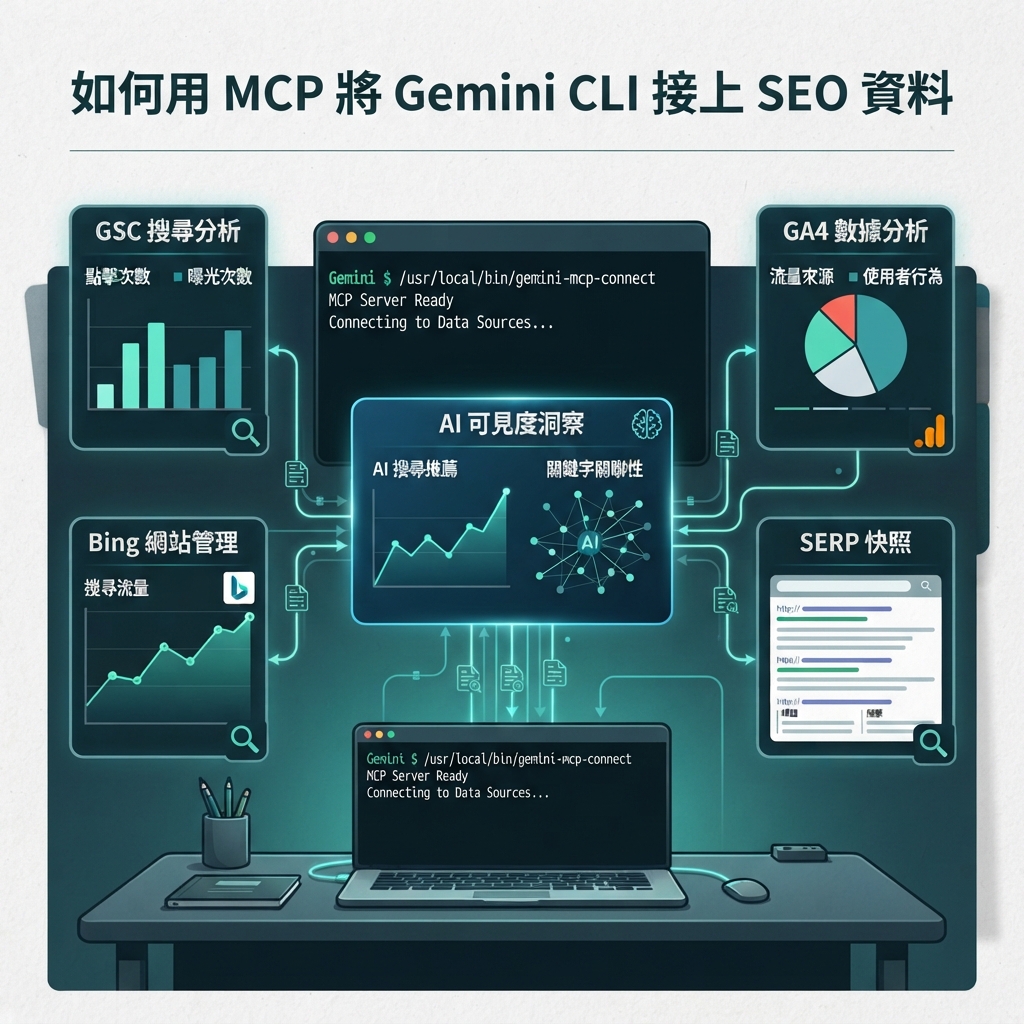
這篇教學會把基本的 Gemini CLI 工作區升級成使用 MCP 的唯讀 SEO/GEO 資料管線。目標不是把所有可能的操作都交給 CLI,而是只公開 Gemini 產生報告所需要的資料工具,讓它能讀取 GSC、Bing、GA4、SERP 快照與 AI 能見度檢查結果。
完成後,你會有:
.gemini/settings.json
seo-geo/exports/YYYY-MM-DD/
seo-geo/reports/YYYY-MM-DD-mcp-report.md
scripts/mcp-seo-data-server.mjs
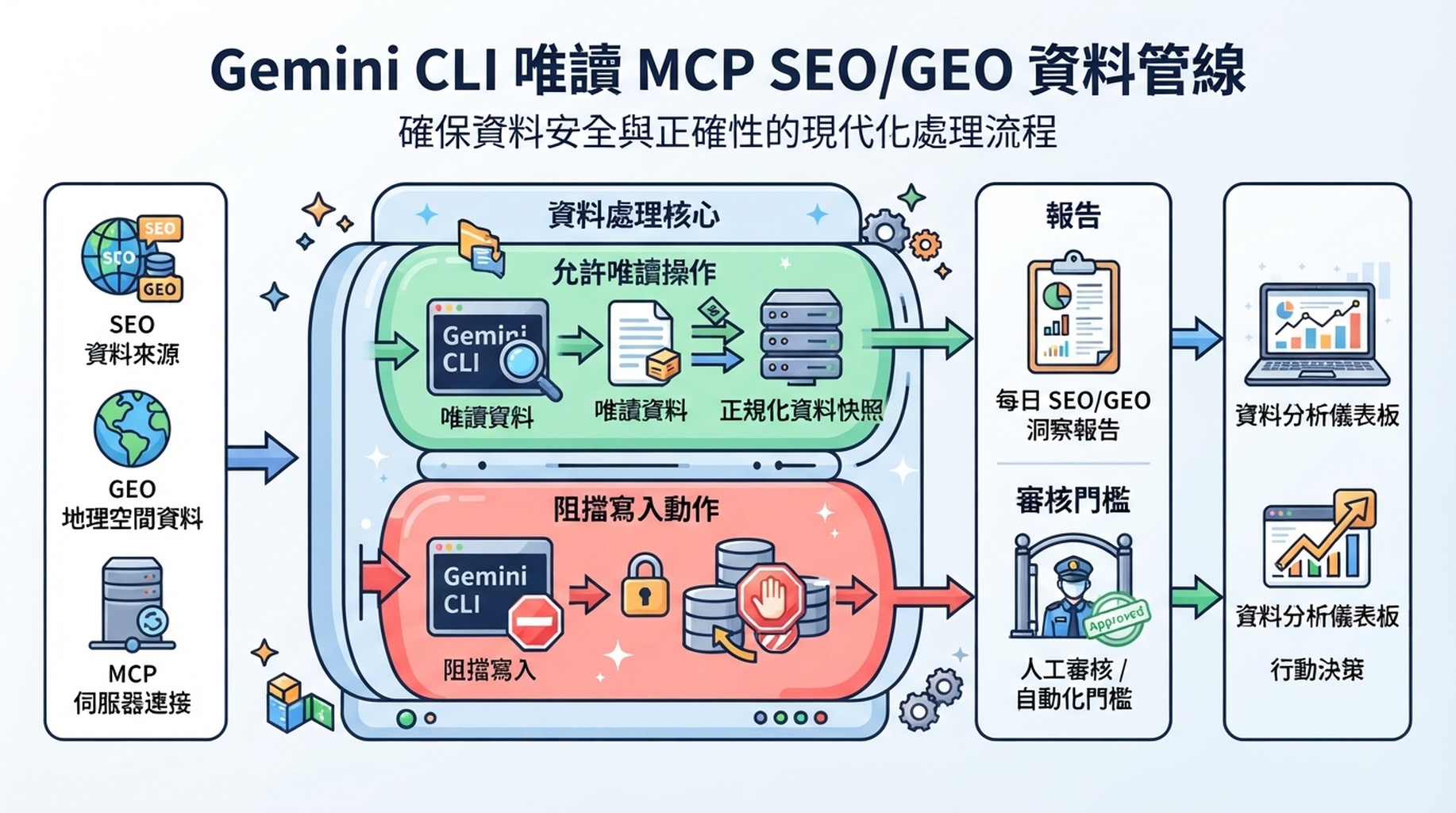
圖說:MCP 是資料傳輸升級,不是授權 CLI 自動發布或修改網站。
步驟 1:決定 Gemini CLI 可以使用哪些工具
Tool type | 第一版設定 | 原因 |
|---|---|---|
Read GSC pages | Allow | 產生 opportunity reports 需要 |
Read Bing queries | Allow | 補上非 Google 搜尋訊號 |
Read GA4 landing pages | 只允許 aggregated | 避免 raw user data |
Read AI visibility snapshots | Allow | GEO tracking 需要 |
Submit URLs | Block | 這是寫入操作 |
Publish CMS post | Block | 這是 production action |
Delete or redirect pages | Block | 高風險操作 |
步驟 2:建立 placeholder MCP server
mkdir -p scripts .gemini
cat > scripts/mcp-seo-data-server.mjs <<'EOF'
#!/usr/bin/env node
// Placeholder MCP server for planning. Replace with a real MCP implementation later.
console.error('TODO: implement MCP tools: get_gsc_pages, get_bing_queries, get_ai_visibility_snapshot');
setInterval(() => {}, 1000);
EOF
chmod +x scripts/mcp-seo-data-server.mjs
這個 placeholder 不會抓真實資料。它的用途是在接觸 credentials 之前,讓團隊先討論工具名稱、權限與資料形狀。
步驟 3:建立 .gemini/settings.json
Gemini CLI MCP docs 說明,MCP servers 會公開 tools 與 resources,讓 CLI 可以和 external systems / data sources 互動。先從保守設定開始:
{
  "mcpServers": {
    "seo-data": {
      "command": "node",
      "args": ["scripts/mcp-seo-data-server.mjs"],
      "includeTools": [
        "get_gsc_pages",
        "get_bing_queries",
        "get_ga4_landing_pages",
        "get_ai_visibility_snapshot"
      ],
      "excludeTools": [
        "submit_url",
        "publish_post",
        "delete_page",
        "create_redirect"
      ]
    }
  }
}
如果你的 Gemini CLI 版本或 MCP server 使用不同的 config shape,原則仍然一樣:先允許資料讀取,阻擋寫入操作。
步驟 4:定義正規化輸出
mkdir -p seo-geo/exports/schema
cat > seo-geo/exports/schema/normalized-seo-geo-snapshot.json <<'EOF'
{
  "date": "YYYY-MM-DD",
  "pages": [
    {
      "url": "https://example.com/page",
      "gsc_impressions": 0,
      "gsc_clicks": 0,
      "bing_clicks": 0,
      "ga4_sessions": 0,
      "ai_prompts_mentioned": 0,
      "ai_citations": [],
      "notes": ""
    }
  ]
}
EOF
Gemini CLI 應該從正規化快照寫報告,而不是直接把五種無關 raw formats 混在一起。
步驟 5:第一個 MCP prompt
Use only read-only SEO/GEO MCP tools.
Do not submit URLs, publish CMS content, delete pages, create redirects, or edit website files.

Task:
1. Inspect the configured MCP server names and available read tools.
2. Tell me which tools are available and which expected tools are missing.
3. Propose the normalized snapshot shape for today's SEO/GEO report.
4. Do not call any write-capable tool.
好的回答應該會提到允許的 tool names,以及被封鎖的 actions。
步驟 6:產生第一份 MCP-based report
等真實 read tools 做好後,再使用:
Use read-only MCP tools to fetch today's GSC pages, Bing queries, GA4 landing page summary, and AI visibility snapshot.

Save normalized output under:
seo-geo/exports/YYYY-MM-DD/normalized-seo-geo-snapshot.json

Then create:
seo-geo/reports/YYYY-MM-DD-mcp-report.md

The report must include:
- data sources used;
- missing data;
- top page opportunities;
- prompt/citation gaps;
- technical or indexing risks;
- recommended next actions;
- actions that require human approval.

Do not edit website files.
預期報告格式
# MCP SEO/GEO Report - YYYY-MM-DD

## Data sources
| Source | Tool | Status | Notes |

## Top opportunities
| URL | Signal | Diagnosis | Recommended action | Risk |

## AI visibility gaps
| Prompt | Brand mentioned | Citation | Competitors | Next page action |

## Approval-needed actions
- Any URL submission
- Any CMS publish
- Any robots/canonical/redirect change
Troubleshooting
問題 | 可能原因 | 修正 |
|---|---|---|
Gemini 看不到 MCP tools | settings path 錯誤或 server failed | 重新開 CLI 並檢查 config path |
Tool 暴露寫入 actions | 沒有 allowlist | 加上 include/exclude policy |
Report 混用 raw formats | 沒有 normalized schema | 強制輸出 snapshot JSON |
API keys 出現在 chat | credential handling 不安全 | keys 放到 env/config,不放 prompts |
FAQ
MCP tools 應該提交 URL 或發布 CMS 內容嗎?
初學者設定不要這樣做。直到 reporting 穩定、approval gates 成熟之前,MCP 都應保持唯讀。
可以不使用 MCP 開始嗎?
可以。先用 CSV exports。MCP 是 transport upgrade,不是 workflow 本身。
成功訊號是什麼?
Gemini CLI 可以讀取或取得資料,正規化成一個 snapshot,並且不碰 production files 就產生報告。
AI coding agents for SEO/GEO 學習路徑
這篇屬於 Gemini CLI SEO/GEO track。請先完成這些 terminal-focused tutorials,再用 operating model 與 editor / workflow agents 搭配。
- Cursor vs Windsurf vs Gemini CLI:SEO/GEO 自動化怎麼選
- 如何設定 Gemini CLI SEO/GEO Automation 工作區
- 如何用 MCP 將 Gemini CLI 接上 SEO 資料
- 如何用 Gemini CLI 做每日 SEO/GEO Monitoring
- 如何用 Gemini CLI Checkpointing 安全修 SEO
- Cursor、Windsurf、Gemini CLI、Codex、Claude Code 的 SEO/GEO 營運模型
下一篇
上一篇:如何設定 Gemini CLI SEO/GEO Automation 工作區
下一篇:如何用 Gemini CLI 做每日 SEO/GEO Monitoring
Sources and notes
- Gemini CLI documentation: Gemini CLI Docs and MCP servers with Gemini CLI。
- Related Auspia guide: Cursor vs Windsurf vs Gemini CLI for SEO/GEO Automation。
Author: Gabriel Finch, Auspia Search Retrieval Researcher,已 review 1,200+ AI Answers。Gabriel 撰寫 retrieval systems、AI discovery 與 search infrastructure workflows。