Want Cascade to prepare this for you? Share this article with your coding agent and ask it to inspect the current MCP configuration, merge a DeepSeek entry, and show you the change. Enter your API key locally; never paste it into chat.
Use this guide to add DeepSeek Search to my Windsurf Cascade setup. First
inspect the MCP configuration path for the Cascade version I am running. Keep
all existing servers, add the local DeepSeek adapter as a separate entry, and
load the key from a private env file or environment variable. Do not read or
print the secret. Show me the JSON diff and explain how to refresh Cascade and
check the two tools. Do not make a billable request until I approve it.
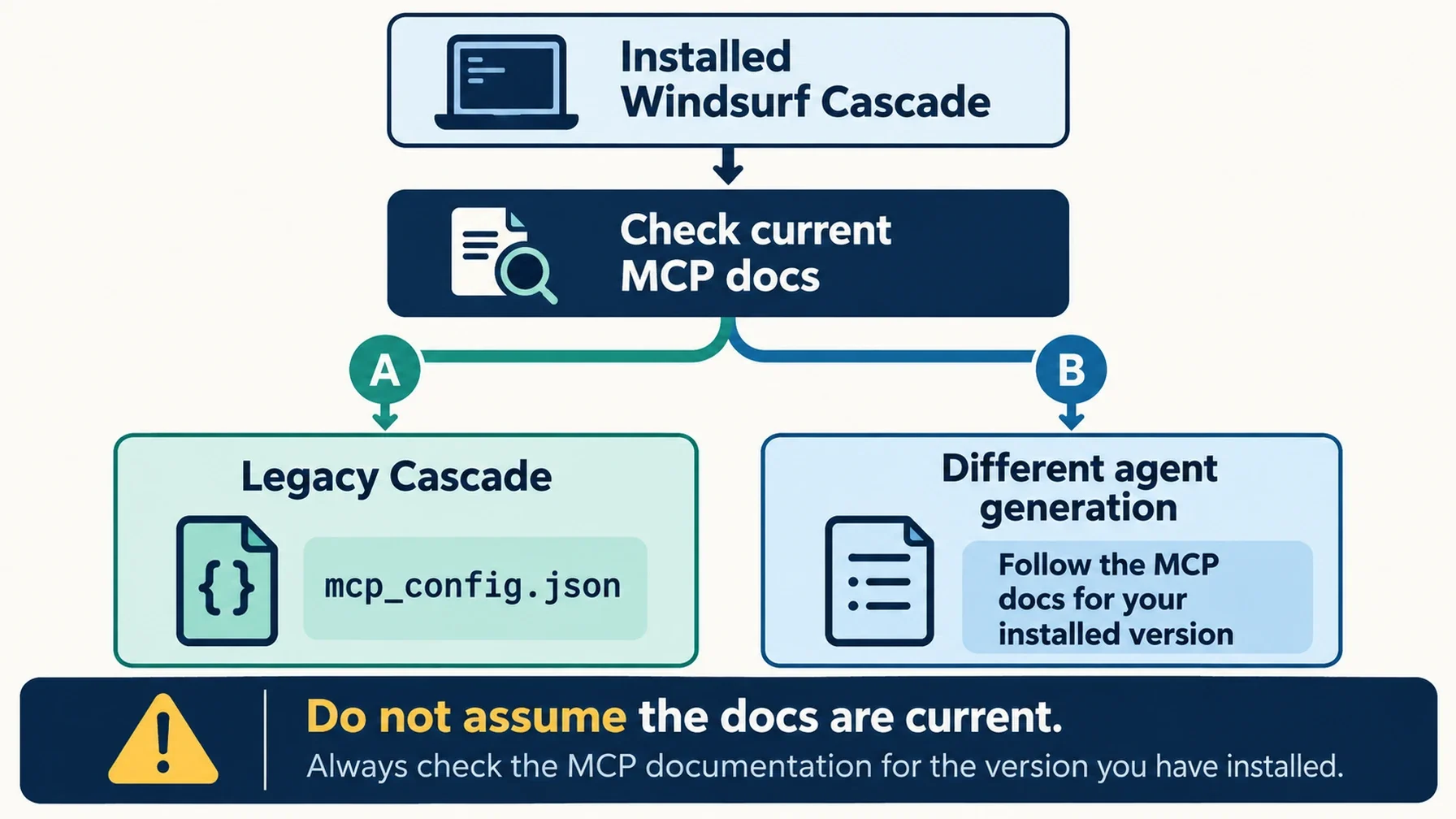
Cascade can use DeepSeek Search through a local MCP server. The setup is a JSON entry plus a refresh in the Cascade MCP panel; the important version caveat is that Windsurf's MCP documentation now redirects to Devin documentation, where this configuration is described as applying to the legacy Cascade agent. Confirm that your installed Cascade still uses this config path before copying it. Current Cascade MCP documentation
Decide where the key will live
DeepSeek provides an HTTP Search and Fetch API. Cascade needs an MCP bridge to call it as tools, so use the small Node adapter and search-cli.mjs helper described in the Claude Code setup guide. Install the adapter's pinned dependencies in a private local directory and use Node.js 22 or newer.
Create a separate .env file outside your project with DEEPSEEK_API_KEY=..., then restrict its permissions. The sample below asks Node to read that file when Cascade launches the bridge. Replace both paths with absolute paths on your machine:
{
  "mcpServers": {
    "deepseek-search": {
      "command": "node",
      "args": [
        "--env-file=/Users/you/.config/deepseek-search/.env",
        "/Users/you/.local/share/deepseek-search/server.mjs"
      ]
    }
  }
}
Cascade's current documentation lists ~/.config/devin/mcp_config.json on macOS and Linux (or $XDG_CONFIG_HOME/devin/mcp_config.json when set), and %APPDATA%\devin\mcp_config.json on Windows. Because Windsurf's docs have moved and the Cascade MCP page marks this agent as legacy, use the Open MCP config file action in your installed Cascade panel when available; that avoids editing a stale or wrong file. Merge the deepseek-search object into the existing mcpServers object. Cascade config location and format
If your installed version supports Cascade's file interpolation, you can keep the secret in a one-line key file instead of Node's --env-file option. For this adapter, however, Node's env-file argument is the simpler route because it sets the environment for the child process that performs the API request.
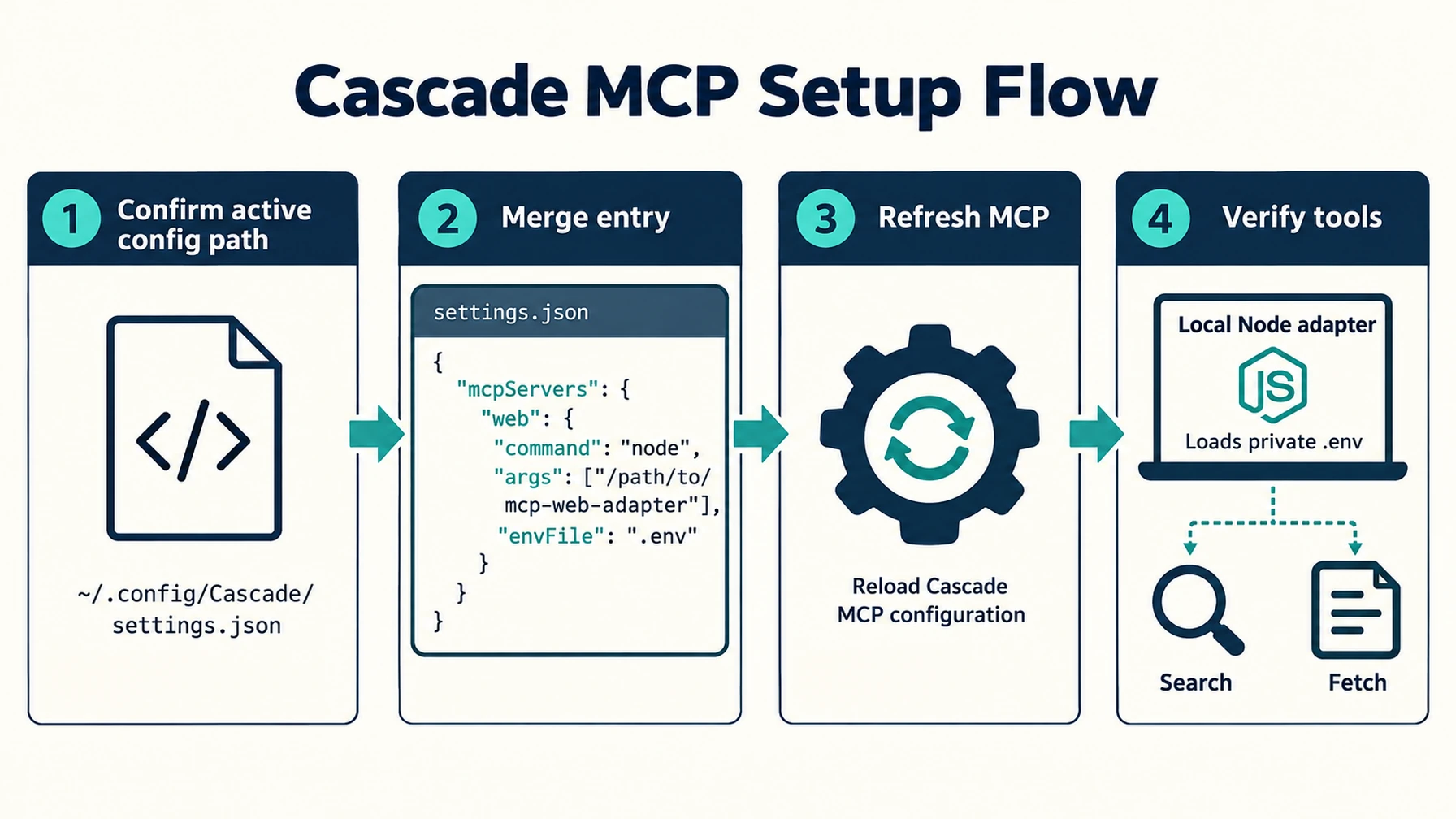
Confirm the active Cascade config file before editing it.
Refresh Cascade and inspect what it can call
Save the file, open Cascade's Actions menu, and look at the MCP section. The server should be listed and enabled. Restart Cascade or refresh its MCP list if the entry does not appear. The current documentation allows per-server toggles and a disabledTools array; the adapter advertises deepseek_search and deepseek_fetch, so keep both available for a search-then-source-check workflow.
Ask Cascade to answer a narrow question about an official product document. In its tool activity, verify a Search call, a Fetch call for a selected URL, and a final answer that cites that URL. This sequence matters: a search-result summary can help locate a page, while Fetch provides the text to check before citing it.
A successful MCP connection only verifies that Cascade started the local adapter and discovered its tools. It does not test whether DeepSeek accepts your key. A live API call requires the reader's own key and can incur charges under DeepSeek's current Search & Fetch API pricing.
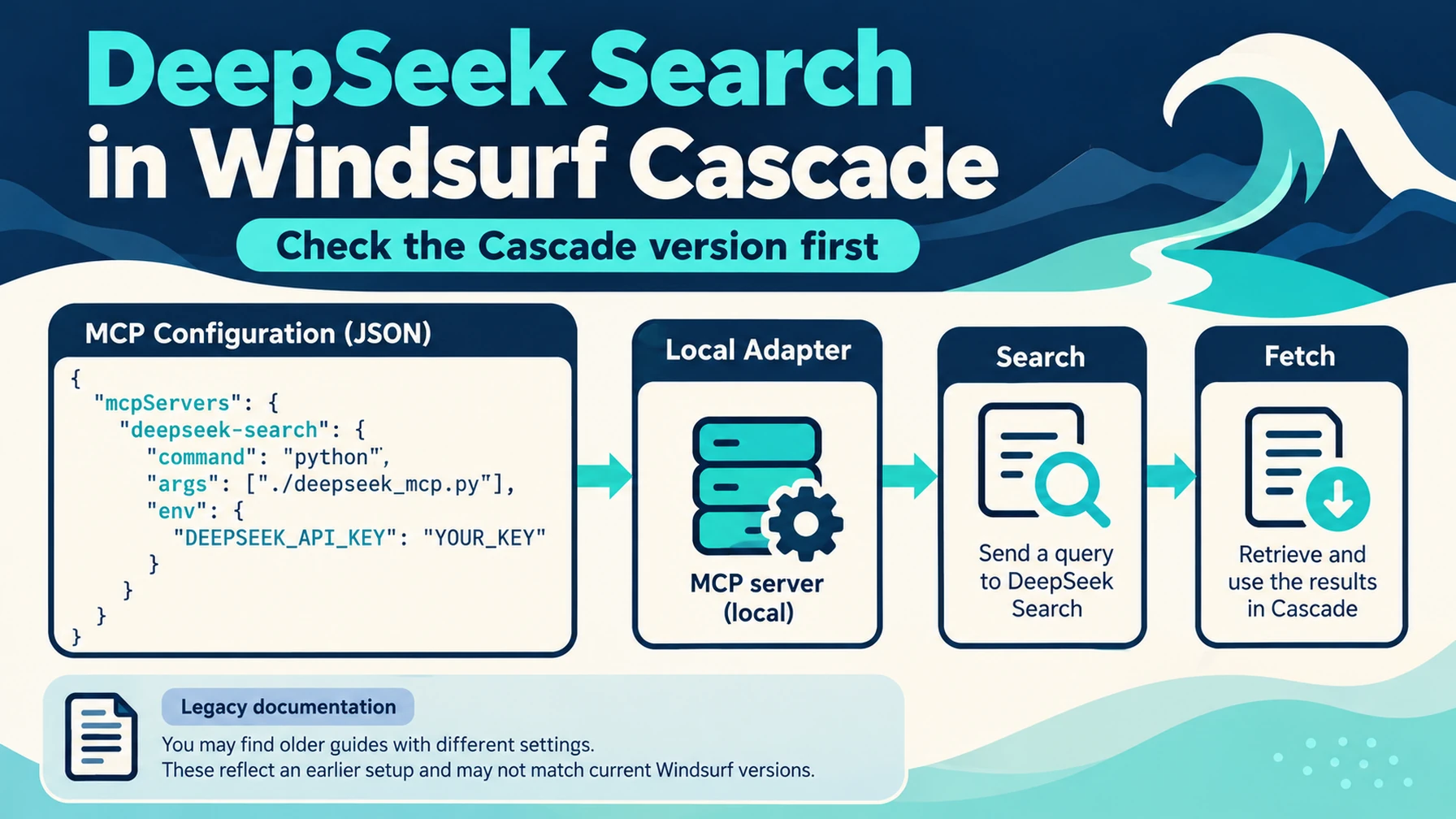
Follow documentation for the agent generation installed on your machine.
When Cascade cannot see the tools
Use the diagnostic that matches the failure. If the JSON file does not load, validate its braces and check that you edited the file opened by Cascade. If the server row appears but has no tools, test the adapter from a terminal with the same Node executable and env file. If the tools appear but a call returns an authentication error, correct the local env file and restart the Cascade process. Do not paste request headers or the contents of the key file into a chat or issue report.
Cascade's MCP documentation describes an upper limit of 100 enabled tools. If you already use many servers, disable unrelated tools before adding another connection. Search is read-only, but the MCP process still runs local code, so install the adapter in a directory you trust and review the server path before enabling it.
Skip persistent MCP for a one-time lookup
If you only need one result, use the CLI helper from the Claude Code guide instead of adding a persistent Cascade tool:
node --env-file=/Users/you/.config/deepseek-search/.env \
  /Users/you/.local/share/deepseek-search/search-cli.mjs \
  search "Windsurf Cascade MCP configuration" 3
Use its fetch subcommand on the chosen URL. This is a manual terminal lookup, not a tool Cascade can select in chat. For repeated research, the MCP integration is more convenient; for a single check, the helper keeps the workflow short.
Cascade is ready when its MCP panel shows the adapter, both tool names are visible, and one approved Search → Fetch task returns a source-backed answer. Recheck the configuration instructions against the installed product documentation if your Cascade version changes, since Windsurf's documentation now routes through Devin's legacy-Cascade guide.
Author: Martin Hayes, GEO Playbook Builder for 200+ Execution Checklists at Auspia. Martin writes practical setup guides and repeatable implementation checklists.
Explore more DeepSeek Search setup guides
Browse the complete agent setup guide
Related platform guides: Add DeepSeek Search to Warp Agent with MCP and Profiles · Claude Code.