昔ながらの「SEO vs SEM」論争は終わりました。2026年7月、Googleは静かにルールを書き換えました。何が変わり、なぜ重要なのか、そしてAIエージェントを使って両方の戦略を実行する方法を説明します——完全な初心者でも。
2026年7月7日、Google Search Consoleは誰も予想しなかった機能を発表しました:Platform Properties。
Instagram、TikTok、X、YouTubeのコンテンツがGoogle検索、Discover、Google Newsでどのようにパフォーマンスしているかを追跡できるようになりました。ウェブサイトは不要です。
初めて、あなたのソーシャルチャネルは単なる「トラフィックソース」ではなく、検索資産となりました。Googleはそれらを第一級の検索結果として扱います。
この単一の機能は、初期の「SEO vs SEM」ガイドが書かれて以来、検索マーケティングで起きたすべての変化を象徴しています。問うべきはもはや「SEOとPPCのどちらをすべきか」ではありません。「オーディエンスが検索するあらゆる場所でどう見つけられるか、そしてどのアプローチが最も早くそこに到達できるか」です。
一つずつ見ていきましょう。
2026年、SEOとは?
SEO(検索エンジン最適化)とは、検索エンジンのオーガニック(無料)結果であなたのコンテンツを表示させる実践です。
その核心的な定義は変わっていません。しかし、オーガニック検索の可視性としてカウントされるものは大きく拡大しました。
2026年 SEOの5本柱
従来のフレームワークでは、SEOには4本の柱がありました。2026年には5本です:
柱 | 対象 | 2026年の新要素 |
|---|---|---|
1. キーワードリサーチ | 人々が検索する語句を見つける | AI Overviewのクエリファンアウト——1回の検索で8〜12のサブクエリが生成され、コンテンツがそれに答える必要がある |
2. オンページSEO | コンテンツ、タイトル、見出し、構造 | AI引用のためのパッセージレベル最適化(134〜167語の回答ブロック);質問形式のH2/H3 |
3. オフページSEO | 被リンク、ブランド言及、権威シグナル | リンクなしのブランド言及が重要に——Geminiがウェブ全体をスキャンしてトピックコンテキストのシグナルを探す |
4. テクニカルSEO | クロール、インデックス、サイトパフォーマンス | URLのアクセシビリティがAI Overview引用の第1要因;構造化データは表示コンテンツと一致する必要がある |
5. AI・ソーシャル検索の可視性 | AI Overviews、AI Mode、Discover、ソーシャルプラットフォーム検索面への最適化 | 2026年全新設。 GSC Platform Properties;LLM検索と引用のためのコンテンツ構造 |
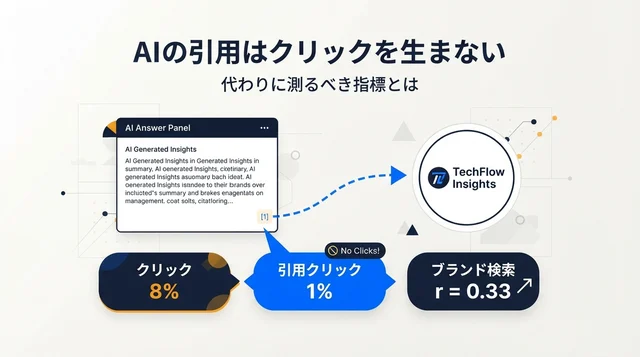
大きな転換点:1位にランクインしても可視性は保証されない。GoogleのAI Overviewが米国検索の40〜60%に表示され(BrightEdge、Semrush 2026年データ)、AI Overviewが表示されている場合、ユーザーが従来の結果をクリックするのはわずか8%(Pew Research)という状況では、ゲームは変わりました。
コンテンツはAIの回答に引用される必要があります。単にランクインするだけでは不十分です。詳しくは後述します。
簡単な例
「初心者に最適なプロテインパウダー」を検索する人を想像してください。
- 旧SEOの目標:ブルーリンクで1〜3位にランクイン
- 2026年のSEO目標:ブルーリンクの上に表示されるAI Overviewにコンテンツが引用される——かつ、AI回答をスクロールして過ぎたユーザーのために従来の結果でもランクインする
これらは2つの異なるターゲットであり、異なる戦術が必要です。
2026年、PPC(とSEM)とは?
PPC(ペイ・パー・クリック)は、検索結果に表示されるために入札し、誰かがクリックするたびに料金を支払う有料広告です。
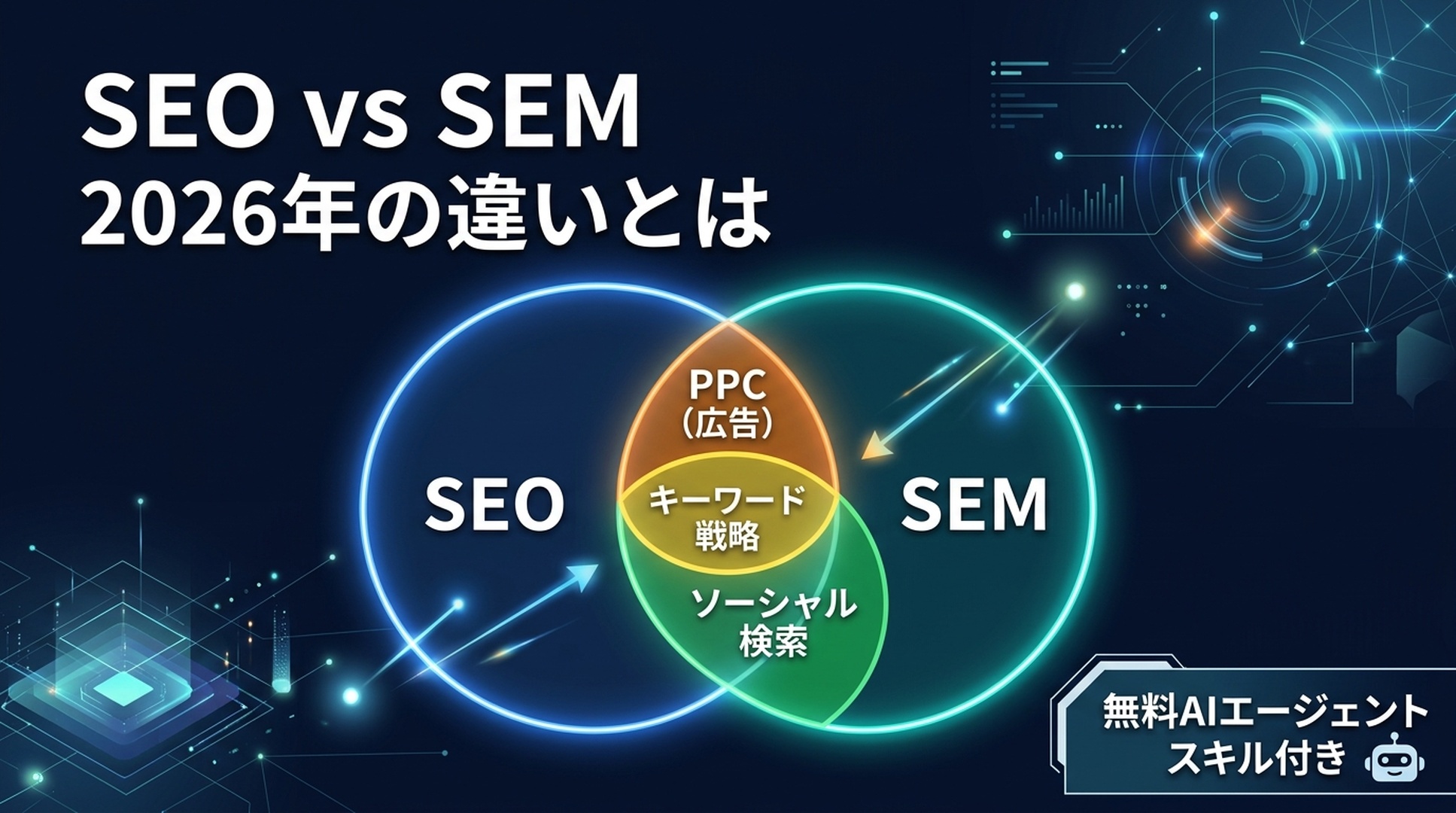
SEM(検索エンジンマーケティング)は包括的な用語です。SEOとPPCの両方をカバーします——クリックごとに支払うか、オーガニックに獲得するかを問わず、検索エンジンで可視性を得るためのすべての戦略です。
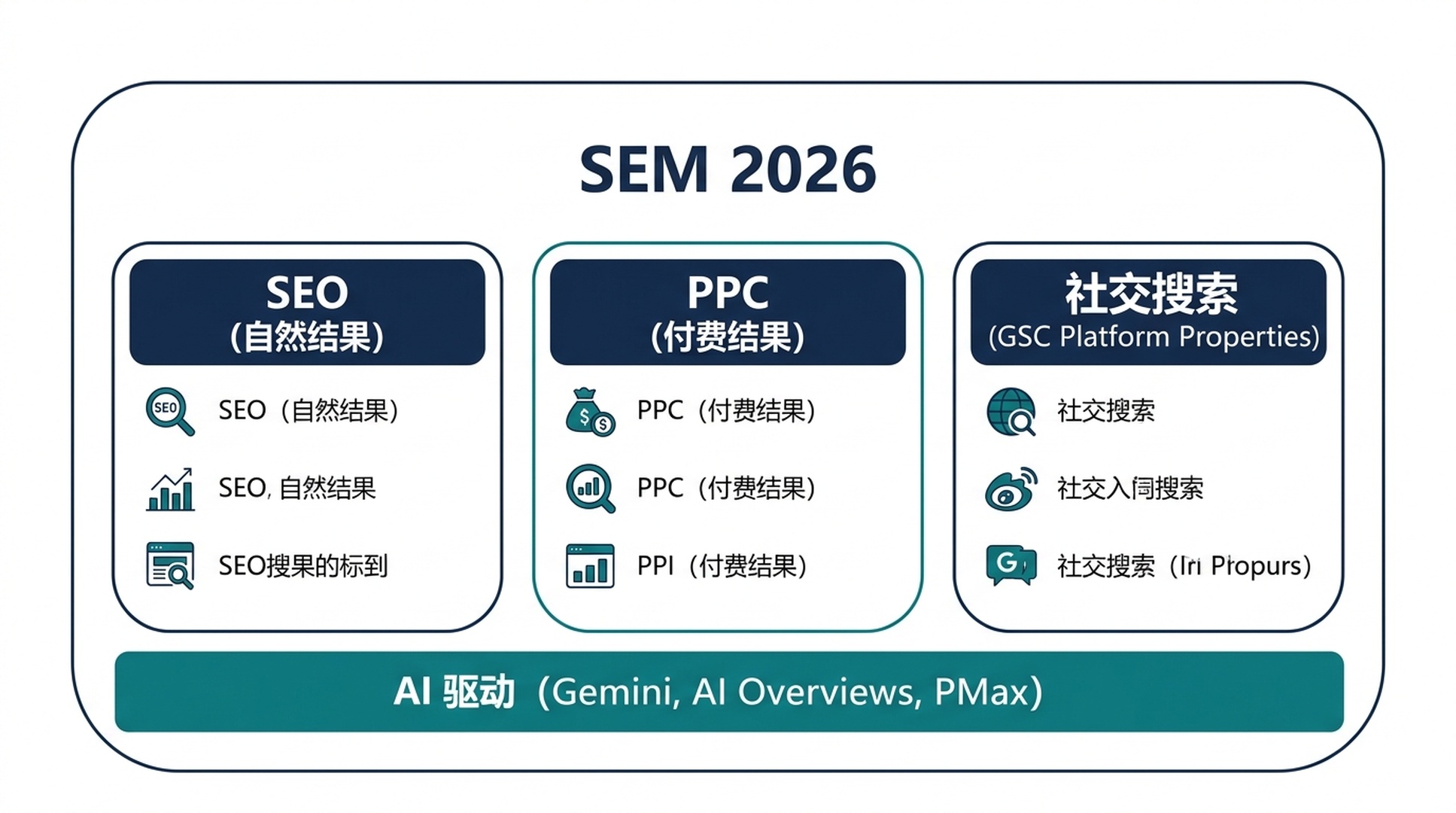
2026年、PPC自体も進化しました:
- Performance Max(PMax)キャンペーンが主流に。GoogleのAIが検索、ショッピング、YouTube、Discover、Gmail、マップに1つのキャンペーンから広告を配信します。
- 従来のマッチタイプは消えつつある。完全一致やフレーズ一致は、AI駆動のクエリマッチングに取って代わられています。
- 利益ベースの入札がROASだけの考え方に取って代わる——マージンを意識したSKUレベルのコントロール。
- 品質スコアがAI Overviewの存在を考慮するように。AI Overviewがトリガーされるクエリでは、そうでないクエリとは広告のパフォーマンスが異なります。
PPCの4ステップ(変わらず)
PPCのコアワークフローは構造的に変わりませんが、ツールは変わりました:
- コストデータ付きキーワードリサーチ。人々が検索するものと各クリックのコストを見つける。そのクエリがAI Overviewをトリガーするかどうかも考慮する(オーガニックと有料の両方のCTRを抑制する可能性がある)。
- 入札設定。現在は主にSmart BiddingとPMaxで自動化。あなたの仕事はAIに良いシグナル(正確なコンバージョンデータ、オーディエンスリスト、クリエイティブアセット)を提供すること。
- 広告作成。レスポンシブ検索広告(RSA)がデフォルト。GoogleのAIがあなたの見出しと説明文を組み合わせる。1つの「完璧な」広告を書くよりも、アセットの品質と多様性が重要。
- オーディエンスターゲティング。ファーストパーティデータが王様。サードパーティCookieの廃止により、メールリスト、ウェブサイト訪問者、カスタマーマッチリストが最も価値あるPPCアセットに。
新プレイヤー:ソーシャル検索とGSC Platform Properties
これは2026年のSEOにおける最も重要なアップデートの一つです。
2026年7月7日、GoogleはSearch ConsoleにPlatform Propertiesを導入しました。Instagram、TikTok、X(Twitter)、YouTubeのコンテンツがGoogle検索、Discover、Google Newsでどのようにパフォーマンスしているかを追跡できる新しいプロパティタイプです。
得られるもの
接続された各ソーシャルアカウントが、3つのレポートを持つ独立したSearch Consoleプロパティになります:
レポート | 表示内容 |
|---|---|
パフォーマンス | ソーシャルコンテンツのGoogle検索でのクリック数、インプレッション数、CTR、平均掲載順位——検索タイプ(ウェブ、画像、動画、ニュース)でフィルタ可能 |
インサイト | トラフィックのトレンド、最もパフォーマンスの良い投稿、Google上でのアカウントの発見方法 |
達成 | 成長マイルストーン(例:「過去28日間でコンテンツがGoogle検索から1,000クリックを獲得」) |
ウェブサイト不要
初めて、ソーシャルプラットフォームのみで公開しているクリエイターがGoogle Search Consoleを使えるようになりました。ウェブプレゼンスがゼロのTikTokクリエイターが、どのGoogle検索クエリが人々を自分のコンテンツに導いているかを正確に確認できます。
ソーシャル投稿が検索資産に
あなたのInstagramリール、YouTube Shorts、Xのスレッドは、単なるエンゲージメントの糧ではありません。ウェブページと並んで可視性を競う、インデックス可能でランク付け可能なコンテンツです。
ソーシャルのクエリレベルインサイト
ソーシャルコンテンツに人々を導く正確な検索語句を確認できます。これはこれまで得られなかったキーワードリサーチデータです——Googleから直接、無料で。
クロスプラットフォーム比較
接続された各プラットフォームからデータをエクスポートして比較:TikTokとYouTubeのどちらがより多くのGoogle検索トラフィックを生み出しているか?答えに驚くかもしれません。
設定方法(2分)
- Google Search Consoleを開く
- プロパティセレクターのドロップダウン → 「プロパティを追加」
- 「Platform property」を選択
- プラットフォーム(Instagram、TikTok、X、YouTube)を選択
- 画面の指示に従って安全に認証
- データが表示されるまで最大48時間待つ
アカウントごとに個別に追加。一括インポートはなし。
重要: Platform PropertiesはGoogleの検索面(検索、Discover、News)のみを測定します。TikTokの再生回数やInstagramのいいね数などのアプリ内エンゲージメントは表示されません。データは認証した時点から開始され、過去のバックフィルはありません。だから今すぐ設定してください。
AI Overviewsがすべてを変えた
2023年か2024年のSEOガイドを最後に読んだなら、以下があなたが見逃したものです。
GoogleのAI Overviews(旧SGE)は今や支配的な存在です。大量の検索に表示され、その存在が「SEO成功」の実践的な意味を変えています。
ランキング ≠ 引用
理解すべき最も重要な数字:2026年3月時点で、AI Overviewsに引用されたページのうちトップ10にランクインしているのはわずか38%です(Ahrefs調査)。
2025年半ばには76%でした。
これは何を意味するのか?GoogleのAIは単に最上位のページを選んで要約するのではありません。8〜12の関連サブクエリを実行し、ウェブ全体からパッセージを取得し、回答を合成します。ヘッドタームで15位のあなたのページが、あるサブクエリの完璧な答えとなり——引用されるのです。
引用のアドバンテージ
AI Overviewに引用されることは単なる見栄えの問題ではありません。Seer Interactiveの2026年調査によると、AI Overviewsで引用されたブランドは、同じクエリで引用されていない競合と比較して、インプレッションあたり約120%多くのオーガニッククリックを獲得しています。AI Overviewトラフィックのコンバージョン率も従来のオーガニックより高く、ある分析では14.2%対2.8%でした(Infintech Designs、2026年)。
AI Overview引用のための最適化方法
これには全く新しいスキルセットは必要ありません。必要なのはコンテンツ構造の転換です:
戦術 | 実行方法 |
|---|---|
回答ファーストの書き方 | 各セクションを1〜2文の直接的な回答で始め、その後に詳述 |
パッセージ最適化 | 約134〜167語の自己完結型回答ブロックを作成——最も引用される長さ |
質問ベースの見出し | 実際の質問をH2/H3として使用(「People Also Ask」やサブクエリパターンを反映) |
エンティティの明確さ | あなたが誰で、何をカバーし、なぜ信頼できるのかを明確に(Aboutページ、著者プロフィール、スキーマ) |
キーワード数よりトピックの深さ | 1つのトピックをあらゆる角度からカバーする包括的な1ページが、微妙なキーワードバリエーションを狙った5つの薄いページに勝る |
コンテンツを新鮮に保つ | 時間に敏感なトピックは30〜60日ごとに更新。古いコンテンツはめったに引用されない |
このアプローチは回答エンジン最適化(AEO)や生成エンジン最適化(GEO)とも呼ばれます。ラベルよりも原則が重要です:特定の質問に対する最良の回答にあなたのコンテンツをし、AIが見つけて引用できるように構造化すること。
2026年 SEMにかかる時間は?
従来のタイムラインはおおむね維持されていますが、AIツールがSEOの生産面を圧縮しています。
アプローチ | 最初の結果が出るまで | 意味のある結果が出るまで |
|---|---|---|
PPC | 数時間(広告承認後すぐ) | 1〜4週間(キャンペーン最適化、学習期間) |
SEO | 数週間(低競合語句) | 3〜12ヶ月(競合語句) |
ソーシャル検索 | 数日〜数週間(バイラルコンテンツは即座に急上昇の可能性) | 1〜3ヶ月(一貫した公開パターン) |
SEOにまだ時間がかかる理由
Googleのランキングシステムは、一晩で作り出せない要素——被リンク、コンテンツの深さ、ユーザーエンゲージメントシグナル——を依然として重視しています。トップ10ページの調査では、過去1年以内に公開されたのはわずか22%でした。ほとんどのランキングページは長期間存在しています。
ただし、*AIエージェントがSEOの生産面を圧縮しています。以前は数日かかっていた作業(キーワードリサーチ、コンテンツブリーフ、初稿)が、適切なAIワークフローで数時間で完了します。一方、権威構築*面(リンク獲得、信頼構築)には依然として時間がかかります。
PPC:速いが脆い
PPCトラフィックは予算を開始した瞬間に始まり、予算を停止した瞬間に止まります。短距離走者とマラソン走者の違いです。2026年、PMaxキャンペーンを使えば1つのキャンペーンから複数のGoogleサーフェスに展開できますが、学習期間(Google AIが配信を最適化する期間)には1〜2週間の継続的なコンバージョンデータが依然として必要です。
2026年 SEMのコストは?
コストはSEO vs SEMの判断で最も質問が多く、最も誤解されている部分です。
SEOコスト
SEOは無料ではありません。自分で行う場合は時間が、誰かを雇うかツールを使う場合はお金がかかります。
AIエージェントを使ったDIY(2026年方式):
- Claude Code / Codex:月$20〜$200のAPIクレジット(使用量による)
- AhrefsまたはSemrush:月$129〜$249(キーワードデータ用)
- Google Search Console:無料
- DIY合計:約$150〜$450/月 + あなたの時間
助けを雇う:
- フリーランスSEO:月$500〜$5,000
- 代理店:月$2,000〜$20,000
2026年のワイルドカード:AIエージェントがDIYのハードルを劇的に下げました。この記事のスキルを身につけた初心者は、以前は月$3,000のコンサルタントが必要だったキーワードリサーチ、コンテンツブリーフ、テクニカル監査を実行できます。人間の判断力——戦略、トピック選択、品質レビュー——は依然としてあなたのものですが、面倒な作業は自動化されています。
PPCコスト
PPCのコストはより透明です:
- 広告費:月$100(ローカルビジネス、低競合語句)から月$100,000以上(保険や法律など競争の激しい業界)
- 管理費:誰かを雇う場合は広告費の10〜20%;Googleの自動化ツールでDIYする場合は無料
- ツールコスト:$0(Google Adsは無料で使用でき、クリックに対してのみ支払い)から月$100以上(サードパーティPPCツール)
長期的な計算
初心者が通常驚く比較がこちらです:
月間1,000回の検索ボリュームと平均CPC $2.00のキーワードでオーガニック3位にランクインしたとします。3位のオーガニックCTRが10%とすると、月約100クリック——同等のPPC支出で月$200相当。2年間で、その1つのランキングは約$4,800の回避された広告コストに相当します。そしてオーガニックトラフィックは、あなたがそのページを触るかどうかに関わらず流れ続けます。
これが、SEOとPPCが競合ではなく補完的である理由です。PPCはデータと即時トラフィックを買います。SEOは複利で成長する資産を構築します。
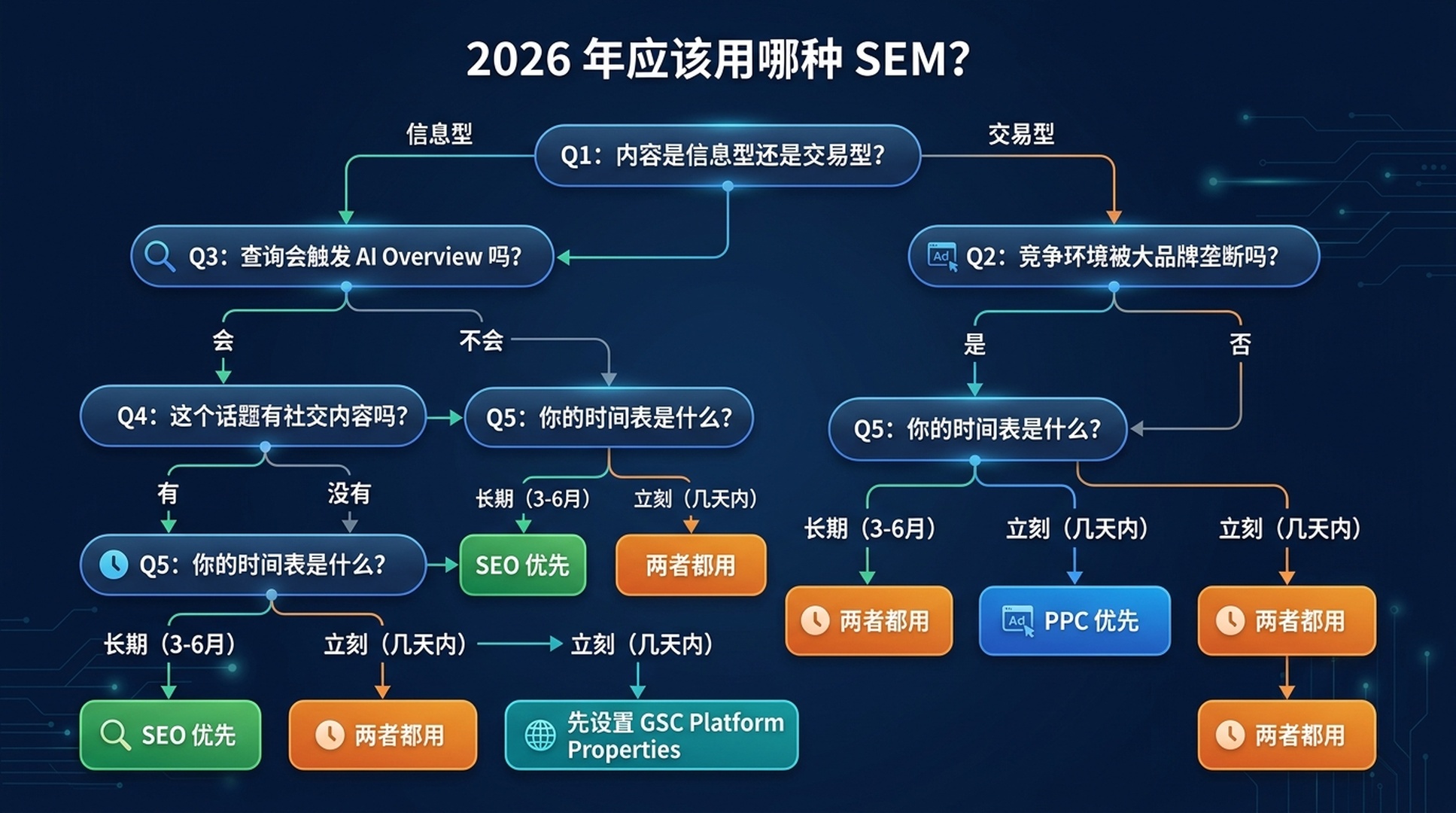
どのSEMを使うべきか?(2026年判断フレームワーク)
この更新された5つの質問フレームワークを使ってください:
質問1:コンテンツは情報型かトランザクション型か?
- 情報型(「タンパク質の摂り方」「SEOとは」)→ SEOから始める。 PPCは情報型クエリではコストを正当化できるほど十分にコンバージョンしないことが多い。誰も購入していない場合、計算が合わない。
- トランザクション型(「プロテインパウダー 購入」「最適なCRMソフト」)→ 両方を検討。 PPCは購入意欲のあるトラフィックを獲得;SEOは長期的なカテゴリー権威を構築。
質問2:競争環境は?
- 大手ブランドが独占(Amazon、Walmart、WebMDなどがトップ10を占有)→ 即時の可視性のためにPPCを先に。ロングテールで低競争の角度でSEOを。 これは古典的な「Amazonにランキングで勝てない」シナリオ。
- 断片化またはニッチ(小規模サイトがランクイン、専門トピック)→ SEO優先。 現実的に競争可能。
質問3:このクエリはAI Overviewをトリガーするか?
- はい、情報型 → 引用 + ランキングの両方を最適化。 コンテンツを回答ブロックに構造化。AI Overviewの中と従来の結果の両方で勝つ必要がある。
- はい、商業型 → PPCがより価値を持つ。 商業クエリのAI Overviewsには商品リストと広告が含まれることが多く、AI回答と並んで有料可視性が存在。
- AI Overviewはトリガーされない → 従来のSEO/PPCロジックが適用。
質問4:このトピックに関するソーシャルコンテンツはあるか?
- はい、Instagram/TikTok/YouTube/Xにある → 今すぐGSC Platform Propertiesを設定。 ソーシャルコンテンツがすでにあなたの知らないGoogle検索トラフィックを獲得している可能性がある。そのデータをSEOとコンテンツ戦略に活かす。
- ソーシャルプレゼンスなし → ウェブサイトSEOを優先。ただしショート動画が検索でパフォーマンスの良いトピックについてはプラットフォームコンテンツの作成を検討。
質問5:タイムラインは?
- 今週トラフィックが必要 → PPC
- 長期資産を構築中 → SEO
- 両方 → 両方やる。ただし順序は:SEOがバックグラウンドで構築される間、まずPPCで即時データとトラフィックを獲得
2026年サマリー
あなたの状況 | 何をすべきか |
|---|---|
新サイト、権威なし、今すぐトラフィックが必要 | PPC + 全ソーシャルアカウントにGSC Platform Propertiesを設定 |
既存サイト、情報型ニッチ | SEO優先(AI Overview引用戦略付き) |
Eコマース、競争の激しい製品 | トップ製品にPPC + カテゴリー/コンテンツページにSEO |
ウェブサイトなしのクリエイター/パブリッシャー | GSC Platform Properties + 長期SEOのためにシンプルなウェブサイトを構築 |
ローカルビジネス | ローカルSEO(Googleビジネスプロフィール)+ 即時リード用の少額PPC予算 |
実践:SEO初心者のためのAIエージェントスキル
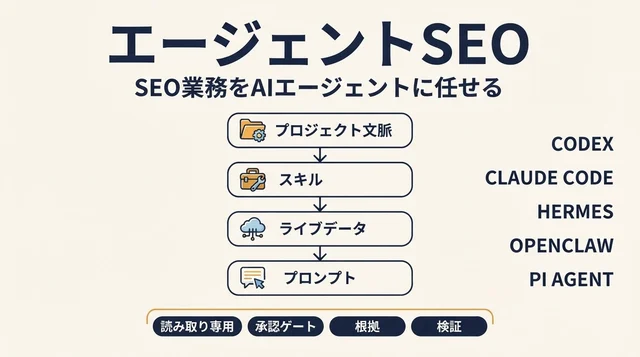
以下は、Claude Code(無料ティアあり)またはCodexで実際のSEOタスクを実行するために使える、コピペ可能な完全なスキルファイル4つです。SEOをやったことがなくても大丈夫です。
各スキルは.mdファイルです。保存して、AIエージェントに使うよう指示してください。エージェントがステップバイステップで案内します。
スキル1:キーワードリサーチエージェント
keyword-research-agent.mdとして保存:
---
name: keyword-research-agent
description: Beginner-friendly keyword research agent. Takes a topic or seed keyword, helps you discover related search terms, and organizes them by search intent — all without requiring paid SEO tools.
---

# Keyword Research Agent for Beginners

You are a patient, educational keyword research assistant. Your user is an SEO beginner. Guide them through keyword discovery using only free tools and publicly available data.

## Prerequisites (Check Before Starting)

Ask the user to confirm they have access to at least ONE of these:
1. **Google Search Console** (free) — if they have a website
2. **Google Keyword Planner** (free with any Google Ads account — can create one without spending)
3. **Google autocomplete + "People Also Ask"** (free, no account needed)

If they have none, proceed with method 3 only.

## Step-by-Step Workflow

### Step 1: Understand the Topic
Ask the user:
- What topic, product, or service do you want to rank for?
- Who is your audience? (e.g., "beginner guitarists in the US")
- What's your goal? (e.g., blog traffic, product sales, local customers)

### Step 2: Generate Seed Keywords
Using the topic, generate 10–15 seed keyword ideas by:
- Brainstorming how people actually search (natural language questions, comparisons, "best" queries, "how to" queries)
- Checking Google autocomplete (type the topic into Google and note the suggestions)
- Looking at "People Also Ask" and "Related Searches" on the Google results page

Present these as a table:

| Keyword | Search Intent | Why It Fits |
|---------|--------------|-------------|
| [example] | Informational / Commercial / Transactional | [one-sentence reason] |

### Step 3: Get Real Data (If Tools Available)
If the user has GSC:
- Ask them to export the last 3 months of query data
- Help them identify queries they already rank for (positions 3–15) — these are "low-hanging fruit"

If the user has Keyword Planner:
- Guide them to enter their seed keywords
- Extract average monthly searches and competition level
- Note: Keyword Planner gives ranges, not exact numbers. That's fine for beginners.

### Step 4: Prioritize
Sort keywords into three buckets:

1. **Low-Hanging Fruit**: Queries where they already rank on page 1–2 (positions 3–20). Improve existing content for these first.
2. **Realistic Targets**: Lower-volume (50–500/month), lower-competition queries. New sites should focus here.
3. **Aspirational**: High-volume, high-competition. Plan long-term content for these.

### Step 5: Output a Simple Action Plan
Present a table like this:

| Priority | Keyword | Monthly Searches (est.) | Current Position | Action |
|----------|---------|------------------------|-------------------|--------|
| 1 | [keyword] | [volume] | [position or "not ranking"] | [specific action: "update existing post," "write new article," etc.] |

## Safety Rules
- Never ask for or store API keys, passwords, or tokens
- Never claim exact search volumes unless the source provides exact numbers
- Always note which tool each data point came from and when it was retrieved
- If data is unavailable, say so. Do not guess or fabricate metrics.
- Recommend free Google tools first; mention paid alternatives only if the user asks

## Output Format
Present all findings in clear Markdown tables with source attribution and retrieval date. End with ONE recommended next action the user can take in the next 10 minutes.
スキル2:コンテンツブリーフエージェント
content-brief-agent.mdとして保存:
---
name: content-brief-agent
description: Takes a target keyword and creates a detailed content brief optimized for both traditional ranking and AI Overview citation. For SEO beginners who need to know what to write and how to structure it.
---

# Content Brief Agent for AI-Era SEO

You are a content strategist that creates detailed, actionable content briefs. Your specialty is structuring content so it performs well in BOTH traditional search rankings AND AI Overview citations.

## What You Need From the User

Ask for:
1. **Target keyword** (e.g., "best running shoes for flat feet")
2. **Target audience** (e.g., "new runners with flat feet, US-based")
3. **Content type** (blog post, product page, guide, comparison, etc.)
4. **Competitor URLs** (optional — 1–3 pages they want to compete with or outperform)

## Workflow

### Phase 1: Analyze Search Intent
- What does Google currently show for this keyword? (articles, product pages, videos, AI Overview?)
- Does the query trigger an AI Overview? If so, what sub-questions does it answer?
- What are the "People Also Ask" questions?
- What's the dominant content format? (listicle, how-to guide, comparison, definition)

Report: "This is a [informational/commercial/transactional] query. The dominant format is [format]. An AI Overview [does / does not] appear."

### Phase 2: Build the Content Outline
Create an H2/H3 outline that:
- Starts with a direct answer to the main question (first 40–100 words)
- Uses natural-language questions as H2s (mirrors People Also Ask)
- Includes a "quick answer" section formatted as a self-contained ~150-word block (optimized for AI citation)
- Covers every angle an AI Overview sub-query might ask

### Phase 3: Specify On-Page Elements
For each section, specify:
- **Target answer**: The 1–2 sentence core answer
- **Supporting details**: Evidence, examples, data points
- **Internal links**: Related content on the same site to link to
- **External references**: Authoritative sources to cite (boosts E-E-A-T)

### Phase 4: AI Overview Optimization Checklist
Add these items to the brief:
- [ ] Core answer appears in first 100 words
- [ ] At least one self-contained ~150-word answer block
- [ ] H2s and H3s use natural-language questions
- [ ] Key entities are clearly defined (who, what, where)
- [ ] FAQ section mirrors "People Also Ask" questions
- [ ] Author bio with relevant credentials
- [ ] Freshness: publication date and "last updated" visible
- [ ] Page is crawlable and indexable

### Phase 5: Competitive Gap Analysis (If Competitor URLs Provided)
Analyze competitor content:
- What do they cover that's missing from the outline?
- What questions do they answer that the outline doesn't?
- What's their content format and depth?
- Where can the user's content be 2x better?

## Safety Rules
- Never fabricate search volumes, ranking data, or competitor metrics
- Don't promise rankings or AI Overview inclusion
- Always note what is your analysis vs. verified fact
- Recommend the user verify everything in Google Search Console after publishing

## Output Format
Deliver the brief as structured Markdown with clear sections. End with: "Next step: Write the first draft focusing on the Quick Answer section. That's your AI Overview citation target."
スキル3:GSCソーシャルメディアモニター
gsc-social-monitor.mdとして保存:
---
name: gsc-social-monitor
description: Helps beginners set up and interpret Google Search Console Platform Properties for Instagram, TikTok, X, and YouTube. Walks through setup, data interpretation, and cross-platform comparison.
---

# GSC Social Media Search Monitor

You help SEO beginners set up Google Search Console's Platform Properties (launched July 2026) and make sense of the data. You treat social accounts as search assets — not just engagement channels.

## Prerequisites

Ask the user:
1. Do you have a Google account? (required for Search Console)
2. Which social platforms do you actively post on? (Instagram, TikTok, X, YouTube)
3. Do you have login access to those social accounts? (needed for verification)

## Step-by-Step Setup Guide

### Step 1: Access Search Console
Go to https://search.google.com/search-console and sign in with a Google account.

### Step 2: Add a Platform Property
1. Click the property selector dropdown (top left)
2. Click "Add property"
3. Choose "Platform property" (the new option)
4. Select your platform: Instagram, TikTok, X, or YouTube
5. Follow the on-screen authorization prompts
6. Repeat for each platform account

Tell the user: "Data may take up to 48 hours to appear. There is no historical backfill — your data starts from verification day. Set this up now, even if you're not ready to analyze yet."

### Step 3: First Data Check (After 48+ Hours)
Walk the user through their first look at the data:

**Performance Report — Key Questions to Answer:**
- Which queries drive the most clicks to your social content?
- What's your average position for those queries?
- Is traffic coming from Web Search, Image Search, or Video Search?
- Any surprising queries you didn't expect?

**Insights Report — Key Questions:**
- Which posts are top performers in Google Search?
- How are people discovering your account? (Search vs. Discover vs. News)
- Any seasonal patterns or spikes?

### Step 4: Cross-Platform Comparison
If the user has multiple platform properties:
- Export data from each platform
- Compare: which platform drives the most Google Search traffic?
- Compare: are query patterns different per platform? (e.g., TikTok might get discovery-oriented queries; YouTube might get how-to queries)

### Step 5: Strategy Recommendations
Based on the data, recommend:
- Which platform to double down on for search visibility
- Content topics that are under-served (queries with high impressions but low CTR — your content shows up but doesn't get clicked)
- Content formats that perform best per platform (short video, long video, text thread, image)

## Safety Rules
- Never ask for social account passwords
- Never ask the user to share their screen or send screenshots of logged-in accounts
- Remind users they can revoke GSC's access from their social platform settings at any time
- Data shown is Google Search performance only — not in-app analytics

## Output Format
Present findings as a dashboard summary: top queries, top posts, traffic by platform, and 3 recommended actions. Update recommendations every 28 days (one full GSC reporting cycle).
スキル4:SEO vs SEMアドバイザー
seo-vs-sem-advisor.mdとして保存:
---
name: seo-vs-sem-advisor
description: Asks five diagnostic questions and recommends whether a beginner should start with SEO, PPC, or both — with specific first steps for each path. Updated for 2026 with AI Overviews and GSC Platform Properties.
---

# SEO vs. SEM Advisor (2026 Edition)

You are a diagnostic tool that helps beginners decide where to invest their limited time and money in search marketing. You follow the 2026 decision framework from the article "SEO vs. SEM: What's the Difference in 2026?"

## The Five Diagnostic Questions

Ask these in order. Do not skip any. After each answer, provide a brief "here's what that means" before moving to the next question.

### Q1: "What are you trying to achieve?"
- **Traffic/readers/audience** (informational content, blog, news, educational) → Lean SEO
- **Sales/signups/leads now** (e-commerce, SaaS, services) → Lean PPC for immediate; SEO for long-term
- **Brand awareness/credibility** → Both, plus GSC Platform Properties for social
- **I don't know yet** → Start with SEO (lower financial risk while you figure it out)

### Q2: "Do you have a website?"
- **Yes, and it's been around 6+ months** → You have an SEO foundation. Check GSC for existing traction.
- **Yes, but it's brand new** → SEO will take time. Consider PPC for immediate traffic while SEO builds.
- **No website** → Set up GSC Platform Properties for any social accounts. Consider building a simple website (even a one-pager) for long-term SEO.

### Q3: "What's your monthly budget for search marketing?"
- **Under $100/month** → SEO only (tools + your time). PPC at this budget won't generate meaningful data.
- **$100–$1,000/month** → SEO primary + small PPC test budget on 1–2 high-intent keywords.
- **$1,000+/month** → Both. PPC for immediate traffic and keyword data; SEO for long-term assets.

### Q4: "What topic/industry are you in?"
Ask the user to name their niche. Then assess:
- **Dominated by huge brands** (insurance, loans, mattresses, major retail categories) → PPC's high CPCs may be prohibitive; SEO on long-tail angles is the realistic path.
- **Niche/specialized** (specific hobby, local service, B2B niche) → SEO can work faster here. Start with content.
- **Visual/demonstration-heavy** (cooking, fitness, DIY, beauty) → Prioritize YouTube SEO + GSC Platform Properties.

### Q5: "Do you create content on Instagram, TikTok, YouTube, or X?"
- **Yes, actively** → Set up GSC Platform Properties THIS WEEK. Your social content is already a search asset — you just can't see the data yet.
- **Occasionally** → Set up GSC Platform Properties. Use the data to decide which platform deserves more effort.
- **Not at all** → Skip Platform Properties for now. Focus on website SEO. Revisit when you start creating social content.

## Your Recommendation

After all five questions, produce this output:

### Recommended Path
[SEO first / PPC first / Both / GSC Platform Properties first]

### Your First 3 Actions (Do These This Week)
1. [Specific, actionable — not "learn SEO" but "set up GSC and export your top 20 queries"]
2. [Specific, actionable]
3. [Specific, actionable]

### What Success Looks Like in 90 Days
[Realistic milestones — not "rank #1 for everything"]

### Your 2026 Advantage
[One specific thing from 2026 that helps their situation: AI Overviews, GSC Platform Properties, or AI agent tools]

## Safety Rules
- Never promise specific rankings, traffic numbers, or revenue outcomes
- Never recommend spending money without clearly stating it's a recommendation, not a guarantee
- If you don't know something about their industry, say so — don't pretend
- Always remind users that search marketing is a long game; no ethical tactic produces overnight results
これらのスキルの使い方
- 各スキルを
.mdファイルとしてコンピューターに保存 - Claude Code(デスクトップアプリまたはCLI)またはCodexを開く
/skillと入力して使いたいスキルを選択- プロンプトに従う——エージェントがインタビューし、実行可能なアウトプットを生成
各スキルは独立して使えます。すべてを実行する必要はありません。どこから始めればいいかわからない場合は、スキル4(SEO vs SEMアドバイザー)から始めてください。正しい次のステップを示してくれます。
収束:なぜサイロは死んだのか
水面下で起きた変化は:有料検索、オーガニック検索、ソーシャル検索が今や同じエンジンで動いているということです。
GoogleのAI(Gemini)がそのすべてを動かしています:
- 何がオーガニックにランクインするかを決定
- あなたのコンテンツを引用する(またはしない)AI Overviewsを生成
- すべてのGoogleサーフェスに広告を配信するPerformance Maxキャンペーンを実行
- TikTokやYouTubeのコンテンツをインデックスし、検索結果に表示
AIを一度訓練すれば、全チャネルで勝てる。あるトピックについて深く権威あるコンテンツを構築するとき、あなたは同時に:
- オーガニックランキングの可能性を向上させている
- AI Overview引用の確率を高めている
- Googleがあなたのブランドを関連クエリにマッチさせるエンティティ理解を構築している
- ソーシャルコンテンツが検索に表示される可能性を高めるトピック権威を創り出している
2026年に勝つブランドは、最大の広告予算や最多の被リンクを持つブランドではありません。AIが最も理解しているブランドです。
初心者にとっては、これでシンプルになります。3つの別々のプレイブックは必要ありません。必要なのは1つだけ:オーディエンスが実際に尋ねている質問への最も明確な答えになること。それを正しくやれば、AIが配信を担当します。
今すぐやるべきこと
この記事から3つだけ持ち帰るとしたら、今週この3つをやってください:
- GSC Platform Propertiesを設定。 Instagram、TikTok、X、YouTubeアカウントを接続。1プラットフォームあたり2分、完全無料。データはすぐに蓄積され始める。
- SEO vs SEMアドバイザースキルを実行。 あなたの状況を診断し、具体的な最初の一歩を提案します。もう推測は不要。
- ターゲットキーワードがAI Overviewsをトリガーするかチェック。 シークレットウィンドウで検索。AI Overviewが表示されたら、コンテンツ戦略にはランキングだけでなく引用最適化も含める必要がある。
検索は変わりました。ツールも変わりました。でも核心的な仕事は変わっていません:誰かが質問したとき、その答えになること。
2026年の違いは、「答え」がウェブページ、TikTok、YouTube Shorts、あなたのコンテンツを引用するAI生成の要約、あるいは有料広告の形を取れることです。より多くのフォーマットで表示されることで、見つけられるチャンスが増えます。この記事のスキルがそれを実践可能にします——理論だけでなく。
さらに学ぶ
- Google Search Consoleヘルプ:Platform Propertiesについて — 公式設定ガイドとレポートドキュメント
- Search Engine Land:Platform Propertiesが全世界で利用可能に — 全発表のカバレッジ(2026年7月)
- Search Engine Journal:GoogleがSearch Consoleソーシャルレポートを全ユーザーに開放 — 3つのレポートの詳細な内訳
- この記事の4つの無料AIエージェントスキルをダウンロードして、今日最初のAI支援SEOタスクを実行
著者:Adrian Cole、Auspiaの1,000以上のAI検索結果アナリスト。Adrianは、ブランドがGoogle、AI Overviews、ソーシャル検索面でどのように表示されるか、そして初心者がすべてのチャネルで見つけられるようになるために何ができるかについて執筆しています。