


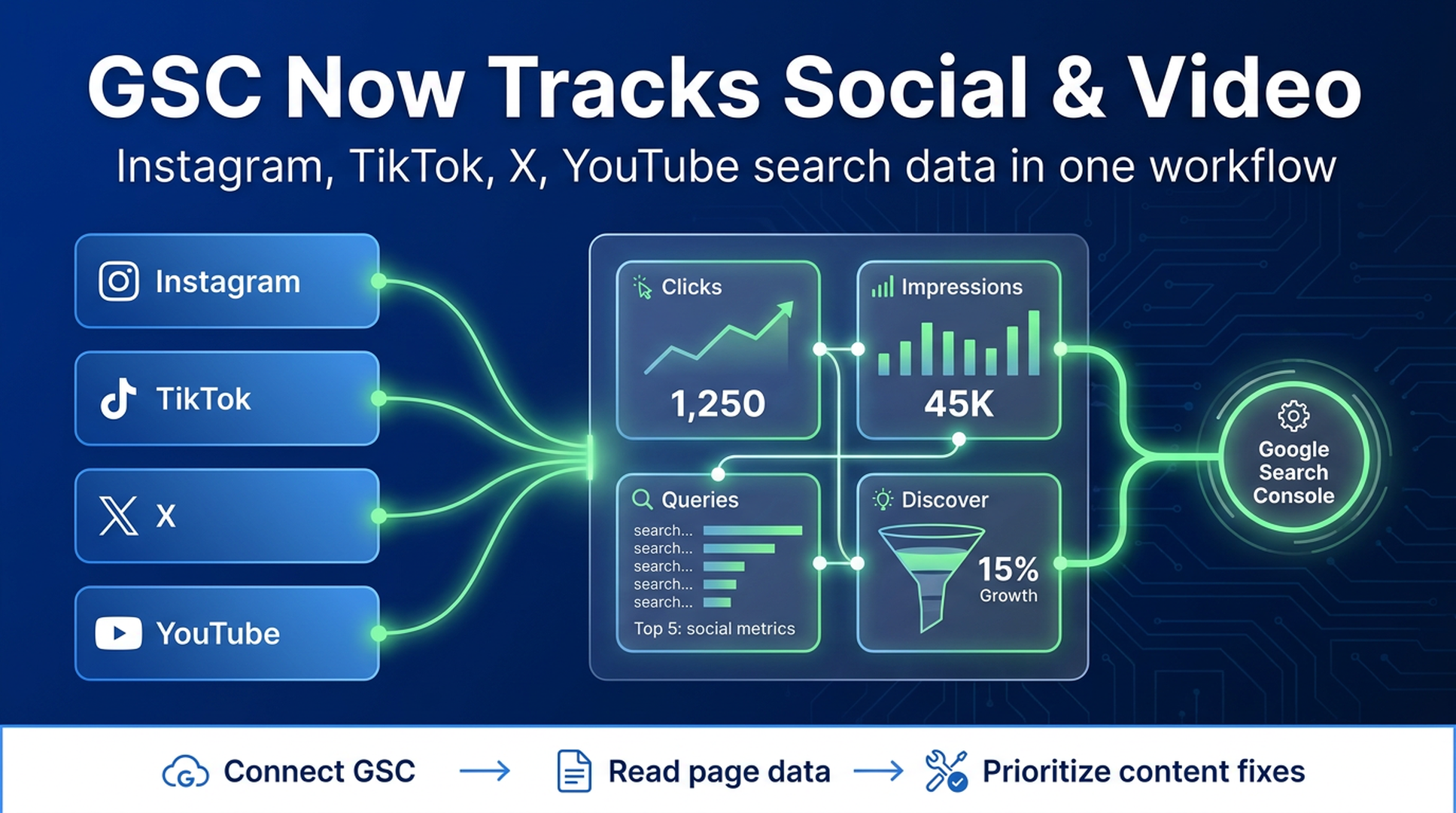
Google has started rolling out a new Search Console property type for social and video platforms. In plain English: creators and publishers can now see how some off-site content performs on Google Search and Discover, starting with Instagram, TikTok, X, and YouTube.
This matters because a lot of search discovery no longer lands on a traditional website first. A product demo may live on YouTube. A founder explanation may live on X. A visual tutorial may live on Instagram or TikTok. Until now, teams often treated those surfaces as separate reporting silos. Google's new platform properties make them easier to inspect from the same Search Console environment many SEO teams already use.
Source: Google Search Central announced the update on July 7, 2026.
What Google announced
Google introduced "platform properties" in Search Console, a new property type built for social and video accounts or channels. According to Google, the new property type helps site owners and creators understand how their social and video posts perform on Google Search and Discover.
The first supported platforms are:
Platform | What teams can start asking |
|---|---|
Which visual posts are being discovered from Google? | |
TikTok | Which short videos match search intent outside the TikTok app? |
X | Which posts or threads attract search demand? |
YouTube | Which videos earn Search, video search, image search, or Discover visibility? |
The rollout is gradual over the coming weeks, so not every account will see the feature immediately.
The new setup screen is the clue
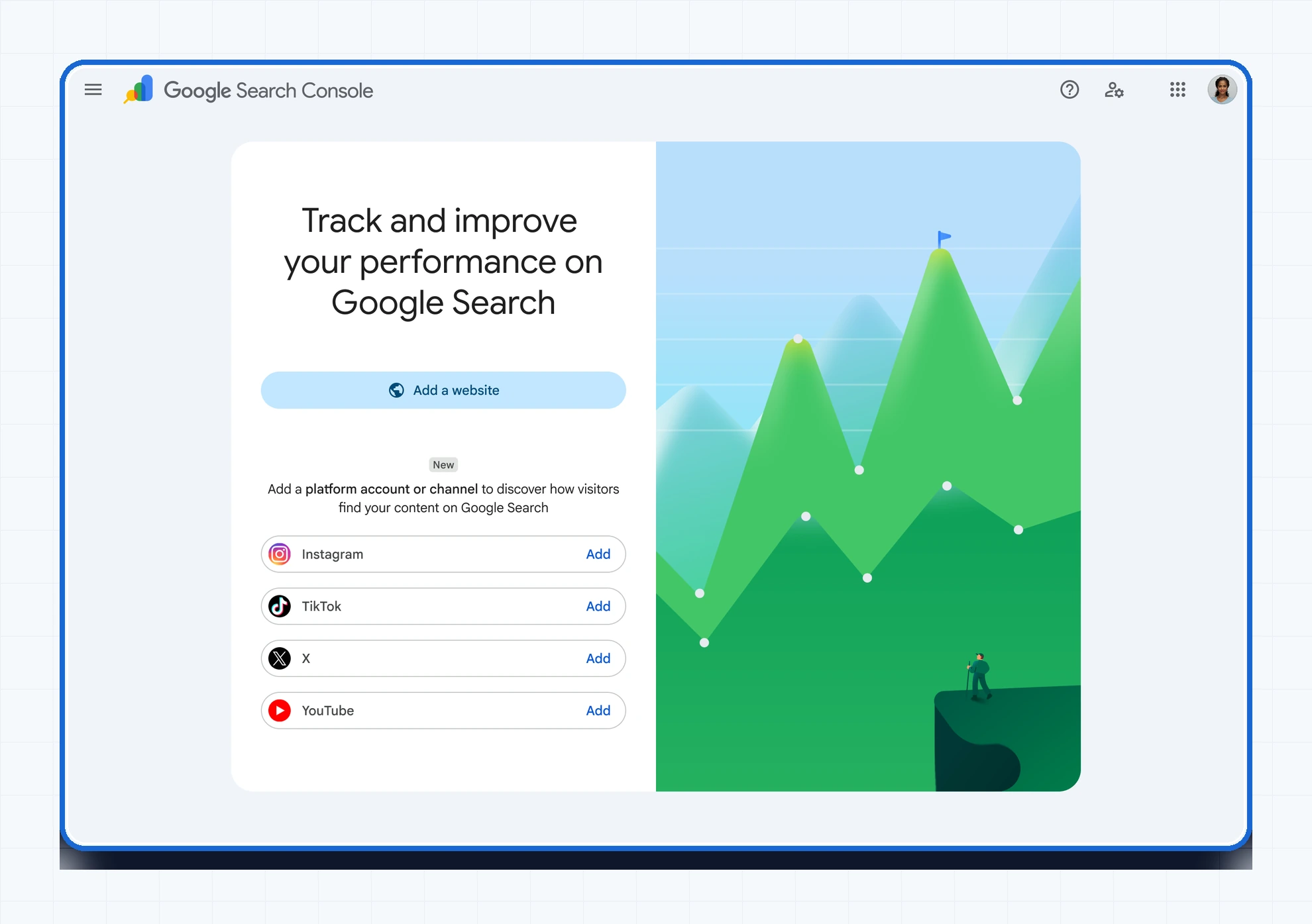
Caption: Google is adding a platform account option inside Search Console so creators can connect Instagram, TikTok, X, or YouTube and verify the relationship securely. Original screenshot source: Google Search Central.
The setup flow is simple in concept: open Search Console, add a property, choose a supported platform, and follow the verification steps. The screenshot above is useful because it shows how Google is treating social and video accounts as first-class reporting properties, not just referral sources in a separate analytics tool.
That framing is important. A platform property is not a replacement for your website property. It is a second lens: your website tells you which pages get search demand; your platform property tells you which account posts or videos are being discovered through Google.
What you can measure inside platform properties
Google says platform properties can use three main reports:
Report | What it tells you | How a growth team should use it |
|---|---|---|
Performance report | Clicks, impressions, and additional metrics for posts and queries | Find which posts earn search demand and which queries deserve a deeper article, landing page, or video follow-up. |
Insights report | Recent traffic trends, top-performing posts, and discovery patterns | Spot content formats that Google is already willing to surface. |
Achievements | Growth milestones such as click thresholds over the last 28 days | Useful for creator feedback loops, but less important than query and post-level diagnosis. |
The export option also matters. If your team already works in spreadsheets, BI tools, or an SEO operations system, exported Search Console data can become part of the same weekly review that handles website pages.
The Insights report turns social posts into search evidence
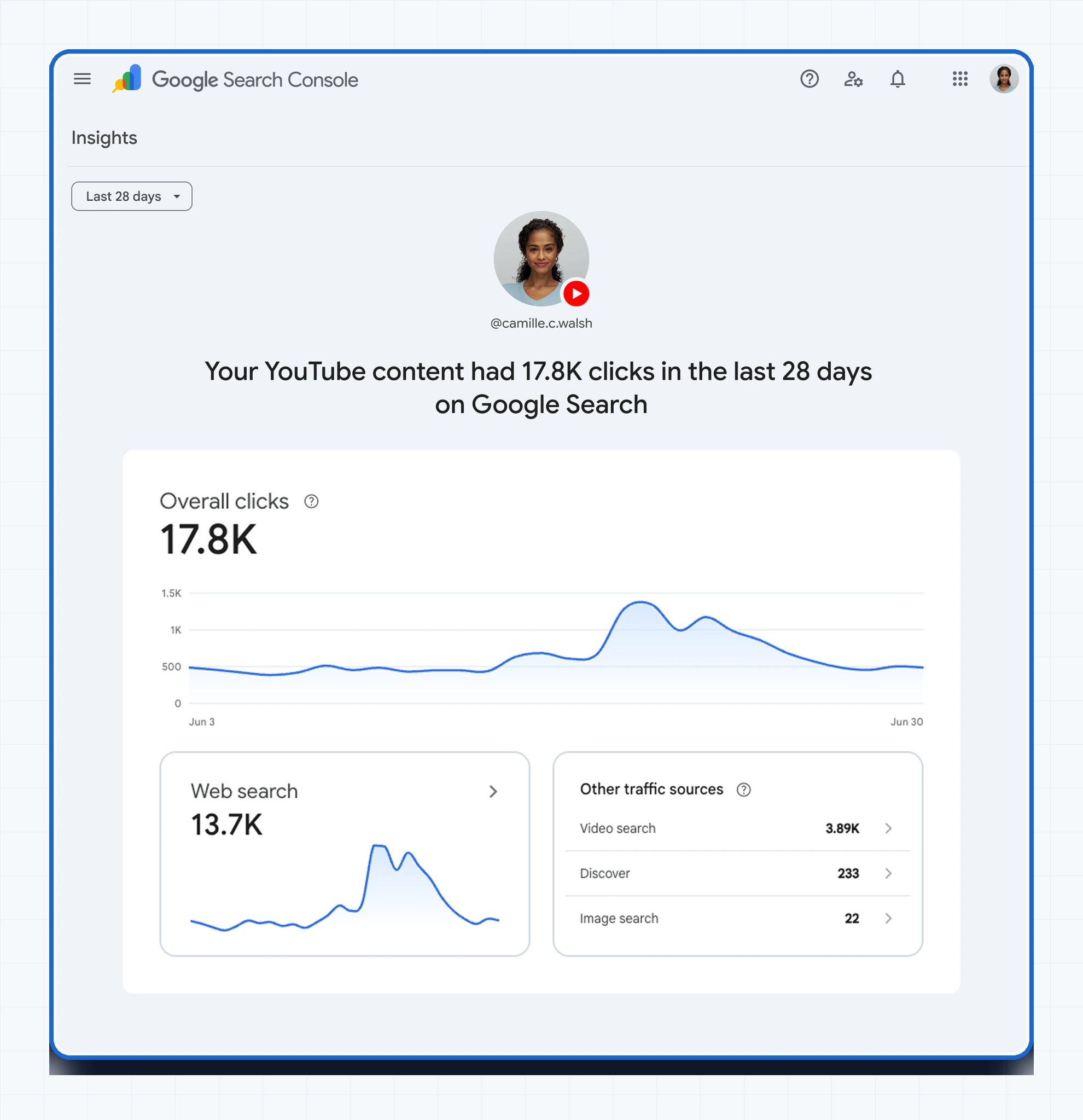
Caption: The new Insights-style report can show recent clicks, top traffic sources, and trend lines for connected platform content. Original screenshot source: Google Search Central.
The example in Google's screenshot shows a YouTube account with 17.8K clicks from Google Search in the last 28 days. The report separates traffic sources such as web search, video search, Discover, and image search.
For creators, that is a practical upgrade. It answers questions that used to be hard to connect cleanly:
- Which videos are found from ordinary Google Search, not only from YouTube recommendations?
- Which posts are useful enough to earn demand from Discover or image search?
- Which search terms point to a content gap on the website?
- Which social/video topics deserve a follow-up article, comparison page, or product page?
This is where the feature becomes more than a reporting update. It can become a planning signal.
How to use the data without making a mess
Do not throw every social query into your SEO calendar. That is the fastest way to create thin articles around noisy demand.
A better workflow is to classify each high-performing post or query by what it proves:
Signal from platform property | Likely meaning | Next action |
|---|---|---|
High impressions, low clicks | Google understands the topic, but the post may not satisfy the search result well | Test title/thumbnail/post framing before writing a new page. |
High clicks from video search | The topic is video-native | Make a better video or add a transcript-backed article. |
Repeated queries across several posts | Search demand is stable | Build a hub page or comparison article. |
Discover spikes | The topic is timely or interest-led | Capture the angle quickly, then wait for more durable query data. |
Social post outranks your own site | The website may be missing a clearer answer | Create or refresh a page that answers the query directly. |
The goal is not to turn every social post into a blog post. The goal is to notice when platform content reveals real search intent that your owned site has not answered yet.
Where Auspia fits in
Auspia already supports Google Search Console data in the content workflow. Teams can connect GSC and see indexing, ranking, click, and performance signals for articles instead of switching between publishing tools, spreadsheets, and Search Console tabs.
Google's new platform properties make that habit even more useful. Once teams can export or review social and video search performance, they can bring those signals into the same decision loop:
- Check which website pages are gaining or losing search visibility.
- Check which social/video posts are earning Google discovery.
- Compare both against the topics your product actually needs to own.
- Refresh the page, brief a new article, or produce a follow-up video.
- Measure the result again in Search Console.
Auspia's value is not that it replaces Search Console. It keeps GSC data close to the work that happens after the diagnosis: choosing topics, writing content, publishing, tracking results, and improving underperforming pages.
A practical weekly review for teams
If your account gets access to platform properties, try this review once a week:
Step | Question | Output |
|---|---|---|
1 | Which platform posts gained the most Google clicks in the last 28 days? | Shortlist of posts/videos with search demand. |
2 | Which queries led people to those posts? | Query list grouped by intent. |
3 | Do we already have a website page for that intent? | Keep, refresh, or create decision. |
4 | Does the best answer need text, video, visuals, or all three? | Content format decision. |
5 | What changed after the next publish cycle? | GSC comparison in the following review. |
Keep the bar high. One viral post is not a strategy. Repeated demand across posts, platforms, and website pages is a strategy signal.
What to watch during the rollout
A few caveats are worth keeping in mind:
- The feature is rolling out gradually, so availability will vary by account.
- The first supported platforms are Instagram, TikTok, X, and YouTube.
- Verification requires securely authorizing the connection in Search Console.
- Platform data should complement website GSC data, not replace it.
- Exported data is useful, but teams still need a process for deciding what to publish or refresh.
The most interesting part is not the interface. It is the direction: Google is giving creators and publishers more visibility into how off-site content is discovered through Search.
Bottom line
Search Console is becoming more useful for teams whose content lives across a website, social accounts, and video platforms. If you publish on Instagram, TikTok, X, or YouTube, platform properties can show which posts are being discovered through Google and which queries are behind that discovery.
For SEO teams, the next move is simple: treat platform data as demand evidence. Use it to decide what deserves a page, what deserves a video, and what should stay as a social post.
And if you use Auspia, keep GSC data inside the content loop. The point is not more dashboards. The point is faster decisions about what to improve next.
FAQ
What are Search Console platform properties?
Platform properties are a new Search Console property type for supported social and video platforms. They let creators and publishers see how connected platform content performs on Google Search and Discover.
Which platforms are supported first?
Google lists Instagram, TikTok, X, and YouTube as the first available platforms.
Can I export the data?
Yes. Google says users can export the performance data if they prefer to analyze it in another tool.
Does this replace normal website Search Console data?
No. Website properties still matter for pages, indexing, rankings, and owned-site performance. Platform properties add visibility for off-site posts and videos.
Can Auspia show Google Search Console data?
Yes. Auspia connects with Google Search Console so teams can see indexing, rankings, clicks, and article performance signals inside the content workflow.
Author: Sophie Renard, AI Search Briefing Analyst Tracking 30+ Platforms at Auspia. Sophie writes concise updates on search product changes and what growth teams should do with them.


