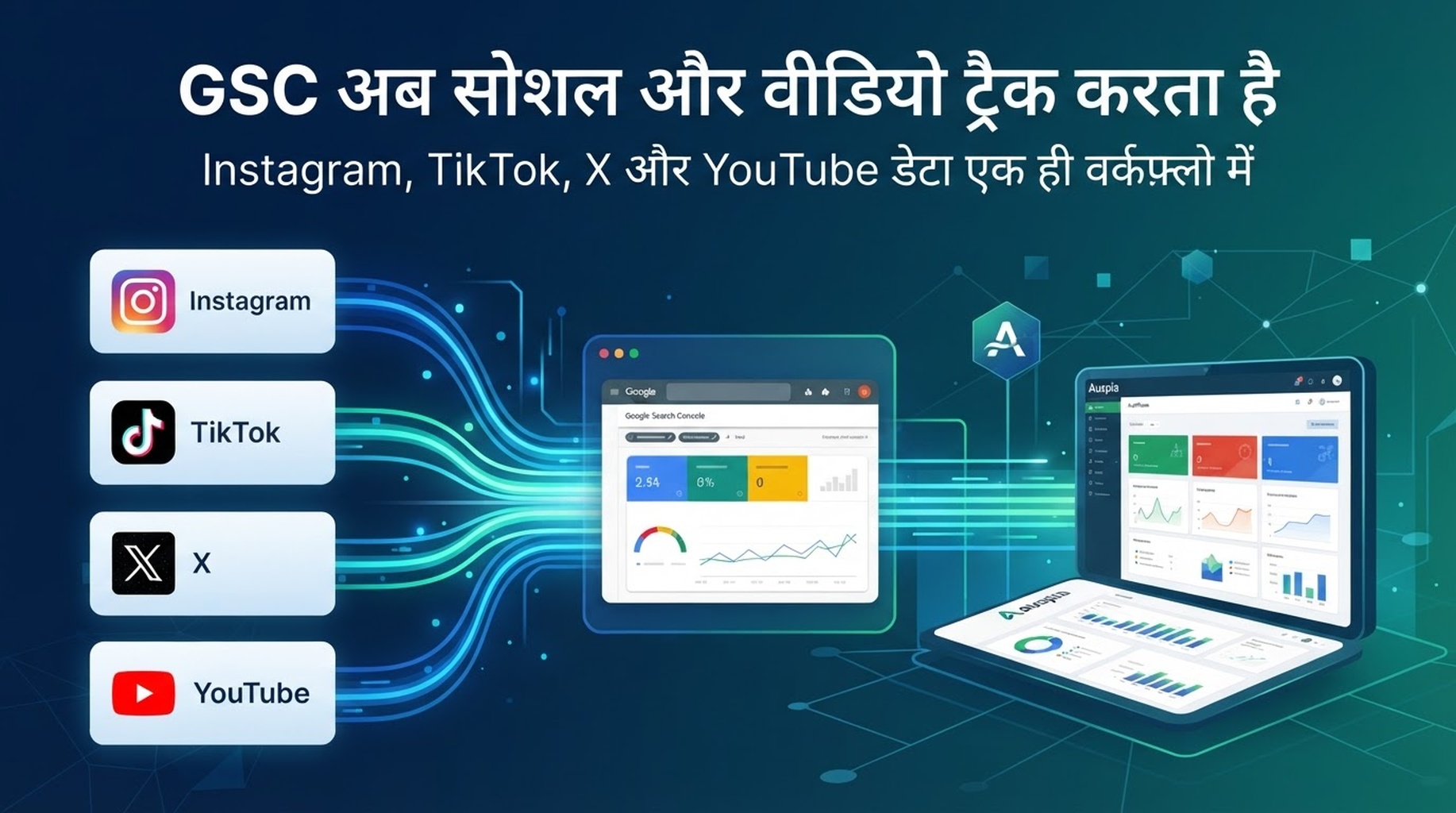
Google ने social और video platforms के लिए Search Console में नया property type रोल आउट करना शुरू किया है। सरल शब्दों में: creators और publishers अब देख सकते हैं कि उनकी site के बाहर मौजूद कुछ content Google Search और Discover से कैसे खोजा जा रहा है। पहले supported platforms Instagram, TikTok, X और YouTube हैं।
यह महत्वपूर्ण है क्योंकि search discovery अब हमेशा traditional website से शुरू नहीं होती। Product demo YouTube पर हो सकता है। Founder explanation X पर हो सकती है। Visual tutorial Instagram या TikTok पर हो सकता है। पहले teams इन channels को अलग-अलग reporting silos की तरह देखती थीं। Google की नई platform properties इन signals को Search Console के उसी environment में लाती हैं जिसे SEO teams पहले से इस्तेमाल करती हैं।
Source: Google Search Central ने यह update 7 July 2026 को announce किया।
Google ने क्या announce किया
Google ने Search Console में “platform properties” पेश की हैं। यह social accounts, video accounts और channels के लिए नया property type है। Google के अनुसार, यह site owners और creators को समझने में मदद करता है कि उनके social posts और videos Google Search और Discover में कैसे perform करते हैं।
पहले supported platforms:
Platform | Team को क्या पूछना चाहिए |
|---|---|
कौन सा visual content Google से discover हो रहा है? | |
TikTok | कौन से short videos TikTok app के बाहर search intent से match करते हैं? |
X | कौन से posts या threads search demand ला रहे हैं? |
YouTube | कौन से videos search, video search, image search या Discover visibility पा रहे हैं? |
Feature अगले कुछ हफ्तों में gradually उपलब्ध होगा, इसलिए हर account में तुरंत नहीं दिखेगा।
नया setup screen दिशा दिखाता है
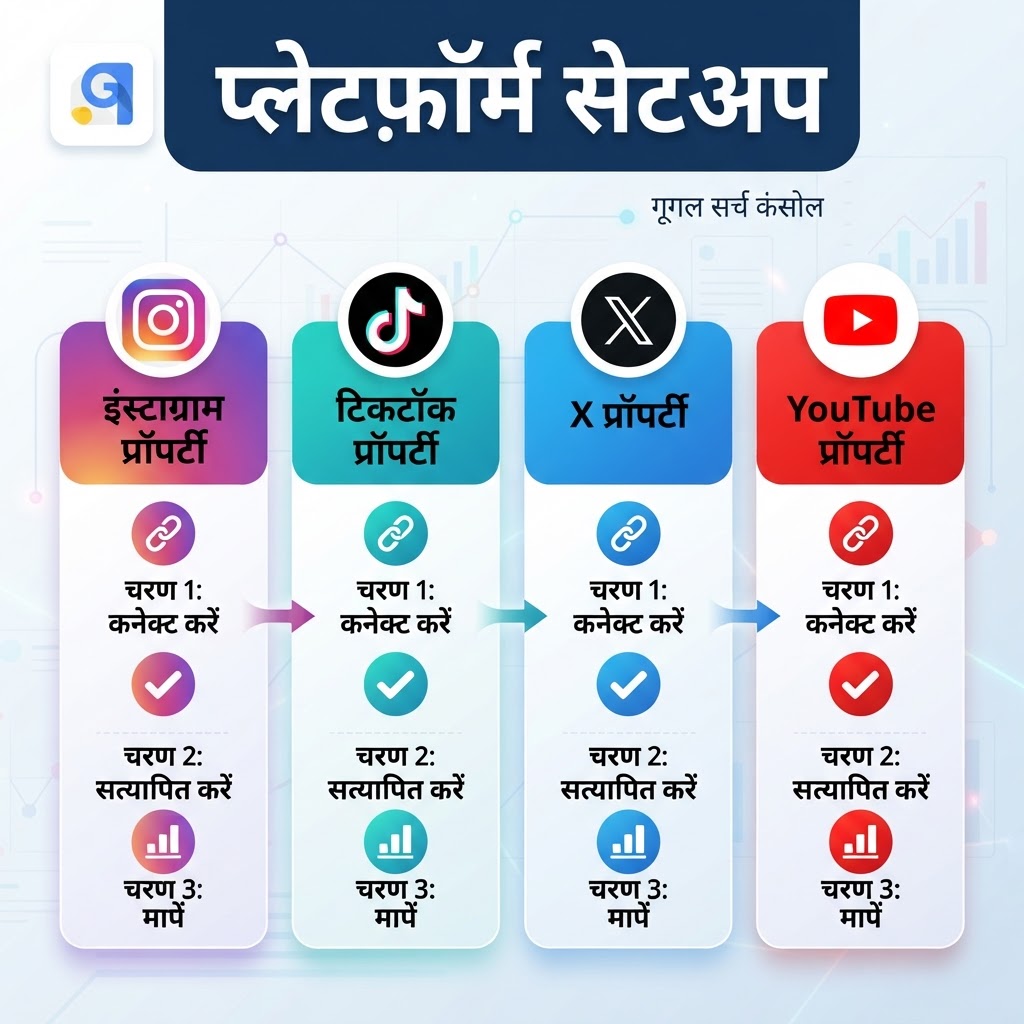
Caption: यह localized infographic Search Console में platform account जोड़ने का flow दिखाता है: Instagram, TikTok, X या YouTube connect करें, relation verify करें, फिर measure करें।
Setup का concept सरल है: Search Console खोलें, property जोड़ें, supported platform चुनें और verification steps follow करें। असली बात यह है कि Google social accounts और video channels को real reporting properties की तरह treat कर रहा है, न कि किसी analytics tool के referral source की तरह।
Platform property website property को replace नहीं करती। यह दूसरा lens है। Website property बताती है कि कौन से pages search demand पा रहे हैं। Platform property बताती है कि कौन से account posts या videos Google से discover हो रहे हैं।
क्या measure किया जा सकता है
Report | क्या दिखाता है | Growth team कैसे use करे |
|---|---|---|
Performance report | Posts और queries के clicks, impressions और extra metrics | Search demand वाले posts और article, landing page या video में बदलने योग्य queries खोजें। |
Insights report | Recent traffic trends, top posts और discovery patterns | कौन से content formats Google पहले से show कर रहा है, यह पहचानें। |
Achievements | पिछले 28 दिनों में clicks threshold जैसे milestones | Creator feedback के लिए useful, लेकिन query/post diagnosis से कम महत्वपूर्ण। |
Export option भी जरूरी है। अगर team spreadsheets, BI या SEO operating system में काम करती है, तो exported Search Console data weekly review में शामिल हो सकता है।
Insights social posts को search evidence बनाता है
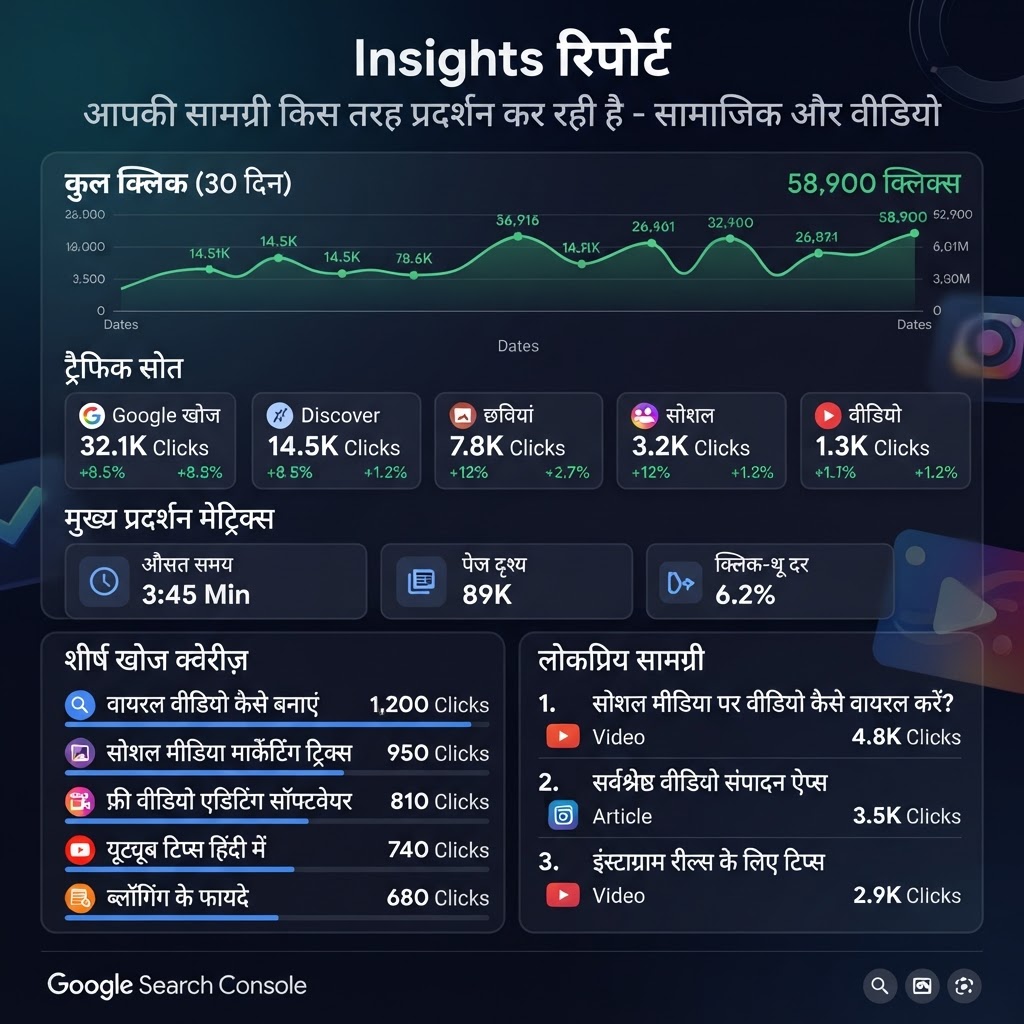
Caption: यह infographic दिखाता है कि connected platform content के recent clicks, traffic sources और trends Insights report में कैसे दिख सकते हैं।
Google के example में एक YouTube account को पिछले 28 दिनों में Google Search से 17.8K clicks मिले। Report web search, video search, Discover और image search जैसे sources भी अलग करती है।
Creators के लिए यह practical upgrade है। यह ऐसे सवालों का जवाब देता है:
- कौन से videos YouTube recommendations के बजाय normal Google Search से मिल रहे हैं?
- कौन से posts Discover या image search से demand पाने लायक useful हैं?
- कौन से search terms website content gap दिखाते हैं?
- कौन से social/video topics article, comparison page या product page बनने चाहिए?
यह feature सिर्फ report नहीं, content planning signal बन जाता है।
Data का उपयोग करें, chaos नहीं बनाएं
हर social query को SEO calendar में न डालें। इससे noisy demand पर thin articles बनेंगे।
बेहतर तरीका है signals को classify करना:
Signal | Meaning | Next action |
|---|---|---|
High impressions, low clicks | Google topic समझता है, लेकिन post result में आकर्षक नहीं | Title, thumbnail या angle test करें। |
High video search clicks | Topic video-native है | Better video बनाएं या transcript-backed article जोड़ें। |
Repeated queries | Demand stable है | Hub page या comparison article बनाएं। |
Discover spike | Topic timely या interest-led है | Angle जल्दी capture करें और stable query data का इंतजार करें। |
Social post site से आगे | Website में clear answer की कमी हो सकती है | Query का direct answer देने वाला page बनाएं या refresh करें। |
Goal हर social post को blog बनाना नहीं है। Goal यह पहचानना है कि platform content कब real search intent दिखाता है जिसे site ने अभी ठीक से answer नहीं किया।
Auspia कहां fit होती है
Auspia पहले से Google Search Console data को content workflow में ला सकती है। Teams GSC connect करके indexing, rankings, clicks और article performance signals देख सकती हैं, बिना publishing tools, spreadsheets और Search Console tabs के बीच घूमे।
नई platform properties इस habit को और useful बनाती हैं:
- देखें कौन से website pages search visibility gain या lose कर रहे हैं।
- देखें कौन से social posts या videos Google से discover हो रहे हैं।
- दोनों signals को उन topics से compare करें जिन्हें product को own करना है।
- Page refresh करें, article brief बनाएं या follow-up video बनाएं।
- Result फिर Search Console में measure करें।
Auspia Search Console को replace नहीं करती। यह GSC data को diagnosis के बाद के काम के पास रखती है: topics चुनना, content लिखना, publish करना, results track करना और weak pages improve करना।
Weekly review
Step | Question | Output |
|---|---|---|
1 | पिछले 28 दिनों में किस platform post को सबसे ज्यादा Google clicks मिले? | Search demand वाले posts/videos की shortlist। |
2 | कौन सी queries users को उन posts तक लाईं? | Intent के अनुसार grouped query list। |
3 | क्या उस intent के लिए website page है? | Keep, refresh या create decision। |
4 | Best answer को text, video, visuals या सब चाहिए? | Content format decision। |
5 | Next publish cycle के बाद क्या बदला? | Next review के लिए GSC comparison। |
एक viral post strategy नहीं है। Posts, platforms और site pages में repeated demand strategic signal है।
Rollout के दौरान ध्यान दें
- Feature gradually rollout होगा।
- पहले platforms Instagram, TikTok, X और YouTube हैं।
- Verification Search Console में secure authorization मांगती है।
- Platform data website GSC data को complement करता है, replace नहीं।
- Export useful है, लेकिन publish/refresh decisions के लिए process चाहिए।
Bottom line
Search Console अब उन teams के लिए ज्यादा useful है जिनका content website, social accounts और video platforms में फैला है। Platform properties दिखा सकती हैं कि कौन से posts Google से discover होते हैं और कौन सी queries उसके पीछे हैं।
SEO teams के लिए अगला step simple है: platform data को demand evidence की तरह treat करें। इससे decide करें कि क्या page बनना चाहिए, क्या video और क्या social post ही रहना चाहिए।
Auspia use करते हैं तो GSC data को content loop में रखें। उद्देश्य और dashboards नहीं, बल्कि next improvement decision को तेज करना है।
FAQ
Search Console platform properties क्या हैं?
यह supported social और video platforms के लिए नया Search Console property type है। यह connected platform content की Google Search और Discover performance दिखाता है।
पहले कौन से platforms supported हैं?
Google ने Instagram, TikTok, X और YouTube list किए हैं।
क्या data export हो सकता है?
हां। Google कहता है कि users performance data export कर सकते हैं।
क्या यह website Search Console data को replace करता है?
नहीं। Website properties pages, indexing, rankings और site performance के लिए जरूरी हैं। Platform properties off-site posts/videos की visibility जोड़ती हैं।
क्या Auspia Google Search Console data दिखा सकती है?
हां। Auspia Google Search Console से connect होकर teams को indexing, rankings, clicks और article performance signals content workflow में दिखाती है।
Author: Sophie Renard, Auspia में AI Search Briefing analyst. Sophie 30+ platforms में बदलाव track करती हैं और growth teams के लिए उनका अर्थ समझाती हैं।