


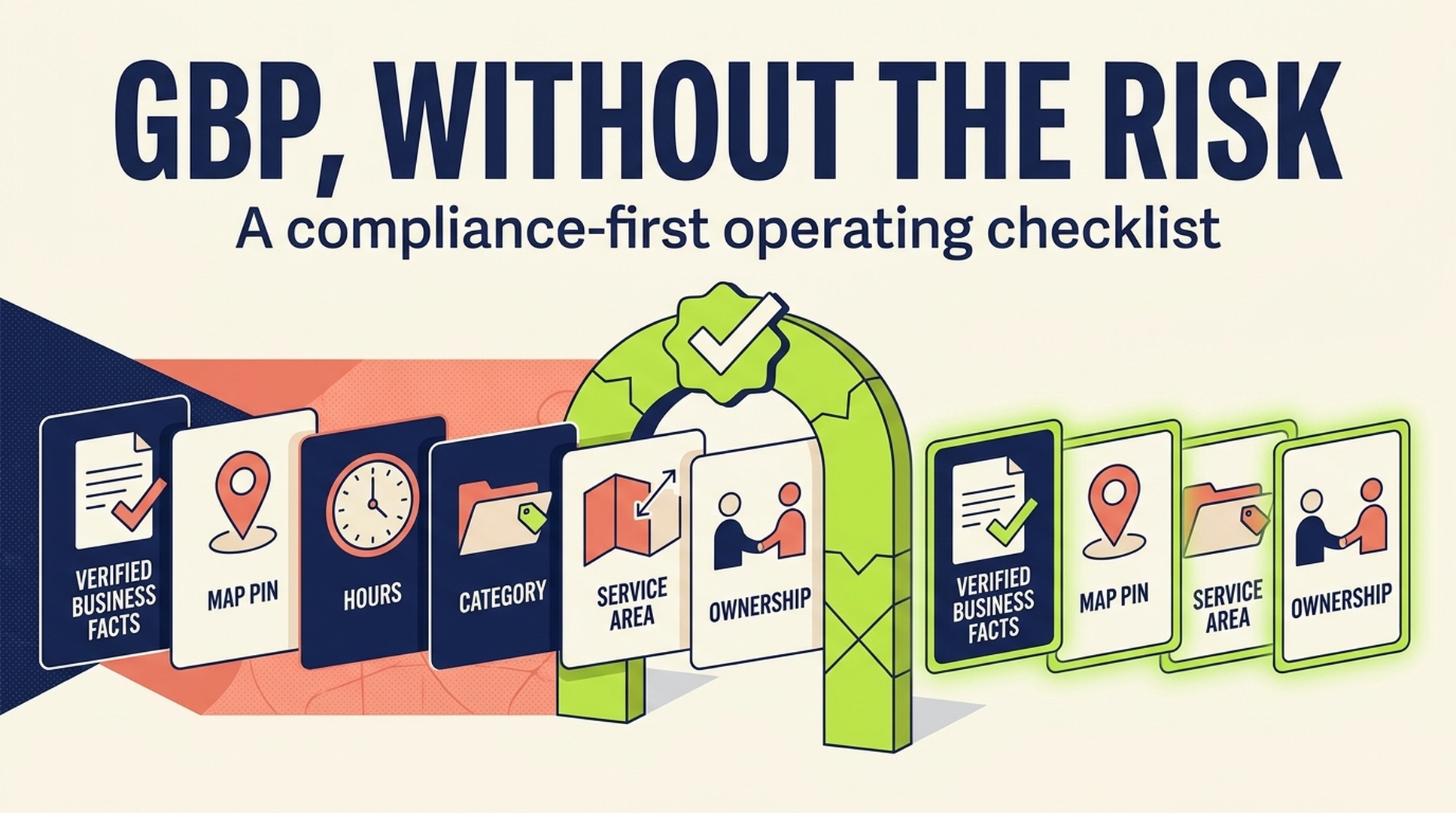
The operating rule
Google Business Profile optimization starts with an uncomfortable rule: the profile must describe the business as it exists in the real world, not as the marketing team wishes it existed in search results.
For US and Canadian businesses, this means the name matches real-world branding, the address or service area reflects the actual operating model, categories describe the core business, hours are current, and customer-facing facts can be supported by the website and the team. A complete profile can improve a business's chance of appearing for relevant local searches. A manipulated one can create customer confusion, rejected edits, lost visibility, or a suspension problem that takes attention away from serving customers.
This is a compliance-first field guide for four common setups:
Business model | Profile model to use | Core question to answer |
|---|---|---|
Storefront | One profile for each real, staffed, signed customer-facing location | Can a customer visit this named location during stated hours? |
Service-area business | One profile for the central office or base; hide the address if customers are not served there | Does the business travel or deliver to the customer? |
Hybrid business | A real customer-facing location plus a service area | Does the team serve customers both at the location and away from it? |
Multi-location brand | One profile per distinct, real location with its own customer-facing operations | Does each location have its own real-world presence and accurate local facts? |
The goal is not a perfect "profile score." It is a durable local business record that helps the right customer understand who you are, whether you are open, what you offer, and how to contact or visit you.
Start with the operating model, not the edit screen
Most profile problems start before anyone changes a field. A business uses a virtual office to look closer to a market, turns a warehouse into a customer-facing branch, lists a broad service radius it cannot support, or creates profiles for departments that do not operate independently.
Google's guidelines draw a practical line. A business that shows an address should have permanent fixed signage for its business name there. A service-area business that visits or delivers to customers should have one profile for its central office or base with a designated service area. A virtual office is not eligible unless it is staffed by the business during business hours and receives customers then. Google also says there should generally be one profile per business, because duplicate profiles can affect how information appears in Maps and Search.
Use this decision check before doing any optimization:
Question | If yes | If no |
|---|---|---|
Do customers visit a permanently signed location during the stated hours? | Treat it as a storefront or hybrid location, subject to Google's guidelines | Do not show it as a customer-facing storefront |
Does the team travel to or deliver to customers? | Set a service area that reflects where the business can actually serve | Do not add a service area merely to target more places |
Does each proposed location have distinct staff and a genuine customer-facing presence? | Review whether a separate profile is appropriate | Keep one profile; do not create a location just for search coverage |
Can the team support the name, address, phone, hours, and category with public business evidence? | Prepare the facts and verify ownership | Resolve the real-world discrepancy before editing the profile |
This step prevents the hardest kind of local SEO work: trying to rank a location that should not exist in the first place.
Freeze the facts before anyone edits Google
Give one person or team ownership of a canonical business record. Agencies can prepare it, but a business owner or operations lead should approve it. The record reduces accidental conflicts between the profile, website, ads, call center, franchise team, directories, and social accounts.
Use this checklist for every location or service-area business:
Fact | What to record | Quality gate |
|---|---|---|
Public business name | Exact name shown in real-world branding | No city, service, slogan, phone number, or marketing claim added only for search |
Operating model | Storefront, service-area, or hybrid | The address-display choice matches how customers are actually served |
Address and map pin | Complete address and correct pin where applicable | Permanent signage exists if the address is publicly shown |
Service area | Cities, ZIP codes, or other named areas actually served | Specific, current, and operationally feasible; not a radius or a speculative market list |
Primary category | Closest available category for the core business | Chosen for what the business is, not for every search term it wants to rank for |
Secondary categories and services | Accurate, customer-facing services and specializations | No duplicate, unavailable, or competitor-derived services |
Hours | Standard, special, and service-specific hours where relevant | The team can answer the phone, receive customers, or deliver the service as shown |
Contact and conversion path | Phone, website, booking or order URL, and preferred customer action | The destination works on mobile and matches the location or service area |
Evidence | Website pages, signage photos, business documents, licenses, and internal approval notes | Stored securely for verification, ownership disputes, or a future reinstatement request |
Do not confuse a canonical record with a keyword sheet. Google says the business name should reflect the real-world name used on signage, stationery, and other branding. It says categories should describe the business rather than function as keywords or features. Put service details, service areas, hours, and category information in their proper fields.
Optimize the fields customers and Google actually use
Once the operating model and facts are correct, optimization becomes useful. It is a matter of completeness, specificity, and maintenance.
Business name
Use the real-world business name. Do not add a city, neighborhood, service list, review claim, tagline, phone number, URL, operating hours, or a string of keywords unless it is genuinely and consistently part of the public business name.
Keyword stuffing can look like a quick win because it makes a listing appear more relevant on a screenshot. It also creates a policy risk and an entity-consistency problem when the website, invoices, signage, and directories say something different. Google says unnecessary information in the business name is not permitted and may lead to profile suspension.
Categories and services
Choose the most specific accurate primary category for the main business. Google instructs businesses to use the fewest categories needed to describe the overall core business. Add secondary categories only when they represent a genuine part of the business.
Then complete the service information available to your category. A service-area plumber should name the real work it provides. A clinic should not add every adjacent treatment it might refer out. A restaurant should not describe delivery-only offerings as on-premise services if that is not the customer experience.
Address, service area, and map pin
For a storefront, use the complete, accurate address and make sure the map pin points to the correct entrance or customer-accessible location. For a service-area business that does not serve customers at its base, remove or hide the address and define the service area.
Google's current service-area guidance says that service-area and hybrid businesses can specify cities, postal codes, or other areas. It does not allow editable radius-based areas. It permits up to 20 service areas and advises that the overall area should generally remain within about two hours' driving time of the business base. Treat this as a customer-service limit first. If a dispatcher cannot realistically support the claimed area, the profile should not advertise it.
Hours and special hours
Hours are an operational promise. Update regular hours, holiday hours, seasonal closures, and service-specific hours before they become a customer complaint. A business with different walk-in, phone, pickup, emergency, or appointment hours should not hide the distinction behind a vague "open" label.
Website, booking, photos, and attributes
Send customers to the most useful local destination, not automatically to the homepage. A multi-location retailer may use a store page. A contractor may use the relevant service-area page or booking form. The page should show the same service facts, location boundaries, and contact details the profile promises.
Use real photos that help a customer recognize the exterior, interior, team, product, or service. Choose available attributes because they are true and useful, not because they sound like search terms. These details support customer action as well as visibility.
Verification and access are part of optimization
Verification is not a final checkbox. Google says verification gives the business ownership of its profile so it can maintain accurate information and interact with customers. Verification methods are chosen automatically by Google and can depend on business type, public information, region, or hours. Do not promise a client that one method will always be available.
Set access up so the business is never dependent on an individual employee, freelancer, or agency account.
Control | Recommended practice | Reason |
|---|---|---|
Primary ownership | Keep it with a company-controlled Google Account and a documented responsible executive or operator | The business keeps control when an agency, employee, or vendor relationship changes |
Secondary access | Grant the least access needed to named users; review it quarterly | Reduces accidental edits and access disputes |
Verification evidence | Maintain current signage, address, phone, website, and operating records | Makes an available verification path or a future support request easier to support |
Change log | Record date, editor, field changed, reason, and evidence | Helps diagnose visibility changes, rejected edits, or ownership questions |
Escalation plan | Decide who responds to a suspension, duplicate, review issue, or suggested edit | Avoids a public-profile problem becoming a slow internal approval chain |
Never share a verification code, even with an agency managing the account. Google explicitly warns that it will not ask for a verification code. An agency can guide the process, but the business should retain the account and code control.
Review management: ask honestly, respond carefully
Reviews belong in a GBP operating checklist because they are both a customer-facing trust asset and a policy-sensitive area.
Google allows businesses to remind customers to leave a review using a link or QR code. Reviews must be based on genuine experiences. A business cannot offer payment, discounts, free products, or other incentives in exchange for a review, a revision, or the removal of a negative review. It also cannot selectively solicit only positive reviews or pressure customers to include specific content.
Create a workflow that can survive a busy week:
Moment | Team action | Guardrail |
|---|---|---|
Completion of sale, visit, or service | Send the same neutral request to eligible customers | Ask for honest feedback; do not request a rating or pre-screen unhappy customers |
New positive review | Thank the customer and, where appropriate, mention a specific service detail without overstating a claim | Do not copy-paste promotional replies or expose private details |
New negative review | Confirm the case internally, respond calmly, and offer a legitimate next step if appropriate | Do not argue, disclose personal data, or offer a reward for removal |
Suspected policy violation | Save evidence and use Google's reporting route | Do not organize retaliatory reviews or public accusations |
Monthly review | Classify recurring praise, friction, and service failures | Feed the findings into operations, training, pages, and FAQs |
The useful question is not "How do we get more five-star reviews?" It is "What reliable customer feedback and operational proof should a prospective customer see before choosing us?"
The risky shortcuts to remove now
The following tactics usually create more risk than durable local visibility.
Shortcut | Why it is risky | Safer replacement |
|---|---|---|
Add "best plumber in [city]" to the business name | It conflicts with Google's real-world-name rule and can trigger edits or enforcement | Use the actual name; show services and service areas in the correct profile and website fields |
Rent a virtual office in a target city | A virtual office is not eligible unless it is staffed by the business and receives customers during stated hours | Operate from the real base, use a truthful service area, and build local evidence where the business actually works |
Create a profile for every service area | Service-area businesses generally receive one profile for the whole area they serve | Use one accurate profile and create useful service or location content only where it adds independent customer value |
Add every adjacent category | It confuses the core business definition and can mislead customers | Select the smallest accurate set of categories and maintain real service detail |
Buy or gate reviews | It violates review policy and creates a brittle reputation | Ask eligible customers neutrally and improve the service problems reviews reveal |
Let an agency own the only account | It creates a control and continuity risk | Keep a company-controlled primary owner, documented access, and a quarterly review |
Treat one rank-grid move as a verdict | Local results vary by query, searcher location, time, and competition | Interpret rankings alongside profile health, reviews, calls, bookings, and lead quality |
A monthly GBP operating cadence
Most businesses do not need someone "optimizing GBP" every day. They need a short, accountable rhythm that catches stale facts before customers do.
Cadence | What to check | Owner | Output |
|---|---|---|---|
Weekly | New reviews, questions, suggested edits, urgent service changes, and customer-facing hours | Location or customer-service lead | Response queue and exception log |
Monthly | All core facts, services, categories, photos, booking path, page destination, review themes, and profile performance trends | Local marketing lead with operations approval | One-page profile health review and action list |
Quarterly | Account access, ownership, duplicate-risk scan, citations on high-priority platforms, policy changes, and competitor misinformation | Business owner plus agency or marketing lead | Governance record and prioritized cleanup list |
Before any major change | Evidence for name, address, category, or operating-model change; website and directory alignment | Business owner or operations lead | Approved change request and rollback plan |
For multi-location businesses, centralize the facts standard but do not pretend every location is identical. Each location still needs accurate hours, staff reality, local pages, photos, attributes, customer issues, and a clear reason to exist.
How to measure whether the work is helping
Do not use the profile's completeness alone as proof of success. Measure whether the record is accurate, discoverable for the right demand, and useful to customers.
Measure | What it tells you | Review question |
|---|---|---|
Fact accuracy | Whether the profile and website still describe the same operation | Could a customer arrive, call, book, or request service without discovering a contradiction? |
Relevant local visibility | Whether the profile appears for the queries and areas the business can actually serve | Are the searches bringing qualified opportunities rather than empty impressions? |
Customer actions | Whether people call, request directions, visit the site, or use the booking path | Which actions lead to completed jobs, visits, or orders? |
Review quality and recency | Whether customer experience is visible and current | What do reviews reveal about service quality and decision criteria? |
Lead quality | Whether the profile creates useful demand | Are calls within the service area and for work the business performs? |
AI description accuracy | Whether answer systems describe the business, location, and services correctly | Do your most important local prompts surface the right facts and customer fit? |
For a broader diagnosis of Maps, reviews, links, local pages, and AI visibility, use the related Local Search Ranking Factors in 2026 guide once it is published. Keep this GBP checklist focused on what the business can control and prove inside its profile operations.
A final pre-publish checklist
Before you call a profile "optimized," confirm the following:
- The profile's operating model matches the real business: storefront, service-area, or hybrid.
- The business name is the real public name, without search-only additions.
- The address is shown only when customers can be served at a legitimate, permanently signed location.
- The service area is specific, truthful, and operationally feasible.
- Categories and services describe real work, not target keywords or competitors.
- Regular, special, and service-specific hours are current.
- The website and booking path work on mobile and match the profile's promises.
- Primary ownership stays with a company-controlled account, with access reviewed on a schedule.
- Review requests are neutral and policy-safe.
- The team has a record of what changed, why it changed, and what evidence supports it.
That is a stronger definition of GBP optimization than a checklist of hacks. It creates a profile that the customer, the business, and Google can all recognize as the same real operation.
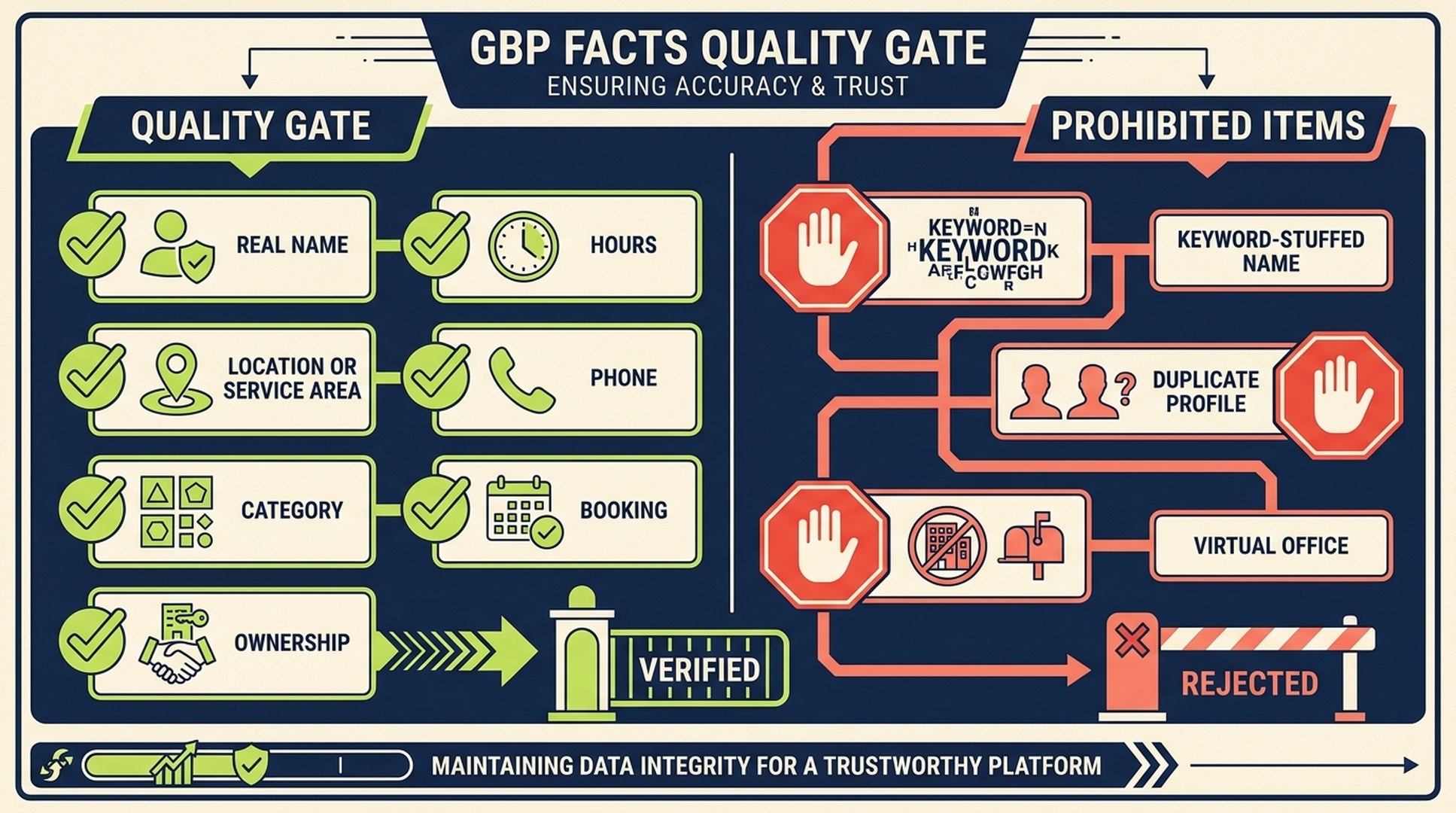
Use this framework to separate operational facts, customer trust, relevant evidence, and answer-quality checks.
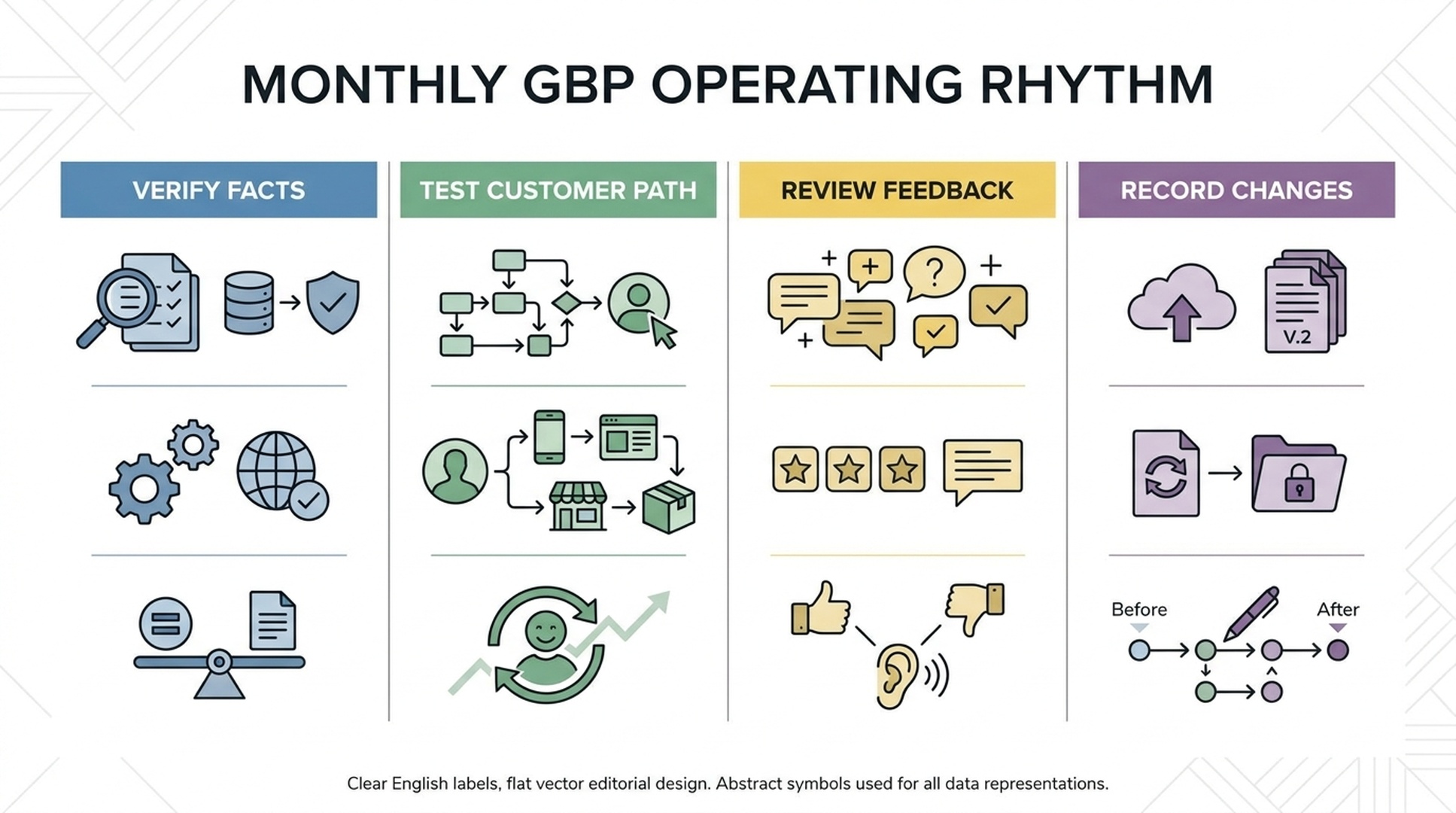
Use the timeline as an operating sequence, not as a ranking guarantee.
FAQ
Can I add city names or services to my Google Business Profile name?
Only if they are genuinely part of the name the business consistently uses in the real world. Google says the name should reflect branding on signage, stationery, and other public materials. Use the service, category, and service-area fields for the rest of the information.
How many Google Business Profiles can a service-area business have?
Google's guidance says a service-area business can have one profile for the whole area it serves. Separate profiles may be appropriate only when the business has distinct locations with separate staff and service areas that meet Google's rules.
Can I use a virtual office for a Google Business Profile?
Not as a shortcut. Google says a virtual office is not eligible unless it is staffed by the business during business hours and receives customers during those hours. If customers are not served at the base, use the truthful service-area model instead.
Should I show my address if I visit customers at their homes or offices?
If the business does not serve customers at its address, Google advises removing the address and using a service area. If it serves customers at the location and also travels to them, it may be a hybrid business and can show the address if the location is legitimate, staffed, and customer-facing during the stated hours.
What is the best way to get more Google reviews?
Ask eligible customers for honest feedback with a review link or QR code after a genuine experience. Do not reward reviews, filter for happy customers, or pressure customers to write a specific rating or statement.
Does a complete Google Business Profile guarantee higher Maps rankings?
No. Complete and accurate information helps Google understand the business and helps customers act. Local results also depend on relevance, distance, prominence, competition, and other information Google can verify.
Continue the local search series
Use these related guides to move from diagnosis to an operating plan:
- Local search ranking factors in 2026
- Local reviews in 2026
- Local citations after AI search
- How to measure local search and AI visibility
Sources
- Google Business Profile Help, Guidelines for representing your business on Google. Source for real-world business names, eligibility, permanent signage, virtual offices, profile duplication, and storefront/service-area rules.
- Google Business Profile Help, Manage your service areas for service-area and hybrid businesses. Source for service-area setup, the 20-area limit, no editable radius, and the approximate two-hour driving guidance.
- Google Business Profile Help, Manage your business information. Source for business name, categories, address, hours, phone, attributes, and service-area field guidance.
- Google Business Profile Help, Verify your business on Google. Source for verification ownership, Google-selected verification methods, and code security.
- Google Business Profile Help, Tips to get more reviews, and Google Maps policy, Prohibited and restricted content. Source for genuine reviews, neutral review requests, and incentives or review-gating prohibitions.
- Google Business Profile Help, Tips to improve your local ranking on Google. Source for complete business information and Google's relevance, distance, and prominence explanation.
Author: Miles Donovan, Local AI Search Analyst Across 500+ Service Queries at Auspia. Miles writes about local visibility, service-area pages, local reputation, and practical ways to make a business easier for search and AI systems to understand.


