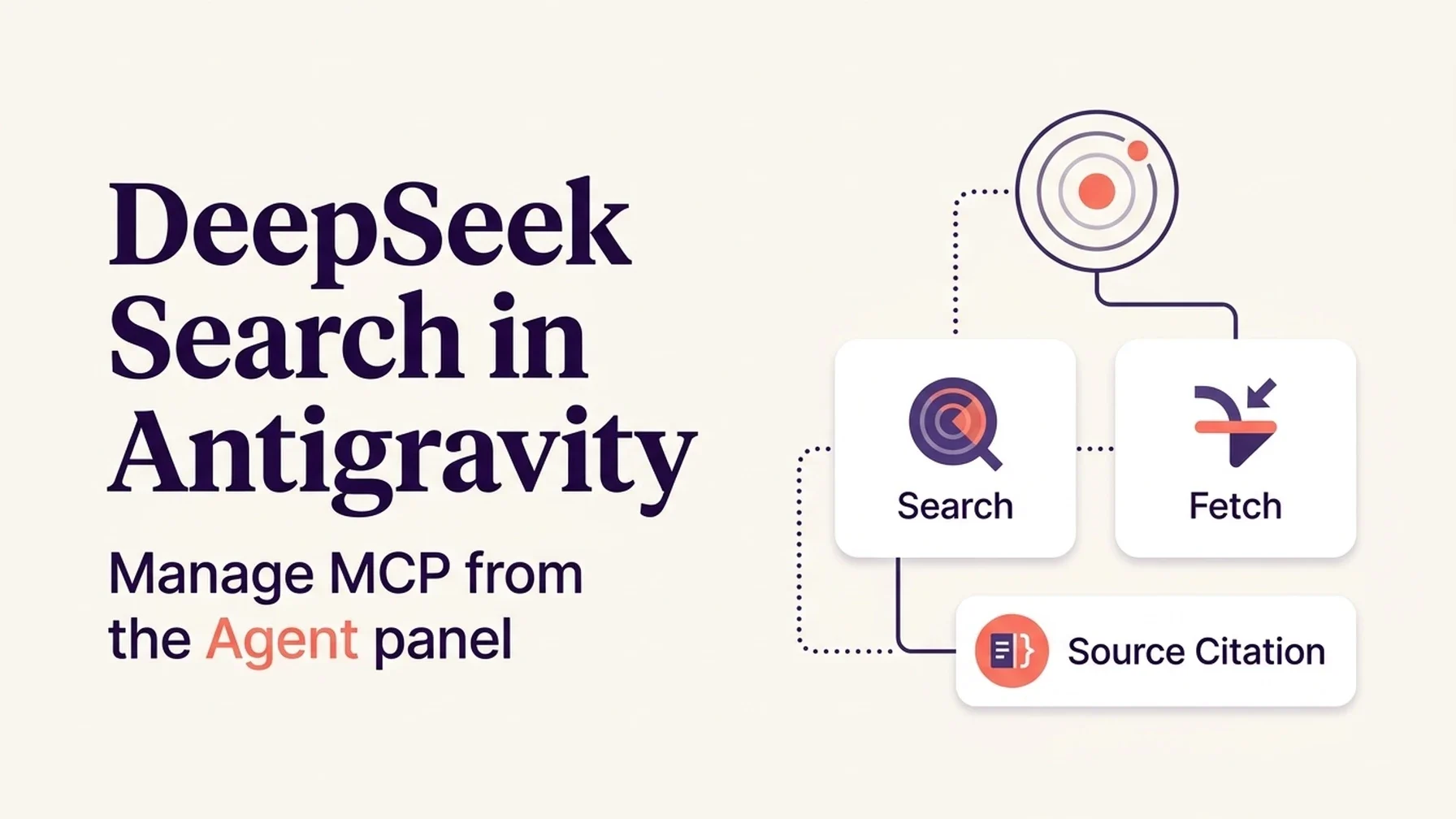
If the configuration files feel unfamiliar, send this article to Antigravity's Agent and ask it to prepare the workspace setup. Review the diff, then enter your API key locally. Never put a live key in the Agent conversation.
Use this guide to connect DeepSeek Search to this Antigravity workspace.
Inspect existing .agents files before editing. Prefer workspace scope so other
projects are unaffected. Reuse my existing MCP setup and explain each change.
Do not read, print, or transmit my key in chat. Show me where to enter it in
the local environment, reload MCP, and verify the tools are visible. Do not
make a live request without telling me first.
Antigravity centers MCP management in the agent surface: its IDE offers an MCP Store and a raw configuration view, while the CLI exposes an interactive /mcp manager with connection status and logs. The same workspace configuration path, .agents/mcp_config.json, keeps this search connector attached to one project. Use the global file only when you want it in every workspace. Google Antigravity MCP documentation
Pick the scope before adding anything
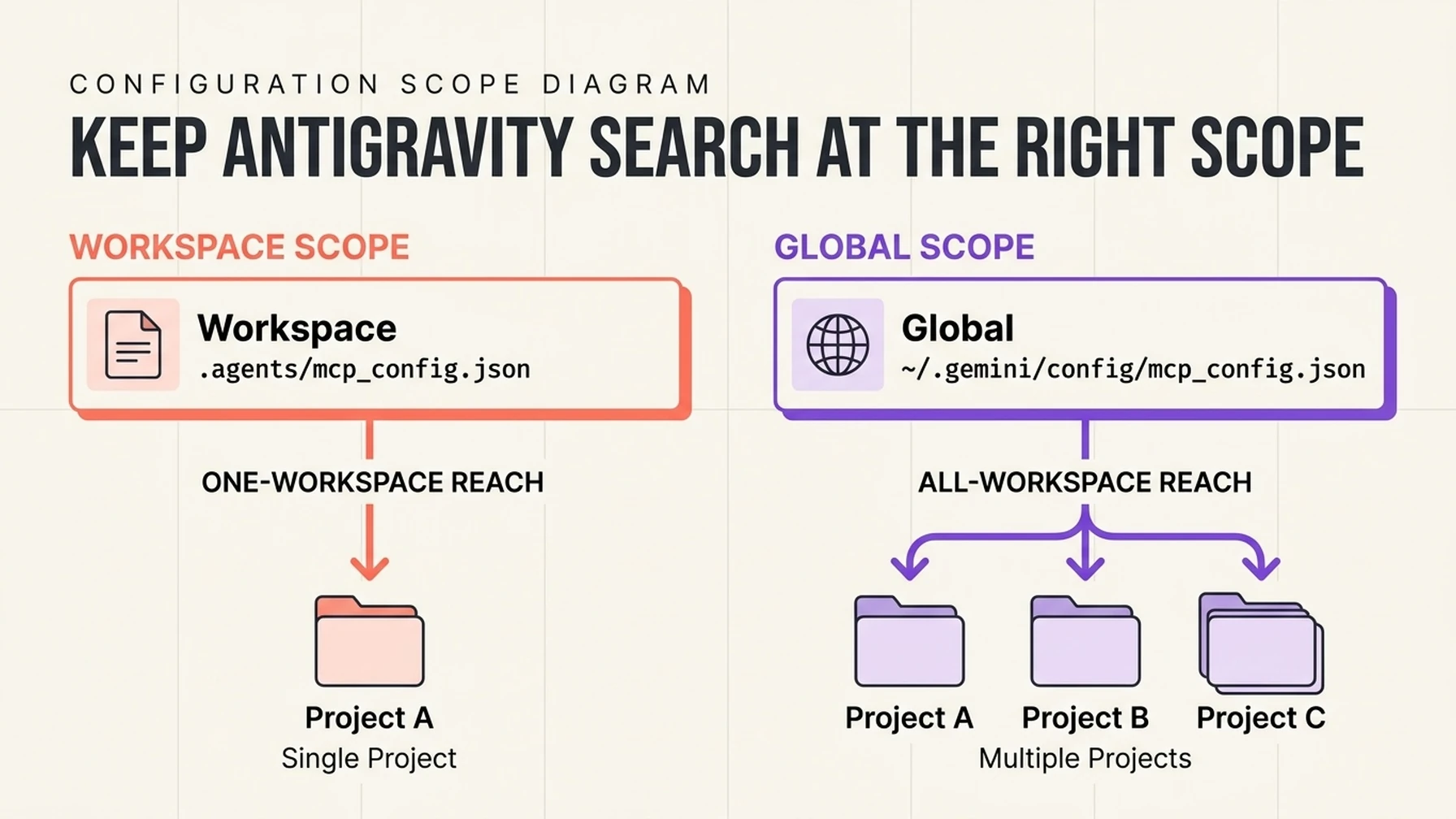
Workspace configuration limits the connector to one project; global configuration reaches multiple projects.
Scope | Config file | Effect |
|---|---|---|
Workspace |
| Only this project can load the local DeepSeek bridge |
Global |
| Available across Antigravity workspaces |
No persistent setup | One cURL request in a terminal | Search once without adding an Agent tool |
Choose workspace scope for a first test. Antigravity's agent permission settings govern terminal commands, file access, MCP tools, and browser reads, so keep the approval preset that suits your normal workflow; connecting an MCP server does not require switching to an unrestricted mode. Agent settings
Use the MCP Manager when you want visible connection status
In the IDE, open the Agent panel menu, choose MCP Servers → Manage MCP Servers → View raw config. In the CLI, enter /mcp to open the manager. Add the server to the existing mcpServers object. For the Node bridge and dependency setup, reuse the tested adapter in the Claude Code tutorial; Antigravity launches it over local stdio:
{
  "mcpServers": {
    "deepseek-search": {
      "command": "node",
      "args": ["--env-file=/absolute/path/deepseek-search-mcp/.env", "/absolute/path/deepseek-search-mcp/server.mjs"]
    }
  }
}
Node reads the key from the separate .env file before starting the server. Keep both the key file and any workspace configuration that exposes a private local path out of Git. The config itself contains no credential.
Antigravity's docs describe both global and workspace files and specify serverUrl for remote MCP connections. This example is local stdio, so it deliberately uses command and args, not a guessed remote URL field. After editing, reload the MCP configuration from the manager and check the live status ring. MCP config formats and locations
Test the agent's source discipline
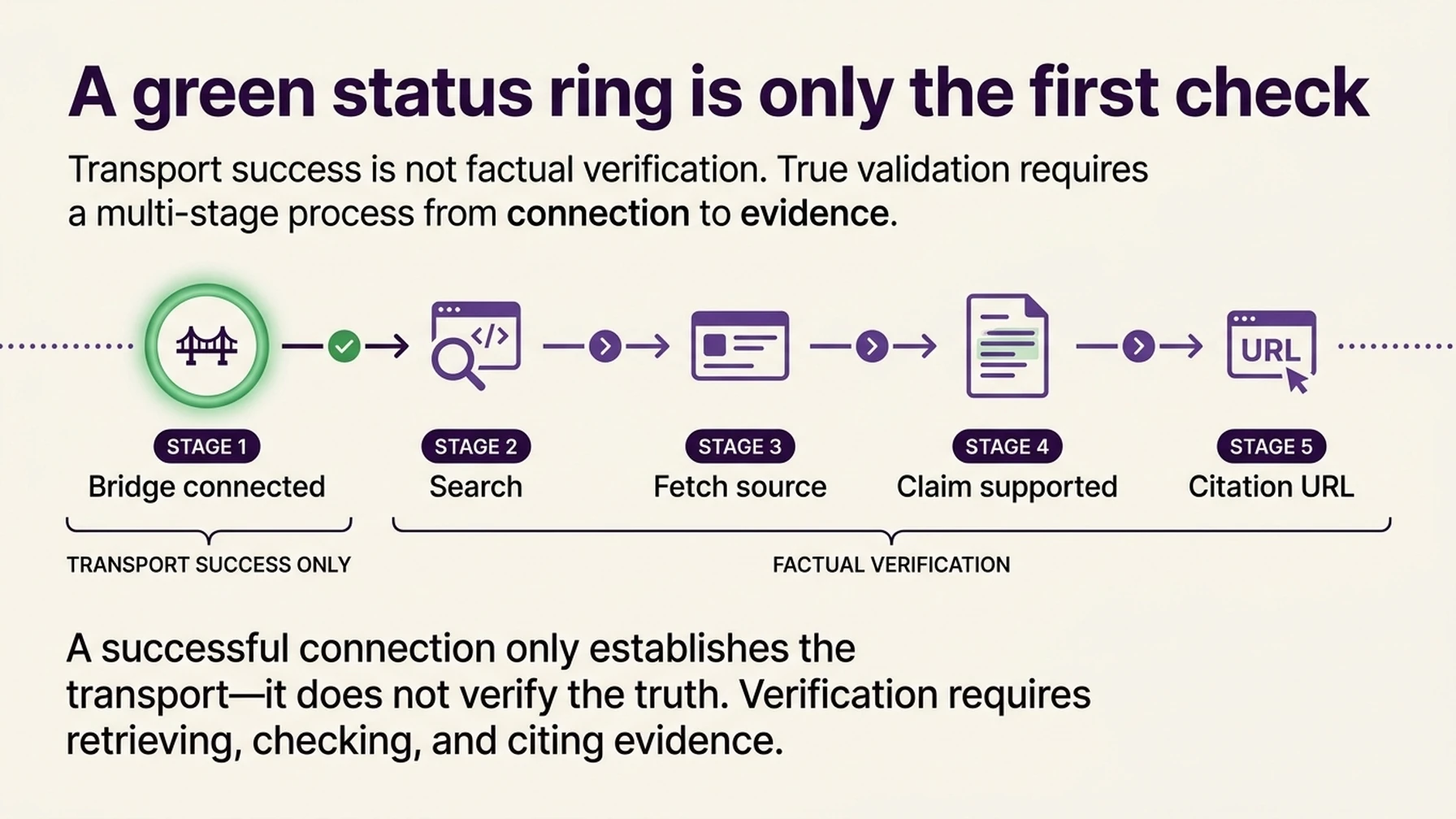
A connected bridge confirms transport; the fetched source confirms whether the answer is supported.
Ask Antigravity to research one current technical question, such as the latest stable version of a dependency used by your project. Ask it to:
- Search for official documentation.
- Fetch one result URL.
- State the version or requirement only if the fetched page supports it.
- Cite the original documentation URL.
Inspect the Agent's tool activity or CLI MCP logs. A connected status proves only that Antigravity started the bridge; the test is complete only when the agent called Search and Fetch and the answer matches the returned source text. Treat retrieved page content as untrusted input. It can contain prompt injection just like any other public webpage.
Use the terminal when you want no MCP setup
For repeated lookups without MCP, use the dependency-free search-cli.mjs linked in the Claude Code guide. Ask Antigravity to run node --env-file="/absolute/path/.env" /absolute/path/search-cli.mjs search "QUERY" 3, then run fetch "SOURCE_URL" for a result you choose. This is a normal terminal action, so review and approve commands under your existing permission preset.
For one isolated lookup, skip MCP and run a single cURL request after reviewing it. Enter the key into the terminal without echoing it:
read -r -s DEEPSEEK_API_KEY
export DEEPSEEK_API_KEY
curl --fail-with-body --max-time 20 \
  https://api.deepseek.com/v1/tools/search \
  -H "Authorization: Bearer $DEEPSEEK_API_KEY" \
  -H "Content-Type: application/json" \
  -d '{"query":"site:developer.chrome.com/docs extensions service worker lifecycle","count":3,"need_content":false}'
The response contains candidate source URLs. To check a claim, send one selected URL to the Fetch endpoint with {"url":"https://..."} and read the returned Markdown. Search summaries help choose what to inspect; they are not a substitute for the page content. See the DeepSeek Search & Fetch API guide.
If Antigravity shows a disconnected server
Open /mcp and inspect the connection log. Check that Node is installed and discoverable in Antigravity's process environment, the configured path exists, the API key is available to the MCP process, and the configuration remains valid JSON. Reload once after correcting the source of the error. If the server is connected but the answer lacks citations, add a concise project rule or include the Search → Fetch → cite requirement in the task prompt.
The 2026 Stack Overflow AI coding-agent survey recorded Google Antigravity among the named agent products, with 16% of respondents in its “used” series. That is a survey result, not a market-share estimate; the guide focuses on the workflow Antigravity documents today. Survey data
The setup is ready when
- The workspace MCP manager shows
deepseek-searchactive. - A test run shows both Search and Fetch.
- The answer cites the page whose fetched content supports the claim.
- The repository contains no live API key.
Explore more DeepSeek Search setup guides
Browse the complete agent setup guide
Related platform guides: Add DeepSeek Search to GitHub Copilot CLI · Use DeepSeek Search in Goose Desktop and CLI.
Author: Jasper Quinn, AI Search Product Researcher Tracking 60+ Feature Changes at Auspia. Jasper writes about changing AI search products and their practical behavior.