


The short answer
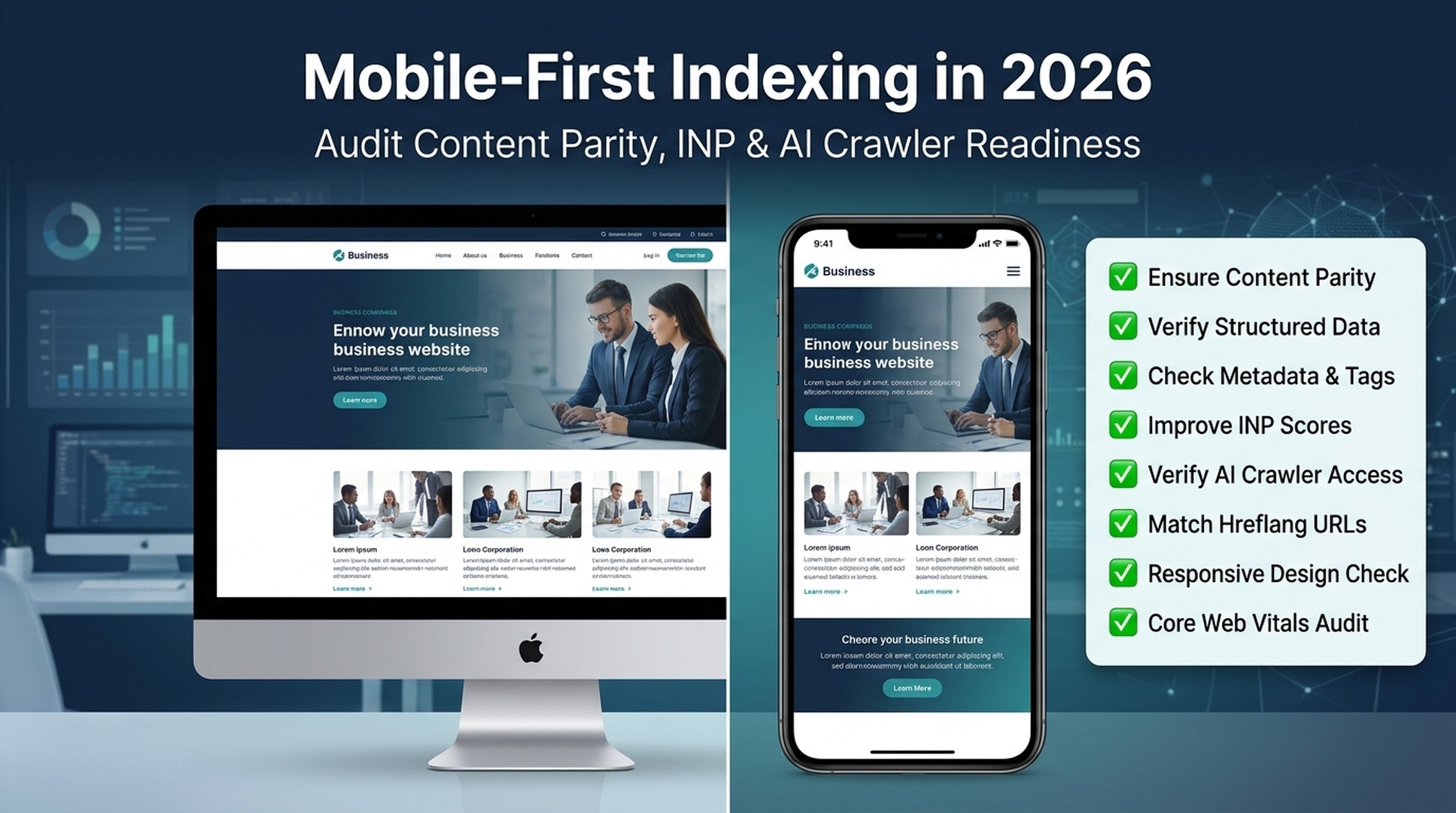
Mobile-first indexing is finished. Since July 2024, Google only uses the mobile version of your site for indexing and ranking. If content, structured data, or internal links exist on desktop but not on mobile, Google does not see them. In 2026, this has three new consequences most site owners have not addressed yet: INP replaced FID as a Core Web Vital, AI Overviews pull from mobile-rendered content, and the March 2026 Core Update increased the ranking weight of mobile page experience.
Below, you will find a complete audit workflow — and a copy-paste Codex skill that runs most checks for you.
What "mobile-only" actually means in 2026
Google started migrating sites to mobile-first indexing in 2018. The transition took over six years. As of July 2024, every site that still had desktop-accessible content with no mobile equivalent lost that content from Google's index. There is no opt-out and no desktop-only fallback.
But the story did not end there. Three shifts in 2025–2026 changed what "mobile-first" demands from your site:
Shift 1: INP replaced FID — and most mobile sites fail it
In March 2024, Google replaced First Input Delay (FID) with Interaction to Next Paint (INP) as a Core Web Vital. INP measures how fast your page responds to taps, clicks, and key presses across the entire page session, not just the first interaction.
The hard number: roughly 40% of sites that passed FID do not pass INP. On mobile, only about 65% of sites meet the "good" threshold of 200 milliseconds or less. The March 2026 Core Update increased the ranking weight of Core Web Vitals further. Sites that fail mobile INP are now losing positions to faster competitors.
Shift 2: AI Overviews and AI crawlers read your mobile content
Google's AI Overviews appear in roughly 47% of searches as of mid-2026. When Google's AI systems generate answers, they pull from the same mobile-indexed content that regular search uses. Third-party AI crawlers (GPTBot, ClaudeBot, PerplexityBot) also access your mobile-rendered pages.
If your mobile version is missing structured data, clear headings, or critical text, AI systems cannot cite you — even if the desktop version has that content.
Shift 3: Content parity gaps now have measurable ranking impact
In 2026, sites with inconsistent mobile and desktop content show 31.2% lower organic search exposure on average compared to sites with full content parity. The most common missing elements on mobile: hidden tab content, sidebar links, structured data markup, image alt text, and internal navigation links.
Content element | % of sites missing it on mobile |
|---|---|
Structured data (JSON-LD) | 23% |
Internal links (menus, breadcrumbs) | 18% |
Image alt text | 27% |
Full text in tabs/accordions | 15% |
Meta robots tags | 9% |
How to check if your site passes (2-minute version)
Before running a full audit, check these three signals. Each takes under a minute and tells you whether to dig deeper.
Signal 1: Google Search Console indexing status
Open Google Search Console → click Settings (gear icon, bottom-left) → look under the "About" section. If it says "Googlebot smartphone" under "Indexing crawler," your site is on mobile-first indexing. This is true for effectively every site in 2026 — but verify it.
Also check: URL Inspection tool → enter any important page → expand "Crawl" → confirm "Crawled as: Googlebot smartphone." Look at the screenshot Google provides — this is exactly what Google sees. If key content is missing from that screenshot, it is missing from the index.
Signal 2: PageSpeed Insights with real mobile data
Go to PageSpeed Insights, enter your URL, and look at the "Discover what your real users are experiencing" section. This is Chrome User Experience Report (CrUX) field data — the same data Google uses for ranking.
If the mobile report shows orange or red for INP (Interaction to Next Paint), you have an active ranking liability. The threshold is under 200 milliseconds for green.
Signal 3: Chrome DevTools mobile viewport quick check
Open Chrome DevTools (F12 or Cmd+Option+I), click the device toolbar icon (Ctrl+Shift+M), and select a mobile device preset like "Pixel 7." Reload the page. Scan for:
- Text that requires horizontal scrolling
- Buttons or links too small to tap (under 48×48 CSS pixels)
- Content hidden behind "read more" toggles that are not in the HTML source
- Pop-ups that cover most of the screen
Each of these is a mobile-indexing problem if the content or links behind them differ from what desktop users see.
The 30-minute mobile-first audit (with Codex)
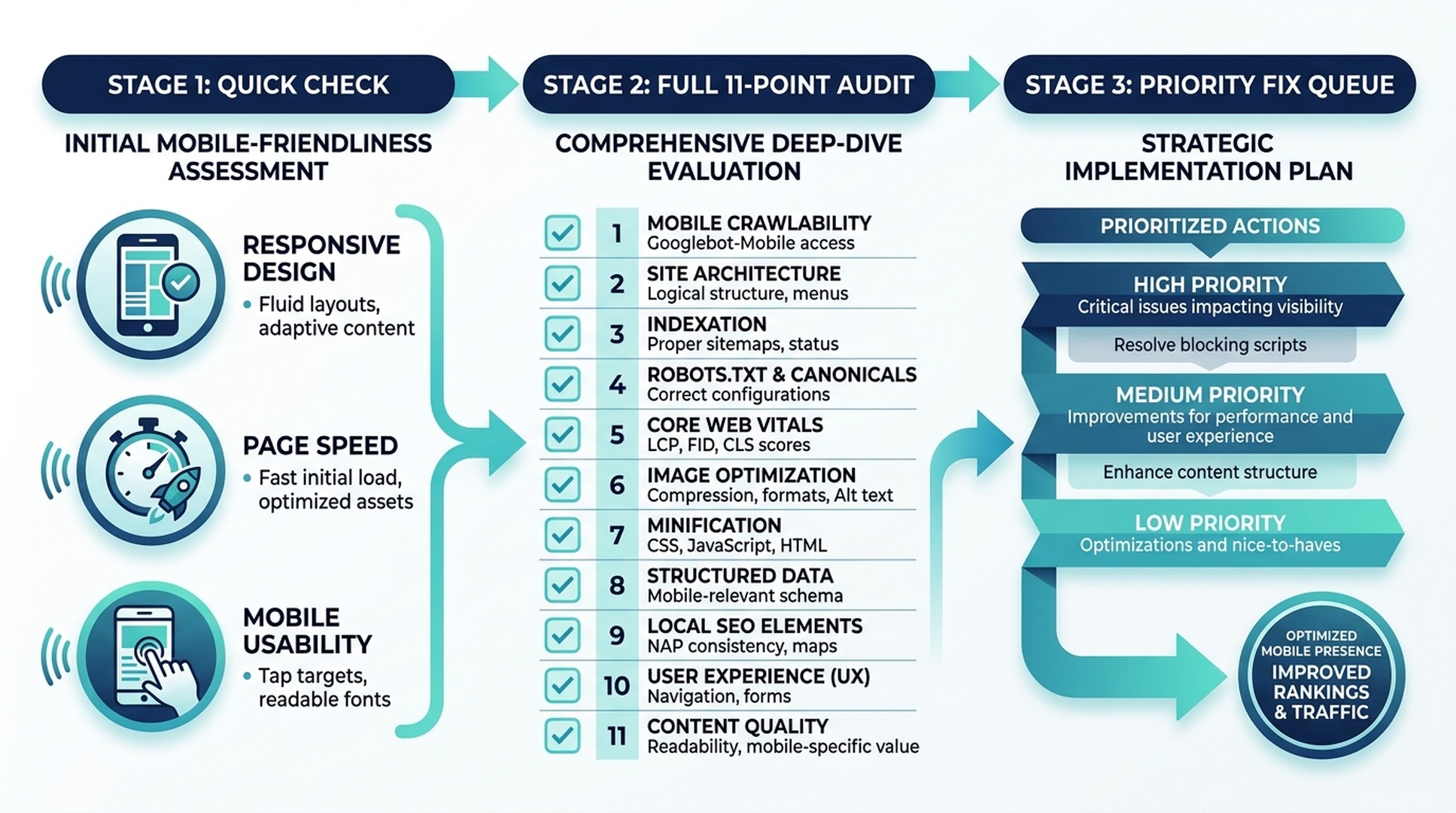
The quickest way to run a full mobile-first audit today is to give an AI coding agent — Claude Code or Codex — a structured task. The agent reads your site's source, checks the rules, and produces a prioritized fix list.
Below is a complete skill file. Copy it into your project, then ask your agent to run it.
Step 1: Create the skill file
Create a file at .claude/skills/mobile-first-audit/SKILL.md (for Claude Code) or .codex/skills/mobile-first-audit/SKILL.md (for Codex):
name: mobile-first-audit
description: Audit a URL or list of URLs for mobile-first indexing readiness. Checks content parity, Core Web Vitals, structured data, mobile UX, and AI crawler access.

# Mobile-First Indexing Audit

Run a structured mobile-first indexing audit on one or more URLs. The agent must report findings, not make edits, unless the user explicitly approves a fix plan.

## Input

The user provides one or more page URLs. If they provide a sitemap URL or a list of more than 5 URLs, sample 5 URLs that represent different page types (homepage, product page, article, category page, landing page).

## Audit Checklist

For each URL, check and report on all eleven items below. Mark each item as `PASS`, `WARN`, or `FAIL`. Include the evidence for every WARN and FAIL.

### 1. Viewport Meta Tag
Check that `<meta name="viewport" content="width=device-width, initial-scale=1">` is present in the HTML `<head>`. If missing or if it sets a fixed width or disables user-scaling without a valid accessibility reason, mark FAIL.

### 2. Content Parity (Text)
Fetch the page with a desktop user-agent and a mobile user-agent (Googlebot Smartphone). Compare the visible text content. If any text block over 50 words exists on desktop but not in the mobile HTML source, mark WARN. If important body text, headings, or product descriptions are missing, mark FAIL.

### 3. Structured Data Parity
Extract all JSON-LD blocks from both desktop and mobile fetches. If any schema type present on desktop is missing from mobile, mark FAIL. If schema content differs between versions, mark WARN.

### 4. Meta Tags Parity
Compare title, meta description, canonical, robots, and hreflang tags between desktop and mobile versions. Any difference is a WARN. A missing canonical or conflicting robots tag is FAIL.

### 5. Internal Links and Navigation
Count the number of internal `<a href>` links in the desktop and mobile HTML. If the mobile version has 20%+ fewer internal links, mark WARN. If breadcrumb links, category navigation, or footer links present on desktop are missing from mobile, mark FAIL.

### 6. Image Alt Text
Count images in the mobile HTML. Report the number and percentage missing alt attributes. If more than 10% of images lack alt text, mark WARN. If hero images or product images lack alt text, mark FAIL.

### 7. Core Web Vitals (Field Data)
Look up the URL's Chrome UX Report (CrUX) field data. If accessible via PageSpeed Insights API or a direct CrUX lookup, report LCP, INP, and CLS for mobile. Mark thresholds: LCP > 2.5s = WARN, > 4.0s = FAIL. INP > 200ms = WARN, > 500ms = FAIL. CLS > 0.1 = WARN, > 0.25 = FAIL.

If CrUX data is unavailable (insufficient traffic), note this and use lab data from Lighthouse as a fallback with the caveat that lab data is not used for ranking.

### 8. Tap Target Sizing
Inspect CSS for buttons, links, and interactive elements. Flag any element whose computed height or width is under 48 CSS pixels. Flag adjacent interactive elements with less than 8px spacing. Mark WARN for 1-3 violations, FAIL for 4+.

### 9. Font Sizing
Check that body text uses a computed font-size of at least 16px. Flag any text below 12px. Mark WARN if body text is 14-15px, FAIL if below 12px.

### 10. Interstitials and Pop-ups
Visually inspect the mobile viewport. If a pop-up, banner, or interstitial covers more than 30% of the initial viewport and is not legally required (cookie consent, age verification), mark WARN. If the pop-up prevents scrolling or reading content, mark FAIL.

### 11. AI Crawler Access
Check robots.txt for rules blocking GPTBot, ClaudeBot, PerplexityBot, Google-Extended, or OAI-SearchBot. If any AI crawler is blocked, note that as a deliberate choice. If AI crawlers are allowed but the page has no structured data, mark WARN (AI systems rely on structured data for citations).

## Output Format

Produce a Markdown report:

```markdown
# Mobile-First Audit Report
**Date:** YYYY-MM-DD
**URLs audited:** N
**Overall score:** X/11 PASS items per URL average

## Summary

| Check | URL 1 | URL 2 | URL 3 | URL 4 | URL 5 |
|-------|-------|-------|-------|-------|-------|
| 1. Viewport | PASS | PASS | ... | ... | ... |
| ... | ... | ... | ... | ... | ... |

## Detailed Findings

### URL 1: [url]

**FAIL items (must fix):**
- [Item name]: [evidence and fix instructions]

**WARN items (should fix):**
- [Item name]: [evidence and fix instructions]

**PASS items:** [list]

### Priority Fix Queue

1. [Highest priority fix] — affects indexing directly
2. [Next fix] — affects ranking
3. ...
Rules
- Do not make any changes to the site without explicit user approval of a fix plan.
- If you cannot check an item because the page requires authentication, note it as "NOT CHECKED — authentication required."
- For CrUX data, use the official Chrome UX Report API or PageSpeed Insights API if available. If neither is accessible, use Lighthouse mobile audit as a fallback.
- Never fabricate metrics, scores, or check results. If data is unavailable, say so.
- Do not access or expose API keys, cookies, tokens, or credentials.
### Step 2: Run the audit

Ask your agent: **"Run the mobile-first audit skill on [your URL]"** and paste in the URL you want to check. The agent will produce a report with PASS/WARN/FAIL for each of the 11 checks, plus a priority fix queue.

If you want to check multiple pages at once, provide a list: **"Run the mobile-first audit on these 5 URLs: [URL1, URL2, URL3, URL4, URL5]"**.


## Fix #1: Content parity — what to check first

Content parity is the highest-impact fix because it directly determines what Google can index. Here is what breaks most often and how to fix each one.

### Hidden content in tabs and accordions

Many sites on mobile collapse long content into tabs, accordions, or "read more" toggles. This is fine **as long as the content is in the HTML source** — Google no longer discounts content hidden for UX reasons. But if your tabs load content via JavaScript after a user tap, Googlebot does not trigger that tap. The content is invisible.

**How to check:** In Chrome DevTools, right-click on hidden content and select "Inspect." If you see the text in the Elements panel, it is in the DOM and Google can see it. If the Elements panel shows an empty container until you click the tab, the content is loaded dynamically and Google misses it.

**How to fix:** Server-render the hidden content into the HTML. Use CSS (`display: none` or visibility toggles) for the show/hide behavior instead of JavaScript content injection.

### Missing structured data on mobile

Structured data (JSON-LD) must be present in the mobile HTML. This is easy to miss if your mobile theme or AMP version uses a different template.

**How to check:** Open the mobile page, view source (`Cmd+Option+U`), and search for `application/ld+json`. Then do the same on desktop. The same JSON-LD blocks should appear in both.

**How to fix:** Ensure your structured data is rendered server-side and included in the same HTML response for both mobile and desktop. If using a CMS, check that your schema plugin or theme is not conditionally loading scripts based on device detection.

### Navigation links stripped from mobile menus

Mobile menus often simplify or remove links that exist in the desktop navigation: breadcrumbs, category links, footer columns, sidebar links. Google uses internal links to understand site structure and to distribute PageRank. Links missing from mobile are missing from Google's graph.

**How to check:** Count the `<a href>` tags in desktop source vs. mobile source. A responsive design should have roughly equal counts. If the mobile count is 30%+ lower, investigate which links disappeared.

**How to fix:** Add missing navigation links to the mobile menu, hamburger menu, or footer. Prioritize links to important category pages, key articles, and parent pages.


## Fix #2: INP — the mobile speed metric most sites ignore

Interaction to Next Paint (INP) measures how long it takes for the page to visually respond after a user taps, clicks, or presses a key. The threshold is **200 milliseconds or less**.

Unlike FID, which only measured the first interaction's input delay, INP measures every interaction and reports the **worst** one. This makes it a much stricter test.

### What kills mobile INP

The most common causes, in order:

1. **Heavy JavaScript running on the main thread.** Large bundles, unoptimized React/Vue components, and tracking scripts block the browser from responding to taps.
2. **Click handlers that do too much work before updating the UI.** If a tap triggers an API call, state update, and DOM change before showing any visual feedback, INP suffers.
3. **Third-party tags.** Analytics, chat widgets, ad networks, and personalization scripts — especially when multiple tags compete for the main thread.

### How to diagnose INP

1. Open [PageSpeed Insights](https://pagespeed.google.com/), enter your URL, scroll to "Discover what your real users are experiencing." The INP value under "Mobile" is what Google uses.
2. In Chrome DevTools, open the **Performance** panel, click record, interact with the page (tap buttons, open menus, type in inputs), then stop recording. Look for long tasks (marked in red, 200ms+). These are your INP problems.
3. You can also ask your AI agent: **"Check the Core Web Vitals for [URL] and tell me specifically what is hurting INP on mobile. Give me the top 3 fixes in priority order."**

### How to fix INP (priority order)

```text
Priority 1: Defer or delay non-critical third-party scripts.
  → Load chat widgets, analytics, and ad tags after the page is interactive.
  → Use <script defer> or load them 3-5 seconds after page load.

Priority 2: Break up long JavaScript tasks.
  → Code-split by route. Lazy-load components below the fold.
  → Move heavy computation to requestIdleCallback() or a Web Worker.

Priority 3: Make click handlers update the UI immediately.
  → Show a loading state, spinner, or disabled button in the first 50ms.
  → Run the actual work (API call, state update) after the visual response.
Fix #3: AI crawler readiness (the 2026 layer)
Mobile-first indexing now has an AI layer. When Google's AI Overviews or third-party AI systems answer a question, they pull from the same mobile-indexed content. If your mobile pages are missing the signals AI systems look for, you lose citations.
What AI systems need from your mobile pages
Signal | Why it matters | Quick check |
|---|---|---|
Structured data (JSON-LD) | Helps AI systems understand entities, products, articles, FAQs | View source → search |
Clear heading hierarchy | AI extractors use H1-H4 to parse page structure | Scan your page: does each section have a descriptive heading? |
Concise answer blocks | AI Overviews prefer 2-4 sentence answers near the top | Does your page answer the main question in the first 200 words? |
Robots.txt access for AI crawlers | If blocked, AI systems cannot fetch your content | Check robots.txt for |
llms.txt file | Helps AI systems discover your key content efficiently | Check |
Quick AI-readiness prompt for your agent
"Check [URL] for AI search readiness. Tell me: (1) is JSON-LD structured data present and valid? (2) is there a clear answer to the page's main question in the first 200 words? (3) are AI crawlers allowed in robots.txt? (4) does llms.txt exist at the root? Give me a PASS/FAIL for each and tell me what to fix first."
Complete mobile-first audit prompts for beginners
Here is a set of prompts you can copy into Claude Code or Codex right now. Each prompt does one specific job — no configuration needed beyond having the agent open and pointed at your project or a URL.
Prompt 1: Single-page mobile audit
Run a mobile-first indexing audit on [YOUR URL HERE].

Check these 8 things and report PASS or FAIL for each with the evidence:
1. Viewport meta tag is correct
2. All body text visible on desktop is also in the mobile HTML source
3. JSON-LD structured data is the same on desktop and mobile
4. Title tag, meta description, and canonical are identical across desktop and mobile
5. Internal link count is roughly equal (not 20%+ fewer on mobile)
6. Images have alt text
7. Mobile Core Web Vitals (LCP, INP, CLS) from CrUX field data if available
8. AI crawlers (GPTBot, ClaudeBot, PerplexityBot, Google-Extended) are not blocked in robots.txt

For each FAIL, give me the exact fix in one sentence.
Prompt 2: Bulk audit across page types
I need to audit mobile-first readiness across different page types on my site. Here are 5 URLs, each representing a different template:

1. [HOMEPAGE URL]
2. [PRODUCT PAGE OR SERVICE PAGE URL]
3. [BLOG POST OR ARTICLE URL]
4. [CATEGORY OR COLLECTION PAGE URL]
5. [ABOUT OR CONTACT PAGE URL]

For each URL, check: viewport meta tag, content parity (text + structured data), meta tags consistency, internal links, image alt coverage, and mobile font/tap-target sizing.

Then produce a single table with all 5 URLs as columns and each check as a row. Color-code PASS green, WARN yellow, FAIL red (use emoji 🟢 🟡 🔴 if colors are not supported). Below the table, list the top 3 fixes across all pages in priority order.
Prompt 3: Content parity deep-dive
Fetch [URL] with both a desktop user-agent and the Googlebot Smartphone user-agent (Mozilla/5.0 (Linux; Android 6.0.1; Nexus 5X Build/MMB29P) AppleWebKit/537.36 (KHTML, like Gecko) Chrome/W.X.Y.Z Mobile Safari/537.36 (compatible; Googlebot/2.1; +http://www.google.com/bot.html)).

Compare the two versions and report any differences in:
- Visible text content (highlight blocks missing from mobile)
- Structured data (JSON-LD blocks)
- Meta tags (title, description, canonical, robots, hreflang)
- Internal link count and which sections lost links
- Image alt attributes

Do not make any edits. Just produce a diff report.
Prompt 4: INP diagnosis and fix plan
Analyze [URL] for Interaction to Next Paint (INP) issues on mobile.

1. Check if CrUX field data is available and report the current mobile INP value.
2. If CrUX data is unavailable, run a Lighthouse mobile audit and report the Total Blocking Time (TBT) as a proxy indicator.
3. Identify the top 3 JavaScript tasks blocking the main thread during page load and after user interaction.
4. For each problem, give me: the specific file or script causing it, the impact on INP, and the one-line fix.

Format the output as a table: Problem | Source | Impact | Fix.
Prompt 5: AI crawler + structured data audit
Check [URL] for AI search and AI crawler readiness:

1. Crawl robots.txt at the domain root. List all rules that mention these user-agents: GPTBot, ClaudeBot, PerplexityBot, Google-Extended, OAI-SearchBot, Amazonbot, Bytespider. If any are blocked, flag it.
2. Extract all JSON-LD blocks from the page. Validate each against Schema.org types. Report which types are present and whether they are complete (all required properties filled).
3. Check if /llms.txt exists at the domain root. If it does, report its content summary. If it does not, note that as a missing AI discovery asset.
4. Check if the page has a clear, self-contained answer (2-4 sentences) to its main topic within the first 200 words of body text.
5. Score the page on AI readiness: 0-100. Deduct points for: missing structured data (-30), blocked AI crawlers (-20 per crawler), no llms.txt (-15), no clear answer block (-20), headings not descriptive (-15).
FAQ
Q: Can I still use a separate mobile site (m.example.com)? Technically yes, but Google recommends responsive design. Separate mobile URLs add complexity: you must maintain identical content, canonical tags, and hreflang across two URL sets. If anything goes out of sync, Google indexes whichever version it crawled last. Responsive design eliminates this risk entirely.
Q: What if my site is desktop-only — no mobile version at all? If Googlebot Smartphone cannot access and render your content, that content will not be indexed. Period. A desktop-only site in 2026 is effectively invisible to Google. If you are in this situation, switching to a responsive theme is your highest-priority task.
Q: Do I need to worry about tablet sizes? Googlebot crawls as a smartphone, not a tablet. Focus on the smartphone viewport. That said, tablet users are real users — make sure your responsive design does not break at intermediate widths (768-1024px).
Q: How do I know if my site already passed the mobile-first transition? Open Google Search Console → Settings → check the "About" section for "Indexing crawler: Googlebot smartphone." If it says that, you are on mobile-first indexing. Nearly every site is by now.
Q: Does Google still crawl my site with a desktop user-agent for anything? Yes. Google occasionally crawls with a desktop user-agent for specific checks (relationship verification, some structured data re-processing). Do not be alarmed if you see desktop Googlebot in your logs. Those visits do not mean your site is on desktop-first indexing.
Q: Will fixing mobile-first issues improve my AI Overview visibility? Mobile-first indexing repairs improve the foundation. If your mobile content, structured data, and page speed are all solid, your content is eligible to be cited — but Google's AI systems still choose what to cite based on relevance, authority, and answer quality. Fixing mobile-first issues removes a blocker; it does not guarantee AI inclusion.
Author: Julian Mercer, 14-Year Technical SEO Practitioner at Auspia. Julian writes about crawlability, rendering, schema, site architecture, and the technical foundations that make content discoverable by search engines and AI systems.


