簡短答案
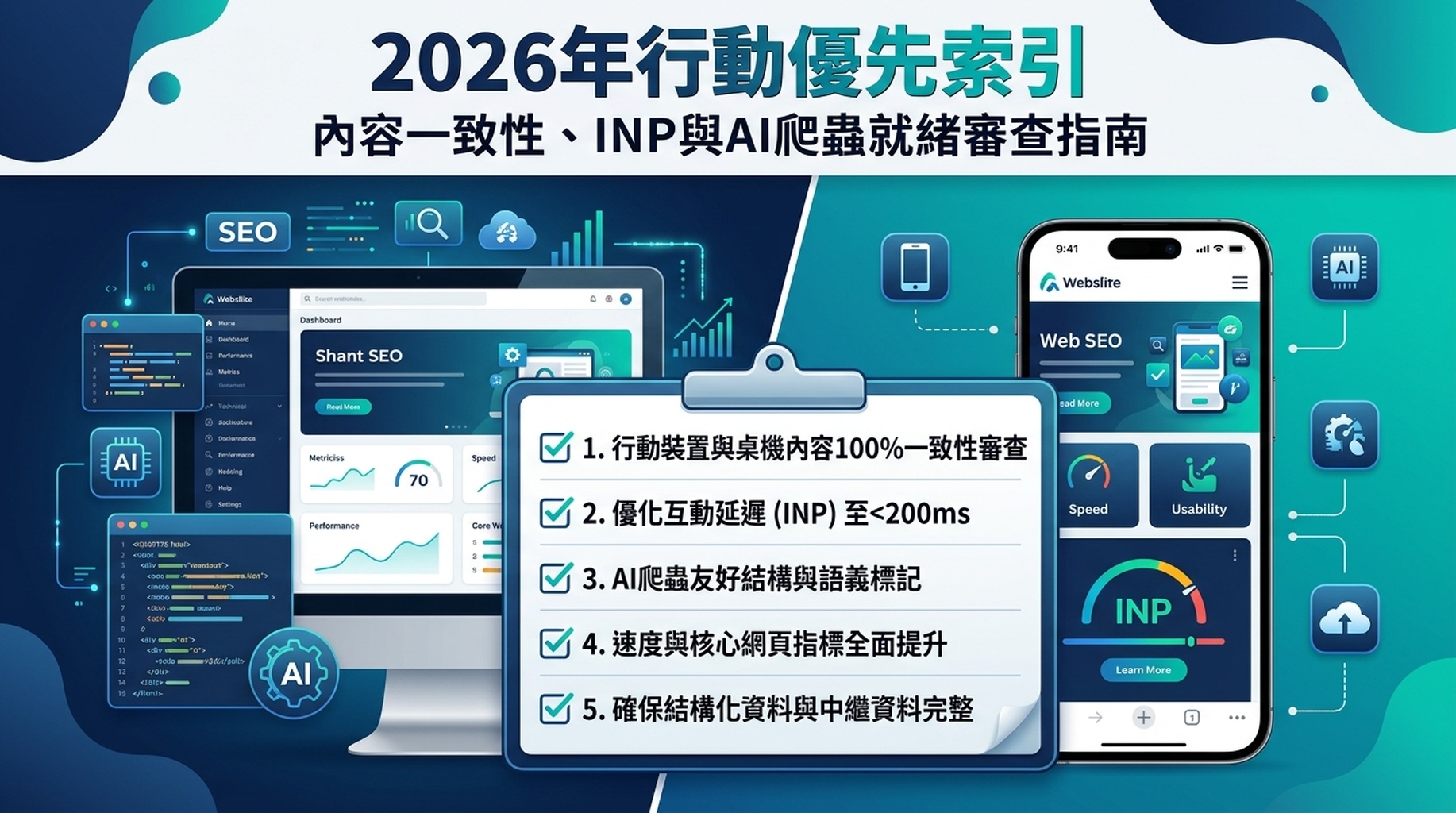
行動優先索引已經結束了。自 2024 年 7 月起,Google 僅使用你網站的行動版進行索引和排名。如果內容、結構化資料或內部連結存在於桌機版但不存在於行動版,Google 就看不到它們。到了 2026 年,這帶來了三個大多數網站擁有者尚未處理的新後果:INP 取代了 FID 成為 Core Web Vital、AI Overviews 從行動端渲染的內容中提取資訊,以及 2026 年 3 月的核心更新提高了行動頁面體驗的排名權重。
以下,你將找到一份完整的審查工作流程——以及一個可直接複製貼上的 Codex 技能,幫你執行大部分檢查。
「僅限行動端」在 2026 年的真正含義
Google 從 2018 年開始將網站遷移到行動優先索引。這個過渡花了超過六年。截至 2024 年 7 月,每個仍保留桌機可存取內容但沒有行動版對應內容的網站,該內容都已從 Google 的索引中消失。無法選擇退出,也沒有僅限桌機的備用方案。
但故事並未就此結束。2025 到 2026 年的三個變化改變了「行動優先」對你網站的要求:
變化一:INP 取代了 FID——大多數行動網站未能通過
2024 年 3 月,Google 以 Interaction to Next Paint(INP) 取代了 First Input Delay(FID),作為一項 Core Web Vital。INP 衡量的是你的頁面在整個頁面會話期間對點擊、觸控和按鍵的回應速度,而不僅僅是第一次互動。
關鍵數字:大約 40% 通過 FID 的網站未能通過 INP。在行動端,只有約 65% 的網站達到 200 毫秒或以下的「良好」門檻。2026 年 3 月的核心更新進一步提高了 Core Web Vitals 的排名權重。行動端 INP 不合格的網站,正逐漸被更快的競爭對手搶走排名。
變化二:AI Overviews 和 AI 爬蟲讀取你的行動端內容
截至 2026 年中,Google 的 AI Overviews 出現在大約 47% 的搜尋結果中。當 Google 的 AI 系統生成答案時,它們從與常規搜尋相同的行動索引內容中提取資訊。第三方 AI 爬蟲(GPTBot、ClaudeBot、PerplexityBot)也會存取你行動端渲染的頁面。
如果你的行動版缺少結構化資料、清晰的標題或關鍵文字,AI 系統就無法引用你——即使桌機版有這些內容。
變化三:內容一致性差距現在會對排名產生可衡量的影響
到了 2026 年,行動端和桌機端內容不一致的網站,其有機搜尋曝光度平均比完全內容一致的網站低 31.2%。行動端最常缺少的元素:隱藏的標籤內容、側邊欄連結、結構化資料標記、圖片 alt 文字和內部導航連結。
內容元素 | 行動端缺少該元素的網站比例 |
|---|---|
結構化資料(JSON-LD) | 23% |
內部連結(選單、麵包屑導航) | 18% |
圖片 alt 文字 | 27% |
標籤/折疊面板中的完整文字 | 15% |
Meta robots 標籤 | 9% |
如何檢查你的網站是否通過(2 分鐘版)
在執行完整審查之前,先檢查這三個信號。每個不到一分鐘,就能告訴你是否需要深入調查。
信號一:Google Search Console 索引狀態
開啟 Google Search Console → 點擊 設定(齒輪圖示,左下角)→ 查看「關於」部分。如果「索引爬蟲」下方顯示「Googlebot 智慧型手機」,表示你的網站已採用行動優先索引。到了 2026 年,幾乎每個網站都是如此——但還是要驗證一下。
同時檢查:URL 檢查工具 → 輸入任何重要頁面 → 展開「檢索」→ 確認「檢索方式:Googlebot 智慧型手機」。查看 Google 提供的螢幕截圖——這就是 Google 實際看到的畫面。如果關鍵內容在該截圖中缺失,那麼它在索引中也同樣缺失。
信號二:PageSpeed Insights 的真實行動數據
前往 PageSpeed Insights,輸入你的 URL,查看 「了解你的真實使用者體驗」 部分。這是 Chrome 使用者體驗報告(CrUX)的實地數據——與 Google 用於排名的數據相同。
如果行動端報告的 INP(Interaction to Next Paint)顯示橙色或紅色,你就有一個正在生效的排名負擔。門檻是 低於 200 毫秒 才算綠色。
信號三:Chrome DevTools 行動視口快速檢查
開啟 Chrome DevTools(F12 或 Cmd+Option+I),點擊裝置工具列圖示(Ctrl+Shift+M),選擇一個行動裝置預設值,如「Pixel 7」。重新載入頁面。檢查:
- 需要水平捲動才能看到的文字
- 過小無法點擊的按鈕或連結(低於 48×48 CSS 像素)
- 隱藏在「閱讀更多」切換開關後面、且不在 HTML 原始碼中的內容
- 覆蓋大部分螢幕的彈出視窗
如果這些元素背後的內容或連結與桌機使用者看到的有所不同,每一個都是行動優先索引的問題。
30 分鐘行動優先審查(使用 Codex)
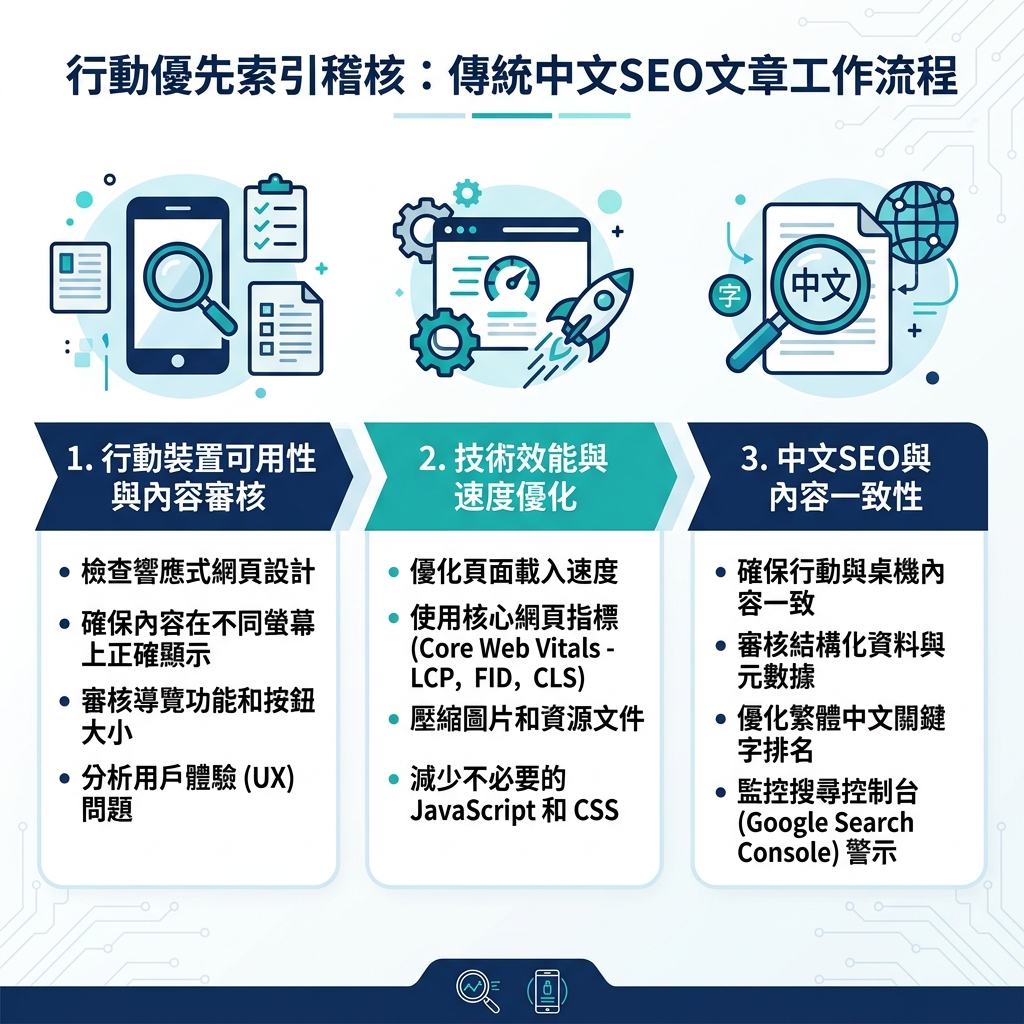
當今進行完整行動優先審查最快的方法,是為 AI 編碼代理——Claude Code 或 Codex——提供一個結構化任務。代理會讀取你網站的原始碼,檢查規則,並產出優先修復清單。
以下是一個完整的技能檔案。將其複製到你的專案中,然後請你的代理執行。
步驟一:建立技能檔案
在 .claude/skills/mobile-first-audit/SKILL.md(Claude Code)或 .codex/skills/mobile-first-audit/SKILL.md(Codex)路徑下建立一個檔案:
name: mobile-first-audit
description: Audit a URL or list of URLs for mobile-first indexing readiness. Checks content parity, Core Web Vitals, structured data, mobile UX, and AI crawler access.

# Mobile-First Indexing Audit

Run a structured mobile-first indexing audit on one or more URLs. The agent must report findings, not make edits, unless the user explicitly approves a fix plan.

## Input

The user provides one or more page URLs. If they provide a sitemap URL or a list of more than 5 URLs, sample 5 URLs that represent different page types (homepage, product page, article, category page, landing page).

## Audit Checklist

For each URL, check and report on all eleven items below. Mark each item as `PASS`, `WARN`, or `FAIL`. Include the evidence for every WARN and FAIL.

### 1. Viewport Meta Tag
Check that `<meta name="viewport" content="width=device-width, initial-scale=1">` is present in the HTML `<head>`. If missing or if it sets a fixed width or disables user-scaling without a valid accessibility reason, mark FAIL.

### 2. Content Parity (Text)
Fetch the page with a desktop user-agent and a mobile user-agent (Googlebot Smartphone). Compare the visible text content. If any text block over 50 words exists on desktop but not in the mobile HTML source, mark WARN. If important body text, headings, or product descriptions are missing, mark FAIL.

### 3. Structured Data Parity
Extract all JSON-LD blocks from both desktop and mobile fetches. If any schema type present on desktop is missing from mobile, mark FAIL. If schema content differs between versions, mark WARN.

### 4. Meta Tags Parity
Compare title, meta description, canonical, robots, and hreflang tags between desktop and mobile versions. Any difference is a WARN. A missing canonical or conflicting robots tag is FAIL.

### 5. Internal Links and Navigation
Count the number of internal `<a href>` links in the desktop and mobile HTML. If the mobile version has 20%+ fewer internal links, mark WARN. If breadcrumb links, category navigation, or footer links present on desktop are missing from mobile, mark FAIL.

### 6. Image Alt Text
Count images in the mobile HTML. Report the number and percentage missing alt attributes. If more than 10% of images lack alt text, mark WARN. If hero images or product images lack alt text, mark FAIL.

### 7. Core Web Vitals (Field Data)
Look up the URL's Chrome UX Report (CrUX) field data. If accessible via PageSpeed Insights API or a direct CrUX lookup, report LCP, INP, and CLS for mobile. Mark thresholds: LCP > 2.5s = WARN, > 4.0s = FAIL. INP > 200ms = WARN, > 500ms = FAIL. CLS > 0.1 = WARN, > 0.25 = FAIL.

If CrUX data is unavailable (insufficient traffic), note this and use lab data from Lighthouse as a fallback with the caveat that lab data is not used for ranking.

### 8. Tap Target Sizing
Inspect CSS for buttons, links, and interactive elements. Flag any element whose computed height or width is under 48 CSS pixels. Flag adjacent interactive elements with less than 8px spacing. Mark WARN for 1-3 violations, FAIL for 4+.

### 9. Font Sizing
Check that body text uses a computed font-size of at least 16px. Flag any text below 12px. Mark WARN if body text is 14-15px, FAIL if below 12px.

### 10. Interstitials and Pop-ups
Visually inspect the mobile viewport. If a pop-up, banner, or interstitial covers more than 30% of the initial viewport and is not legally required (cookie consent, age verification), mark WARN. If the pop-up prevents scrolling or reading content, mark FAIL.

### 11. AI Crawler Access
Check robots.txt for rules blocking GPTBot, ClaudeBot, PerplexityBot, Google-Extended, or OAI-SearchBot. If any AI crawler is blocked, note that as a deliberate choice. If AI crawlers are allowed but the page has no structured data, mark WARN (AI systems rely on structured data for citations).

## Output Format

Produce a Markdown report:

```markdown
# Mobile-First Audit Report
**Date:** YYYY-MM-DD
**URLs audited:** N
**Overall score:** X/11 PASS items per URL average

## Summary

| Check | URL 1 | URL 2 | URL 3 | URL 4 | URL 5 |
|-------|-------|-------|-------|-------|-------|
| 1. Viewport | PASS | PASS | ... | ... | ... |
| ... | ... | ... | ... | ... | ... |

## Detailed Findings

### URL 1: [url]

**FAIL items (must fix):**
- [Item name]: [evidence and fix instructions]

**WARN items (should fix):**
- [Item name]: [evidence and fix instructions]

**PASS items:** [list]

### Priority Fix Queue

1. [Highest priority fix] — affects indexing directly
2. [Next fix] — affects ranking
3. ...
Rules
- Do not make any changes to the site without explicit user approval of a fix plan.
- If you cannot check an item because the page requires authentication, note it as "NOT CHECKED — authentication required."
- For CrUX data, use the official Chrome UX Report API or PageSpeed Insights API if available. If neither is accessible, use Lighthouse mobile audit as a fallback.
- Never fabricate metrics, scores, or check results. If data is unavailable, say so.
- Do not access or expose API keys, cookies, tokens, or credentials.
### 步驟二:執行審查

向你的代理提問:**「對 [你的 URL] 執行 mobile-first 審查技能」**,然後貼上你想檢查的 URL。代理會產出一份報告,包含 11 項檢查的 PASS/WARN/FAIL 結果,以及優先修復佇列。

如果你想一次檢查多個頁面,提供一個清單:**「對以下 5 個網址執行 mobile-first 審查:[網址1, 網址2, 網址3, 網址4, 網址5]」**。


## 修復一:內容一致性——優先檢查項目

內容一致性是影響最大的修復項目,因為它直接決定了 Google 能索引什麼。以下是最常出問題的部分,以及如何逐一修復。

### 標籤和折疊面板中的隱藏內容

許多網站在行動端會將長內容折疊到標籤、手風琴面板或「閱讀更多」切換開關中。這沒問題,**只要內容存在於 HTML 原始碼中**——Google 不再對因使用者體驗原因而隱藏的內容打折。但如果你的標籤是透過 JavaScript 在使用者點擊後才載入內容,Googlebot 不會觸發該點擊。這些內容就不可見。

**如何檢查:** 在 Chrome DevTools 中,對隱藏內容點擊右鍵,選擇「檢查」。如果你在「元素」面板中看到文字,它就在 DOM 中,Google 可以看到。如果「元素」面板顯示一個空容器,直到你點擊標籤後才出現內容,則內容是動態載入的,Google 會錯過它。

**如何修復:** 將隱藏內容以伺服器端渲染的方式放入 HTML。使用 CSS(`display: none` 或可見性切換)來實現顯示/隱藏行為,而不是使用 JavaScript 注入內容。

### 行動端缺少結構化資料

結構化資料(JSON-LD)必須存在於行動端 HTML 中。如果你的行動版主題或 AMP 版本使用了不同的模板,很容易遺漏這一點。

**如何檢查:** 開啟行動版頁面,檢視原始碼(`Cmd+Option+U`),搜尋 `application/ld+json`。然後在桌機版上做同樣的操作。兩者應出現相同的 JSON-LD 區塊。

**如何修復:** 確保你的結構化資料是伺服器端渲染的,並包含在行動版和桌機版的同一份 HTML 回應中。如果使用 CMS,請檢查你的 schema 外掛或主題是否根據裝置偵測來條件式載入腳本。

### 行動端選單中移除的導航連結

行動端選單通常會簡化或移除桌機導航中存在的連結:麵包屑導航、分類連結、頁尾欄位、側邊欄連結。Google 使用內部連結來理解網站結構並分配 PageRank。在行動端缺失的連結,在 Google 的連結圖中也同樣缺失。

**如何檢查:** 計算桌機原始碼中的 `<a href>` 標籤數量,再對比行動端原始碼。響應式設計應該有大致相等的數量。如果行動端數量少了 30% 以上,請調查哪些連結消失了。

**如何修復:** 將缺失的導航連結新增到行動端選單、漢堡選單或頁尾中。優先處理指向重要分類頁面、關鍵文章和上層頁面的連結。


## 修復二:INP——大多數網站忽略的行動速度指標

Interaction to Next Paint(INP)衡量的是使用者在點擊、觸控或按下按鍵後,頁面需要多長時間才能做出視覺回應。門檻是 **200 毫秒或以下**。

FID 只衡量第一次互動的輸入延遲,而 INP 衡量每一次互動,並報告**最差**的那一次。這使它成為一個嚴格得多的測試。

### 什麼因素會拖垮行動端 INP

最常見的原因,按順序排列:

1. **在主執行緒上執行的繁重 JavaScript。** 大型打包檔、未最佳化的 React/Vue 元件和追蹤腳本會阻止瀏覽器對點擊做出回應。
2. **點擊處理器在更新 UI 之前做了太多工作。** 如果一次點擊在顯示任何視覺回饋之前觸發了 API 呼叫、狀態更新和 DOM 變更,INP 就會受到影響。
3. **第三方標籤。** 分析工具、聊天小工具、廣告網路和個人化腳本——尤其當多個標籤競爭主執行緒時。

### 如何診斷 INP

1. 開啟 [PageSpeed Insights](https://pagespeed.google.com/),輸入你的 URL,向下捲動到「了解你的真實使用者體驗」。行動端下的 INP 值就是 Google 使用的數據。
2. 在 Chrome DevTools 中,開啟 **Performance** 面板,點擊錄製,與頁面互動(點擊按鈕、開啟選單、在輸入框中輸入),然後停止錄製。尋找長任務(標記為紅色,200 毫秒以上)。這些就是你的 INP 問題所在。
3. 你也可以詢問你的 AI 代理:**「檢查 [URL] 的 Core Web Vitals,並具體告訴我什麼在損害行動端的 INP。按優先順序告訴我前三個修復方案。」**

### 如何修復 INP(優先順序)

```text
優先級 1:延遲或推遲非關鍵的第三方腳本。
  → 在頁面可互動之後再載入聊天小工具、分析工具和廣告標籤。
  → 使用 <script defer> 或在頁面載入後 3-5 秒再載入它們。

優先級 2:拆分長時間執行的 JavaScript 任務。
  → 按路由進行程式碼分割。對首屏以下的元件進行延遲載入。
  → 將重度運算移至 requestIdleCallback() 或 Web Worker。

優先級 3:讓點擊處理器立即更新 UI。
  → 在前 50 毫秒內顯示載入狀態、旋轉圖示或禁用按鈕。
  → 在視覺回應之後再執行實際工作(API 呼叫、狀態更新)。
修復三:AI 爬蟲就緒狀態(2026 年的新層面)
行動優先索引現在多了一個 AI 層面。當 Google 的 AI Overviews 或第三方 AI 系統回答問題時,它們從相同的行動索引內容中提取資訊。如果你的行動頁面缺少 AI 系統所尋找的信號,你就會失去引用機會。
AI 系統需要從你的行動頁面獲取什麼
信號 | 為何重要 | 快速檢查 |
|---|---|---|
結構化資料(JSON-LD) | 幫助 AI 系統理解實體、產品、文章、FAQ | 檢視原始碼 → 搜尋 |
清晰的標題層級 | AI 提取器使用 H1-H4 來解析頁面結構 | 瀏覽你的頁面:每個區塊是否有描述性的標題? |
簡潔的回答區塊 | AI Overviews 偏好頁面頂部附近的 2-4 句回答 | 你的頁面是否在前 200 字內回答了主要問題? |
對 AI 爬蟲的 robots.txt 存取權限 | 如果被封鎖,AI 系統無法取得你的內容 | 檢查 robots.txt 中的 |
llms.txt 檔案 | 幫助 AI 系統高效發現你的關鍵內容 | 檢查 |
用於 AI 就緒檢查的快速提示詞,給你的代理
「檢查 [URL] 的 AI 搜尋就緒狀態。告訴我:(1) JSON-LD 結構化資料是否存在且有效?(2) 頁面的前 200 字中是否有對主要問題的清晰回答?(3) robots.txt 中是否允許 AI 爬蟲?(4) 網站根目錄是否存在 llms.txt?對每一項給出 PASS/FAIL,並告訴我先修復什麼。」
適合初學者的完整行動優先審查提示詞
以下是你可以立即複製到 Claude Code 或 Codex 中的一組提示詞。每個提示詞完成一項特定工作——無需額外設定,只需讓代理開啟並指向你的專案或 URL。
提示詞 1:單頁行動審查
Run a mobile-first indexing audit on [YOUR URL HERE].

Check these 8 things and report PASS or FAIL for each with the evidence:
1. Viewport meta tag is correct
2. All body text visible on desktop is also in the mobile HTML source
3. JSON-LD structured data is the same on desktop and mobile
4. Title tag, meta description, and canonical are identical across desktop and mobile
5. Internal link count is roughly equal (not 20%+ fewer on mobile)
6. Images have alt text
7. Mobile Core Web Vitals (LCP, INP, CLS) from CrUX field data if available
8. AI crawlers (GPTBot, ClaudeBot, PerplexityBot, Google-Extended) are not blocked in robots.txt

For each FAIL, give me the exact fix in one sentence.
提示詞 2:跨頁面類型的批量審查
I need to audit mobile-first readiness across different page types on my site. Here are 5 URLs, each representing a different template:

1. [HOMEPAGE URL]
2. [PRODUCT PAGE OR SERVICE PAGE URL]
3. [BLOG POST OR ARTICLE URL]
4. [CATEGORY OR COLLECTION PAGE URL]
5. [ABOUT OR CONTACT PAGE URL]

For each URL, check: viewport meta tag, content parity (text + structured data), meta tags consistency, internal links, image alt coverage, and mobile font/tap-target sizing.

Then produce a single table with all 5 URLs as columns and each check as a row. Color-code PASS green, WARN yellow, FAIL red (use emoji 🟢 🟡 🔴 if colors are not supported). Below the table, list the top 3 fixes across all pages in priority order.
提示詞 3:內容一致性深度分析
Fetch [URL] with both a desktop user-agent and the Googlebot Smartphone user-agent (Mozilla/5.0 (Linux; Android 6.0.1; Nexus 5X Build/MMB29P) AppleWebKit/537.36 (KHTML, like Gecko) Chrome/W.X.Y.Z Mobile Safari/537.36 (compatible; Googlebot/2.1; +http://www.google.com/bot.html)).

Compare the two versions and report any differences in:
- Visible text content (highlight blocks missing from mobile)
- Structured data (JSON-LD blocks)
- Meta tags (title, description, canonical, robots, hreflang)
- Internal link count and which sections lost links
- Image alt attributes

Do not make any edits. Just produce a diff report.
提示詞 4:INP 診斷與修復計畫
Analyze [URL] for Interaction to Next Paint (INP) issues on mobile.

1. Check if CrUX field data is available and report the current mobile INP value.
2. If CrUX data is unavailable, run a Lighthouse mobile audit and report the Total Blocking Time (TBT) as a proxy indicator.
3. Identify the top 3 JavaScript tasks blocking the main thread during page load and after user interaction.
4. For each problem, give me: the specific file or script causing it, the impact on INP, and the one-line fix.

Format the output as a table: Problem | Source | Impact | Fix.
提示詞 5:AI 爬蟲與結構化資料審查
Check [URL] for AI search and AI crawler readiness:

1. Crawl robots.txt at the domain root. List all rules that mention these user-agents: GPTBot, ClaudeBot, PerplexityBot, Google-Extended, OAI-SearchBot, Amazonbot, Bytespider. If any are blocked, flag it.
2. Extract all JSON-LD blocks from the page. Validate each against Schema.org types. Report which types are present and whether they are complete (all required properties filled).
3. Check if /llms.txt exists at the domain root. If it does, report its content summary. If it does not, note that as a missing AI discovery asset.
4. Check if the page has a clear, self-contained answer (2-4 sentences) to its main topic within the first 200 words of body text.
5. Score the page on AI readiness: 0-100. Deduct points for: missing structured data (-30), blocked AI crawlers (-20 per crawler), no llms.txt (-15), no clear answer block (-20), headings not descriptive (-15).
FAQ
Q:我還可以使用獨立的行動網站(m.example.com)嗎?技術上可以,但 Google 建議使用響應式設計。獨立的行動版 URL 會增加複雜性:你必須在兩組 URL 之間維護完全相同的內容、canonical 標籤和 hreflang。如果任何內容不同步,Google 會索引它上次檢索的那個版本。響應式設計完全消除了這個風險。
Q:如果我的網站只有桌機版——完全沒有行動版怎麼辦?如果 Googlebot 智慧型手機無法存取和渲染你的內容,那些內容就無法被索引。就是這麼簡單。到了 2026 年,一個只有桌機版的網站對 Google 來說實際上是不可見的。如果你處於這種情況,切換到響應式主題是你優先級最高的任務。
Q:我需要擔心平板尺寸嗎? Googlebot 以智慧型手機的身份進行檢索,而不是平板。專注於智慧型手機的視口。話雖如此,平板使用者是真實使用者——請確保你的響應式設計不會在中間寬度(768-1024px)出現問題。
Q:我如何知道我的網站是否已經通過了行動優先過渡?開啟 Google Search Console → 設定 → 檢查「關於」部分的「索引爬蟲:Googlebot 智慧型手機」。如果顯示這個,你就已經在行動優先索引了。現在幾乎每個網站都是如此。
Q:Google 還會因為某些原因使用桌機 user-agent 來檢索我的網站嗎?會的。Google 偶爾會使用桌機 user-agent 進行特定的檢查(關係驗證、某些結構化資料的重新處理)。如果你在記錄中看到桌機版 Googlebot,不用驚慌。這些存取並不表示你的網站處於桌機優先索引。
Q:修復行動優先問題會提高我的 AI Overviews 能見度嗎?行動優先索引的修復可以改善基礎。如果你的行動端內容、結構化資料和頁面速度都很穩固,你的內容就有資格被引用——但 Google 的 AI 系統仍會根據相關性、權威性和回答品質來選擇引用內容。修復行動優先問題移除了障礙,但並不保證被 AI 收錄。
Author: Julian Mercer,Auspia 的 14 年技術 SEO 實戰專家。Julian 撰寫關於可檢索性、渲染、Schema、網站架構以及讓內容能被搜尋引擎和 AI 系統發現的技術基礎的文章。