


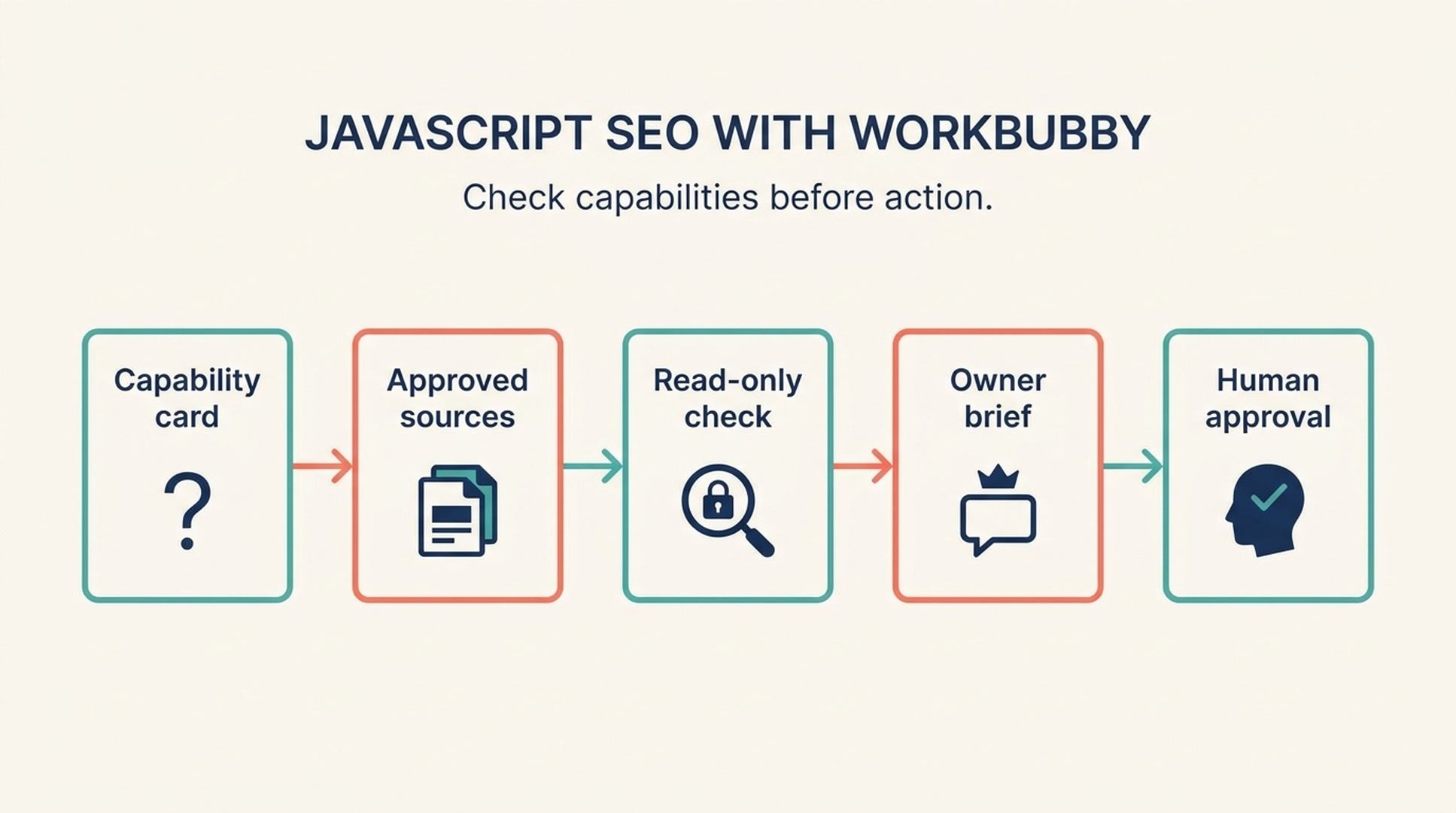
An agent can be helpful for JavaScript SEO, but only after you know what it can actually do. Does Workbubby read local files? Browse a public page? Inspect raw HTML? Use a rendered browser? Run commands? Access a connected crawl export? Create a ticket, send a message, or schedule a task? Those answers change the safe workflow.
The name of an agent product does not establish its permissions. Similar agent products can have very different deployment models, tools, approval gates, data access, and logging. That is especially important for SEO work, where a seemingly small action can alter a CMS, robots directive, sitemap, deployment, or public page.
What you will finish with: a capability card for your actual Workbubby environment, a read-only evidence matrix for one important page, and an owner-approved handoff. This article does not assume Workbubby has a terminal, browser automation, Git checkout, connector, scheduler, or publishing feature.
Part 1: JavaScript SEO without assumptions
Why a page can look complete and still raise an SEO question
On a JavaScript site, the first response from the server can be followed by scripts, data requests, client-side routing, and UI updates. Your browser may combine all of those pieces into a complete-looking page. A search system still needs to find the URL, request it, process accessible resources, understand links and content, and decide what to index.
JavaScript itself is not the problem. The risk is that a page's purpose-defining content, stable destinations, or page signals depend on an unverified step. A product grid might require a request that fails for some state. A card might navigate only through an event handler. A deep page of an infinite list might have no stable URL. An unavailable item might display a client-side error while the server returns a successful status.
The job is to identify the actual condition, not to blame the technology.
Four layers of evidence
Layer | Main question | What it can demonstrate | What it cannot demonstrate alone |
|---|---|---|---|
Response | What did the requested URL return? | Status, redirects, initial HTML, headers | Final rendered content or index status |
Source | What existed before app code completed? | Initial title, canonical, robots, content, links | Browser-completed UI |
Rendered page | What appeared in the tested page state? | Visible content and rendered markup | Production history or Google selection |
Search evidence | What did an approved platform report? | Inspection, crawl, logs, performance information | Root-cause code mechanism |
The word "unknown" is essential. If Workbubby can only read an attached screenshot, it cannot inspect raw HTML. If it can browse a public page but cannot use a rendered browser, it cannot verify dynamic content. If it can read repository files but lacks production evidence, it cannot claim what a live URL returned today.
Seven JavaScript SEO checks for a first pass
URL and response behavior
Does the URL reach the intended final page? Does it return an appropriate status? Are redirects direct and meaningful? A client-side redirect might work for a visitor but should not obscure a response-level problem.
Main content availability
Identify the page's most important content. On a product category, that might be the heading, products, prices, and destinations. On an article, it might be the title and body. Note whether the content is available in the supplied response, only after rendering, only after interaction, or not in the evidence.
Crawlable destinations
Important destinations should usually be represented by ordinary links with stable URLs. A clickable card is not necessarily a crawlable link. This does not mean an agent should rewrite markup; it means the owner should inspect the current implementation.
Canonical and robots consistency
Canonical and robots signals should agree with the page's intended URL and availability. A canonical is a hint, not a cure for duplicate or broken routes. Robots directives and robots.txt can have broad consequences, so do not automate changes to either.
Fragment navigation and client-side routes
Fragment-only paths such as #details are not substitutes for page URLs when a destination needs separate discovery. History API routing can work, but it needs stable routable URLs and correct server handling for direct requests.
Lazy loading and infinite scroll
Lazy loading is not automatically harmful. The question is whether important content remains reachable without an arbitrary scroll or click. For long lists, stable pagination or another crawlable path is often safer than assuming a scroll event is enough.
Metadata and structured data
Title, meta description, canonical, robots, and structured data should accurately represent the visible page. Structured data is supporting context, not a guarantee that Google will show a rich result or rank the page.
Use a page story to set boundaries
Before asking an agent to investigate, write a short story of the page's intended job.
Field | Example |
|---|---|
Page |
|
Visitor job | Compare shoes and reach individual product pages |
Required elements | Category heading, names, prices, product URLs |
Known evidence | Redacted rendered DOM and response notes |
Unknown evidence | Search Console, logs, production waterfall |
Out of scope | Publishing, deployment, robots changes, bulk edits |
This gives a beginner something much better than "check SEO." It also tells the agent what must not happen.
Part 2: Start with a Workbubby capability card
Public searching on the exact product spelling did not establish authoritative documentation for Workbubby's enabled capabilities in your environment. The safe approach is therefore capability-first: ask Workbubby what tools, sources, and approval boundaries are actually present before granting it a task.
Request the card without letting it act
For this JavaScript SEO task, report only capabilities currently available to you.

For each item, state one of: Allowed, Not available, or Needs my approval.
- read local project files
- browse a public URL
- inspect raw HTML
- inspect a rendered page
- run commands
- access connected tools or data
- create or edit files
- create tickets or send messages
- publish, deploy, submit URLs, or change settings
- schedule recurring work

For every Allowed capability, name the source or tool boundary in one short sentence.
Do not take any action. Do not infer a capability from the product name. Do not request
credentials or open an unlisted connector.
Save the answer with the case. A capability card is not bureaucracy. It stops a prompt designed for a terminal agent from being used with an attachment-only assistant, and it stops a browser-capable agent from quietly moving into a write-capable action.
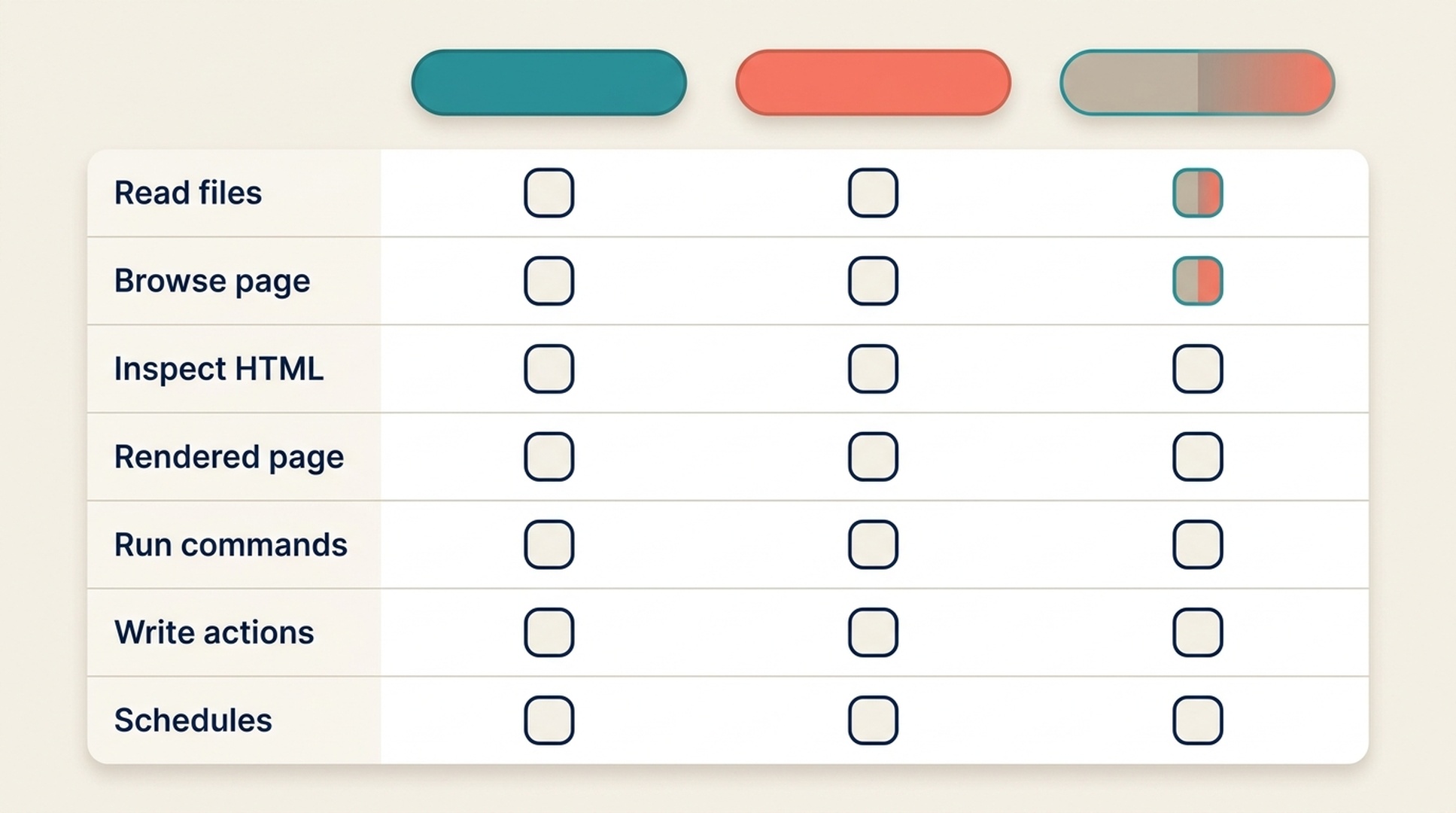
Record which capabilities are allowed, unavailable, or approval-gated in your own Workbubby environment before assigning the task.
Choose an investigation lane that matches the card
Capability confirmed in your environment | Safe first task | Useful output | Do not infer |
|---|---|---|---|
Files only | Read supplied response captures, DOM excerpts, and code | Evidence matrix and code questions | Live-page behavior |
Public web only | Compare a public page's source with the visible page | Observation log with stated limits | Index status or repository cause |
Browser plus files | Relate visible symptom to a likely implementation area | Read-only investigation brief | Permission to edit |
Read-only connector | Summarize an approved crawl or Search Console export | Priority and missing-data report | Full account access |
Write-capable tool | Keep it out of first pass | Separate approval request | That writes are harmless |
If a capability is absent, change the workflow instead of telling the agent to work around it. For example, attach a response capture when it cannot browse, or ask the data owner for an export when the agent has no connector.
Label the access boundary in the task itself
The capability card is a snapshot. Repeat critical boundaries in every prompt so an old task or memory does not broaden access.
Approved sources: [LIST]
Allowed capabilities for this task: [LIST]
Unavailable capabilities: [LIST]
Prohibited actions: edit, send, publish, schedule, deploy, submit URLs, change settings,
or access an unlisted connector.

If an answer depends on an unavailable source, state UNKNOWN and name the smallest
owner-approved next check. Do not attempt to bypass the boundary.
Part 3: Run a read-only JavaScript SEO investigation
Use one page, one visitor job, and one evidence list
Start small. A representative category, product, article, or location page is enough to test a template mechanism.
Run a read-only JavaScript SEO investigation using only the approved sources.

Page: [URL OR PAGE FILE]
Visitor job: [ONE SENTENCE]
Required content and destinations: [LIST]
Approved sources: [LIST]
Unavailable sources: [LIST]

When evidence is available, examine:
- final URL, status, redirect, canonical, and robots consistency;
- main content and page title;
- standard links to important destinations;
- fragment navigation and client-side redirects;
- lazy loading and infinite scroll;
- metadata and structured-data consistency.

For each item, return Evidence, Status (observed / plausible risk / unknown),
Why it matters for the visitor job, and Smallest next check.

Do not edit, send, publish, schedule, deploy, submit URLs, or access an unlisted
connector. Do not invent indexation, rankings, crawl data, or performance data.
Expected output: an observation matrix. Quality check: each row names a source and does not turn an unavailable check into a conclusion. Recovery path: delete unsupported rows, attach the missing source if permitted, and rerun only the affected check.
Read the matrix as a beginner
The agent's wording should be understandable without knowing a framework. Compare these examples:
Weak report | Better report |
|---|---|
"The app is not SEO friendly." | "Product destinations were not present as standard links in the supplied rendered markup. Source HTML and Search Console evidence were not provided." |
"Google cannot index this." | "The provided evidence cannot establish index status. Request URL Inspection or an authorized crawl export." |
"Use SSR." | "The main content is absent from the supplied response; inspect the data and route path before selecting an architecture change." |
The better reports tell the owner what is known, what is uncertain, and what to ask next.
Convert confirmed observations into an owner brief
Do not allow the first pass to create an unattended change. When an observation is important enough to escalate, prepare a compact handoff:
Field | Required detail |
|---|---|
What was observed | Exact URL, file, capture date, or evidence excerpt |
Why it matters | The visitor job that may fail |
Evidence status | Observed, plausible risk, or unknown |
Smallest engineering question | One route, component, or mechanism to inspect |
Acceptance checks | Response, rendered output, functional flow, and approved search evidence |
Preserved behavior | Navigation, accessibility, analytics, styling, or data expectations |
Approval boundary | Who can authorize an edit, ticket, message, or external action |
The phrase "Workbubby may be able to create a ticket" is not an authorization. The owner must decide whether to create one, where it belongs, and what content it may include.
Part 4: Treat automation as notification before repair
If your environment confirms that Workbubby can schedule tasks, begin with a read-only reminder or review queue. Do not begin with robots edits, deployments, sitemap changes, publishing, or URL submission.
A safe weekly task design
On the approved schedule, review only the supplied list of high-value URLs and approved
evidence exports. For each URL, record the run date, source list, observation status,
and owner. Create a review queue only in the approved destination if the task has
explicit permission to write there.

Do not edit code, change settings, publish, deploy, submit URLs, send external messages,
or infer indexation. Flag missing or stale evidence as UNKNOWN.
The desired output is a question, not a fix:
Two category URLs have supplied rendered evidence without visible product destinations. Confirm the DOM capture and assign the frontend owner.
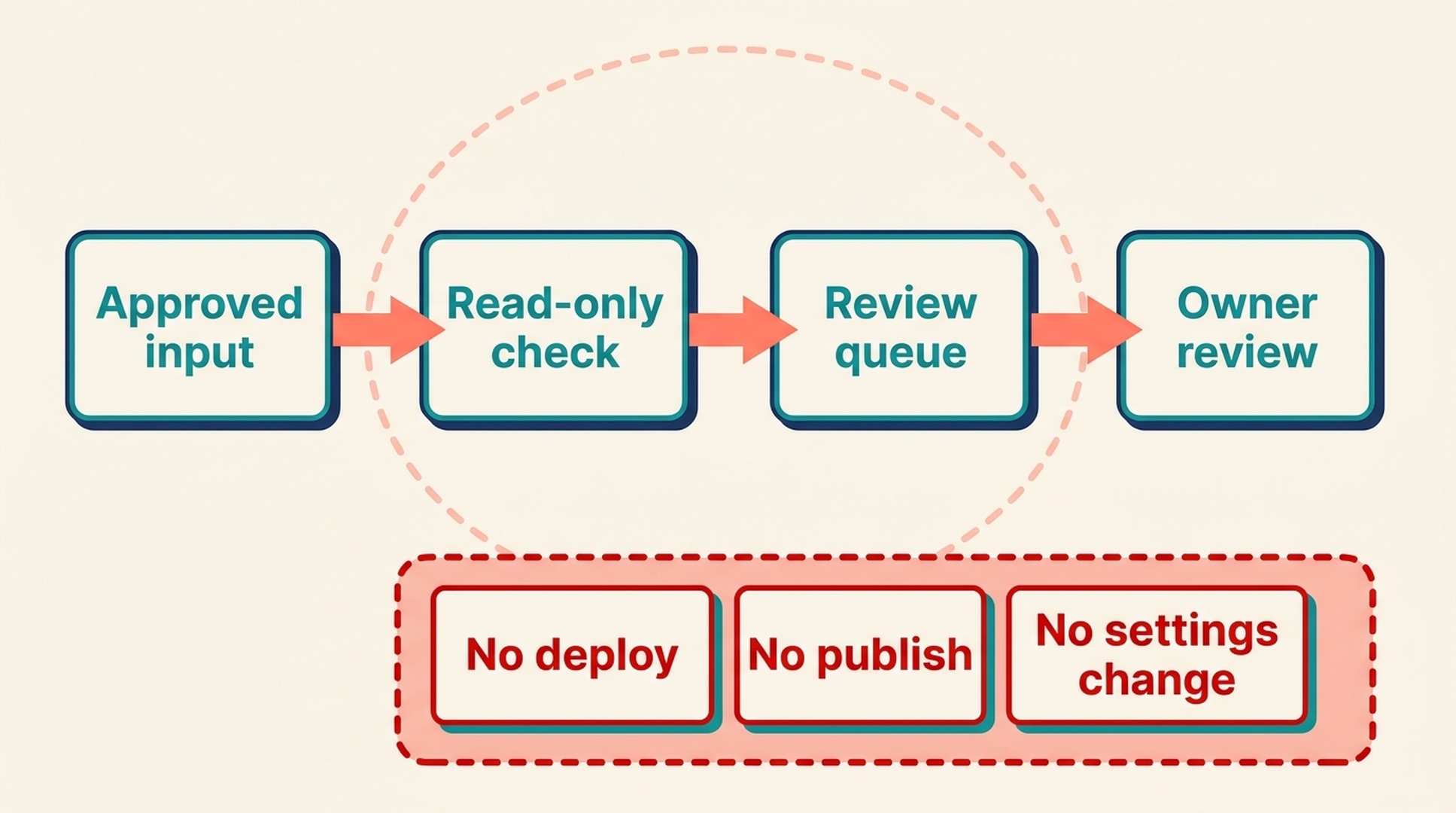
The first automation should produce a reviewable question, never an unattended website change.
Add an escalation gate
An agent task should stop and request a named approval if it encounters:
- a request to edit code, CMS content, robots, sitemap, or settings;
- a ticket, message, or share action outside the approved destination;
- credentials, customer data, or a new connector;
- a different mechanism from the original page story;
- a finding that affects a template beyond the sampled page;
- a test failure or missing rollback path.
The escalation should contain evidence and options, not a recommendation disguised as a completed action.
Keep a small review queue
Field | Example |
|---|---|
Case ID | JS-2026-07-01 |
Page template | Category listing |
Evidence state | Plausible risk |
Observation | No standard destination link in supplied DOM excerpt |
Missing evidence | Source response and URL Inspection |
Next owner | Frontend owner |
Action boundary | Investigation only |
Review date | Scheduled by page owner |
This queue is more useful than a dashboard full of unranked warnings because it makes responsibility and uncertainty visible.
Part 5: Verify a human-approved change
If an owner approves a code or configuration change, use a separate implementation workflow appropriate to the actual environment. Workbubby may assist only to the extent confirmed by its capability card and explicit approval.
Verify in order
- Required visitor behavior: can someone complete the page story's job?
- Response behavior: do final URL, status, redirect, canonical, and robots signals match the approved target?
- Rendered output: are required content and destinations present in the relevant state?
- Preserved behavior: do keyboard navigation, visual state, analytics, and error states still work?
- Authorized search evidence: what do inspection, crawl, log, or Search Console sources later show?
No single test substitutes for all five. A browser test is not indexation proof, and a clean source response is not proof that rendered data will succeed.
Define rollback before external action
For an approved change, document the exact reversal condition. It might be a failing functional test, broken analytics event, inaccessible navigation path, incorrect status, or unexpected template scope. If you cannot state the rollback method and owner, the action is not ready for unattended automation.
Record the decision
Save the evidence list, owner decision, change record, test results, date, and remaining unknowns. Future agents should start from that record rather than regenerating an ungrounded diagnosis.
What Workbubby should never be assumed to do
Because no authoritative documentation for the exact product configuration was established during research, do not assume that Workbubby can:
- run a terminal command;
- browse or render a public site;
- read a Git repository;
- access Search Console, analytics, or a crawl;
- create a task, ticket, or message;
- schedule recurring work;
- deploy or publish;
- protect your data in a particular way.
Ask the capability question in your own environment. This is not a criticism of the product. It is the safe way to operate any agent that may be configured differently from one team to another.
Common mistakes
Copying a terminal-agent prompt into an unknown environment
The agent may not have the tools the prompt assumes, or it may have write tools you did not intend to use. Begin with the capability card.
Letting the agent decide its own permissions
An agent can report available tools, but the human owner defines which tools and data are approved for the specific task.
Treating a browser screenshot as a full technical audit
It is useful evidence, but it cannot establish response status, source HTML, code cause, or indexation. State what it does and does not show.
Turning a schedule into a silent repair system
Start with observation and a review queue. Add write actions only after access scope, approval behavior, testing, owner, and rollback are all explicit.
Calling Workbubby the same product as OpenClaw
Treat them as separate products unless your own documentation establishes a relationship. Similar patterns do not establish identical tools, data handling, or permissions.
FAQ
Is Workbubby the same as OpenClaw?
Treat them as separate products unless your deployment documentation says otherwise. Similar agent patterns are not evidence of identical capability or security behavior.
Can I reuse a Codex or Claude Code skill in Workbubby?
Reuse the decision logic, not the installation assumptions. Translate it into Workbubby's documented configuration only after confirming what your environment can access and approve.
What is the safest first Workbubby task?
Request a capability card, then ask for a read-only evidence matrix on one important page using only supplied sources.
Can Workbubby tell whether Google indexed a page?
Only if an authorized search source in your environment provides that information. A browser view, HTML file, or repository checkout cannot establish it alone.
What is the safest first automation?
A read-only reminder that produces an owner-reviewed queue from approved inputs. Do not automate deploys, publishing, robots changes, or URL submission as the first step.
Author: Martin Hayes, GEO Playbook Builder for 200+ Execution Checklists at Auspia. Martin writes about step-by-step workflows, tactical guides, and operating checklists.


