


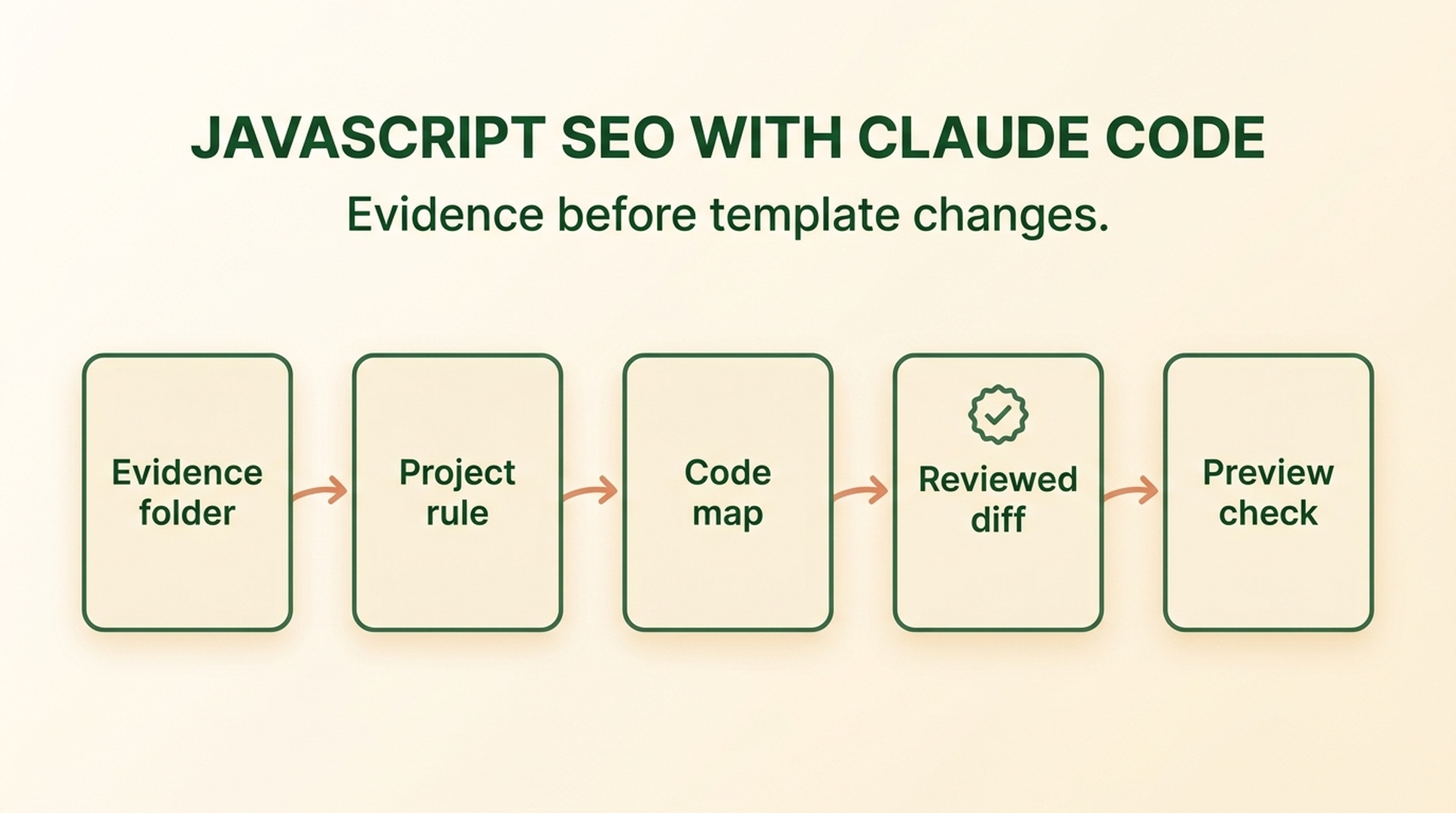
The risky part of JavaScript SEO is not running a checklist. It is changing a shared template because a checklist sounded plausible. A category page can look fine in your browser while its links depend on click handlers, its useful content arrives late, or its canonical and response behavior disagree. The wrong "SEO fix" can then break navigation, analytics, accessibility, or every page that uses the component.
Claude Code is most useful when it connects a real page observation to the smallest responsible code path, a reviewable diff, and a test. It should not begin by rewriting the framework or deploying a patch.
What you will finish with: a repository evidence folder, a local investigation rule, a map from one page symptom to likely files, an owner-approved implementation brief, and a tested change record. "Done" does not mean Google has recrawled the page or rankings have improved.
Part 1: Understand JavaScript SEO before opening the repository
What changes when a page depends on JavaScript
A web server answers a URL with a response. That response may already contain the main page content, or it may contain a shell that asks the browser to run scripts and request more data. The browser then builds the final page state.
Search systems also need to discover URLs, fetch responses, process allowed resources, and understand the resulting page. Modern JavaScript is not automatically an SEO problem. The problems appear when an important step is unreliable or when different layers of the page tell different stories.
For a beginner, the useful model is:
URL discovered
  -> server response received
  -> HTML and resources processed
  -> JavaScript and data requests complete
  -> content, links, and page signals interpreted
  -> search system decides whether and how to index the URL
Each arrow can fail, and a repository contains only part of the evidence. Code can show how a component is intended to work. It cannot, by itself, tell you which URL Google indexed, whether a production request failed yesterday, or what a user experienced on a particular device.
Check six page behaviors, not "JavaScript" as one issue
1. The URL returns the intended status
A successful page usually returns 200. A removed page should communicate a meaningful not-found or gone state. A redirect should lead to the intended final URL. Client-side redirects can be slower and can hide mistakes that are clearer at the HTTP layer.
2. The primary content is available
The page-defining text and items should appear in the relevant response or rendered state. Record whether content requires a script, data request, scroll, click, login, or other condition. Absence from source HTML is an observation, not an automatic verdict that the page cannot be indexed.
3. Important destinations are real links
Search systems commonly discover destinations through standard links. A card that navigates only through onClick, a button, or a fragment may work visually but provide a weaker URL path. The right repair may be a real link, but it must preserve keyboard behavior, analytics, styling, and application routing.
4. Canonical, robots, and sitemap signals agree
The requested URL, canonical target, robots directive, internal links, and sitemap entry should describe the same preferred page. A canonical is a hint. It does not replace clean URL handling, and it should not point to an irrelevant page.
5. Lazy loading and infinite scroll have reachable states
Lazy loading can improve performance, but essential content should not depend on arbitrary interaction. Infinite scroll should usually expose stable paginated URLs or another crawlable route to deeper items. The exact implementation depends on the site, so inspect the existing routing and data model before proposing changes.
6. Metadata and structured data match the visible page
Titles, canonical tags, robots directives, and structured data may be generated after JavaScript runs. They should remain accurate and consistent with visible content. Structured data can make a page easier to interpret, but it does not guarantee rich results or rankings.
Separate four kinds of evidence
Evidence | What it can show | What it cannot prove alone |
|---|---|---|
Response and source | Status, initial metadata, initial content and links | Final rendered state or indexation |
Rendered DOM | Content and markup after the tested page state completes | Production history or Google index selection |
Repository code | Intended implementation and dependencies | What a live request actually returned |
Authorized search data | Reported inspection, crawl, or performance information | The exact code mechanism without repository evidence |
This separation matters when you use a repository agent. Claude Code can be excellent at tracing a component, but proximity to the code can tempt it to treat a plausible mechanism as a confirmed cause.
Write one evidence-based symptom
Do not begin with "Google cannot render our site." That sentence contains a conclusion you may not have proved. Use a narrower statement:
On the supplied category-page capture, the product names appear after rendering, but the product cards do not contain standard destination links in the rendered DOM. Search-engine index status is unknown.
This gives Claude Code something concrete to trace. It also limits the investigation to the code responsible for category cards and navigation rather than every rendering decision in the application.
Part 2: Build a Claude Code workflow from evidence to reviewed diff
Prepare a repository evidence folder
Choose a location that is not application source. Use the repository's existing generated-artifact or reports convention. If no convention exists, a simple starting point is:
reports/javascript-seo/
  collection-page-links/
    page-story.md
    response-notes.md
    rendered-notes.md
    search-evidence.md
    decision.md
The folder should answer four questions: what page is being investigated, what was observed, what remains unavailable, and what the owner decided. Keep captures and exports ignored if they should not enter version control.
Never place cookies, API tokens, passwords, private customer data, or unrestricted exports in the folder. Redact private URLs and user information before sharing evidence with any tool.
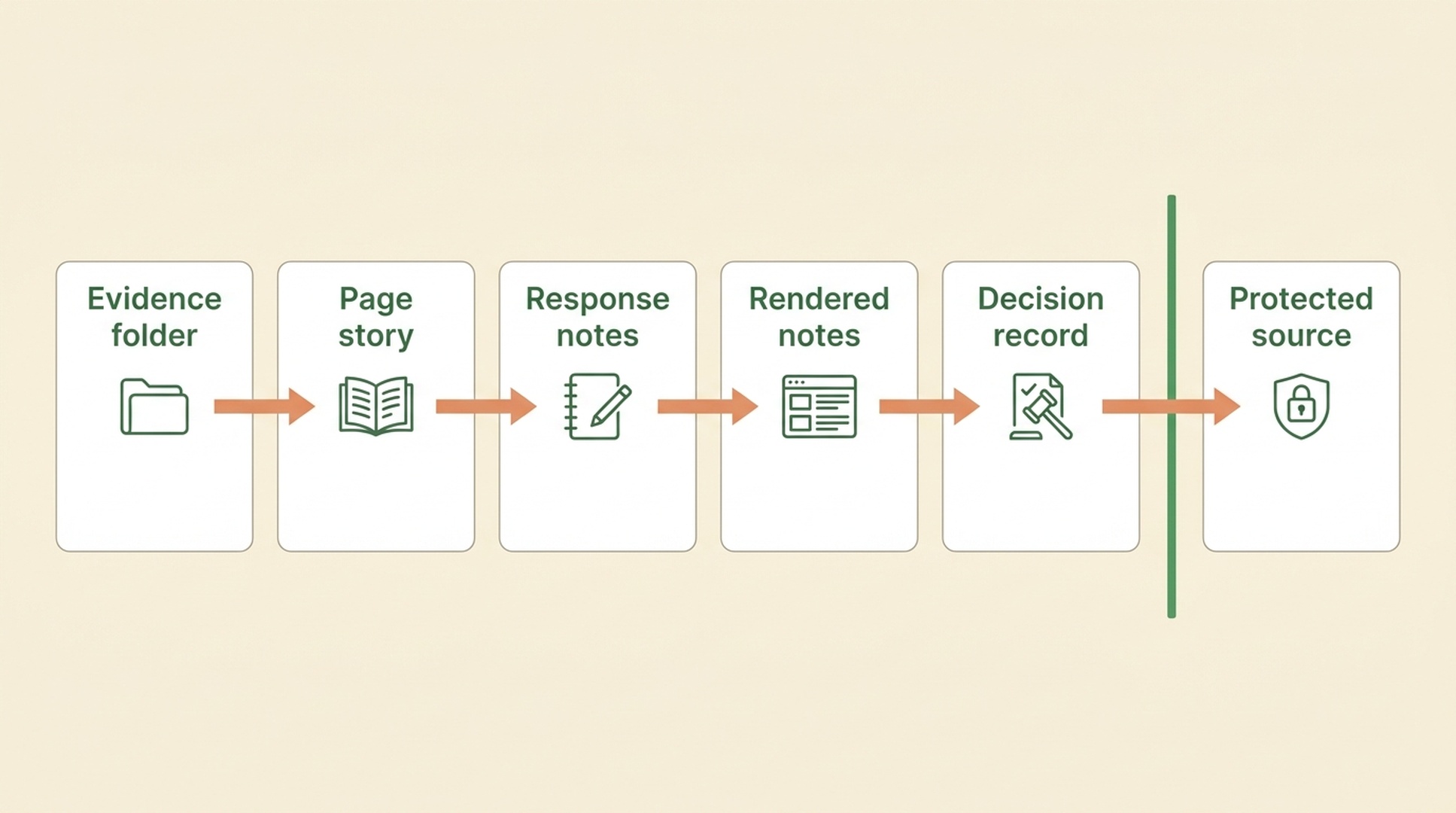
Keep read-only investigation records separate from source code until an owner approves an implementation brief.
Add a repository rule before the first prompt
Put the policy in the existing Claude Code guidance location, such as the relevant CLAUDE.md or established .claude rule. Do not create a second instruction system if the project already has one.
## JavaScript SEO investigation policy

- Begin JavaScript SEO work as read-only evidence collection.
- Store investigation notes only in the approved evidence directory.
- Separate observations, plausible mechanisms, unknowns, and owner decisions.
- Do not edit source, routes, robots rules, content, CMS data, deployment files, or CI
  until a named implementation brief has human approval.
- Treat Search Console, crawl logs, production metrics, and index status as unavailable
  unless an authorized export is supplied.
- Never expose secrets, cookies, tokens, private URLs, or customer data.
- After approval, make the smallest scoped change, show the diff, run the agreed tests,
  and state the rollback condition. Do not deploy unless separately authorized.
This rule supplies durable guidance. It is not an enforcement layer by itself. Use repository permissions, branch protection, command approval, and code review appropriate to the project.
Create the page story
Add a short page-story.md so that repository inspection stays connected to the page's purpose.
## Page
https://example.com/collections/shoes

## Visitor job
Compare available shoes and open a product page.

## Required page elements
- category heading
- product name and price
- stable product destination
- consistent title, canonical, robots directive, and status

## Observed symptom
Product cards appear in the supplied rendered DOM, but no standard product links are present.

## Available evidence
- saved response notes
- rendered DOM excerpt
- repository checkout

## Unavailable evidence
- Google URL Inspection
- server logs
- production field metrics

## Prohibited actions
No source edits, deployment, CMS change, URL submission, or external message during investigation.
The page story prevents the investigation from drifting into general code review.
Ask Claude Code for a code map, not a fix
Use the first prompt in read-only mode:
Investigate one JavaScript SEO symptom in read-only mode.

Page story: reports/javascript-seo/collection-page-links/page-story.md
Evidence folder: reports/javascript-seo/collection-page-links/

Read the repository guidance. Inspect only code paths plausibly responsible for the
described page and symptom. Return:
1. confirmed evidence summary,
2. likely route, template, component, and data path with reasons,
3. uncertainty and missing data,
4. smallest implementation options,
5. acceptance checks and rollback conditions.

Do not edit files, install packages, deploy, call write-capable APIs, or claim that
Google indexed or failed to index the page. Stop after writing the investigation brief.
Expected output: a map from page route to template, component, navigation behavior, and relevant tests. Quality check: every candidate file is tied to an observed symptom. Recovery path: if the answer proposes a framework migration, ask for the smallest reversible template-level option and the evidence supporting it.
Review the code map like a developer
A useful code map explains how data and markup reach the page. For a category-card issue, it might identify:
- the route or page entry;
- the category template;
- the card component;
- the function that builds product destinations;
- navigation and analytics handlers;
- existing component, accessibility, or end-to-end tests.
It should also name unknowns. Perhaps the card component supports an href but the template does not pass it. Perhaps a wrapper prevents nested links. Perhaps destinations are generated from data that is unavailable during the initial response. These are different mechanisms with different fixes.
Use this review table:
Brief element | Good sign | Warning sign |
|---|---|---|
Evidence | Quotes a supplied response, DOM, or test | Says "Google probably cannot render this" |
Scope | Names one route, template, or component | Expands into a replatforming project |
Alternatives | Gives two small options with tradeoffs | Declares one framework pattern universally correct |
Validation | Includes local, response, rendered, and functional checks | Stops at "code compiles" |
Recovery | Defines a rollback condition | Assumes the patch is harmless |
Convert the map into an implementation brief
Before any edit, the owner should approve a document that includes:
Finding: [ONE OBSERVED CONDITION]
Evidence: [FILES OR CAPTURES]
Affected page family: [CONFIRMED SCOPE]
Candidate mechanism: [CODE PATH AND UNCERTAINTY]
Approved action: [ONE BOUNDED CHANGE]
Behavior to preserve: [NAVIGATION, ACCESSIBILITY, ANALYTICS, STYLING, ROUTING]
Acceptance checks: [LIST]
Rollback condition: [LIST]
Owner: [NAME OR ROLE]
Status: APPROVED FOR LOCAL IMPLEMENTATION / NOT APPROVED
A phrase such as "add crawlable links" is still too broad. A better approved action names the component and intended behavior while allowing the code owner to choose valid markup for the existing application.
Run one constrained edit
After approval, start a new prompt. Do not continue the broad investigation context as if it already authorized a change.
Implement only the approved action recorded in:
reports/javascript-seo/collection-page-links/decision.md

Before editing, restate the affected files, preserved behavior, acceptance checks,
prohibited actions, and rollback condition.

Make the smallest coherent change. Do not refactor unrelated code, change dependencies,
alter deployment configuration, edit CMS content, or deploy.

After editing:
- show the complete diff,
- run only the approved local checks,
- report failures without widening the scope,
- update the decision record with results.

If repository evidence contradicts the approved mechanism, stop and return a revised brief.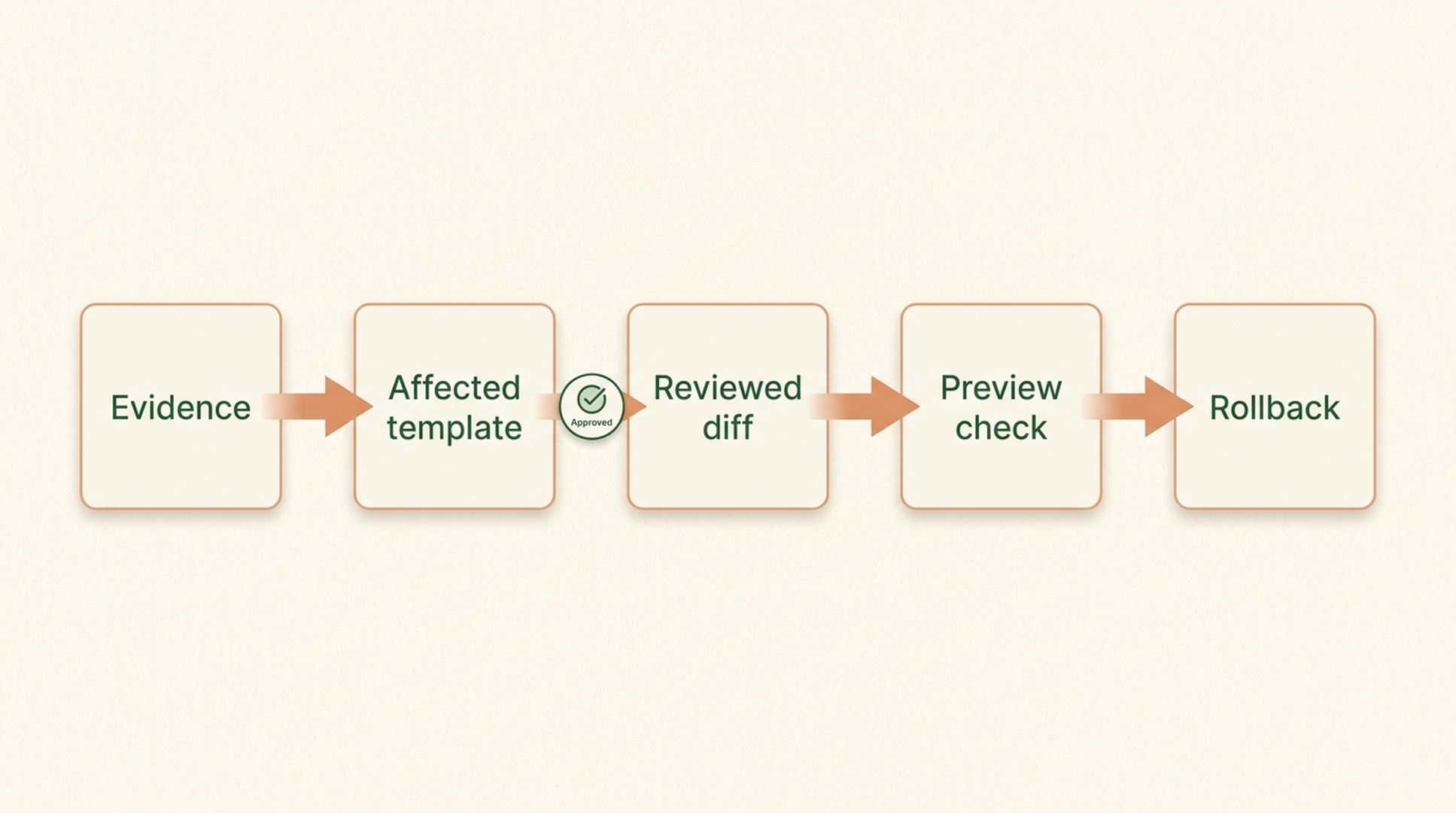
The handoff is complete only when the affected template, review gate, preview check, and rollback path are clear.
Inspect the diff before trusting the explanation
Read the diff as the primary change record. Check that it:
- touches only expected files;
- preserves required event handling and analytics;
- does not introduce invalid nested interactive elements;
- preserves keyboard and screen-reader behavior;
- generates stable, correct destinations;
- adds or updates a relevant test;
- does not silently change robots, canonical, redirects, or unrelated metadata.
An articulate summary cannot compensate for an overly broad diff.
Verify the page in the order a visitor and crawler encounter it
Local and functional behavior
Build the affected area and test the visitor task. Can a person open the destination with a mouse and keyboard? Does client routing still work? Are analytics expectations preserved? Does the component behave correctly when data is missing?
Response signals
Inspect the intended response or preview. Check status, redirect behavior, title, canonical, robots directive, and any primary content expected in the response. Avoid treating view-source content as the entire SEO verdict.
Rendered output
Confirm that the final DOM contains the intended content and ordinary destinations. Test a representative page, an empty state, and an error or unavailable-data state when relevant.
Authorized search evidence
If the team has URL Inspection, crawl, log, or Search Console evidence, record it separately with its date. A local preview cannot prove that Google recrawled or indexed the page. Search data may take time to change, and no implementation guarantees rankings.
Rollback and record
Keep the approved brief, final diff, test output, preview reference, date, and owner decision together. Revert through the agreed method if a preserved behavior fails, the scope expands unexpectedly, or the preview no longer matches the page story.
Three example investigations
Clickable cards without stable links
Observation: card text is visible, but the rendered capture shows navigation attached to a container rather than an ordinary destination link. Repository question: which component owns the primary destination, and how does it preserve analytics and accessibility? Possible minimum change: add an appropriate standard link to the primary action. Do not assume: every point inside the card should become a nested link.
Infinite scroll with no deeper URL path
Observation: more items appear after scrolling, but supplied evidence contains no stable page path for later groups. Repository question: does the data layer already support pages or cursors that can map to URLs? Possible minimum change: expose crawlable pagination while keeping progressive enhancement. Do not assume: replacing the entire interface is necessary.
Client-rendered not-found page returns 200
Observation: an unavailable product displays a "not found" message after rendering, while the response capture reports 200. Repository question: where is route availability known, and can the server or framework return a meaningful status? Possible minimum change: handle the missing state in the appropriate route boundary. Do not assume: changing visible copy solves the response problem.
Common mistakes
Asking Claude Code to audit the entire site
The output becomes broad and difficult to verify. Start with one representative URL and one page story. Expand only after the same mechanism is confirmed on more pages.
Treating CLAUDE.md as a security control
It is guidance, not a standalone permission system. Keep command approval, repository permissions, and human review in place.
Mixing evidence files with product commits
Captures and exports may contain private information or create noisy diffs. Store them in an approved ignored directory and commit only the intentional code and test changes.
Measuring success immediately by rankings
First verify the technical target. Later, use authorized crawl and search data. Rankings also depend on relevance, competition, content quality, links, and many other factors.
Letting a test pass hide the wrong page state
Component tests can pass while the production route still receives different data, metadata, or status handling. Include at least one route-level or preview check that resembles the actual visitor path. If the page has filters, pagination, unavailable products, or localized versions, name which state the approved change covers and which states remain outside the case.
Editing a shared component without a scope check
A category card may also appear in search, recommendation, cart, or account views. Before a change, ask Claude Code where the component is used and whether the proposed markup affects those contexts. If the answer expands scope, return to the owner for a new brief instead of letting a narrow fix turn into a silent redesign.
A practical first case, end to end
Imagine the page story says visitors should compare products and open details. The evidence folder contains a rendered DOM excerpt showing product names but no ordinary destination links. Claude Code reads the project guidance and maps the route to the category template, then to a reusable card component and its navigation handler. It reports that the component is shared with a recommendation rail, so the scope is not yet certain.
The useful outcome is not an immediate patch. The owner can now decide between two bounded next steps: inspect the component in both contexts, or create a category-only wrapper that provides a valid primary destination. Once the owner chooses, the implementation prompt names the affected files, required test, preserved analytics behavior, and rollback condition.
After the patch, the team checks the rendered category page, opens the destination with keyboard navigation, checks the route response and canonical, and verifies that the recommendation rail still behaves as intended. The decision record then states only what was tested. It does not claim that the search engine has already reprocessed every product URL.
FAQ
Can Claude Code inspect a live site and the repository together?
Only when the required tools and access are available and authorized. Keep live-page evidence, repository evidence, and search-platform evidence labeled separately.
Can a CLAUDE.md file stop Claude Code from editing?
It provides persistent project guidance, but it is not an enforcement mechanism by itself. Use the actual permissions and review controls of the environment.
Do I need server-side rendering for every JavaScript SEO issue?
No. Stable links, correct statuses, consistent metadata, available data paths, or a small component change may be the relevant solution. Diagnose first.
Should Claude Code deploy the approved patch?
Not unless deployment is a separately authorized action with an owner, tests, and rollback plan. Local implementation approval is not production-release approval.
What should a beginner investigate first?
Choose one high-value page and one visible symptom, such as missing standard links or an incorrect response state. Build the evidence folder before asking for a code change.
Author: Julian Mercer, 14-Year Technical SEO Practitioner at Auspia. Julian writes about crawlability, rendering, site architecture, and technical foundations for AI-readable content.


