The bar moved to 10,000 followers. It did not disappear.
On September 16, 2026, Google announced three changes to Search profiles, the claimable pages that collect a publisher's or creator's articles, videos, and social posts into one destination inside Search and Discover. The announcement came from Ibrahim Badr, a product manager on Search, and it covers three things:
- Multi-brand management from one login. Organizations can now claim and manage Search profiles for multiple sub-brands from a single Google Account. Until this update, Google required a separate Google Account for every profile.
- Enhanced article views. Articles shown on a profile now display longer headlines and optimized image thumbnails, which Google says improves readability and helps recent work stand out.
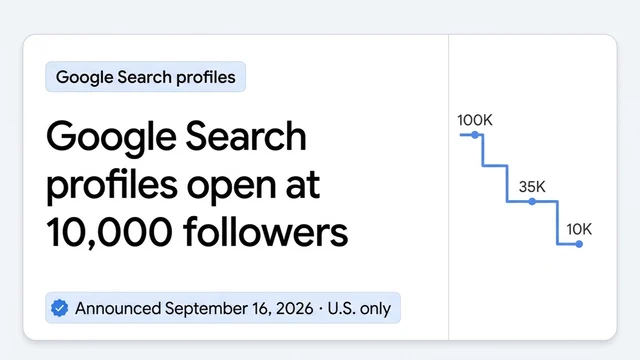
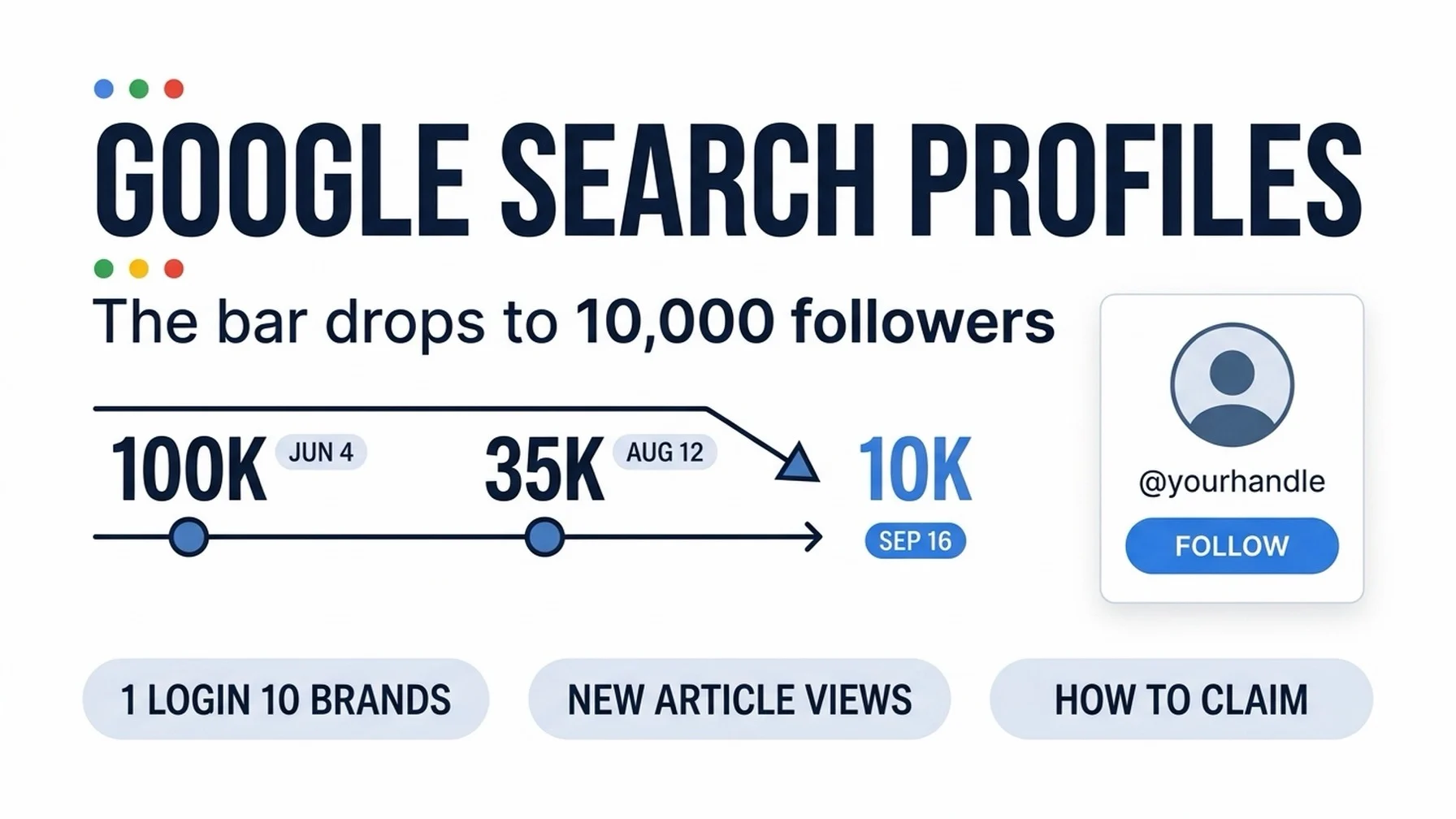
- A lower eligibility bar. The follower requirement is now 10,000, down from 35,000 in mid-August and 100,000 at the June 4 launch. TikTok's launch threshold was 300,000.
One correction worth stating plainly, because the short version circulating online drops a digit: the requirement fell to 10,000 followers, not to zero. Google's help documentation still lists a hard follower gate, and there is no follower-free path to a profile. If your biggest account sits below 10,000, you cannot claim one yet.
What changed | What did not change |
|---|---|
Eligibility lowered to 10,000 followers on one platform | A follower gate still exists |
One Google Account can manage up to 10 profiles | Availability is still United States only |
Longer headlines and new thumbnail treatment on article cards | Profiles still have no direct effect on search rankings |
Handle editing (rolled out shortly before this update) | No native posting: a profile aggregates content from linked platforms |
Who qualifies right now
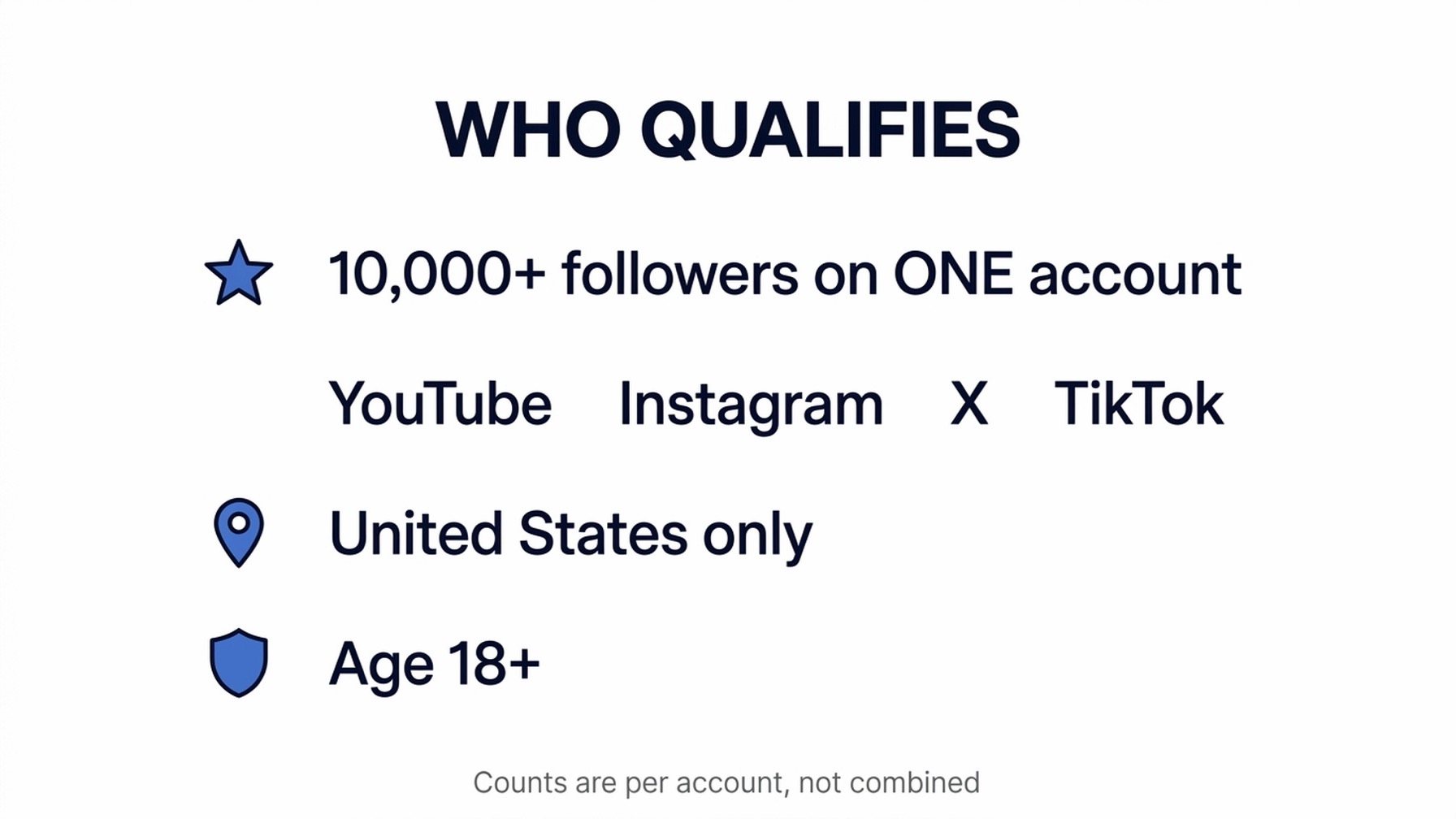
The gate is one qualifying account, not a combined audience:
Requirement | Detail |
|---|---|
Audience | 10,000+ followers on one of YouTube, Instagram, X, or TikTok |
Counting rule | Per account. Two accounts at 5,000 each do not add up to 10,000 |
Region | United States only |
Age | 18+. A profile for a minor can be claimed and managed, but the owning Google Account must belong to an adult |
Content | Must follow Google's user-generated content policies for Search |
Cost | Free |
If you are below the line or outside the U.S., there is no waitlist and no workaround that Google documents. What you can do is keep building the one account you would eventually link, because the threshold has fallen three times in 15 weeks and Google has said more countries are coming (no timeline was attached to that promise in the September announcement).
Step 0: Check whether Google already made you a profile
People who already have a knowledge panel may find that a profile was created for them automatically. Check before you create anything:
- Go to profile.google.com while signed in to the Google Account you use for creator or publisher work.
- Search your name or handle.
- Or search your own name on Google Search and look at the bottom of your knowledge panel for View Search Profile.
If a profile already exists, you are claiming it, not creating one, and the flow below starts from your existing page. If nothing appears, continue.
Claim your profile in three moves
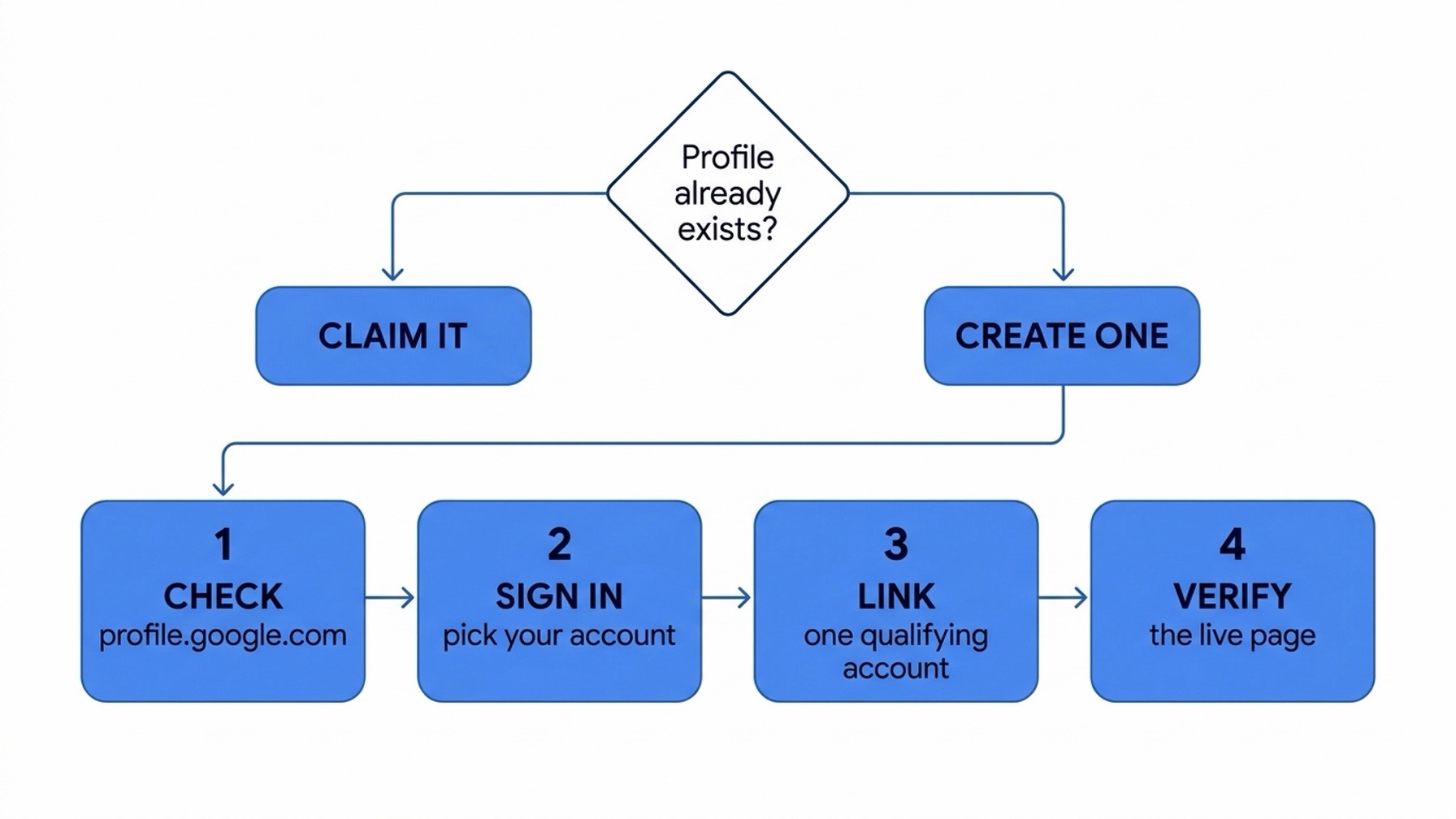
1. Sign in at the claim page, with the account you intend to keep
Go to profile.google.com/claim and sign in. This is the highest-stakes click in the entire process, because the profile is tied to the account that claims it.
Why it matters: Google's help pages document how to edit a profile but not how to transfer one, and they do not describe a deletion path either. Search Engine Roundtable's Barry Schwartz hit this wall on the day of the announcement: channels he had claimed under a different Google Account could not later be moved to his main account.
Recovery: if the profile is already tied to a login you do not want long-term, plan to keep using that login. For a YouTube-based claim, Google's documentation says to use the channel's own Google Account; a channel manager account also works.
2. Link one qualifying platform account
You will sign in to at least one content platform account that meets the 10,000-follower minimum. Additional accounts are optional.
Expected output: Google proposes a handle taken from your most-followed linked account, falling back to the next one if that handle is unavailable.
Quality check: if you are warned that an unclaimed profile is already tied to the account you are signing in with, review the other linked accounts on that profile before you confirm the claim. You do not want to absorb someone else's identity data into your own.
3. Create the profile and confirm the details
Click Create Profile. Your page goes live at profile.google.com/@yourhandle.
Then open Edit profile and work down three things: the handle (click the edit icon beside your @handle; the list comes from your linked platforms, and linking another account adds its handle as an option), your profile picture (Google recommends 256 x 256 px or larger, cropped square), and your cover image (1080 x 1350 px or larger, cropped 2:3).
Quality check: does the handle read like your brand rather than an abandoned side account? If not, fix it now. Handles are editable, but every rename costs you whatever recognition the old one accumulated.
Add your other brands to the same login
This is the change media organizations asked for. One Google Account can now hold up to 10 profiles, one per qualifying brand or identity, switched from a dropdown on the profile edit screen.
The steps, per Google's help documentation:
- Go to profile.google.com/claim, or open your profile edit screen, tap the account switcher at the top, and choose Create new profile.
- Sign in to the social or content account for the new profile.
- Under the Available to claim list, select the brand.
- Click Next, review the profile photo, and click Done.
The governance warning that belongs with this feature. Consolidating brands under one login concentrates risk. If the controlling login belongs to an employee rather than the organization, their departure becomes an access-recovery problem across every brand at once, and Google's documentation does not describe granular multi-user roles for profile management. Use an organization-controlled Google identity, apply the strongest sign-in protection available to it, keep recovery paths organizational, and do not circulate a shared password for convenience. Keep a short registry: which brand maps to which profile, which login controls it, and who is accountable for it.
Still unclear: Google framed multi-account support around media organizations managing sub-brands, and the help documentation states the 10-profile limit per account, but the announcement does not spell out whether an individual creator with several legitimate identities gets the identical treatment. Test it in your own account before you build a process around it.
Make the profile worth following
Claiming is the easy part. A profile that shows three stale links and an unedited handle does nothing for you, and the article-view redesign raises the bar on what "nothing" looks like.
- Link your content sources. Articles from your site and posts from connected platforms flow in automatically. New content typically appears within 24 hours; some Google pages allow up to 48. You cannot post natively to a profile, so the profile is only as alive as the accounts behind it.
- Add up to 8 web links. A URL is mandatory for each entry, a title is optional, and only http or https links are accepted.
- Pin up to 8 posts or videos, drawn from the latest 100 posts in the last 365 days. Pinned items sit at the top of your page, so spend them on work that still represents you.
- Audit your headlines and thumbnails now. Article cards on profiles now carry longer headlines and the optimized thumbnail treatment, though the rollout is gradual enough that two profiles may show different layouts on the same day. Write headlines that name the subject early and still make sense with no surrounding context, and pick images with a recognizable subject, enough contrast, and nothing important near the edges where cropping bites.
- Know what needs approval. Name and bio are treated as suggestion fields: changes sit as pending until Google reviews them, and you get an email either way. Adding a new linked platform also requires approval. Reordering platforms and removing them apply immediately.
Put a follow button on your own site
Google published badge documentation the same day (its Search Central page is dated September 16, 2026), and this is the part the announcement skipped. After claiming, you can add a Search profile badge so visitors can follow you straight from your own pages.
Your profile URL follows the pattern https://profile.google.com/@handle. Download the official badge assets (the ZIP is linked from that same Search Central page), then place this snippet:
<a href="https://profile.google.com/@example"
   aria-label="Find us on Google Search">
  <img src="/path/to/google-search-badge.svg" alt="Google Search">
</a>
For bylines, newsletters, and bio links, Google also sanctions a plain text version: a link labeled "Find us on Google Search" pointing at the same URL.
Three brand rules from Google's own guidance: keep the clickable target at least 48 x 48 dp on Android and 44 x 44 px on iOS and web; do not stretch, rotate, distort, or recolor the official icon; and do not mix monochrome and full-color badges in one design. If you also carry the Preferred Sources badge, use the higher-emphasis Search profile variant with its label so readers can tell the two apart.
Why bother? Google's documentation is specific about the payoff: a follow is a declared relationship, and content from profiles a reader follows is "more likely to appear for your audience on Google Discover." Not rankings. Discover.
Verify it worked
Run this check within a week of claiming, and again after your first profile edit:
- The direct URL loads. profile.google.com/@yourhandle should render your page without a login.
- A name search surfaces it. Searching your name should show View Search Profile under your knowledge panel. Give the panel a few days; Google says claiming and edits can take time to propagate there.
- A handle search catches common names. If your name is shared with a thousand other people, search your @handle instead. Profiles are built to surface on name searches, but common names may not display immediately.
- Discover points back. On a Discover card for your content, tapping your name in the header opens the profile.
- Content is flowing. If a connected account's newest post has not appeared after 48 hours, treat it as a signal worth investigating rather than waiting another week.
Troubleshooting
What you see | Likely cause | What to do |
|---|---|---|
No profile in a name search | Common name, or knowledge panel lag | Search your @handle; wait a few days; then Edit profile, More, Send feedback |
Edits stuck on pending | Name and bio require Google review | Wait for the approval or denial email; only approved text goes public |
The profile belongs to the wrong Google Account | It was claimed under another login | No documented transfer path; use that account, or send feedback from the profile |
A newly added platform is not showing | Platform additions need Google approval | Re-check after approval; reordering and removals apply instantly |
Cannot claim at all | Below 10,000 followers, outside the U.S., or under 18 | Keep building the qualifying account; watch for country expansion |
What a Search profile does not do
Four boundaries worth knowing before you sell this internally.
It is not a ranking factor. Google's documentation states plainly that creating a profile does not directly affect how your content ranks in Search. It is not a replacement for your website, and it is not a Google Business Profile; reviews, local posts, and business tools live over there. It is not a publishing channel either, since there is no native posting and the profile only mirrors what your linked accounts publish. And nothing in Google's materials ties profiles to AI Overviews or AI Mode citations, so treat any pitch that sells a profile as an AI visibility tactic as unverified.
Is this Google building a social network? Not quite, but the direction is telling
The features added since June read like a social checklist: a follow button, a follower-count gate for entry, hosted profile pages, and now badges you can embed on your own site. It is fair to read the update as Google competing for creator attention.
Three details push against the simplest version of that story. Profiles cannot host posts, so creators still publish elsewhere. A profile does not touch rankings, so it cannot be sold as an SEO win. And the feature remains United States only, 15 weeks after launch.
The more useful read is that Google is building an identity and retention layer for Discover, and the timing explains why. Third-party measurement has been pointing the same way for a year: NewzDash's tracking of 400-plus news publishers put Discover at roughly two-thirds of their Google traffic by late 2025, and Chartbeat's mid-2026 panel found Discover referrals running at more than twice the size of Search referrals for the sites it tracks, while Reuters Institute analysis showed Google traffic to publishers falling about a third globally across 2025. When algorithmic surfaces shrink, a declared follower relationship is the closest thing to a durable audience on Google.
When profiles launched in June, we looked at what the follower gate signaled for entity work. That strategic case has not changed. What changed this week is how many people can finally act on it.
So yes, claim it, even if the payoff looks small today. The profile is yours, the follow relationship accrues, and the eligibility bar has only ever moved in one direction. Auspia's view: treat a Search profile as brand infrastructure, the same way you treat a clean About page and consistent entity facts. Claim it, connect it, keep it current, and measure it in Discover terms rather than ranking terms.
FAQ
Does a Search profile cost anything? No. Claiming and managing a profile is free.
Do I need 10,000 followers on every platform, or can I combine them? One account with 10,000 or more followers is enough: YouTube, Instagram, X, or TikTok. Counts are not combined across platforms, and 5,000 plus 5,000 does not qualify.
Can I manage profiles for clients or sub-brands? Yes, up to 10 profiles per Google Account. Decide who controls the login before you claim, because the control model is one account, not a team.
I am outside the United States. Can I claim one? Not yet. Google has said expansion is coming but has not given a date.
Will this improve my rankings? No. Google states it does not directly affect ranking. The measurable surface is Discover, where followers may see more of your content.
Can I move a profile to a different Google Account, or delete one? Google's help pages currently document neither a transfer nor a deletion path. Treat the claiming account as permanent and choose accordingly.
Should I add the badge if my site is small? The badge costs one snippet. If you already publish content people follow, it converts on-site readers into a relationship Google can measure. If nobody follows you yet, fix the profile content first.
Author: Sophie Renard, AI Search Briefing Analyst Tracking 30+ Platforms at Auspia. Sophie writes about timely search platform changes and what they mean for the teams who have to act on them.