An ecommerce team usually starts the week by opening five dashboards and arguing about which number is right. The argument is the expensive part. The numbers were already there.
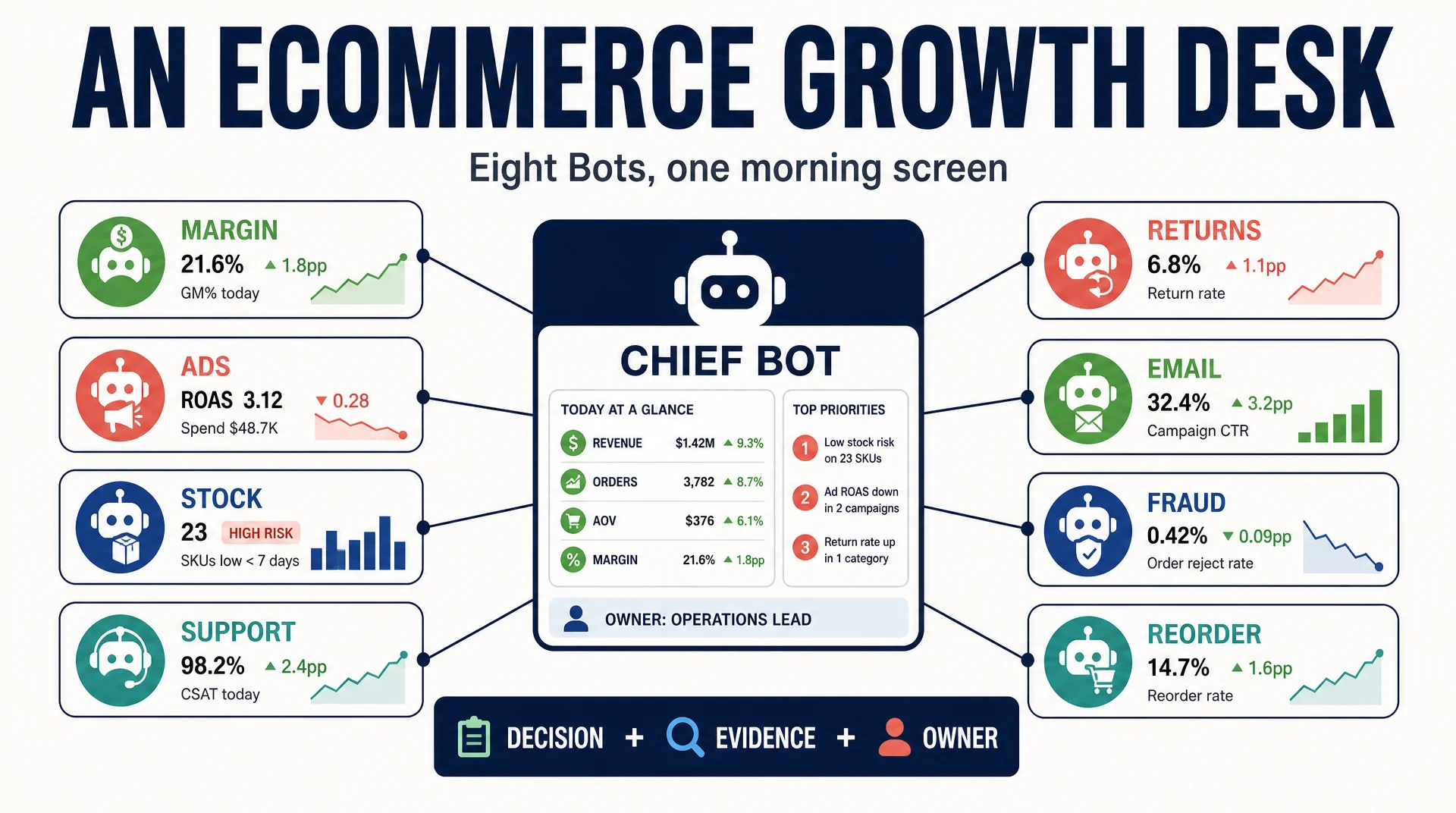
This runbook builds a morning decision screen from eight Grok Bots, each owning one question, with a chief Bot that decides what reaches a human. The goal is not a prettier dashboard. It is a decision with its evidence and its owner attached, delivered before the meeting would have started.
Who this is for: an ecommerce operator or growth lead with a team of three or more people touching Shopify, ads, and support.
What you finish with: eight Bots with defined questions, a chief Bot that filters, one morning screen, and written approval rules.
Before you start: Grok Bot access, read access to your commerce and ad platforms, and a decision about which account the shared machine will use. Budget two to three hours for the first build.
Done means: one morning screen shows a decision, the evidence behind it, and the person responsible for checking it, and you have run it for five consecutive days.
Why one Bot per question
The pattern that shows up in every credible operator report is the same: one Bot, one job. A Bot that owns "margin" has a narrow context and a clear success definition. A Bot that owns "everything" has neither.
The ecommerce desk uses eight Bots because an ecommerce business has eight recurring questions. Each Bot answers one.
Bot | The question it owns | Primary source |
|---|---|---|
Margin | Where did margin disappear this week? | Order and cost data |
Ads | Which campaign caused it? | Ad platform exports |
Stock | Can a winner stay in stock? | Inventory and supplier data |
Support | What are customers complaining about? | Help desk tickets |
Returns | Is this a product problem or a traffic problem? | Returns data |
What revenue was never followed up? | Email platform | |
Fraud | Which orders do not make sense? | Order data |
Chief | What actually reaches the founder? | All of the above |
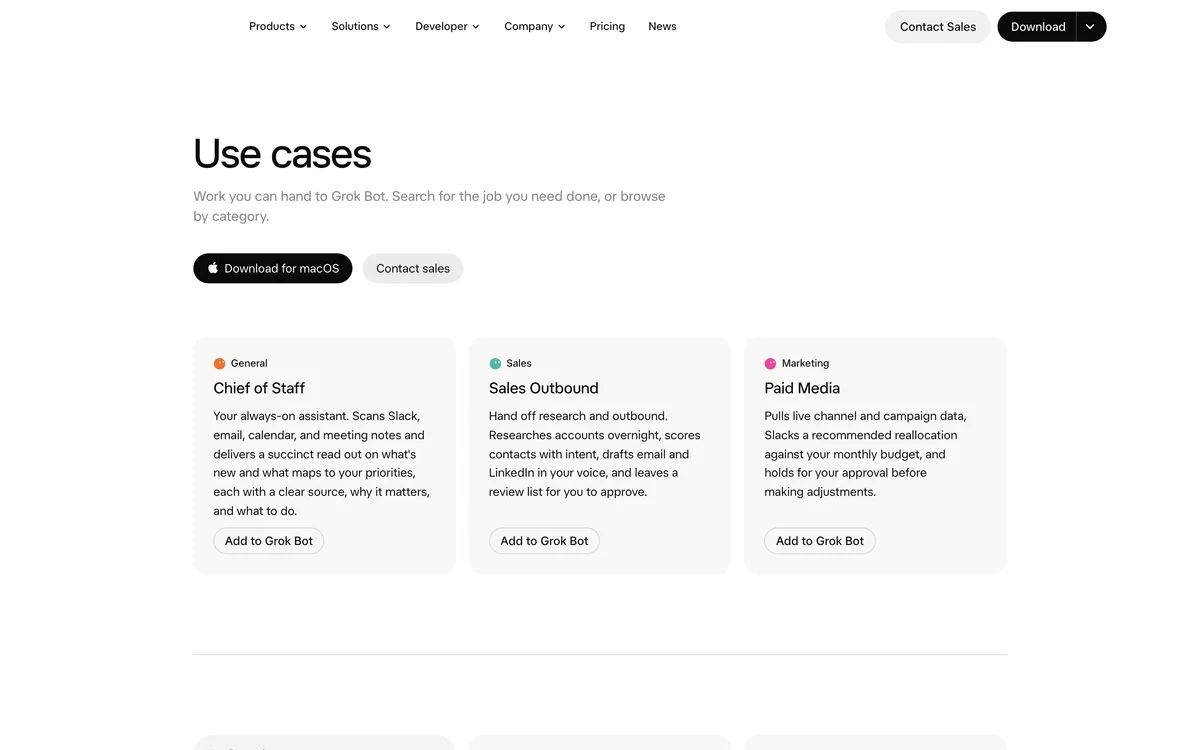
Grok Bot is organized around job categories, which is why one Bot per question works better than one general-purpose Bot. Source: x.ai/bot/use-cases, captured September 23, 2026.
Step 1: Write the shared evidence format first
Before you build any Bot, decide what every Bot must output. If each Bot invents its own format, the chief Bot cannot compare them and the human cannot scan them.
EVIDENCE FORMAT (every Bot must use this)

DECISION: [one sentence, what should happen]
EVIDENCE: [the specific number or observation that justifies it]
SOURCE: [exact report, date range, and where you read it]
OWNER: [which team member should verify this]
CONFIDENCE: [high / medium / low, with the reason]
REVERSIBLE: [yes / no]

Rules:
- No decision without a number.
- No number without a source and a date range.
- If you cannot find the data, write "missing" and say what you needed.
Expected output: one shared format that every Bot will use.
Quality check: the format forces a source and a date range. A decision without those is an opinion.
Recovery: if a Bot keeps omitting the source, restate the rule at the top of its skill as a hard requirement.
Step 2: Build the margin and ads Bots
Start with two Bots, not eight. Margin and ads are a pair: one finds where money leaked, the other finds what caused it.
ROLE
Margin analyst.

INPUTS
- Order data for the last 30 days
- Cost data: product cost, shipping, payment fees, returns

WHAT TO CHECK
1. Margin by product for the last 7 days vs the previous 7 days.
2. Any product whose margin dropped more than 5 points.
3. Any product whose margin is negative.

THRESHOLDS
- Flag a margin drop above 5 percentage points.
- Flag any negative-margin product immediately.

EXCEPTIONS
- Ignore products with fewer than 10 orders in the period.
- Ignore one-off bulk orders; flag them separately.

PROOF
- For every flagged product, give the order count, the margin before, and the margin now.
- Give the date range and the exact report you read.

OUTPUT
Use the shared evidence format. One block per flagged product.

BOUNDARIES
- Read-only. Do not change prices, pause ads, or place orders.
Then build the ads Bot with the same structure, asking which campaign drove the change.
Expected output: two Bots producing evidence blocks in the same format.
Quality check: run both on the same week and confirm the margin Bot's flagged product appears in the ads Bot's analysis. If they disagree, the date ranges differ.
Recovery: if the two Bots use different date ranges, pin the range in both skills explicitly rather than letting each choose.
Step 3: Add stock, returns, and support
These three Bots catch the problems that a margin report alone misses: a winner about to go out of stock, a product with a high return rate, and a complaint pattern that explains both.
ROLE
Returns analyst.

WHAT TO CHECK
1. Return rate by product for the last 30 days.
2. Products whose return rate rose more than 5 points week over week.
3. For the top three returned products, the top three stated return reasons.

THRESHOLDS
- Flag a return rate above 15%.
- Flag any product whose return rate doubled week over week.

EXCEPTIONS
- Ignore returns marked as "changed mind" when calculating product quality.
- Flag size or fit issues separately from defect issues.

PROOF
- Give the return count, the total orders, and the return rate for each flagged product.
- Quote the actual return reasons; do not paraphrase them.

OUTPUT
Use the shared evidence format.
The important distinction here is product problem versus traffic problem. A high return rate on a well-targeted product is a product issue. A high return rate on a product that started getting broad traffic is a targeting issue.
Expected output: three Bots with defined thresholds and exceptions.
Quality check: the returns Bot separates "changed mind" from defect reasons. If it does not, it will mislabel good products as bad.
Recovery: if the Bot mixes return reasons, ask it to list the raw reason categories before calculating anything.
Step 4: Build the chief Bot
The chief Bot does not do analysis. It decides what reaches the founder.
ROLE
Chief of staff for the ecommerce desk.

INPUTS
- The evidence blocks from all seven specialist Bots.

WHAT TO DO
1. Rank the decisions by financial impact and urgency.
2. Merge duplicates: if two Bots describe the same issue, produce one decision.
3. For each decision, state what happens if we do nothing this week.
4. Select at most five decisions for the founder's morning screen.

THRESHOLDS
- Always include any negative-margin product.
- Always include any decision that involves spending over $1,000.
- Include at most five items total.

EXCEPTIONS
- Do not include routine restocks unless stock is below 14 days of cover.
- Do not include decisions already approved in the last 7 days.

PROOF
- Every decision must carry the source and date range from the originating Bot.
- If two Bots disagree on a number, show both and flag the conflict.

OUTPUT
A morning screen:
Decision | Impact | Evidence | Owner | If we do nothing

BOUNDARIES
- Never approve a spend, a reorder, or a customer communication.
- Escalate conflicts instead of resolving them.
Expected output: a morning screen with at most five decisions.
Quality check: every decision names an owner. A decision with no owner is a note, not a decision.
Recovery: if the screen has more than five items, the thresholds are not being applied. Tighten the "always include" list.
Step 5: Set the approval rules
Write down what each Bot may do alone. The rule is reversibility, not importance.
Action | Reversible? | Bot may do it alone? |
|---|---|---|
Flag a margin drop | Yes | Yes |
Pause an ad with zero conversions at 3x target CPA | Yes | Yes |
Hold a suspicious order for review | Yes | Yes |
Stop a reorder | Partly | No, ask first |
Change a price | No | No, ask first |
Issue a refund | No | No, ask first |
Email customers | No | No, ask first |
The ecommerce case that circulated publicly described a Bot stopping a reorder after finding a 19% return rate on a product doing $31,800 in sales. That is a good example of the boundary: the Bot surfaced the decision, and a human made the call. The company and numbers are not independently verifiable, so treat the structure as the lesson, not the figures.
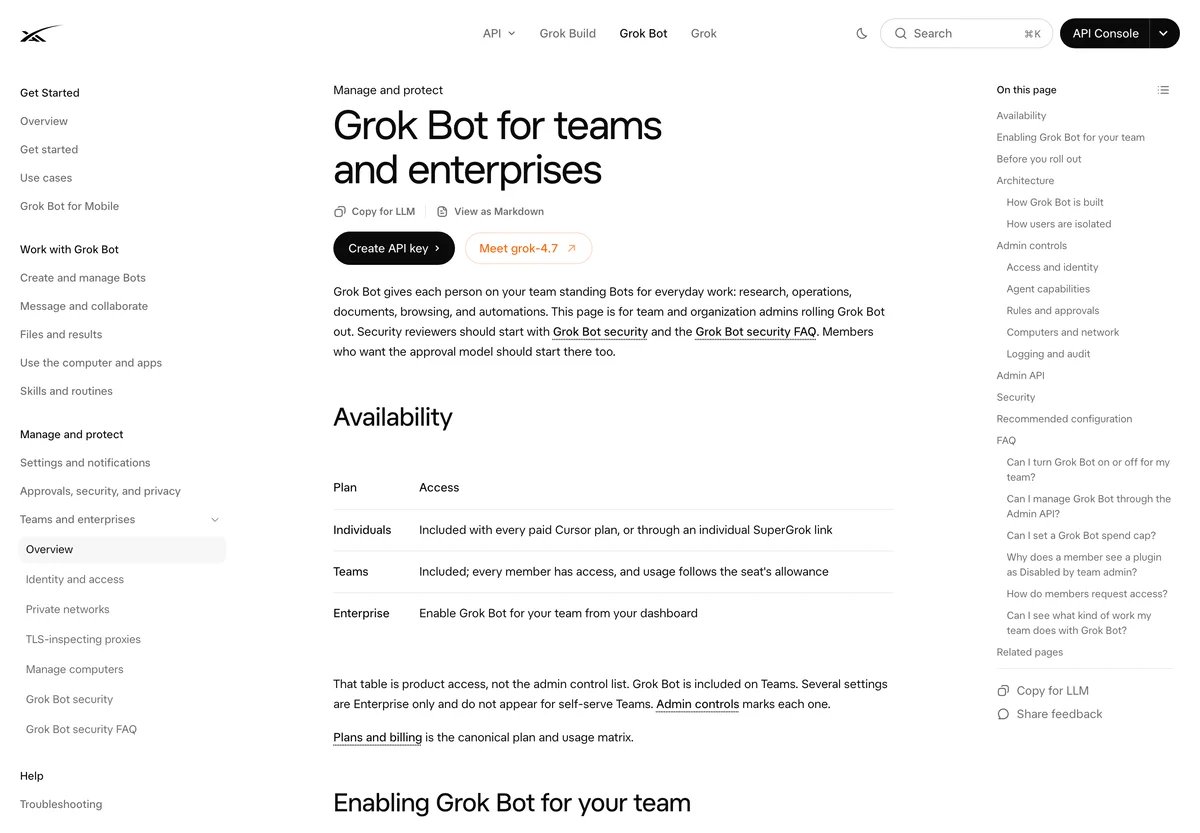
Team controls and approval flows matter more when Bots hold live commerce sessions. Source: docs.x.ai/grok-bot/teams-and-enterprises, captured September 23, 2026.
Step 6: Check the cost before you scale
Agent work is metered. Before you run eight Bots daily, run the desk for one week and measure the cost against what the meeting costs you.
A widely shared post claimed a dashboard cost $11.70 to run for a week against a $4,260 monthly meeting cost. The numbers are unverifiable, but the comparison is the right one to make. Measure your own.
Expected output: a weekly cost figure and a comparison to the time the desk replaces.
Quality check: if the cost exceeds the value of the time saved, cut Bots rather than prompts. Fewer Bots with clear jobs beat eight noisy ones.
Recovery: if costs spike, the usual cause is a vague task that wanders. Scope each Bot's task with a clear done condition.
Verification checklist
- [ ] Every Bot uses the same evidence format.
- [ ] Every Bot has a threshold and an exception list.
- [ ] The chief Bot caps the screen at five decisions.
- [ ] Every decision names an owner.
- [ ] Approval rules are written down and based on reversibility.
- [ ] The desk ran for five consecutive days.
- [ ] You measured the weekly cost.
- [ ] No Bot can spend, refund, or email without approval.
Common mistakes
Building all eight Bots at once. Start with margin and ads. Add the rest only when the first two are reliable.
Letting each Bot invent its own format. The chief Bot cannot merge what it cannot compare.
Skipping the owner field. A decision with no owner does not get checked.
Automating refunds and emails. These are irreversible and customer-facing. Keep them behind a human gate.
Ignoring cost. Eight Bots running daily adds up. Measure the cost against the value before you scale.
FAQ
Do I need all eight Bots? No. Margin, ads, and stock cover most of the value. Add returns and support when you have the volume to justify them.
Can the Bots change prices or pause ads? Pausing a clearly failing ad is reversible and safe to automate. Changing a price is not. Write the boundary down before you give access.
How is this different from a BI dashboard? A dashboard shows numbers. This shows a decision, its evidence, and its owner. The filtering is the product.
What if two Bots disagree? The chief Bot should show both numbers and flag the conflict rather than picking one. A disagreement usually means a date range or a source mismatch.
How long before this is reliable? Give it two weeks. The first week surfaces format problems; the second shows whether the decisions are useful.
Author: Eva Laurent, Ecommerce Search Strategist for 10k+ Product Pages at Auspia. Eva writes about ecommerce SEO, product discovery, and category content that works for both search engines and AI shopping agents.