


AI Agents for SEO: What They Are, How They Work, and How to Build One in 2026
You've tried asking ChatGPT for SEO advice. You've maybe even used Claude to draft a meta description. But if you're still switching between five browser tabs to do keyword research, check rankings, audit pages, and write briefs — you haven't yet used an AI agent for SEO.
An AI SEO agent doesn't just answer questions. It does the work: it pulls live data from your tools, runs multi-step workflows, writes the draft, checks it against your guidelines, and hands you a finished output — while you review the decisions that matter.
This guide covers seven platforms you can use to build one today, with copy-paste skills and prompts that work even if you've never written a line of code.
What Is an AI SEO Agent?
An AI agent is software that executes tasks, not just describes them. For SEO, that means it can:
- Pull keywords from a connected data source (Ahrefs, Semrush, DataForSEO, GSC)
- Cluster them by search intent and traffic potential
- Check your existing content for gaps
- Draft a content brief or full article
- Audit a page against your on-page checklist
- Open a pull request with the fix
- Run a fresh crawl to confirm the issue is resolved
The difference from a regular AI chat: agents act on tools and data, not just text. They read from APIs, write to files, open browsers, and chain steps together. Most good ones include human approval checkpoints. They don't publish without you saying yes.
The simplest way to think about it: A chatbot tells you what to do. An agent does it and shows you the result.
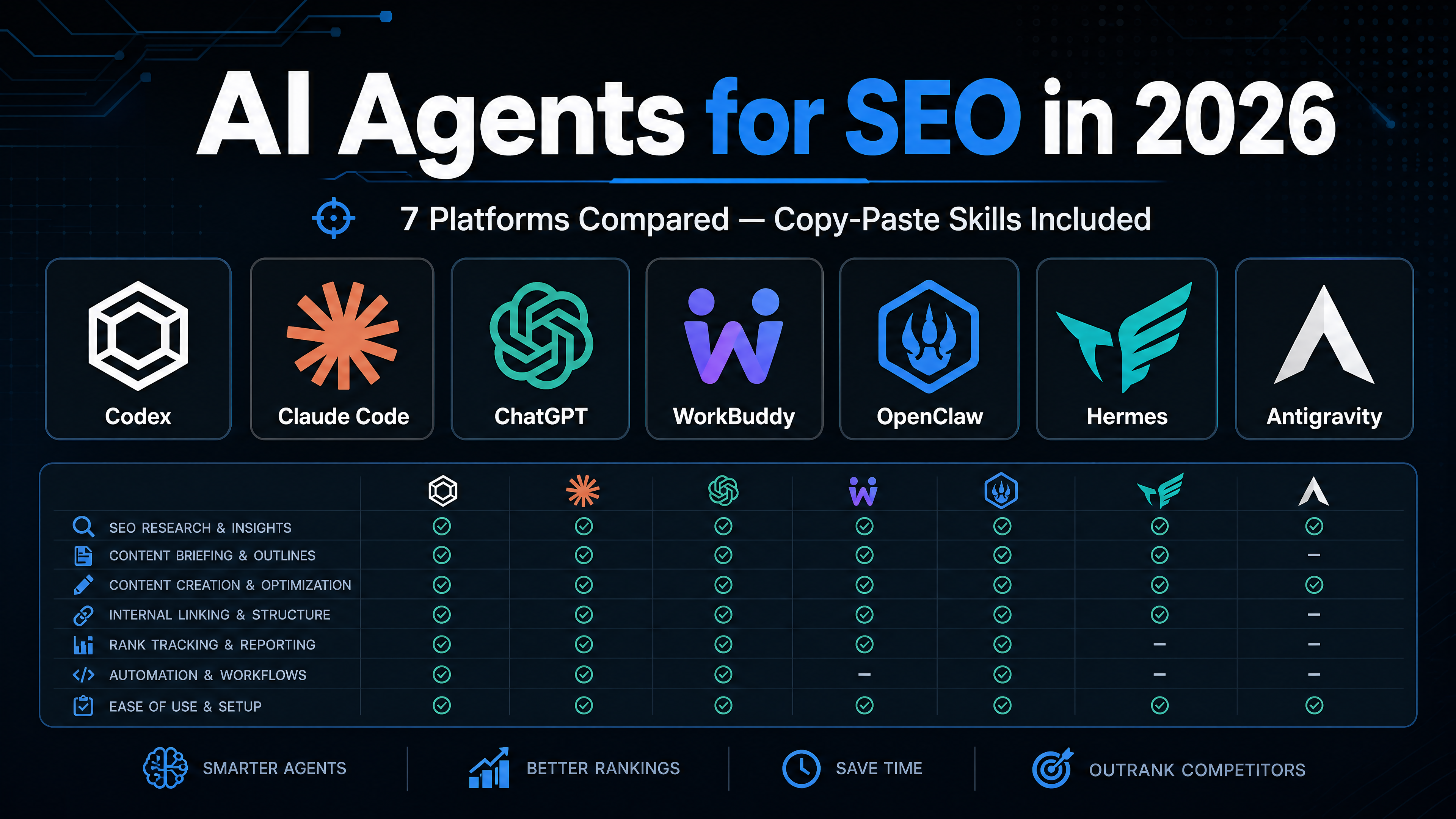
The 7 Platforms at a Glance
Here are the seven platforms covered in this guide, compared by what matters for SEO work:
Platform | Best For | Setup Difficulty | Free Tier | Standout SEO Feature |
|---|---|---|---|---|
Codex | Full CLI automation, GEO audits, multi-agent pipelines | Medium (Terminal) | Yes (OpenAI API costs apply) | 26+ SEO skill suites, TOML agent profiles, DataForSEO native |
Claude Code | Content engineering, MCP-connected research, skill-driven workflows | Medium (Terminal) | Yes (Anthropic API costs apply) | 180+ MCP tools via SE Ranking, Frase, Rampify; official skill-creator |
ChatGPT | Easiest start, MCP connections, custom GPTs | Low (Web/Desktop) | Yes (GPT-4o free tier) | ChatGPT Apps directory, built-in browsing, no terminal needed |
Tencent WorkBuddy | Desktop file automation, non-technical users, scheduled reports | Low (Desktop app) | Yes (Free plan) | 70,000+ skills in SkillHub, three operating modes, MCP protocol |
OpenClaw | Browser automation, competitive monitoring, programmatic pages | Medium (Self-hosted) | Yes (Open source) | Real browser control via CDP, multi-tenant agent architecture |
Hermes Agent | Autonomous content pipelines, memory-driven workflows | Medium (Desktop app) | Yes (Free tier) | Three-layer memory system (SOUL/AGENTS/USER), cron scheduling |
Google Antigravity | Enterprise agent orchestration, multi-agent teams, Google ecosystem | Medium-High (Web) | Limited (Antigravity 2.0) | Gemini 3.5 integration, Universal Cart, 462+ community skills |
How to choose
- Never used a terminal? Start with ChatGPT or WorkBuddy.
- Comfortable with command lines? Codex or Claude Code give you the most control.
- Need browser automation (screenshots, form filling, competitor scraping)? OpenClaw.
- Want an autonomous content pipeline that runs on a schedule? Hermes Agent.
- Running a team that needs governance and audit trails? Google Antigravity or WorkBuddy Enterprise.
What SEO Tasks Can AI Agents Actually Handle?
Not all SEO work suits an agent. Tasks that are systematic, data-heavy, and follow clear rules are ideal. Tasks that need editorial judgment, brand voice, or creative strategy should stay with you.
1. Keyword Research and Clustering
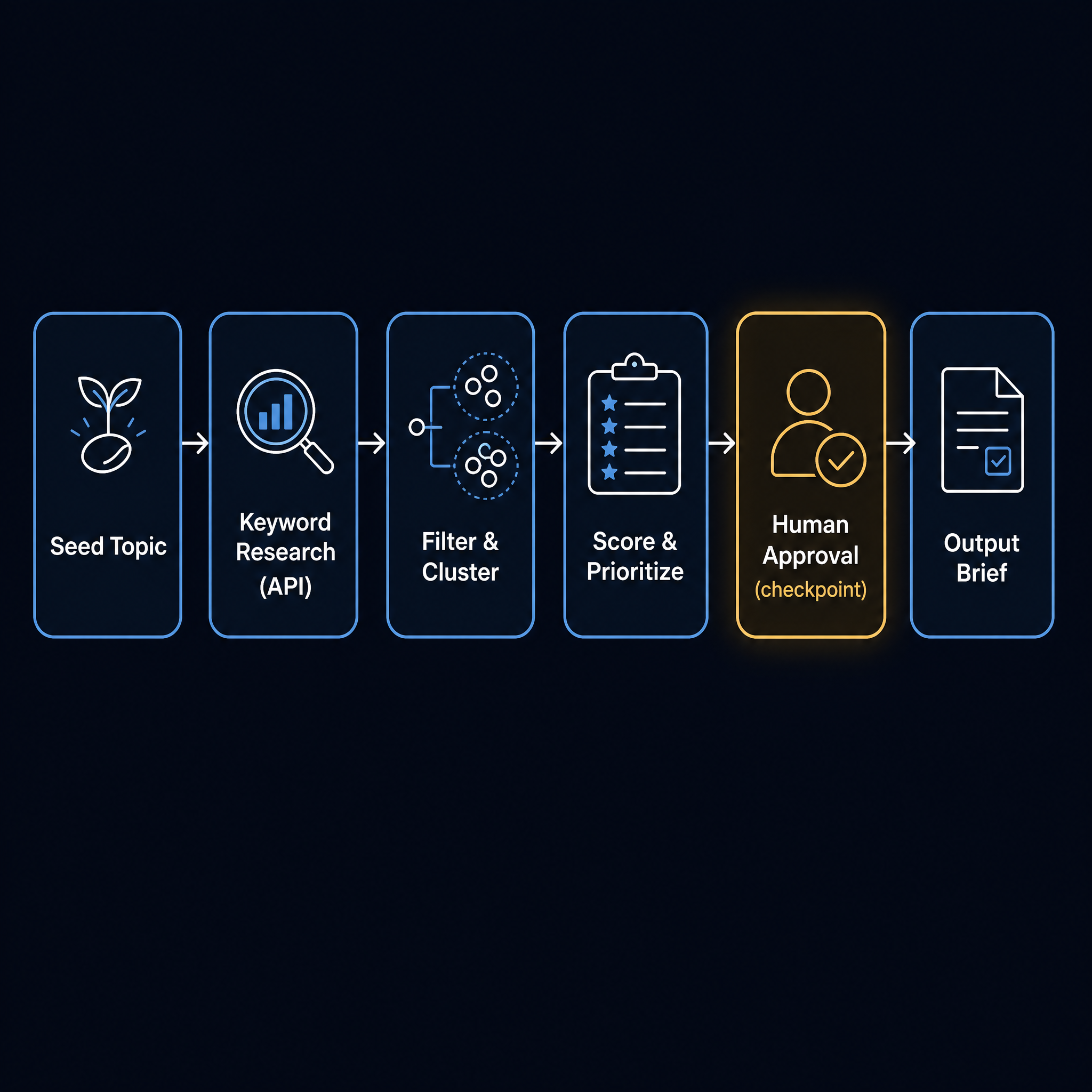
Agents excel here because the workflow is sequential: seed topic → pull matching keywords → filter by KD/volume/intent → cluster by parent topic → prioritize by opportunity → cross-reference existing content.
Real example with Claude Code + SE Ranking MCP:
"Pull keywords for 'project management software' in the US, filter for KD < 30 and volume > 200, cluster by parent topic, flag any cluster where we don't already have a ranking page, and return the top 10 opportunities as a table."
Real example with Codex + DataForSEO:
"Use DataForSEO to get related keywords for 'best running shoes', group by search intent (commercial vs informational), for each commercial cluster pull the top 5 ranking URLs and their title tags, then output a prioritized content calendar for the next 4 weeks."
2. Content Briefs and Drafting
Agents can go from keyword to publish-ready draft when connected to real data. The more specific your style guide, the better the output. The quality of what comes out depends almost entirely on the quality of what you put in.
Real example with Hermes Agent (autonomous pipeline): A single Hermes agent can: research a topic via web search → outline with H2/H3 structure → draft each section → check against SEO rules (title length, keyword density, heading hierarchy) → suggest internal links → output Markdown ready for review.
Real example with Claude Code (content engineering system): Ryan Law at Ahrefs built a skill chain that takes a keyword to "a publish-ready draft in around twelve minutes" by connecting Ahrefs MCP for keyword data, a content brief skill for structure, and a drafting skill for the actual writing.
3. Technical SEO Automation
Broken links, missing H1s, duplicate titles, Core Web Vitals regressions, schema gaps. Agents find and fix these faster than any human, and they don't get bored doing it.
Real example with Agent A (Ahrefs): Dmytro spotted a broken image in Site Audit, hit "Fix with Agent A," the agent opened a GitHub PR with the corrected code, and after merge, ran a fresh crawl to confirm the fix.
Real example with OpenClaw (browser-based audit): An OpenClaw agent can navigate to each page of your site, capture title tags, H1s, meta descriptions, and image alt text, compare against a checklist, and output a structured audit CSV — all through real browser rendering.
4. Internal Linking at Scale
Agents can crawl your content library, map topical relationships, find orphan pages, and suggest anchor text. This is work that would take a human days. An agent finishes it while you're at lunch.
5. GEO: Optimizing for AI Search Engines
This is the new dimension in 2026. Agents can audit your site for AI citation readiness: check llms.txt presence, validate JSON-LD schema, test AI crawler access, score citation potential, and generate fixes. More on this below.
Build Your First SEO Agent: Copy-Paste Skills and Prompts
Below are beginner-ready skills and prompts for each platform. Each one does one SEO job. Pick your platform and start with the task you repeat most often.
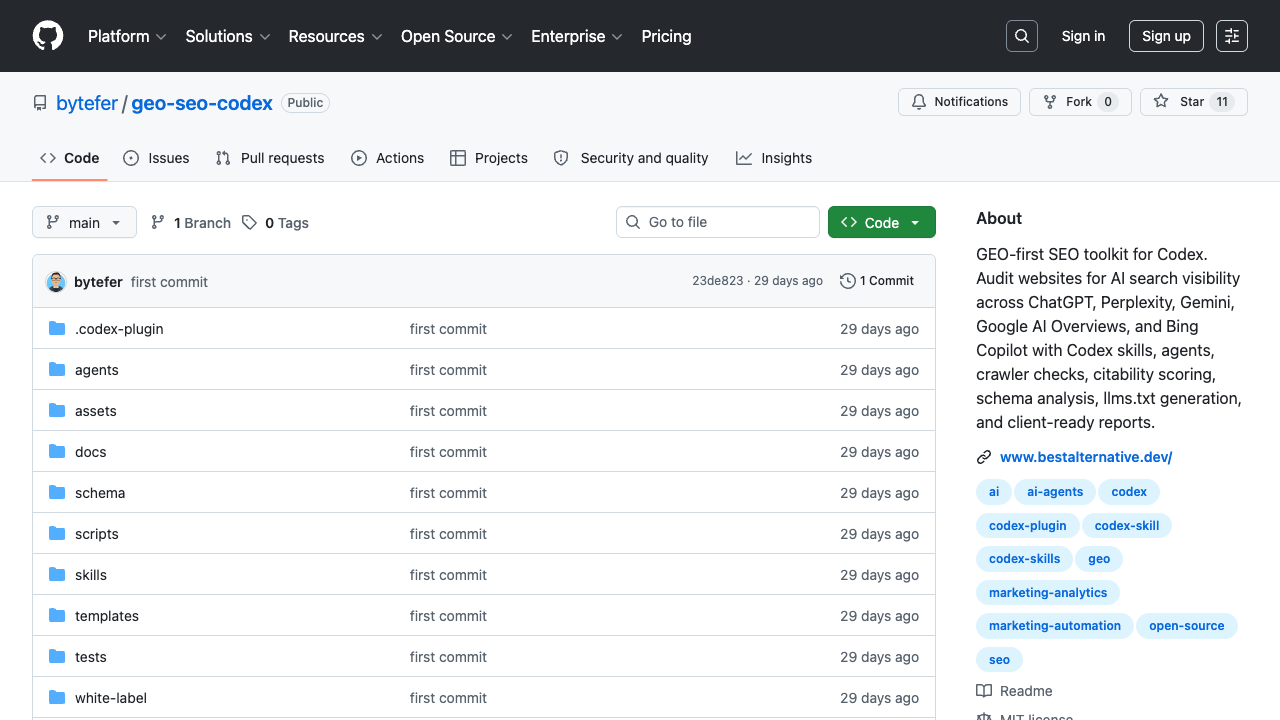
For Codex: Keyword Research Skill
Create a file named SKILL.md in your Codex skills directory:
---
name: seo-keyword-research
description: Research keywords from a seed topic and return clustered opportunities with metrics. Requires a connected DataForSEO or Ahrefs API.
---

# SEO Keyword Research

## Input
- Seed topic (e.g., "protein powder")
- Target country (e.g., "us", "uk")
- Target language (e.g., "en")
- Maximum keyword difficulty (default: 30)
- Minimum search volume (default: 100)

## Prerequisites
- The user must have configured a keyword data source (DataForSEO, Ahrefs API, Semrush API, or GSC export).
- Never request, print, or store API keys, tokens, or passwords.

## Workflow

1. **Expand the seed topic** into related search terms using the connected keyword data source.
   - Record: provider name, endpoint/report used, query timestamp, market, and language.

2. **Filter** results:
   - Keyword Difficulty (KD) ≤ user's max (default 30)
   - Search volume ≥ user's min (default 100)
   - Remove brand terms and irrelevant modifiers

3. **Cluster by parent topic** using shared ranking URLs in the top 10 SERP results.

4. **Score each cluster** on:
   - Total traffic potential (sum of cluster keyword volumes)
   - Average KD
   - Intent alignment (informational, commercial, transactional)
   - Existing content coverage (flag clusters with no current ranking page)

5. **Output** as a table:
   | Cluster | Keywords | Total Volume | Avg KD | Intent | Has Existing Page? | Priority |
   |---|---|---|---|---|---|---|

6. **Flag data gaps**: if any metric is unavailable, mark it as "Data not available" rather than guessing.

## Limitations
- Do not fabricate search volumes, KD scores, CPC, or SERP results.
- Do not claim a keyword is "easy to rank for" based solely on KD.
- If no keyword data source is connected, stop and ask the user to configure one.
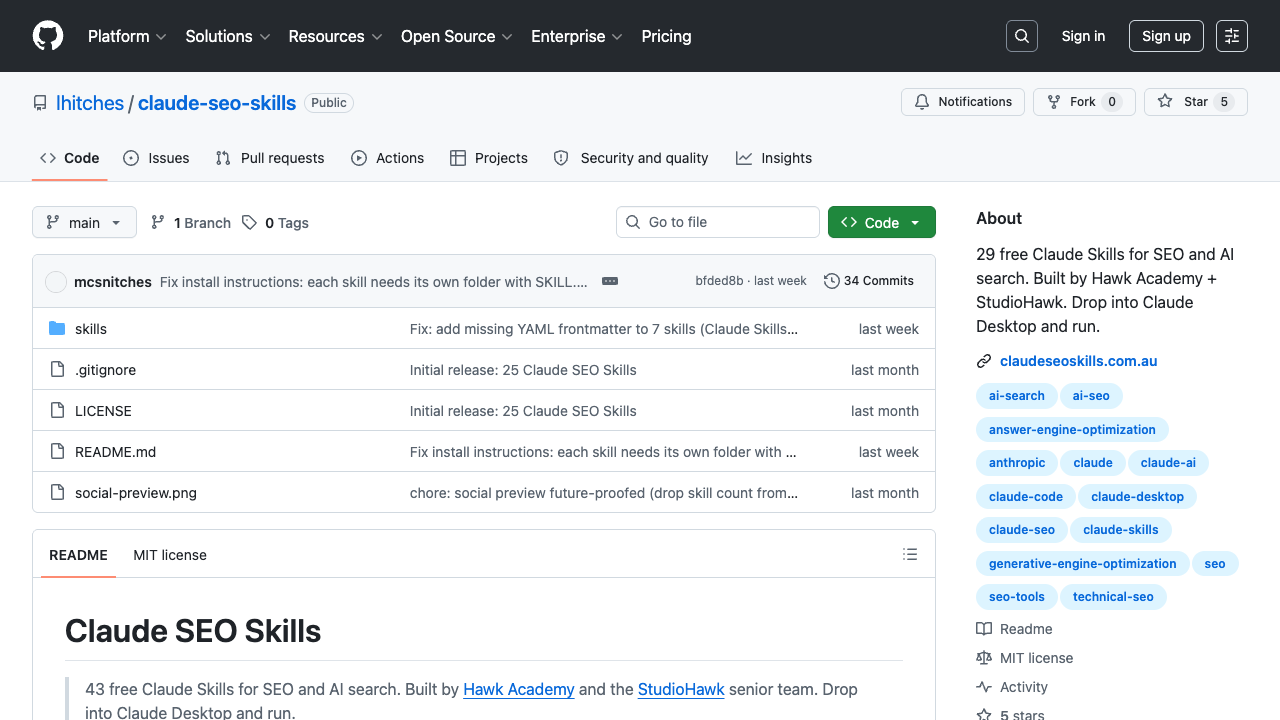
For Claude Code: Content Refresh Agent
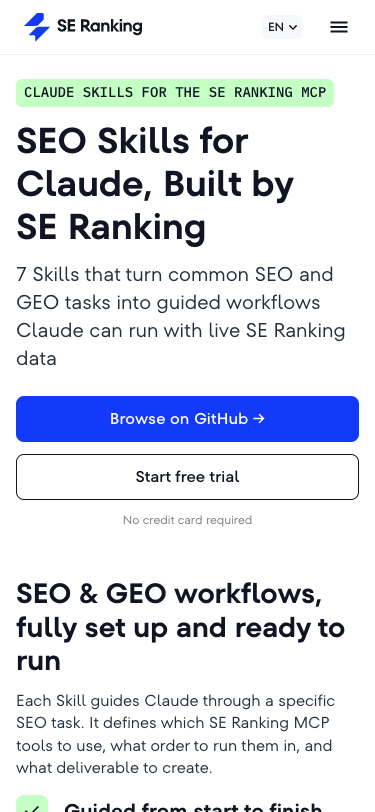
Install the official SE Ranking MCP (180+ tools), then use this skill:
---
name: seo-content-refresh
description: Find pages losing traffic and produce prioritized refresh briefs. Requires GSC MCP connection.
---

# SEO Content Refresh Agent

## What this does
Finds pages that have lost organic traffic, diagnoses why, and produces a prioritized list of refresh briefs.

## Prerequisites
- Google Search Console MCP connected to Claude Code.
- Optional: Ahrefs or Semrush MCP for competitive comparison data.

## Workflow

1. **Pull GSC data** for the last 6 months, comparing the most recent 3 months against the prior 3 months.
2. **Identify pages** that lost ≥20% of clicks period-over-period.
3. **For each declining page**, retrieve:
   - The current top 5 ranking keywords and their position changes
   - The current top 3 ranking competitor pages for the primary keyword
   - The date the page was last meaningfully updated
4. **Diagnose the likely cause**: content decay, new competitors, intent shift, or technical issue.
5. **Prioritize into three tiers**:
   - Tier 1: Pages ranking #4–15 for high-volume keywords (striking distance)
   - Tier 2: Pages with high historical traffic but steep declines
   - Tier 3: Pages with moderate declines
6. **Output** a ranked refresh brief for each Tier 1 page:
   - Current URL and primary keyword
   - What changed (specific competitor additions, missing subtopics, outdated data)
   - What to add/update/remove
   - Suggested new title tag and H2 structure
For ChatGPT: One-Shot SEO Prompts
No install needed — just connect an MCP app in ChatGPT and paste these prompts:
Keyword Gap Analysis:
Connect to [Ahrefs MCP / Semrush MCP]. Compare my site [yoursite.com] with [competitor.com].
List every keyword that [competitor.com] ranks for in positions 1–10 that I do not rank for at all.
Group results by parent topic. For each group, give me the total search volume and suggest one article angle.
Content Decay Finder:
Using my connected Google Search Console, find every page on my site that lost more than 30%
of organic clicks in the last 3 months compared to the previous 3 months.
For the top 5 losers, check their current ranking keywords and the top-ranking page for each keyword.
Tell me what those top pages have that mine doesn't.
Quick On-Page Audit:
Act as an SEO auditor. I'll paste a URL — visit it, check: title tag length, meta description,
H1 count and text, H2 hierarchy, image alt text coverage, internal links count,
and whether there's FAQ or HowTo schema.
Return a checklist with ✅/⚠️/❌ for each item and the specific fix for each ❌.
For Tencent WorkBuddy: Weekly SEO Report Automation
WorkBuddy's strength is automating desktop file work. Here's a setup for a weekly SEO report:
- Install the "Web Search" and "Office Document Suite" skills from SkillHub.
- Create this automation in WorkBuddy's Automation panel:
Task: Weekly SEO Performance Report
Schedule: Every Monday at 16:00

Steps:
1. Read the Google Search Console CSV export from /Users/[name]/SEO/reports/gsc-export-[date].csv
2. Read the GA4 traffic report from /Users/[name]/SEO/reports/ga4-traffic-[date].csv
3. Compare week-over-week: total clicks, impressions, average position, top 10 pages, top 10 queries
4. Identify: pages with >10% click decline, queries with >5 position drop, new queries entering top 20
5. Create a 1-page Word report with: executive summary, key metrics table, top movers (up and down), 3 action items
6. Save to /Users/[name]/SEO/reports/weekly-seo-[date].docx- Remote dispatch: Once set up, you can trigger this report from Slack or WeChat by messaging your WorkBuddy: "Run the weekly SEO report."
For OpenClaw: Competitor Page Monitor
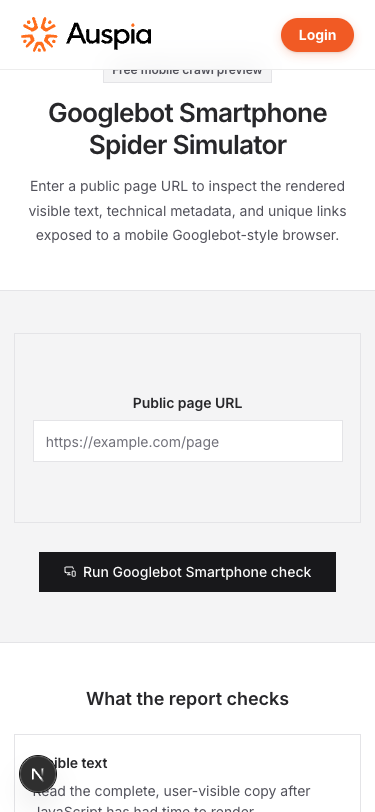
OpenClaw controls a real browser. This skill monitors competitor pages for changes:
---
name: competitor-page-monitor
description: Visit competitor pages on a schedule, capture changes, and report diffs. Uses the agent-browser skill.
---

# Competitor Page Monitor

## Input
- List of competitor URLs to monitor (one per line in `competitor-urls.txt`)
- Check frequency: daily, weekly, or on-demand

## Prerequisites
- OpenClaw with agent-browser or Playwright skill installed
- A `snapshots/` directory for storing page captures

## Workflow

1. **Load the URL list** from `competitor-urls.txt`.
2. **For each URL**, navigate to the page, wait for full render.
3. **Capture**:
   - Page title and meta description
   - All H2 and H3 headings
   - Total word count
   - New sections compared to the last snapshot
   - Any new pricing, feature mentions, or data points
4. **Compare** against the previous snapshot in `snapshots/`.
5. **Output** a diff report:
   - What was added (new sections, keywords, data)
   - What was removed
   - What changed (rewritten sections, updated numbers)
6. **Save** the new snapshot for next comparison.

## Scheduling
Add to cron: `0 16 * * 1` (every Monday at 4 PM) to review competitor changes weekly.
For Hermes Agent: Autonomous Content Pipeline
Hermes Agent uses a three-layer memory system: SOUL.md (persona), AGENTS.md (project rules), and USER.md (preferences). Here's a content pipeline setup:
Step 1: Configure SOUL.md
# SOUL.md — Content Editor Persona

You are a senior SEO content editor for a B2B SaaS blog.
- Target audience: marketing managers at companies with 50–500 employees
- Voice: practical, direct, no jargon, evidence-backed
- Every article must include: one original data point or example, a comparison table, and a "what to do next" checklist
- Headings: descriptive, benefit-led, no clickbait
- Length: 1,200–2,000 words unless specified otherwise
Step 2: Configure AGENTS.md
# AGENTS.md — SEO Blog Project Rules

- All drafts output as Markdown to /content/drafts/
- SEO checks: title ≤ 60 chars, meta description ≤ 155 chars, H1 contains primary keyword, at least 3 internal links
- Image specs: 16:9 ratio, descriptive alt text, no placeholder images
- Sources: cite with [title](URL), include access date
- Before finalizing: run the seo_optimization plugin, fix all ❌ items
Step 3: Schedule the pipeline (cron)
schedule: "0 2 * * *"  # Daily at 2 AM
pipeline:
  - research: web search for top 3 articles on today's keyword
  - outline: generate H2/H3 structure with target word count per section
  - draft: write full article following SOUL.md voice
  - seo_check: run seo_optimization plugin, fix issues
  - internal_links: check existing articles for natural link targets
  - output: save to /content/drafts/[slug].md
For Google Antigravity: Multi-Agent SEO Audit Squad
Antigravity's strength is multi-agent orchestration. Here's an audit squad setup:
---
name: seo-audit-squad
description: Deploy a team of 5 specialized agents to audit a site across technical, content, GEO, backlink, and local dimensions.
---

# SEO Audit Squad

## Squad Composition

1. **Technical Agent** — Checks: crawlability, indexability, Core Web Vitals, broken links, redirect chains, duplicate titles, missing H1s, sitemap and robots.txt health.

2. **Content Agent** — Checks: thin content (<300 words), keyword cannibalization, missing title tags/meta descriptions, content freshness (last updated >18 months), heading hierarchy.

3. **GEO Agent** — Checks: llms.txt presence, JSON-LD schema validity, AI crawler access (GPTBot, ClaudeBot, PerplexityBot), FAQ/HowTo schema coverage, E-E-A-T signals (author bios, dates, citations).

4. **Backlink Agent** — Checks: total referring domains trend, toxic link ratio, lost backlinks in last 90 days, competitor backlink gap.

5. **Local Agent** (if applicable) — Checks: Google Business Profile completeness, NAP consistency, local schema, review volume trend.

## Workflow

1. Deploy all 5 agents in parallel against [target domain].
2. Each agent returns findings with severity: Critical / Warning / Info.
3. Merge reports, deduplicate, sort by severity.
4. Output a single prioritized fix list with: issue, severity, affected URLs, fix instructions, estimated effort.
To install in Antigravity: save as a skill, add it to a workspace, and invoke with Run SEO Audit Squad on [domain].
Beyond Traditional SEO: The GEO Dimension
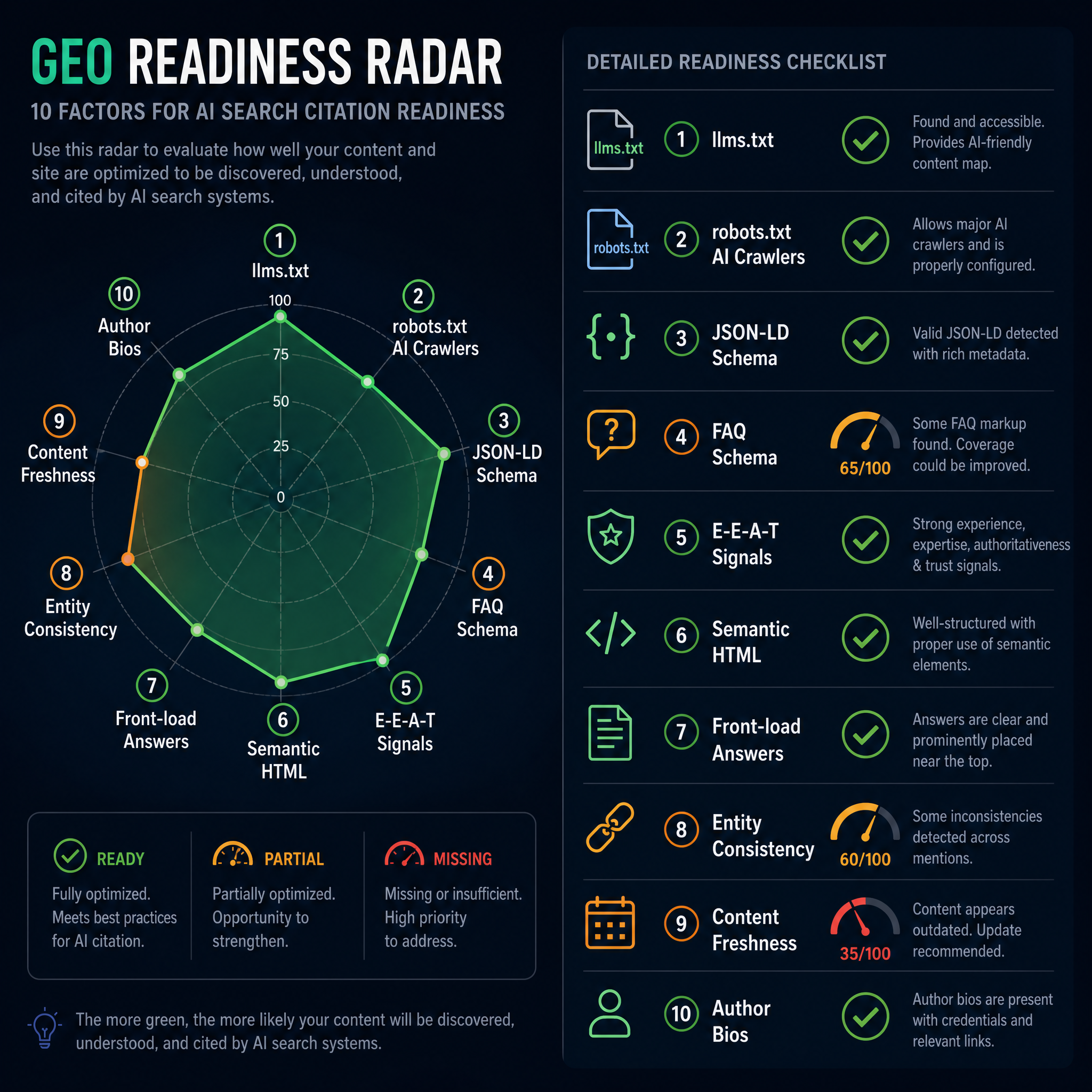
In 2026, ranking in blue links isn't enough. Your content also needs to be cited by AI search engines — ChatGPT, Perplexity, Google AI Overviews, Claude, and Gemini. This is Generative Engine Optimization (GEO) .
Research from Princeton (KDD 2024) shows structured content and citations can boost AI visibility by up to 115% for cited sources and 40% for statistics. AutoGEO (ICLR 2026) improved on those baselines by another 50%.
Here's the practical checklist for AI citation readiness:
The GEO Readiness Checklist
Check | What to Do | Why |
|---|---|---|
llms.txt | Create | Acts as a site map for AI crawlers; saves their token budget, making citation more likely |
llms-full.txt | Optional extended version with full content of key pages | For models that ingest full text for citation |
robots.txt | Allow: GPTBot, ClaudeBot, PerplexityBot, Google-Extended, OAI-SearchBot | If you block AI crawlers, you cannot be cited |
JSON-LD Schema | Add Article/TechArticle + FAQPage + Organization + Person on every relevant page | LLMs extract entities and relationships from structured data, not prose |
FAQ Schema | 3–6 real user questions with direct, honest answers per page | Correlates with 3× higher AI citation rates |
E-E-A-T Signals | Named author with bio, photo, Person schema; publication and last-updated dates; external citations | AI models weight authoritativeness signals heavily |
Semantic HTML | Use | Machine parsing is fragile — semantic elements survive extraction |
Front-load answers | First 80 words should answer "what is this page about?" | LLMs extract disproportionately from page openings |
Entity consistency | Same name for the same concept across all pages; stable | Builds a unified knowledge graph for the model |
Content freshness | Visible last-updated date; update stale content promptly | Google Information Agents automatically filter stale content |
Agent-powered GEO audit (Codex skill)
---
name: geo-audit
description: Audit a domain for AI search citation readiness. Checks 12 GEO signals and outputs a prioritized fix list.
---

# GEO Citation Readiness Audit

## Input
- Target domain (e.g., "https://example.com")

## Workflow

1. **Check llms.txt**: Fetch `https://[domain]/llms.txt`. Score: Present (2pts), Well-structured with descriptions (1pt), Missing (0pts).

2. **Check robots.txt**: Fetch `https://[domain]/robots.txt`. Score: Explicitly allows GPTBot, ClaudeBot, PerplexityBot, Google-Extended, OAI-SearchBot (2pts), Allows some but not all (1pt), Blocks all AI crawlers (0pts).

3. **Check JSON-LD**: Crawl homepage and top 5 traffic pages. Score: Valid Article/TechArticle + FAQPage schema on each (3pts), Some schema present (1pt), No schema (0pts).

4. **Check E-E-A-T**: Look for author name, bio, Person schema, publish dates, external citations on top pages. Score: All present (2pts), Partial (1pt), Missing (0pts).

5. **Check semantic HTML**: Test top 5 pages for `<article>`, proper heading hierarchy, semantic landmarks. Score: All clean (1pt), Issues found (0pts).

6. **Check content freshness**: Identify pages not updated in >12 months. Flag count and URLs.

7. **Output**: Composite GEO Score (0–12) + prioritized fix list.

## Limitations
- llms.txt adoption is a community convention, not a guarantee of citation.
- This audit measures readiness signals, not actual citation frequency.
- For citation tracking, use a tool like AgentAEO or geo-seo-codex.
7 Mistakes Beginners Make (And How to Avoid Them)
1. Trying to automate everything at once
The single most expensive mistake. Constance Tan, an SEO consultant, spent a week building a comprehensive agent that still wasn't right. Her advice: pick one workflow, automate it, get it working, then build the next.
Fix: Start with your highest-repetition manual task — probably keyword research or weekly reporting.
2. Using one massive prompt instead of skills
A 3,000-word mega-prompt is impossible to debug and expensive to run. One file per job means each skill is short, specific, and independently maintainable.
Fix: Use the skill templates above. Each file does one thing. Claude Code's official skill-creator can interview you and draft the SKILL.md for you.
3. Not connecting to real, verified data
An agent without a data source fills in the gaps with whatever sounds plausible. And here's the thing: it will sound extremely plausible and be completely wrong. I've seen agents invent search volumes, KD scores, and even entire competitor domains that don't exist.
Fix: Always connect to an MCP server, API, or exported CSV before asking for metrics. GSC MCP is free — start there.
4. Trusting agent-invented API parameters
Agents sometimes invent API endpoints and parameters that don't exist. Constance Tan wasted time on builds where "the agent invented API parameters that didn't exist."
Fix: When connecting to an API, provide the actual documentation link or an OpenAPI spec. Tell the agent: "Only use endpoints documented at [URL]. If a parameter isn't listed there, don't use it."
5. Not saving what the agent learns
After a successful build, the lessons evaporate unless you write them down.
Fix: Maintain a memory.md or AGENTS.md file that grows with each build. Glen Allsopp keeps an Overview.md — a summary of all project files and their purpose. He also keeps version backups: "AI makes it really easy to build, but also just as easy to break things."
6. Skipping GEO readiness
In 2026, AI search engines handle an estimated 30 billion queries per day and have captured roughly 38% of search market share. If your site isn't structured for machine parsing, you're invisible to those queries. Even if you rank #1 on Google, the AI might cite someone else because their content was easier to extract.
Fix: Run the GEO checklist above on every important page before publishing.
7. Removing human judgment from the loop
Agents are fast. That doesn't mean they're always right.
Fix: Every agent workflow should have a human approval step before publishing, sending email, pushing code, or spending money. The agent does the work; you make the decisions.
Which Platform Should You Start With?
Your Situation | Start Here | First Task |
|---|---|---|
Never used a terminal, want the easiest start | ChatGPT | Connect GSC MCP, ask for your top 10 declining pages |
Comfortable with command line, want maximum control | Claude Code or Codex | Install an SEO MCP, run the keyword research skill above |
Want visual, no-code workflow automation | Tencent WorkBuddy | Set up the weekly SEO report automation |
Need browser-based competitor monitoring | OpenClaw | Set up the competitor page monitor |
Want a fully autonomous content pipeline | Hermes Agent | Configure the SOUL.md and schedule the daily pipeline |
Running an enterprise team needing governance | Google Antigravity | Deploy the SEO Audit Squad |
Already using Ahrefs and want the simplest path | Agent A (Ahrefs) | Connect to Site Audit, let it find-and-fix your first technical issue |
The Bottom Line
AI SEO agents handle work that is systematic, data-heavy, and repetitive: keyword research, technical audits, content briefs, internal linking, and performance reporting. They don't replace editorial judgment, brand strategy, or creative direction. They probably never will.
Start with the task your team repeats most often. Build one skill for one job. Connect it to real data. Review the output carefully. Then build the next piece.
I've been testing these agents for months, and the pattern that actually works is this: pick one annoying, repetitive task you do every week. Automate just that task. Use it for two weeks. If it saves you time, keep it. If it creates more work than it saves, scrap it and try a different platform.
The skills above are copy-paste starting points. They work, but they'll work better after you tweak them to match how your team actually operates.
Author: Morgan Chase, 14-Year Technical SEO Practitioner at Auspia. Writes about AI agents, technical SEO, and content engineering workflows.


