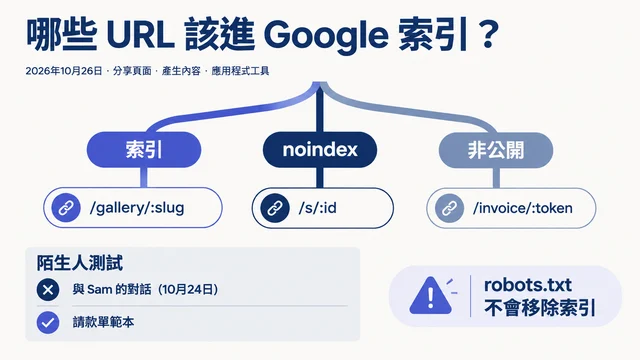

在用 Hermes 改善頁面之前,你不需要先懂 canonical 標籤的意思。你需要的是一個頁面 URL、在準備修改時可使用的網站專案存取權,以及一條清楚的規則:先讓 Hermes 檢查,再由你核准變更。
本指南會示範如何使用 Hermes 與 seo-auto-optimizer 技能,讓新手也能安全地自動化重複性 SEO 工作。你會讓 Hermes 檢查頁面、用日常語言解釋發現事項、在網站檔案中準備已核准的更新,並在上線前測試結果。
SEO 自動化不是把網站交給代理人後叫它「全部修好」。它是讓代理人處理耗時而可重複的部分,同時把可能讓頁面從搜尋結果消失或使訪客困惑的決定留在你手上。
完成這套流程後,你會擁有什麼
完成第一次工作流程時,你將擁有:
- 一個重要 URL 的可見 SEO 問題檢查結果;
- 一份 Hermes 可以協助處理、且已按優先順序排列的短清單;
- 每項建議的白話解釋;
- 若你決定實作,則有一組已檢閱的本機網站專案變更;以及
- 一份部署前的測試清單。
第一次操作請預留 30 到 60 分鐘。選一個對業務重要的頁面:首頁、產品頁、服務頁,或已獲得一些流量的文章。不要一開始就處理整個網站。
這裡的「完成」是指你能指出該頁面、說明改了什麼及為什麼改,並確認更新後頁面仍正常運作。這不代表保證排名上升;搜尋引擎還需要時間重新檢索與評估頁面。
開始前準備四樣東西
即使沒有 Google Search Console 或技術背景,你仍可開始。第一次檢查使用公開頁面可見的訊號,請先備妥以下項目。
你需要的東西 | 為何需要 | 如果目前還沒有 |
|---|---|---|
公開頁面 URL | Hermes 需要一個明確頁面作為檢查對象。 | 從首頁或一個服務頁開始。 |
網站專案檔案 | Hermes 可以在實際原始檔中準備已核准的變更。 | 向管理網站的人索取副本或儲存庫存取權;不要盲目編輯正式環境檔案。 |
本機預覽或測試環境 | 發布前你必須親自查看頁面。 | 使用平台的預覽功能,或請開發人員提供測試網址。 |
部署變更的方法 | 可能是 Git、CMS 或主機控制台。 | 第一次請維持手動部署。 |
Google Search Console、Bing Webmaster Tools 與爬蟲匯出資料會在之後派上用場。它們能回答單一頁面無法回答的問題,例如點擊是否下滑、是否與其他 URL 競爭,或是否有大範圍索引阻礙。
在 Hermes 工作區建立 SEO Auto Optimizer 技能
你需要自行建立技能檔案,不必從本文下載任何附件。
最快的方法:把本文交給 Hermes
若本文已發布,你可以把文章網址交給 Hermes,請它為你設定技能。複製以下提示詞,將 [ARTICLE URL] 改成本文實際網址,再傳給 Hermes。
請閱讀本文,並依照本文指示安裝 seo-auto-optimizer 技能:
[ARTICLE URL]

我是新手。請找出文章中完整的 SKILL.md 程式碼區塊,在正確的 Hermes 工作區技能目錄建立必要的 skills/seo-auto-optimizer/SKILL.md 檔案,並逐字複製該程式碼區塊。

寫入檔案前,請先告訴我你將使用的完整路徑。寫入後請顯示前 10 行,並確認技能名稱是 seo-auto-optimizer。

現在不要檢查我的網站、編輯網站檔案、變更設定、部署任何內容或執行 SEO 稽核;只安裝並驗證此技能。
如果 Hermes 無法開啟文章網址,請採用下方手動方法。必要時,你也可以在此提示詞後直接貼上完整程式碼區塊。
在要用於 SEO 的 Hermes 工作區根目錄中,建立以下資料夾與檔案:
your-hermes-workspace/
  skills/
    seo-auto-optimizer/
      SKILL.md
如果你的 Hermes 安裝使用另一個已設定的技能目錄,請在該處建立同樣的 seo-auto-optimizer/SKILL.md 資料夾結構。資料夾名稱和檔案內的 name 都必須是 seo-auto-optimizer,Hermes 才能以 $seo-auto-optimizer 呼叫它。
建立一個名為 SKILL.md 的純文字檔,貼上以下完整內容。不要把它貼進網站程式碼;它應放在 skills/seo-auto-optimizer/ 資料夾內。
此技能從唯讀模式開始,這是刻意的設計。它會檢查公開資訊並提出修正計畫,但不會發布頁面、提交網站地圖、編輯 Search Console,或變更正式網站。
---
name: seo-auto-optimizer
description: Audit one public URL or a group of website URLs with evidence, then create an SEO optimization plan ranked by impact and effort. Use when a user asks to check, diagnose, optimize, or create an SEO task list, especially for indexing, technical SEO, metadata, structured data, content quality, internal links, search intent, keyword cannibalization, Core Web Vitals, mobile experience, CTR, Google Search Console, Bing Webmaster Tools, sitemaps, robots.txt, or E-E-A-T. By default, audit and provide code or copy recommendations only. Do not change the website, CMS, search-engine consoles, or third-party platforms.
---

# SEO Auto Optimizer

Turn a supplied URL into a verifiable SEO optimization plan that a developer, content team, or growth team can act on. Never present an item as checked or fixed when public evidence cannot confirm it.

## Working boundaries

- Default to read-only work. Inspect public pages, resources, and public site files. Do not change live pages, submit a sitemap, publish content, buy links, or operate any account.
- For a single-URL request, audit that URL and only the same-domain public files needed to verify it, such as `robots.txt`, a sitemap, or page links. Do not turn a single-page observation into a site-wide conclusion.
- Mark work that needs a login, search-performance data, a full crawl, server logs, or business facts as `Needs data`. State what data is needed and how to check it.
- Do not recommend black-hat, manipulative, or fabricated SEO: no purchased links, fake reviews/authors/comments, doorway pages, keyword stuffing, or bulk low-value AI pages.
- Follow the site's market, page language, URL conventions, and content standards. Proposed titles, meta descriptions, H1s, and body copy must use the target page's language.

## Inputs and clarification

A request needs at least one URL. If available, use the target market, language, business model, primary conversion, target keywords, Google Search Console or Bing exports, and local website project.

When those details are missing, do not block the work. Infer what you can from the page language, page type, and visible content, then state your assumptions at the beginning of the report. Ask one focused question only when the user requests keyword strategy, competitive content, or a site-wide change and the answer would materially depend on the target market or business.

## Audit process

### 1. Build an evidence baseline

1. Record the inspection date, final URL, HTTP status, redirect chain, `<html lang>`, visible robots instructions, and page-rendering limits.
2. Read the first screen, main content, and available source or DOM. Record the title, meta description, canonical, robots meta, viewport, H1-H6, visible publish or update date, author information, approximate body length, images, internal and external links, JSON-LD, and important JavaScript dependencies.
3. Check the same-domain `/robots.txt`. Check a sitemap only when one is discoverable; do not say a sitemap does not exist merely because its URL is not explicitly listed.
4. Keep locatable evidence for every conclusion: tag text, HTTP header, link URL, DOM observation, screenshot observation, or public-tool result. If the page is blocked by a WAF, login, geography, or another access limit, state the limitation immediately.

### 2. Classify every check

Use exactly one status for each item:

| Status | Meaning |
| --- | --- |
| `Pass` | Public evidence shows the item meets its purpose. |
| `Issue` | Public evidence shows an error, risk, or clear omission. |
| `Opportunity` | It may not be an error, but there is a reasonable opportunity to improve visibility, click-through rate, user experience, or conversion. |
| `Needs data` | Google Search Console, Bing, logs, a full crawl, field performance data, or keyword data is required. |
| `Not applicable` | The page type or business does not need this item; explain why. |

Do not turn `Needs data` into an `Issue` just to fill a checklist. Resolve the root causes that affect crawling, indexing, user experience, or the page's main intent before minor copy changes.

### 3. Create an action plan

Merge findings into non-duplicative tasks and rank them:

- `P0`: The page cannot be crawled or indexed; an incorrect canonical; accidental `noindex`; critical 4xx/5xx; site-wide robots blocking; severe mobile or rendering failure.
- `P1`: Main-page intent or content mismatch; duplicate or thin content; missing or conflicting title and H1; unacceptable structured data; missing key internal links; obvious performance bottleneck.
- `P2`: CTR improvements; images and alt text; FAQs; author and update information; content expansion; topic or comparison pages; local link and URL improvements.
- `P3`: Growth experiments, link earning, business profiles, and monitoring that require performance data or external coordination.

For every task, state the problem, evidence, recommended action, owner (developer, content, SEO, or growth), acceptance criteria, and risk or prerequisite. Give specific code or copy only when current information supports it. Where brand facts are missing, use clear placeholders instead of inventing facts.

## What to check

### A. Crawling, indexing, and URLs

Check and report:

- HTTP status, whether redirects are single-hop and appropriate, loops, and HTTP/HTTPS or www/non-www confusion.
- `robots.txt`, meta robots, `X-Robots-Tag`, and whether canonical URLs are reachable, absolute, single, self-referencing, or point to a sensible preferred URL.
- Whether canonical, `noindex`, pagination or filtering rules, and sitemap behavior agree. Mark uncertain cases as `Needs data`.
- Whether URLs are stable, readable, descriptive, free of meaningless parameters, case or trailing-slash duplication, and keyword stuffing. Do not recommend casual URL changes unless the plan includes 301 redirects, internal-link updates, canonical updates, sitemap updates, and rollback conditions.
- Whether main content appears in initial HTML or can render reliably. When important content depends only on client-side JavaScript, recommend verification with URL Inspection, rendering tests, and server-side rendering or prerendering options.
- Discoverable broken links, 404s, soft 404s, and incorrect internal destinations. A single URL cannot prove that a whole site has no broken links.

### B. Page structure and metadata

Check:

- A unique, accurate, intent-matched title. For Latin-script languages, a rough 50-60 characters can be useful, but accuracy matters more than reaching a count.
- A unique meta description that describes the page's real value without keyword lists or false promises. A meta description is not a ranking guarantee; prioritize relevance and likely click-through appeal.
- One H1 that describes the page's main question. Organize H2 and H3 headings by real topic hierarchy, without skipped levels or decorative text disguised as headings.
- `lang`, viewport, mobile usability, the ratio of main content to template noise, and breadcrumb visibility and semantics.
- Appropriate image formats, dimensions, lazy loading, and specific alt text. Decorative images should have empty alt text. Do not force keywords into alt text.

When recommending a rewrite, provide one adoptable title, meta description, H1, and heading outline. Label any information that needs a brand-owner confirmation.

### C. Structured data and trust signals

Check whether visible page content and JSON-LD, Microdata, or RDFa agree. Consider only schema appropriate to the page type: `BreadcrumbList`, `Article` or `BlogPosting`, `Product`, `SoftwareApplication`, `Organization`, `LocalBusiness`, `FAQPage`, and `WebPage`.

- Recommend schema only when it represents visible, real page information. Never add invented ratings, reviews, prices, authors, FAQs, or awards.
- Identify required fields such as URL, name, description, image, author, publish date, `dateModified`, breadcrumb positions, and entity identifiers.
- For content pages, check visible author information, author page or experience, editorial policy, sources, contact information, organization information, update date, and factual citations. E-E-A-T is not a tag that can be added; it comes from verifiable content and entity information.
- When schema exists, recommend the Google Rich Results Test and Schema Markup Validator as acceptance checks.

### D. Content, intent, and duplication

Identify the page's main query intent: informational, commercial research, transactional, local, navigational, or mixed. Check whether the main content answers the question early and adds value through original evidence, examples, steps, data, or product detail.

- Flag clear thin content, template repetition, unanswered core questions, intent mismatch, and stale content. Do not define thin content by word count alone.
- A single URL cannot prove site-wide duplicate content, keyword cannibalization, or orphan pages. Explain that these require a URL inventory, canonical and index status, GSC query-to-page data, an internal-link graph, and similarity analysis.
- For overlapping pages, first define the evidence and decision criteria for keep, merge, split, or redirect. Never recommend deleting a page based on a guess.
- When content creation is requested, provide a search-intent brief, unique value, information architecture, sources needed for claims, and internal-link targets. Original content means independent insight or verification, not a competitor rewrite.
- Suggest comparison, alternatives, list, or FAQ pages only when they have distinct intent, real comparison criteria, and maintainable facts. Do not create batches of low-value templates.

### E. Internal links, architecture, and topic coverage

Assess how the page can be found and understood:

- Check whether important pages have crawlable HTML links from relevant parent pages, topic hubs, navigation, or breadcrumbs. Anchor text should naturally describe the destination.
- Mark orphan pages as `Needs data` unless a sitemap and full link graph prove the finding.
- For a topic cluster, define one pillar or owner URL, a distinct intent for each support page, link direction, and a cannibalization rule. Multiple near-identical owner pages should not compete for one head topic.
- Before suggesting feature, use-case, integration, comparison, alternatives, or FAQ pages, define the user question, target query, unique content, owner URL, and link-back path.

### F. Performance, mobile use, and Core Web Vitals

Separate lab data from field data. Prefer real-user data from CrUX or PageSpeed Insights to validate LCP, INP, and CLS. Without it, inspect obvious risks: oversized hero media, images without dimensions, render-blocking CSS or JavaScript, third-party scripts, font loading, layout shifts, and heavy client-side rendering.

Every performance recommendation must explain its mechanism and test method. For example: responsive, compressed hero media may improve LCP; image width and height reduce CLS risk; splitting long tasks may improve INP. Do not promise a score or ranking improvement.

### G. Search performance, keywords, and external authority

Unless the user supplies data or access, mark these items as `Needs data`:

- Page-two rankings, traffic or ranking declines, and query-to-page keyword cannibalization.
- URLs or queries with high impressions and low CTR, plus title and meta tests.
- High-volume, low-difficulty keywords, SERP and People Also Ask opportunities, competitor gaps, and search intent.
- High-quality backlinks, broken-link opportunities, brand mentions, Google Business Profile, and local citations.
- GSC or Bing sitemap submission, URL Inspection, index coverage, and crawl errors.

Give an executable data-checking instruction. For example: in GSC, compare the last 28 days with the previous 28 days, filter to the target URL, export queries, impressions, clicks, CTR, and average position, then test a new title or meta description for high-impression, same-intent queries with weak CTR. Link strategies must use audience-relevant, editorially independent, verifiable channels and genuinely useful assets.

## Default deliverable format

Unless the user asks for a shorter response, return these sections in this order:

1. `Scope and limits`: target URL, check date, accessibility, what could not be verified, and key assumptions.
2. `Executive summary`: the three to seven most important findings and what to address first.
3. `Check matrix`: status, evidence, and short conclusion for items A-G. Cover the user's supplied checklist, and state `Needs data` where necessary.
4. `Prioritized action list`: P0-P3 tasks with owner, effort (S/M/L), acceptance criteria, and dependencies.
5. `Implementation-ready recommendations`: where appropriate, include metadata, heading structure, JSON-LD templates, internal-link locations, content briefs, or performance fixes.
6. `Data and human follow-up`: needed GSC, Bing, crawl, log, keyword, and business inputs, plus exact validation steps.

Use careful language. Say a change may improve relevance, discoverability, or CTR. Do not promise indexing, first place rankings, or that every SEO issue has been fixed.

## Completion standard

Before delivering the work, confirm:

- Every conclusion has public evidence or is explicitly labeled as an assumption or `Needs data`.
- Tasks are ordered by impact, dependency, and actual executability, not copied mechanically from a checklist.
- Recommendations do not risk breaking URLs, canonicals, index status, or content facts. Migration, deletion, and merge suggestions include redirect and rollback conditions.
- Schema and E-E-A-T recommendations come from visible facts or are clearly marked as information still needed.
- The report makes clear that no live changes, submissions, or publishing actions were performed.
儲存檔案。如設定需要,請重新啟動或重新載入 Hermes,然後詢問:請列出此工作區可用的技能。seo-auto-optimizer 可以使用嗎? 在 Hermes 確認此技能可用之前,請不要開始後續教學。
在請 Hermes 變更任何內容前先檢查頁面
開啟 Hermes 並貼上以下提示詞,將範例網址換成自己的頁面網址。
請使用 $seo-auto-optimizer 檢查這個頁面:
https://example.com/your-page

我是 SEO 新手。請用白話中文說明每一項發現。
不要變更檔案、發布頁面、提交任何內容或修改正式網站。

每項建議都請列出:
1. Hermes 找到什麼,以及在哪裡找到。
2. 為什麼它可能影響訪客或搜尋引擎。
3. 它是已確認的問題、改善機會,還是需要更多資料。
4. 最安全的下一步。
5. 我是否需要開發人員或 Google Search Console 資料。

請依 P0、P1、P2、P3 的優先順序整理工作。
第一份輸出應該是報告,而不是已被修改的網站。這才是正確順序。
Hermes 通常可以檢查可見訊號,例如頁面標題、meta description、主標題、圖片 alt 文字、內部連結、canonical 標籤、robots 指令、結構化資料、行動版 viewport,以及明顯的失效連結。它也能找出明顯的頁面層級內容缺口。
它不應表現得好像無所不知。與其用一個 URL 就斷言整個網站,更值得信賴的報告往往會明確標示 Needs data。
不必成為 SEO 專家也能讀懂報告
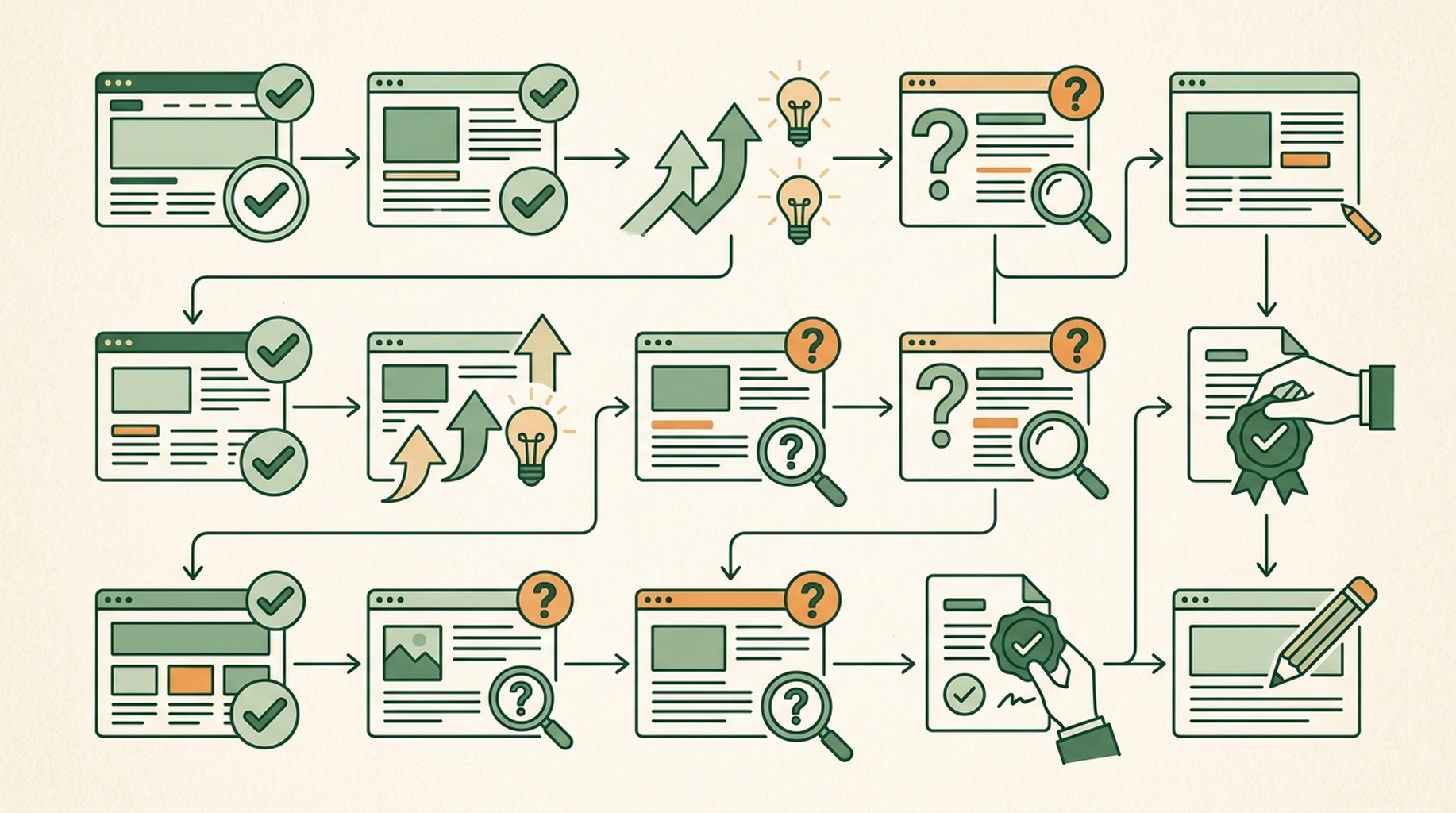
此技能使用兩種簡單標籤:狀態和優先順序。在核准任何事情前,請先看懂兩者。
標籤 | 意思 | 適合新手的回應 |
|---|---|---|
| 公開證據顯示此項目看來符合目的。 | 保持不動。 |
| Hermes 發現了具體問題,例如缺少 H1 或錯誤連結。 | 檢視依據後,再決定是否修正。 |
| 頁面沒有壞掉,但仍有機會更清楚或更有用。 | 視為可選的改善工作。 |
| 判斷需要 GSC、Bing、分析資料、記錄或完整爬取。 | 不要猜測,之後再蒐集資料。 |
優先順序會告訴你該先看什麼。
優先順序 | 白話意思 | 常見例子 |
|---|---|---|
| 嚴重問題可能使重要頁面無法出現在搜尋結果,或無法正常運作。 | 錯誤的 |
| 頁面結構、意圖或技術設定存在明顯弱點。 | 缺少或衝突的 title/H1、錯誤的頁面意圖、不合適的相關 schema、缺少重要內部連結。 |
| 值得做的改善,但不是緊急狀況。 | 更好的圖片 alt 文字、清楚 FAQ、作者或更新資訊、title 與 description 測試。 |
| 需要資料、其他團隊或持續實驗的工作。 | 連結取得、地方商家檔案、排名監測、關鍵字研究。 |
不要因為報告列出就全部核准。第一次實作應限制在一到三個低風險變更;第一次發布越小,越容易檢查和還原。
選擇安全的第一批變更,把高風險決策留到之後
多數新手可以從清楚的頁面層級改善開始。下表可作為有用的界線。
通常可先準備並檢閱的變更 | 應暫停並請技術或 SEO 人員檢閱的變更 |
|---|---|
更準確的 title 或 meta description | 變更 URL 或移除頁面 |
一個清楚的 H1 與合理的 H2 結構 | 編輯 |
為有意義的圖片撰寫具體 alt 文字 | 重新導向規則或遷移設定 |
有明確正確目的地的失效內部連結 | 只因頁面看似相近就合併頁面 |
與頁面可見且已驗證內容一致的 schema | 新增不真實的評分、評論、價格、作者或 FAQ |
讓既有頁面更清楚的一段簡短回答 | 為了關鍵字大量發布 AI 生成頁面 |
例如,canonical 標籤是一項小指示,用來告訴搜尋引擎:相似頁面中哪一個版本應視為主要版本。變更它可能很重要,卻也可能意外讓 Google 忽略你在意的頁面。變更前,請 Hermes 顯示目前與建議的 canonical URL,再取得技術檢閱。
同樣原則也適用於 robots.txt 與 noindex。感謝頁、私人預覽頁或篩選後的結果頁可能正確使用這些設定;它們不會自動構成錯誤。
請 Hermes 提出實作計畫,不要突然直接編輯
從報告複製已核准項目,並在網站專案中使用以下提示詞。它會告訴 Hermes 可以改什麼,以及同等重要的:不能碰什麼。
我只核准以下 SEO 變更:
[貼上已核准項目]

請檢閱我的本機網站專案,並準備一份實作計畫。
編輯任何檔案前,請顯示:
1. 預計變更的每一個檔案。
2. 每個檔案會影響的確切頁面或元件。
3. 訪客與搜尋引擎會看到什麼不同。
4. 我們將如何測試結果。
5. 若變更錯誤,如何還原。

不要變更 URL、刪除頁面、編輯 robots.txt、新增 noindex 標籤、
變更重新導向、發布內容、部署網站,或修改核准清單以外的任何項目。

顯示計畫後請等待我的核准。
回覆前先檢查檔案清單。如果 Hermes 想動到你不認識的檔案,請問清楚原因。若計畫只說「最佳化 SEO」,卻無法列出檔案名稱與預期結果,請要求它說得更具體。
當計畫看起來正確時,給出範圍明確的核准:
已核准。只實作上方計畫。

編輯後請:
- 顯示簡短的逐檔摘要;
- 顯示相關 diff 或修改前後文字;
- 說明我需要手動驗證的項目;
- 若可用,執行專案既有的檢查;
- 不要部署。
這正是自動化變得有用的地方。Hermes 可以完成重複編輯,但改什麼、何時公開,仍由你決定。
頁面上線前檢查結果
不要跳過預覽。技術上有效的變更,仍可能讀起來不自然、破壞版面,或降低頁面的實用性。
請使用以下發布檢查清單:
檢查項目 | 你要確認的事 |
|---|---|
瀏覽器預覽 | 頁面可正常載入,修改後的文字讀起來自然。 |
行動版預覽 | 在窄螢幕上,標題、圖片、選單與按鈕仍可正常運作。 |
title 與 description | 它們描述真實頁面,不承諾訪客得不到的內容。 |
標題結構 | 有一個清楚的 H1 描述頁面,H2 組織真正的段落。 |
連結 | 修改過的內部連結會前往預期的正式或測試頁面。 |
圖片 | 重要圖片有實用的 alt 文字;裝飾圖片的 alt 文字沒有硬塞關鍵字。 |
原始碼或 SEO 擴充功能 | 預期的 canonical、robots 指令與結構化資料未意外變更。 |
專案檢查 | 網站原有的 build、test、lint 或驗證命令均通過。 |
若變更了 schema,請在部署後或可存取的測試頁面上執行 Google Rich Results Test 或 Schema Markup Validator。schema 格式有效還不夠,它也必須符合使用者在頁面上實際看得到的內容。
如果某項檢查失敗,不要請 Hermes 任意追加編輯。告訴它確切錯誤、是哪一項已核准變更造成,並要求最小範圍的修正。若你無法解釋或驗證一項變更,請在部署前還原。
SEO 自動化無法從單一頁面得知的事
這是新手最容易被看起來信心十足的 AI 輸出誤導的地方。有些 SEO 問題需要瀏覽器看不到的資料。
問題 | Hermes 要負責任地回答前需要什麼 |
|---|---|
為什麼流量下降? | 兩個可比較期間的 GSC 與分析資料。 |
哪些頁面曝光很高但點擊率很低? | GSC 的查詢與頁面匯出資料。 |
兩個頁面是否在競爭同一關鍵字? | GSC 的查詢對頁面資料,加上內容比對。 |
哪些頁面是孤兒頁? | 完整網站爬取、網站地圖與內部連結圖。 |
Core Web Vitals 對實際訪客是否真的失敗? | CrUX 或 PageSpeed Insights 等欄位資料,而不只是在本機測試。 |
應鎖定哪些低難度關鍵字? | 關鍵字與 SERP 研究,以及你真正的受眾與產品價值。 |
是否該提交 sitemap 或要求建立索引? | 存取 GSC 或 Bing Webmaster Tools 的權限,以及執行理由。 |
你之後可以自動化這些輸入資料的蒐集與整理。對第一個頁面而言,讓 Hermes 標示 Needs data 就足夠了,不要把猜測假裝成診斷。
一套能長期維持的簡單每週例行流程
第一個頁面上線並完成檢查後,每週針對一個重要頁面重複這套流程:
- 選擇有商業目的的頁面,而不是任意 URL。
- 執行唯讀的 Hermes 檢查。
- 最多核准幾項明確、低風險的更新。
- 檢閱實作計畫與檔案 diff。
- 部署前先在本機或測試環境測試。
- 在簡單試算表或 Markdown 檔中記下頁面、日期、變更與未解問題。
累積幾週的變更後,再加入 GSC 匯出資料。接著 Hermes 能協助你找出下個值得改善的頁面,並以真實曝光、點擊或查詢資料支持判斷。若需要更廣泛的診斷,請結合程式碼層級檢閱使用網站 SEO 評分檢查工具。
常見問題
Hermes 能自動化我網站的所有 SEO 嗎?
不能。Hermes 能自動化檢閱公開頁面訊號、整理問題清單、起草 title 與 description、準備程式碼或內容變更,以及檢查已核准變更清單等重複工作。涉及刪除頁面、重新導向、索引控制、canonical、商業聲明、部署或成效資料的決策,仍需要人工檢閱。
開始前需要先懂 SEO 關鍵字嗎?
不需要。先從一個重要頁面開始,請 Hermes 以白話解釋可見的 SEO 設定。當你要建立新頁面,或決定哪些既有頁面值得投入更多工作時,關鍵字研究才會派上用場。它需要研究資料與你對客戶的理解,而不只是一份代理人產生的清單。
Hermes 可以幫我編輯 WordPress、Webflow 或 Shopify 頁面嗎?
只有在你的 Hermes 環境擁有該系統或網站檔案的已核准存取權時才可以。第一次操作時,請 Hermes 準備確切的文字、程式碼或檔案層級變更,再由你自行更新 CMS,或請網站擁有者核准。建立可靠的檢閱流程前,不要授予發布權限。
這些變更能讓我的頁面登上 Google 第一名嗎?
不能。SEO 變更可能改善可檢索性、相關性、清晰度與使用者體驗。排名還取決於競爭、搜尋意圖、網站品質、連結,以及搜尋引擎隨時間評估頁面的方式。請把 Hermes 視為幫助你做出更好、更安全決策的方法,而不是排名保證。
作者:Auspia 的技術 SEO 實務工作者 Julian Mercer。Julian 擁有 14 年經驗,專注於可檢索性、schema、渲染、網站架構,以及讓 AI 更容易讀取內容的技術基礎。