


The Short Answer
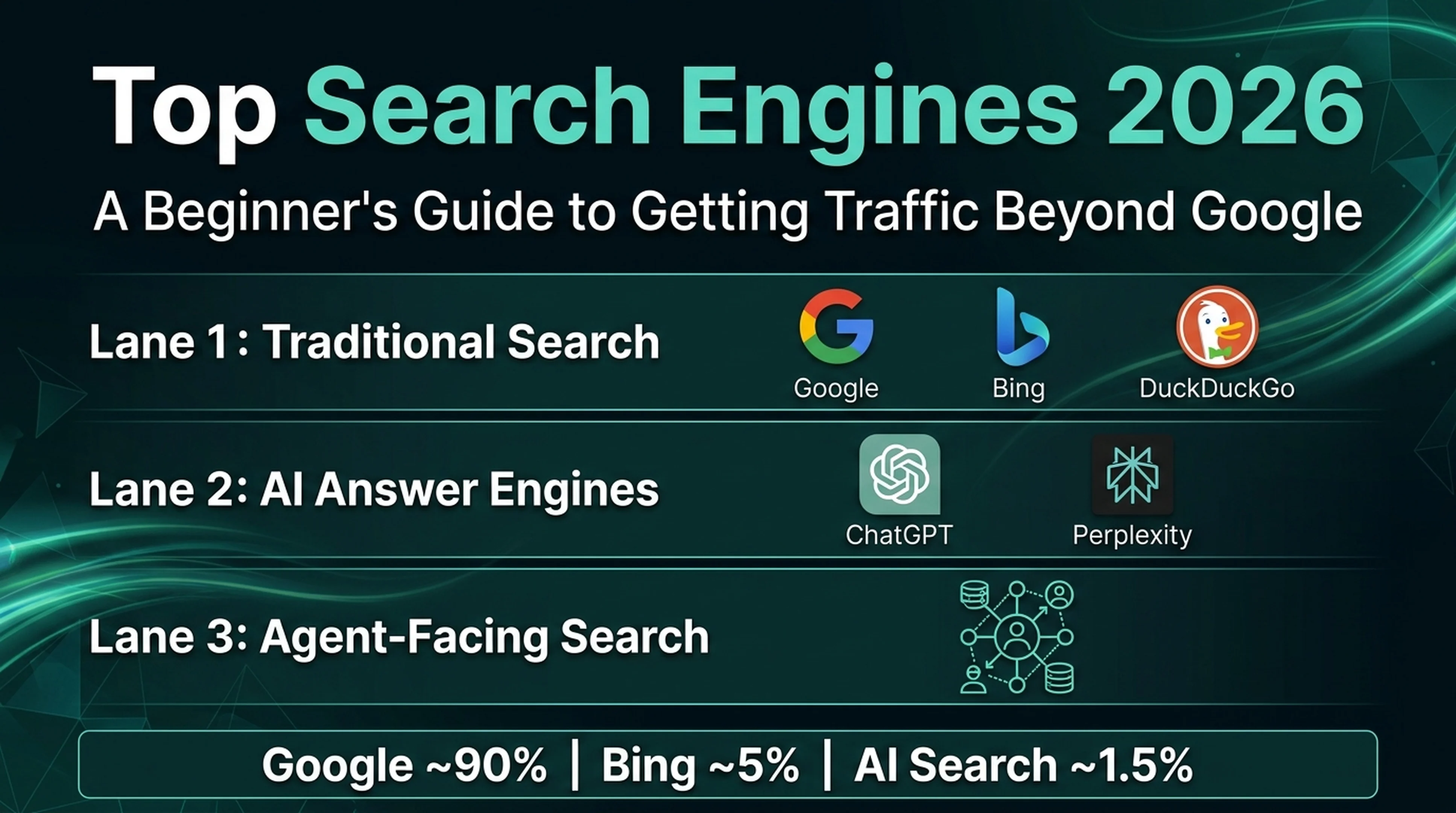
Google still owns roughly 90% of global search traffic in 2026. But the search landscape has split into three lanes: traditional engines (Google, Bing, DuckDuckGo), AI answer engines (ChatGPT Search, Perplexity, Google AI Mode), and agent-facing search (Microsoft Web IQ). If you're an SEO beginner, don't overthink this. Optimize for Google first, set up Bing as your second engine (it also feeds ChatGPT and DuckDuckGo), and treat AI visibility as your third growth lane. This article covers which engines actually send traffic in 2026, how to check your visibility across all of them with free tools and Codex prompts, and what you can safely ignore. No paid software required.
What Changed in 2026: The Search Engine Landscape
The biggest shift isn't that Google is losing share. It's that search intent is fragmenting across engine types. A user researching a purchase might start on Perplexity, compare options on Google, and ask ChatGPT for a final recommendation. Your site needs to show up in all three places.
These are the numbers that matter:
Metric | 2025 | 2026 | What It Means |
|---|---|---|---|
Google global search share | ~93% | ~90% | Still dominant, down ~3 points in two years |
Bing global search share | ~3.5% | ~5% | Fastest-growing traditional engine |
AI search referral traffic | ~0.02% | ~0.9-1.5% | 45x growth; still small but converts at 4.4x organic |
ChatGPT weekly active users | 800M | 900M+ | More users than Bing |
Google zero-click rate | ~60% | 65-70% | Most Google searches now end without a click |
Sources: StatCounter (March 2026), BrightEdge AI Market Pulse (June 2026), SE Ranking GA4 data (2025-2026).
Nobody serious is saying "Google is dying." The pie is growing, and the new slices are AI-shaped. For a beginner, that means you can't just rank on Google and call it done. But you also shouldn't panic and abandon Google SEO. The playbook is expanding, not replacing.
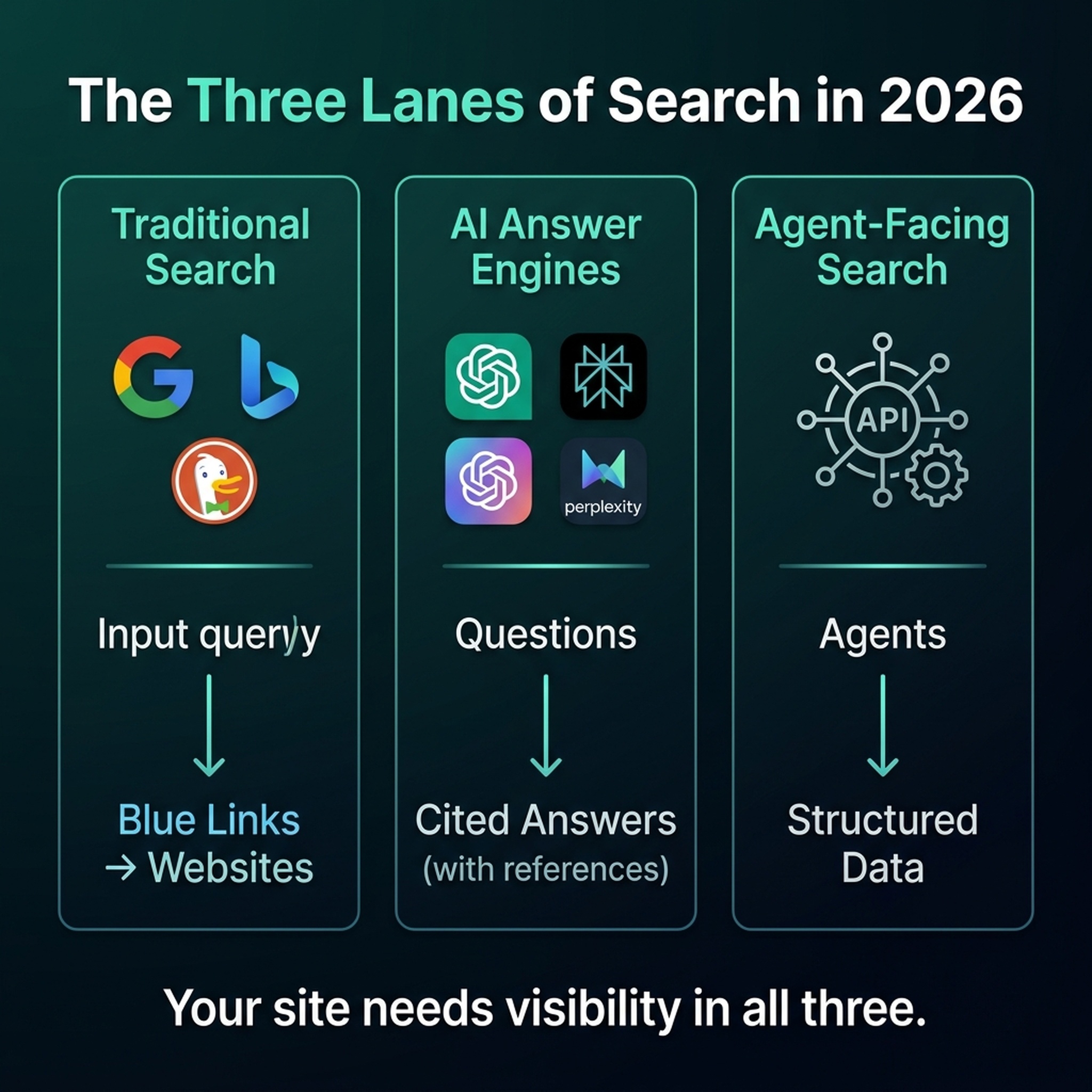
The Three Lanes of Search in 2026
Before jumping into individual engines, get the categories straight:
Lane 1: Traditional Search Engines
These crawl the web, build indexes, and return blue links. Google, Bing, DuckDuckGo, Ecosia, Yahoo, and Yandex all work this way. Your SEO fundamentals (quality content, technical health, backlinks) matter most here.
Lane 2: AI Answer Engines
These generate answers by combining web search results with large language models. ChatGPT Search, Perplexity, Google AI Overviews, and Bing Copilot fit here. They cite sources, but users often never click through. Your goal shifts from "rank high" to be the cited source.
Lane 3: Agent-Facing Search
This one's new in 2026. Microsoft Web IQ and Exa Instant are search engines built for AI agents, not humans. They return compressed, machine-readable results. Beginners don't need to optimize for this lane yet. If your site is well-structured and crawlable, agents can already read it.
Traditional Search Engines: Who Sends Traffic in 2026
Google (~90% Global Share)
What changed in 2026: Google rolled out AI Mode globally (now over 1 billion monthly users), expanded AI Overviews to 25-48% of queries, and at Google I/O 2026 (May 19), announced Gemini 3 powering all AI search features. The controversial part: there's still no off switch for AI-generated results.
What beginners need to know:
- Google remains your #1 priority. It sends more traffic than all other engines combined.
- AI Overviews reduce clicks (58% drop, confirmed in 2026 data), but they create a second visibility surface. Your content can be cited even when nobody clicks.
- Google Search Console is free and essential. If you haven't set it up yet, that's your first task.
Quick Codex action — paste this into Codex to check your Google presence:
Read my Google Search Console data for the last 28 days. Show me: total clicks, average CTR, average position, and which pages get the most clicks. If GSC isn't connected, tell me exactly how to set it up at search.google.com/search-console.
Bing (~5% Global Share, but Powers Much More)
What changed in 2026: Here's a stat that surprises most beginners: Bing's search index doesn't just power Bing.com. It feeds ChatGPT Search, DuckDuckGo, Ecosia, Yahoo, and You.com. One optimization effort, five surfaces.
In February 2026, Bing launched the AI Performance report in Bing Webmaster Tools. This is the first dashboard from any search engine that shows which of your pages get cited in AI answers. By June 2026, they'd added competitor comparison and citation share metrics. Google Search Console has nothing like it.
What beginners need to know:
- Set up Bing Webmaster Tools. It takes 10 minutes, it's free, and you can import your site from Google Search Console with one click.
- Enable IndexNow. It's a free protocol that pings Bing the instant you publish or update content. Sites using IndexNow get indexed in ~4 minutes instead of 18-72 hours.
- When you optimize for Bing (clear titles, structured content, exact-match keywords), you're also optimizing for ChatGPT Search. 73% of ChatGPT's search results mirror Bing rankings.
Quick Codex action:
Check if my site is registered in Bing Webmaster Tools. Walk me through: 1) how to sign up at bing.com/webmasters, 2) how to import my site from Google Search Console, 3) how to enable IndexNow for instant indexing. Then create an IndexNow API key if I need one.
DuckDuckGo (~0.76% Global, Surging in 2026)
What changed in 2026: After Google I/O 2026 dropped a wave of AI-heavy announcements, DuckDuckGo saw a real spike. US app installs jumped 30.5% in a single week (May 25). iOS installs peaked at 69.9% growth. Traffic to its AI-free search page (noai.duckduckgo.com) averaged 84% above baseline. Users are actively looking for AI-free alternatives, and DuckDuckGo is where a lot of them land.
What beginners need to know:
- DuckDuckGo pulls results from Bing's index. Optimize for Bing, and you're covered here too.
- Because DuckDuckGo doesn't track users or personalize results, everyone sees the same thing for the same query. Content quality and domain authority carry more weight. There's no personalization to hide behind.
- Exact-match keywords, strong meta descriptions, and title tags matter more on DuckDuckGo than on Google.
Quick Codex action:
Run a quick DuckDuckGo visibility check for my site. Search DuckDuckGo for my brand name and 3 of my target keywords. Tell me where my site appears and if my meta titles and descriptions display correctly.
Ecosia (~0.11% Global, Strongest in Europe)
What changed in 2026: Ecosia, the Berlin-based search engine that plants trees with ad revenue (~250 million trees planted so far), hit its best-ever market share in Germany (0.89%). European regulation (DMA) is pushing Google to share ranking data with rivals starting January 2027, which could give regional engines like Ecosia a boost.
What beginners need to know:
- Ecosia runs on Bing's index. Same story: optimize for Bing, you're covered.
- Ecosia's audience is eco-conscious and European. If your content or product has a sustainability angle, Ecosia visitors may convert at higher rates.
- Ecosia has optional AI overviews that users can switch off. Whether they engage depends on the specific audience segment.
Yahoo (~1.39% Global)
What changed in 2026: Yahoo launched Yahoo Scout in January 2026, an AI answer engine powered by Anthropic's Claude plus Bing's Grounding API. Yahoo has roughly 250 million US users across Mail, News, Finance, and Sports, which gives Scout a built-in distribution channel.
What beginners need to know:
- Yahoo's traditional search is also Bing-powered. Optimize for Bing.
- Yahoo Scout is still in beta and unlikely to drive meaningful referral traffic yet.
- If your audience skews older, US-based, or uses Yahoo Mail/Finance, Yahoo search traffic may be worth tracking for your specific niche.
Yandex (~1.34% Global, Russia-Focused)
Yandex is the dominant engine in Russia. For most global beginners, it's not a priority unless you specifically target the Russian market. If you do: Yandex Webmaster is free, and Yandex weights user behavior signals more heavily than backlinks.
Regional Engines Worth Knowing
- Baidu (~0.55% global, dominant in China): requires Chinese-hosted sites, ICP license, and Chinese-language content.
- Naver (dominant in South Korea): operates its own ecosystem of blogs, cafes, and knowledge panels.
- Qwant (France): privacy-focused, Bing-powered, growing in France with government backing.
- Seznam (Czech Republic): runs an independent index and matters for Czech-targeted businesses.
Don't optimize for regional engines unless you have a specific market need. The basics cover 99% of beginner cases.
AI Answer Engines: The New Visibility Surface
ChatGPT Search (~77-93% of AI Referral Traffic)
What changed in 2026: ChatGPT hit 900 million weekly active users in February 2026, processes roughly 1 billion search queries daily, and drives about 87% of all AI referral traffic to websites. ChatGPT-referred visitors convert at roughly 16%, compared to about 1.8% for Google organic traffic. That's nearly 9x the conversion rate.
How ChatGPT picks sources:
- ~73% of ChatGPT Search results mirror Bing's top rankings
- ~44% of citations come from the first 30% of page text
- Pages updated within 30 days get 3.2x more citations
- Content with 19+ data points averages 5.4 citations (vs. 2.8 for data-light pages)
- ChatGPT prefers authoritative third-party sources (G2, Capterra, industry publications) over brand sites
What beginners need to know:
- ChatGPT Search uses Bing's index. This is why Bing setup is your #2 priority after Google.
- Allow these crawlers in your robots.txt:
GPTBot,OAI-SearchBot,ChatGPT-User - Write "answer capsules": a 40-60 word direct answer right after each question-based heading
- Keep content fresh. Update publish dates and statistics on key pages every 30 days
- Get mentioned on third-party sites. ChatGPT trusts external sources more than your own About page, which is frustrating but true
Quick Codex action:
Ask ChatGPT Search (chatgpt.com with search enabled) these 5 questions related to my niche: [list your top 5 customer questions]. For each answer, tell me: which sources are cited, whether my site appears, and if a competitor is cited instead, what kind of content they have that I don't.
Perplexity (~7.67% of AI Referral Traffic, Fastest Growth Rate)
What changed in 2026: Perplexity grew ~370% year-over-year, nearly triple ChatGPT's growth rate. It now has 45-60 million monthly active users and processes 230M+ queries per month. Perplexity peaked at 12% of AI referral share in April 2025 before Google's Gemini started eating into that lead. Perplexity is strongest in research-heavy queries where users want answers backed by citations.
What beginners need to know:
- Perplexity uses its own web crawler (
PerplexityBot) plus multiple search indexes (Google and Bing). - Allow
PerplexityBotin your robots.txt. - Perplexity favors comprehensive, well-sourced content with clear citations. Pages that cite their own sources get picked up more often.
- Tables, lists, and comparison content perform especially well in Perplexity citations.
Quick Codex action:
Search Perplexity (perplexity.ai) for 3 questions where I want my site to appear. For each result, note: which URLs are cited, whether my site is among them, and what content format (table, list, prose) the top-cited source uses.
Google AI Overviews & AI Mode
What changed in 2026: AI Overviews appear on 25-48% of Google queries. Google AI Mode, the conversational follow-up search feature, passed 1 billion monthly users. Gemini 3 powers both. They produce high zero-click rates but also create an AI citation surface you want to be on.
What beginners need to know:
- You can't directly optimize for AI Overviews. Google picks sources from its existing top results.
- Pages ranking in Google's top 10 organic results are the primary source pool for AI Overviews.
- YouTube videos are among the most-cited sources in AI Overviews. YouTube SEO is now Google AI SEO.
- Content that answers questions directly, uses clear structure, and cites evidence is more likely to get pulled into AI Overviews.
Bing Copilot Search
What changed in 2026: Copilot Search is built into Windows, Edge, Microsoft 365, and the Copilot app. In one 91-day study, 19,717 Copilot citations went to 86 pages. But here's the detail that matters: 69% of those citations went to a single article. Citation distribution is extremely concentrated. You're not chasing broad visibility here. You're trying to be the one article that wins.
What beginners need to know:
- Copilot pulls from Bing's index. Same Bing optimization applies.
- The AI Performance report in Bing Webmaster Tools shows which pages Copilot cites. Check it monthly.
- Pages with third-party trust signals (G2, Capterra, Gartner) were cited up to 75x more often in Copilot answers. This is where being listed on review platforms directly impacts your AI visibility.
Which Search Engines Should a Beginner Focus On?
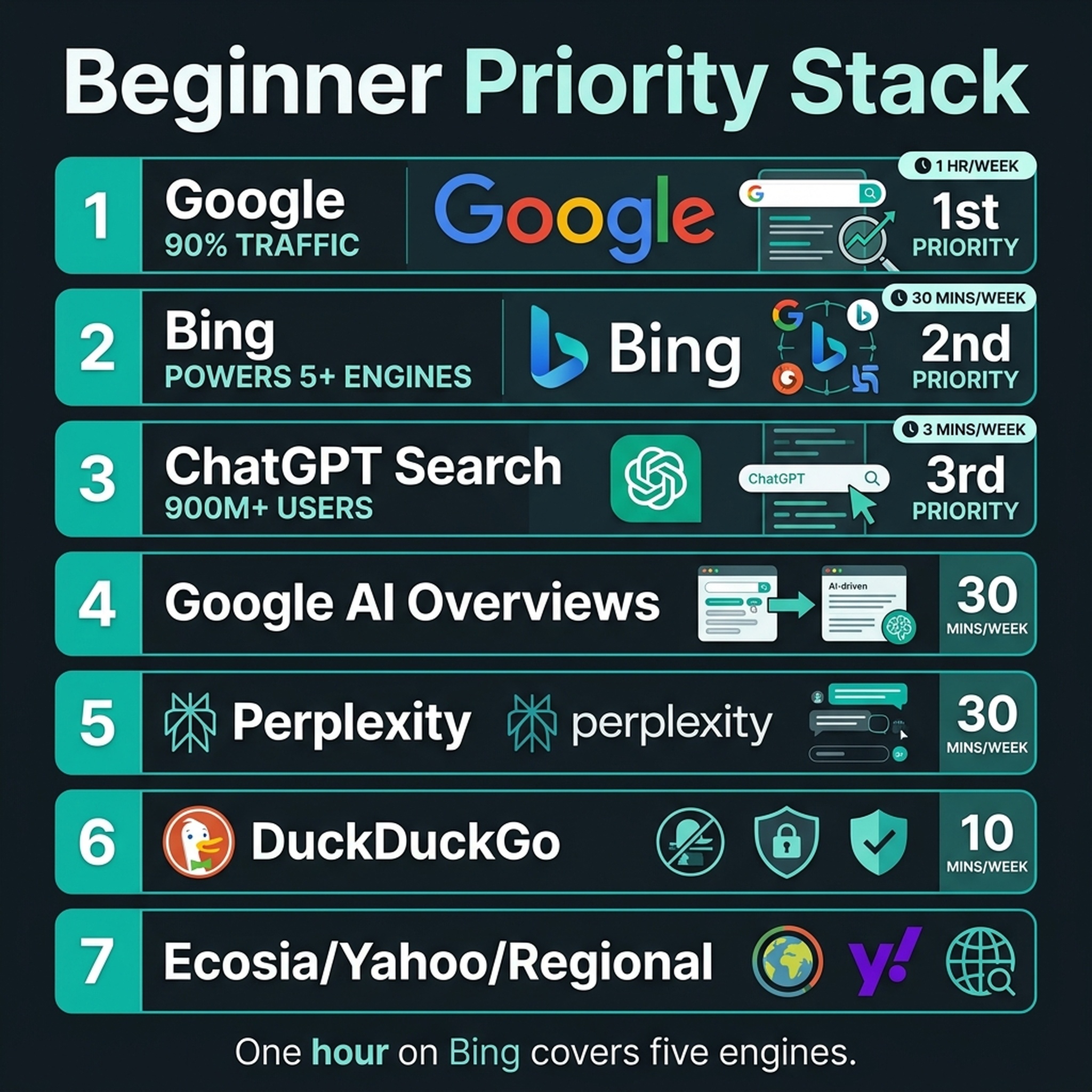
A realistic priority stack for an SEO beginner in 2026:
Priority | Engine | Why | Time Investment |
|---|---|---|---|
1 | 90% of search traffic; GSC is free | Ongoing (main SEO work) | |
2 | Bing | Powers Bing + ChatGPT + DuckDuckGo + Ecosia + Yahoo | 30-minute one-time setup + monthly check |
3 | ChatGPT Search | 900M+ weekly users; 4.4x conversion rate | Allow crawlers + content freshness habit |
4 | Google AI Overviews | Appears on 25-48% of queries | Covered by good Google SEO + YouTube |
5 | Perplexity | Fastest-growing AI engine; strong for research queries | Allow crawler + structured content |
6 | DuckDuckGo | Surging after Google AI backlash | Covered by Bing SEO |
7 | Ecosia / Yahoo / Regional | Niche but growing in specific markets | Only if your audience is there |
Rule of thumb: one hour on Bing setup covers five engines. That's the best hour you can spend outside of Google SEO.
Codex Skill: Multi-Search-Engine Visibility Audit
We built a ready-to-use Codex (Claude Code) skill that automates this entire check. It audits your visibility across Google, Bing, ChatGPT Search, Perplexity, and DuckDuckGo, then generates a prioritized fix list.
What the Skill Does
- Checks if your site is registered in Google Search Console and Bing Webmaster Tools
- Verifies your robots.txt allows all major crawlers (Googlebot, Bingbot, GPTBot, OAI-SearchBot, PerplexityBot)
- Checks if IndexNow is enabled for instant Bing indexing
- Searches your brand name and 3 target keywords across DuckDuckGo and Perplexity
- Generates a fix list ranked by impact and effort
How to Install
Create this file as .claude/skills/search-engine-visibility-audit/SKILL.md in your project:
---
name: search-engine-visibility-audit
description: Audit your site's visibility across Google, Bing, ChatGPT Search, Perplexity, and DuckDuckGo. Generates a prioritized fix list for SEO beginners.
---

# Search Engine Visibility Audit

Run a complete multi-engine visibility check for a website. Designed for SEO beginners — every step is explained and every finding comes with a plain-English fix.

## What You Need

- Your website URL
- Access to your Google Search Console (optional but recommended)
- Access to your robots.txt file
- About 30 minutes for the full audit

## Audit Steps

### Step 1: Check Your Google Presence

Run this first — Google is still 90% of search traffic.

1. Ask the user if they have Google Search Console set up. If not, tell them to go to `search.google.com/search-console` and add their site (free, takes 5 minutes).
2. If GSC is connected, ask for a quick summary of the last 28 days: total clicks, average CTR, average position, and top 5 pages by clicks.
3. Search Google for `site:theirdomain.com` and report how many pages are indexed. If the number is much lower than expected, flag a potential indexing problem.

### Step 2: Set Up Bing (This Covers 5+ Engines)

This is the highest-leverage step in the entire audit. Bing's index powers Bing.com, ChatGPT Search, DuckDuckGo, Ecosia, Yahoo, and You.com.

1. Tell the user to go to `bing.com/webmasters` and sign up (free).
2. They can import their site directly from Google Search Console — one click.
3. Once connected, ask them to check: sitemap submitted? IndexNow enabled? Any crawl errors?
4. If IndexNow isn't enabled, generate an IndexNow API key and explain how to set it up. WordPress users can install the official Microsoft IndexNow plugin. Cloudflare users can enable it in the Speed > Optimization tab.

### Step 3: Verify Crawler Access

Check the site's `robots.txt` at `theirdomain.com/robots.txt`. Look for these user-agents:

| Crawler | User-Agent | Engine | Must Allow? |
|---|---|---|---|
| Googlebot | `Googlebot` | Google | Yes — blocks all Google traffic if disallowed |
| Bingbot | `Bingbot` | Bing, Copilot, Yahoo, DuckDuckGo, Ecosia | Yes — blocks 5+ engines |
| GPTBot | `GPTBot` | ChatGPT (training) | Recommended |
| OAI-SearchBot | `OAI-SearchBot` | ChatGPT Search | Yes — needed for ChatGPT citations |
| ChatGPT-User | `ChatGPT-User` | ChatGPT browsing | Recommended |
| PerplexityBot | `PerplexityBot` | Perplexity | Recommended |
| DuckDuckBot | `DuckDuckBot` | DuckDuckGo | Recommended |

Flag any crawler that is disallowed. For each one, explain in plain English what traffic they're blocking and how to fix the robots.txt line.

### Step 4: Quick Visibility Check on Alternative Engines

Run these manual checks:

1. **DuckDuckGo:** Search `site:theirdomain.com` on duckduckgo.com. Report the indexed page count. Search their brand name and 3 target keywords. Note if they appear and if their meta titles/descriptions display correctly.

2. **Perplexity:** Go to perplexity.ai and ask: "What is [their brand name]?" and 3 questions where their content should be cited. Note which URLs are cited and whether their site is among them.

3. **ChatGPT Search:** Go to chatgpt.com with search enabled. Ask: "What is the best [their product/topic]?" and 2 related questions. Note cited URLs and whether their site appears.

### Step 5: Generate the Fix List

After all checks, create a prioritized table:

| Priority | Action | Engine(s) Covered | Effort | Impact |
|---|---|---|---|---|
| P0 — Fix Now | [e.g., Allow OAI-SearchBot in robots.txt] | ChatGPT Search | 2 min | High |
| P1 — This Week | [e.g., Enable IndexNow] | Bing, ChatGPT, DDG, Ecosia, Yahoo | 10 min | High |
| P2 — This Month | [e.g., Update publish dates on top 5 pages] | ChatGPT, Perplexity | 30 min | Medium |
| P3 — Ongoing | [e.g., Get listed on G2/Capterra] | ChatGPT, Copilot | 2 hours | High (long-term) |

### Step 6: Provide the Monthly Checklist

Give the user this copy-paste checklist for monthly use:

```text
Monthly Multi-Engine Checkup (10 minutes)
□ Google Search Console: check for new errors or manual actions
□ Bing Webmaster Tools: check AI Performance report for citations
□ robots.txt: verify no crawlers accidentally blocked
□ Search brand name on DuckDuckGo — still appearing?
□ Ask ChatGPT Search 2 key questions — still cited?
□ Update publish date on 1-2 top pages (freshness signal)
```

## Safety Rules

- Never modify robots.txt or site files without user approval
- Never share or expose GSC or Bing Webmaster data outside the conversation
- Always explain what each change does before making it
- Flag anything you're unsure about for manual human review
How to Use the Skill
Once the file is created, run it in Codex with:
Run the search-engine-visibility-audit skill for my site: example.comThe skill walks through each check interactively, explains findings in plain English, and generates a ranked fix list. No prior SEO knowledge needed.
Your 7-Day Beginner Action Plan
If you do nothing else after reading this, complete these seven tasks:
Day 1 (10 min): Set up Google Search Console. Verify your site ownership.
Day 2 (15 min): Set up Bing Webmaster Tools. Import from GSC. Submit your sitemap. Enable IndexNow.
Day 3 (5 min): Check your robots.txt. Make sure these lines exist (not blocked):
User-agent: GPTBot
Allow: /
User-agent: OAI-SearchBot
Allow: /
User-agent: PerplexityBot
Allow: /
Day 4 (15 min): Search your brand name on Google, Bing, DuckDuckGo, and Perplexity. Note where you appear and where you don't.
Day 5 (20 min): Pick your top 3 pages. Update their publish dates, add 2-3 fresh statistics, and write a 40-60 word direct answer after each H2 heading.
Day 6 (15 min): Install and run the Codex search-engine-visibility-audit skill. Review the fix list and knock out all P0 and P1 items.
Day 7 (10 min): Ask ChatGPT Search and Perplexity 3 questions each about your topic. See if you're cited. If not, note which competitors are cited and what content format they used.
Monthly habit (10 min): Run the monthly checkup from the Codex skill. Check Bing's AI Performance report. Update one key page's publish date.
What Beginners Should NOT Worry About
SEO advice tends to make everything sound urgent. Here's what you can safely ignore as a beginner:
- Chasing every new AI search engine. Yahoo Scout, Microsoft Web IQ, Exa Instant. Interesting products, but they won't move your traffic needle in 2026. Stick with Google + Bing + ChatGPT Search.
- Panicking about Google's declining share. 90% of massive is still massive. Google SEO remains the highest-ROI activity for beginners by a wide margin.
- Optimizing separately for every Bing-powered engine. DuckDuckGo, Ecosia, Yahoo, and You.com all share Bing's index. One Bing optimization covers them all.
- Paying for AI citation tracking tools. The paid GEO tools ($100-500/month) are overkill when you're starting out. Manual checks plus Bing's free AI Performance report are plenty.
- Blocking AI crawlers to "protect" your content. Some beginners block GPTBot because they're worried about content theft. The data shows AI citations drive referral traffic. Blocking crawlers means blocking that traffic. Don't do it.
FAQ
Do I really need to care about search engines other than Google?
Yes, but not equally. Give Google 80% of your SEO effort. The remaining 20% goes to Bing setup (which automatically covers ChatGPT Search, DuckDuckGo, Ecosia, and Yahoo) plus basic AI visibility hygiene. That 20% takes about one hour to set up and 10 minutes a month to maintain.
How do I know which search engines actually send me traffic?
Open Google Analytics. Go to Reports → Acquisition → Traffic Acquisition. Look for "Session source / medium" in the table. You'll see google / organic, bing / organic, duckduckgo / organic, and so on. For AI traffic, some shows up as chatgpt.com / referral or perplexity.ai / referral. But here's the catch: AI platforms often cite you without sending a click. The referral data only captures a fraction of your actual AI visibility. That's why manual citation checks matter.
Is ChatGPT a search engine?
It's both. ChatGPT has a search mode (ChatGPT Search) that retrieves live web results with citations. It also generates answers from training data when search isn't needed. OpenAI calls it an "AI assistant with search capabilities." For SEO purposes, treat it as the second most important search surface after Google. 900 million weekly active users are asking it questions your content could answer.
What's the fastest way to appear in ChatGPT Search?
Three moves, in order: 1) Rank in Bing's top 10 for your target queries (73% of ChatGPT citations mirror Bing rankings). 2) Allow OAI-SearchBot in your robots.txt. 3) Keep your content fresh. Pages updated within 30 days get 3.2x more ChatGPT citations.
Do I need to pay for any tools to do this?
No. Google Search Console and Bing Webmaster Tools are free. Manual checks on DuckDuckGo, Perplexity, and ChatGPT Search are free. The Codex skill in this article is free with Claude Code's free tier. Paid tools (Semrush, Ahrefs, Frase) help when you're operating at scale, but beginners can do everything in this article with zero budget.
What if my site gets zero traffic from alternative search engines?
That's normal. Alternative engines have smaller user bases, so even if you rank well, click volume stays low. The goal isn't replacing Google traffic. It's diversifying so you're not 100% dependent on one platform. If a future Google algorithm update hits your site, whatever traffic you have from Bing, ChatGPT, and DuckDuckGo becomes your safety net.
How often should I run the Codex visibility audit?
Run the full audit once for initial setup (30 minutes). After that, the monthly checkup checklist (10 minutes) is enough for maintenance. If you publish new content frequently, run the full audit quarterly to catch new issues before they stack up.
Author: Simon Vale, 11-Year Search Intent Researcher at Auspia. Simon writes about search engines, SERP analysis, query mapping, and practical multi-engine visibility strategies for growth teams.


