Most software alternatives pages answer the wrong question. They rank products by feature count, pricing, and a vague sense of "better," and they assume the hard part is picking a winner. For anyone who has actually switched tools, the hard part is not picking. It is everything that happens after you pick.
The features are usually the easy part. Most mature tools in a category can do 80% of the same things. What differs is how much of your existing setup has to be rebuilt when you move: the data that has to be exported and re-imported, the automations that have to be recreated, the integrations that have to be reconnected, and the habits that have to be retrained across a team that did not ask for this.
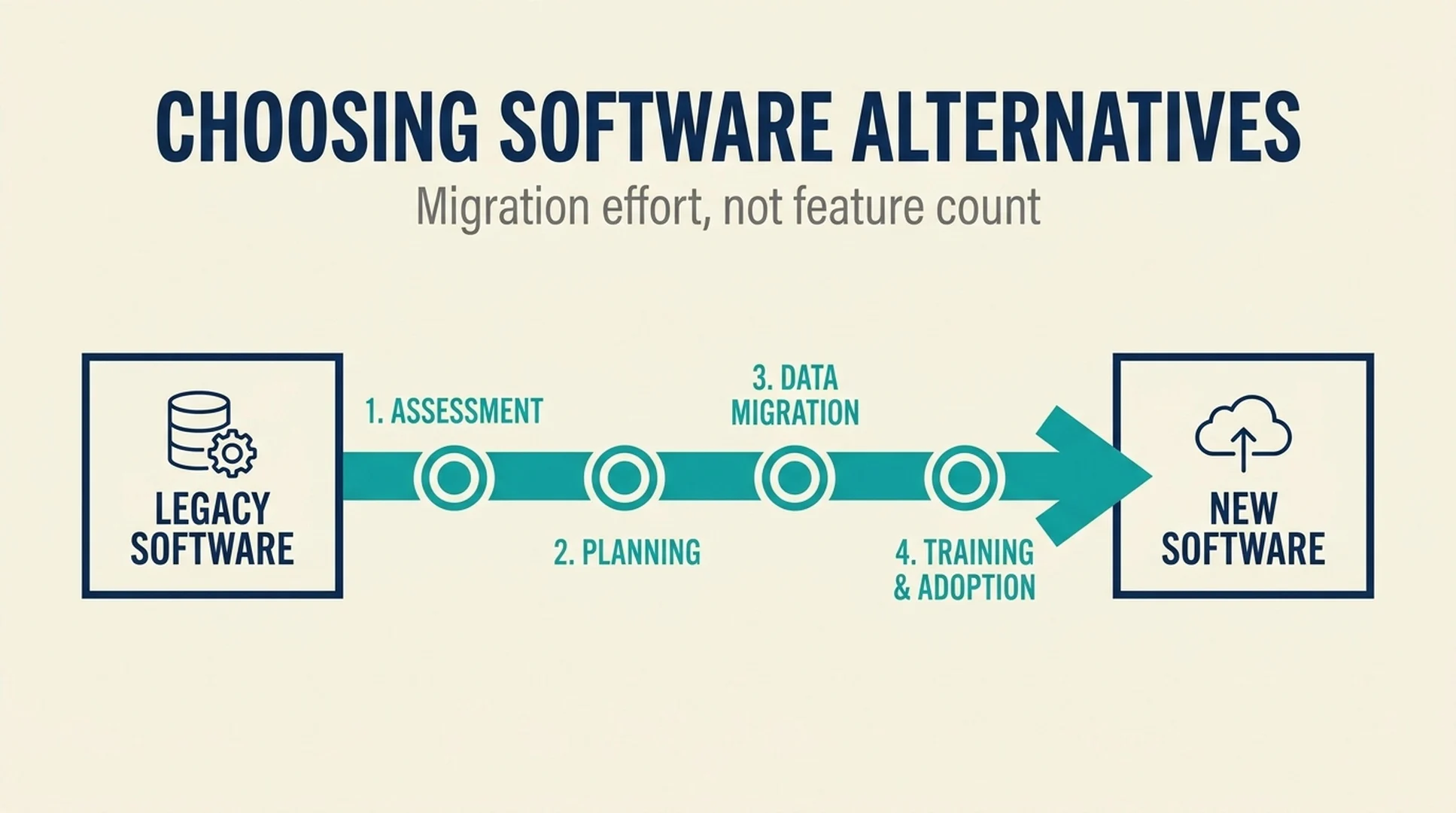
Short answer: Evaluate software alternatives by migration effort first, features second. Inventory what you would have to rebuild, score each candidate on substitutability rather than feature count, and decide whether the switch is worth the cost before you compare pricing pages. A cheaper tool that takes three months to migrate is not cheaper.
This guide covers the migration-first evaluation, the inventory that makes it concrete, and the way to run a switch that does not stall halfway.
Why feature-count comparisons mislead
A feature comparison table is a list of what each product can do. It is not a list of what you would have to change. Those are different questions, and the second one is the one that decides whether the switch succeeds.
Three problems show up repeatedly.
Feature parity is not workflow parity. Two tools can both have "automations" and "integrations" and still require completely different work to reproduce your specific setup. The feature exists in both. Your configuration only exists in one.
The cost of switching is invisible in the comparison. A comparison table shows the new tool's price. It does not show the engineering hours, the retraining time, the parallel-running period, or the productivity dip during the transition. Those costs are real, and they often exceed the price difference that motivated the switch.
The comparison assumes a clean start. Most teams do not start clean. They have years of data, a set of automations that nobody fully documented, and integrations that other teams depend on. The comparison table describes a greenfield decision. The actual decision is a migration.
None of this means feature comparisons are useless. It means they answer the second-most-important question. Migration effort answers the first.
Step 1: Inventory what you would have to rebuild
Before looking at a single alternative, write down what the current tool actually holds and does. This is the step that makes every later comparison concrete, and it is the step teams skip because it feels like documentation work rather than decision work.
The five things to inventory
Data. What lives in the tool, in what format, and how much of it is structured versus freeform? A tool holding structured records with clear fields is easier to migrate than one holding years of freeform documents with internal links and attachments.
Integrations. What connects to the tool, in which direction, and who depends on each connection? An integration that pushes data out to three other systems is a migration constraint. An integration that only pulls data in is much easier to replace.
Automations. What runs automatically, on what trigger, and what happens if it stops? Undocumented automations are the most common cause of a migration that appears finished but quietly broke something.
Permissions and sharing. Who has access to what, and how is that access granted? Permissions are often the hardest thing to reproduce because they encode organizational knowledge that nobody wrote down.
Habits. What does the team actually do in the tool, as opposed to what the tool is capable of? A feature that nobody uses costs nothing to lose. A habit that everyone depends on costs a lot to change.
Write the inventory as a list, not a document
The goal is not a comprehensive audit. It is a list you can check each candidate against. A page of bullet points is enough:
- 4 years of project records, mostly structured, with attachments
- 3 outbound integrations (billing, reporting, support)
- 12 automations, 4 of them undocumented
- Role-based permissions across 6 teams
- Daily use by 40 people, heavy use by 8
That list is what turns "this tool has a migration path" into a testable question.
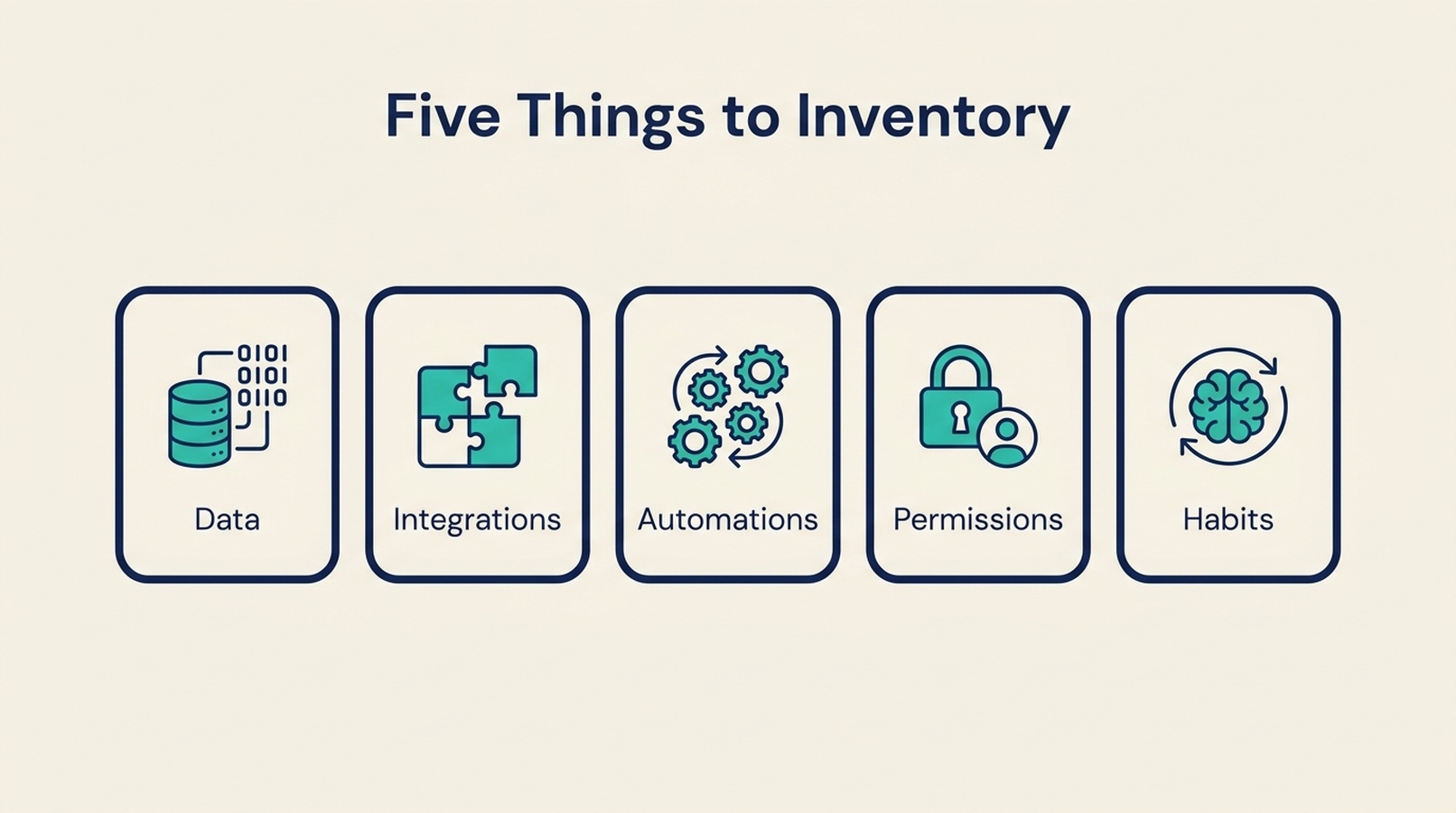
The inventory is what turns "this tool has a migration path" into a testable question. A page of bullet points is enough.
Step 2: Score substitutability, not features
Substitutability is how much of your actual setup a candidate can replace, and how much you would have to rebuild. It is a different measure from feature count, and it is the one that predicts migration effort.
The four substitutability questions
For each candidate, answer these against your inventory:
- What percentage of your data imports cleanly? Not "does it support import," but what fraction of your actual records arrive intact, including attachments, links, and history.
- Which integrations have a direct replacement, and which need to be rebuilt? A native integration is a different effort from an API you have to wire up yourself.
- How many of your automations can be reproduced, and how? Some tools have a migration path for automations. Most do not, and you rebuild them by hand.
- What breaks if you run both tools in parallel for a month? Parallel running is the safest migration strategy, and it is only possible if the two tools can coexist without conflicting.
A simple substitutability scale
You do not need a precise score. A rough scale is enough to sort candidates:
Rating | What it means | Typical migration |
|---|---|---|
Full replacement | Data imports cleanly, integrations have equivalents, automations can be reproduced | Weeks, mostly configuration |
Mostly replaces | Data imports with some cleanup, most integrations have equivalents, some automations rebuilt | One to two months |
Partial replacement | Significant data cleanup, integrations rebuilt, automations recreated | Two to four months |
Narrow overlap | Only part of the workflow is covered, the rest needs another tool | Not a like-for-like switch |
The rating is more useful than a feature score because it maps directly to effort. A "mostly replaces" candidate that costs less per seat can still be the wrong choice if the migration takes two months of someone's time.
Where the comparison pages actually help
This is where a good alternatives directory earns its place. A page that lists candidates with their substitutability, migration difficulty, and what you are leaving behind gives you the input for this step without you having to open ten vendor sites. The rating is only useful if it is honest about partial overlap, which is exactly where feature-count lists tend to overstate fit.
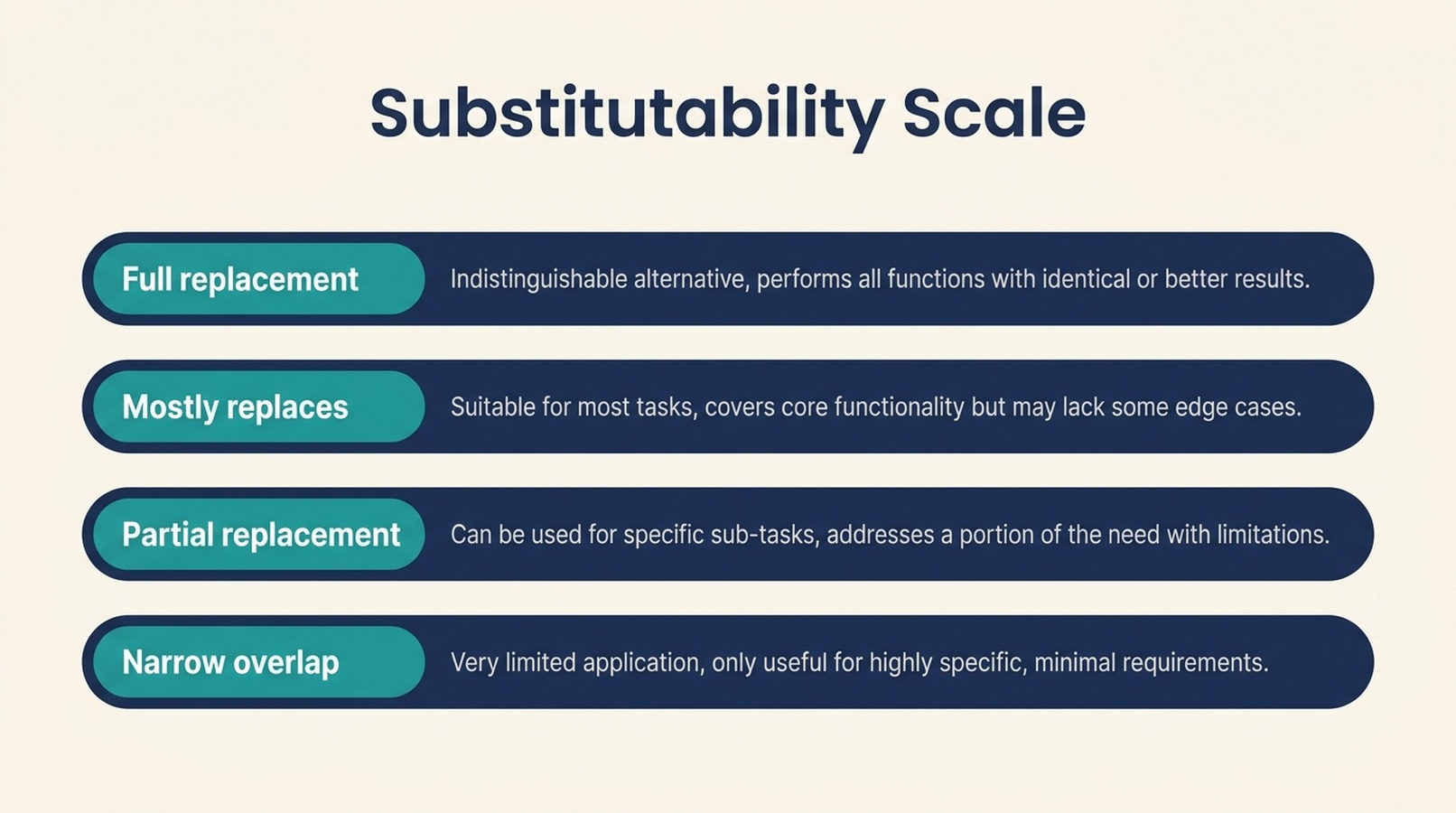
The rating maps directly to effort, which is more useful than a feature score. A "mostly replaces" candidate can still be the wrong choice if the migration takes two months.
Step 3: Decide whether the switch is worth it
At this point you have a migration cost and a set of candidates. The decision is a comparison between the cost of switching and the cost of staying, and both sides need a number.
The cost of switching
- Migration labor, in hours, for whoever does the work
- Parallel-running cost, if you keep both tools during the transition
- Retraining time across the team
- The productivity dip during the first weeks in the new tool
- The cost of the things you cannot migrate and have to rebuild or accept losing
The cost of staying
- The current price, including the increase that prompted the evaluation
- The workarounds the team has built around the tool's limits
- The risk of the vendor changing terms, pricing, or the product again
- The opportunity cost of a workflow the team cannot do today
Write both sides down. A switch that costs two months of labor to save a modest per-seat difference is usually not worth it. A switch that removes a real constraint the team hits every week often is, even at a higher price.
The threshold question
Ask one question before committing: if the migration takes twice as long as estimated, is the switch still worth it? Migrations rarely finish early. If the answer is no, the switch is probably not worth starting.
Step 4: Run the switch so it does not stall
Most failed migrations do not fail at the decision. They fail in the middle, when the team is running two tools, neither is fully trusted, and the original motivation has faded.
Migrate in a defined order
- Data first, in a test workspace. Import a representative sample and check what survives. Do this before anyone commits to the switch.
- Integrations second. Reconnect them one at a time and verify each one with real data before moving on.
- Automations third. Rebuild them, and document each one as you go. This is where the undocumented automations surface.
- People last. Move the team once the tool can actually do the work, not before.
Keep the old tool read-only, not deleted
Do not delete the old tool on cutover day. Keep it read-only for a defined period so the team can reference history and so you can recover anything the migration missed. Set an end date for the read-only period, and hold it.
Define what "done" means
A migration is done when the old tool can be turned off, not when the new tool is live. Write down the conditions: all active data migrated, all integrations verified, all automations reproduced, all users trained. Without that definition, migrations drift into a permanent two-tool state that costs more than either option alone.
Where teams get this wrong
Comparing features before inventorying the current setup. Without the inventory, every candidate looks like it fits. With it, the partial-overlap candidates sort themselves out.
Treating the new tool's price as the cost of switching. The price is the smallest part of the cost. The migration labor is usually larger.
Underestimating undocumented automations. They are the most common cause of a migration that looks complete and quietly broke something.
Deleting the old tool on cutover day. Keep it read-only for a defined period. The recovery value is worth the small cost.
Letting the migration run without an end date. A migration with no deadline becomes a permanent two-tool state.
Not testing the worst case. Ask whether the switch is still worth it if the migration takes twice as long. If not, reconsider before starting.
A note on where to look
The hardest part of this process is finding honest substitutability information. Most comparison pages rank by features, which tells you what each tool can do and nothing about what you would have to rebuild.
AlternativesIndex is a directory that compares software alternatives by migration effort, self-hosting, pricing model, and substitutability, with source-backed ratings and a clear statement of what you are leaving behind. If you are building a shortlist, it is a faster starting point than opening vendor sites one at a time, and it is explicit about partial overlap rather than pretending every alternative is a full replacement.
FAQ
Why should migration effort come before features when comparing software alternatives?
Because features are usually the easy part. Most mature tools in a category cover similar ground. What differs is how much of your existing data, integrations, automations, and habits you have to rebuild, and that effort often exceeds the price difference that motivated the switch.
How do I estimate migration effort?
Inventory what the current tool holds and does, then score each candidate on substitutability: how much data imports cleanly, which integrations have direct replacements, how many automations can be reproduced, and whether parallel running is possible. Map that to a rough effort range.
What is substitutability?
It is how much of your actual setup a candidate can replace and how much you would have to rebuild. It is measured against your inventory, not against a feature list, which is why two tools with identical feature checkboxes can have very different migration effort.
Is it ever worth switching to a cheaper tool?
Sometimes, but only when the migration cost is smaller than the savings over a realistic period. A cheaper tool that takes two months of labor to migrate is usually not cheaper. Write down both the cost of switching and the cost of staying before deciding.
How long should I keep the old tool after switching?
Keep it read-only for a defined period, long enough to reference history and recover anything the migration missed. Set an end date for that period and hold it, so the migration actually completes.
What is the most common cause of a failed migration?
Undocumented automations. They are invisible in the comparison, they break quietly, and they are usually discovered weeks after the migration was declared finished.
Can I run both tools in parallel during the migration?
Usually yes, and it is the safest approach, but it depends on whether the two tools can coexist without conflicting data or duplicate work. Check this during substitutability scoring, because parallel running is a migration cost as well as a safety measure.
Author: Noah Preston, B2B Comparison Page Strategist, 600+ Evaluation Pages Reviewed at Auspia. Noah writes about competitor pages, alternative pages, and how software buyers actually make switching decisions.