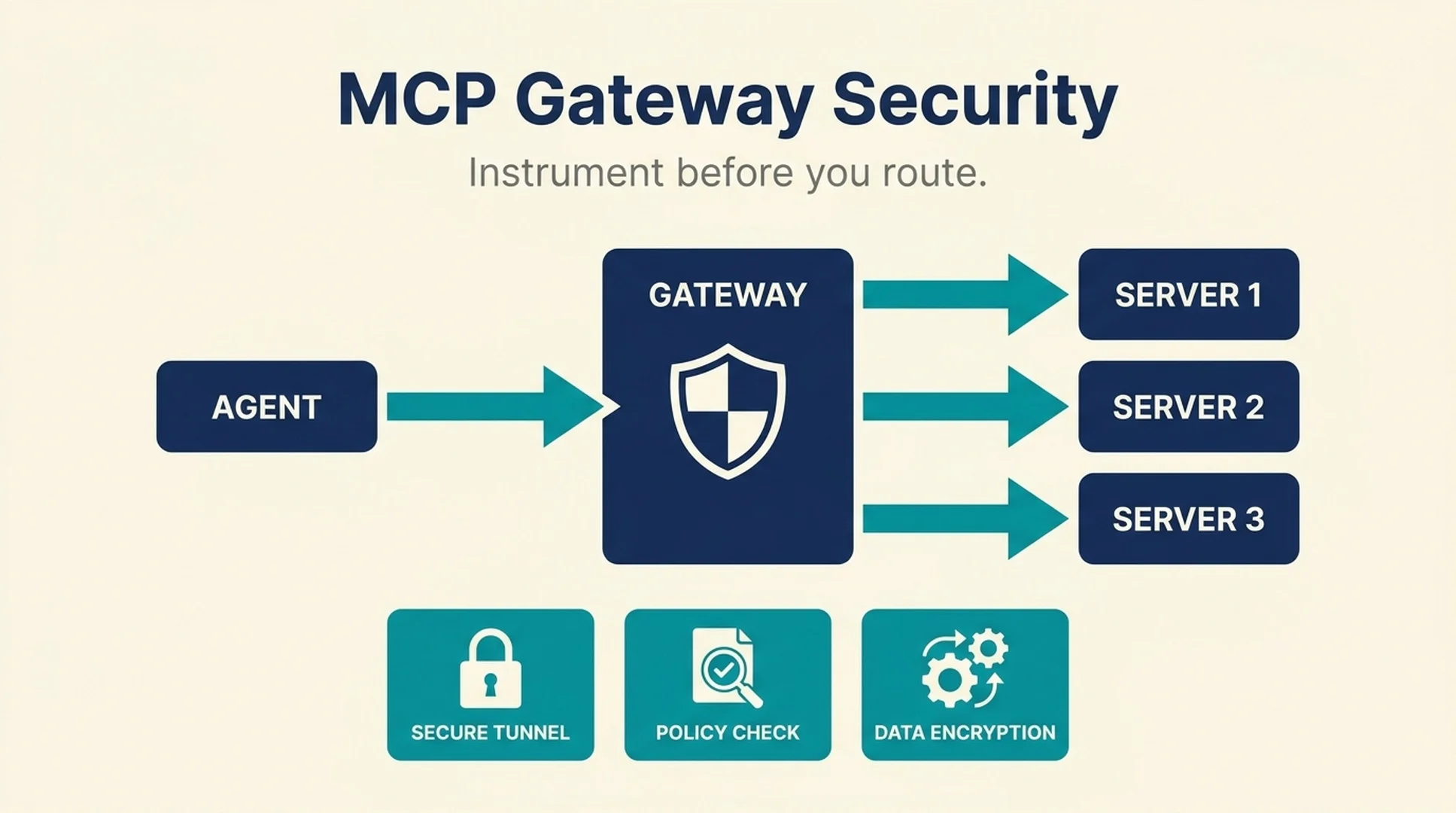
An MCP gateway sits between an agent and a set of tool servers. It routes requests, holds credentials the agent should not hold, applies policy, and produces the logs that tell you what actually happened. That is the pitch, and it is a good one. Centralizing tool access is how you get an audit trail instead of a pile of per-client configuration files.
The same centralization is the risk. Every credential the gateway holds, every policy it enforces, and every server it routes to becomes a single point of failure and a single point of compromise. A gateway that is not instrumented is not a control. It is a chokepoint with a dashboard.
Short answer: Before routing production traffic through an MCP gateway, instrument four things: the request path (who called what, with which arguments), the credential boundary (which secrets the gateway holds and who can read them), the failure path (what happens when a server hangs, errors, or returns malformed data), and the trust boundary (which servers are allowed, verified how, and re-checked when). A gateway that logs only successful calls is monitoring the easy half.
This guide covers what to instrument, the failure modes worth testing before launch, and why "the server is in a directory" is not the same as "the server works."
What an MCP gateway actually centralizes
It helps to be precise about what the gateway owns, because each responsibility is also a place where things can go wrong.
Gateway responsibility | What it centralizes | What it can hide |
|---|---|---|
Routing | Which server handles which tool call | A misroute that returns plausible but wrong data |
Credentials | Secrets the agent no longer holds directly | Which server received which credential |
Policy | Allow/deny rules for tools and arguments | A policy that is defined but never enforced |
Session state | The context of a multi-step interaction | Which step failed in a long chain |
Logging | The record of what happened | Everything the gateway does not log |
The last column is the important one. A gateway is often adopted for the audit trail, and the audit trail is only as good as the events the gateway decides to record. Most gateways log requests. Fewer log the arguments, the policy decision, the credential used, and the response shape. Those are the fields an investigation actually needs.
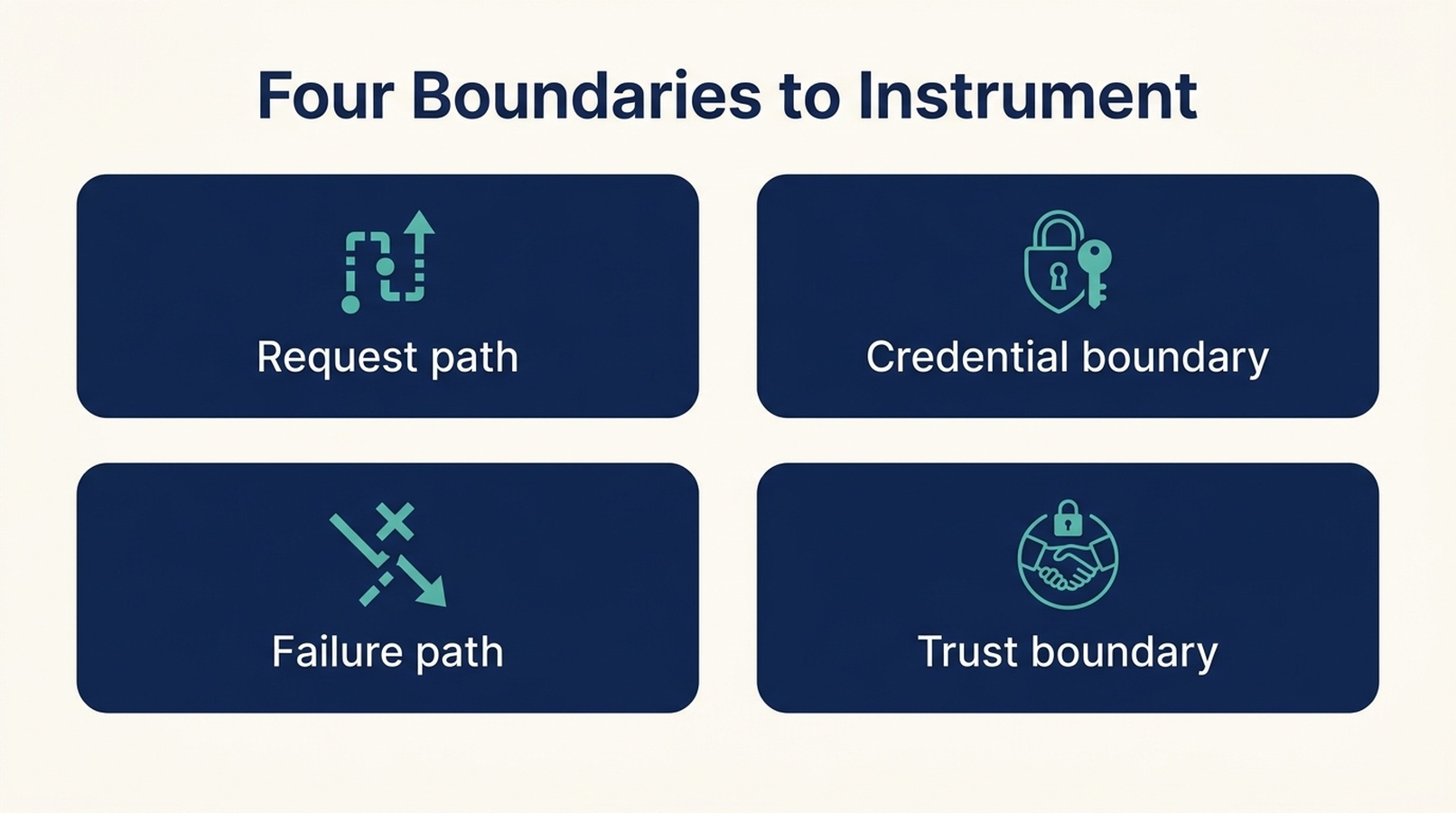
Four boundaries, four places where a gateway can look healthy while hiding the thing you need to see. Instrument all four before production traffic flows.
Instrument the request path first
The request path is the minimum viable observability. If you cannot answer "what did the agent ask for, and what came back" you do not have a usable audit trail.
Log these fields on every call
- Timestamp and trace identifier. One identifier that ties the agent turn, the gateway request, and the server response together.
- Caller identity. Which agent, which user, which session. Not just the client application.
- Target server and tool name. Including the version, because tool schemas change.
- Arguments, with a redaction policy. Full arguments are the most useful and the most sensitive field. Decide what is redacted and log the redaction, not just the redacted value.
- Policy decision. Allowed, denied, or allowed with modification. A denied call is often the most interesting event in the log.
- Response status and shape. Success, error, timeout, or malformed. Record the shape of the response even when you do not record the payload.
- Latency. End to end, and the time spent waiting on the server.
The trace identifier is what makes the rest usable. Without it, you have a log file, not a trace.
Log the denials, not just the successes
A gateway that logs only successful calls is monitoring the easy half. Denied calls are where you learn that an agent is attempting something it should not, or that a policy is misconfigured and blocking legitimate work. Both are worth knowing.
Track denial rate as a first-class metric. A sudden rise usually means one of three things: an agent behavior change, a policy change, or a server schema change that is causing calls to fail validation.
Instrument the credential boundary
The credential boundary is the reason most teams adopt a gateway in the first place. It is also the hardest part to verify, because the failure mode is silent.
Know what the gateway holds
Inventory every secret the gateway can access. For each one, record:
- Which server it is used for
- Whether it is read-only or has write scope
- Who can read it, including gateway operators
- How often it rotates
- What happens if it leaks
A gateway that holds a write-scoped credential for a production system is a higher-value target than one that holds read-only tokens. That is not a reason to avoid the gateway. It is a reason to know which credentials sit behind it.
Verify the agent cannot reach the secrets directly
The point of centralizing credentials is that the agent never holds them. Test this rather than assuming it. Look for the paths where a secret could leak back to the agent:
- Error messages that echo a header or token
- Debug endpoints that dump configuration
- Tool responses that include the credential the gateway used
- Logs the agent can read
A gateway that holds the secret but leaks it in an error message has not moved the credential boundary. It has moved the credential.
Decide the rotation story before launch
Ask what happens when a credential rotates. Does the gateway pick up the new value automatically, or does a call fail until someone updates a config? The answer determines whether rotation is a routine operation or an incident.
Instrument the failure path
This is the section most teams skip, and it is where production surprises live. A gateway that handles the happy path well and the failure path badly will look healthy right up until a server degrades.
The failure modes worth testing
Failure mode | What to test | What good looks like |
|---|---|---|
Server hangs | A server that accepts the connection and never responds | A timeout, a clear error, and no thread or connection leak |
Server errors | A server returning 5xx or a protocol error | The error is surfaced, not swallowed, and the agent gets a usable signal |
Malformed response | A server returning valid JSON that violates the schema | Schema validation catches it before the agent acts on it |
Auth failure | An expired or revoked credential | A distinct error class, not a generic failure |
Partial success | A multi-step call that fails midway | A defined rollback or retry behavior, and a log that shows where it stopped |
Slow response | A server responding near the timeout boundary | Latency is visible before it becomes a timeout |
Test each of these deliberately, in a staging environment, before production traffic flows. The goal is not to prove the gateway is perfect. It is to know what the failure looks like so you can recognize it in production.
Watch the timeout boundary
Timeouts are where a lot of gateway behavior is decided, and they are usually configured once and never revisited. Ask three questions: what is the timeout, what happens to the request when it fires, and does the agent know the call failed or does it proceed as if it succeeded?
That last question matters most. An agent that proceeds after a silent timeout will build on a missing result, and the error will surface somewhere far from its cause.
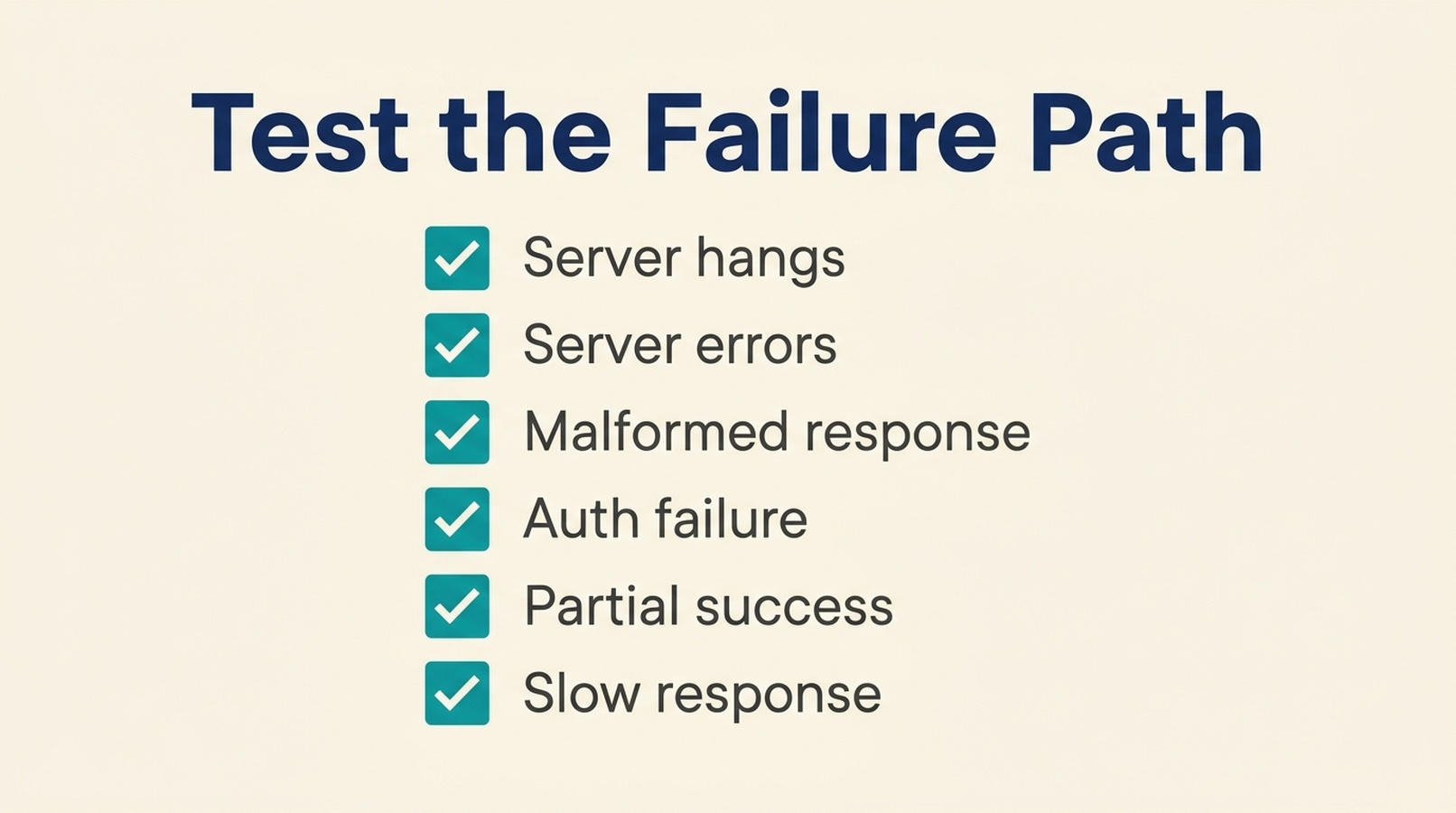
Test each failure mode deliberately in staging. The goal is not to prove the gateway is perfect, it is to recognize the failure when it appears in production.
The trust boundary: a listing is not a verification
This is the part of MCP infrastructure that is least understood, and it is worth being blunt about it.
An entry in an MCP server directory, including a registry, is a claim. Someone published a name, a description, and a location for the code. The entry records that the claim exists. It does not record that the server runs, that it responds to the protocol, or that it does what the description says.
That distinction is not theoretical. MCP Measure, an independent index that probes MCP servers rather than republishing registry entries, published a census of 37,208 indexed servers. Of those, 14,491 (38.9%) had never completed a protocol handshake at all. Another 5,951 were observed as broken, and 4,663 required credentials the probe deliberately does not carry. Only 12,066 were verified working within the observation window.
The important part is not the specific numbers, which change as the index is re-probed. It is the category: a large share of the servers listed in registries have never been observed to run. If your gateway routes to servers selected from a registry listing, you have not verified anything about them.
What to verify before a server is allowed
- Does it complete the protocol handshake? Install it in a disposable environment and send the initialize request.
- Does it return a tool list? A server that handshakes and then fails the tool listing is not usable.
- What does the tool schema cost? Tool definitions are loaded into the model context on every conversation that uses the server. MCP Measure's sample found a median of 1,511 tokens spent describing tools before any work begins. That is a fixed cost per conversation, and it is worth knowing before you enable a server with a large tool surface.
- Does it require credentials? A server that demands credentials the probe does not carry will fail at the handshake. That is a different state from broken, and it changes what you need to test.
- When was it last observed? A verification from six months ago says little about the current package version.
The practical rule: verify at the point of adoption, and re-verify on a schedule. A gateway that allows a server once and never re-checks it has a trust boundary that only exists on the day it was configured.
Be precise about what "verified" means
MCP Measure is explicit about the limits of its own method: the probe acquires an exact package version, runs it without network access or credentials, sends initialize, and requests the tool list. It does not call any tool, and it does not review implementation, data handling, permissions, dependencies, or security.
That is the right level of precision, and it is the standard any internal verification should meet. "Verified" should mean a specific observation under specific conditions, and the definition should be published next to the badge. A verification that does not state its limits is not a verification. It is a reassurance.
A pre-production checklist
Before production traffic flows through the gateway, confirm each of these.
Observability
- Every call logs a trace identifier, caller, target, arguments (with redaction), policy decision, status, and latency
- Denials are logged and tracked as a metric
- Logs are retained long enough to investigate an incident that is discovered late
Credentials
- Every secret the gateway holds is inventoried with scope, readers, and rotation cadence
- The agent cannot reach secrets directly, verified by testing error paths and debug endpoints
- Credential rotation is a routine operation with a known procedure
Failure behavior
- Timeout, error, malformed response, auth failure, and partial success are each tested
- The agent receives a usable failure signal rather than proceeding on a missing result
- Timeout values are documented and reviewed
Trust boundary
- Every allowed server was verified at adoption, not just listed in a registry
- The verification method and its limits are documented
- Servers are re-verified on a schedule, and stale verifications are treated as unverified
Where teams get this wrong
Logging requests but not arguments or policy decisions. The log answers "what was called" but not "what was asked" or "was it allowed." That is not enough for an investigation.
Assuming the gateway enforces the policy. A policy that is defined but not tested is a document, not a control. Test a denied call and confirm it is actually denied.
Treating a registry entry as a compatibility check. The entry records a claim. It does not record that the server runs.
Verifying once at adoption. Packages change. A verification without a re-check date is a historical artifact.
Ignoring the tool schema cost. A server with a large tool surface spends context on every conversation, before any work happens.
Testing only the happy path. The failure path is where production surprises live, and it is the path that is almost never tested deliberately.
A note on where to look
The hardest part of evaluating MCP servers is that the information you need is not in the registry. A registry entry tells you a server exists. It does not tell you whether it installs, whether it completes a handshake, whether it returns a usable tool list, or when any of that was last checked.
MCP Measure is an independent index that probes MCP servers rather than republishing registry claims. Each entry carries a dated observation record showing the observed state, the package version, and the method used, along with an explicit statement of what the observation does not cover. If you are deciding which servers to allow through a gateway, it is a faster starting point than testing every candidate yourself, and it is clear about the limits of what it verified.
FAQ
What does an MCP gateway actually do?
It sits between an agent and MCP servers, handling routing, credential custody, policy enforcement, session state, and logging. Centralizing those functions gives you one audit trail and one place to enforce rules, and it also creates one place where a failure or compromise matters.
Is an MCP gateway a security control?
It can be, but only if it is instrumented and tested. A gateway that logs successful calls and holds credentials without a rotation plan is a chokepoint, not a control. The security value comes from the enforcement and the evidence, not the architecture diagram.
What should I log for MCP tool calls?
At minimum: a trace identifier, caller identity, target server and tool, arguments with a redaction policy, the policy decision, response status, and latency. Denials should be logged and tracked as a metric, not just successes.
Does an MCP server listing mean the server works?
No. A registry or directory entry records a claim that someone published. It does not record that the server installs, completes a protocol handshake, or returns a usable tool list. Verification requires actually probing the server.
What does "verified" mean for an MCP server?
It should mean a specific, bounded observation: the package version acquired, the environment it ran in, the requests sent, and what came back. It should also state what it does not cover, such as tool implementation, data handling, permissions, or security.
Why does tool schema size matter for an MCP gateway?
Tool definitions are loaded into the model context on every conversation that uses the server. A large tool surface is a fixed token cost paid before any work happens, which affects both cost and how much context is left for the actual task.
How often should MCP servers be re-verified?
On a schedule that matches how often the packages change, and always when a version changes. A verification without a date is a historical artifact rather than a current statement about the server.
Author: Gabriel Finch, Search Retrieval Researcher, 1,200+ AI Answers Reviewed at Auspia. Gabriel writes about retrieval systems, protocol infrastructure, and how AI discovery actually works.