


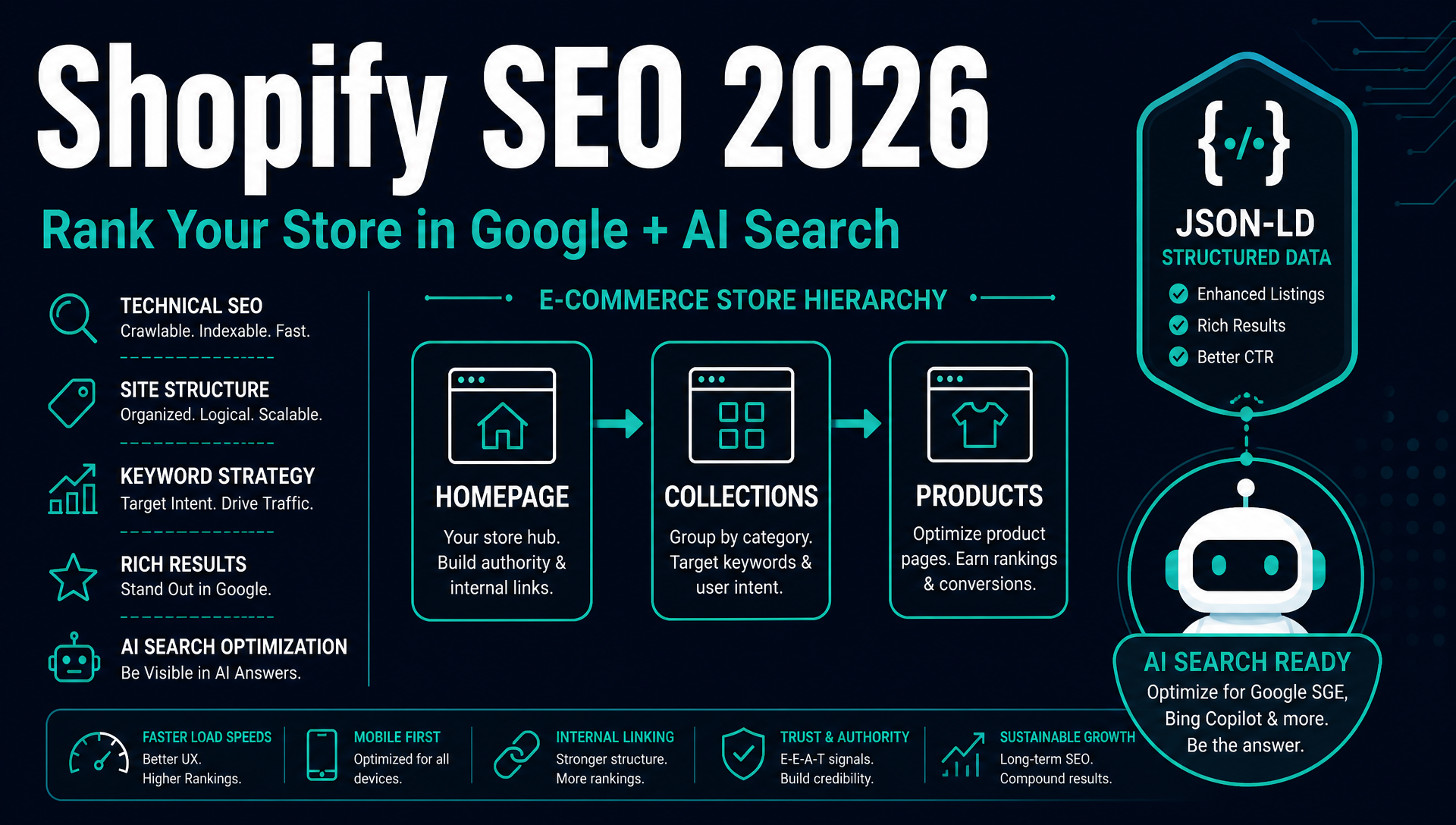
Shopify SEO: A Beginner's Guide to Ranking Your Store in 2026
Who this is for: Shopify store owners and operators who want more organic traffic — and are willing to do the work themselves or delegate it to an AI agent.
What you'll complete by the end: A Shopify store with clean technical foundations, keyword-mapped pages, optimized product and collection content, a content strategy, a link-building plan, and AI search visibility — backed by executable prompts you can hand to Codex, Claude Code, or any capable AI agent.
Prerequisites: A live Shopify store, Google Search Console access, and 2–4 hours. No paid tools required (free tiers work for everything).
What "done" looks like: Your sitemap is in GSC. Your robots.txt allows AI search crawlers. Every product and collection has a unique title, description, and alt text. You have a keyword map. You have published at least one buying guide or comparison post. You know which sites to reach out to for links. Your store appears in a ChatGPT or Perplexity search for your main category.
Search in 2026 happens on two surfaces. Someone types "best running shoes for flat feet" into Google and gets the usual ten blue links, sure. But above them there's an AI Overview that already answered the question. Someone asks ChatGPT "what's a good backpack for travel under $100" and the model names specific products from stores it can actually see.
Your Shopify store has to show up on both surfaces now. Here's what makes that easier than it sounds: Shopify already handles about 80% of technical SEO out of the box. The other 20%? It's faster to fix in 2026 than it ever was in 2022, because AI agents can knock out the repetitive stuff while you focus on strategy.
This guide goes step by step. Each chapter wraps up with a "Run This with Your AI Agent" prompt. Copy one, drop it into Codex or Claude Code, and the agent does the legwork. You don't need to know how to code.
Before You Start: The 10-Minute Foundation
There are three free Google tools every Shopify store should have wired up before doing anything else. If you haven't set them up yet, do it now — each one takes about five minutes.
Google Analytics (GA4)
Go to analytics.google.com, create a property, and add the measurement ID to your Shopify admin under Online Store → Preferences → Google Analytics. This takes three minutes and tells you where your traffic comes from, which pages convert, and whether your SEO work is moving the needle.
Google Search Console (GSC)
Go to search.google.com/search-console, add your store as a property, and verify via the DNS TXT record method (most reliable for Shopify). Once verified, submit your sitemap: Shopify auto-generates it at yourstore.com/sitemap.xml. GSC is your early-warning system — it shows you which queries bring impressions, which pages have errors, and when Google finds issues.
Google Merchant Center (New for 2026 Priority)
If you sell physical products, set up Google Merchant Center. Submit your product feed — Shopify can auto-sync it through the Google & YouTube sales channel. Merchant Center fuels free product listings in Google Shopping, and product data from your feed feeds into AI-generated answers that mention specific items with prices and availability.
Screenshot: Shopify Admin → Online Store → Preferences, showing the Google Analytics field and the Google & YouTube sales channel setup.
What Shopify Handles Automatically (Don't Touch These)
Shopify's defaults are better than most store owners give them credit for. Here's what you get without touching anything:
Feature | What Shopify Does | Your Job |
|---|---|---|
SSL/HTTPS | Free SSL on all plans, auto-renewed | Nothing |
XML Sitemap | Auto-generated at | Submit to GSC |
Canonical tags |
| Verify — some themes override them |
Mobile responsiveness | All official themes are mobile-first | Test with Google's Mobile-Friendly Test |
Basic product schema | Name, price, and availability JSON-LD in most themes | Extend for rich results (see Chapter 3) |
Image optimization | Auto-converts to WebP, lazy-loads images | Write alt text and descriptive filenames |
301 redirects | Prompts you when changing a URL handle | Review redirects in Admin → Navigation |
Shopify says this covers "about 80% of technical SEO." That last 20% is the rest of this guide.
Chapter 1: Technical SEO for Your Shopify Store
1. Set Your Preferred Domain
Shopify gives your store three URLs by default: yourstore.com, www.yourstore.com, and yourstore.myshopify.com. If all three are accessible to Google, your link equity splits three ways, and duplicate content flags go up.
To fix it:
- Go to Settings → Domains in Shopify admin.
- Choose one version as your primary domain (prefer the non-www version:
yourstore.com). - Shopify automatically 301-redirects the other two to your primary. Confirm by typing the alternate URLs into a browser — they should all land on the primary.
Check Google Search Console afterward to confirm only your primary domain is indexed. If you see old URLs from the .myshopify.com domain in the index, request removal — but this usually resolves on its own within weeks.
2. Build a Logical Store Structure
Search engines and shoppers both navigate your store through the same hierarchy:
Homepage → Collections → Subcollections → Products
This is Shopify's natural structure, and it works. Collections are your category pages — they're the pages most likely to rank for high-volume terms like "men's running shoes" or "organic dog treats."
A clean hierarchy means:
- Every product belongs to at least one collection.
- Collections that grow beyond 30–50 products get subcollections (e.g., "Men's Running Shoes" → "Men's Trail Running Shoes," "Men's Road Running Shoes").
- Important pages are reachable within three clicks from the homepage.
- Blog posts link to collections and products, not just other blog posts.
Screenshot: Shopify Admin → Products → Collections, showing a nested collection hierarchy with subcollections.
3. Handle Product Variants Correctly
This is the most common Shopify SEO mistake.
When you create a product with variants — say, a t-shirt in Small, Medium, and Large — Shopify gives each variant a parameterized URL like yourstore.com/products/t-shirt?variant=42345678901234. These URLs are canonicalized to the main product URL, so Google ignores them by default. That's fine for size and color variants.
The problem: some variants have real search demand. If you sell a wallet that comes in black and red, and people search for "black leather wallet," the variant URL for the black version won't rank — it's canonicalized to the main product page that doesn't specifically mention "black."
The fix: When a variant has distinct search demand, create it as a separate product with its own URL, title, description, and images:
- Product: "Leather Bifold Wallet — Black" (
/products/leather-bifold-wallet-black) - Product: "Leather Bifold Wallet — Red" (
/products/leather-bifold-wallet-red)
This gives each variant-version its own page that can rank for color-specific searches.
4. Fix Shopify's Duplicate URL Problem
Shopify generates two URLs for every product in a collection:
- Clean:
/products/oak-dining-chair - Collection-based:
/collections/dining/products/oak-dining-chair
The canonical tag points to the clean URL, which is correct. But many themes still use the collection-based URL in product grid links and breadcrumbs — meaning Google crawls both versions, wasting crawl budget.
To fix it: Edit your theme's product-grid-item.liquid (or equivalent snippet) and remove the within: collection parameter from product links. If you're not comfortable editing Liquid, ask your AI agent to do it:
Run This with Your AI Agent:
>
`` Find and fix duplicate product URLs in my Shopify theme. In my theme's product grid snippet, locate any product links that include the 'within: collection' parameter and change them to point directly to '/products/product-handle' without the collection prefix. Do not change breadcrumb links. Show me the before/after diff before applying. ``5. Configure robots.txt for AI Crawlers (Critical 2026 Step)
In 2023, the standard advice was "block all AI bots." In 2026, that advice is costing you money.
AI search engines (ChatGPT, Perplexity, Google AI Mode, Copilot, all of them) need to crawl your pages before they can cite them. If your robots.txt says no, your store simply doesn't exist to anyone asking an AI for product recommendations.
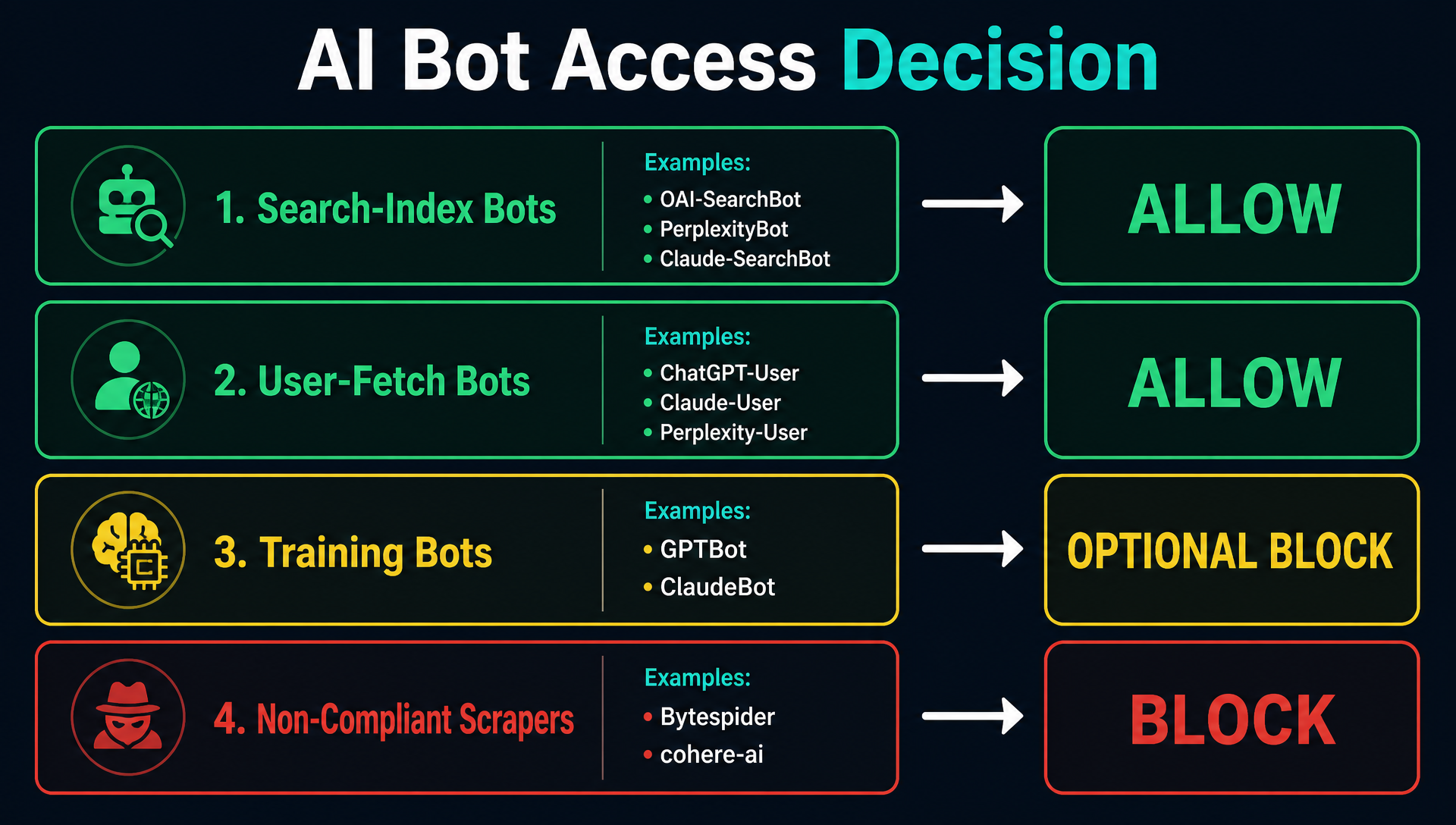
The three types of AI bots, and what to do about each:
Bot Type | Examples | What It Does | Your Action |
|---|---|---|---|
Search-index bots |
| Build the AI search index that answers cite from | Allow — blocking makes you invisible in AI search |
User-fetch bots |
| Fetch your page in real time when a shopper asks about it | Allow — this is the highest-intent traffic |
Training bots |
| Crawl to train foundation models | Optional to block — low impact on ecommerce |
How to update your robots.txt in Shopify:
- Go to Online Store → Themes → Edit code (three-dot menu on your live theme).
- Under Templates, find
robots.txt.liquid. If it doesn't exist, click Add a new template → chooserobot, typeliquid. - Add the following block after the default Shopify rules:
{% raw %}
{# AI search-index bots — BLOCKING THESE MAKES YOU INVISIBLE IN AI SEARCH #}
User-agent: OAI-SearchBot
Allow: /

User-agent: ChatGPT-User
Allow: /

User-agent: Claude-SearchBot
Allow: /

User-agent: Claude-User
Allow: /

User-agent: PerplexityBot
Allow: /

User-agent: Perplexity-User
Allow: /

User-agent: Google-Extended
Allow: /

User-agent: Applebot
Allow: /

User-agent: Applebot-Extended
Allow: /

{# Training-only bots — safe to block, no referral impact #}
User-agent: GPTBot
Disallow: /

{# Non-compliant scrapers — block #}
User-agent: Bytespider
Disallow: /

User-agent: cohere-ai
Disallow: /
{% endraw %}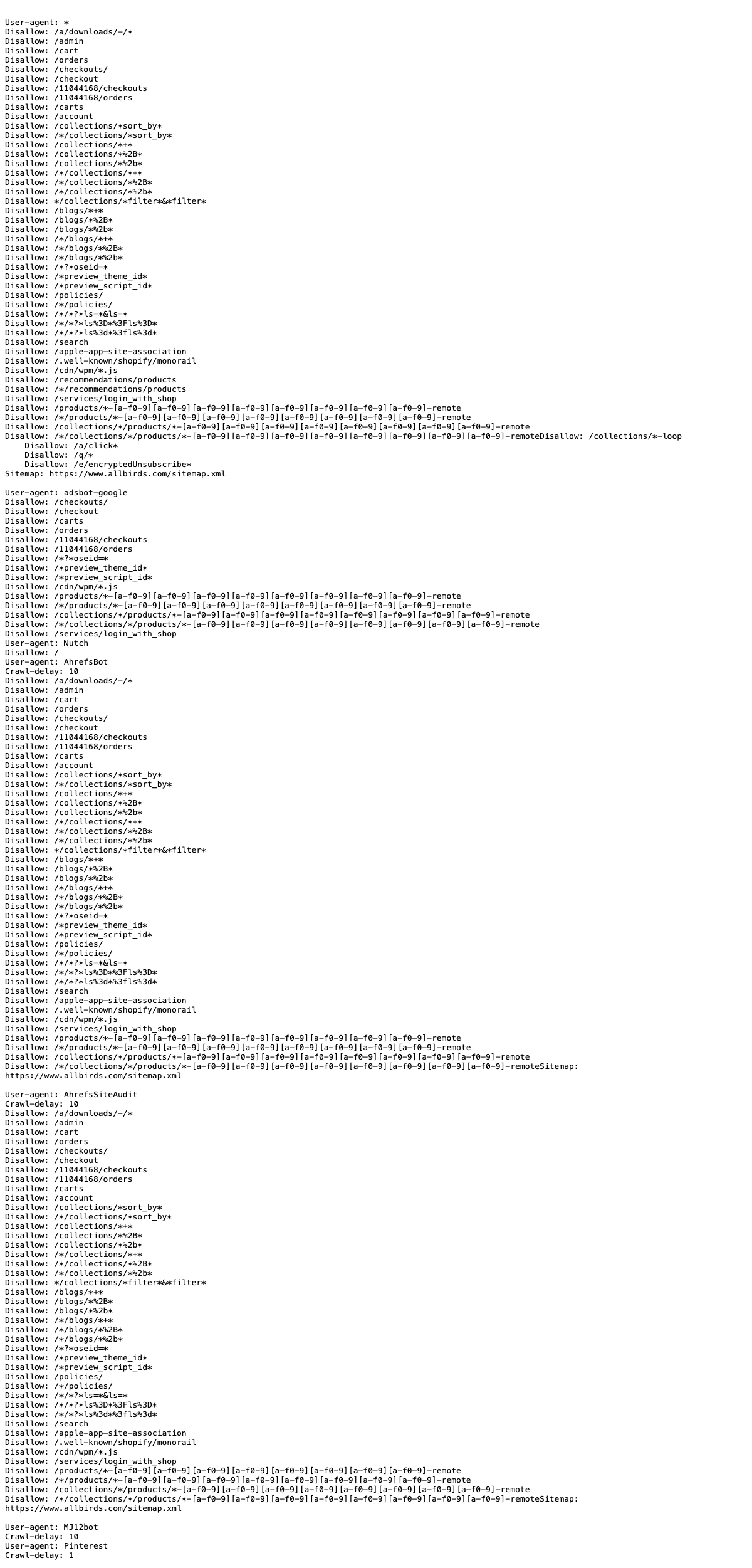
⚠️ Safety rule: Duplicate your theme before editing robots.txt.liquid. A syntax error in this file can de-index your store from all search engines. If you're unsure, use this agent prompt:
Run This with Your AI Agent:
>
`` Add AI crawler allow rules to my Shopify robots.txt.liquid. I need search-index and user-fetch bots allowed (OAI-SearchBot, ChatGPT-User, Claude-SearchBot, Claude-User, PerplexityBot, Perplexity-User, Google-Extended, Applebot, Applebot-Extended). Keep training bots (GPTBot, ClaudeBot) and known non-compliant scrapers (Bytespider, cohere-ai) blocked. Preserve all existing Shopify default rules. Use managed-block markers (BEGIN/END agentic-crawler-access) so the block can be cleanly replaced later. Duplicate my theme first. ``6. Core Web Vitals: The 2026 Thresholds
In March 2026, Google tightened its Core Web Vitals thresholds. What was "good" in 2025 may now be "needs improvement" — and that affects rankings.
Metric | 2025 "Good" | 2026 "Good" | What It Measures |
|---|---|---|---|
LCP (Largest Contentful Paint) | ≤ 2.5s | ≤ 2.0s | How fast the main content loads |
INP (Interaction to Next Paint) | ≤ 200ms | ≤ 150ms | How fast the page responds to clicks/taps |
CLS (Cumulative Layout Shift) | ≤ 0.1 | ≤ 0.08 | How much the layout jumps during load |
TTFB (Time to First Byte) | Not scored | ≤ 600ms | Server response time (new formal signal) |
Only about 39% of ecommerce sites pass all four thresholds. For Shopify stores, the biggest culprits are:
- Unused apps — each installed app adds JavaScript. Audit your app list in Settings → Apps and sales channels and remove anything you don't actively use.
- Uncompressed images — Shopify auto-converts to WebP, but if you upload a 5,000-pixel RAW photo, the file is still large. Resize product images to 1,500–2,000 pixels on the longest edge before uploading.
- Heavy theme code — some premium themes load tracking scripts, animation libraries, and unused CSS. Test your store at pagespeed.web.dev.
Run This with Your AI Agent:
>
`` Audit my Shopify store for Core Web Vitals issues. Use the 2026 thresholds: LCP ≤ 2.0s, INP ≤ 150ms, CLS ≤ 0.08, TTFB ≤ 600ms. For each failing metric, list the specific cause (app, image, theme file, or Liquid snippet) and the exact fix. Check: 1) unused apps in my app list, 2) oversized product images in Settings → Files, 3) theme code that loads unnecessary third-party scripts. Output a prioritized fix list. ``Chapter 2: Keyword Research for Your Store
Keyword research answers one question: what do people type into search engines when they want what you sell? If you don't know the answer, you can't write content that ranks.
Step 1: Generate Keyword Ideas
Start with broad terms that describe your products. If you sell coffee equipment, your seeds are: "coffee maker," "espresso machine," "coffee grinder," "french press," "pour over."
Feed these into a keyword tool to expand them. Free options:
- Google Search Console (already set up) — look at the Performance report for queries you already rank for on pages 2–5. These are low-hanging fruit.
- Google Keyword Planner (inside Google Ads, free with any account) — gives search volumes and related keywords.
- Google autocomplete — start typing a seed term and note what Google suggests. Each suggestion is a real search.
- AnswerThePublic (free tier: 3 searches/day) — generates question-format keywords like "how to clean a coffee maker" or "why is my espresso bitter."
For stores with budget: Ahrefs Keywords Explorer or Semrush Keyword Magic Tool will give you search volume, keyword difficulty, and SERP features for each term.
Step 2: Sort Keywords by Intent
Group your keyword list into three buckets:
Intent | Query Examples | Maps To |
|---|---|---|
Commercial — researching before buying | "best coffee grinder 2026," "Breville vs De'Longhi," "espresso machine under $500" | Collection pages, comparison posts, buying guides |
Transactional — ready to buy | "buy Baratza Encore," "Chemex pour over price," "Hario V60 sale" | Product pages |
Informational — learning, not buying yet | "how to grind coffee for French press," "why is my espresso sour," "coffee-to-water ratio" | Blog posts |
Most Shopify stores overinvest in transactional keywords (product pages) and underinvest in commercial keywords (collection pages and comparison content). This is backward — collection pages and comparison posts attract shoppers earlier in the buying process, when they're still deciding which product to buy.
Step 3: Map Keywords to Pages
Create a simple spreadsheet. Each row is one keyword, mapped to one URL:
Keyword | Type | Target URL | Action |
|---|---|---|---|
"best burr coffee grinder" | Commercial |
| Optimize collection |
"buy Baratza Encore ESP" | Transactional |
| Optimize product |
"French press vs pour over" | Commercial |
| Create blog post |
"how to clean a coffee maker" | Informational |
| Create blog post |
The "Action" column tells you what to do: optimize an existing page, create a new page, or both.
Run This with Your AI Agent:
>
``` Do keyword research for my Shopify store. My store sells [describe your products in 1–2 sentences].
>
Steps: 1. Generate 30–50 keyword ideas from my product categories. Use Google autocomplete patterns, related searches, and question modifiers (how, why, what, best, vs). 2. For each keyword, classify the intent as commercial, transactional, or informational. 3. Map each keyword to an existing or new page on my store. For existing pages, note the current URL. For new pages, propose a slug. 4. Filter the list to keywords where my store has a realistic chance of ranking (we sell the product, we can write the content, or we can build the page). 5. Output a prioritized table sorted by: commercial intent first, then informational questions with clear purchase adjacency.
>
Do not invent search volumes. Mark volume as 'check in GSC or Keyword Planner' unless you can pull real data from my connected data sources. ```
Chapter 3: On-Page SEO for Shopify
On-page SEO is where most Shopify stores fall down. Not because it's complicated — it's just tedious. Nobody wants to hand-write a unique title, description, and alt text for 200 products. That's exactly the kind of work AI agents are good at.
1. Meta Titles and Descriptions
Every page on your store has two hidden fields that control how it appears in search results:
- Title tag — the blue clickable link in Google results. Keep it under 55 characters. Include the primary keyword near the front. Make people want to click.
- Meta description — the two lines of gray text below the title. Keep it under 150 characters. It doesn't directly affect rankings, but it affects click-through rate — which does affect rankings.
To edit in Shopify: Open any product, collection, page, or blog post → scroll to Search engine listing preview → click Edit website SEO.
Shopify auto-fills these from the product or collection name, but the defaults are usually too short, too generic, or duplicated across similar products. Customize the important pages manually. For bulk editing, you need an app or an AI agent.
Template examples:
Page Type | Title Template | Description Template |
|---|---|---|
Product | `[Product Name] — [Key Feature] | [Brand]` |
Collection |
|
|
Blog post |
|
|
Run This with Your AI Agent:
>
``` Generate SEO titles and meta descriptions for my Shopify store.
>
For each product: use the pattern '[Product Name] — [Top Feature] | [Brand]'. Keep titles under 55 characters and descriptions under 150 characters. Include the primary keyword. Make each unique — no two products should have the same title or description.
>
For each collection: use the pattern '[Category Name] (2026) — [Differentiator]'. Make the description answer: what type of shopper is this collection for, and what should they look for when choosing?
>
Output a CSV with columns: URL handle, current title, new title, current description, new description. Flag any pages where the current content is already acceptable to avoid unnecessary changes. ```
2. Write Unique Product and Collection Content
Copying the manufacturer's description word for word is the fastest way to get ignored by Google. When your product page has the exact same paragraph as Amazon, Walmart, and 50 other stores, Google picks one to rank. It's almost never yours.
For product pages, write descriptions that answer:
- Who is this product for? (body type, skill level, use case)
- What problem does it solve? (pain point → solution)
- How does it compare? (size, material, features vs. alternatives)
- What do buyers say after months of use? (durability, comfort, quirks)
Use concrete attributes, not vague marketing: "This hoodie is 380gsm French terry cotton, weighs 680g, and fits true to size — size up if you layer" beats "Premium quality hoodie for everyday comfort."
For collection pages, add 150–300 words of unique content — a short intro above the product grid describing what the category covers, who it's for, and what to look for. Collection pages with zero text above the grid are invisible to search engines for all but brand-name queries.
Run This with Your AI Agent:
>
`` Rewrite my Shopify product descriptions to be unique and useful. For each product: 1. Check if the current description matches the manufacturer's description anywhere on the web. Flag duplicates. 2. Write a new description that answers: who it's for, what problem it solves, key specs, and what buyers should know. 3. Keep it under 300 words. Use concrete attributes, not marketing fluff. 4. Add 3–5 FAQ-style lines at the bottom (e.g., 'Fits true to size? Yes — size up if between sizes.'). 5. Output each as a before/after pair. Only rewrite pages that need it. ``3. Structured Data: The 3-Tier Priority System
Structured data (Schema markup) tells search engines what each piece of information on your page actually means: this number is the price, this one is the SKU, this text is a review. It's also the strongest predictor of whether AI search will cite you. A 2026 SE Ranking study found structured data on 65% of pages cited by Google AI Mode and 71% of pages cited by ChatGPT. That's not a coincidence.
Shopify themes include basic product schema (name, price) by default, but you need to extend it.
Tier 1 — Ship Immediately
These schemas affect rich results in Google and AI answer extraction. Install and validate first:
- Product — price, currency, availability (InStock/OutOfStock), brand, SKU, GTIN/barcode, images, description. Fill every product detail field in Shopify admin — the theme pulls from these.
- Organization — your brand name, logo URL, sameAs links to social profiles. Most themes don't include this. Add it via an app or by editing
theme.liquid. - BreadcrumbList — the path Home → Collection → Product. Check if your theme outputs this (Dawn does). If not, use an app.
Tier 2 — High Impact for AI Citation
- FAQPage — on product pages and buying guides. Each question-answer pair in your FAQ section gets marked up. This is the schema most likely to appear in AI answers.
- Article — on every blog post. Include author name, datePublished, and dateModified. Google's EEAT guidelines weight this heavily for commerce-adjacent content.
Tier 3 — Nice to Have
- Review (AggregateRating) — shows star ratings in search results. Requires genuine reviews on your store. Never fabricate ratings data.
- Offer — for promotions, sales, or shipping details.
- LocalBusiness — if you have a physical store.
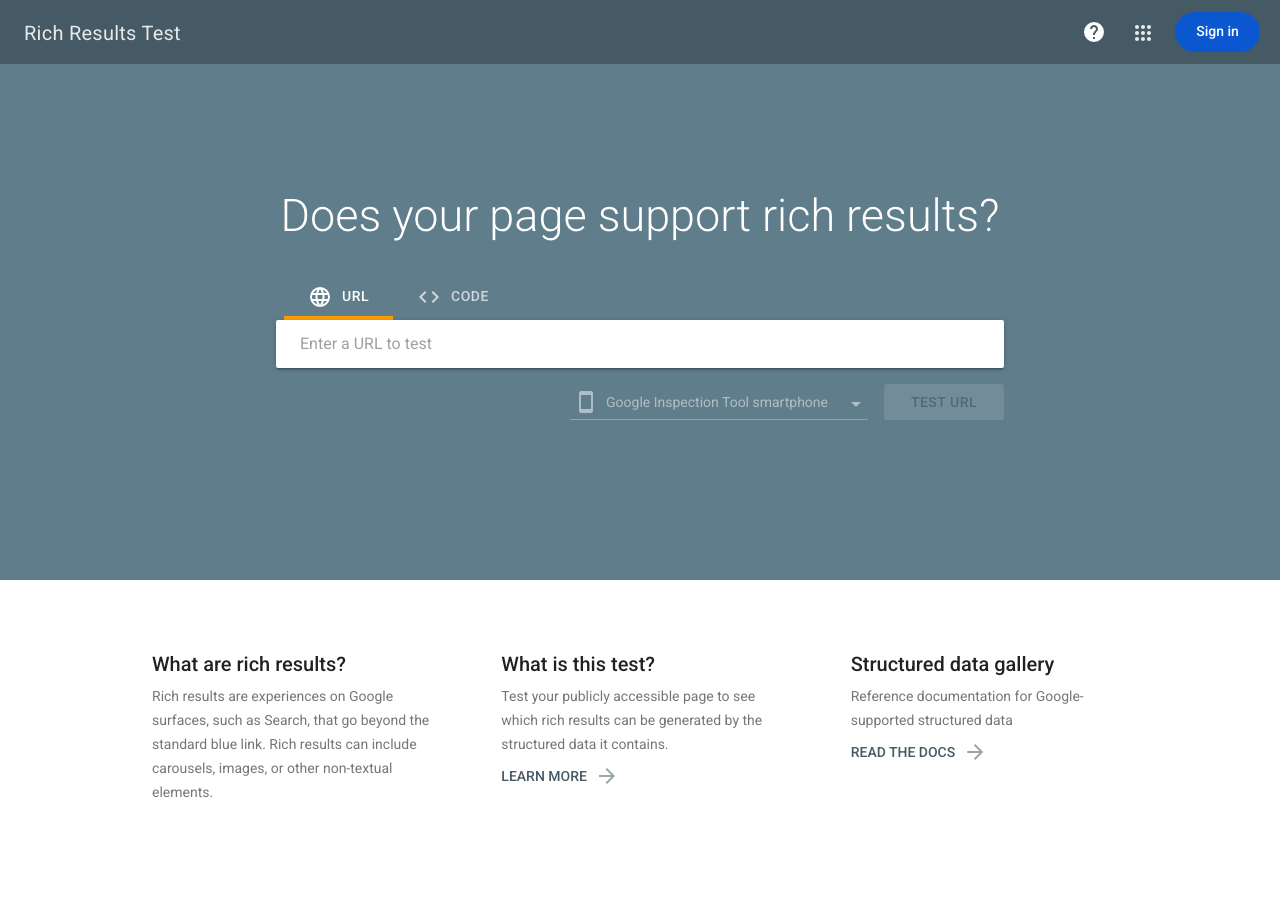
Validate everything at Google's Rich Results Test. A green checkmark doesn't guarantee rich results — but a red X guarantees you won't get them.
Run This with Your AI Agent:
>
``` Audit the structured data on my Shopify store.
>
For each page type (homepage, collections, products, blog posts), check: 1. What schema types are currently output — list the JSON-LD and any microdata. 2. What's missing from the Tier 1 list: Product (price, availability, SKU, brand, image), Organization (name, logo, sameAs), BreadcrumbList. 3. What's missing from the Tier 2 list: FAQPage (on product pages with FAQs), Article (author, dates on blog posts). 4. For each gap, recommend: a theme edit, an app, or a Liquid snippet. 5. Output a prioritized fix plan. Flag any conflicting schemas (microdata + JSON-LD for the same entity type) — these cause 'ambiguous data' errors in GSC.
>
At the end, validate the top 5 pages through Google's Rich Results Test criteria. ```
4. Optimize Images
Images matter for two reasons: they slow down your store if they're bloated, and they bring traffic through Google Image search if they're tagged correctly.
The 2026 image workflow:
- Resize before uploading. Product photos should be 1,500–2,000px on the longest edge. Shopify's CDN handles serving smaller sizes, but uploading a 6,000px RAW file still stores and processes a 6,000px file.
- Name files descriptively.
baratza-encore-espresso-grinder-white.jpgtells Google what the image shows.IMG_7842.jpgtells Google nothing. Rename files before uploading — you can't change Shopify CDN URLs after upload. - Write alt text for every image. In the Shopify editor, click any image → Add alt text. Describe what's in the image as if explaining it to someone who can't see it. Include the product name and a key attribute. Keep it under 100 characters.
- Don't over-app. Shopify already serves WebP, lazy-loads by default, and compresses through its CDN. Only add an image compression app if PageSpeed Insights shows specific image-related issues after you've done steps 1–3.
The top-rated image SEO app in 2026 is TinyIMG (free tier: 50 images/month; paid from $14/month) — it automates compression, alt text generation, and filename cleanup. For enterprise stores, Cloudinary Assetlink provides dynamic format switching and responsive sizing.
Run This with Your AI Agent:
>
`` Generate alt text for all images on my Shopify store that are missing it. For each product image: describe the product, its key visible feature, and context (e.g., 'Baratza Encore ESP coffee grinder in white on kitchen counter'). Keep each alt text under 100 characters. Output as a CSV with image filename, product handle, and proposed alt text. Flag any product images with generic filenames (IMG_, DSC_, default names) — recommend new filenames for re-upload. ``Chapter 4: Content Strategy That Drives Traffic
Product pages alone won't build you a traffic moat. You need content that catches shoppers before they've decided what to buy: comparison posts, buying guides, and articles that answer real questions. These build trust and give you somewhere to point internal links back to your products.
1. Blog Topics That Convert
The most common beginner mistake is blogging about the wrong things. A coffee equipment store blogging about "the history of coffee in Ethiopia" will get traffic — from people who want a Wikipedia article, not a coffee grinder.
Filter every blog idea through one question: does someone searching this query want to buy what I sell, now or eventually?
Write This | Not This |
|---|---|
"How to Choose a Coffee Grinder for French Press" | "The History of Coffee Grinding" |
"Breville Barista Express vs De'Longhi La Specialista" | "How Coffee Beans Are Grown" |
"5 Best Pour-Over Coffee Makers Under $50" | "10 Fun Facts About Coffee" |
"Why Is My Espresso Sour? (And How to Fix It)" | "Coffee Cultures Around the World" |
The left column brings shoppers. The right column brings students writing term papers.
2. Three Content Types Every Shopify Store Needs
Buying guides ("Best [Product Category] for [Use Case]")
- Target commercial keywords like "best running shoes for flat feet" or "best dog food for sensitive stomachs."
- Structure: quick picks at the top → comparison table → detailed reviews → who each is best for → FAQ.
- Link each product mention to its product page with descriptive anchor text.
Comparison posts ("[Product A] vs [Product B]")
- Target shoppers searching for comparisons. These have the highest purchase intent of any informational query.
- Structure: quick verdict → comparison table (price, specs, best for) → detailed breakdown by feature → final recommendation for each buyer type.
- These rank surprisingly fast because most ecommerce stores don't write them.
How-to and troubleshooting content ("How to [Do Something With Your Product]")
- Target question-based searches: "how to clean a coffee grinder," "why is my sourdough dense."
- Demonstrate expertise (EEAT signal) and build internal links to the products that solve the problem.
- Structure: problem statement → the fix in 1–2 sentences → detailed steps → what to do if it doesn't work → recommended product (internal link).
3. Publishing Cadence and Freshness
You don't need a blog post every week. You need the right posts, kept current.
The minimum: Publish one buying guide or comparison post per product category. That's it. For a store with 5 categories, 5 posts — updated quarterly with current prices, stock status, and new alternatives.
Google's 2026 algorithm weights freshness heavily for commerce content. A buying guide last updated in 2023 signals that the information might be outdated. Add "Last updated: [Month, Year]" to the top of every guide, and actually update the content.
Run This with Your AI Agent:
>
``` Plan a content strategy for my Shopify store.
>
My store sells [describe products]. My product categories are [list categories].
>
For each category, generate: 1. One buying guide topic targeting a commercial keyword (format: 'Best [Category] for [Use Case]') 2. One comparison topic (format: '[Popular Product A] vs [Popular Product B]') 3. Three how-to or troubleshooting topics based on common customer questions
>
For the buying guide: outline the structure (quick picks, comparison table columns, review criteria, FAQ questions). For the comparison: list the specs/features to compare, the buyer types to address, and which product wins for whom.
>
Do not write full articles. Output topic briefs with target keywords and outlines. ```
Chapter 5: Link Building for Shopify Stores
Links are still the strongest ranking signal in 2026. But ecommerce stores have a specific problem: nobody wants to link to a product page. The fix is a two-layer approach. Build links to your content pages (guides, comparisons, resources), then pass that authority down to your product pages through internal links.
1. Find Sites Linking to Your Competitors
The fastest link opportunities are sites already linking to stores like yours. They've demonstrated interest in your product category.
How to find them:
- Identify 2–3 competing stores (similar products, similar size).
- Use a backlink tool to export their referring domains. Free options: Ahrefs Webmaster Tools (requires account), Google Search Console Links report (your own links only).
- Filter for domains that link to at least two of your competitors but not to you. These are your warm leads.
- Visit each referring page. Look for:
- Resource lists — "50 Best Online Stores for [Category]" → ask to be added.
- Roundup posts — "10 Best [Products] of 2026" → pitch your product for inclusion.
- Guest posts — sites with multiple authors writing about your niche → pitch a guest article.
2. Guest Posting That Works
Most guest post outreach fails because the pitch is generic. A good pitch:
- References a specific article on their site — "I read your comparison of ceramic vs. steel burr grinders — the point about grind consistency at fine settings was new to me."
- Proposes a specific topic with a specific angle they haven't covered — "I'd like to write about calibrating espresso grinders for different roast levels, with specific settings for 5 popular models. I noticed you haven't covered dial-in workflow yet."
- Shows you've written similar content — link to one published post on your own blog.
- Keeps it under 150 words.
Target sites with DR 30–70, posts over 1,000 words, and evidence of multiple authors (the About page lists contributors, or blog posts have different bylines).
3. Internal Linking: The Fastest-Returning SEO Lever
Internal links distribute ranking power from your strongest pages to the ones that need it. They also tell Google which pages matter most.
The hub-and-spoke pattern for Shopify:
- Homepage links to → main collections
- Blog posts (buying guides, comparisons) link to → collections and products
- Product pages link back to → parent collection
- Collection pages link to → subcollections and featured products
The most common internal linking gap on Shopify: blog posts that link to other blog posts, but never to products or collections. Every buying guide should link to the products it recommends using the product name as anchor text.
Run This with Your AI Agent:
>
``` Analyze the internal linking structure of my Shopify store.
>
Tasks: 1. Crawl my store and identify: orphan pages (no internal links pointing to them), pages with only 1 internal link, and pages that receive zero links from my blog posts. 2. For each buying guide or comparison post on my blog, list the products and collections mentioned — and flag any that are mentioned in text but NOT hyperlinked. 3. Find the 5 highest-authority pages on my site (most backlinks, highest traffic from GSC) — recommend 3 internal links to add from each to important product or collection pages. 4. Output a prioritized internal linking fix list.
>
Do not modify any theme files. Output recommendations only. ```
Chapter 6: AI Search Visibility (New for 2026)
No Shopify SEO guide written before 2025 covers this chapter, because it didn't matter yet. Now it does: making your store visible inside ChatGPT, Perplexity, Google AI Mode, Copilot, and Gemini.
The Two Ways AI Finds Your Products
When a shopper asks ChatGPT "what's the best backpack for carry-on travel under $120," the model can find your store two ways:
- From its search index — the AI queries its built-in search index (via
OAI-SearchBot,PerplexityBot, etc.) and returns results. This is why robots.txt access matters (Chapter 1). - From real-time fetch — the AI visits your page live (
ChatGPT-User,Claude-User) when a shopper explicitly asks about your brand or product. This is why answer-first content matters (this chapter).
Answer-First Content Structure
AI models extract and cite content differently than search engines. Google reads your page holistically. AI models grab the clearest, most self-contained block of text and quote it.
For every important page, add an "answer block" near the top: 40–60 words that concisely state what this page is about, who it's for, and the core claim. AI systems lift these blocks verbatim for their summaries.
Example for a product page:
Before (fluff): "Experience the ultimate in coffee craftsmanship with our Artisan Pour-Over Set. Meticulously designed for the discerning coffee lover, this set elevates your morning ritual to new heights."
After (AI-readable): "The Artisan Pour-Over Set is a borosilicate glass dripper and stainless steel filter for brewing 1–2 cups of coffee in 3 minutes. It fits most standard mugs and carafes. No paper filters needed."
The second version tells AI exactly what the product is, what it's made of, what it does, and what's included — all in two sentences.
Question-Style Headings
AI assistants answer questions. When your content uses question-style H2s and H3s that match how shoppers ask questions, the AI's retrieval system finds your content more often.
Instead of | Use |
|---|---|
"Product Features" | "Is the Acme Hoodie Good for Cold Weather?" |
"Specifications" | "What Are the Dimensions and Weight?" |
"Shipping Information" | "How Long Does Shipping Take?" |
"Care Instructions" | "How Do I Wash and Dry This?" |
llms.txt: A Small File with Outsized Impact
An llms.txt file — proposed in late 2024 and widely adopted through 2025 — is a markdown file at yourstore.com/llms.txt that tells AI models which pages on your site matter most and why. Think of it as a sitemap for language models.
Create a file called llms.txt and upload it to your Shopify store's root (via Settings → Files or via the theme as a static asset). The minimum useful version:
# Your Store Name
> Brief store description and what you sell. One sentence.

## Products
- [Product Name](URL): One-sentence description with key specs and who it's for.
- [Product Name](URL): One-sentence description with key specs and who it's for.

## Collections
- [Collection Name](URL): What this collection covers and who it's for.

## Guides
- [Guide Title](URL): What question it answers, in one sentence.

## Policies
- Shipping: URL
- Returns: URL
- About: URL
This file helps AI models understand your store's structure at a glance. It's not a ranking factor — it's a discovery aid. Stores with llms.txt get crawled by AI bots more efficiently because the bots know which pages to prioritize.
Monitor Your AI Visibility
Once a week, run 5–10 buyer-style questions in ChatGPT and Google and record:
- Brand mention — was your store named? (yes/no)
- Citation — was a specific product or page cited? (yes/no)
- Which page — which page was cited, if any?
- Competitor mentions — which competitors appeared?
Track this in a simple spreadsheet. It's the AI equivalent of a rank tracker — and it tells you whether your visibility is improving, flat, or declining. Watch for AI referral traffic in GA4: look for sources from chatgpt.com, perplexity.ai, copilot.microsoft.com.
Run This with Your AI Agent:
>
``` Make my Shopify store visible to AI search engines.
>
Tasks: 1. For my top 10 product pages and top 5 collection pages, rewrite the opening paragraph as a 40–60 word 'answer block' — self-contained, concrete, with key attributes. Show before/after. 2. Audit my H2 headings across the same pages. Flag any that are generic ('Features', 'Specs') and suggest question-style replacements. 3. Generate an llms.txt for my store. Include: store description, top 20 products with one-line descriptions, all collections, all blog guides with the question each answers, and policy page URLs. 4. Provide a weekly AI visibility tracking template — a simple spreadsheet with columns for date, query, platform (ChatGPT/Perplexity/Google), brand mentioned, page cited, and competitor sightings. ```
Agent-Ready Shopify SEO Checklist
If you only have one hour, do these in order:
- [ ] Google Search Console — submit sitemap (5 min)
- [ ] robots.txt — allow AI search-index and user-fetch bots (10 min)
- [ ] Preferred domain — set primary to non-www, verify redirects (5 min)
- [ ] Duplicate URLs — fix product grid links to use
/products/URLs (10 min) - [ ] Product descriptions — rewrite top 10 products with unique, AI-readable content (20 min)
- [ ] Collection descriptions — add 150-word intro to top 5 collections (10 min)
- [ ] Image alt text — add to top 20 product images (10 min)
- [ ] Structured data — validate product schema in Rich Results Test, add missing fields (10 min)
- [ ] One blog post — publish one buying guide or comparison post (60 min)
- [ ] Internal links — add product links from that blog post (5 min)
- [ ] llms.txt — create and upload (15 min)
Every item on this list can be delegated to an AI agent using the prompts in this guide.
FAQ
Does Shopify have built-in SEO?
Yes. Shopify auto-generates your XML sitemap, applies canonical tags, serves your site over HTTPS, compresses images to WebP, outputs basic product schema, handles 301 redirects when you change URLs, and ensures all official themes are mobile-responsive. Shopify itself says it handles "about 80% of technical SEO." The remaining 20% is what this guide covers.
How long does Shopify SEO take to show results?
New pages typically take 4–12 weeks to appear in Google search results and 2–8 weeks in AI search indexes. Pages targeting low-competition commercial keywords can show traffic within 3 months. Highly competitive keywords take 6–18 months. The timeline depends on your store's domain authority, content quality, and how aggressively competitors are also optimizing.
Do I need to pay for SEO apps?
No. Shopify's built-in features cover the technical foundation. Free tiers of tools like Google Search Console and Google Keyword Planner cover basic keyword research. SEO apps add convenience — bulk meta tag editing, deeper schema markup, automated image compression — but none are required. Start without them. Add an app only when a specific limitation blocks you.
Can AI agents really do my SEO?
For the repetitive stuff, absolutely. An AI agent won't decide what to sell or how to position your brand. That's still you. But it will write unique product descriptions for 200 SKUs without getting bored. It'll generate meta titles, add alt text to every image, audit your structured data, find internal linking holes, build keyword maps from your GSC data, and draft buying guides and comparison posts. Every prompt in this guide is a starting point — you'll learn which ones give you the best results and adapt from there.
What is the single most important Shopify SEO task?
For a new store: write unique product descriptions that don't copy the manufacturer. Google sees duplicate content and deprioritizes all copies except the original — which is rarely your store. For an existing store: fix internal linking so your blog posts link to your products and collections using descriptive anchor text.
How do I know if my Shopify SEO is working?
Monitor three metrics in Google Search Console: total impressions (trending up = more visibility), average position (trending down/increasing is good — lower number = higher rank), and clicks (trending up = more traffic). For AI visibility, run the weekly prompt log described in Chapter 6. A meaningful improvement is month-over-month increases in impressions and clicks for your target keywords.
Is Shopify better than WordPress/WooCommerce for SEO?
Neither is inherently better — they're different. Shopify handles technical SEO automatically (SSL, sitemaps, schema, canonical tags) with zero configuration, which is ideal for solo operators and small teams. WordPress/WooCommerce gives you finer control over URL structure, schema customization, and content architecture, but requires more technical skill to maintain. For most merchants selling physical products, Shopify's default technical SEO is more than adequate, and the time saved on configuration is better spent on content and link building.
How do I fix duplicate content on Shopify?
The main source is collection-based product URLs (/collections/name/products/product). Shopify canonicalizes these to the clean /products/product URL automatically — you don't need to fix this at the canonical level. What you should fix: product grid links that point to the collection-based URL (edit your theme snippet as described in Chapter 1), and manufacturer descriptions copied to multiple products (rewrite them to be unique, as described in Chapter 3).
Do I need to allow AI crawlers on my store?
If you want shoppers to find your products through ChatGPT, Perplexity, Google AI Mode, or Copilot: yes. Blocking OAI-SearchBot, PerplexityBot, and similar search-index bots makes your store invisible to those platforms. You can still block training-only bots (GPTBot, ClaudeBot) without affecting your visibility. See Chapter 1 for the exact robots.txt configuration.
What is GEO and do I need it?
GEO (Generative Engine Optimization) is the practice of optimizing content to be cited by AI-generated answers. In 2026, it's no longer optional for ecommerce — AI search platforms drive measurable referral traffic, and the stores visible there get a first-mover advantage. The basics (answer-first content, structured data, llms.txt, AI crawler access) take a few hours to implement. Start there.
Author: Eva Laurent, Ecommerce Search Strategist for 10k+ Product Pages at Auspia. Eva writes about Shopify SEO, product page optimization, and making ecommerce stores visible in AI search.


