


What you will finish with
This workflow is for content owners, SEO specialists, and developers who need to improve one existing public page without rewriting it blindly. In about 20 to 45 minutes, you will have a page-specific repair brief: one target intent, a short list of evidence-backed fixes, an owner for each fix, and a way to rerun the audit after release.
Use this as an on-page SEO checklist for one URL, not a substitute for a site-wide technical crawl. Check the page's topic signals, content and links, meaningful-image context, structured data, and crawl health. Then fix the findings that affect clarity, accuracy, accessibility, or the preferred crawl path.
You need a live, public URL and one primary search phrase. You can add up to four closely related phrases, but only if the page genuinely answers them. The finished result is not a higher score for its own sake. It is a page where the title, headings, copy, links, images, structured data, and crawl signals tell a consistent story about the searcher's task.
Auspia's On-Page SEO Audit examines visible page and HTML evidence. It can help you find weak topic signals and technical gaps. It cannot predict rankings, measure backlink authority, assess SERP competition, confirm index coverage, or explain how users behave after they land on the page.
Bring one page and one job to the audit
Start with a page that has a clear purpose. A product feature page, service page, tutorial, category page, or older article can all work. Avoid auditing a home page or a broad hub page first unless that page has one obvious query it must answer.
Write a plain-language sentence before you open the tool:
This page should help [audience] solve or decide [specific job] when they search for [primary phrase].
For example, a page targeting "on-page SEO audit" could promise a free check of a public URL's metadata, content structure, schema, links, and crawl signals. A page that instead tries to rank for "SEO audit," "technical SEO," "SEO tools," and "website optimization" all at once has no useful audit target. The report may show that spread as weak coverage, but the real problem is the brief.
Input | Good starting point | Quality check | If it is unclear |
|---|---|---|---|
Page URL | The canonical public version of one page | It loads without a login or preview token | Use the URL users and crawlers should reach, then resolve redirects before auditing |
Primary keyword | One phrase that describes the page's central job | A reader would expect the page to answer it | Narrow the phrase or choose a better-matched page |
Supporting keywords | Up to four close variants or subtopics | Each can appear naturally in the same page outline | Remove unrelated phrases instead of adding new sections to chase them |
Page goal | Inform, compare, convert, sign up, or solve a task | The call to action matches the search intent | Rewrite the page brief before changing metadata |
This preparation prevents a common mistake: treating every missing keyword occurrence as a defect. If a phrase represents another intent, it belongs on another page, a new section with a different purpose, or nowhere at all.
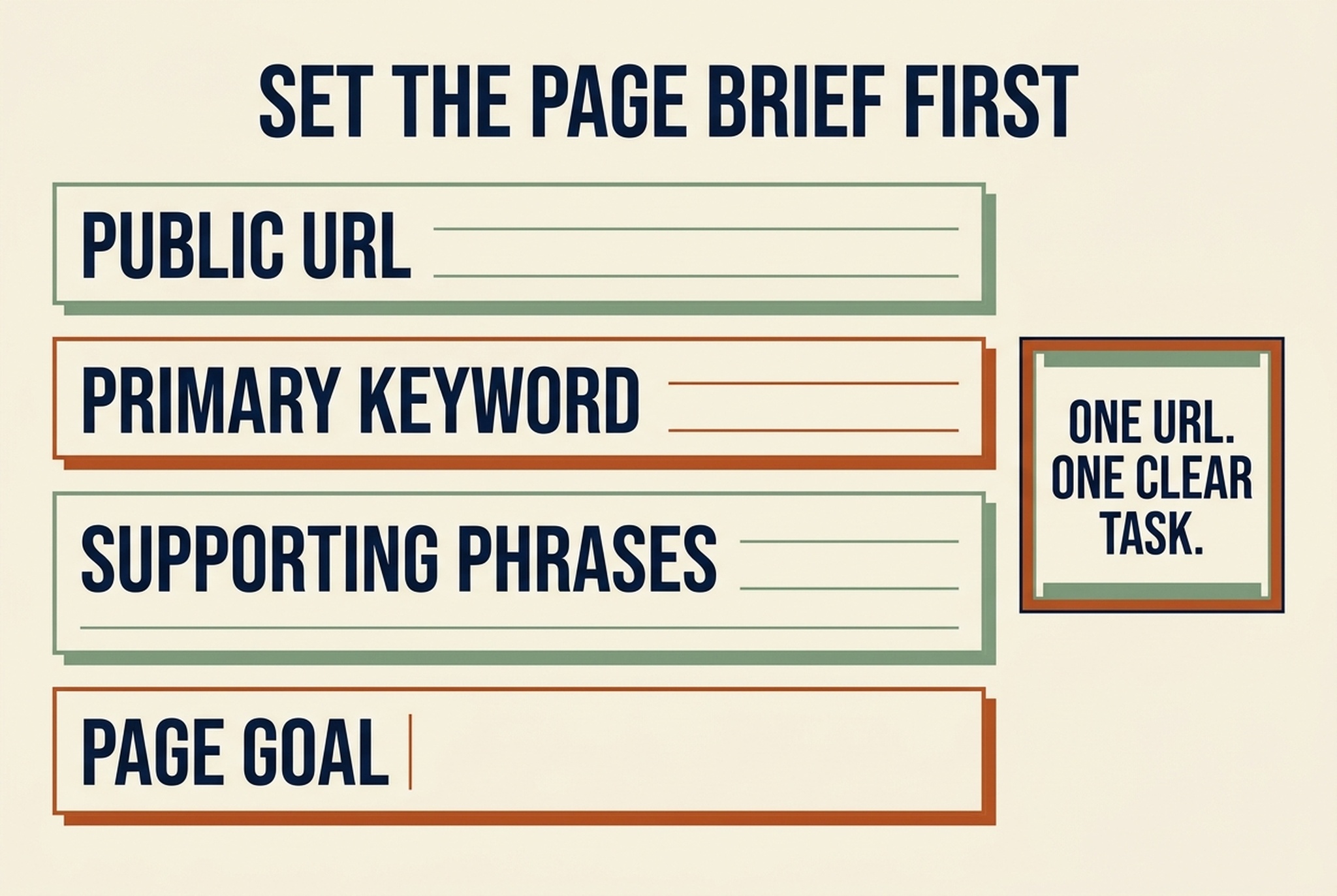
Set the page brief before running the checker. A report can surface evidence, but it cannot decide which search task a URL should own.
Run the audit with a restrained keyword set
Open the tool, paste the public URL, and enter the primary phrase plus any genuinely related phrases. The tool accepts up to five comma-separated keywords. Run the audit and save the report URL, export, or notes in your task tracker while the page state is still fresh.
Expected output: a page-level report organized around topic signals, keyword coverage, content and links, images, schema and social metadata, and crawl or technical health.
Quality check: the report should refer to the URL and phrases you intended. If the page redirects, returns an error, or exposes different content to unauthenticated visitors, stop there. You are not auditing the page you meant to change.
Recovery path: test the public URL in a private browser window. Fix a broken redirect, choose the canonical destination, or publish the page before you audit it. Do not use a password-protected preview as a stand-in for the live page.
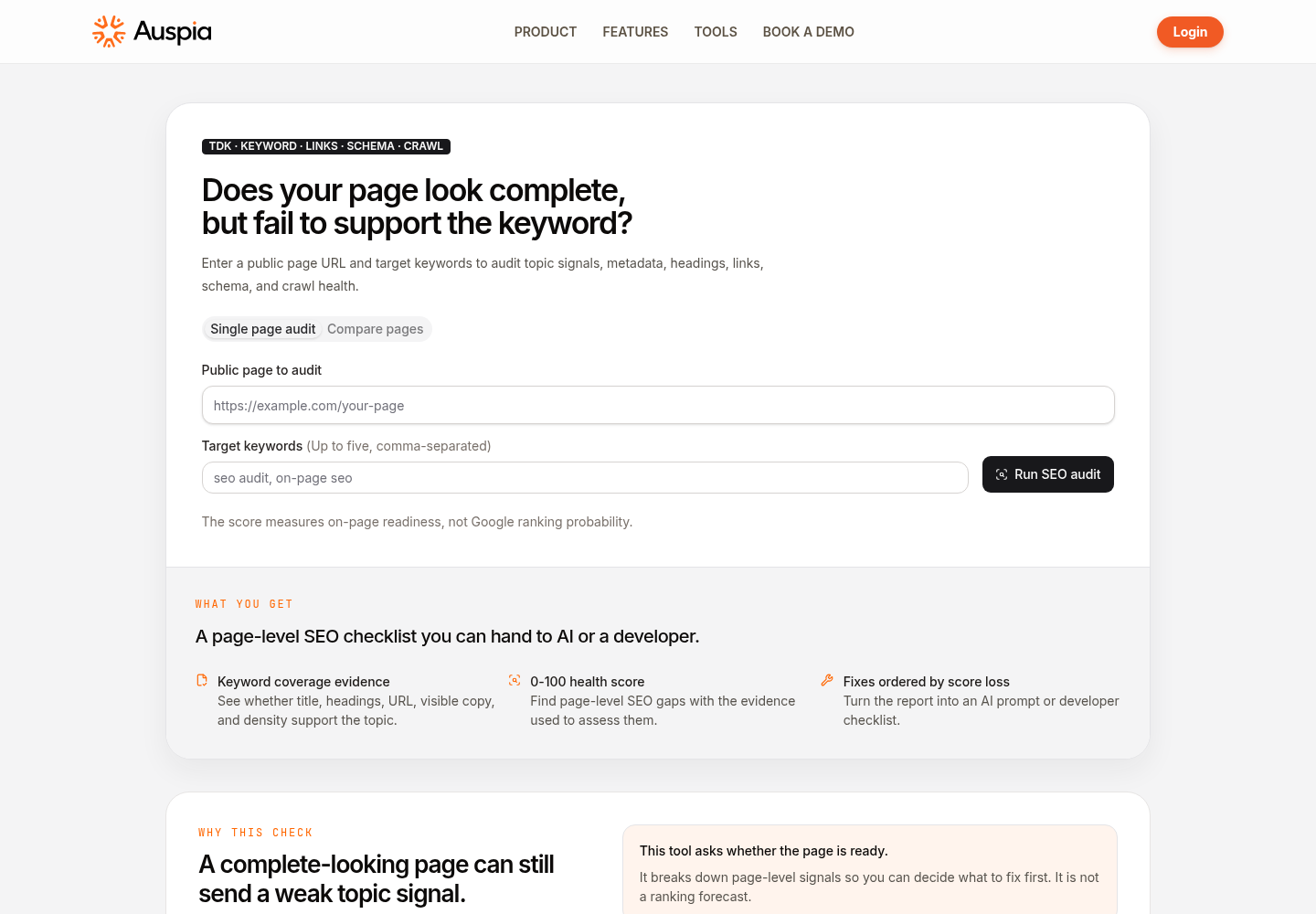
The audit begins with a public URL and a small keyword set, then checks page-level content and technical evidence.
Read the report as evidence, not a to-do list
An audit score is a compact summary, not a ranking probability. Work through the report category by category and ask a narrower question: what does the fetched page show, and does that evidence support the page's job?
Use this triage order:
Check area | Question to answer | Usually worth fixing first when | Do not rush into |
|---|---|---|---|
Topic signals | Do the title, description, URL, headings, and copy agree on the page's subject? | The page's purpose is hard to identify in the first screen and main heading | Repeating the exact keyword in every element |
Content and links | Does the page answer the task and lead visitors to the next relevant resource? | Important questions are missing or navigation hides a useful page | Adding internal links with generic anchor text just to increase a count |
Images and comprehension | Can a reader understand the supporting visuals, including their alt text? | A meaningful product image, chart, or instructional graphic lacks context | Writing keyword lists into decorative-image alt text |
Schema and social metadata | Does structured data describe content that is visibly present? | Existing markup is invalid, mismatched, or incomplete for a real page element | Adding FAQ, review, or product markup for content the page does not contain |
Crawl and technical health | Can crawlers reach the preferred page and interpret its canonical and robots signals? | Canonical, robots, HTTPS, or sitemap evidence conflicts with your intended page | Treating a missing or unverified signal as proof of an indexing problem |
The report labels signals it cannot verify rather than guessing. Keep that distinction in your brief. "Not found in fetched HTML" is a repair lead. It is not the same as "Google cannot crawl this page."
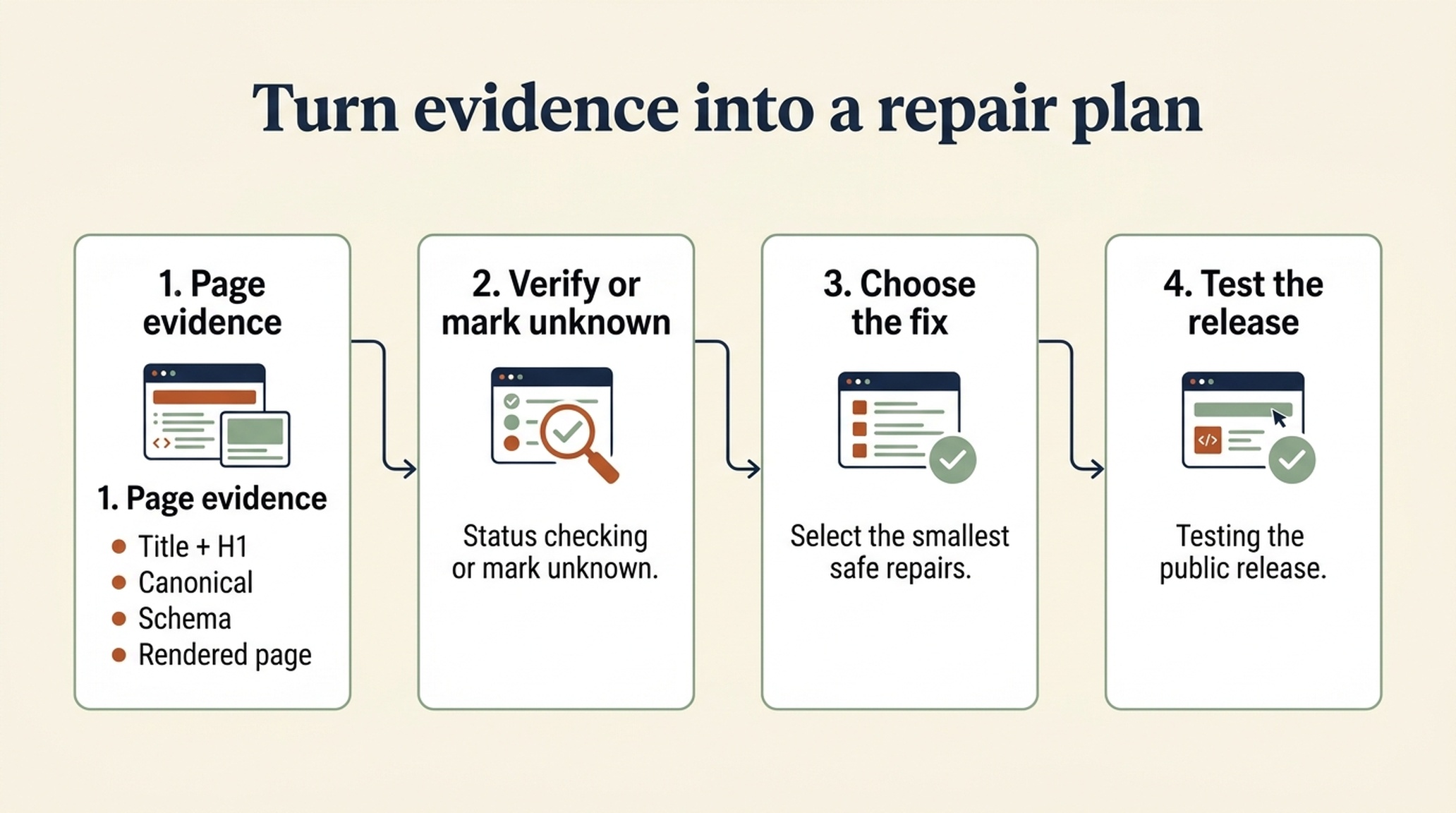
Keep report findings in sequence: capture the evidence, verify it on the live page, make the smallest safe repair, and test the release.
Fix the page story before touching the score details
For most pages, the first useful repair is editorial: make the promise and the answer agree. Read the title tag, main heading, opening paragraph, primary call to action, and the first two subheadings in order. Can a new visitor say what the page helps them do without filling in the gaps themselves?
Make the smallest change that removes confusion. That might mean:
- Replacing a vague title such as "Better marketing results" with one that names the task and audience.
- Rewriting the first paragraph so it gives an answer, a scope boundary, and the next action.
- Moving an important subtopic under a descriptive heading instead of leaving it inside a long block of copy.
- Removing a target phrase from the audit if the page only mentions it in passing.
Expected output: a proposed page outline and metadata set that use the same intent language without becoming identical word for word.
Quality check: read only the title, H1, first 100 to 150 words, and call to action. They should point to the same visitor task. Ask a teammate who has not worked on the page to name that task. If their answer differs, the page still has a topic problem.
Recovery path: do not rewrite the entire page. Return to the sentence you wrote at the start, choose the single job the current URL should own, and revise the most visible elements first. Create a separate brief for any secondary intent that deserves its own page.
Separate content fixes from implementation fixes
Once the page story is clear, split the rest of the report by owner. This avoids a familiar failure mode: the SEO team asks engineering to add markup before anyone confirms that the visible page has the facts that markup would describe.
Owner | Work from the report | Definition of ready |
|---|---|---|
Content or SEO owner | Title and description, headings, copy coverage, internal-link context, meaningful-image alt text | The revised copy answers the chosen intent and every claim is supportable on the page |
Developer | Canonical, robots directives, HTTPS, schema validity, rendering or crawl-related evidence | The implementation matches the released page and has been tested in the production environment |
Shared reviewer | Social metadata, product facts, legal claims, conversion language, release notes | The preview matches the public page and no change creates a contradictory promise |
Treat structured data as a description layer, not a patch for thin content. If the report finds a schema problem, first look for the matching visible evidence. A Product type needs product facts; FAQ markup needs real, visible questions and answers. If the evidence is absent, improve the page or remove the inappropriate markup. Do not manufacture content to satisfy a check.
Turn findings into a five-item repair brief
Long reports can make small work look urgent. Limit the first pass to five changes. Give each one a reason, owner, and verification method.
Priority | Finding | Proposed change | Owner | Verify after release |
|---|---|---|---|---|
1 | The H1 does not name the page's main task | Rewrite H1 and opening answer | Content | Read the rendered page; rerun the audit |
2 | Canonical points to an outdated URL | Update canonical to the preferred live URL | Developer | Inspect rendered source and the audit evidence |
3 | A comparison chart has no alt text | Add concise alt text that explains the chart's decision | Content | Test the page with an accessibility checker and audit again |
4 | Schema describes facts that are no longer visible | Update or remove stale schema | Developer | Validate markup against the released page |
5 | A useful supporting guide is hard to find | Add one contextual internal link near the relevant decision | Content | Check the link destination, anchor text, and page preview |
The exact findings will differ. The point is to rank fixes by how directly they improve clarity, access, or accuracy for this page. Leave speculative changes in a later backlog. You do not need to empty every warning category in one release.
Release safely, then rerun the same audit
Publish the agreed changes through your normal review process. Check the live page, not only the CMS preview. View source or use your technical validation tools where the change depends on HTML, headers, or structured data.
Then run the same URL and same keyword set through the audit again. Compare evidence, not only the summary score:
- Does the title, H1, and opening now make the page's task clear?
- Did the canonical, robots, schema, links, and image attributes update on the live version?
- Did a rewrite remove facts, disclaimers, or conversion paths that the page still needs?
- Are the remaining warnings either intentional, outside the tool's evidence, or part of the next repair cycle?
Definition of done: the public page reflects the approved brief, the repaired signals appear in the fetched page evidence, and each unresolved item has a named reason or next owner. Do not call the task done because a score changed while the underlying page remains confusing.
Keep the report useful after launch
Rerun an on-page audit after a substantial page rewrite, template change, migration, redesign, or a report that shows a clear mismatch between the page's current intent and its visible signals. For a stable page, use the report during routine content review rather than checking it every day.
Pair it with sources that answer different questions. Search Console can help you see search performance and query patterns. A technical crawl can surface site-wide implementation patterns. SERP research can test whether your page matches what searchers currently expect. The Auspia audit adds a focused view of what one public page actually communicates through its available HTML and content.
Frequently asked questions
Does a high on-page SEO audit score guarantee rankings?
No. The score reflects page-level readiness signals, not ranking likelihood. Backlinks, competition, search demand, index coverage, user satisfaction, and search-engine systems are outside the report's scope.
How many keywords should I enter?
Start with one primary phrase. Add only close variants or subtopics the page already has a legitimate reason to answer. The tool accepts up to five keywords, but more inputs do not make the audit more accurate.
Should I fix every issue in the report?
No. Start with evidence that affects page clarity, accessibility, accuracy, or crawlability. Keep intentional or lower-impact items in a documented backlog. A forced fix can make the page worse.
Can I use this audit on a page that is not public yet?
No. The tool audits a public page URL. Publish a safe version or use your staging and pre-release checks for pages that require authentication.
Author: Julian Mercer, 14-Year Technical SEO Practitioner at Auspia. Julian writes about crawlability, structured data, and practical page-level fixes that teams can verify.


