


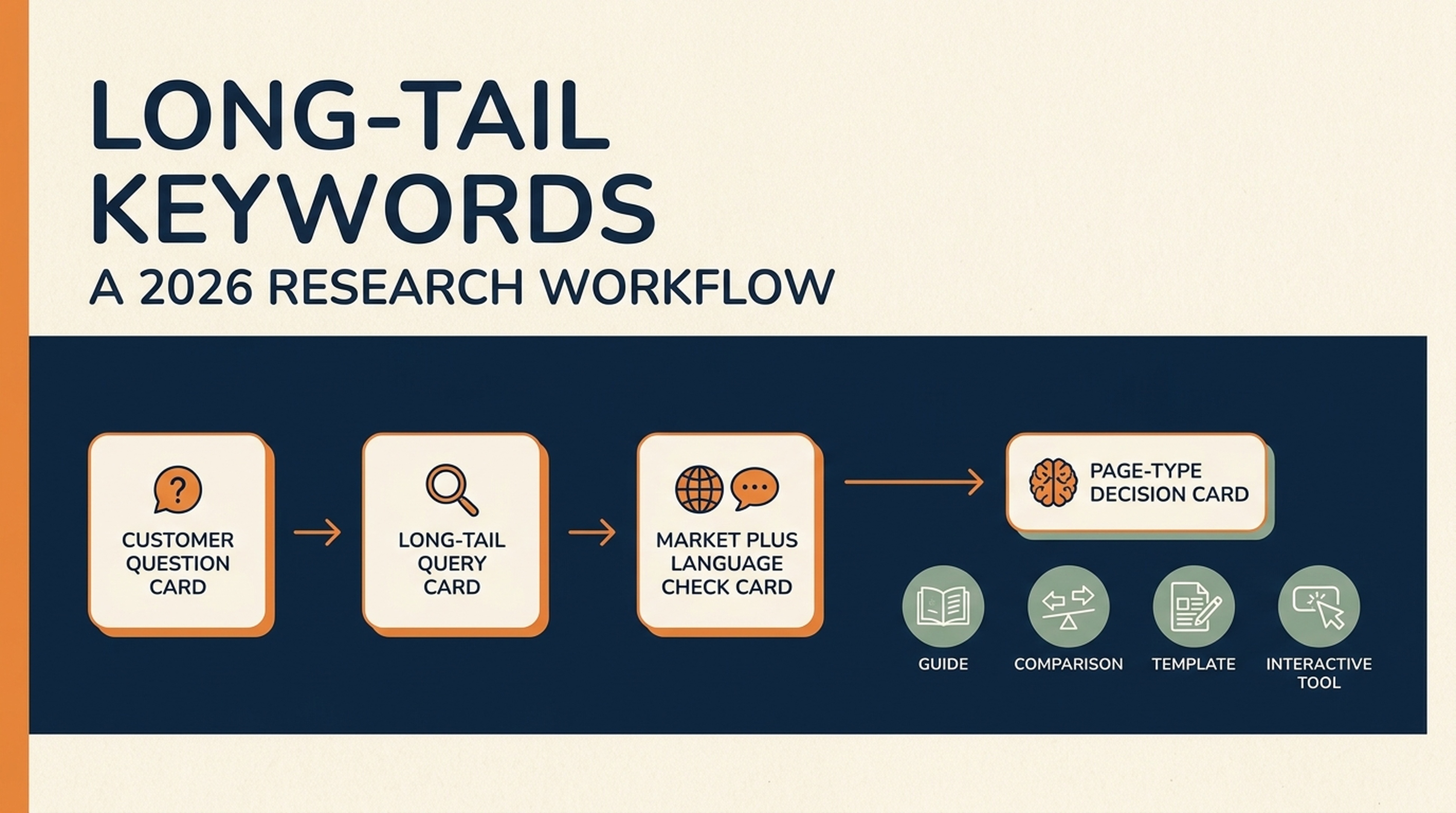
Long-tail keywords are specific searches that sit away from the few broad, heavily searched terms in a topic. They often describe a real job, constraint, comparison, location, or follow-up question. In 2026, the useful unit of work is not a keyword list. It is a verified question, a suitable page type, and a clear answer a person can use.
This guide helps you turn a customer problem into a small, reviewable set of page opportunities. You will learn how to decide whether a query deserves an article, a comparison page, a template, an interactive tool, or no new page at all. It also includes a copyable research skill for Codex, Claude Code, Hermes, or OpenClaw that can work with authorized Ahrefs, Semrush, or DataForSEO data without inventing metrics.
What makes a keyword long-tail in 2026?
A long-tail keyword is usually less common and more specific than the broad topic it belongs to. It is not defined by a fixed word count.
For example, email marketing is a broad topic. email marketing software for a two-person nonprofit is a narrower expression of a particular need. The second query may have little measured volume in one database, yet it tells you far more about the page a reader expects.
Broad topic | Specific query | What the reader is trying to solve | Likely page role |
|---|---|---|---|
project management | project management software for a five-person design studio | Choose a tool for a constrained team | Comparison or buyer guide |
website speed | why is my Shopify collection page slow on mobile | Diagnose a specific technical problem | Troubleshooting guide |
invoice template | freelance invoice template for a retainer client | Create a reusable document | Template page |
SEO audit | check if my robots.txt blocks AI crawlers | Get an immediate, explainable result | Interactive checker |
The demand curve still matters. A small number of broad queries draw a large share of measured searches, while an enormous number of specific searches draw few or no recorded searches individually. But the number in a keyword tool is a signal, not a verdict. It can be delayed, grouped with similar queries, or missing for a new phrase.
Why specific queries help, but do not make ranking easy
Specific searches can be useful because the reader's intent is clearer. A page can address the task directly instead of trying to satisfy every possible meaning of a broad term.
That does not make every long-tail query easy to rank for. A narrow query can still have strong incumbent pages, a weak business fit, or no useful way for your site to answer it. It can also be a spelling variant that belongs on an existing page rather than a new URL.
Use this test before you create anything:
- Can you describe the reader's job in one plain sentence?
- Can your site provide a more useful answer than the pages already ranking?
- Does an existing page already solve most of the job?
- Can you explain what the reader should do next without padding the page?
If the answer to the first two questions is no, do not create a page just because a tool returned a keyword.
A practical long-tail keyword workflow
The goal is a small set of approved page decisions, not thousands of phrases in a spreadsheet.
1. Start with the words customers already use
Collect phrases from sales calls, support tickets, product reviews, internal site search, community questions, and onboarding conversations. Keep the wording intact at first. A real question such as "can I use one calendar for client projects and internal work" is better research material than a generic seed like "calendar app."
Write down the context beside each phrase: who asked, what they were trying to do, what stopped them, and whether they needed information, a choice, a document, or a result.
2. Add modifiers that change the job
Expand each seed with modifiers that materially change the answer:
- audience:
for freelance designers,for small clinics; - task:
how to,check,calculate,compare,template; - constraint:
without a credit card,for a small team,on mobile; - context: country, platform, integration, budget, or time frame;
- decision:
alternative,vs,best for,is it worth it.
Do not produce a page for every permutation. The point is to reveal different jobs, not to manufacture near-duplicates.
3. Verify candidates with a real data source
Use Search Console for queries your own site already receives. Use an authorized SEO-data API to inspect demand, related phrases, ranking pages, or competitor coverage. Record the provider, market, language, retrieval date, and the field that produced each metric.
The market and language are not optional. A phrase can have different demand, intent, spelling, and results in different countries. If the report does not state its market and language, it is not ready for a page decision.
Treat data-source fields honestly:
Field | What it can tell you | What it cannot prove |
|---|---|---|
Search volume | A provider's estimate of query demand for a market and time period | Guaranteed traffic or conversion potential |
Paid competition or CPC | Advertising-market signals | Organic ranking difficulty by itself |
Keyword difficulty | A provider's modelled competition signal | Whether your page will rank |
Current SERP | What searchers see at the time checked | A permanent result layout |
Search Console impressions | Your site's exposure for a query | Demand for every competing site |
4. Read the result page before choosing a format
Search the candidate in the target market. Ask what the first page is rewarding: an explanation, a comparison, a product category, a calculator, a forum discussion, a local answer, or a mix.
Then check your own site. If a relevant URL already exists, improve or redirect attention to that page rather than opening a second page that competes for the same job.
5. Choose the smallest useful page type
Reader need | Best first format | Do not build it when |
|---|---|---|
Learn a concept or solve a one-time problem | Guide or troubleshooting article | The query is already fully covered by a stronger existing URL |
Evaluate options | Comparison or alternatives page | You cannot explain a meaningful decision criterion |
Reuse a document or process | Template page | The template would be too generic to use |
Enter inputs and get a repeatable result | Interactive tool page | The answer needs a long explanation or subjective judgement |
Search is vague, conflicting, or unrelated to your business | No new page yet | You are only reacting to a number in a tool |
6. Publish an answer, then check the page itself
Google's guidance for AI features says the usual SEO foundations still apply to AI Overviews and AI Mode. There is no special schema or extra eligibility requirement for those features. A page needs to be indexed, useful, and understandable in the same way it does for ordinary Google Search.
After you publish or update a page, use a real page audit rather than guessing how it looks to a crawler. The Auspia Website SEO Score Checker can help surface on-page issues, and the Auspia AI Search Visibility Checker can check technical signals related to AI-answer discovery and readability. Neither tool replaces keyword research, and neither guarantees visibility.
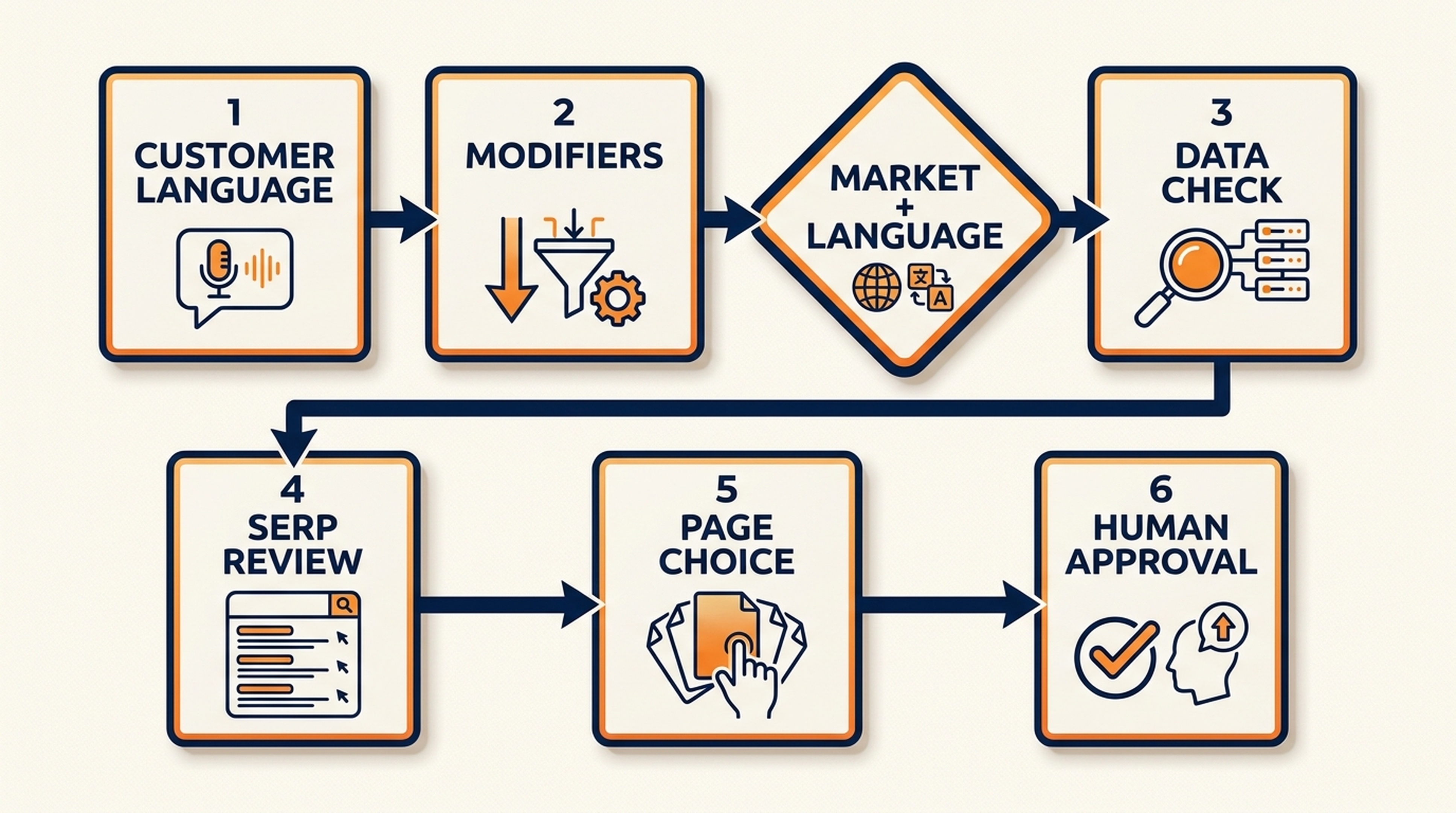
A research workflow should stop at a human decision. The agent can collect and organize evidence; it should not approve a page on its own.
Search and AI visibility: what changes and what does not
AI search can make the research process feel more complicated because a reader may ask a long, conversational question and then ask follow-ups. Google describes AI Overviews and AI Mode as systems that may use query fan-out: they can issue several related searches before assembling an answer.
That is a useful content-planning clue. Instead of repeating one exact phrase in every heading, cover the decisions a reader reasonably needs after the initial question. Explain the terms, give the method, show limits, and make the next step clear.
It is not a shortcut. Google says that there is no special structured data required for AI Overviews or AI Mode. Keep structured data accurate and tied to content that people can see on the page. Do not add markup for reviews, ratings, or FAQs that are not genuinely present.
One 2026 detail matters for tool pages: Google retired FAQ rich results. Keep FAQ sections when they remove real reader friction, but do not add FAQPage markup because you expect a Google FAQ enhancement. A visible FAQ can still be useful to people; it is simply not a rich-result tactic.
When a long-tail query deserves an interactive tool page
Some specific searches describe a task with clear inputs and a repeatable output. Those can make good tool-page candidates. Others need judgement, context, or a narrative explanation and should remain articles.
Use a tool page when all four statements are true:
- A visitor can provide meaningful inputs without specialist help.
- The same rules can produce a useful result repeatedly.
- The output can explain its assumptions or limitations.
- The visitor has a sensible next step after receiving the result.
For example, check if my robots.txt blocks AI crawlers can work as a checker. The user supplies a URL or robots.txt content, the tool parses rules, shows the relevant user agents, and explains what it found. how should I plan an AI SEO strategy is not a checker problem. It needs a guide, an assessment process, and likely a conversation.
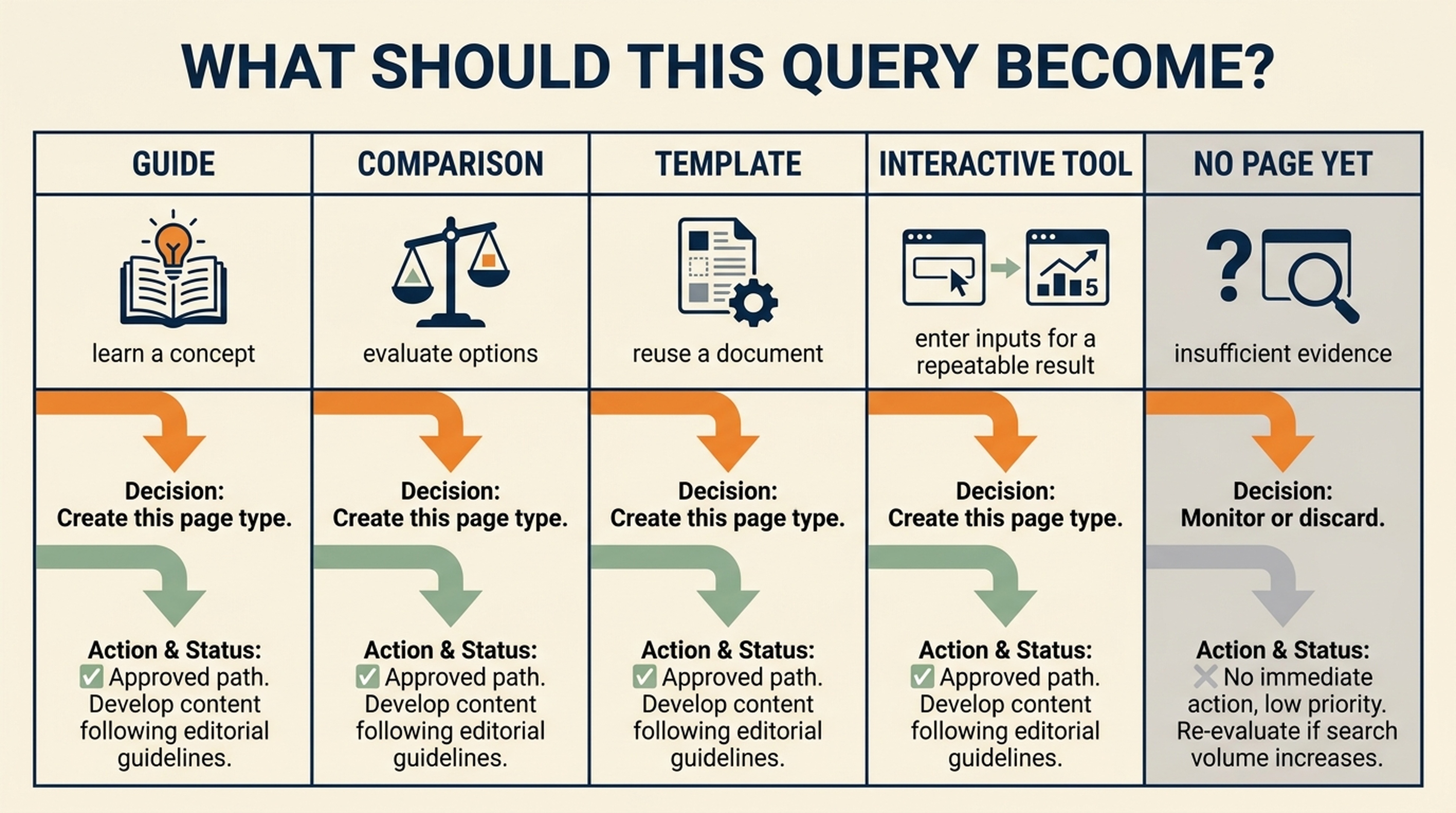
Choose the page format that matches the reader's job. A lack of evidence is a valid reason to postpone a page.
A reusable interactive tool-page blueprint
Use this blueprint when a validated long-tail opportunity is genuinely interactive. It is a specification, not proof that a tool should exist.
Component | What the page needs | Quality check |
|---|---|---|
Inputs | Only the information required to produce the result; label optional fields clearly | A beginner can tell what to enter and why |
Output | A result, plain-language explanation, assumptions, and next action | The page does not hide uncertainty behind a score |
Logic | A documented sequence from input validation to rule/data checks to result | A reviewer can explain why two inputs produce different outputs |
Example | A clearly fictional or public-safe example input and output | The example does not imply a customer result |
FAQ | Questions that help users complete or interpret the task | Every answer matches visible page behavior |
CTA | The logical next action after the result | The CTA does not claim a tool feature that is absent |
Schema | Accurate, visible-page-aligned WebApplication or SoftwareApplication and BreadcrumbList markup when applicable | No fake reviews, ratings, hidden FAQs, or AI-feature claims |
For a tool page, publish the explanation around the tool, not just a blank form. Readers and search systems need to understand what the tool does, when it is useful, what it cannot determine, and how it handles their inputs.
Research long-tail keywords with coding agents
Codex, Claude Code, Hermes, and OpenClaw can speed up the careful parts of keyword research: collecting authorized API responses, normalizing a list, grouping related queries, checking overlap with an existing inventory, and preparing an audit trail.
They should not invent volume, decide to publish, or receive a broad set of production credentials.
Start in an isolated research workspace. Give the agent a seed topic, target market, language, audience, business boundaries, and a list of existing URLs. Use the smallest access level that can read the chosen data source. Keep credentials in environment variables or the provider's approved local configuration, never in prompts, markdown files, Git commits, or output reports.
What each SEO data API is good for
Provider | Useful research signals | Important constraint |
|---|---|---|
Keywords Explorer metrics and ideas, SERP Overview, Site Explorer, Rank Tracker, and Brand Radar data where your plan permits it | API access is plan-dependent and consumes API units outside supported free test queries | |
SEO and keyword reports, domain and competitor research, and other authorized data endpoints | Use the version and endpoints available to your account; keep API-unit limits visible | |
Google Ads search-volume data, keyword suggestions, live SERPs, and domain/page ranked-keyword data | Search volume and paid competition are provider data, not a promise of organic traffic; always send explicit market and language parameters |
If an API is not connected, the agent can still organize customer language and create candidate queries. It must label quantitative fields as unavailable, not fill them with plausible-looking numbers.
The four products in this workflow
You do not need all four products to complete a useful research pass. Use the provider you are authorized to access, and record which one supplied each number. The fourth product, Auspia, is for checking the page you decide to build rather than collecting keyword metrics.
Ahrefs: keyword, ranking, and SERP research
Ahrefs is useful when you want to combine keyword discovery with a view of ranking pages, competitors, and search results. Its API documentation lists Keywords Explorer, SERP Overview, Site Explorer, Rank Tracker, Site Audit, and Brand Radar among the available API areas. For long-tail work, start narrowly: one seed, one market, a small set of ideas, and a SERP check for the candidates that survive your first review.
Before an agent makes a request, check the plan's API access and unit limits. The agent should request only the fields needed for the decision and record the report or endpoint that produced them. It should not turn an Ahrefs metric into a promise that a page will rank.
Semrush: market and competitor research
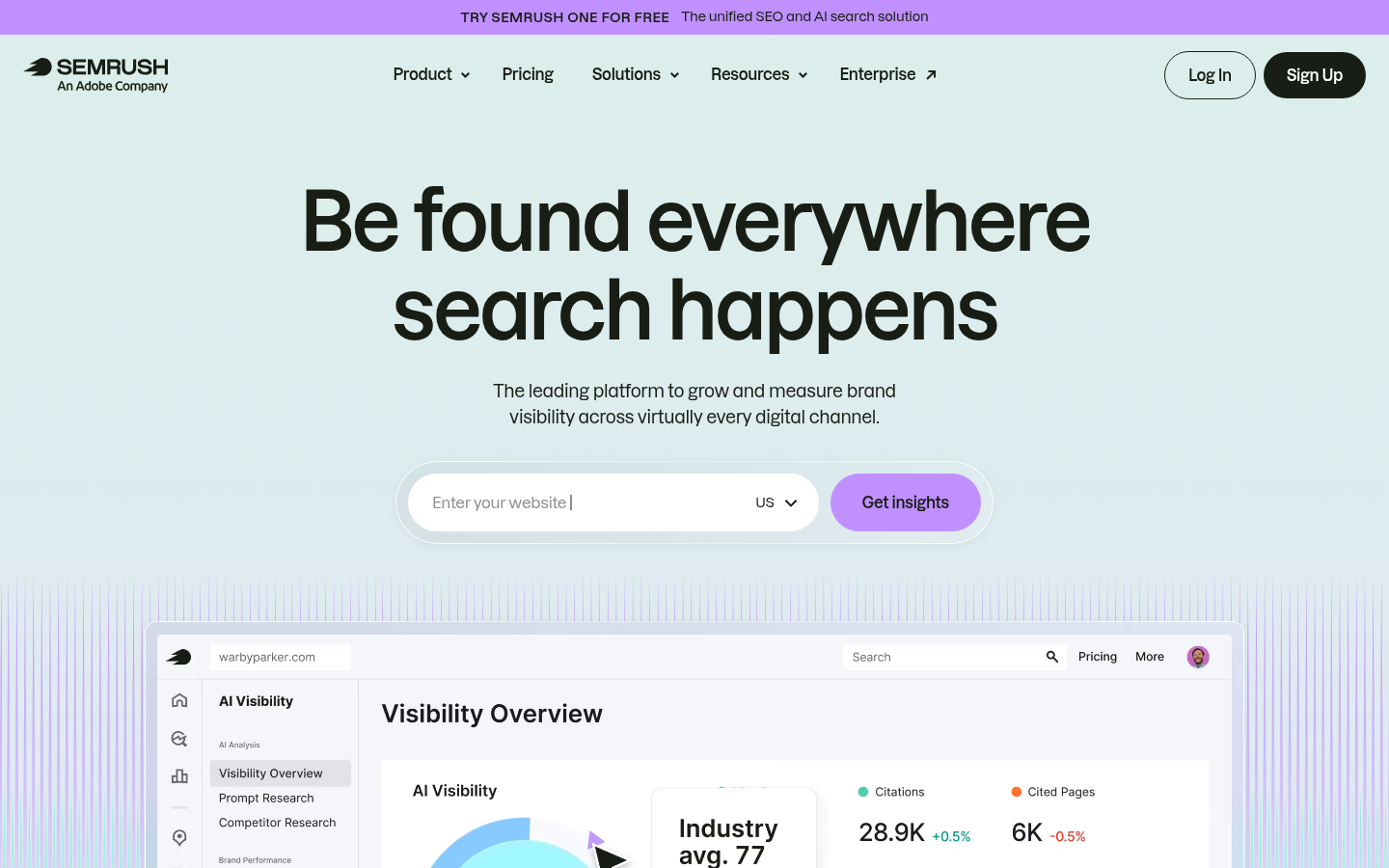
Semrush can be a good fit when your process already uses its SEO reports for keyword, domain, competitor, or market research. Its developer site documents API v4 SEO and keyword-report capabilities, together with account authorization and API-unit controls.
Ask the agent to state the selected database, market, language, endpoint, and retrieval time before it runs a request. Treat provider difficulty and paid data as labelled decision signals, not interchangeable measures of organic ranking difficulty.
DataForSEO: structured API data for repeatable research
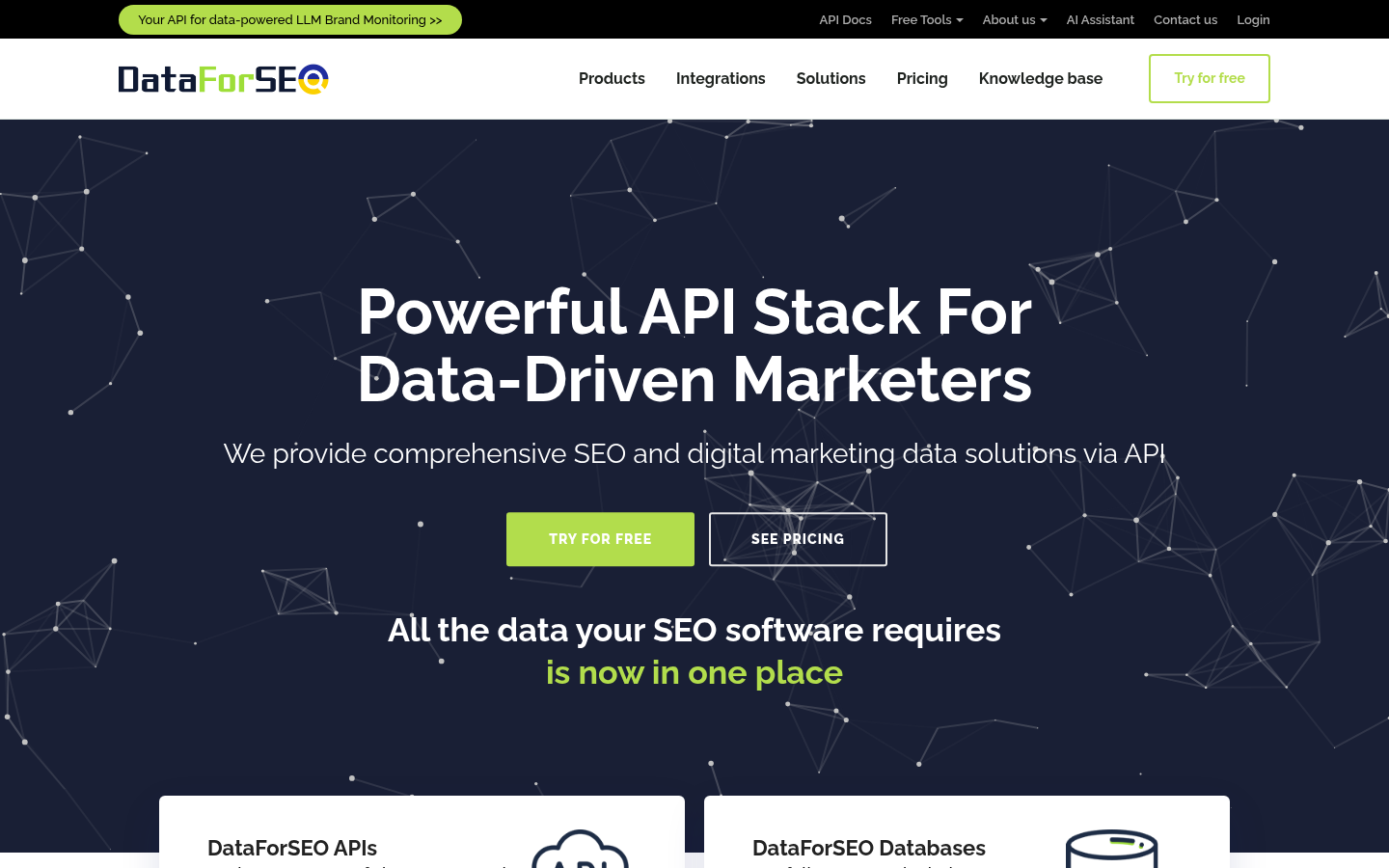
DataForSEO is useful when you want a structured, scriptable research pipeline. Its Google Ads Search Volume endpoint can return search volume, monthly searches, and paid competition data. Its ranked-keywords endpoint can return keywords that a domain, subdomain, or page ranks for, along with relevant SERP information.
There is an easy beginner mistake here: allow the request to inherit a default market or language. Do not. Send the target location and language deliberately, then include both in the final report. Google Ads search volume is an estimate for the configured target, and paid competition is an advertising signal. Neither tells you by itself whether a page deserves to exist.
Auspia: check the page after you choose the opportunity
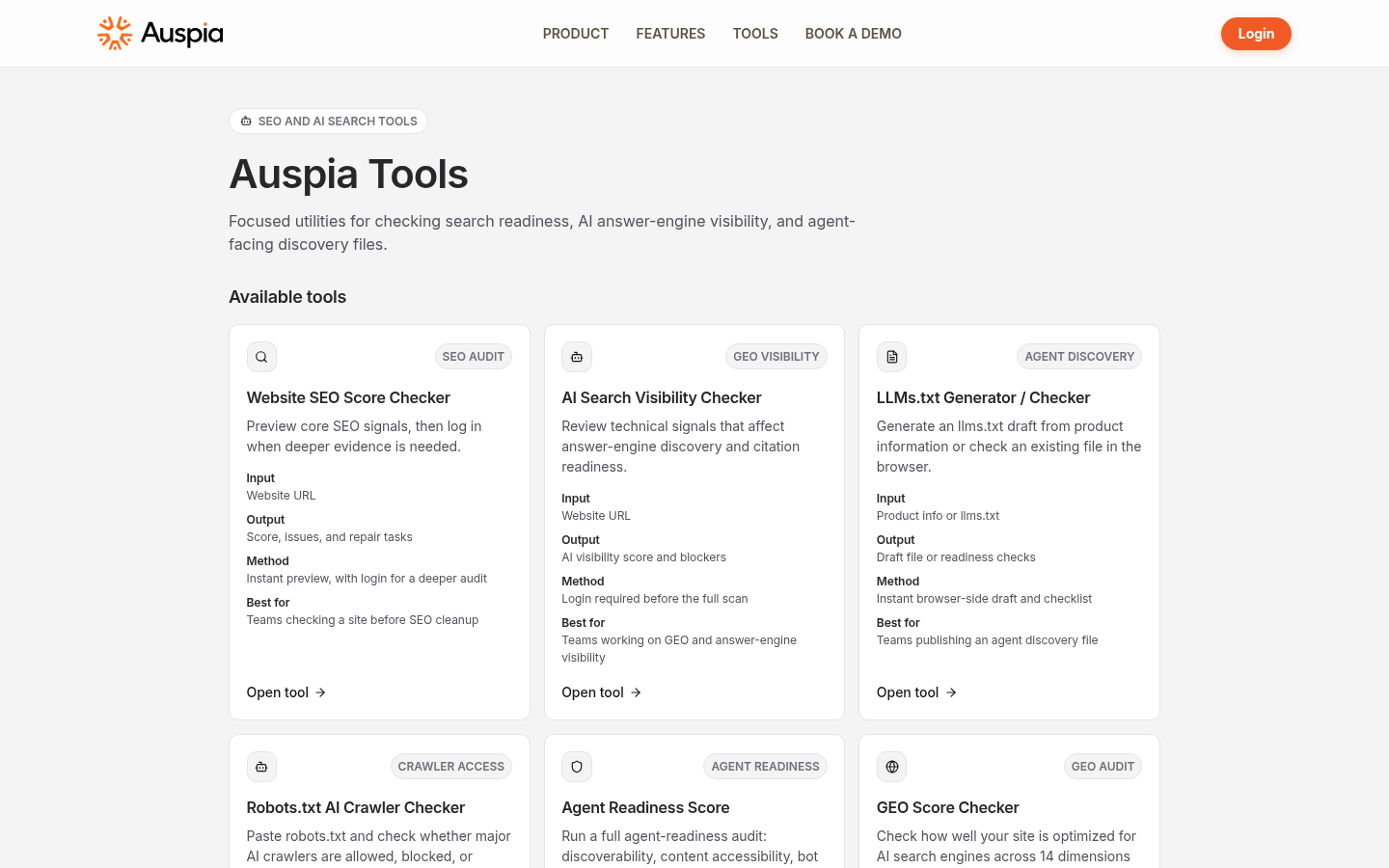
Auspia Tools belongs at the end of this workflow. Once you have approved a page opportunity and created or improved the page, use the available public checks to review the page's SEO, AI-search visibility, agent-readiness, GEO, llms.txt, or robots.txt AI-crawler signals.
Auspia is not presented here as a keyword-volume or keyword-difficulty data provider. The useful handoff is simple: SEO-data APIs help you validate demand and intent; Auspia helps you inspect whether the finished page is technically ready to be found and understood.
Copy this SKILL.md: long-tail-keyword-research
Create a skill folder named long-tail-keyword-research in the configured skills location for your agent, then save the following text as SKILL.md. Do not paste an API key into the file.
---
name: long-tail-keyword-research
description: Research long-tail keyword and interactive-tool-page opportunities from real customer language and authorized SEO data. Produce a reviewable report; never publish pages or invent metrics.
---

# Long-tail keyword research

## Purpose

Turn a defined audience problem into a small, evidence-backed list of long-tail keyword opportunities. Recommend the best page type for each opportunity: improve an existing page, write a guide, create a comparison, publish a template, build an interactive tool page, or do nothing yet.

This skill creates a research report only. It does not write articles, create URLs, change a website, call publishing APIs, or claim expected rankings, traffic, conversions, registrations, or AI citations.

## Required inputs

Stop and ask for any missing required item before collecting quantitative data:

1. Seed topic or customer problem in the customer's own words.
2. Target market or country.
3. Target language.
4. Target audience and business boundary.
5. Existing URL inventory, or an explicit statement that none is available.
6. Which authorized data sources are available: Ahrefs API, Semrush API, DataForSEO, Google Search Console export, or none.

Optional inputs: competitor domains, product constraints, conversion goal, excluded topics, and known seasonality.

## Credential and access rules

- Read credentials only from environment variables, an approved secret manager, or an already-authorized provider connection.
- Never print, save, commit, echo, or include a secret in a report, prompt, markdown file, command history, or URL.
- Do not modify provider settings, spend limits, website files, CMS content, DNS, or production systems.
- Use read-only endpoints where possible. Before a billable request, state the provider, endpoint class, target market, language, approximate request count, and any known quota or unit consideration.
- If authorization, quota, market coverage, or an API request fails, record `unavailable` with the reason. Do not estimate a substitute metric.

## Research method

1. Restate the customer problem, audience, market, language, and exclusions.
2. Extract the main entity, task, audience, constraints, comparisons, locations, platforms, and question words.
3. Create candidate queries from the supplied language. Keep the original phrase in a source column.
4. Collect available evidence in this order:
   - first-party Search Console export or supplied customer research;
   - authorized Ahrefs, Semrush, or DataForSEO responses;
   - live SERP observations in the target market and language;
   - public communities only as qualitative language evidence.
5. Record the source, endpoint or report name, retrieval time, market, language, and exact metric meaning for every quantitative field.
6. Normalize obvious duplicates. Do not merge phrases that indicate different jobs, audiences, platforms, locations, or purchase stages.
7. Classify intent: informational, commercial investigation, transactional, navigational, or mixed. Include a short reason.
8. Check the existing URL inventory. Mark `conflict` when an existing page already answers the same job; mark `unclear` when the inventory is incomplete.
9. Assign one page recommendation:
   - improve_existing_page;
   - guide_or_troubleshooting_article;
   - comparison_or_alternatives_page;
   - template_page;
   - interactive_tool_page;
   - no_page_yet.
10. Recommend `interactive_tool_page` only when the user can provide defined inputs, repeatable logic can produce an explainable result, and a visible next step exists. Otherwise choose a content format or `no_page_yet`.
11. Flag programmatic-page, cannibalization, data-quality, and policy risks. Do not use a generated query list as approval to create pages.
12. End with an approval queue of no more than 20 highest-confidence opportunities. Require human approval before any writing or implementation.

## Output files

Create only these research artifacts in the current workspace:

- `long-tail-research-report.md`: scope, source availability, methodology, findings, risks, and human decisions needed.
- `long-tail-opportunities.csv`: one row per candidate with the schema below.
- `research-evidence/`: sanitized request metadata and provider responses only if they contain no secrets or personal data.

Do not create article drafts, website files, CMS records, or tool implementations.

## Required CSV columns
query originalcustomerlanguage market language source sourceendpointorreport retrievedat metrictype searchvolume competitionsignal intent intentreason querymodifiers serpobservation existingurlconflict recommendedpagetype toolpagefit evidence confidence humanreviewdecision notes
Use `unavailable` rather than a blank or invented value when a source did not return a metric. State whether `competition_signal` is paid competition, provider keyword difficulty, observed SERP competition, or another named measure.

## Quality gates

Before finishing, verify that:

- every quantitative value has a source, retrieval time, market, and language;
- output does not contain API keys, tokens, emails, or personal customer data;
- the report distinguishes measured data from qualitative observations;
- similar queries are not automatically treated as separate pages;
- every tool-page recommendation includes a proposed input, output, logic, limitation, and next action;
- every candidate has `human_review_decision = pending` unless a human explicitly approves it;
- no text claims an outcome that the evidence cannot establish.
Starter prompts for each agent
Use one prompt to install the skill, then a second prompt to run a research job. Keep the two actions separate so you can inspect the file before any data request.
Codex
I am a beginner. In this repository, inspect the applicable AGENTS.md guidance and configured skills locations. Tell me the exact path where you will place the long-tail-keyword-research skill.

Create only that skill folder and SKILL.md from the code block in this article. Do not run keyword research, call an API, read secrets, edit website files, or publish anything. Show the first 12 lines of the saved file and wait for my next instruction.
Claude Code
I am a beginner. Inspect this workspace's Claude Code guidance and configured skills location. Tell me the exact path where you will place a skill named long-tail-keyword-research.

Create only that skill folder and SKILL.md from the code block in this article. Do not run research, call an API, read secrets, change website files, or publish anything. Show the first 12 lines of the saved file and wait for approval.
Hermes
I am a beginner. Inspect the active Hermes workspace configuration and identify the configured skills directory. Tell me the exact path for long-tail-keyword-research/SKILL.md.

Create only that file from the code block in this article. Do not use browser, API, CMS, or deployment access. Show the first 12 lines and wait for my next instruction.
OpenClaw
I am a beginner. Inspect the active OpenClaw workspace configuration and identify its configured skills directory. Tell me the exact path for long-tail-keyword-research/SKILL.md.

Create only that file from the code block in this article. Do not browse, call an API, access a CMS, edit website files, or deploy anything. Show the first 12 lines and wait for my next instruction.
After the skill is installed, use this second prompt in the same workspace:
Use long-tail-keyword-research for this request.

Customer problem: [PASTE THE REAL CUSTOMER QUESTION]
Market: [COUNTRY OR MARKET]
Language: [LANGUAGE]
Audience: [WHO THIS IS FOR]
Business boundary: [WHAT YOU DO AND DO NOT OFFER]
Existing URL inventory: [PASTE URLS OR SAY NONE AVAILABLE]
Authorized sources: [AHREFS / SEMRUSH / DATAFORSEO / SEARCH CONSOLE / NONE]

Before making any API request, show the source availability, the exact market and language you will use, the likely request count, and whether the request may consume units or quota. Then wait for my approval.
How to review an AI-assisted report
An agent can organize a large amount of data, but it cannot decide whether a page deserves your brand's time. Review the report in this order:
- Confirm the country, language, and retrieval date on every important row.
- Check whether volume, CPC, paid competition, and provider difficulty have been labelled correctly.
- Read the query as a human. Does it describe a problem your audience actually has?
- Search the query yourself and compare the recommended page type with what the result page rewards.
- Check the existing-URL conflict field before approving a new page.
- Approve a small batch. It is easier to learn from five well-chosen pages than fifty near-duplicates.
Common long-tail keyword mistakes in 2026
- Defining long-tail only by the number of words.
- Letting an API default to the wrong market or language.
- Treating paid competition as organic ranking difficulty.
- Publishing one page for every close variation instead of answering the shared job well.
- Building a tool page when a guide would answer the question better.
- Adding structured data that describes invisible content or promises an AI-search benefit it cannot provide.
FAQ
Are long-tail keywords always easier to rank for?
No. Specific intent can make a page easier to match, but the competition, search results, site quality, and usefulness of your answer still matter.
How many long-tail keywords should one page target?
Target one main job. Include close variants and follow-up questions when they share that job. Split into separate pages when the reader needs a materially different answer, format, audience, or decision.
Can an AI agent find long-tail keywords without an SEO-data API?
Yes, it can organize customer language, site-search terms, public questions, and a Search Console export. It cannot truthfully supply keyword metrics that it cannot access. Label those fields as unavailable.
When should I build a tool page instead of a blog post?
Build a tool when a visitor can enter defined inputs and receive a repeatable, understandable result. Use a blog post when the answer needs explanation, nuance, or judgement.
Does structured data put a page in Google AI Overviews or AI Mode?
No. Google says there is no special structured data requirement for those features. Use accurate markup for the content and page type you actually publish.
Author: Simon Vale, Search Intent Researcher at Auspia. Simon writes about buyer queries, SERP patterns, and page decisions that keep content teams focused on real search intent.


