


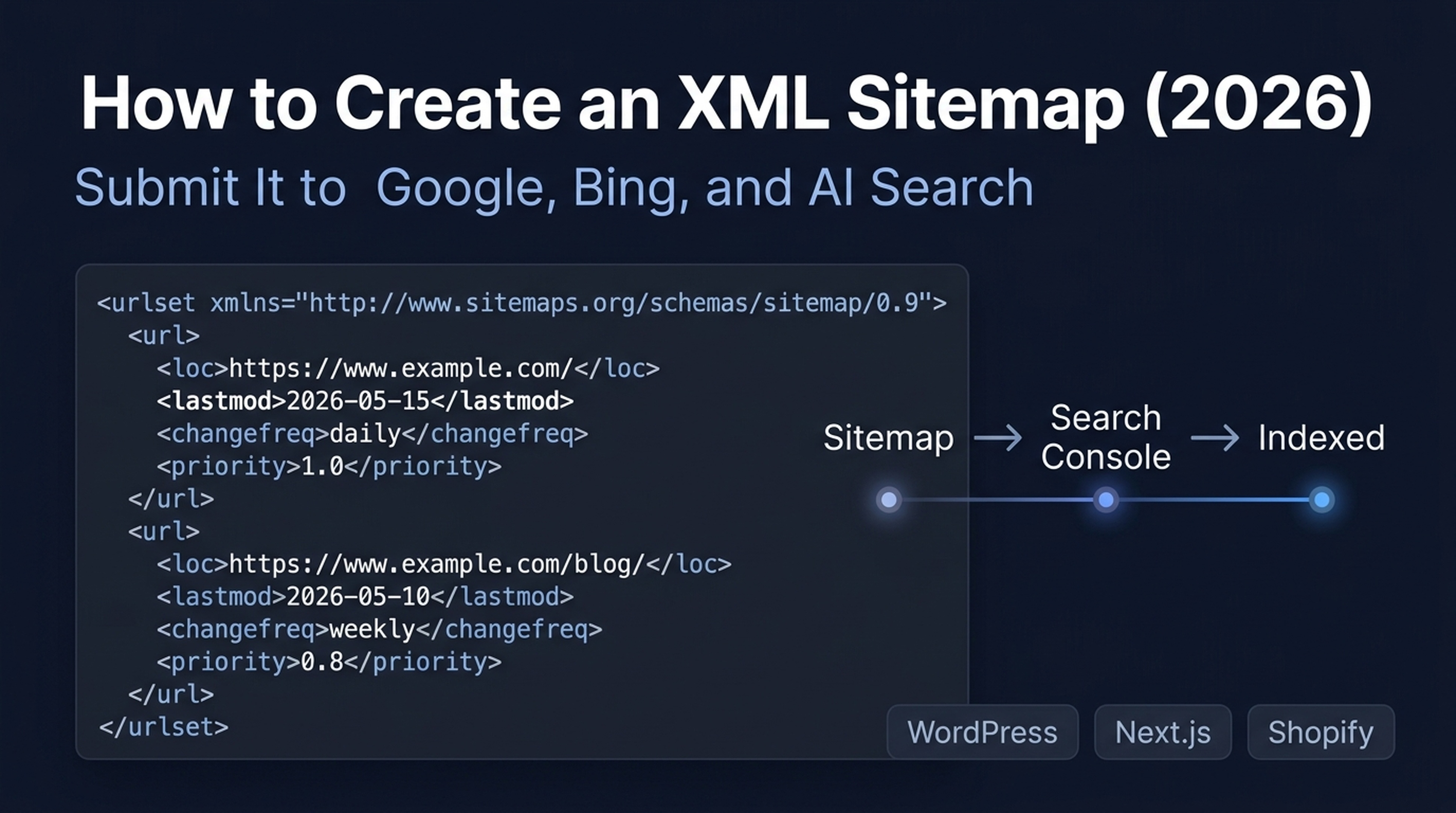
What You'll Finish With
By the end of this guide, you will have:
- A valid XML sitemap that search engines can read
- Your sitemap submitted to Google and Bing through the correct 2026 channels
- A basic llms.txt file so AI crawlers can discover your content
- Optional: a reusable Claude Code skill that generates and validates sitemaps for any site
Who this is for: Anyone who owns or manages a website — whether it runs on WordPress, a modern JavaScript framework, Shopify, or static HTML files. No technical SEO experience required.
Time required: 15–30 minutes, depending on your platform.
Prerequisites: Access to your website's admin panel or codebase, plus a verified Google Search Console property. If you haven't set up Search Console yet, create a property and verify ownership before continuing.
Before You Start: Which Path Fits Your Site?
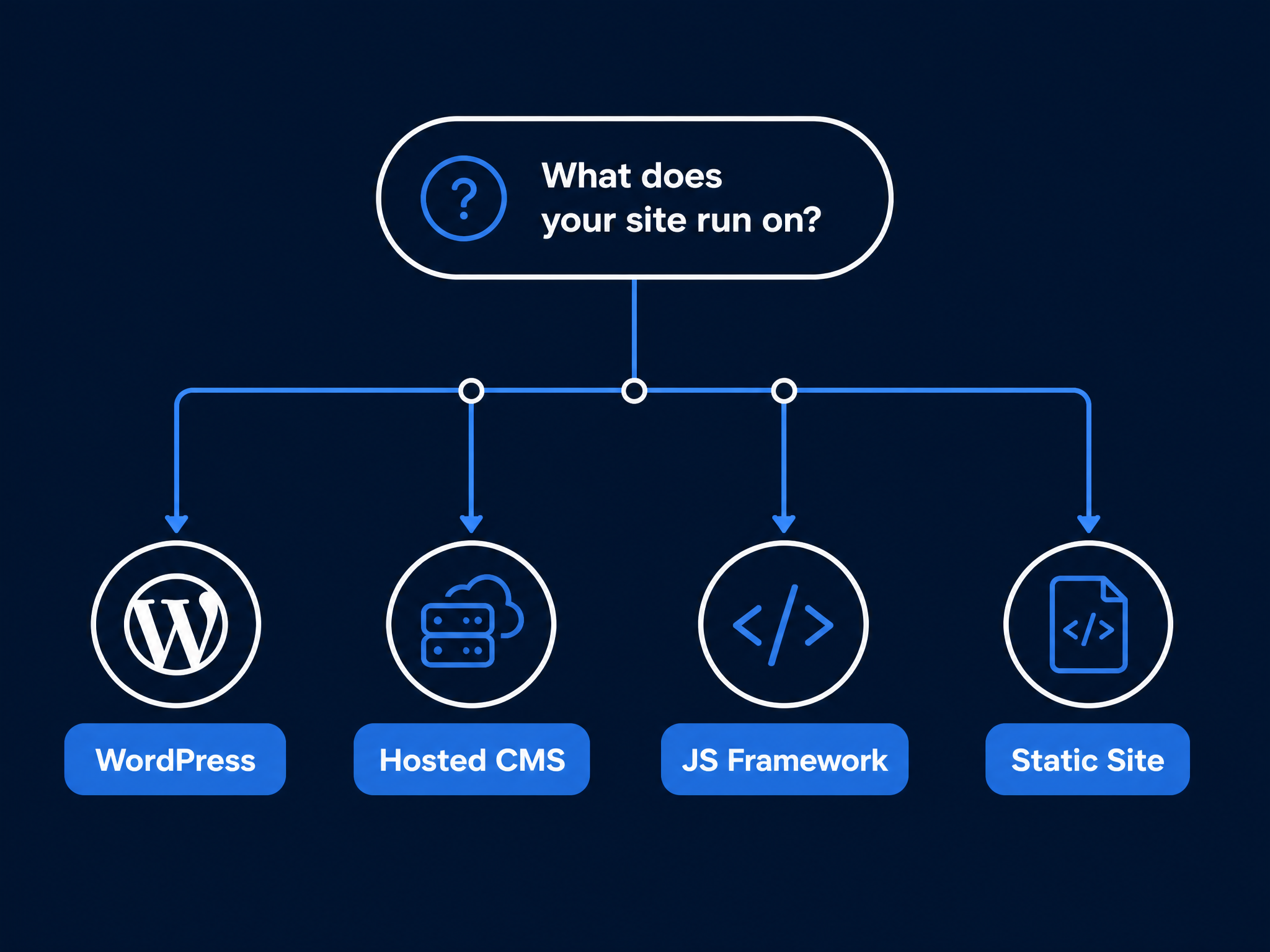
Sitemap creation depends entirely on how your site is built. Pick your path:
Your site runs on… | Go to… |
|---|---|
WordPress | |
Wix, Squarespace, or Shopify | |
Next.js, Nuxt, Astro, or another framework | |
Static HTML, no CMS, or a custom build |
Not sure? Open your site in a browser, right-click, and select "View Page Source." Look for clues: wp-content means WordPress; next or __NEXT means Next.js; shopify means Shopify. If you see neither, you're likely on a static site or custom build — Path D.
Path A: WordPress
WordPress powers over 40% of the web, and sitemap generation is a solved problem here. You have three solid options — none of them bad, but each fits a different need.
Option 1: Native WordPress Sitemap (Zero Plugins)
Since WordPress 5.5 (released August 2020), every WordPress site automatically generates an XML sitemap at:
yourdomain.com/wp-sitemap.xmlOpen that URL in your browser. You should see a sitemap index listing sub-sitemaps for posts, pages, categories, and authors.
Pros: Zero setup. WordPress handles everything — you don't touch a setting.
Limitations: You can't exclude individual pages or entire post types. There's no image sitemap, no video sitemap, and no priority controls. If your site has author archives or tag pages you'd rather keep out of search results, the native sitemap includes them regardless.
Best for: Simple blogs and small sites where every page deserves to be indexed.
✅ Quality check: Visit yourdomain.com/wp-sitemap.xml. You should see a valid XML file, not a 404.
🔧 If you see a 404: Your theme or another plugin may have disabled the native sitemap. Check Settings > Reading and ensure "Discourage search engines from indexing this site" is unchecked.
Option 2: Yoast SEO
Yoast SEO is the most widely used WordPress SEO plugin. Its sitemap generator is clean, reliable, and respects your noindex settings automatically.
Setup:
- Install Yoast SEO from Plugins > Add New
- Go to Yoast SEO > Settings > Site features
- Scroll to "APIs" and ensure "XML sitemaps" is toggled on
- Visit
yourdomain.com/sitemap_index.xmlto confirm it works
What you get in the free version: A sitemap index with sub-sitemaps for posts, pages, categories, and custom post types. Yoast automatically excludes noindexed content and includes images referenced in your posts. The sitemap regenerates whenever you publish or update content.
What requires Premium ($99/year): Individual URL exclusion from the sitemap, HTML sitemaps, and news/video sitemap extensions.
Best for: Content teams who want a mature, well-documented plugin and appreciate Yoast's readability analysis alongside their SEO tools.
Option 3: Rank Math
Rank Math gives you more free features than Yoast, including individual URL exclusion, an HTML sitemap, and priority/change frequency controls — all at no cost.
Setup:
- Install Rank Math from Plugins > Add New
- Complete the setup wizard (it will detect your site type and configure defaults)
- Go to Rank Math > Sitemap Settings
- Confirm the sitemap is enabled at
yourdomain.com/sitemap_index.xml
Standout free features: You can exclude any individual post, page, or taxonomy from the sitemap in the free version. Rank Math also includes a WooCommerce product sitemap, local SEO sitemap, and Google News sitemap at no extra cost.
Best for: Developers, agencies, and site owners who want granular control without paying for a premium license.
WordPress: Which One Should You Pick?
Criterion | Native WP Sitemap | Yoast SEO (Free) | Rank Math (Free) |
|---|---|---|---|
Setup effort | None | 2 minutes | 3 minutes |
Exclude by post type | No | Yes | Yes |
Exclude individual URLs | No | Premium only | Yes |
Image sitemap | No | Yes | Yes |
Video sitemap | No | Premium add-on | Included |
WooCommerce support | No | Separate plugin ($79/yr) | Included |
Best value | Simple sites | Content-first teams | Feature-heavy sites |
✅ Quality check: After installing either plugin, visit your sitemap URL. Each sub-sitemap should return a 200 status code. Use an incognito window if you're logged in — some caching plugins serve different content to logged-in users.Path B: Hosted CMS Platforms
Wix, Squarespace, and Shopify all generate sitemaps automatically. You can't customize them much, but you also can't break them.
Wix
Your sitemap lives at yourwixsite.com/sitemap.xml. It updates automatically when you add or remove pages.
To exclude a page from search results (and from the sitemap):
- Go to Site Pages
- Click the three-dot menu on the page
- Select SEO Basics
- Toggle off "Show this page in search results"
Watch out: If you canonicalize a URL in Wix (pointing Page A to Page B as the canonical version), Wix does not remove Page A from the sitemap. This sends mixed signals — Google sees a page in your sitemap whose canonical tag says "ignore me." If you canonicalize a page, also toggle off its search visibility.
Squarespace
Your sitemap is at yoursquarespacesite.com/sitemap.xml. Squarespace generates it automatically, and you can't manually edit it.
To exclude a page: Open the page settings, go to the SEO tab, and toggle off the search visibility. This removes the page from both your sitemap and search results.
Limitation: Squarespace's sitemap includes every indexable page. You can't add custom URLs (like pages hosted elsewhere) or remove categories without hiding the category pages entirely.
Shopify
Your sitemap is at yourstore.com/sitemap.xml. Shopify auto-generates separate sitemaps for products, collections, pages, and blog posts, all referenced from the main sitemap index.
To exclude a page: Shopify doesn't offer a simple toggle. You need to edit your theme's theme.liquid file and add a noindex meta tag to the specific template, or use a SEO app from the Shopify App Store.
Ecommerce-specific advice: Pay attention to faceted navigation URLs (like /collections/shirts?color=red). These can generate thousands of near-duplicate sitemap entries. Most Shopify SEO apps let you block parameter-based URLs from the sitemap. If you're not using an app, add parameter handling rules in Google Search Console instead.
✅ Quality check: Open your sitemap URL. Count the sub-sitemaps or scan the URL count. If you have 500 products but see 3,000 URLs, check for parameter-based duplicates.Path C: Modern JavaScript Frameworks
If your site is built with Next.js, Nuxt, Astro, or a similar framework, sitemap generation happens at build time through a plugin or built-in module.
Next.js (App Router)
Next.js 14+ includes a built-in sitemap.ts route handler. Create app/sitemap.ts:
import type { MetadataRoute } from 'next'

export default function sitemap(): MetadataRoute.Sitemap {
  const baseUrl = 'https://yourdomain.com'

  return [
    { url: baseUrl, lastModified: new Date(), changeFrequency: 'monthly', priority: 1 },
    { url: `${baseUrl}/about`, lastModified: new Date(), changeFrequency: 'yearly', priority: 0.5 },
    { url: `${baseUrl}/blog`, lastModified: new Date(), changeFrequency: 'weekly', priority: 0.8 },
    // Add dynamic routes from your CMS or database here
  ]
}
For sites with thousands of pages, use generateSitemaps() to split into multiple sitemap files automatically.
Community alternative: next-sitemap (npm package) scans your pages directory, supports dynamic routes, and auto-updates robots.txt.
Nuxt
Install the official module:
npx nuxi@latest module add sitemapAdd basic config in nuxt.config.ts:
export default defineNuxtConfig({
  site: { url: 'https://yourdomain.com' },
  sitemap: {
    autoLastmod: true,
    credits: false, // Removes the "generated by" comment
  },
})
The module auto-discovers all routes in your pages/ directory, including dynamic routes.
Astro
Install the official integration:
npx astro add sitemapSet your site URL in astro.config.mjs:
import { defineConfig } from 'astro/config'
import sitemap from '@astrojs/sitemap'

export default defineConfig({
  site: 'https://yourdomain.com',
  integrations: [sitemap()],
})
Astro generates sitemap-index.xml and sitemap-0.xml at build time.
Limitation: Dynamic routes in SSR mode won't appear in the sitemap. If you use Astro's Server Islands for personalized content, generate static sitemap entries for your public pages manually.
Sitemap Generation Reference Table
Framework | Package / Module | Install Command | Auto-splits at 50k URLs? |
|---|---|---|---|
Next.js 14+ | Built-in | None | Yes, via |
Next.js (Pages Router) |
|
| Yes |
Nuxt 3/4 |
|
| Yes |
Astro 4+ |
|
| Yes |
Vite (general) |
|
| Yes |
SvelteKit |
|
| Manual |
✅ Quality check: After building your site, open the generated sitemap. Verify every URL returns a 200 status code. Check that noindexed pages, redirects, and 404s are absent. If you see `/page/2`, `/page/3`, etc., consider excluding paginated archive pages.Path D: Static Sites and Custom Builds
If you don't use a CMS and don't have a build-time sitemap generator, you have three practical options: a CLI tool, a desktop crawler, or an AI agent.
Option 1: Static Sitemap CLI (Fastest for Local Files)
The static-sitemap-cli tool scans your local filesystem for HTML files and generates a sitemap:
npx static-sitemap-cli --base-url https://yourdomain.com --source ./publicThis produces sitemap.xml in your current directory. Upload it to your site's root folder.
Best for: Static sites where all HTML files exist locally (Hugo, Jekyll, 11ty, or plain HTML).
Option 2: Desktop Crawler (Screaming Frog)
Screaming Frog SEO Spider crawls your live site and exports a sitemap. The free version crawls up to 500 URLs.
- Download and install Screaming Frog SEO Spider
- Set Mode > Spider
- Enter your homepage URL and click Start
- Wait for the crawl to complete
- Go to Sitemaps > XML Sitemap
- Deselect
<priority>and<changefreq>(Google ignores both) - Export the file
Watch out: Free online sitemap generators are unreliable. Independent tests have found they routinely include canonicalized URLs, noindexed pages, 3xx redirects, and 404s. If you use one, verify every URL in the output before submitting to Google.
Option 3: Claude Code / AI Agent (the 2026 Way)
If you're short on time (or patience for manual crawling), there's a better option: let Claude Code handle the entire thing. Give it your domain, and it crawls, filters, validates, and writes the files. Here's the skill to make it work.
Save this as sitemap-generator.md in your Claude Code skills directory:
---
name: sitemap-generator
description: Generate a clean XML sitemap for any website. Crawls the site, filters out low-value URLs, and outputs a Search Console-ready sitemap.xml file.
---

## Input

Tell the agent your website URL, any pages or patterns to exclude, and whether you want an llms.txt file alongside the sitemap.

## Instructions for the Agent

### Step 1: Discover URLs

Use Playwright or a curl-based crawl to discover all pages on the site. Do NOT use a sitemap as the starting point — crawl from the homepage and follow internal links.

Track these for every URL you find:
- Full absolute URL
- HTTP status code
- Whether it has a `<meta name="robots" content="noindex">` tag
- Whether it has a canonical tag pointing to a different URL
- Whether it's a redirect (3xx)
- Page title and word count (for quality filtering)

### Step 2: Filter Out Problem URLs

Exclude ALL of these from the final sitemap:
- URLs that return 4xx or 5xx status codes
- URLs that redirect (3xx)
- URLs with a noindex meta tag or X-Robots-Tag header
- URLs where the canonical tag points to a different URL
- Paginated URLs matching `*/page/*`, `*/paged/*`, `*?page=*` etc.
- URLs containing tracking parameters (`utm_source`, `fbclid`, `gclid`, `ref=`)
- Login pages, cart pages, checkout pages, account pages
- URLs with fewer than 50 words of visible content (thin pages)
- PDFs, images, and other non-HTML files unless you specifically want them indexed

### Step 3: Build the Sitemap XML

Generate a valid XML sitemap following the Sitemap Protocol 0.90:

```xml
<?xml version="1.0" encoding="UTF-8"?>
<urlset xmlns="http://www.sitemaps.org/schemas/sitemap/0.90">
  <url>
    <loc>https://yourdomain.com/page-url/</loc>
    <lastmod>2026-07-30</lastmod>
  </url>

</urlset>
```

Rules:
- Every URL must be absolute (start with `https://`)
- Every URL must have a `<loc>` tag and a `<lastmod>` tag
- `<lastmod>` should use the page's actual modification date in YYYY-MM-DD format, OR the date you crawled it if the real date is unknown
- Do NOT include `<priority>` or `<changefreq>` — Google ignores both
- If the sitemap exceeds 50,000 URLs or 50MB, split it into multiple files and create a sitemap index

### Step 4: Write the Files

1. Write `sitemap.xml` to the project directory
2. Write or update `robots.txt` to include the line: `Sitemap: https://yourdomain.com/sitemap.xml`

### Step 5: Generate llms.txt (Optional)

Also create an `llms.txt` file following the [llms-txt.org](https://llms-txt.org) standard:

```text
# Your Site Name
> Brief description of the site, one sentence.

## Documentation
- [Page Title](https://yourdomain.com/page-url/): One-sentence description.

## Blog
- [Post Title](https://yourdomain.com/blog/post-slug/): One-sentence description.

## Resources
- [Resource Name](https://yourdomain.com/resource/): Description.
```

### Step 6: Print a Validation Report

After generating the files, print a summary:

```
Sitemap generated: sitemap.xml
Total URLs included: 247
Total URLs excluded: 89
  - Noindexed: 12
  - Redirects: 8
  - Canonicalized to other URL: 15
  - Thin content (<50 words): 23
  - Paginated: 18
  - Other (login, cart, params): 13
Robots.txt: updated with Sitemap directive
llms.txt: created with 15 sections
Next step: Upload sitemap.xml to your site root, then submit it in Google Search Console.
```

## Output

- `sitemap.xml` — ready to upload to your site root
- Updated `robots.txt` with sitemap reference
- Optional `llms.txt` for AI crawler discovery
- A validation report showing what was included and excluded

## Limitations

- This agent cannot upload files to your server. You must manually place `sitemap.xml` in your site's root directory.
- This agent does not have access to your Google Search Console. Submission must be done manually or through a separately configured workflow.
- If your site is JavaScript-heavy, the crawl may miss pages rendered client-side. In that case, prefer a framework-native sitemap generator (Path C).
How to use this skill with Claude Code:
- Save the skill file to
~/.claude/skills/sitemap-generator.md - Start Claude Code in your project directory
- Run:
/sitemap-generatorand provide your domain when asked - Review the validation report, then upload the generated
sitemap.xmlto your site root
The real win here is the filtering. You skip the tedious part — checking every URL by hand for noindex tags, canonical mismatches, and redirects — and get a sitemap you can confidently submit to Google.
Sitemap Size Limits: When One File Isn't Enough
Google enforces two hard limits per sitemap file:
- 50,000 URLs maximum
- 50 MB uncompressed file size maximum
If your site exceeds either limit, you need a sitemap index — a file that lists multiple sitemap files.
A sitemap index looks like this:
<?xml version="1.0" encoding="UTF-8"?>
<sitemapindex xmlns="http://www.sitemaps.org/schemas/sitemap/0.90">
  <sitemap>
    <loc>https://yourdomain.com/sitemap-posts-1.xml</loc>
    <lastmod>2026-07-30</lastmod>
  </sitemap>
  <sitemap>
    <loc>https://yourdomain.com/sitemap-products-1.xml</loc>
    <lastmod>2026-07-30</lastmod>
  </sitemap>
  <sitemap>
    <loc>https://yourdomain.com/sitemap-pages.xml</loc>
    <lastmod>2026-07-29</lastmod>
  </sitemap>
</sitemapindex>
How to split: Group URLs logically — by content type (posts, products, categories), by date range (2024-posts, 2025-posts), or by language. Then submit only the sitemap index to Google Search Console. All modern CMS plugins and framework sitemap tools handle splitting automatically.
✅ Quality check: Each child sitemap listed in your index must be hosted on the same domain and in the same directory (or a subdirectory). You can't reference a sitemap on a different domain from your index file.The Tags That Matter (and Two That Don't)
A minimal sitemap only needs two things per URL: <loc> and <lastmod>. Here's what each tag actually does in 2026:
<loc> — Required. The absolute, canonical URL.
Every sitemap entry must have one. Use the full URL starting with https://, and use the canonical version of each page. If https://yoursite.com/page and https://www.yoursite.com/page both exist, pick one and stick with it everywhere — in your sitemap, your canonical tags, and your internal links.
<lastmod> — Optional but important in 2026.
Since Google deprecated the sitemap ping endpoint in June 2023, <lastmod> has become the primary signal Google uses to decide which pages to recrawl. Google's Gary Illyes has confirmed they use <lastmod> — but only when it's consistently accurate.
Do: Update <lastmod> when a page's main content changes meaningfully (new information, rewritten sections, updated data).
Do NOT: Auto-update <lastmod> for trivial changes like updating the copyright year in your footer, regenerating the page through your CMS, or changing a sidebar widget.
If you can't maintain accurate timestamps, omit <lastmod> entirely. A missing timestamp is better than a misleading one.
<priority> and <changefreq> — Ignored by Google.
Google has publicly stated they ignore both of these tags. John Mueller called priority and change frequency tags something that "doesn't play much of a role anymore." Gary Illyes described <priority> as "a bag of noise."
You can still include them if you want — they don't hurt anything — but don't spend time tuning values that no major search engine uses.
How to Submit Your Sitemap to Search Engines in 2026
Generating a sitemap is half the job. Search engines need to know it exists.
Submit to Google
Method 1: Google Search Console (Primary)
- Go to Google Search Console
- Select your property
- In the left sidebar, go to Indexing > Sitemaps
- In the "Add a new sitemap" field, enter your sitemap URL (e.g.,
sitemap.xmlorsitemap_index.xml) - Click Submit
Google will fetch your sitemap within minutes. Check back in a day or two to see the status: "Success" means Google processed it. "Couldn't fetch" or "Has errors" means something is wrong — open the report to see which URLs failed.
Method 2: robots.txt (Secondary, but Recommended)
Add this line to your robots.txt file (usually at yourdomain.com/robots.txt):
Sitemap: https://yourdomain.com/sitemap.xmlIf you have multiple sitemaps or a sitemap index:
Sitemap: https://yourdomain.com/sitemap_index.xmlThis lets any compliant crawler — not just Google — discover your sitemap automatically.
What happened to sitemap pings? Google's ping endpoint (http://www.google.com/ping?sitemap=...) was deprecated in June 2023 and now returns a 404. If you're using an older SEO plugin that still pings this URL, the ping does nothing. There's no penalty — it's just a no-op. Make sure your submission workflow uses Search Console and robots.txt instead.
Submit to Bing (and Yahoo, via IndexNow)
Bing prefers the IndexNow protocol for sitemap submission. IndexNow notifies Bing instantly when you add, update, or delete pages — no waiting for a scheduled recrawl.
Setup through your SEO plugin: Rank Math, Yoast SEO, and AIOSEO all support IndexNow. Enable it in the plugin settings, and they'll automatically generate an API key and submit URLs when content changes.
Manual setup for non-plugin sites:
- Generate an API key (any string of 8–128 characters)
- Host the key file at
https://yourdomain.com/{your-key}.txtwith the key as the content - Submit URLs via a POST request:
curl -X POST "https://api.indexnow.org/indexnow" \
  -H "Content-Type: application/json" \
  -d '{
    "host": "yourdomain.com",
    "key": "your-api-key",
    "keyLocation": "https://yourdomain.com/your-api-key.txt",
    "urlList": [
      "https://yourdomain.com/new-page/",
      "https://yourdomain.com/updated-page/"
    ]
  }'
Also submit your sitemap in Bing Webmaster Tools as a fallback. Go to Sitemaps > Submit sitemap, and enter your sitemap URL.
Quick Reference: Where to Submit
Search Engine | Primary Channel | Secondary Channel |
|---|---|---|
Search Console | robots.txt | |
Bing | IndexNow (via plugin or API) | Bing Webmaster Tools |
Yahoo | Covered by Bing | — |
Yandex | IndexNow | Yandex Webmaster |
Naver | IndexNow | Naver Webmaster |
DuckDuckGo | robots.txt | Uses Bing index |
Beyond XML: llms.txt for AI Search Visibility
In 2025–2026, a new standard called llms.txt has emerged for helping AI-powered crawlers — like those behind ChatGPT, Perplexity, Claude, and Google AI Overviews — discover and understand your content.
What is llms.txt?
It's a plain text file, placed at yourdomain.com/llms.txt, that provides a structured, human-and-machine-readable summary of your site's key pages. Think of it as a "table of contents for AI crawlers."
A minimal llms.txt file:
# Your Site Name
> A short description of what your site offers, one sentence.

## Main Pages
- [Home](https://yourdomain.com/): What your site does in one line.
- [About](https://yourdomain.com/about/): Who you are and what you cover.
- [Blog](https://yourdomain.com/blog/): Articles and guides on [topic].

## Key Guides
- [How to Create a Sitemap](https://yourdomain.com/blog/sitemap/): Complete sitemap guide for 2026.
- [SEO Basics](https://yourdomain.com/blog/seo-basics/): Getting started with search optimization.

## Resources
- [Free Tools](https://yourdomain.com/tools/): SEO tools and calculators.
Optionally, you can create an llms-full.txt file with the full text content of your key pages for deeper AI processing.
Do You Need llms.txt?
Probably, but it's not urgent. The standard is new, and no major AI platform has publicly stated that llms.txt directly impacts citation rates. However, OpenAI's documentation confirms that GPTBot respects robots.txt directives for discovery, and having a clear content map makes it easier for any crawler — human or AI — to understand your site.
If your content strategy includes AI search visibility, generating llms.txt alongside your XML sitemap is a low-effort, forward-looking move. If you want to skip the manual formatting, Auspia's LLMs.txt Generator scans your site and builds the file for you.
Common Sitemap Mistakes (and How to Fix Them)
Even with automated generation, sitemaps can go wrong. Here are the most frequent issues and how to catch them:
Problem | Why It Matters | How to Detect It | How to Fix It |
|---|---|---|---|
Noindex pages in sitemap | Sends contradictory signals: "index this" in sitemap, "don't index" in meta tag. Google usually sides with the noindex tag, but it wastes crawl budget. | In Search Console, go to Pages > "Submitted in sitemap" and look for "Excluded by noindex tag." | Remove from sitemap. In WordPress, check individual post settings. In frameworks, add a filter before sitemap generation. |
Redirects (3xx) in sitemap | Google follows the redirect but wastes crawl budget on the extra hop. | Crawl your sitemap URLs and check for 3xx status codes. Most SEO crawlers flag this. | Update sitemap entry to the final destination URL. |
404 pages in sitemap | Crawl budget wasted on dead ends. | Search Console reports these under "Submitted URL not found (404)." | Remove the URL from your sitemap, or restore the page if the 404 was accidental. |
Canonicalized URLs in sitemap | Sitemap says "index this," canonical says "the real version is over there." Search engines may ignore the sitemap entry. | Compare your sitemap URLs against their canonical tags. Free online generators are the worst offenders here. | Remove non-canonical URLs. Only the canonical version of each page belongs in your sitemap. |
Low-quality or thin pages | They won't rank, they waste crawl budget, and they dilute the overall quality signal of your site. | Check for pages with <200 words of content, auto-generated tag pages, or near-duplicate product pages. | Either improve the page content significantly, noindex it, or remove it entirely. |
Missing `<lastmod>` or auto-generated timestamps | Without accurate lastmod, Google must guess which pages changed. | Check if your sitemap regenerates | Only update |
Sitemap not referenced in robots.txt | Crawlers might not discover it. | Open | Add |
Sitemap URL submitted but not the sitemap index | If you have a sitemap index, submitting a child sitemap directly means Google doesn't know about the other child sitemaps. | Check Search Console > Sitemaps. If you see individual sitemap filenames instead of your index, resubmit the index. | Submit the sitemap index URL ( |
🔍 Quick audit: Open Google Search Console > Indexing > Sitemaps. Look at the "Discovered URLs" vs "Indexed URLs" columns. If the discovered count is much higher than indexed, your sitemap likely has quality issues. Drill into the report to see which URLs were excluded and why.Verify Your Finished Sitemap
Before you call this done, run through this checklist:
- [ ] Sitemap is accessible:
yourdomain.com/sitemap.xml(orsitemap_index.xml) returns a 200 status code and valid XML - [ ] All URLs are absolute: Every
<loc>starts withhttps:// - [ ] All URLs are canonical: No URL in the sitemap has a canonical tag pointing elsewhere
- [ ] No noindex pages: Check Search Console for "Excluded by noindex" under submitted sitemap pages
- [ ] No redirects or 404s: Run a quick crawl of your sitemap URLs to verify
- [ ] No pagination or parameter URLs: Filter pages, search results, and tracking URLs are excluded
- [ ] `<lastmod>` is accurate: Timestamps reflect actual content changes, not build dates
- [ ] Sitemap submitted to Google Search Console: Status shows "Success"
- [ ] robots.txt updated: Contains a
Sitemap:directive - [ ] IndexNow configured (optional): Enabled through your SEO plugin or manual API setup
- [ ] llms.txt generated (optional): A clear content map is available at
yourdomain.com/llms.txt
FAQs
Do I need a sitemap if my site only has a few pages?
If your site has proper internal linking and all pages are reachable from the homepage, Google will likely find your content without a sitemap. But there's no downside to having one, and it helps Google discover new pages faster. A sitemap with 10 URLs takes five minutes to set up — just do it.
Will a sitemap help my pages rank higher?
No. Google has confirmed repeatedly that sitemaps have nothing to do with rankings. A sitemap helps with discovery and indexing — the necessary step before ranking is possible — but it does not influence ranking position.
Can I use a sitemap to get new content indexed faster?
Yes, but only in combination with accurate <lastmod> values and a proper submission workflow. If you update <lastmod> when new content goes live and submit the sitemap in Search Console, Google will discover the new URL faster than waiting for a natural crawl. For real-time notification on Bing, use IndexNow.
How often should I update my sitemap?
Your sitemap should reflect the current state of your site. With a CMS or framework plugin, this happens automatically on every publish or build. If you're generating sitemaps manually, update them whenever you add or remove important pages. There's no fixed schedule needed.
What's the difference between an XML sitemap and an HTML sitemap?
An XML sitemap is a machine-readable file for search engines. An HTML sitemap is a human-readable page (like a table of contents) that lists links to all important pages on your site. HTML sitemaps were common SEO practice 15 years ago but are rarely needed today — a well-structured navigation and footer serve the same purpose.
Should I include images and videos in my sitemap?
Include image sitemap entries if your images are loaded via JavaScript (and therefore harder for Google to discover) or if image search is a meaningful traffic source for you. Include video sitemap entries if you host video content that you want to appear in Google Video search results. For most text-based blogs, standard page URLs in the sitemap are sufficient — Google extracts images from the page content automatically.
Do I need separate sitemaps for different languages?
If your multilingual site uses subdirectories (/en/, /fr/, /de/), all language versions can live in the same sitemap with <xhtml:link rel="alternate"> tags pointing between them. If you use separate domains (.com, .fr, .de), each domain needs its own sitemap submitted to Search Console separately.
Do I need llms.txt if I already have an XML sitemap?
Different purposes. An XML sitemap tells crawlers "these URLs exist." An llms.txt file summarizes the content so AI models can decide what to read in depth. They complement each other, and generating both takes minimal extra effort if you're already building a sitemap.
Author: Julian Mercer, 14-Year Technical SEO Practitioner at Auspia. Julian writes about crawlability, site architecture, sitemaps, and the technical foundations that make SEO and AI search visibility possible.


