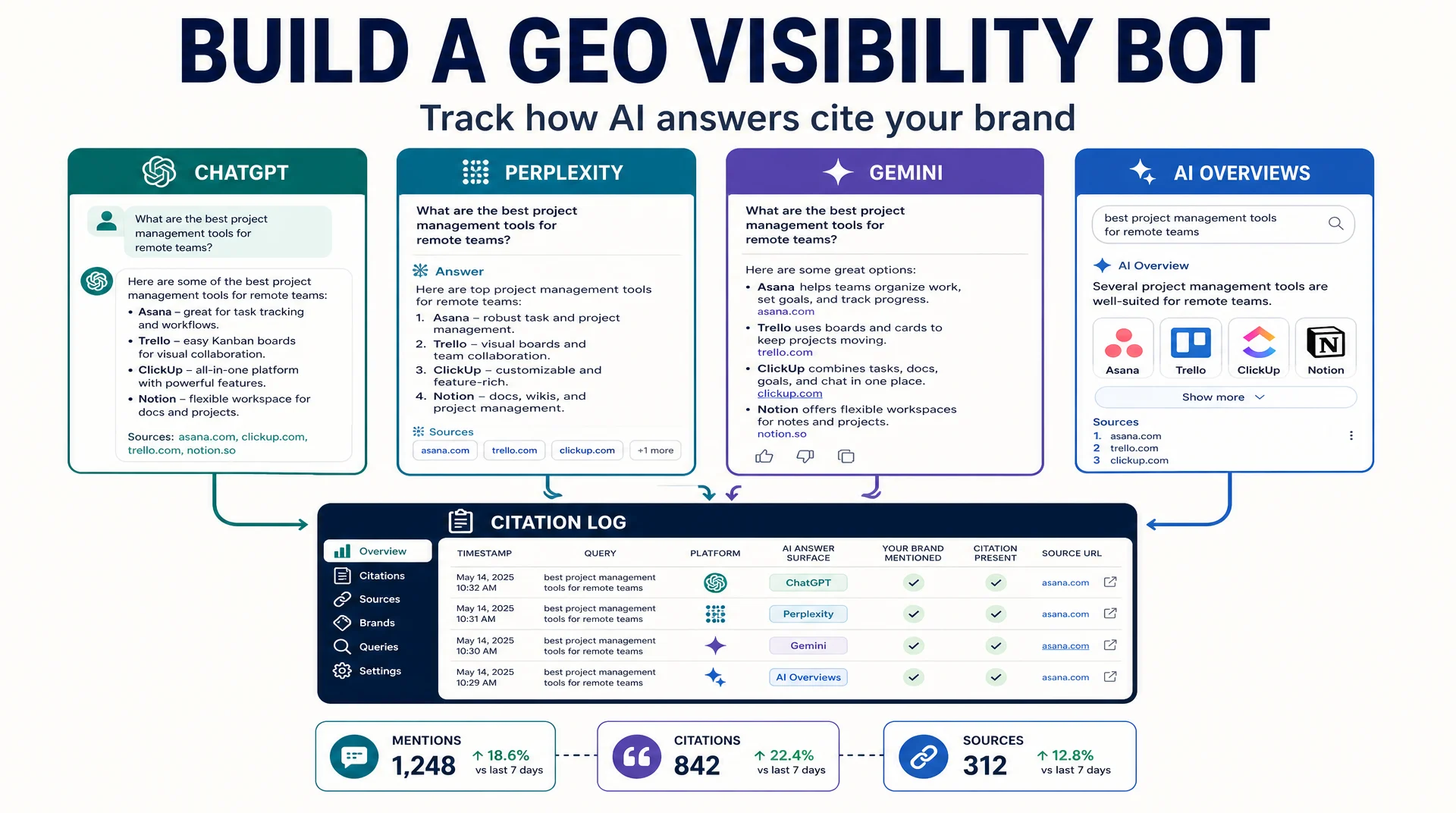
This guide builds one Grok Bot that answers a narrow, useful question every week: when a buyer asks one of your tracked questions, does an AI answer mention your brand, and does it cite you as a source?
Who this is for: a growth or SEO lead who already tracks rankings and now needs to track AI answer visibility.
What you finish with: a GEO Bot with a fixed question set, a weekly routine that checks four AI surfaces, and a citation log you can read as a trend.
Before you start: a Grok Bot with access, a list of 20 to 40 real buyer questions, and a dedicated account for any platform that requires a login. Budget about an hour for the first build.
Done means: you have one week of logged results, you have hand-verified at least three of them against the live answer, and you know which surfaces your Bot can and cannot read reliably.
Why a fixed question set matters more than a big one
The instinct is to track everything. Resist it. AI answers are non-deterministic, so a changing question set produces a changing baseline, and a changing baseline produces a chart that means nothing.
Pick 20 to 40 questions that a real buyer would type, group them by intent, and freeze the list. Change it once a quarter, and note the change when you do.
A useful grouping:
Intent group | Example question shape | What a mention tells you |
|---|---|---|
Category | "What is the best tool for ___?" | Whether you are in the consideration set at all |
Comparison | "_ vs _" | Whether you appear in head-to-head answers |
Problem | "How do I fix ___?" | Whether you are cited as a source, not just a product |
Brand | "Is _ legit?" or "What is _?" | Whether the answer about you is accurate |
The brand group is the one teams skip and then regret. If an AI answer describes your product incorrectly, that is a visibility problem whether or not you rank.
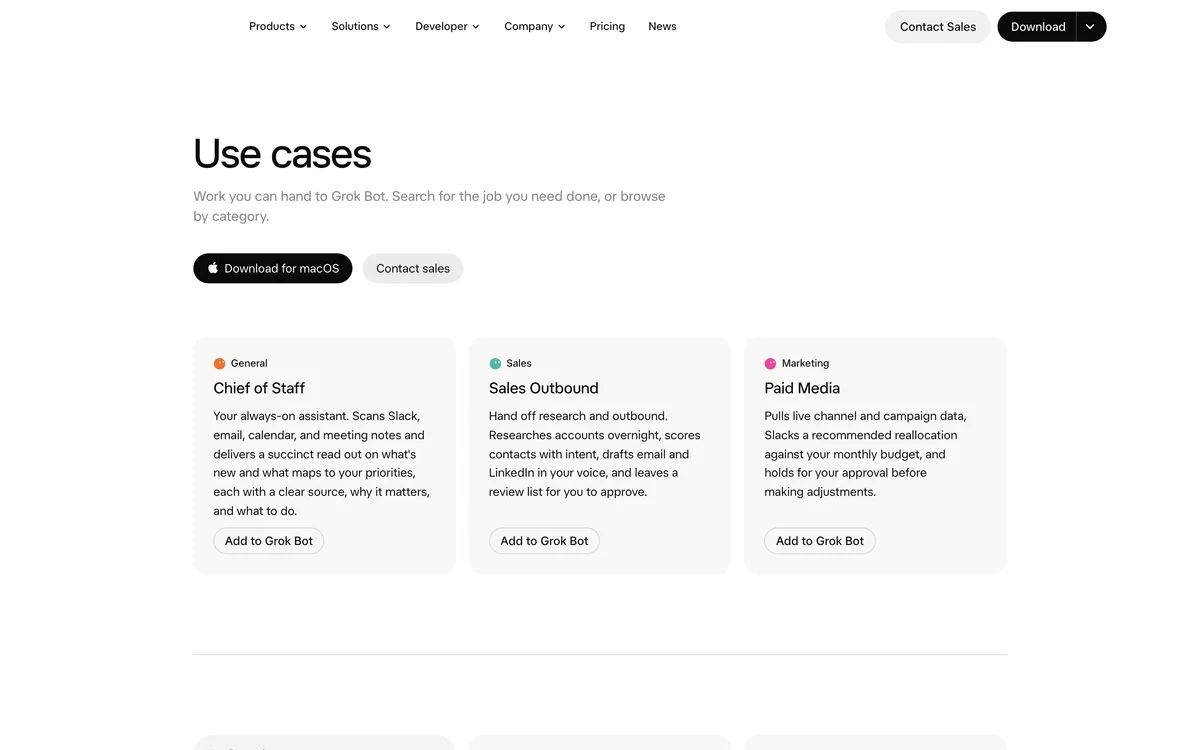
Grok Bot is organized around job categories rather than a single chat. Source: x.ai/bot/use-cases, captured September 23, 2026.
Step 1: Create the GEO Bot and give it the question set
Create a new Bot named GEO Visibility. Do not reuse your technical auditor. Separate memory, separate job.
Paste your frozen question list into the Bot and save it as a file on the shared machine so every run reads the same source:
Create a file at /geo/questions.md on the shared machine.

Write this exact list into it, one question per line, grouped by intent.
Do not rephrase, shorten, or add questions.

[CATEGORY]
What is the best AI visibility tool for B2B SaaS?
...

[COMPARISON]
...

[PROBLEM]
...

[BRAND]
...

Confirm the file exists and report the total line count.
Expected output: the Bot confirms the file path and the line count matches your list.
Quality check: the line count is exactly what you pasted. If it is higher, the Bot added questions.
Recovery: if the count is wrong, ask the Bot to show the file contents and correct it before moving on. A question set that drifts on day one will drift every week.
Step 2: Write the monitoring skill
Save this as a skill. The critical sections are the proof rule and the boundaries. Without them you get a confident summary you cannot audit.
ROLE
GEO visibility monitor.

INPUTS
- Question set: /geo/questions.md
- Surfaces to check: ChatGPT, Perplexity, Gemini, Google AI Overviews
- Brand name: [YOUR BRAND]
- Brand domains: [yourdomain.com]

WHAT TO RECORD FOR EACH QUESTION AND SURFACE
1. Did the answer mention the brand? yes / no
2. Did the answer cite a brand-owned URL? yes / no
3. Which sources were cited? list the domains
4. The exact sentence where the brand appears, if any

PROOF
- Quote the exact sentence for every mention.
- Record the source domains exactly as shown.
- If you cannot see the answer, record "not accessible" rather than guessing.
- Never infer a mention from a citation alone, or a citation from a mention.

OUTPUT
Append one row per question and surface to /geo/log-{YYYY-MM-DD}.csv:
date, question, intent_group, surface, mentioned, cited, source_domains, quote

Then write a short summary to /geo/summary-{YYYY-MM-DD}.md:
- total mentions by surface
- total citations by surface
- questions where the brand appears in no surface
- any answer that describes the brand incorrectly

BOUNDARIES
- Read-only. Do not post, comment, or submit anything.
- Do not log in to any platform you were not explicitly given.
- If a surface requires a login you do not have, record "not accessible" and continue.
- Never fabricate a result to fill a row.
Expected output: the skill is saved with all four sections.
Quality check: the proof rule explicitly forbids inferring a mention from a citation. That distinction is the single most common source of bad GEO reporting.
Recovery: if the Bot starts filling rows with plausible-looking quotes you cannot find, the proof rule is not being enforced. Ask it to show the live page for one row before continuing.
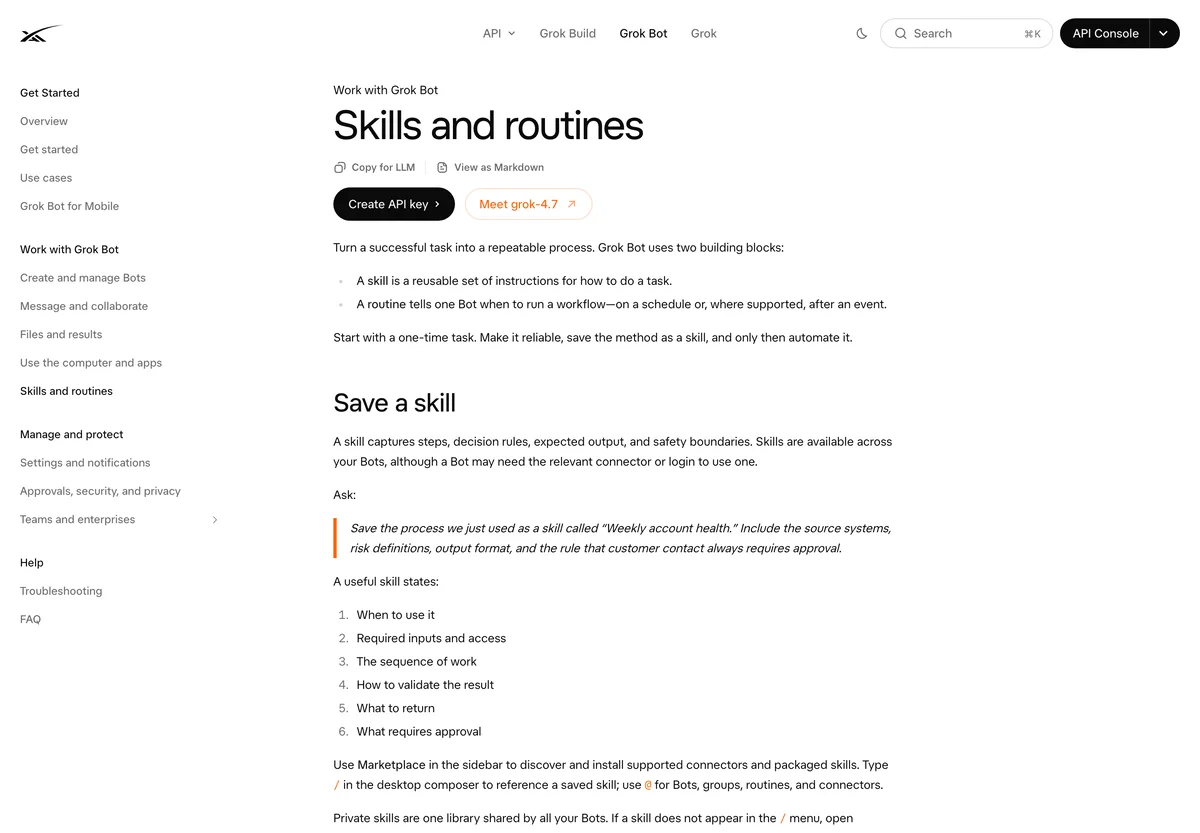
The monitoring procedure is saved as a skill so every weekly run follows the same steps. Source: docs.x.ai/grok-bot/skills-routines-and-automations, captured September 23, 2026.
Step 3: Run one surface first
Do not run all four surfaces on the first attempt. Run one, verify it, then add the rest.
Run the GEO visibility skill for the CATEGORY questions only.
Check Perplexity only.
Write the results to the log file and show me the table.
Expected output: a table with one row per category question, each with a mention flag, a citation flag, source domains, and a quote where relevant.
Quality check: pick two rows and open the same question in Perplexity yourself. The quote the Bot recorded should appear in the live answer.
Recovery: if the quotes do not match, the Bot may be reading a cached or personalized answer. Ask it to reload and re-check one question, and confirm it is not signed into a personalized account.
Step 4: Add the remaining surfaces
Once one surface is verified, add the others one at a time. Each surface behaves differently, and you want to know which one is unreliable before it contaminates your log.
Now run the same CATEGORY questions across ChatGPT, Gemini, and Google AI Overviews.
Keep the same output format.
If a surface is not accessible, record "not accessible" and continue.
Expected output: the log now has one row per question per surface.
Quality check: the "not accessible" count is honest. A log with zero inaccessible rows across four surfaces on a first run is suspicious. Most teams hit at least one wall.
Recovery: if the Bot claims access to a surface you never logged into, ask it to show the page it read. Do not accept a summary.
Step 5: Turn it into a weekly routine
Save this as a routine called "Weekly GEO visibility check".
Run every Monday at 09:00.
Use the frozen question set at /geo/questions.md.
Write the log and the summary to /geo/.
Do not modify the question set.
Expected output: the routine is listed with a Monday 09:00 schedule.
Quality check: run it once manually. A routine that has never completed a run is not verified.
Recovery: if the scheduled run fails but the manual run works, a session has usually expired. Re-authenticate on the shared machine.
Step 6: Read the log as a trend, not a score
After three or four weeks you will have something more useful than a single number: a trend per surface. Two patterns are worth watching.
Mentions without citations. The AI names your brand but does not cite your site. That usually means your brand is known but your pages are not the source being used. This is a content and entity problem, not a technical one.
Citations without mentions. The AI uses your page as a source but does not name you. That is often fine, but it means your brand name is not strongly associated with the topic in the source material.
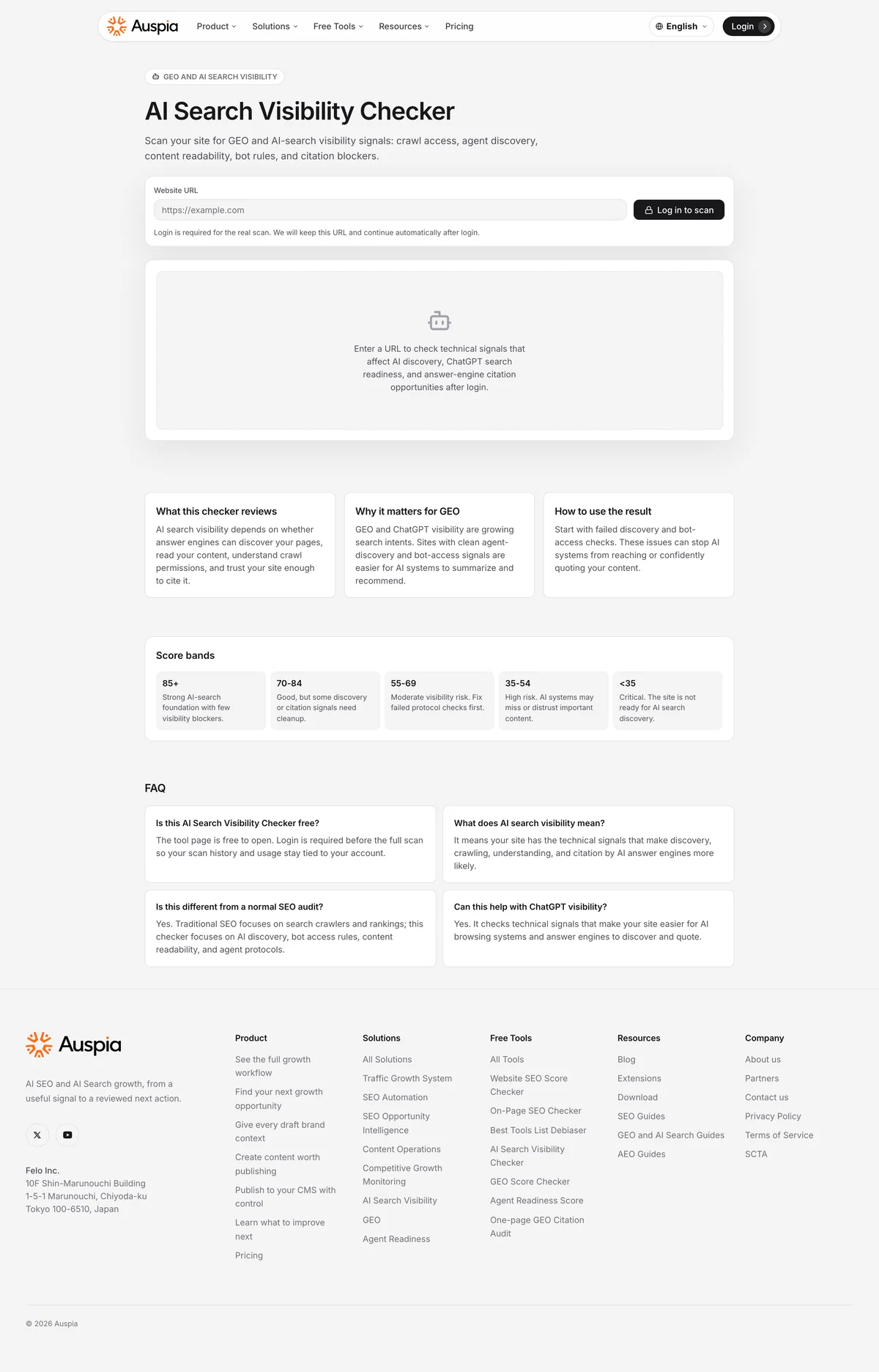
Use the Auspia AI Search Visibility Checker for a quick external read, then let the Bot track the trend over time. Source: auspia.ai/tools/ai-search-visibility-checker, captured September 23, 2026.
If you want a fast baseline before you build the Bot, run the AI Search Visibility Checker first. It gives you a starting point to compare the Bot's log against.
Verification checklist
- [ ] The question set is frozen in a file, not retyped each run.
- [ ] The skill forbids inferring mentions from citations.
- [ ] One surface was verified by hand before adding the others.
- [ ] At least three logged rows were checked against the live answer.
- [ ] Inaccessible surfaces are recorded honestly, not skipped silently.
- [ ] The routine completed at least one scheduled run.
- [ ] You can explain the difference between a mention and a citation in your own log.
Common mistakes
Tracking too many questions. Twenty to forty is plenty. A hundred questions produces a hundred noisy rows.
Changing the question set mid-quarter. You lose the trend. Freeze it, then change it deliberately and note the date.
Treating a mention as a citation. They are different signals with different fixes. Keep them in separate columns.
Trusting a first run across all four surfaces. Verify one surface, then add the rest. You want to know which one lies.
Reporting the number without the quote. A mention count with no quoted sentence is not auditable. Keep the quotes.
FAQ
Can Grok Bot read AI Overviews reliably? It can read the page, but AI Overviews vary by query, location, and personalization. Treat those rows as directional and always keep the quote so you can check it.
Do I need logins for ChatGPT, Perplexity, and Gemini? Some checks work logged out. Where a surface requires a session, use a dedicated account and record honestly when a surface is inaccessible.
How is this different from a rank tracker? A rank tracker reports position in a list. This reports whether an AI answer mentions and cites you, which is a different signal with a different fix.
How long before the data is useful? Three to four weekly runs give you a trend. A single run only tells you today's state.
Should the Bot also try to improve the answers? No. Keep this Bot read-only. Improvement work belongs in a separate Bot or a human workflow, so your measurement stays clean.
Author: Ethan Marlowe, GEO Measurement Lead Across 500+ Prompts at Auspia. Ethan writes about prompt tracking, citation reporting, and building visibility dashboards that teams actually use.