


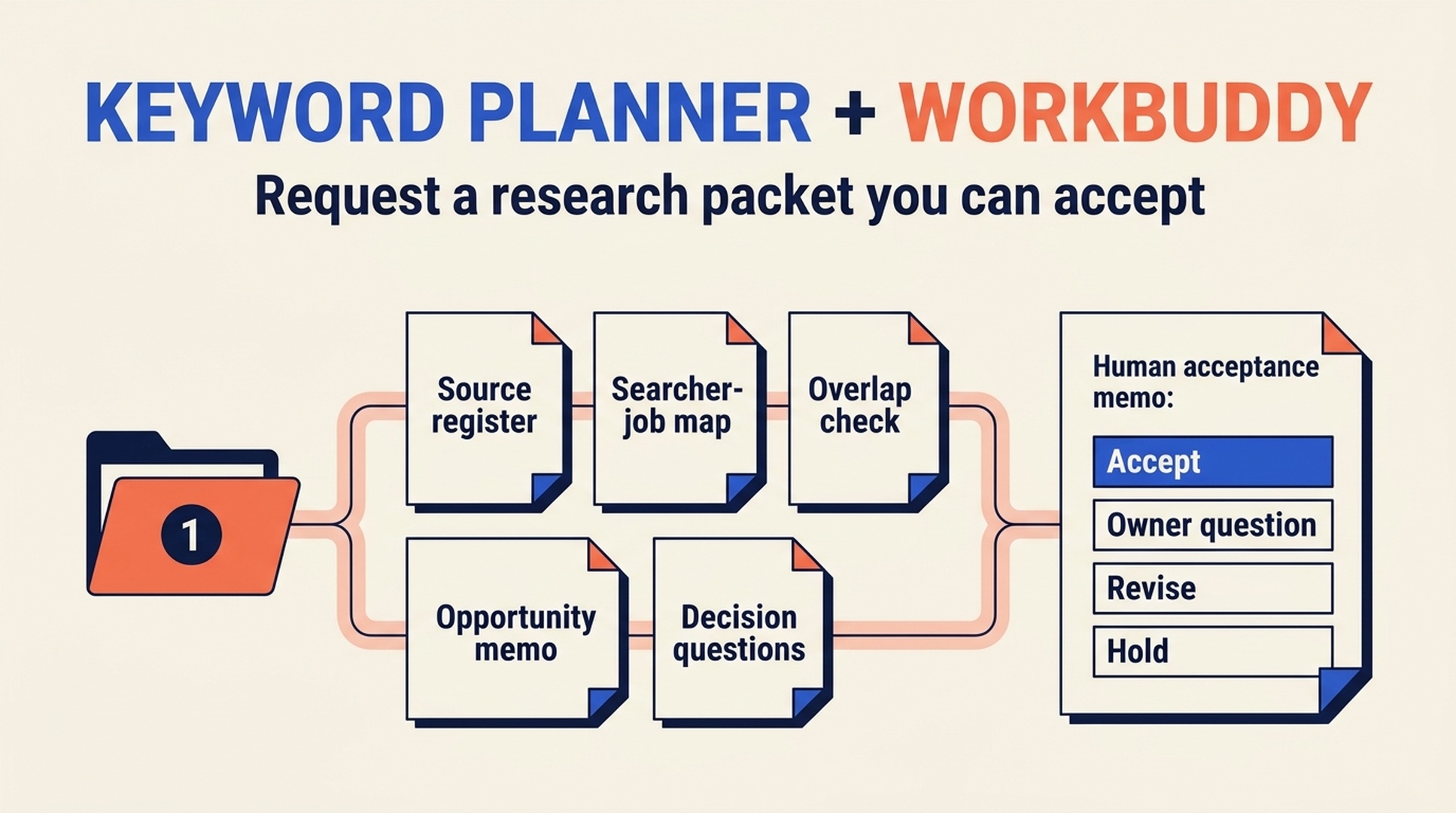
Request an evidence pack, not an answer
WorkBuddy is an AI office-work agent designed to plan and complete multi-step tasks from a natural-language request. That can be useful for keyword research only when you define the deliverables before the work begins.
Do not send it "find the best keywords." Send it a bounded research packet request: read the approved export, produce a traceable opportunity memo, separate facts from hypotheses, and stop where a human must decide. The result should be something you can accept, revise, or reject, not a chat response you cannot audit.
Good use case | You will finish with | Prerequisites | Definition of done |
|---|---|---|---|
A non-technical operator needs a structured first pass from approved research files | A research packet, acceptance checklist, and revision request template | Approved Keyword Planner export, business brief, and an owner who can accept work | The packet identifies its sources, missing evidence, and required human decisions |
WorkBuddy may support different tools or data connections depending on your setup. This guide assumes no unverified connection to Google Ads, your CMS, or private systems. Use files that you are authorized to share and keep the task read-only.
Break the research into deliverables
An agent can decompose a task, but your brief should still define the pieces that matter. Create a request folder with a short brief and the approved source material:
workbuddy-keyword-packet/
  01-brief.md
  02-keyword-planner-export.csv
  03-existing-pages.csv
  04-customer-language.md
  05-serp-notes.md
The numerical prefixes make the reading order obvious. In 01-brief.md, state the target market, language, audience, decision needed, allowed files, and prohibited actions.
Use this task request:
Create a read-only SEO keyword research packet from the approved files in this folder.

Deliverables:
1. Source register: every file, its role, market/language context, and limits.
2. Searcher-job map: group related phrases only when one page could answer them.
3. Existing-page check: identify possible overlap using the supplied inventory.
4. Opportunity memo: propose new page, refresh, consolidation, or hold for each job.
5. Decision questions: list what a human owner must verify before content work begins.

Rules:
- Use only the approved files.
- Preserve original provider labels beside any metric.
- Mark missing volume, SERP, product, competitor, and conversion evidence as UNKNOWN.
- Do not request credentials, access Google Ads, modify files, publish content, or claim a ranking outcome.
- Do not select a final winner. End with no more than five decision questions.
Quality check
The deliverable list has nouns you can inspect: source register, job map, overlap check, memo, and decision questions. If the request only asks for "insights," you have no basis for acceptance.
Recovery path
If one input file is missing, do not delay the entire task. Require WorkBuddy to add a MISSING INPUT card explaining what decision that absence prevents.
Inspect the source register before you read the recommendations
The first page you inspect should be the source register. It exposes whether the agent read the right files and whether it understood their limits.
Source register field | Accept when | Return for revision when |
|---|---|---|
Filename and purpose | Each source has a clear role | The agent blends customer language and provider metrics into one unnamed source |
Market and language | Both are recorded or marked unknown | A global assumption appears without evidence |
Retrieval date | Provider export dates are preserved | The memo makes a current claim with no date |
Metric label | The original label remains visible | A field is renamed as a ranking or traffic forecast |
Data limit | Gaps are named clearly | Missing data is quietly replaced with confident prose |
This acceptance order is intentional. A persuasive opportunity memo built on the wrong market is worse than no memo at all.
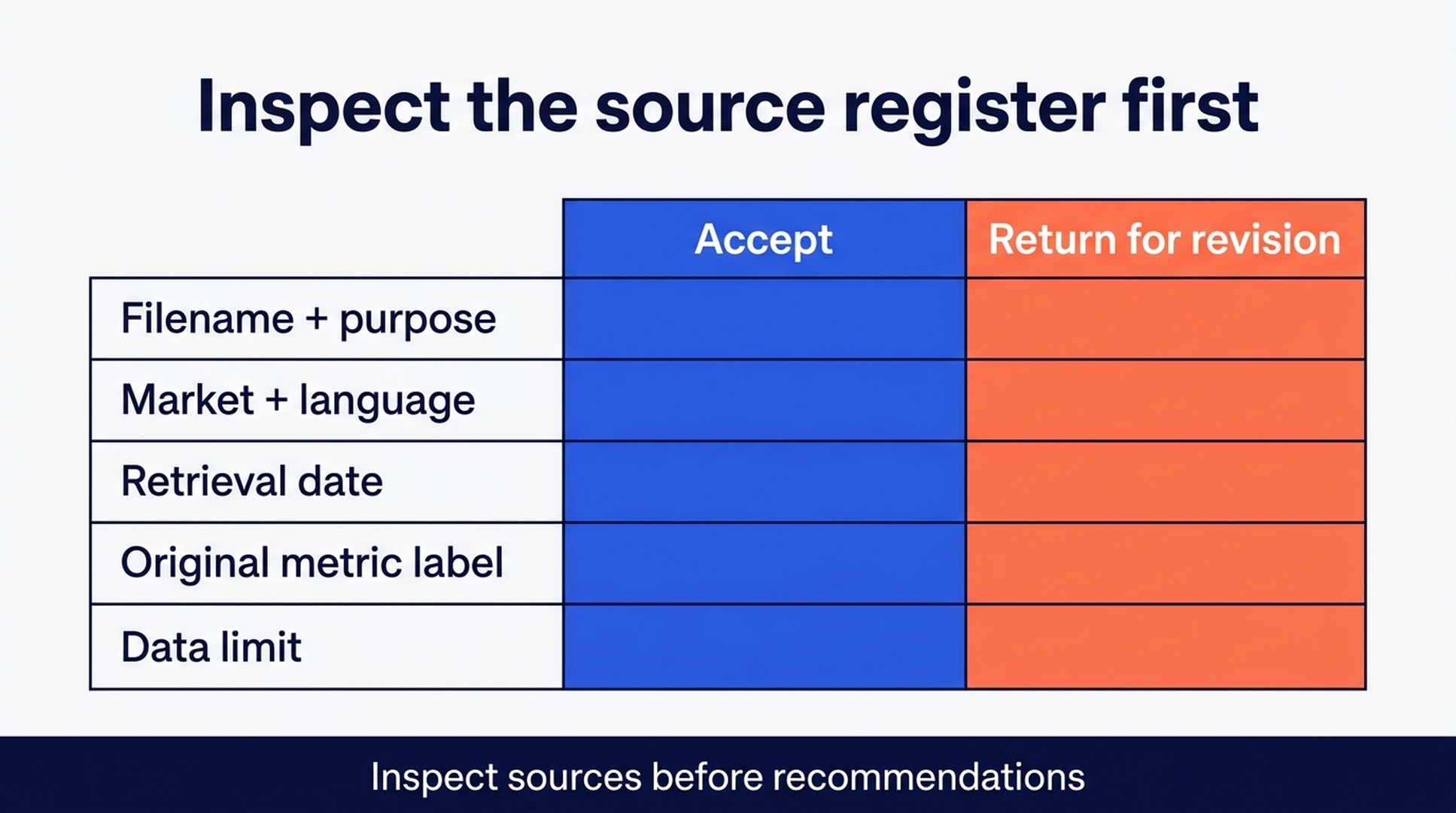
Check the source register before reading any recommendation or proposed page route.
Accept, revise, or reject the job map
The job map should group phrases by the visitor task, not by superficial word overlap. Ask these questions as you review it:
- Could one truthful page satisfy these phrases?
- Does the proposed task match the customer-language context?
- Is there already an owner URL in the supplied page inventory?
- Would a new page add evidence, a process, or a perspective the existing pages lack?
If the answer to any question is unclear, send a revision request rather than promoting the cluster to a content task.
Revise the research packet.

For cluster [name], explain why the listed phrases share one visitor job.
Name the exact source rows or notes used. Compare the cluster against the supplied
existing page [URL or title]. If the route is still unclear, mark it HOLD and write
the single owner question needed to resolve it.

Do not add new external research or estimate missing metrics.
The revision prompt is part of the workflow. It gives a non-technical owner a way to request better work without pretending to know the answer in advance.
Use an acceptance memo to make the final call
When the packet is strong enough, write a short acceptance memo outside the agent's response:
Acceptance decision | What it means |
|---|---|
Accept for brief | Evidence and page route are sufficient for a writer handoff |
Accept with owner question | The route is sound, but one factual point must be confirmed before drafting |
Revise packet | Source context, job grouping, or page-overlap analysis is incomplete |
Reject or hold | The topic lacks evidence, is out of scope, or duplicates a current page |
This memo turns agent work into an operational artifact. The owner can attach it to a content request without making WorkBuddy responsible for editorial approval.
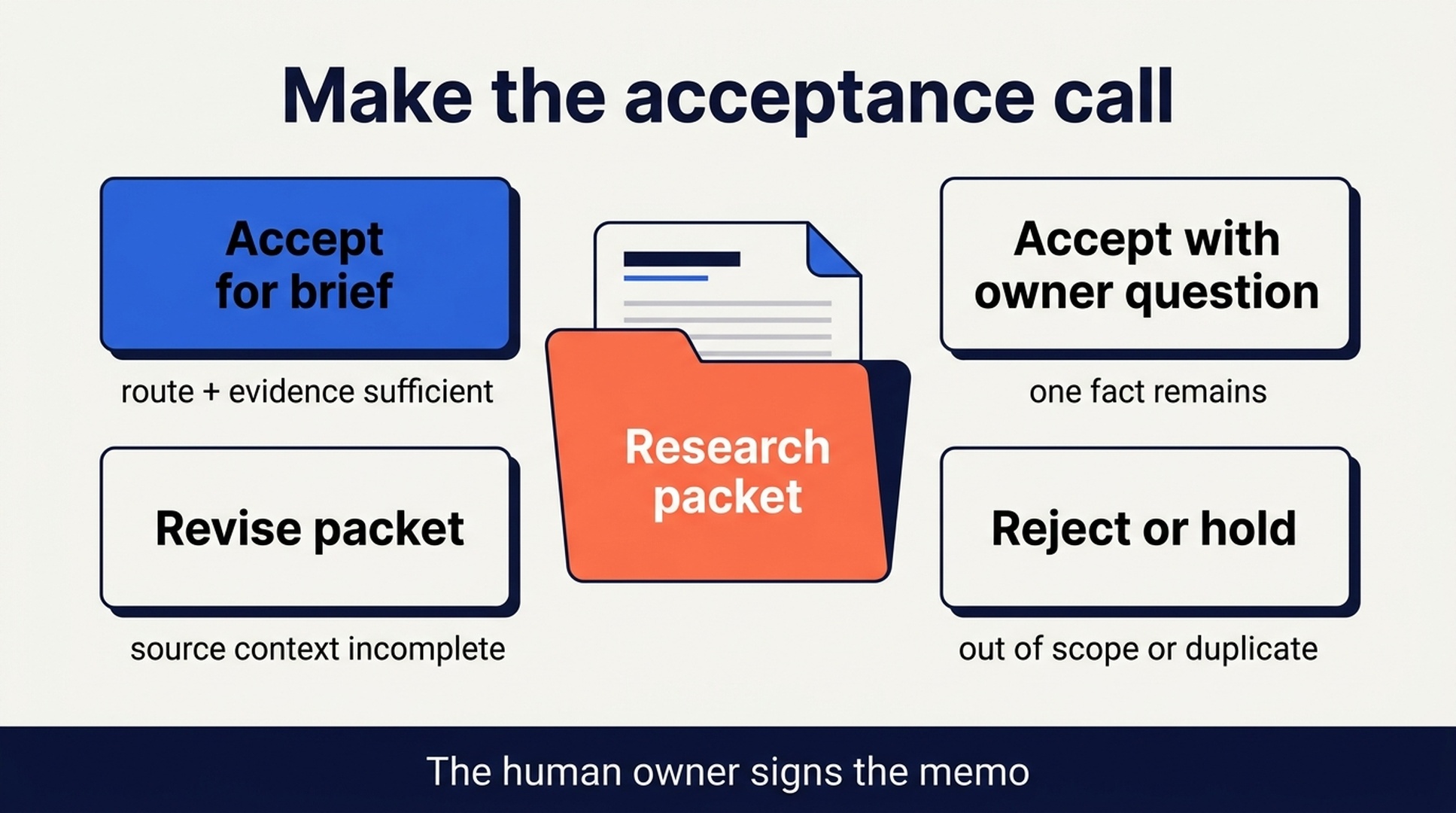
The human owner signs the acceptance memo after the packet has passed source and scope checks.
Treat multi-step execution as a boundary, not a black box
WorkBuddy is designed for multi-step office work. That can save time, but it also makes it important to state what the task cannot do. Keep these boundaries in the request and in the acceptance memo:
- No unapproved web research or product-source access.
- No account login, API key handling, or private-system action.
- No direct CMS, document, or spreadsheet edits unless later authorized in writing.
- No fabricated metrics, SERP results, competitor observations, or business outcomes.
- No final content assignment until a human accepts the packet.
If your local WorkBuddy setup offers extra tools, treat every extra capability as a separate permission decision. The agent's ability to execute a step is not the same as permission to execute it.
Verify a packet before it becomes content work
The packet is ready to hand off when:
- Every recommended opportunity connects to named source files.
- Provider fields retain their original labels and context.
- The job map distinguishes a new page from a refresh, consolidation, or hold.
- Existing-page overlap is considered using the supplied inventory.
- Unknowns and owner questions are short, specific, and visible.
- The acceptance memo is written by a human owner.
Only then should a writer receive a brief. A finished-looking report is not the same thing as a finished business decision.
FAQ
Is WorkBuddy a project-management system for this workflow?
No. Treat it here as an AI office-work agent that can help prepare a bounded research deliverable. The acceptance memo and content assignment remain human-managed steps.
Can WorkBuddy use Google Keyword Planner directly?
It can only do so after you deliberately configure and authorize access. This beginner workflow uses an approved export so the evidence can be inspected and retained without sharing credentials.
What if the packet contains a confident keyword recommendation with no source?
Return it for revision. Require the source register, original field labels, and the human question needed to close the gap. Do not let polished language substitute for evidence.
Can the agent prepare the writer handoff too?
It can draft a handoff from an accepted packet, but the owner should approve the page route and factual boundaries first. Keep the distinction between a deliverable and an editorial decision.
Author: Rowan Blake, Content Automation Analyst for 100+ Publishing Pipelines at Auspia. Rowan writes about repeatable content operations, agent boundaries, and reviewable AI outputs.


