


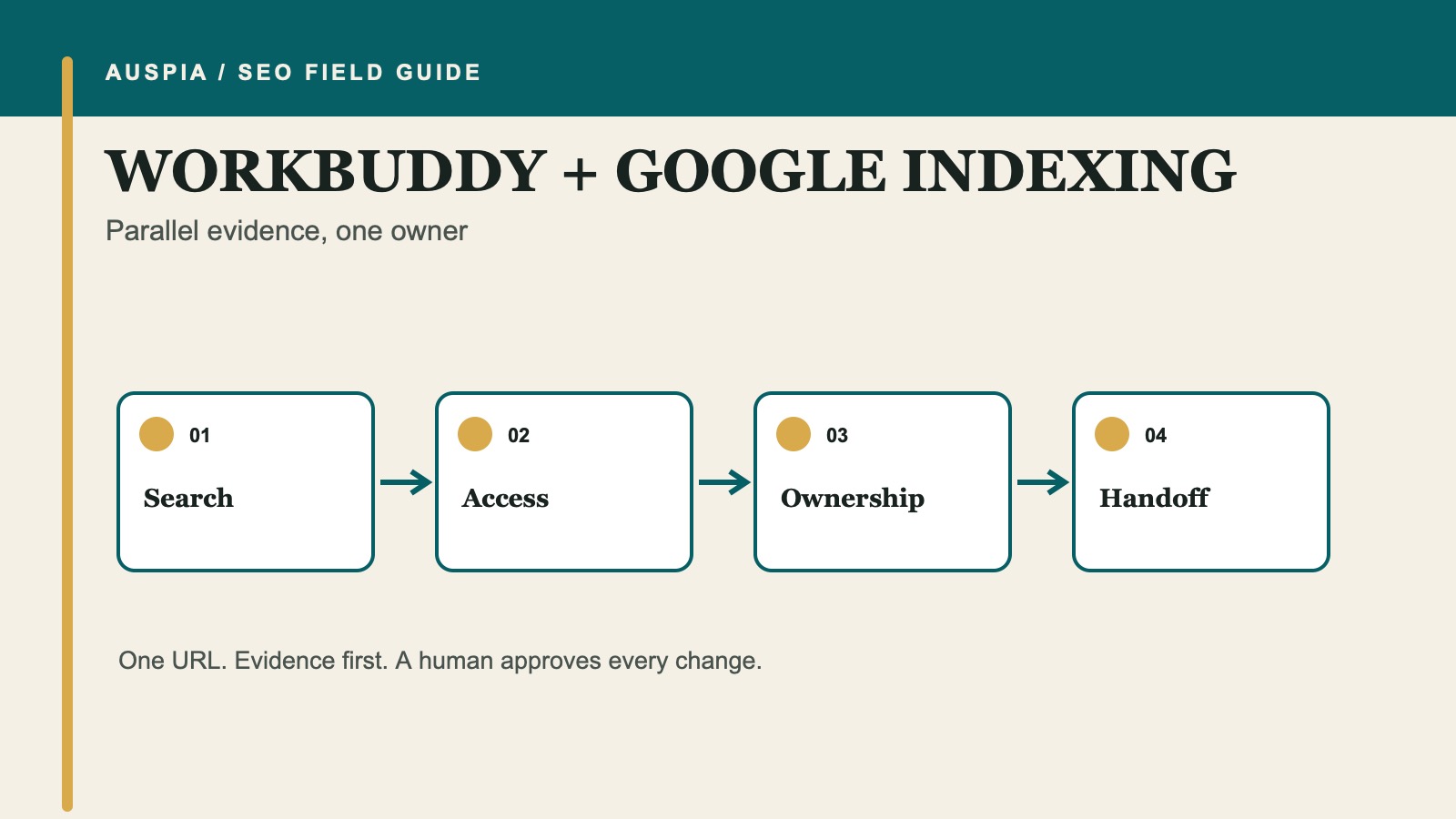
Use WorkBuddy as an evidence desk
WorkBuddy is an AI agent workspace from Tencent. Its useful feature for a Google indexing problem is not a secret way to submit a URL. It is the ability to break a job into parallel workstreams and return a finished report.
That makes WorkBuddy a good fit when the person investigating the issue is a marketer, content manager, or site owner who has evidence scattered across a URL Inspection screenshot, a sitemap, a page export, and notes from a developer. WorkBuddy can organize those materials and identify conflicts. It should not be given permission to operate Search Console or change a production site just to save a handoff.
Your definition of done is an owner-ready packet with three parts: the intended state of the URL, an evidence table that shows what is known and missing, and a repair brief addressed to the correct owner.
Prepare a small case folder
Create one folder for the URL. Use neutral filenames so a beginner can see where each claim came from.
indexing-case/
  01-case-brief.md
  02-url-inspection.txt
  03-page-source.html
  04-http-notes.txt
  05-robots.txt
  06-sitemap.xml
  07-owner-notes.md
Only add material you are allowed to share. Copied URL Inspection text is enough; WorkBuddy does not need a password, browser cookie, API key, or full private Search Console export. If an item is unavailable, keep the filename out of the folder and say not_checked in the brief.
The case brief needs one decision before any agent starts:
Target URL: https://example.com/page
Should this exact URL be searchable? yes / no / unknown
Intended canonical: https://example.com/page / unknown
Page purpose: one sentence
Market and language: United States / English
Website owner: marketing / developer / CMS admin / unknown
Split the investigation into parallel lanes
Do not ask six agents to diagnose the same page. Give each lane a different question and require a source for every observation.
Lane | Job | Must not claim |
|---|---|---|
Search evidence | Interpret supplied URL Inspection text | Current Google status when no inspection evidence exists |
Access evidence | Review URL, status, redirects, robots, and supplied source | Production behavior from a local note alone |
Ownership evidence | Compare canonical, sitemap, and internal-link targets | Which URL should win without a human decision |
Page-purpose review | Test whether the page has a distinct job | That more words guarantee indexing |
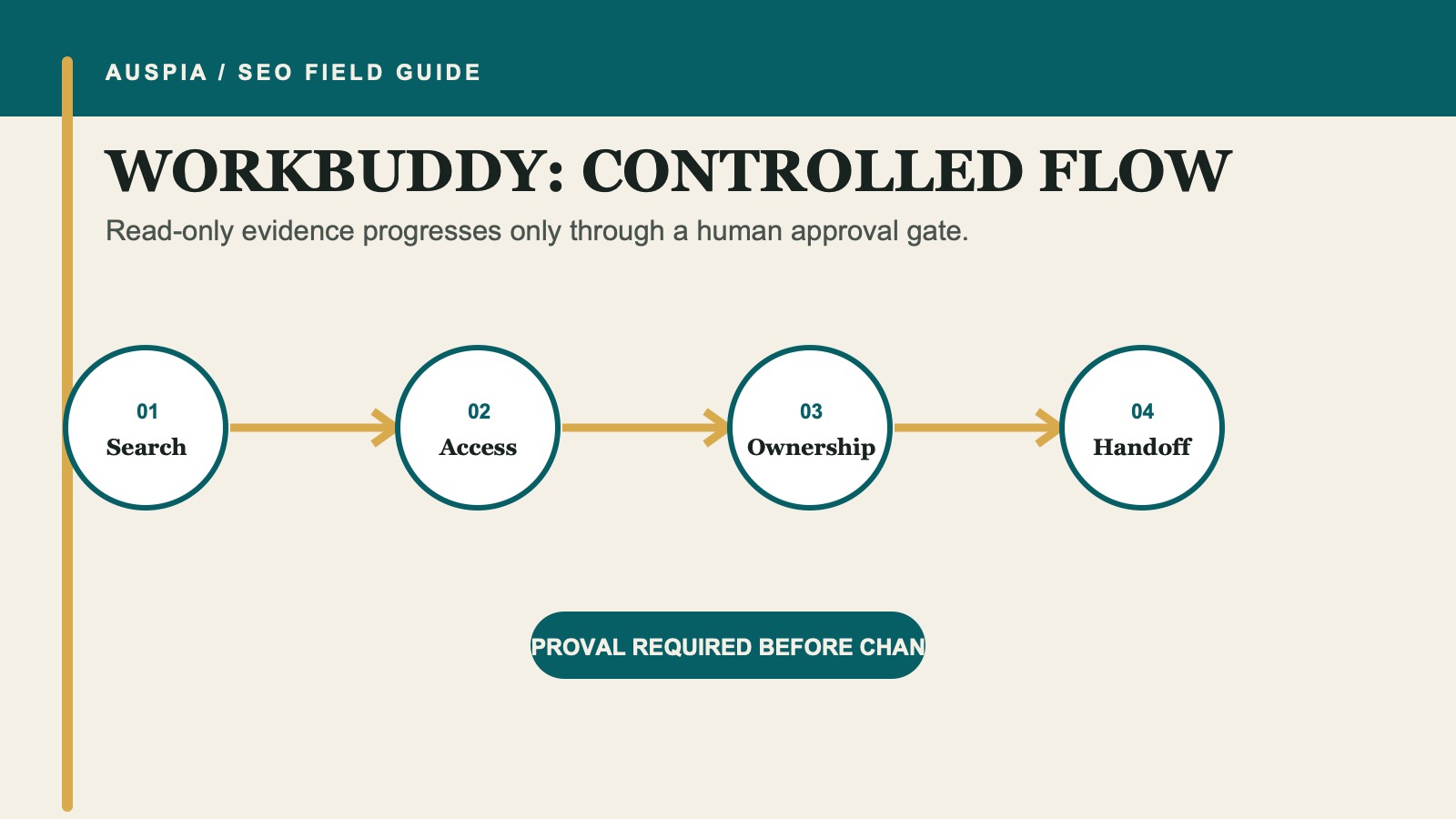
Parallel agents are useful when their scopes do not overlap and the final report preserves the source of each finding.
The official WorkBuddy materials describe multi-agent parallel work. For indexing, the guardrail is simple: parallelize reading and classification, not production changes.
Use a coordinator prompt that keeps disagreements visible
Start a WorkBuddy task with this brief:
Create a Google indexing evidence packet for one URL.

Read the files in the attached indexing-case folder. Use separate workstreams for:
A. supplied Google Search Console evidence;
B. URL access, robots, and page directives;
C. canonical, sitemap, and discovery signals;
D. page purpose and possible duplicate value.

For every observation, cite the input filename or public URL. Mark missing checks not_checked.
Keep confirmed evidence separate from hypotheses. If two workstreams disagree, preserve the disagreement for human review.

Return:
1. a one-paragraph plain-English case summary;
2. an evidence table with source and confidence;
3. a routing table naming the correct owner for each possible repair;
4. a verification checklist.

Do not change files, log in to any account, submit a sitemap, request indexing, deploy, or contact anyone.
The phrase "preserve the disagreement" matters. A robots file can allow crawling while an X-Robots-Tag excludes the response. A self-referencing canonical can exist while Google has selected a different canonical. Flattening those observations into one confident sentence destroys useful evidence.
Read the packet as a routing document
WorkBuddy should route findings rather than treating every issue as a content task.
Route directive problems to the technical owner
An accidental noindex, an X-Robots-Tag, a redirect loop, an error response, or a shared canonical template needs a developer, CMS administrator, or hosting owner. The packet should quote the directive and name the supplied source. It should not recommend removing a directive until the page owner confirms the URL is meant to appear in search.
Google must crawl a URL to see a page-level noindex. A robots.txt block can prevent that. If both appear in the evidence, route the conflict as a technical decision rather than saying the page is safely excluded.
Route canonical conflicts to the page owner
Choosing the canonical owner is partly technical and partly editorial. Compare the competing URLs, their visible purpose, links, sitemap entries, and redirect behavior. Google treats redirects and rel="canonical" as strong signals; sitemap inclusion is weaker. Do not use robots.txt or noindex to choose a canonical.
Route discovery gaps to content and navigation owners
A canonical URL that is absent from a sitemap or has no useful internal links may be hard to discover. The repair should make sense for visitors. Do not manufacture a sitewide footer link or repeat an exact-match anchor across unrelated pages.
Route weak page value to an editor
When the technical signals are consistent, the page may still lack a distinct reason to exist. Ask for a brief that names the reader question, required facts, unique product or service details, and nearby pages that overlap. Do not ask an agent to make the page longer for its own sake.
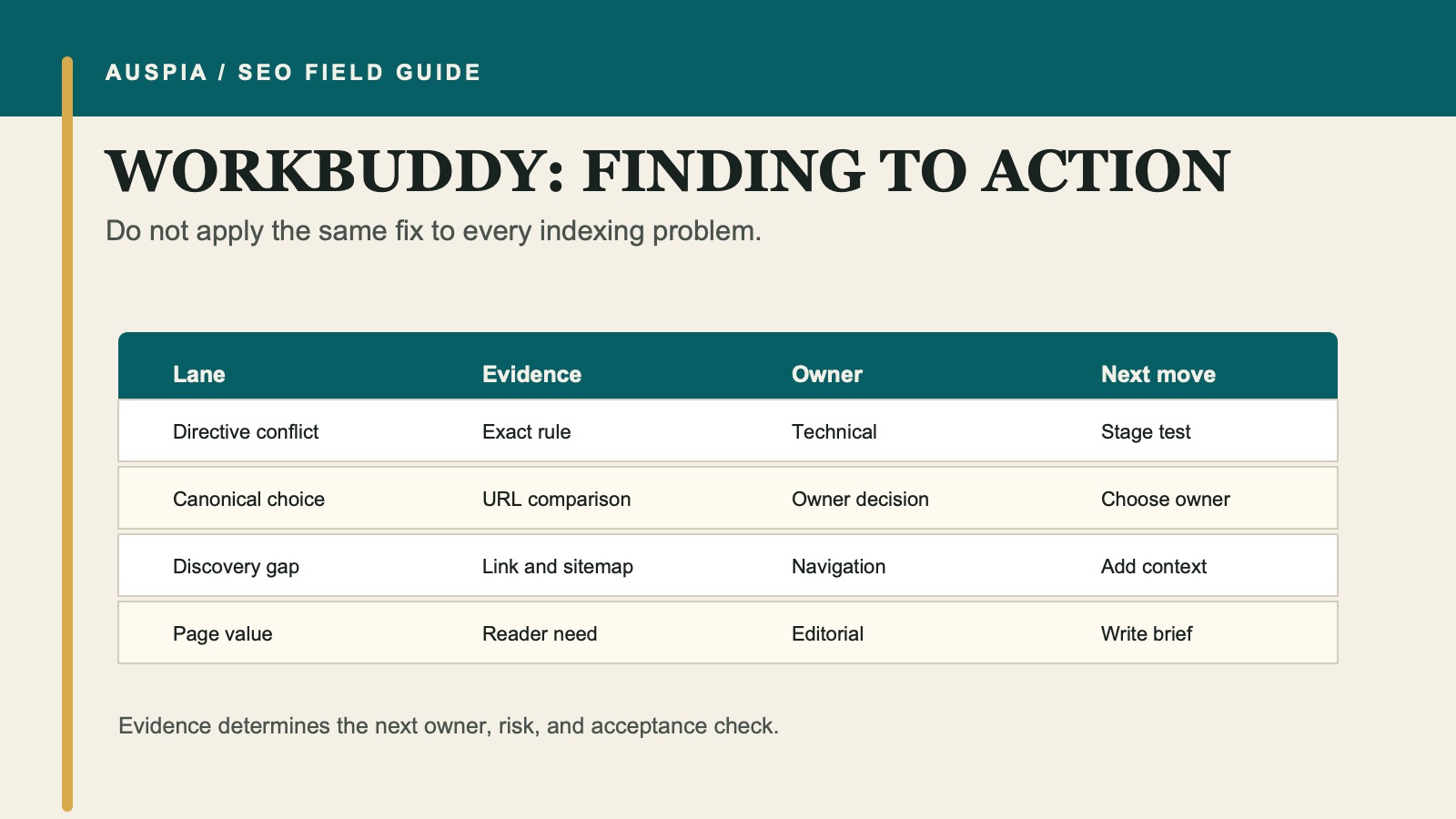
The best next step depends on who owns the signal and what decision still requires a human.
Convert one approved finding into a handoff
The final handoff should be short enough that its owner will use it.
## Repair request

Target URL:
Expected state:
Confirmed finding:
Evidence source:
Requested owner:
Proposed change:
Routes or templates that may be affected:
Risk:
Rollback:
Acceptance check on staging:
Live check after release:
Search Console check for a human:
WorkBuddy can produce separate versions for a developer and an editor, but both should refer to the same evidence table. Do not let parallel agents create competing truths.
Verify the outcome, not the agent activity
After the owner makes and deploys an approved change, check the public URL first: final URL, status, canonical, robots directives, visible content, sitemap target, and relevant internal links. Then use URL Inspection's live test.
A human may request indexing after a meaningful live change. Google documents quotas for individual URL requests and says repeating a request for an unchanged URL does not speed crawling. A recrawl can take days to weeks, and inclusion is not guaranteed.
Update the case folder with the release date and verification result. That record is more useful than a screenshot of agents appearing busy.
Where WorkBuddy fits, and where it does not
WorkBuddy is strongest when the inputs are mixed office documents and the output is a coordinated decision packet. A repository-native coding agent is a better tool when the issue has already been traced to a code file and needs a reviewed implementation. A crawler or log-analysis workflow is better for thousands of URLs.
The boundary protects beginners from the most common mistake: giving an agent broad authority because the evidence feels complicated.
FAQ
Can WorkBuddy request indexing in Google Search Console?
It should not do so in this workflow. Treat Search Console as user-supplied evidence and keep account actions human-controlled.
Why use several agents for one URL?
Only use parallel agents when the evidence types are genuinely different. The value is faster classification and clearer sourcing, not more opinions about the same HTML.
Can WorkBuddy decide the canonical URL?
It can compare evidence and surface conflicts. The site owner must decide which URL should own the search intent before redirects, canonicals, links, and sitemap entries are coordinated.
Will a complete evidence packet get the page indexed?
No. It helps people remove blockers and make consistent decisions. Google still controls crawling and inclusion.
Official references
- WorkBuddy official site
- Tencent Cloud: WorkBuddy
- Google: Ask Google to recrawl URLs
- Google: Block indexing with noindex
- Google: Build and submit a sitemap
Author: Camille Rhodes, Architect of 300+ AI Content Workflows at Auspia. Camille writes about AI-assisted operations, publishing systems, and the review steps that keep automation useful.


