


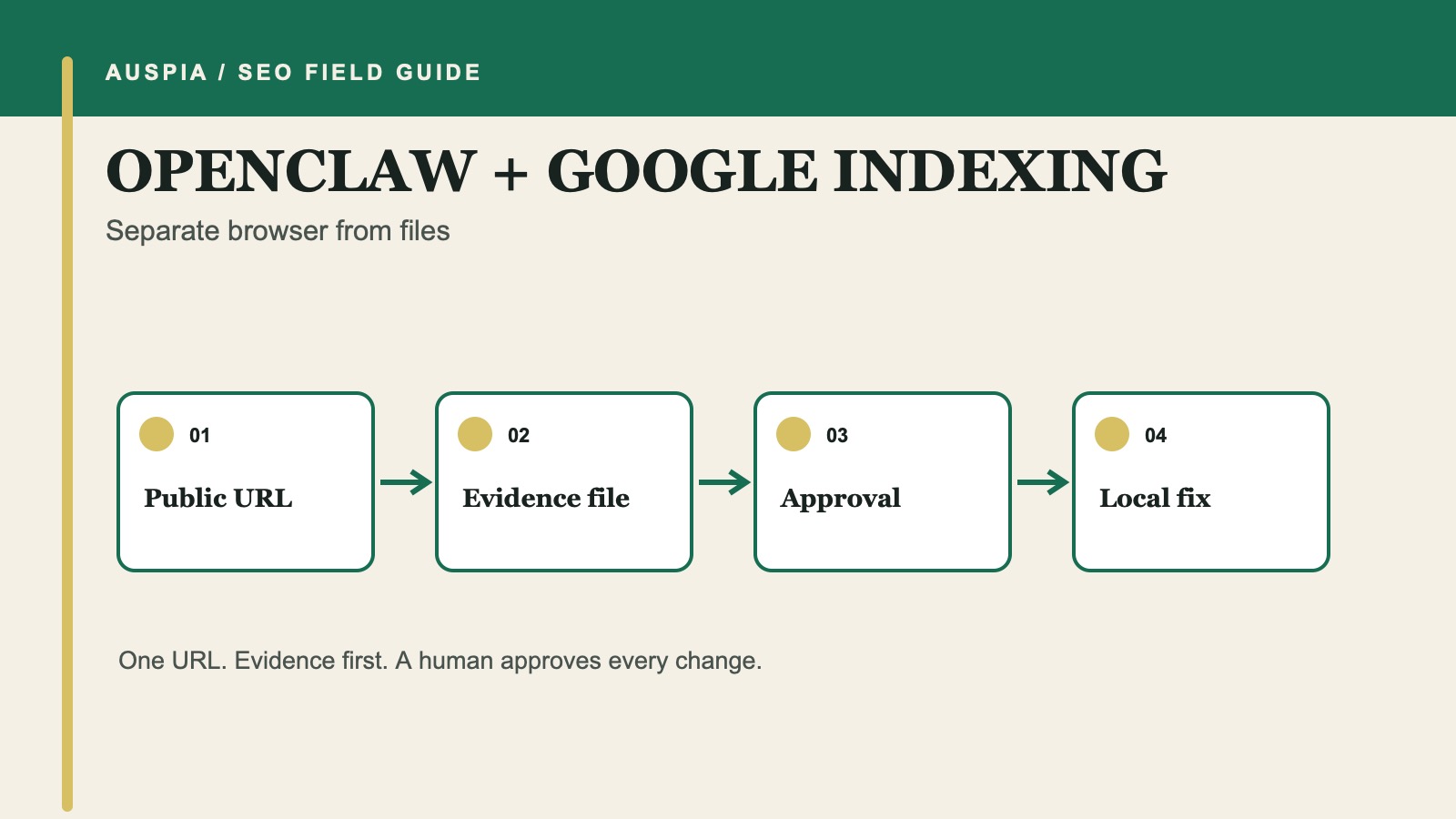
Two permissions are safer than one broad instruction
OpenClaw runs on your machine, connects to chat channels, and can use tools such as a browser, files, and Skills. That flexibility is exactly why an indexing task needs a hard split.
The first permission is to investigate public evidence for one URL. The second, granted only after review, is to inspect or edit named local website files. Do not combine those permissions in a message such as "find out why this page is missing and fix it."
This workflow ends with two artifacts:
seo-indexing-evidence.md      # public evidence and unknowns
seo-indexing-repair.md        # approved local scope and verification steps
It does not end with a promise that Google will index the page. Google makes that decision after it crawls and evaluates the URL.
Lock the workspace before browsing
OpenClaw's security documentation includes a workspaceOnly option that restricts file tools to the agent workspace. Keep the initial investigation there. Do not mount a production repository, password directory, browser profile, or broad home directory merely because the task may later need code.
Create a task folder:
workspace/
  indexing-case/
    task.md
    seo-indexing-evidence.md
Put the target URL and intended state in task.md:
Target URL: https://example.com/page
Should it appear in Google Search? yes / no / unknown
Intended canonical: URL / unknown
Page purpose: one sentence
Allowed domains: example.com
Account actions: prohibited
Local repository access: not approved
OpenClaw can operate through several channels. Treat the chat message as a trigger, not the permanent specification. The task file is easier to review and less likely to lose a boundary in a long conversation.
Permission one: collect public evidence
Use a browser-only prompt:
Read indexing-case/task.md.

Investigate only the named public URL and directly related same-domain assets.
Record requested URL, final URL, status, redirect hops, visible canonical,
meta robots, relevant robots.txt rules, sitemap presence, and obvious
crawlable internal links. Cite each public URL checked.

Use supplied URL Inspection text if present. Otherwise mark Google-specific
status, selected canonical, and last crawl as not_checked.

Write the result to indexing-case/seo-indexing-evidence.md.
Do not log in, operate Search Console, edit website files, submit a sitemap,
request indexing, deploy, schedule a task, or browse unrelated domains.
Public HTML cannot tell you everything Google knows. A self-referencing canonical does not prove Google selected it. A successful browser load does not prove Googlebot received the same response. The evidence file should preserve those limits.
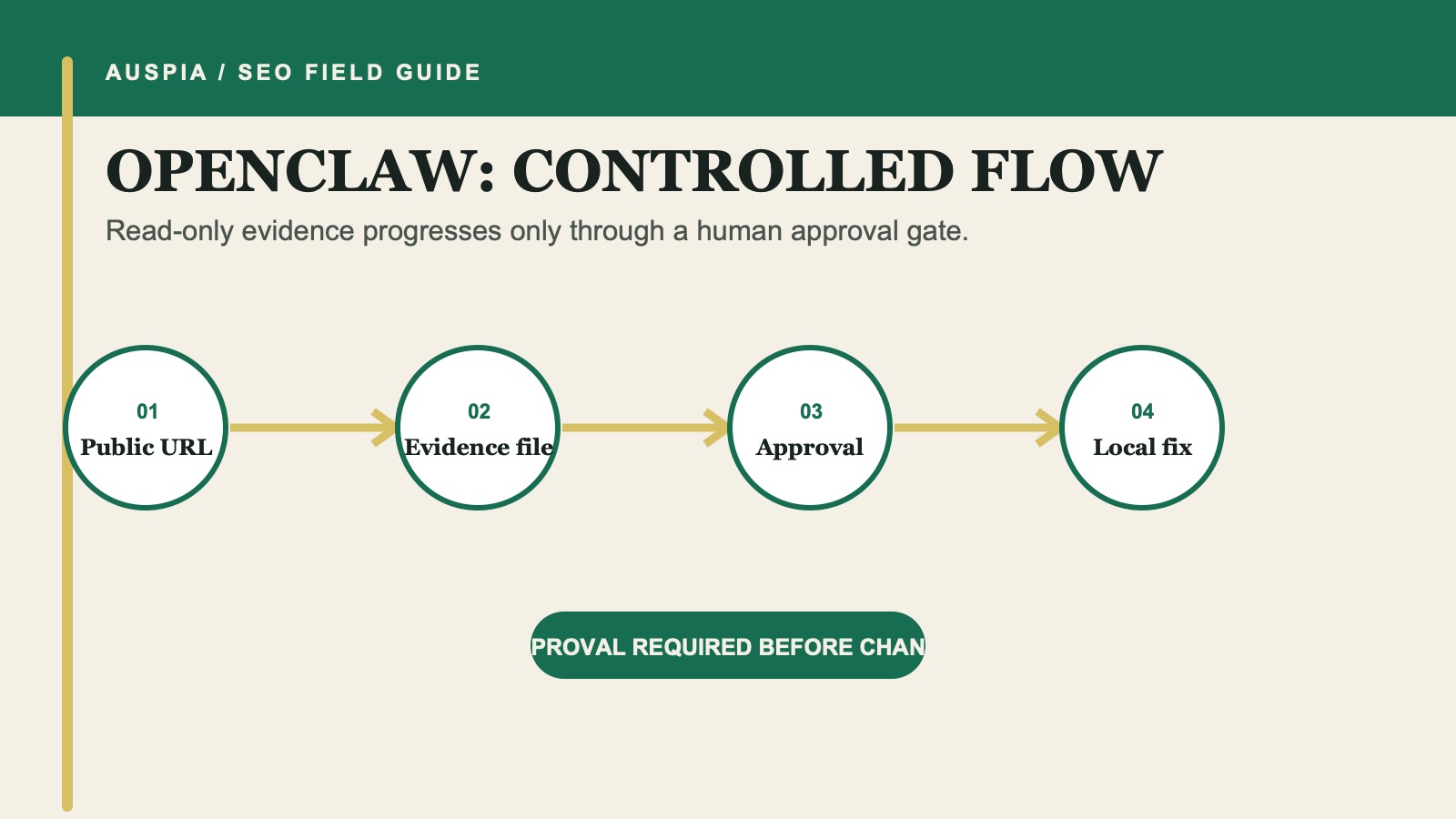
The browser task stops at an evidence file. Repository access begins only after a human approves the finding and repair scope.
Classify the evidence before opening files
Review seo-indexing-evidence.md and place each item in one of four buckets:
Bucket | Example | Next move |
|---|---|---|
Confirmed public evidence | HTTP | Identify the configuration owner |
Supplied Google evidence | URL Inspection reports a different selected canonical | Compare duplicate candidates |
Hypothesis | A client-rendered page may expose little initial content | Inspect source project or render evidence |
| Last crawl date was not supplied | Ask the user for the smallest missing input |
Do not approve a local edit for a hypothesis. "Maybe crawl budget" is especially weak for a single URL on a small site.
Three Google rules prevent common misdiagnoses:
- Google must crawl a URL to see its page-level
noindex; a robots block can hide that directive. - Redirects and
rel="canonical"are strong canonical signals, while sitemap inclusion is weaker. - A sitemap is a discovery hint, not an indexing command.
Permission two: open one repair task
If the evidence supports a repair and the page owner confirms the URL should be searchable, create seo-indexing-repair.md yourself or ask OpenClaw to draft it without file access.
Approved repository path: /projects/site
Approved finding: accidental X-Robots-Tag on product routes
Approved files to inspect: middleware/headers.ts, tests/headers.test.ts
Allowed edit: remove the noindex header for the named public route only
Prohibited: robots.txt, redirects, canonicals, sitemap, deployment, accounts
Required output: diff, tests, rollback note, staging acceptance check
Then grant only the repository access required for that file-scoped task.
Read indexing-case/seo-indexing-evidence.md and seo-indexing-repair.md.
Inspect only the approved repository path and files. First show the proposed
implementation and affected routes. Wait for approval before editing.
After approval, make the smallest change, show the diff, and run the named test.
Do not deploy or take any account action.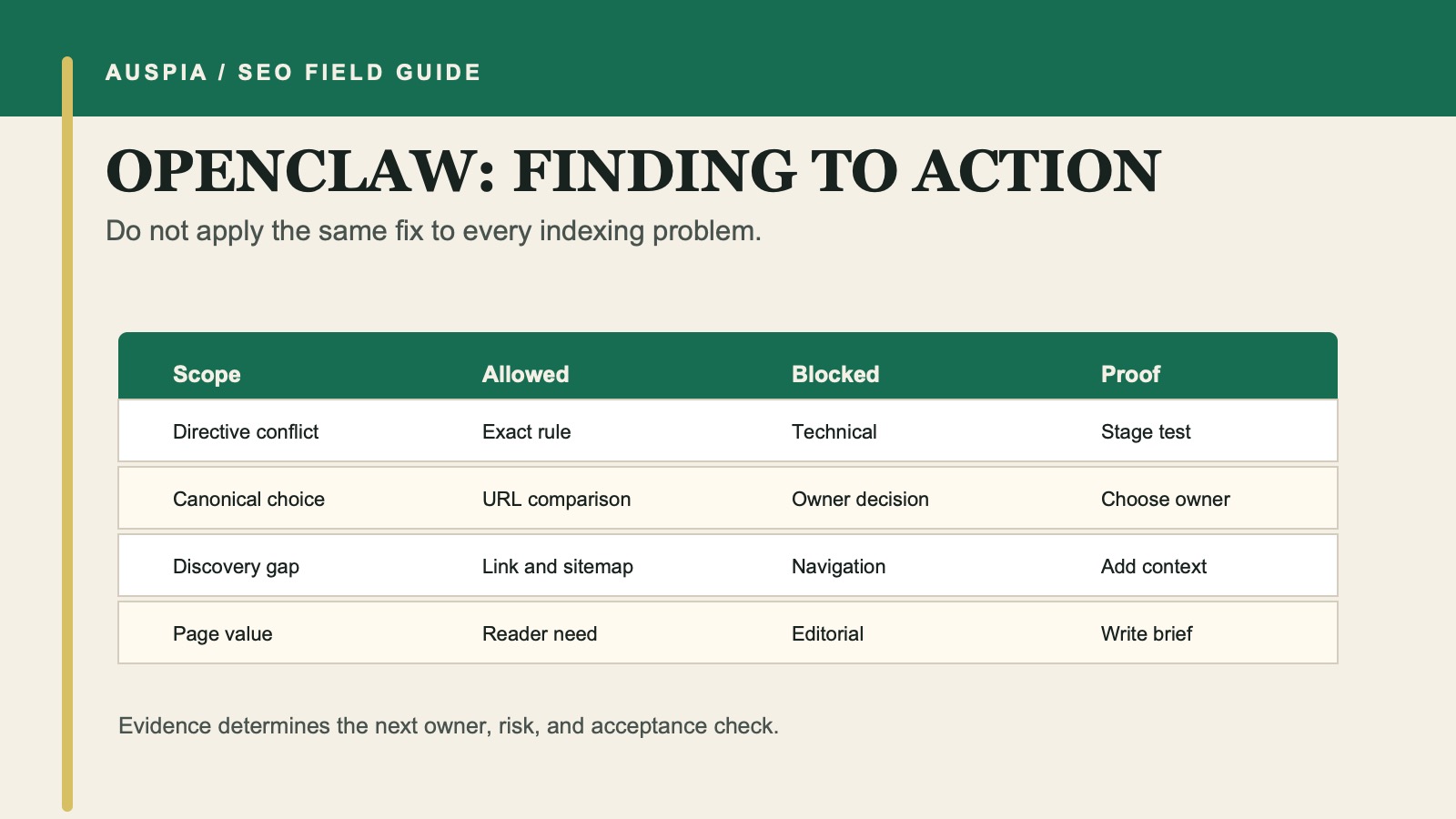
Only confirmed, owner-approved findings cross the gate into a scoped local repair.
Treat browser automation as evidence, not authority
A browser can capture a live page, but it can also click buttons. Keep login-aware browsing out of the investigation unless the user explicitly authorizes a specific account action. Do not let "check URL Inspection" quietly turn into "click Request indexing."
The same rule applies to scheduled tasks. OpenClaw documents cron jobs as unattended execution with an agent's permissions. An indexing investigation does not need a recurring job. If you later monitor a set of public URLs, create a separate read-only schedule with its own review.
Review the local change and release separately
Before release, confirm:
- The diff matches
seo-indexing-repair.md. - Shared templates or middleware list every affected route.
- Tests or staging checks prove the approved behavior.
- The rollback path is documented.
- No browser, account, deployment, or scheduling action occurred.
A human or existing deployment system releases the change. Keep that event outside the OpenClaw repair permission unless it receives a separate approval.
Run the live verification in permission one again
After release, return to the browser-only scope. Check the exact public URL, response, canonical, robots directives, content, sitemap, and relevant internal links. Save the result with a timestamp.
Then a human can run URL Inspection's live test. A meaningful live change may justify Request indexing, but Google says repeated requests for an unchanged URL do not accelerate crawling and that recrawling can take days to weeks.
If the live page differs from the local test, stop. The problem may be caching, deployment, CDN configuration, or a different production template. Do not widen file access and guess.
Common OpenClaw mistakes
- Mounting an entire home directory for a one-URL investigation.
- Mixing browser and repository permissions in the first prompt.
- Treating a browser-rendered canonical as Google's selected canonical.
- Scheduling repeated indexing checks before the underlying change exists.
- Letting a chat approval replace the written repair scope.
- Asking OpenClaw to log in with shared credentials.
FAQ
Can OpenClaw inspect a public URL without my repository?
Yes. It can prepare a public-evidence report, but it must mark Search Console and source-project facts as unavailable when they were not supplied.
Why write two task files?
They create an auditable handoff between evidence and implementation. A human can reject or narrow the second file without losing the first report.
Should OpenClaw schedule daily indexing requests?
No. Google provides no benefit for repeatedly requesting an unchanged URL, and account actions should remain explicitly human-controlled.
Can OpenClaw guarantee the repair will be indexed?
No. It can help correct access, directive, canonical, or discovery problems. Google still chooses whether and when to include the page.
Official references
- OpenClaw documentation
- OpenClaw security and workspace boundaries
- OpenClaw Skills
- Google: Ask Google to recrawl URLs
- Google: Make links crawlable
Author: Aaron Wolfe, Organic Growth Systems Designer with 15 Years in SEO/GEO at Auspia. Aaron writes about controlled workflows that connect technical evidence, ownership, and repeatable growth operations.


