


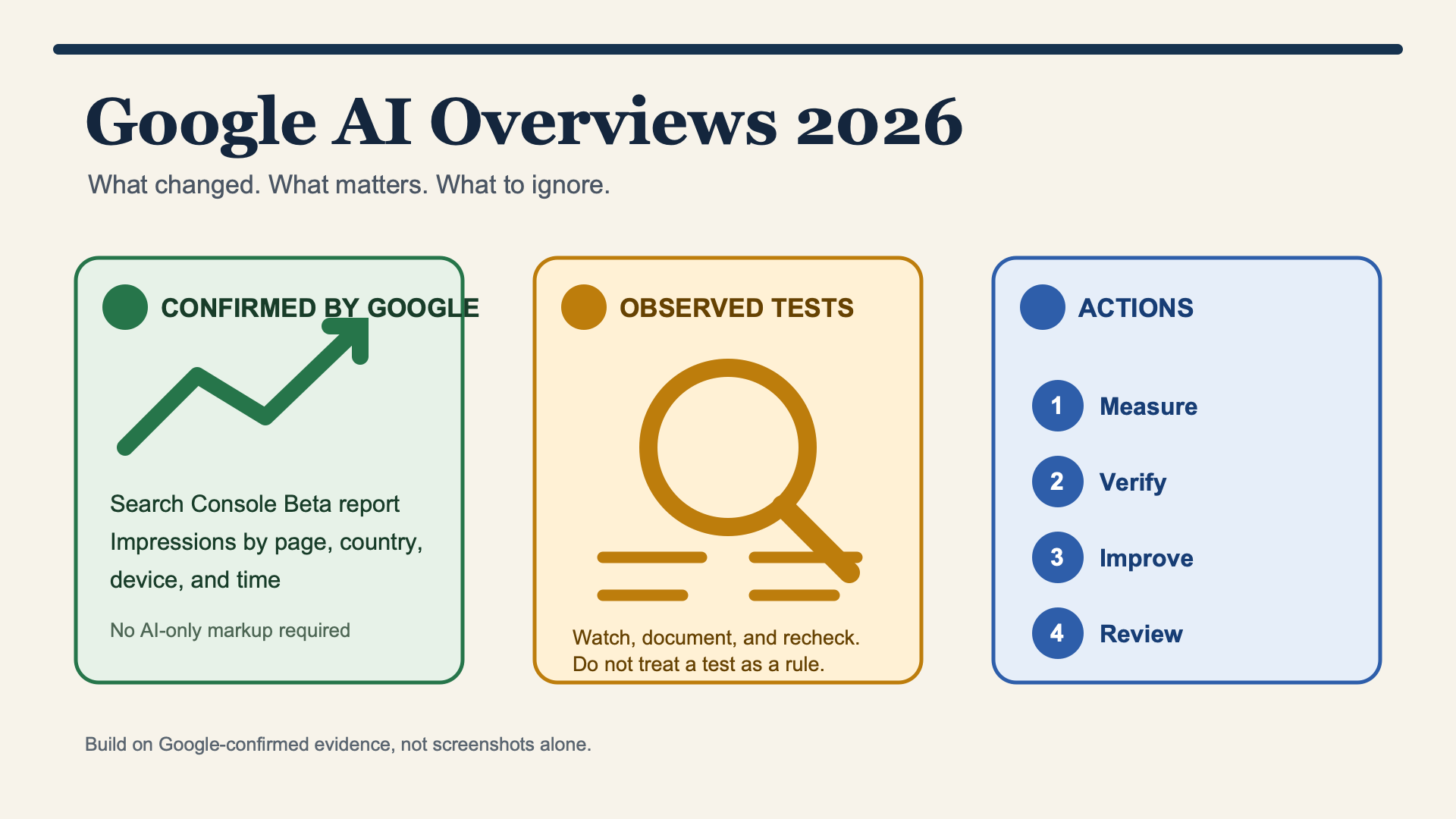
Overviews
Google AI Overviews are still Google Search results with an AI-generated explanation and links to the web. The useful 2026 change is not a secret ranking formula. It is that Google has started giving some site owners a dedicated Generative AI features report in Search Console, alongside a test of a site-level control for generative AI Search appearances.
That is real progress, but it does not make AI Overviews predictable or turn every reported interface experiment into a new SEO rule. Google still says the foundations are the familiar ones: crawlable and indexable pages, helpful original content, a clear technical structure, and pages that are eligible to appear with a Search snippet.
If you run a website, take this approach: measure the AI features you can actually see in your account, fix pages that are hard to retrieve or verify, and keep an observation log for everything else. Do not rebuild your content program around screenshots, model-version rumors, or a magic llms.txt file.
What changed in 2026: Search Console's Generative AI performance report gives eligible properties a separate view of impressions in Google AI features. It is a phased Beta and its first release is deliberately narrow: it helps show visibility, not clicks, queries, conversions, or a guaranteed path to inclusion.
AI Overviews, AI Mode, and the reporting change
AI Overviews and AI Mode are related Google Search experiences, but they are not interchangeable.
Experience | What a searcher sees | What a site owner should assume |
|---|---|---|
AI Overview | A generated overview on a conventional Search results page, with supporting links | Your page may be linked when it is useful to the answer, but there is no inclusion guarantee |
AI Mode | A more conversational Search experience for more involved questions and follow-ups | It can surface web links, but it is not a standard ten-blue-links ranking report |
Generative AI performance report | A Search Console Beta report for qualifying properties | It reports generative-AI visibility separately from the broader Web view; it is not a traffic or conversion report |
This distinction matters because the old measurement advice is now incomplete. Before June 2026, Google documented AI-feature activity as part of normal Web performance data. On June 3, Google announced dedicated Search and Discover generative-AI performance reports, first for a subset of website owners while it gathers feedback. The separate report shown in some accounts is titled Generative AI features (Beta).
The screenshot shared with this article shows the Search report with a three-month view, 7.85K total impressions, and daily movement over time. The address format follows this pattern:
https://search.google.com/search-console/performance/search-analytics/ai?resource_id=sc-domain%3Aexample.comReplace example.com with the verified domain property. The URL is only useful after Search Console has made the Beta available to that property; changing the domain segment cannot force access.
What the Generative AI features report can tell you
The early report is more modest than many teams expected, which is probably healthy. It gives a direct view of how often URLs from your property appeared in eligible generative AI features. Google says the Search report can be examined by page, country, device, and time, with hourly, daily, weekly, and monthly views.
Available in the early Search report | Not available as a launch promise |
|---|---|
Impressions in generative AI Search features | AI-feature click counts |
Pages that appeared | Query or prompt-level reporting |
Countries and, for Search, devices | Conversion or revenue attribution |
Time trends | A list of every answer, citation position, or retrieval reason |
That last column should shape the way you use it. An impression increase can be a useful signal that a topic or page is appearing more often. It cannot tell you whether the result sent a visit, whether the visitor converted, or why Google selected that URL over another source.
There are also normal report limits. Google notes that the usual Search performance data limits apply, including table and date-range limits, and that the newest data can be preliminary. Treat the dotted edge of a chart as unfinished data, not as a sudden visibility event.
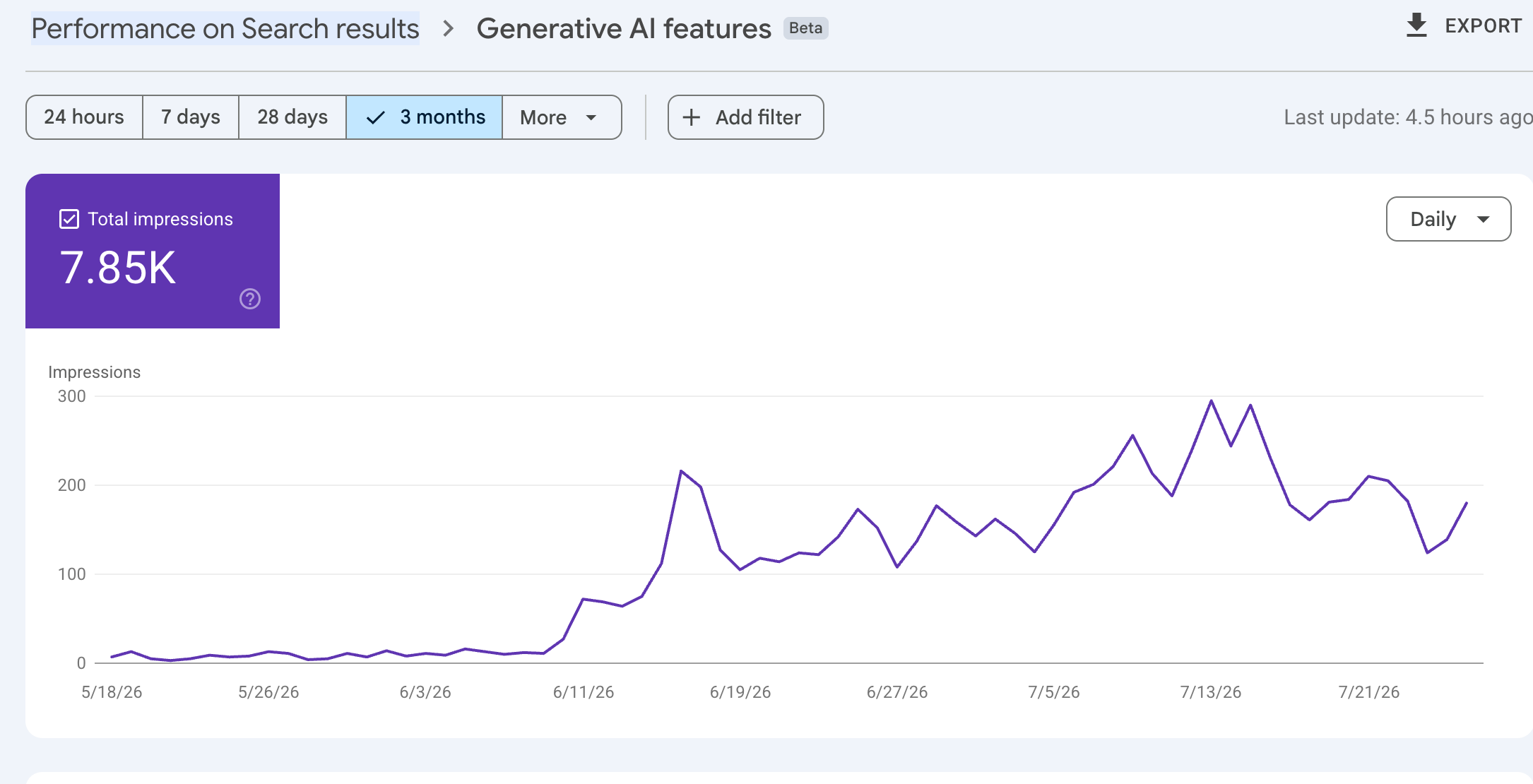
A live property example of the Beta interface. It shows a dedicated generative-AI impression trend, not clicks, queries, conversions, or a complete explanation of why a URL appeared.
A simple weekly review
Use the report as a starting point for a small, repeatable review:
- Export the pages with meaningful generative-AI impressions for a fixed date range.
- Group those pages by the decision they help a reader make: definition, comparison, implementation, price, safety, troubleshooting, or local choice.
- Compare the same pages in the standard Web performance report and in your analytics platform.
- Review a controlled sample of real results in the relevant country, language, device, and logged-out state where possible.
- Log one testable action for a small batch of pages, then check the next reporting period.
Do not claim that the standard Web report and the new Beta report can be subtracted to create a perfect AI Overview click number. They answer different measurement questions.

Use separate evidence sources before making a page-level decision. Correlation is a lead for investigation, not attribution.
The confirmed website-owner changes worth acting on
Google's most useful 2026 guidance is practical, not exotic.
1. Standard Search eligibility still comes first
Google's AI Features and Your Website says that AI features use the same underlying Search fundamentals: relevance, quality, usefulness, and trustworthiness. To be eligible as a supporting link, a page needs to be indexed and eligible to appear with a Search snippet.
For an editor, that means checking basics before inventing AI-specific tasks:
- Can Google crawl the canonical URL and find the important text?
- Is the page genuinely useful for a specific question rather than a broad, interchangeable overview?
- Can a reader see who is making a claim, what supports it, and when it was last checked?
- Do headings, tables, product facts, and internal links make the page easy to navigate?
Schema can clarify visible content where a supported Search feature calls for it. It does not guarantee an AI Overview link, an AI Mode mention, or a richer answer.
2. Google says there is no AI-only markup requirement
Google's May 2026 guide to optimizing for generative AI features is unusually clear on this point. There is no special AI tag, no required llms.txt, and no need to publish a second Markdown version of every page just to appear in AI features.
That does not make technical work optional. It makes the priority clearer: fix rendering, canonicalization, internal discovery, content parity, and poor page experience before spending time on a file Google does not require.
3. A dedicated control is being tested, but it is a publishing decision
On the same day as the reporting announcement, Google said it was beginning to test a Search Console control that lets site owners decide whether their links and content can appear in and ground generative AI Search features. Google states that a site opting out will not receive impressions or traffic from those features.
Do not confuse this test control with older directives:
Control | Primary purpose | Important trade-off |
|---|---|---|
Search generative AI control | Test control for inclusion in Google generative AI Search features | Opting out removes the possibility of visibility and traffic from those features |
| Limit how Search can show or use page text in snippets and AI features | These also affect conventional Search presentation |
| Limit use of content for Gemini training and generative API improvement | It is not the same as controlling AI Overview or AI Mode appearances |
The new control is not a growth trick. Use it only when you have a clear publishing, licensing, or brand reason to make that trade-off, and confirm availability in your own property first.
What is observed, but not a new rule yet
AI Overviews change quickly enough that screenshots can make a small test look like a universal rollout. A good 2026 article needs to distinguish a public product statement from a one-market observation.
Observation | Evidence level on July 29, 2026 | Sensible response |
|---|---|---|
A button inside some AI Overviews that takes searchers to a Web results view | Reported as a test by Search Engine Roundtable; no Google announcement found for a general rollout | Record it if it appears for your key queries. Do not forecast traffic or redesign pages around it. |
Search and Shopping ads in AI Overview experiences | Google has tested ad formats in AI-powered Search surfaces, and trade publications continue to observe format changes | Separate paid and organic observations. Do not assume that an ad test changes organic eligibility. |
A fixed AIO trigger rate, CTR loss, citation formula, or word-count target | Third-party studies can be useful snapshots, but results vary by market, device, query set, date, and method | Cite the provider and sample if you use the data. Never turn one study into a Google requirement. |
Claims about the exact model version powering every AI Overview | Product and model announcements do not prove the configuration for every market or query | Omit the claim unless Google makes that specific operating detail public. |
The industry needs more of this discipline. A reported test can tell you what to watch. It cannot tell you what Google will ship, how long it will last, or what it means for every website.
Build pages that are worth linking to
The better question is not "How do I rank in AI Overviews?" It is "What would make this page useful enough to support a careful answer?"
Start with the pages that already matter to your business. For each one, look for an evidence gap.
Weak page pattern | More useful rebuild |
|---|---|
A long introduction that postpones the answer | A direct, qualified answer near the relevant heading |
Feature claims with no explanation or evidence | Specific capabilities, conditions, limits, and a source or documentation link |
A generic comparison page | Clear comparison criteria, dates, scope, and a transparent explanation of who each option suits |
An out-of-date tutorial | A visible update date, current steps, real failure states, and a version boundary |
Decorative images that add no information | Original diagrams, product views, charts, or screenshots with explanatory nearby text |
This is also where original work matters. First-party data, a real methodology, a documented product workflow, subject-matter review, and a useful comparison are harder to replace than a summary that repeats what ten other pages already say.
For a practical check, use Auspia's AI Search Visibility Checker to identify prompt and page gaps, then validate what it suggests against Search Console, your analytics, and a manual review. A visibility tool can help prioritize work. It cannot prove a Google AI Overview placement or guarantee a result.
A 30-day plan that does not depend on rumors
Week 1: establish what you can measure
Check whether the Generative AI features Beta is available in Search Console. If it is, export a baseline by page, country, device, and time. If it is not, do not try to manufacture the report URL. Use the standard Web report, analytics, and a small, documented SERP sample while you wait.
Week 2: fix eligibility and clarity problems
Audit the canonical URL, indexability, primary content, internal links, and mobile rendering of priority pages. Then add direct answers, dated evidence, and clear headings where a page makes readers hunt for its point.
Week 3: strengthen evidence rather than inflate copy
Choose three to five high-value pages. Add the information a buyer or researcher would need to verify: definitions, source links, pricing conditions, comparison criteria, product limits, dates, examples, and methodology. Do not pad the page to hit an imagined word count.
Week 4: review signals and make one decision
Compare the same page set across Search Console reports, analytics outcomes, and controlled observations. Decide whether to continue a page repair, expand a missing topic, investigate a technical issue, or leave the page alone until there is more data. Write the decision and its evidence down.
What to ignore
- Promises that FAQ schema, any schema type, or a single file will put you into AI Overviews.
- Screenshots presented as a universal feature rollout.
- Exact traffic, CTR, or citation claims without a data provider, time period, market, query set, and method.
- Advice to block every generative AI feature without first considering the visibility and traffic trade-off.
- Anyone who says they know the complete set of AI Overview ranking signals.
Google's systems are dynamic, and the product surface is still changing. The durable work is less glamorous: make your best pages crawlable, specific, current, evidence-led, and easy to understand.
Official sources
- Google Search Central: Introducing Search Generative AI performance reports in Search Console
- Google Search Console Help: Generative AI performance report (Search)
- Google Search Central: AI Features and Your Website
- Google Search Central: Guide to optimizing for generative AI features
- Google: New opportunities, control and insights for website owners
FAQ
Does Google Search Console now have a separate AI Overview report?
Google announced Search Generative AI performance reports on June 3, 2026. The Search report is appearing as a gradually rolling out Generative AI features (Beta) view for a subset of properties. It covers generative AI features such as AI Overviews and AI Mode rather than a universal, AI-Overview-only report.
Why can another domain see the report while mine cannot?
The rollout is phased. Access depends on Google enabling the Beta for the property; modifying the resource_id portion of a Search Console URL does not grant access. Keep monitoring the Performance area of your verified property.
Does the report show clicks from AI Overviews?
Not in the initial report Google announced. It focuses on impressions and related page, country, device, and date views. Use analytics for outcome trends, but do not label those outcomes as AI Overview traffic unless your own measurement setup can support that attribution.
Do I need llms.txt to appear in Google AI Overviews?
No. Google's generative-AI optimization guidance does not require it. Google recommends the same core work that supports ordinary Search: technical eligibility, useful people-first content, and a clear site structure.
Can I opt my site out of AI Overviews and AI Mode?
Google is testing a Search Console control for whether a site can appear in and help ground generative AI Search features. Availability is limited during testing. Before using it, understand that opting out removes potential impressions and traffic from those features; it is a policy decision, not an optimization tactic.
Author: Owen Hartwell, Google AI Overview Tracker Across 40+ Verticals at Auspia. Owen writes about Google AI search features, SERP shifts, and practical ways to measure AI visibility without overstating the data.


