


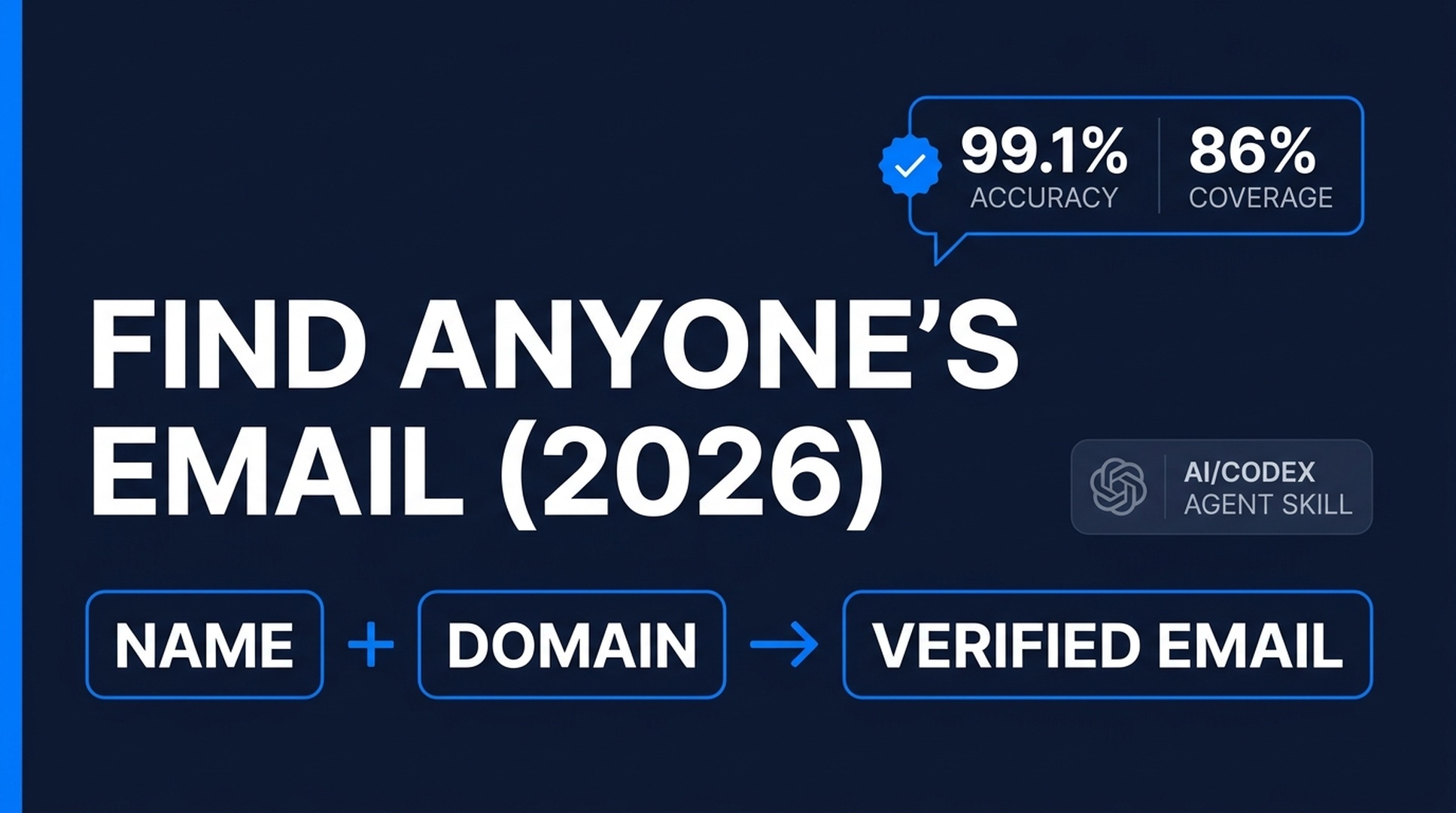
6 Proven Ways To Find Anyone's Email Address (2026)
You have a list of people you want to reach. Bloggers, journalists, podcast hosts, potential partners. You know their names. You know where they work. But you don't have their email addresses.
Without the right address, your outreach goes nowhere. With it, you get a conversation.
This article covers six updated methods that work in 2026. Free lookup tools, pattern generators you can run from a terminal, and AI agents that handle the entire job while you do something else. Each method comes with a copy-paste Codex skill block. Grab the one that fits your situation and stop clicking through web forms.
What changed since 2023? The accuracy leaderboard flipped completely. Tools that were top-tier three years ago are now middle of the pack. AI agents went from "maybe someday" to "here's a CSV of verified addresses, I also drafted your opening lines." And the free OSINT tools got good enough that you can skip the SaaS subscription entirely for low-volume research.
At a Glance: Which Method Should You Use?
Your Situation | Best Method | Time Investment |
|---|---|---|
I have one name + company, need it fast | Method 1: Email lookup tools | 30 seconds |
I have a name + domain, zero budget | Method 2: Pattern generation + free verification | 2 minutes |
The person is active on X or LinkedIn | Method 3: Social media mining | 3–5 minutes |
I need emails for technical/developer contacts | Method 4: OSINT tools | 5–10 minutes |
I'm willing to engage before asking | Method 5: Subscribe and interact | 1–7 days |
I have a CSV of 50+ contacts | Method 6: Codex bulk automation | 5 minutes setup, then automated |
Method 1: Use an AI-Powered Email Lookup Service
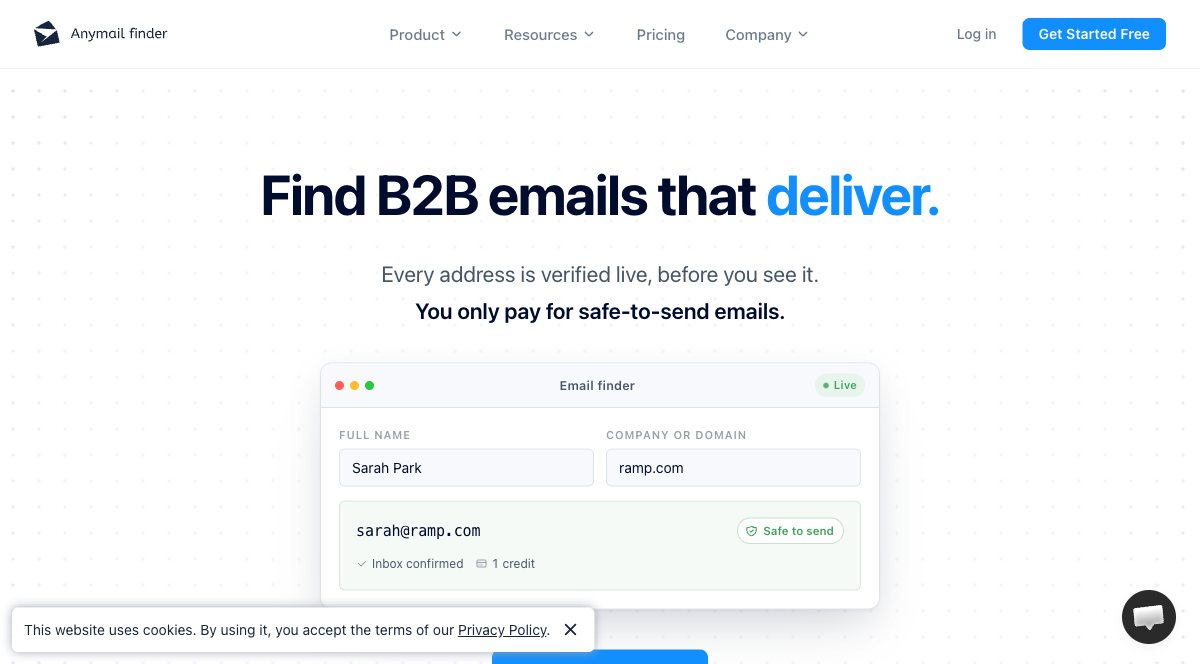
Email lookup tools got significantly better since 2023. The current crop does pattern prediction, SMTP verification, and confidence scoring in one search. Type a name and a domain. If the tool finds a match, you get a verified address with a confidence score. If it doesn't, you get a clean "not found" instead of a guess dressed up as a result.
The 2026 Accuracy Leaderboard
Independent benchmarks tell a different story than the marketing pages. Here is what third-party testing shows as of mid-2026:
Tool | Verified Accuracy | Coverage | Starting Price | Free Tier |
|---|---|---|---|---|
Icypeas | 99.1% | 49.0% | $29/mo | No |
Anymail Finder | 98.9% | 86.4% | $49/mo | 90-email trial |
Datagma | 97.7% (SMB) | — | $32/mo | Free plan |
Findymail | 95.6% | 70.9% | $49/mo | 10 credits/mo |
Hunter | 86.1% | 57.6% | $34/mo | 25 searches/mo |
Prospeo | 92.5% | 45.2% | $49/mo | 75 free/mo |
Sources: Anymail Finder benchmark (5,000 B2B contacts, 2026); Clay SMB accuracy testing (1,075 contacts, 2026).
The trade-off: Icypeas is the most accurate (99.1%) but only finds about half your list. Anymail Finder finds 86% of addresses at 98.9% accuracy. For most people, that coverage-accuracy balance makes Anymail Finder the best single tool. On a tight budget? LeadMagic runs about $0.013 per valid email and hits ~97% on SMB contacts.
Start with Anymail Finder. Run the contacts it misses through Icypeas as a second pass. Two tools in sequence pushes coverage past 90% for most lists.
Make Codex Do the Lookup
Instead of copying names into a web form, let your AI agent call the lookup API directly:
# codex-email-lookup

## What this skill does
Finds a verified professional email address given a person's
name and company domain.

## Input
- Full name of the person
- Company domain (e.g., example.com)

## Instructions for Codex

1. Ask the user for the person's full name and company domain.
   Do not proceed without both.

2. Generate the most common email patterns for this person:
   - {first}@{domain}
   - {first}.{last}@{domain}
   - {first}{last_initial}@{domain}
   - {first_initial}{last}@{domain}
   - {first_initial}.{last}@{domain}

3. If the user has an Anymail Finder API key configured,
   call the Anymail Finder search endpoint with the person's
   name and domain. Parse the response for verified emails
   and confidence scores. If the confidence is ≥90%, return
   the email immediately.

4. If no API key is available, or the API returns no result,
   use the free email-verify-mcp server to check each pattern
   from step 2:
   - Verify syntax, MX records, and SMTP deliverability
   - Flag disposable addresses
   - Assign a confidence score (high/medium/low)

5. Output a ranked list of candidate emails with:
   - Email address
   - Confidence level
   - Source (API name, pattern generation, or SMTP check)
   - Warning flags (catch-all domain, role-based address,
     disposable provider)

## Rules
- Never print or log API keys, tokens, or passwords.
- If all methods fail, say so clearly. Do not fabricate
  an address.
- Mark any unverified or low-confidence address as such.
- Record the data source and retrieval date for every result.

## Example Output

| Email | Confidence | Source | Flags |
|---|---|---|---|
| jane@acme.com | High (95%) | Anymail Finder | — |
| jane.smith@acme.com | Medium | Pattern + MX check | Catch-all domain |
| No verified address found | — | — | — |
Copy this skill into a .codex/skills/ folder or pass it directly to Codex as a prompt. It works with or without a paid API key — the free SMTP verification path handles the basics.
Method 2: Generate Patterns and Verify Them
No budget for a lookup service? You can still get reliable results. Most companies use one of about five email formats. Generate the plausible combinations for your target. Test which ones are real. It takes two minutes per contact and costs nothing.
Step 1: Generate the Permutations
The most common business email formats, in order of frequency:
first@domain.com— used by roughly 70% of contactsfirst.last@domain.comfirstlast_initial@domain.com(e.g., janes@domain.com)first_initiallast@domain.com(e.g., jsmith@domain.com)first_initial.last@domain.com
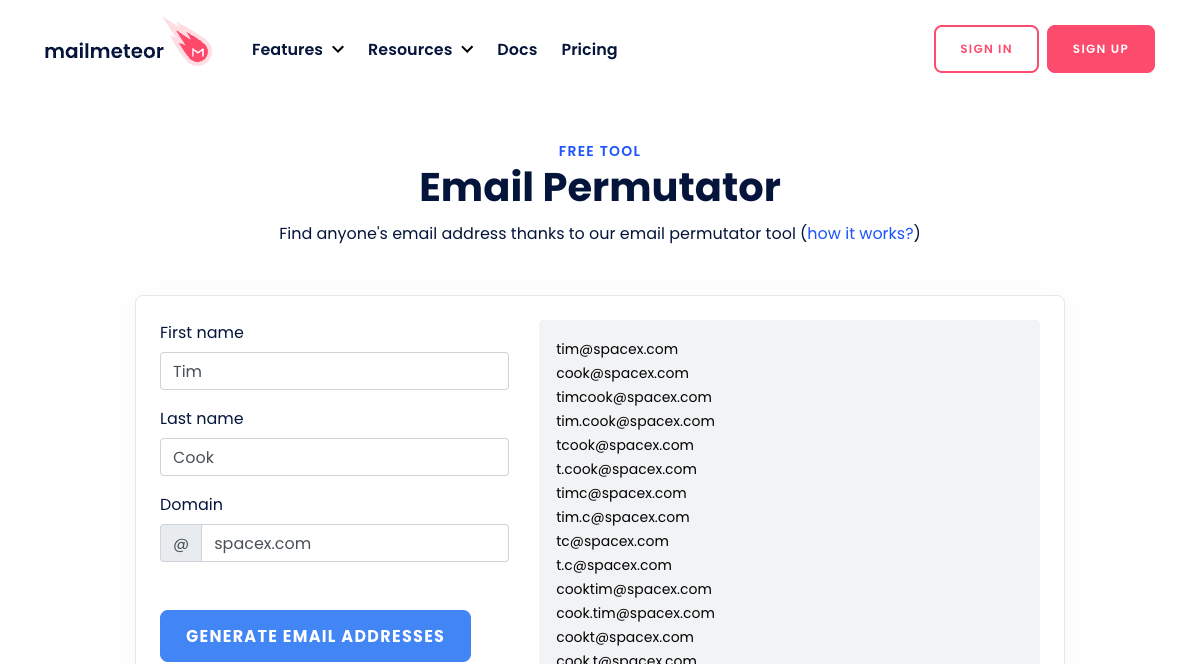
Free permutation tools generate these for you. The Mailmeteor Email Permutator handles up to 22 variations from a first name, last name, and domain. For command-line users, Guessmail (open source) does the same thing locally and handles non-ASCII name transliteration.
Step 2: Verify Without Paying
Once you have your list of candidates, narrow it down:
- Gmail profile check: Paste a Gmail-based address into Gmail's compose window. If the address belongs to a Google profile, you'll see their name and avatar. This is free and instant.
- SMTP verification: Tools like sniffmail (500 free verifications/month) or email-verify-mcp (50 free per instance, no API key needed) check whether the mail server accepts messages for that address — without sending an actual email.
- Google it: Wrap the guessed address in quotes and search. If it appears on a public page, conference speaker list, or GitHub commit, it is almost certainly real.
Codex Pattern + Verify Skill
# codex-email-permutator

## What this skill does
Generates every plausible email pattern for a person, then
verifies which ones are real using free methods.

## Input
- First name and last name
- Company domain

## Instructions for Codex

1. Generate all standard permutations using these templates:
   {first}@{domain}
   {first}.{last}@{domain}
   {first}{last_initial}@{domain}
   {first_initial}{last}@{domain}
   {first_initial}.{last}@{domain}
   {last}@{domain}
   {first}{last}@{domain}
   {first_initial}{last_initial}@{domain}

2. For each candidate:
   a. Check if it appears in public search results
      (search exact-match in quotes).
   b. Run MX record lookup on the domain — skip if no
      mail server exists.
   c. If available, run SMTP verification via sniffmail
      or email-verify-mcp.
   d. Flag: disposable domain, catch-all server,
      role-based address (info@, hello@, admin@).

3. Score each candidate:
   - High confidence: SMTP verified OR found in ≥2
     public sources
   - Medium: MX valid + format matches company convention
   - Low: MX valid only

4. Output a ranked table. If no address scores above Medium,
   tell the user and suggest trying Method 3 (social media)
   or Method 1 (paid lookup).

## Rules
- Do not send actual test emails. Use SMTP handshake only.
- Respect rate limits. Pause between verification attempts.
- If the domain uses a catch-all server, mark ALL candidates
  as "catch-all — cannot verify" and explain what this means.
Method 3: Mine Social Media and Professional Networks
People leave email addresses lying around in more places than they realize. The trick is knowing where to look and which tools surface them fast.
X (Formerly Twitter)
X's advanced search still works for finding emails, but the search syntax has tightened since 2023. Here is what works now:
- Search for obfuscated addresses:
from:username "at" "dot"catches people who write "jane at acme dot com" to avoid scrapers. - Search for keyword signals:
from:username emailorfrom:username contactsurfaces tweets where someone explicitly shared contact info. - Check the bio and pinned tweet first — many professionals list a contact address there.
The Twitter OpenMail Finder on Apify automates scanning X profiles within a domain for publicly visible Gmail addresses.
LinkedIn doesn't expose emails directly, but several Chrome extensions reconstruct them from profile data:
- [Scout](https://chromewebstore.google.com/detail/scout-ai-sales-prospectin/kpkbaddjcgagljebenbjccdgoicpmbbm) — Finds work emails and phone numbers from LinkedIn profiles with <1% bounce rate. Also generates personalized outreach messages using AI.
- [FinalScout](https://chromewebstore.google.com/detail/finalscout-find-anyones-e/ncommjceghfmmcioaofnflklomgpcfmb) — Finds emails from LinkedIn and crafts tailored messages using ChatGPT based on the person's profile content.
- [LinkedRadar](https://chromewebstore.google.com/webstore/detail/linkedradar-email-finder/kgpckhbdfdhbkfkepcoebpabkmnbhoke) — Finds email and phone, plus AI-generated LinkedIn invite messages.
Important: LinkedIn's terms restrict automated scraping. These extensions work within LinkedIn's interface as you browse manually. Use them for one-at-a-time research, not bulk extraction.
GitHub
For developer and technical contacts, GitHub is often the easiest path. Many developers include their email in commit metadata or their public profile. The Email Crawler Python tool scans GitHub profiles, personal websites, and commit histories for addresses.
Codex Social Scan Skill
# codex-social-email-finder

## What this skill does
Searches public social and professional profiles for
a target person's email address.

## Input
- Person's name
- Known social profiles (X handle, LinkedIn URL, GitHub
  username, personal website) — at least one required

## Instructions for Codex

1. For each provided profile URL or handle:
   a. X/Twitter: Search the user's recent tweets and bio
      for email patterns, "at"/"dot" obfuscation, or
      contact keywords. Check their pinned tweet and
      link-in-bio page.
   b. LinkedIn: If the user has a LinkedIn URL, check for
      contact info in the public "Contact info" section
      (visible on most public profiles).
   c. GitHub: Check the user's public profile README,
      commit email (if not set to GitHub's private
      noreply address), and any personal website listed.
   d. Personal website: If the person has a website, check
      the /contact, /about, and homepage for visible
      email addresses.

2. Compile all found addresses and attempted-but-empty
   sources into a single report.

3. If an address is found, verify it using the email-verify-mcp
   tools (SMTP handshake only).

4. If no address is found, suggest next actions:
   - Try Method 1 with the person's company domain
   - Check if the person has a newsletter (Method 5)

## Rules
- Only access publicly visible information.
- Do not attempt to log in to any platform.
- Do not send connection requests, DMs, or automated
  messages on any platform.
- Respect rate limits. Pause between checks.
Method 4: Leverage Free OSINT and Public Data Tools
Open-source intelligence tools got good at email discovery. Really good. A single OSINT tool now does pattern generation, website scraping, breach database lookups, and public record searches in one pass. Most are free. Some require comfort with a terminal; others run in a browser.
The Tools Worth Your Time
[MottaHunter](https://github.com/MottaSec/MottaHunter) scans Google, X, and LinkedIn simultaneously for email addresses tied to a domain. It also generates smart email permutations and verifies them against SMTP servers. The tool has three permutation intensity levels (light/medium/heavy) and handles catch-all domain detection. Install it with Python and run it from the command line:
python harvester.py scrape --domain example.com --google --twitter --linkedin[Email Sleuth](https://github.com/RustWorks/email-sleuth-scrapping-verification) (Rust-based) scrapes company websites for email patterns, generates permutations, and verifies addresses through three modes: basic (DNS + SMTP), enhanced (adds API checks), and comprehensive (adds headless browser verification). Each result gets a confidence score.
[DeHashed](https://dehashed.com) searches billions of breached database records by email, username, domain, or IP address. If your target's email appeared in a known data breach, DeHashed surfaces it — along with any associated accounts. Use this ethically: only to find business contact information for legitimate outreach. Do not use breach data for harassment, credential stuffing, or accessing private accounts.
[theHarvester](https://github.com/laramies/theHarvester) is the classic OSINT email gathering tool. It pulls addresses from search engines, PGP key servers, and public databases. It ships with Kali Linux but works on any system with Python.
When OSINT Makes Sense
OSINT tools shine when:
- You need to find contact information for security researchers, developers, or technical founders (they leave more public traces)
- The person works at a company whose staff emails aren't in commercial databases
- You want a completely free workflow with no SaaS subscriptions
When to skip OSINT: For non-technical professionals at large enterprises, commercial lookup tools (Method 1) are usually faster and more reliable. OSINT tools require some command-line comfort and don't always produce clean results on the first pass.
Method 5: Subscribe, Engage, and Ask Directly
Sometimes the simplest approach works best. Instead of hunting for a hidden address, you create a reason for the person to give it to you.
The Newsletter Reply Tactic
Many professionals — especially bloggers, marketers, and founders — run personal newsletters. Subscribe to their list. When a newsletter arrives in your inbox, hit reply. Most newsletter replies go to the person's real email address, not a noreply alias.
Write a genuine reply. Reference something specific from the newsletter. Mention why you're reaching out. Keep it short — one or two sentences of genuine appreciation, then your ask.
This worked in 2023 and it still works in 2026. The difference is that more people now use newsletter platforms (ConvertKit, beehiiv, Substack) that make the reply-to address explicit.
The Contact Form Path
Most company websites have a contact form or a generic inbox address (hello@, contact@, info@). Send a polite, specific message:
I'm trying to reach [Name] about [specific topic]. Could you forward this to them or share the best way to get in touch?
Be clear about who you are and why you're reaching out. Mention what's in it for them. A vague "I'd like to connect" goes to the trash. A specific "I'm writing an article about [their expertise] and would love to include their perspective" gets forwarded.
The X/Twitter Direct Approach
If someone is active on X and you have a real, complete profile (photo, bio, posting history), a public reply or DM can work. The key phrase: "What's the best way to reach you?" — not "What's your email?" It feels less invasive and gives them control.
One 2026 caution: X's DM filtering is more aggressive than it used to be. If you don't follow each other, your message lands in "Message Requests" and sits unseen for weeks. A public reply asking for the best way to reach them tends to work better than a cold DM.
Method 6: Let an AI Agent Run the Entire Workflow (New for 2026)
This is the method that didn't exist when the original version of this topic was written. In 2026, you hand a list of names and companies to an AI coding agent. Codex, Claude Code, Cursor — pick your tool. It returns a CSV of verified emails with personalized opening lines. One session, one file, done.
Here is how the workflow works:
- You provide a list — names, companies, and optionally LinkedIn URLs or known websites
- The agent looks up each contact — using the methods above, cascading from API lookup → pattern verification → social scan → OSINT
- The agent verifies every address — SMTP handshake, MX check, disposable detection
- The agent researches each contact — recent posts, speaking engagements, shared interests
- The agent drafts personalized opening lines — not templated spam, but genuine hooks based on their recent work
- You review and approve before anything gets sent
The Complete Codex Outreach Prep Skill
This is the big one. Copy this entire skill into Codex and you have an email-finding assistant that works through your contact list:
# codex-outreach-prep

## What this skill does
Takes a list of target contacts (names + companies),
finds and verifies their email addresses, researches
each person's recent work, and prepares personalized
outreach drafts. Nothing gets sent without your approval.

## Input
A CSV file or pasted list with columns:
- full_name (required)
- company (required)
- domain (optional — derived from company if missing)
- linkedin_url (optional)
- twitter_handle (optional)
- notes (optional — any context you have)

## Instructions for Codex

### Phase 1: Find Email Addresses

For each contact, try these methods in order. Stop when
you find a verified address:

1. If the user has an Anymail Finder, Hunter, or
   Findymail API key configured, query the API with
   the person's name and domain. If confidence ≥90%,
   accept the result.

2. If no API result, generate email permutations for
   the name + domain (see Method 2 patterns) and
   verify each candidate:
   a. Check MX records for the domain
   b. Run SMTP verification (handshake only, no
      actual email sent)
   c. Search for the exact email in public pages
   d. Flag: catch-all domain, disposable provider,
      role-based address

3. If still no result, search public profiles:
   a. Check X/Twitter bio and recent tweets
   b. Check GitHub profile and commit metadata
   c. Check personal website /contact and /about
   d. Check the company's team or about page

4. Mark each contact with a status:
   - verified: SMTP-confirmed or API confidence ≥90%
   - probable: MX valid + found in public sources
   - uncertain: MX valid only, no public confirmation
   - not_found: no address discovered

### Phase 2: Research Each Contact

For contacts with a verified or probable email:

1. Find their most recent 2-3 pieces of public work:
   - Blog posts, articles, or newsletter issues
   - Conference talks or podcast appearances
   - X/Twitter threads with engagement
   - GitHub projects or contributions
   - LinkedIn posts or articles

2. Identify one genuine connection point:
   - A specific article they wrote that relates to
     your work
   - A shared interest, tool, or methodology
   - A question they raised publicly that you can
     answer or build on

3. Write one sentence summarizing what you'd reference
   in an opening email. Make it specific — mention the
   article title, the talk topic, the project name.

### Phase 3: Prepare Outreach Drafts

For each contact with a research note:

1. Write a 2-3 sentence email opening that:
   - References their specific work (proves you
     did your homework)
   - States clearly why you're reaching out
   - Mentions what's in it for them
   - Does NOT use "I hope this finds you well"
     or any template language

2. Add a clear ask or next step.

3. Include a brief subject line suggestion.

### Phase 4: Output

Generate a CSV with these columns:
- full_name
- company
- email
- status (verified/probable/uncertain/not_found)
- verification_method
- recent_work_summary
- connection_angle
- draft_opening
- suggested_subject
- warnings (catch-all domain, role address, etc.)

Save the CSV to the working directory. Tell the user:
- How many emails were verified
- How many are probable vs uncertain
- Which contacts need manual research
- That no emails have been sent

## Example Output Row

| Field | Value |
|---|---|
| full_name | Jane Smith |
| company | Acme Corp |
| email | jane@acmecorp.com |
| status | verified |
| verification_method | Anymail Finder API (95% confidence) |
| recent_work_summary | Published "Scaling ContentOps" on ACME blog Jan 2026; spoke at ContentCon NYC March 2026 on AI editorial workflows |
| connection_angle | Reference her ContentCon talk framework and share how we applied a similar model to our publishing pipeline |
| draft_opening | "Your ContentCon talk on AI editorial handoffs put words to something we've been wrestling with — specifically the quality-gate step between draft and review. We ran a 30-day test of that model and saw [...] Would you be open to a 15-minute chat about what worked and what broke?" |
| suggested_subject | "Your ContentCon framework — real-world test results" |
| warnings | — |

## Rules

- Verify before drafting. Never draft outreach for an
  unverified address.
- Research must be real. If you cannot find recent work
  for a contact, leave the research fields blank rather
  than inventing something.
- All drafts must be unique. Do not reuse the same
  opening paragraph across contacts.
- The user reviews and approves everything. This skill
  does not send emails.
- No API keys, tokens, or passwords in any output.
- If a contact's email domain is a catch-all, mark it
  clearly and warn the user about bounce risk.
- Rate-limit API calls and SMTP checks. Pause between
  contacts.
- Record the data source and retrieval date for every
  finding.
How to Use This Skill
- Save it as
.codex/skills/outreach-prep/SKILL.mdin your project - Prepare a CSV with at minimum
full_nameandcompanycolumns - Open Codex and say: "Run the outreach-prep skill on my contact list"
- Review the output CSV — verify the research, adjust the drafts
- When you're ready to send, copy each draft into your email client
The first time you run this, do a test batch of five contacts. See what the agent finds. Adjust your API keys, your expectations, and your process. Then scale up.
Bonus: Bulk Email Finding at Scale
When you have 50, 100, or 500 contacts to research, the manual-per-contact approach breaks down. Here is the scaled workflow:
The Waterfall Strategy
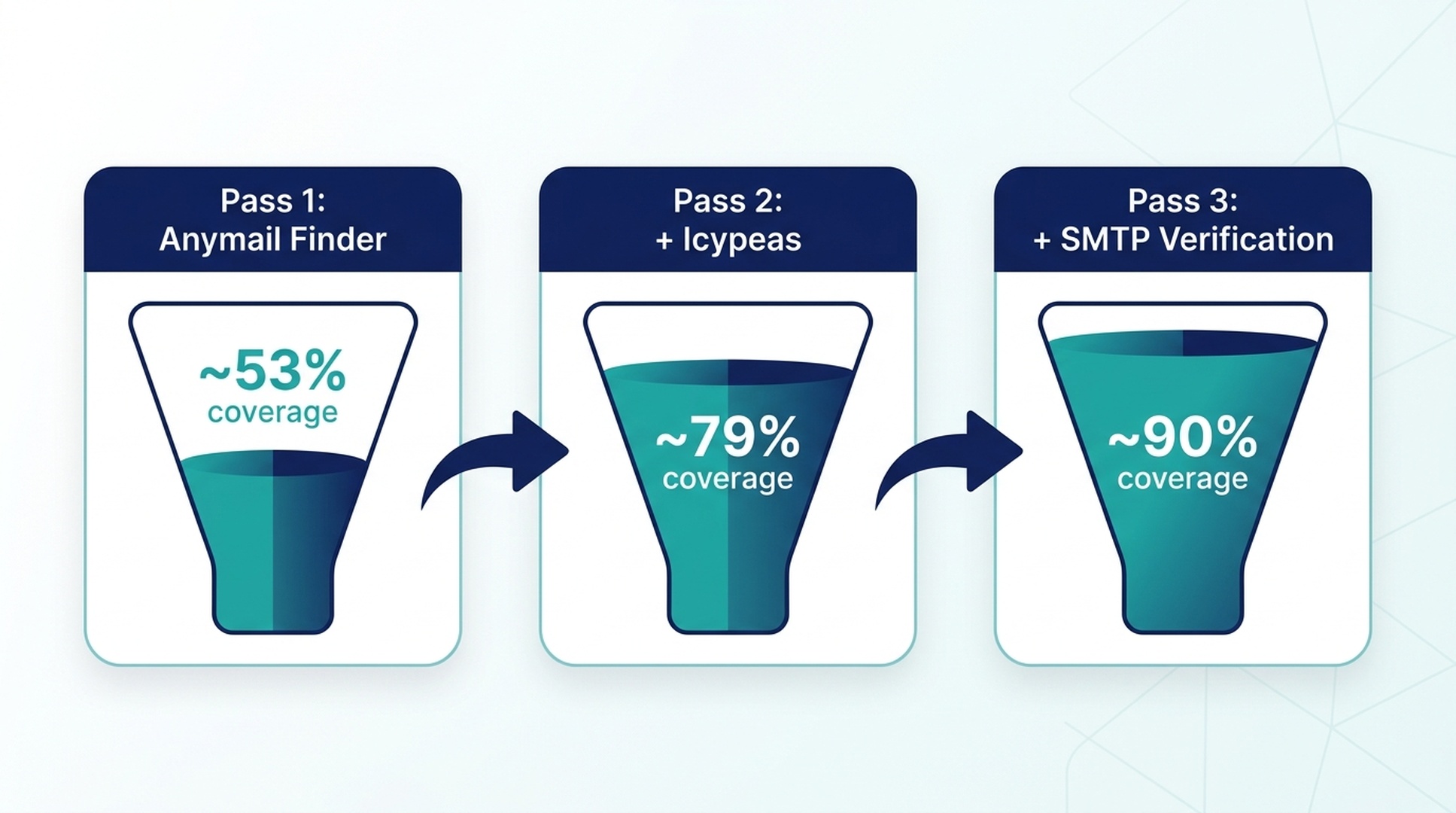
No single email finder covers everyone. The solution is to run your list through multiple providers in sequence:
- Pass 1: Send all contacts to Anymail Finder (best coverage, 98.9% accuracy)
- Pass 2: Send unfound contacts to Icypeas (best accuracy on remaining, 99.1%)
- Pass 3: For any still missing, run pattern generation + SMTP verification via Codex
This three-pass approach pushes coverage past 90% for most lists. Clay's testing on B2B contacts found a single provider averaged 53% coverage, two providers hit 79%, and three or more reached 90%+.
Google Sheets + API Workflow
If you prefer spreadsheets over command lines:
- Export your contact list to Google Sheets
- Install the Hunter for Sheets add-on (free tier available)
- Use `=REGEXEXTRACT(C2,"^(?:https?:\/\/)?(?:[^@
]+@)?(?:www\.)?([^:\/ ]+)")` to extract domains from URLs
- Run the Hunter add-on against the domain column
- For contacts Hunter misses, repeat with the Anymail Finder or Findymail API via Google Apps Script
Codex Bulk Email Finder Skill
For larger lists, this skill handles the entire bulk pipeline:
# codex-bulk-email-finder

## What this skill does
Takes a CSV of contacts, finds and verifies email
addresses in bulk, and returns an enriched CSV with
verification status and confidence scores.

## Input
A CSV file with columns:
- full_name (required)
- company (required)
- domain (optional)
- linkedin_url (optional)

## Instructions for Codex

1. Read the input CSV. Validate that every row has at
   least full_name and company.

2. For rows missing a domain, attempt to derive it:
   - If linkedin_url is provided, extract the company
     domain from the LinkedIn company page
   - Otherwise, search for the company's official
     website and use that domain

3. Process contacts in batches of 10 to respect rate
   limits. For each contact:
   a. Query the user's configured email finder API
      (Anymail Finder, Hunter, or Findymail)
   b. If the API returns a verified result (confidence
      ≥90%), record it and move on
   c. If not, generate patterns and run SMTP
      verification
   d. If still not found, mark as not_found

4. After processing all contacts, run a verification
   pass on every found address:
   - SMTP handshake check
   - Disposable domain detection
   - Role-based address flag (info@, hello@, admin@,
     contact@, support@, sales@)
   - Catch-all domain flag

5. Write the enriched CSV with these added columns:
   - email
   - status (verified/probable/uncertain/not_found)
   - confidence_score (0-100 or blank)
   - verification_method
   - warnings

6. Print a summary:
   - Total contacts processed
   - Verified: N (X%)
   - Probable: N (X%)
   - Uncertain: N (X%)
   - Not found: N (X%)
   - Average confidence of verified addresses
   - Contacts that need manual research

## Rules
- Rate-limit: pause 1-2 seconds between API calls
- Never print or store API keys in any output file
- If an API returns an error or rate limit, wait and
  retry once before marking the contact for manual
  follow-up
- Do not fabricate confidence scores for unverified
  addresses
- Output CSV must be UTF-8 encoded
- Record which API or method produced each result
Quick-Reference Matrix
Scenario | Best Method | Best Tool | Codex Skill |
|---|---|---|---|
One-off lookup, paid | 1. Lookup Service | Anymail Finder |
|
One-off lookup, free | 2. Pattern + Verify | Mailmeteor + sniffmail |
|
Active on social media | 3. Social Mining | Scout (Chrome ext.) |
|
Developer/tech contact | 4. OSINT | MottaHunter | — (CLI tool) |
High-value contact, no rush | 5. Engage & Ask | Newsletter reply | — (manual) |
Batch of 5-50 contacts | 6. AI Agent | Codex + outreach-prep |
|
Batch of 50+ contacts | Bonus: Bulk | Waterfall + Sheets |
|
Before You Send a Single Email
The address is half the battle. Before you hit send:
- Verify the address. Even a "verified" API result can be wrong. Run an SMTP check. Search for the address publicly.
- Keep your bounce rate under 2%. Higher than that, and email providers start routing you to spam. This is why verification matters.
- Personalize genuinely. Reference their actual work. A subject line that mentions their recent article or talk gets opened. "Quick question" goes to trash.
- Make the ask clear and small. "Would you be open to a 15-minute call?" beats "Let's explore synergies." Give them a yes/no question they can answer in five seconds.
- Follow up once. Most replies come after the second email. Wait 5-7 days, then send a brief, polite follow-up. If they don't reply after that, move on.
FAQ
Is it legal to find and use someone's professional email address?
Yes — for legitimate business outreach. GDPR, CAN-SPAM, and similar regulations govern how you use email addresses (consent, opt-out mechanisms, data storage), not the act of finding a publicly available professional address. If you are cold-emailing in bulk, consult a legal professional familiar with your jurisdiction's email marketing laws. For one-to-one personalized outreach, the risk is minimal.
Which free email finder is actually the best?
If "best" means highest accuracy among free tools: Icypeas if you can stay within a trial, followed by sniffmail (500 verifications/month) for SMTP checks. If "best" means zero cost and no signup: the email-verify-mcp server gives you 50 local verifications with no API key needed, and the Mailmeteor Email Permutator generates patterns for free with no account.
Can I really trust AI to find emails?
AI agents don't magically know email addresses. What they do well is orchestrate the same tools and APIs you would use manually — but faster and without forgetting a step. A Codex skill that calls Anymail Finder's API, cross-references with SMTP verification, and flags catch-all domains is doing exactly what a careful human researcher would do. The agent is the coordinator, not the data source.
What if every method fails?
Some people genuinely don't have a discoverable email address. They use private domains, strict spam filters, or simply don't publish contact information online. If all six methods come up empty, your options are: (1) reach out via a contact form or social DM, (2) ask a mutual connection for an introduction, or (3) accept that this person doesn't want to be cold-contacted and move on to someone who does.
How do I avoid my outreach ending up in spam?
Three things matter most: (1) verify your list — bounce rate is the strongest spam signal, (2) personalize every email — identical copy to 100 people is the definition of spam, and (3) warm up your sending domain — if you're sending from a brand-new domain with no sending history, even legitimate email looks suspicious. Use a tool like Instantly or warmupinbox if you're sending outreach at any volume.
Do I need to pay for an email finder?
No. Between free SMTP verification (sniffmail, email-verify-mcp), free pattern generators (Mailmeteor, Guessmail), free Chrome extensions (Scout free tier), and open-source OSINT tools (MottaHunter, theHarvester), you can find and verify addresses without paying for anything. Paid tools save time and scale better, but the free path works for low-volume research.
Author: Alice Monroe, AI SEO Tools Analyst Covering 150+ Tools at Auspia. Alice writes about tooling comparisons, software workflows, and practical AI-assisted research methods for SEO and outreach teams.


