


What You'll Finish With
By the end of this guide, you'll have a working AI-powered competitor keyword analysis system that produces a prioritized content plan. No $100+/month SEO tools. No manual spreadsheet wrangling. Just you, Claude Code, and a few well-structured agent prompts.
Who this is for: SEO beginners, content marketers, small business owners, and anyone who wants to understand what keywords their competitors rank for — and how to compete.
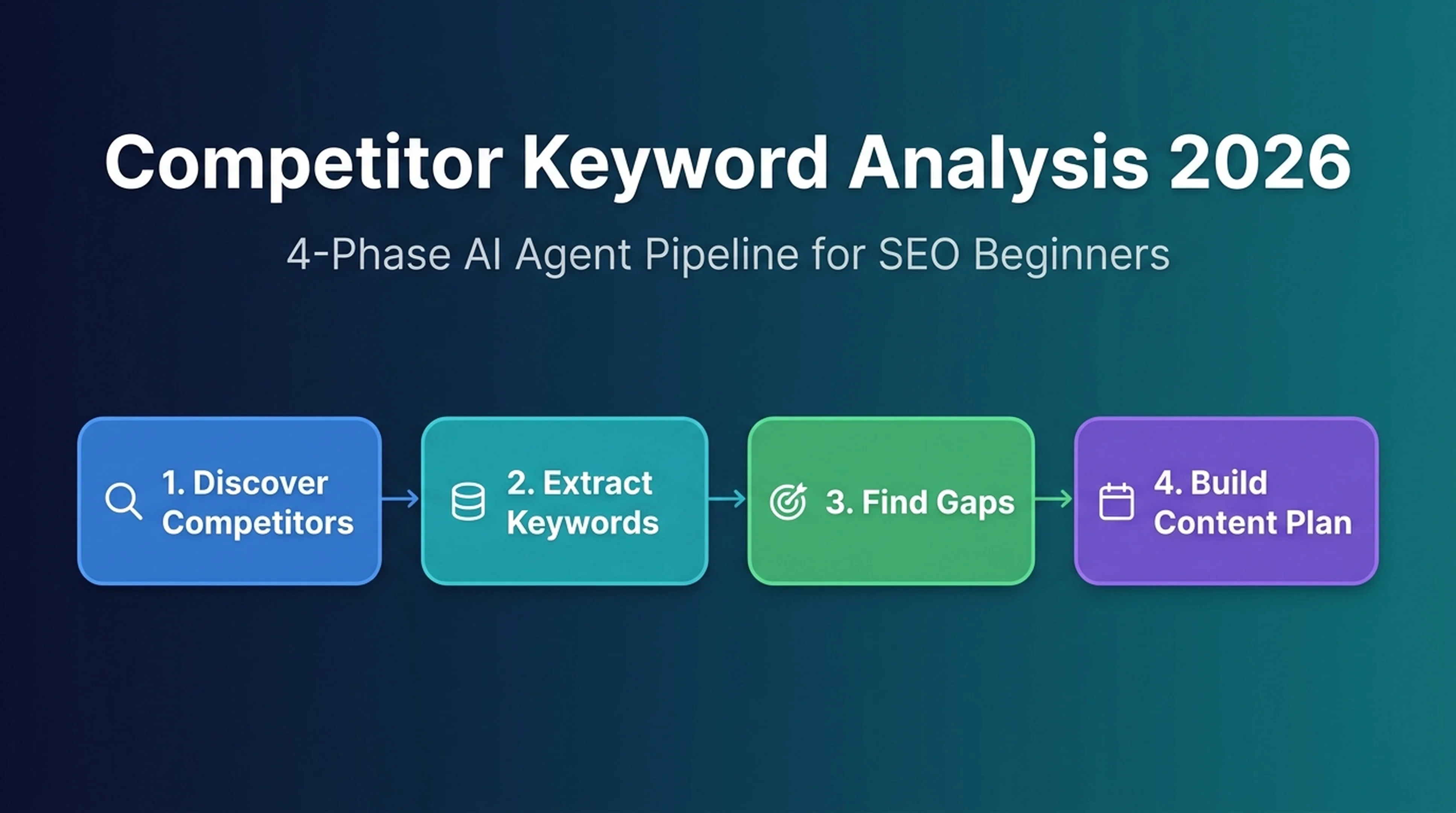
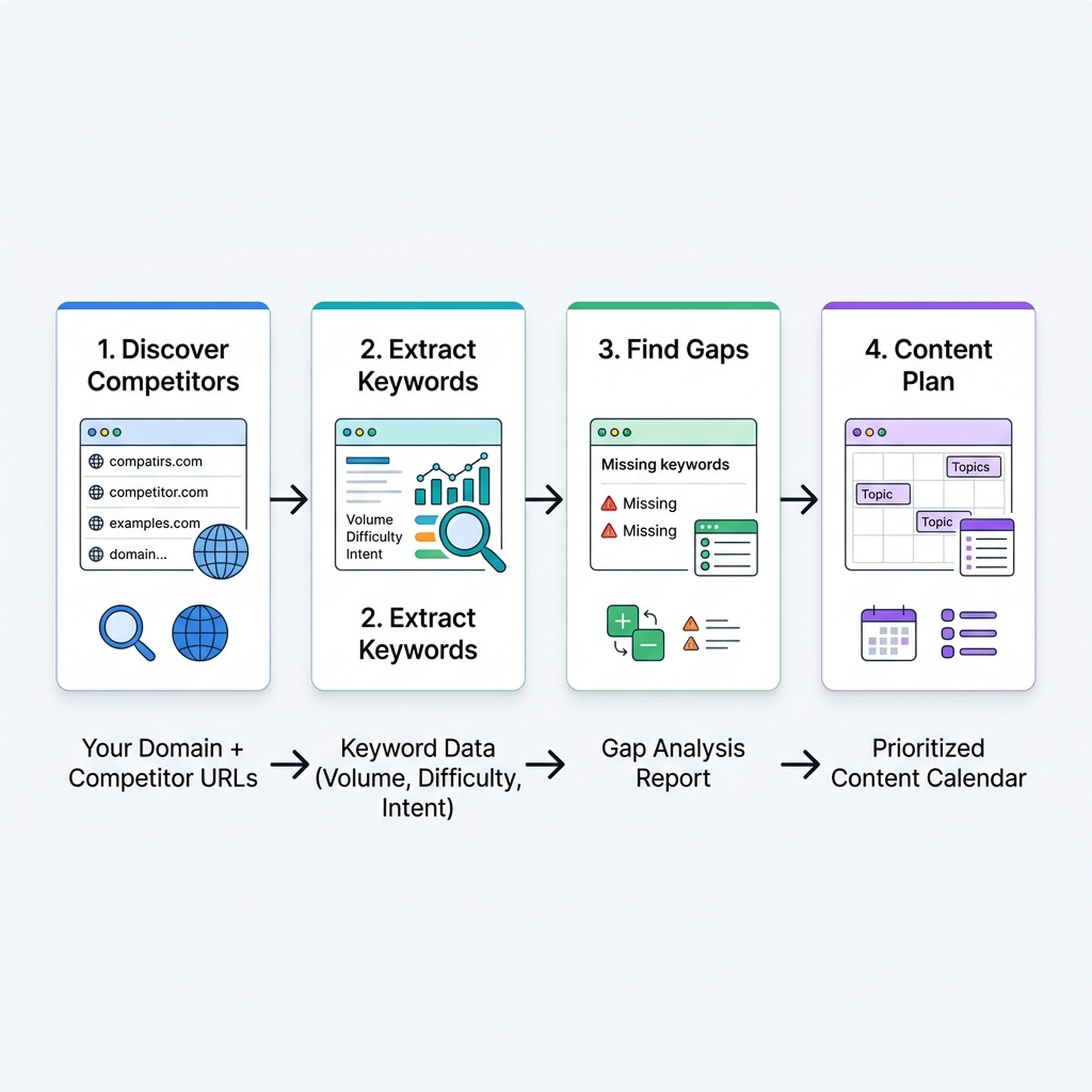
What you'll build: Four reusable AI agent skills that work together as a pipeline:
- A competitor discovery agent that finds your real search competitors
- A keyword extraction agent that pulls their ranking keywords
- A gap analysis agent that finds keywords they own and you don't
- A prioritization agent that turns gaps into a ranked content plan
Prerequisites:
- Claude Code installed (free tier works)
- A website or domain you want to analyze
- 2-3 competitor domains you already know about (or let the agent find them)
- Optional but recommended: A DataForSEO API key ($0.50–$5 per analysis depending on depth) or Google Search Console access
Time required: 45 minutes for your first run. 15 minutes for repeat analyses.
Definition of done: You have a ranked list of 20–50 keyword opportunities, each scored by business value, search volume, difficulty, and search intent, mapped to specific content pages you will create.
Before You Start: Access, Inputs, and Assumptions
Competitor keyword analysis answers one question: "What search terms do my competitors rank for that I don't — and which ones are worth going after?"
The 2026 version of this process works differently from the manual, tool-by-tool approach of a few years ago. Instead of clicking through dashboards, you give an AI agent instructions and a data source. The agent handles the repetitive work. You handle the strategic thinking.
What You Need
Requirement | Free Option | Paid Option |
|---|---|---|
Competitor discovery | Claude Code searches Google and reads SERPs | DataForSEO Competitors API |
Keyword extraction | Claude Code reads competitor pages and extracts visible keywords | DataForSEO Ranked Keywords API or Ahrefs/Semrush MCP |
Search volume & difficulty | Google Keyword Planner (free, requires Google Ads account) | DataForSEO Keyword Overview API |
Content planning | Claude Code organizes and scores keywords | Same |
Security Rules for AI Agent SEO Work
Before you start, commit to these three rules:
- Never put API keys in prompts or SKILL.md files. Store them in environment variables (
.envfile) and reference them as$DATAFORSEO_API_KEY. - Never let the agent publish or edit your website directly. This workflow produces analysis and recommendations — you decide what to implement.
- Always verify claims with data. If the agent says a keyword has "low competition," check whether that came from actual difficulty data or was guessed.
Phase 1: Discover Your Real Search Competitors
Your business competitors are not always your search competitors. The corner bakery competes with the grocery store down the street for customers, but on Google, it might compete with AllRecipes and Betty Crocker for "best chocolate chip cookie recipe."
What the Agent Does
Takes your domain and a few known competitors, then uses Google search and/or the DataForSEO API to identify domains that compete with you in organic search results.
Action: Create Your Competitor Discovery Skill
Create a file at .claude/skills/competitor-discovery/SKILL.md in your project:
---
name: competitor-discovery
description: Find real search competitors for any domain using Google search or DataForSEO API
---

You are a search competitor analyst. Your job is to identify which domains compete with a target website in Google organic search results.

## Input
- `target_domain`: the website to analyze (e.g., "example.com")
- `seed_keywords`: 5-10 keywords the target domain cares about
- `known_competitors`: 2-3 domains the user already considers competitors (can be empty)

## Data Source
Choose the best available option:
1. **Google search (free):** Search each seed keyword, read the top 20 organic results, and extract the ranking domains. The agent reads the SERP directly.
2. **DataForSEO Competitors API (paid):** Call `https://api.dataforseo.com/v3/dataforseo_labs/google/competitors_domain/live` with the target domain. Returns domains with keyword overlap data.

## Workflow
1. For each seed keyword, search Google: `site:NO_SEARCH site:reddit.com "{keyword}"` — read the organic results (skip ads, featured snippets, and Reddit/Quora unless they are real competitors).
2. Build a list of domains that appear across multiple keywords. Count occurrences.
3. If using DataForSEO: cross-reference with API results that show keyword overlap count.
4. Remove: news sites, social media platforms, Wikipedia, government/edu sites (unless they are actual competitors), and domains with fewer than 2 keyword overlaps.
5. Classify each competitor as:
   - **Direct:** Same product/service category as target
   - **Content:** Publishes content on the same topics
   - **Platform:** Marketplace or directory that competes for informational queries

## Output Format
Return a markdown table:

| Domain | Type | Overlap Count | Example Keywords | Notes |
|---|---|---|---|---|
| competitor1.com | Direct | 15 | "best CRM software", "CRM comparison" | Well-funded, strong blog |
| competitor2.com | Content | 12 | "what is CRM", "CRM guide" | Publisher, not a SaaS |

Then rank the top 5-10 competitors by strategic relevance to the target domain.

## Quality Check
- [ ] At least 5 domains identified
- [ ] No news/social/Wikipedia domains in the final list (unless they are real competitors)
- [ ] Each domain has a type classification
- [ ] Example keywords are real, not fabricated

## If Output Is Weak
- If fewer than 5 domains found: broaden seed keywords or use DataForSEO API
- If too many domains: raise the overlap threshold to 3+
- If domains seem random: verify seed keywords actually describe the target business
Expected Output
A ranked competitor table with 5-10 domains, each classified by type, with keyword overlap counts and real example keywords.
Quality Check
- Your top 3 competitors should feel intuitively correct — domains you've heard of or seen in search results.
- At least one competitor should be a "content" type (publisher, media site) if your topic has informational intent.
- No news sites, Reddit, Quora, or Wikipedia in the list.
Recovery Path
If the agent returns mostly news or social sites, your seed keywords are too broad. Narrow them to commercial or informational terms specific to your product category. For example, replace "shoes" with "best running shoes for flat feet."
Phase 2: Extract Their Keyword Universe
Now you know who your competitors are. The next step is finding every keyword they rank for — their "keyword universe."
What the Agent Does
Takes a list of competitor domains and extracts the keywords each domain ranks for in Google organic search, along with ranking position, search volume, and keyword difficulty when data is available.
Action: Create Your Keyword Extraction Skill
Create .claude/skills/competitor-keywords/SKILL.md:
---
name: competitor-keywords
description: Extract ranked keywords for competitor domains using DataForSEO, GSC, or manual SERP analysis
---

You are a keyword intelligence analyst. Extract every keyword that competitor domains rank for in Google organic search (positions 1-30).

## Input
- `competitor_domains`: list of domains from the competitor-discovery agent
- `target_market`: country code (e.g., "us", "uk", "jp")
- `target_language`: language code (e.g., "en", "ja")
- `max_keywords_per_domain`: cap results per domain (default: 100)

## Data Source (pick one, in order of preference)

### Option A: Google Search Console (free, for your own domain)
If the target domain is your own, read from the GSC Search Analytics report. Export queries with clicks, impressions, CTR, and average position for the last 3 months.

### Option B: DataForSEO Ranked Keywords API (paid, for competitor domains)
```
POST https://api.dataforseo.com/v3/dataforseo_labs/google/ranked_keywords/live
Authorization: Basic $DATAFORSEO_LOGIN:$DATAFORSEO_API_KEY
Body: [{"target": "competitor.com", "location_code": 2840, "language_code": "en", "limit": 100}]
```
Returns: keyword, ranked_position, search_volume, keyword_difficulty, cpc, competition_level.

### Option C: Manual SERP analysis (free, slow)
For each competitor, search Google for their brand name + key topics. Read the pages that rank in positions 1-10. Extract the visible keywords from titles, H1s, and meta descriptions. This is less comprehensive but costs nothing.

## Workflow
1. For each competitor domain, call the chosen data source.
2. For each keyword, record: keyword text, competitor ranking position, search volume, keyword difficulty (0-100), search intent (informational/commercial/transactional/navigational).
3. Flag keywords where the competitor ranks #1-3 as "stronghold" keywords.
4. Flag keywords with volume > 500 AND difficulty < 50 as "sweet spot" opportunities.
5. Remove: branded keywords (competitor's own brand name), irrelevant industries, keywords with 0 search volume.

## Output Format
Return two things:

**1. Per-competitor summary table:**

| Competitor | Total Keywords | Avg Position | Top-3 Count | Sweet Spot Count | Top Keywords (3 examples) |
|---|---|---|---|---|---|

**2. Combined keyword CSV** (markdown code block):

```csv
keyword,competitor_domain,position,search_volume,difficulty,intent,flag
"best running shoes",competitor1.com,2,12000,62,commercial,sweet_spot
"how to choose running shoes",competitor1.com,1,3200,38,informational,stronghold
```

## Quality Check
- [ ] Every keyword has a source (API response, GSC export, or SERP URL + date)
- [ ] No branded competitor names in the keyword list
- [ ] Search intent is classified for every keyword
- [ ] Sweet spot flags use real volume and difficulty values, not guesses
- [ ] Data includes retrieval date and market/language

## If Output Is Weak
- If keywords have no volume data: use DataForSEO Keyword Overview to enrich, or Google Keyword Planner
- If too few keywords: competitors may have small sites; broaden to related domains
- If keywords seem irrelevant: verify the competitor is in the right market/language
Expected Output
A combined CSV of 200-500 keywords across all competitors, each with volume, difficulty, intent, and flag labels. Plus per-competitor summary tables.
Quality Check
- At least 50 keywords per competitor for medium-sized sites (more for large sites).
- The "sweet spot" keywords should feel actionable — terms you could realistically create content for.
- Branded keywords (competitor names, product names) are excluded.
Recovery Path
If the agent returns mostly branded or navigational keywords, the data source may be pulling from the wrong index. Switch from DataForSEO Labs to the SERP API, or verify the location_code and language_code match your target market.
Phase 3: Find Your Keyword Gaps
You know what your competitors rank for. Now find the keywords they own that you don't — these are your "keyword gaps."
What the Agent Does
Compares your domain's keyword list against each competitor's list and identifies three categories of gaps:
- Missing keywords: Competitor ranks for them, you don't rank at all
- Weak keywords: You both rank, but the competitor outranks you (they're top 5, you're below position 20)
- Unique keywords: Only you rank for them (defend these)
Action: Create Your Gap Analysis Skill
Create .claude/skills/keyword-gap-analysis/SKILL.md:
---
name: keyword-gap-analysis
description: Find keyword gaps between your domain and competitors — discover what you're missing
---

You are a keyword gap analyst. Compare your domain's keyword coverage against competitor keyword lists and identify high-value gaps.

## Input
- `my_domain`: your website
- `my_keywords_file`: path to your keyword list (CSV, GSC export, or DataForSEO output from Phase 2 run against your own domain)
- `competitor_keywords_files`: paths to competitor keyword CSVs from Phase 2
- `min_volume`: minimum search volume to consider (default: 100)
- `max_difficulty`: maximum keyword difficulty to include in recommendations (default: 70)

## Workflow
1. Load your keyword list and each competitor keyword list.
2. Normalize keywords: lowercase, trim whitespace, remove punctuation differences.
3. For each competitor keyword, check if it exists in your list:
   - **Missing:** Keyword is in competitor list, NOT in yours → gap opportunity
   - **Weak:** Both have it, but competitor position < 6 AND your position > 20 OR you don't rank → gap opportunity
   - **Strong:** Both have it, your position ≤ competitor position → defended position
   - **Unique:** Only in your list → defend or optimize
4. Filter gap opportunities: only keep keywords with volume ≥ `min_volume` and difficulty ≤ `max_difficulty`.
5. For each gap keyword, pull the competitor's ranking page URL and title.
6. Categorize gaps by search intent.

## Output Format

### Gap Summary

| Category | Count | Total Search Volume | Avg Difficulty |
|---|---|---|---|
| Missing (new opportunities) | 85 | 142,000 | 44 |
| Weak (positions to improve) | 32 | 68,000 | 51 |
| Strong (defend) | 45 | 95,000 | 38 |
| Unique (your advantage) | 28 | 12,000 | 29 |

### Top 20 Gap Keywords (sorted by opportunity score)

Opportunity score = search_volume × (100 - difficulty) × intent_weight
- Intent weight: transactional = 3, commercial = 2.5, informational = 1.5, navigational = 0.5

| Rank | Keyword | Volume | Difficulty | Intent | Gap Type | Competitor | Competitor URL | Your Status |
|---|---|---|---|---|---|---|---|---|
| 1 | "best CRM for small business" | 8,400 | 48 | commercial | Missing | competitor1.com | /blog/best-crm-small-business/ | Not ranking |

## Quality Check
- [ ] All competitor keywords have a source file and retrieval date
- [ ] Gap keywords are filtered by volume and difficulty thresholds
- [ ] Intent classification follows the actual SERP, not guesswork
- [ ] Competitor URLs are real, verified pages
- [ ] No branded competitor names in gap keywords
- [ ] Opportunity scores use real numbers, not fabricated values

## If Output Is Weak
- If too few gaps: competitors may overlap heavily with you — great problem to have, but try adding more competitors
- If gaps all have high difficulty: lower `max_difficulty` is filtering too much, or the market is genuinely competitive — focus on long-tail variations
- If gaps look random: verify your keyword list is from the same market/language as competitors
- If your keyword list has no data: run Phase 2 with your own domain as the target first
Expected Output
A gap summary table plus a ranked list of your top 20 keyword opportunities, each scored and mapped to the competitor page that currently owns the ranking.
Quality Check
- The top 10 gaps should make strategic sense — if you work in CRM software, your gap keywords should be about CRM topics, not random unrelated terms.
- At least some gaps should be "missing" (brand new opportunities), not just "weak" (improvements).
- Each gap keyword has a real competitor URL.
Recovery Path
If your own keyword list is empty or very small (fewer than 50 keywords), you need to run Phase 2 against your own domain first. If you don't have GSC access, use the DataForSEO Ranked Keywords API with your domain as the target. Without knowing what you rank for, you can't find gaps.
Phase 4: Prioritize and Build Your Content Plan
You have a list of gap keywords. Now decide which ones to go after first and what content to create.
What the Agent Does
Scores every gap keyword on three dimensions — business value, search intent match, and ranking feasibility — then produces a prioritized content calendar.
Action: Create Your Content Planning Skill
Create .claude/skills/content-plan-from-gaps/SKILL.md:
---
name: content-plan-from-gaps
description: Turn keyword gaps into a scored, prioritized content plan with page recommendations
---

You are a content strategist. Take a list of keyword gaps and produce a prioritized content plan that a human editor can execute.

## Input
- `gap_keywords_file`: path to the gap analysis CSV from Phase 3
- `my_domain`: your website domain
- `content_capacity`: how many new pieces of content can you produce per month? (default: 4)
- `business_model`: what does your business sell? (e.g., "SaaS CRM subscription", "running shoes ecommerce", "SEO agency services")

## Workflow

### Step 1: Score Business Value (0-3)
For each keyword, assess:
- **3 (High):** Keyword indicates strong purchase intent or direct relevance to what you sell. E.g., "buy running shoes online" for a shoe store.
- **2 (Medium):** Keyword shows research/comparison behavior. Reader is evaluating options. E.g., "best CRM for small business."
- **1 (Low):** Informational keyword loosely related to your business. E.g., "history of running shoes."
- **0 (None):** Keyword unrelated to what you sell, or traffic won't convert.

### Step 2: Verify Search Intent
For each keyword, confirm intent by checking the current SERP:
- What type of pages rank in the top 5? (product pages, blog posts, comparison pages, tools, etc.)
- If the SERP shows mainly product pages, an informational blog post won't rank. Match your content type to the SERP.
- If AI Overviews appear for the query, note what format the AI answer uses (list, comparison, definition, steps).

### Step 3: Calculate Priority Score
```
priority_score = (business_value × 33) + (search_volume_normalized × 33) + ((100 - difficulty) × 0.34)
```
This weights business value, opportunity size, and feasibility roughly equally.

### Step 4: Cluster Related Keywords
Group gap keywords by topic. A single page can target a primary keyword plus 3-8 closely related secondary keywords. This prevents keyword cannibalization and creates more comprehensive content.

### Step 5: Assign Content Types
For each cluster, recommend:
- **Blog post / guide:** For informational and commercial-investigation intent
- **Product/comparison page:** For commercial intent with purchase readiness
- **Landing page:** For transactional intent
- **Tool/interactive page:** For queries that ask for a calculator, checker, or generator
- **FAQ / glossary:** For definitional queries

### Step 6: Build the Calendar
Sort clusters by priority score. Assign the top `content_capacity × 3` clusters to a 3-month content calendar.

## Output Format

### Priority Scorecard (top 10 keyword clusters)

| Priority | Primary Keyword | Cluster Size | Total Volume | Avg Difficulty | Business Value | Priority Score | Content Type | Target Page |
|---|---|---|---|---|---|---|---|---|
| 1 | "best CRM for small business" | 7 | 24,500 | 48 | 3 | 82 | Comparison guide | /blog/best-crm-small-business/ |
| ... | ... | ... | ... | ... | ... | ... | ... | ... |

### 3-Month Content Calendar

**Month 1:**
| Week | Primary Keyword | Content Type | Target URL | Secondary Keywords |
|---|---|---|---|---|
| 1 | ... | ... | ... | ... |
| 2 | ... | ... | ... | ... |

(Continue for Months 2 and 3)

### Keyword Cannibalization Check
List any existing pages on your site that already target gap keywords. If a gap keyword matches an existing page's topic, recommend improving that page instead of creating a new one.

## Quality Check
- [ ] Business value scores are justified with one sentence of reasoning per keyword
- [ ] Search intent is verified against the current SERP, not assumed
- [ ] Priority scores use real numbers
- [ ] Content type recommendations match the SERP page types
- [ ] Keyword clusters share the same search intent
- [ ] Cannibalization check covers all existing site content on related topics
- [ ] Calendar covers 3 months with realistic weekly output

## If Output Is Weak
- If business value scores feel arbitrary: ask the user to define their ideal customer profile (ICP) and map keywords to the buying journey
- If priority scores cluster too tightly: add more differentiation by weighting business value higher (×50 instead of ×33)
- If content types don't match: re-check the SERP for each keyword; the top 5 results dictate what content format Google expects
- If calendar looks unrealistic: reduce `content_capacity` to match actual team bandwidth
Expected Output
A prioritized scorecard of keyword clusters and a 3-month content calendar with specific target URLs and content type recommendations.
Quality Check
- The top 3 priority keywords should clearly connect to your business model. If the #1 keyword doesn't relate to what you sell, business value scoring needs adjustment.
- Content types should match what actually ranks in Google for those keywords. Verify 2-3 yourself.
- The calendar should be realistic — if you can only publish 2 posts per month, don't plan for 8.
Recovery Path
If the agent's content type recommendations seem off, manually check the SERP for your top 3 gap keywords. Look at the top 5 results. If they're all product pages, a blog post won't rank. If they're all listicles, a single-product landing page won't work. Feed this feedback back to the agent.
Verify the Finished Result
Before you act on the content plan, run these verification checks:
1. Spot-Check 5 Keywords Manually
Pick 5 keywords from the gap list. For each one:
- Search it on Google in an incognito/private window.
- Check that the competitor domains the agent reported actually rank for this keyword.
- Verify the search intent classification makes sense based on what you see in the SERP.
- Note whether an AI Overview appears (this affects your content strategy).
2. Validate the Numbers
- Search volume numbers should come from a real source (DataForSEO, Google Keyword Planner, GSC). If the agent couldn't get volume data, it should have marked those fields as "unavailable," not guessed.
- Keyword difficulty scores are directional, not absolute. A keyword with difficulty 60 and one with difficulty 65 are roughly equivalent. Focus on the relative ranking, not the exact number.
3. Check for Brand Blindness
The agent should have excluded branded keywords (competitor brand names, product names). Scan the gap list for any remaining branded terms and remove them. Ranking for "Nike Air Max review" when you're not Nike and don't sell Nike shoes is not a useful gap.
4. Confirm Your Capacity
Does the content calendar match what you can actually produce? A 3-month plan with 12 new articles when you've published 2 in the last 6 months is a wish list, not a plan. Cut it to match your real capacity.
Maintain and Measure the Result
Run the full pipeline again every quarter. Competitor keyword universes shift as they publish new content and Google updates its algorithms. What was a gap last quarter might be filled — or a new competitor might have entered your space.
Monthly Lightweight Check
Between full pipeline runs, do a 15-minute check:
- Run Phase 1 (competitor discovery) to see if new competitors have entered.
- Spot-check your top 5 gap keywords to see if you've started ranking.
- If you published content targeting gaps, check GSC for impressions and clicks on those pages.
When to Re-Run the Full Pipeline
- A new competitor launches in your space
- You've published 5+ new pieces of content targeting previous gaps
- Google announces a major algorithm update
- Your traffic has been flat or declining for 2+ months
- You're entering a new market or product category
Common Mistakes
Mistake 1: Skipping competitor discovery and guessing competitors. Your real search competitors are often not who you think. A SaaS company might compete with a blog, a YouTube channel, and a government website — all for different keyword clusters. Run Phase 1 every time.
Mistake 2: Treating all gaps as equal. A missing keyword with volume 10,000, difficulty 85, and business value 1 is worth far less than one with volume 2,000, difficulty 30, and business value 3. The priority score exists for a reason — use it.
Mistake 3: Ignoring search intent in the SERP. The agent classifies intent, but you should verify. If the top 10 results for "project management software" are all product pages with "Pricing" CTAs, a 3,000-word informational guide won't break in. The SERP tells you what Google thinks users want.
Mistake 4: Creating one page per keyword. Keywords cluster naturally. "Best CRM," "top CRM software," "CRM comparison," and "CRM software reviews" all belong on one comprehensive comparison page, not four separate posts. Phase 4's clustering step prevents this.
Mistake 5: Letting the agent fabricate data. If the agent outputs search volume or difficulty numbers without citing a source (API response, GSC export, Keyword Planner), those numbers are made up. Re-run with a real data source connected.
Mistake 6: Over-relying on keyword difficulty scores. Difficulty scores from any tool are estimates based on backlink counts and domain authority of ranking pages. They don't account for content quality, relevance, or user experience signals. Use difficulty as a filter, not a decision.
FAQ
Do I need a paid SEO tool to do competitor keyword analysis?
No. You can run this entire workflow with just Claude Code and Google search. The agent reads SERPs directly and extracts visible information. However, using a DataForSEO API key ($0.50–$5 per analysis) gives you precise search volume, keyword difficulty, and ranked position data that's hard to get otherwise. Google Keyword Planner is a free middle ground — it gives volume ranges but requires a Google Ads account.
How is this different from using Ahrefs or Semrush?
Ahrefs and Semrush are excellent tools that give you a polished dashboard. This AI agent approach gives you something different: a customizable, repeatable pipeline that you own. The SKILL.md files are yours to modify. You can add custom scoring logic, integrate with your own data sources, and run it on a schedule. The trade-off is that setup takes 30 minutes the first time, versus logging into a tool that's already built.
Can the agent publish content to my site automatically?
No — and it shouldn't. The four skills in this guide produce analysis and recommendations. The actual content creation and publishing should involve human judgment. Use the content plan as a brief for your writing process, whether that's you writing, an AI assistant drafting, or a team member.
What if my site is brand new with no keywords yet?
Skip the gap analysis (Phase 3) and instead focus on Phase 1 (find competitors) and Phase 2 (extract their keywords). Use the entire competitor keyword universe as your opportunity list. Then run Phase 4 to prioritize and plan. Once your site has been live for 3-6 months and has GSC data, re-run Phase 3 to find true gaps.
How often should I run this analysis?
Run the full pipeline quarterly. Markets move faster than they used to — AI Overviews, new competitors, and algorithm changes can shift the landscape in weeks. A monthly lightweight check (Phase 1 only, plus a GSC review) keeps you oriented between full runs.
What about AI search visibility? Should I track competitor keywords in ChatGPT or Perplexity?
Yes — and this is new for 2026. If you have DataForSEO access, their AI Optimization module can show which competitor keywords appear in ChatGPT and other AI answer engines. Add this as an optional data source in Phase 2. For a free approach, manually search your top 20 gap keywords in ChatGPT and Perplexity and note whether competitors are cited. AI visibility is becoming a separate signal from traditional search ranking.
Can I use this workflow with Codex, Cursor, or other AI coding tools?
Yes. The SKILL.md files are tool-agnostic. Claude Code, Codex, Cursor, Windsurf, and OpenClaw all support skill/rule files that define agent behavior. The exact folder structure may differ (.claude/skills/ vs .codex/skills/ vs .windsurf/workflows/), but the prompt logic is the same. Copy the SKILL.md content into whatever format your tool uses.
Author: Theo Langford, Competitive AI Visibility Analyst for 120+ Markets at Auspia. Theo writes about competitor analysis, market mapping, search intelligence workflows, and how growth teams can use AI agents to understand their competitive landscape.


