


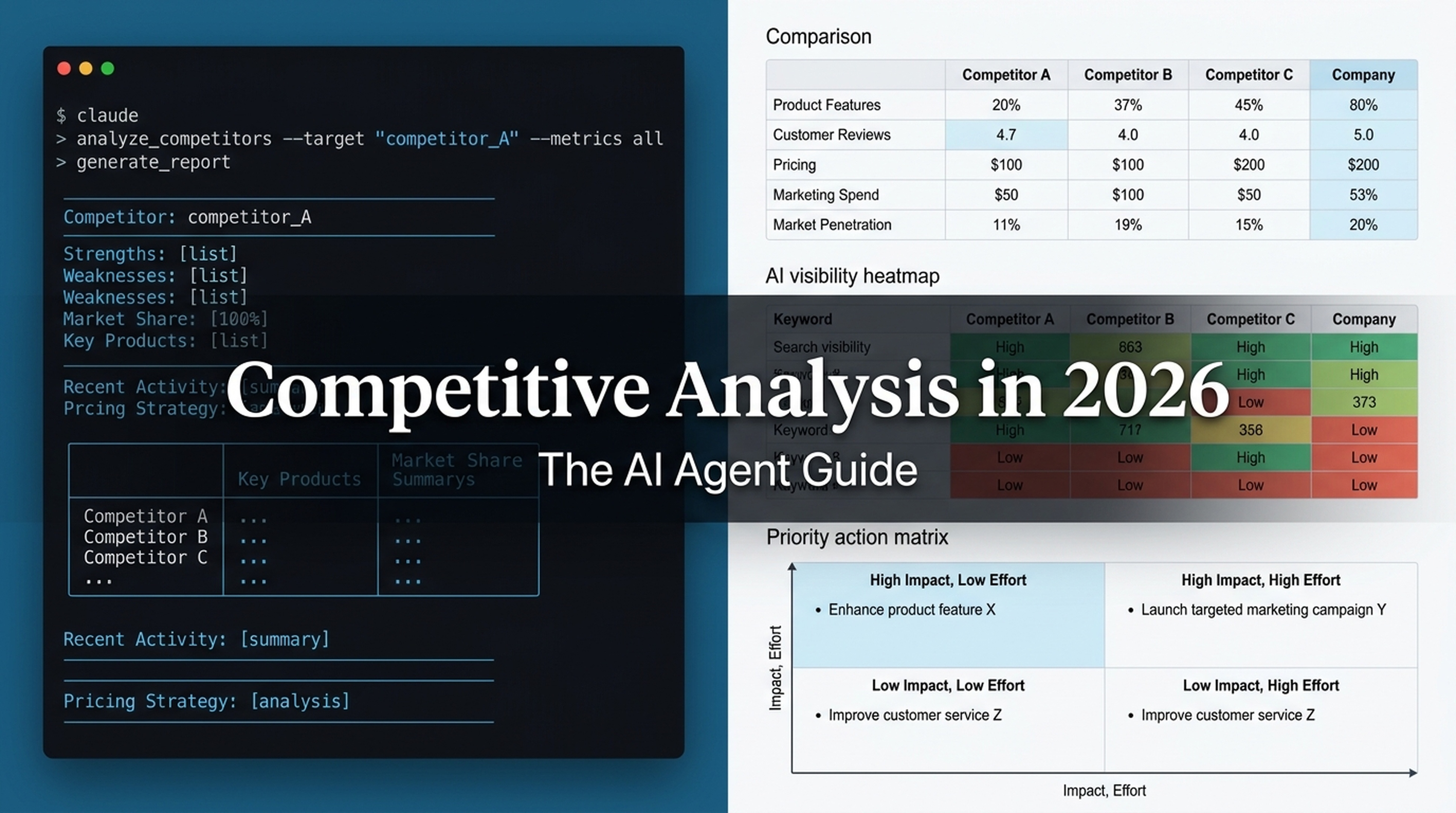
What You'll Finish With
By the end of this guide, you will have a complete competitive analysis report for your business — without manually opening a dozen browser tabs, copy-pasting data into spreadsheets, or spending hours reading reviews.
You will use Claude Code (the free AI agent CLI from Anthropic) to execute each step: discovering competitors, comparing their reach, analyzing their pricing and reviews, and benchmarking their AI search visibility. Everything runs from your terminal.
Who this is for: SEO beginners, marketers, founders, or anyone who needs to understand their competitive landscape and has never used an AI agent before.
What you need:
- Claude Code installed (guide) — free tier works for most steps
- Your own website or business to analyze
- Optional: API keys for DataForSEO, Firecrawl, or SparkToro if you want live data (prompts work without them — the agent tells you what's missing)
Time: 30–60 minutes for a basic analysis with 3–5 competitors. Deeper analyses take longer.
Definition of done: A markdown report covering who your competitors are, how visible they are across search and social, how their pricing and features compare, what customers say about them, and where they appear in AI-generated answers. Each section is backed by agent-collected data, not guesses.
Before You Start: What Changed Since the "Old Way"
In 2023, a competitive analysis meant logging into Ahrefs, Brand24, G2, Capterra, and a spreadsheet — then stitching everything together by hand. Each tool gave you one slice. You were the integrator.
In 2026, an AI agent is the integrator. You describe what you need. It fetches competitor pages, queries APIs (if you configure them), extracts structured data, analyzes review sentiment, and writes the report. You review, verify, and decide.
The six-step framework itself still works — but the execution is completely different:
Step | 2023 Manual Method | 2026 AI Agent Method |
|---|---|---|
Find competitors | Ahrefs Site Explorer | Agent fetches organic/paid overlap data via API or page analysis |
Compare reach | Ahrefs Rank Tracker + Brand24 | Agent aggregates organic, social, and AI citation data |
Compare pricing/features | Manually visit pricing pages | Agent extracts structured data from multiple pricing pages in parallel |
Analyze reviews | Copy-paste into ChatGPT | Agent fetches, deduplicates, and analyzes hundreds of reviews at once |
Purchasing experience | Manual signup and checklist | Agent evaluates signup flows and outputs a scored checklist |
Present conclusions | Google Slides template | Agent writes a structured markdown report with prioritized recommendations |
And there's a new seventh dimension: AI search visibility. In 2026, ChatGPT, Perplexity, and Google AI Overviews send meaningful traffic. If your competitor is cited by AI answers and you're not, that's a competitive gap worth measuring.
Let's set up your workspace, then go through each step.
Prepare Your Workspace
Open your terminal and create a project folder for this analysis:
mkdir competitive-analysis && cd competitive-analysisThen start Claude Code:
claudeYou're now inside an AI agent session. Every prompt in this guide can be pasted directly into Claude Code. The agent will read websites, run searches, organize data, and write files into your project folder.
A quick safety note: Claude Code runs on your machine and only accesses what you allow. It won't send data anywhere unless you configure external APIs. Every prompt below respects that boundary — the agent labels where data comes from and flags anything it can't verify.
Step 1: Discover Your Real Direct Competitors
What this step produces: A list of 3–8 direct competitors — businesses that sell a similar solution to the same audience you target.
Why it matters: Most businesses get this wrong. They name the biggest brand in their space, or a company they lost a deal to once, or whoever ranks #1 for their favorite keyword. Real competitor discovery is systematic: it looks at who shares your search traffic and who bids on your branded terms.
The Prompt
Paste this into Claude Code. Replace yourcompany.com with your actual domain:
## Task: Discover My Direct Competitors

I run [yourcompany.com], which is [one-sentence description of what you sell and to whom].

### Step A: Find competitors via organic search overlap
1. Visit my homepage and extract what my product does and who it targets.
2. Search the web for "[my product category] alternatives" and "[my product category] vs" queries. Collect the domains that appear repeatedly.
3. Search for reviews/comparisons that include my product category on G2, Capterra, and Reddit. Extract competitor names that appear alongside products like mine.

### Step B: Find competitors via paid search
Search for "[my brand name] alternatives" and "[my brand name] vs" and note which domains are consistently mentioned or advertised.

### Step C: Classify and deduplicate
Categorize each competitor as:
- **Direct** (same solution, same audience)
- **Indirect** (different solution, same audience)
- **Aspirational** (same solution, different/larger audience)

### Output
Save to `competitors.md`:
- A ranked list of direct competitors (3–8 names + domains)
- A secondary list of indirect competitors to watch
- For each: one sentence on why they're a competitor, and your confidence level (High/Medium/Low)
- A note on any data gaps (e.g., "Could not access paid search data without API key")
What a Good Output Looks Like
For a hypothetical helpdesk SaaS called CloudDesk, the agent might produce:
# CloudDesk — Direct Competitors

| # | Competitor | Domain | Why | Confidence |
|---|-----------|--------|-----|------------|
| 1 | HelpScout | helpscout.com | Shared "help desk software" queries; targets SMB support teams | High |
| 2 | Freshdesk | freshdesk.com | Overlaps on "customer support software" and SMB segment | High |
| 3 | Zendesk | zendesk.com | Dominates enterprise queries; overlaps on mid-market searches | High |
| 4 | Intercom | intercom.com | Competes on "customer messaging platform" queries; partial product overlap | Medium |
| 5 | Zoho Desk | zoho.com/desk | Price-competitive alternative; appears in "cheap help desk" searches | Medium |

## Indirect Competitors
- **Front** (front.com) — shared inbox, not full helpdesk; different solution, overlapping audience
- **HubSpot Service Hub** (hubspot.com) — CRM-first; competes when buyer already uses HubSpot

## Data Gaps
- Paid search overlap: not verified (no SEMrush/Ahrefs API configured). Recommend checking manually or connecting an API.
Quality Check
- [ ] Every listed competitor sells to a similar audience
- [ ] The list includes both obvious names and at least one the team hadn't considered
- [ ] Data gaps are explicitly labeled, not glossed over
- [ ] The distinction between direct and indirect is defensible
If the Output Is Weak
The most common failure is the agent returning only "brand name alternatives" search results. Fix it by giving it more specific instructions: "Also search for [specific feature] software and [specific use case] tool, and check who ranks alongside us for those terms."
Step 2: Compare Market Reach and Visibility
What this step produces: A table comparing your organic search visibility, social presence, and — new for 2026 — AI search visibility against each competitor.
Why it matters: Visibility gaps explain why customers find competitors first. Traditional share-of-voice (SOV) only covers organic search and social media. In 2026, AI-generated answers (ChatGPT, Perplexity, Google AI Overviews) are a third channel that's often the first touchpoint in a buyer's journey.
The Prompt
## Task: Compare Market Reach for My Competitors

I analyzed my competitors in `competitors.md`. Now compare their market reach across three channels.

### Step A: Organic Search Visibility
For each competitor (and my site), search for:
1. "[competitor name]" and note if they rank #1 for their own brand
2. "[product category] software" and note which competitors appear on page 1
3. "[product category] vs" and note which comparison pages rank
4. Estimate which competitor has the broadest organic footprint based on the number of ranking pages you can observe

If you have access to a configured DataForSEO, Ahrefs API, or Semrush API, use it. Otherwise, estimate from visible SERP data and clearly label as estimates.

### Step B: Social Presence
For each competitor, check:
1. LinkedIn company page — follower count and posting frequency
2. Twitter/X — follower count and engagement on recent posts
3. YouTube — subscriber count and upload frequency (if relevant to the product category)
4. Any platform where the audience in this category is known to be active

### Step C: AI Search Visibility (NEW)
This is the 2026 dimension. Test the following queries across AI platforms:

For each of these queries, check ChatGPT, Perplexity, and Google AI Overviews (when available):
1. "best [product category] software"
2. "[product category] for [target audience]"
3. "[competitor A] vs [competitor B]"
4. "alternatives to [my brand]"
5. "[specific use case] tool"

For each query and platform, record:
- Which brands are mentioned or recommended
- Whether my brand appears
- The sentiment/tone toward each mentioned brand
- The source or rationale the AI gives for its recommendation

Note: Checking AI answers manually is valid. If you have access to an AI citation tracking tool (AgentAEO MCP, DataForSEO AI Optimization API), use it. Otherwise, manually test 3–5 high-value queries and label as a manual sample.

### Output
Save to `market-reach.md`:
1. **Organic SOV table** — competitor vs estimated organic footprint (label all estimates)
2. **Social presence comparison** — followers, posting frequency, platform notes
3. **AI visibility heatmap** — competitors × platforms × queries, showing who gets cited where
4. **Gap analysis** — where competitors are visible and I'm not, with priority ratings
What a Good Output Looks Like
# CloudDesk — Market Reach Comparison

## Organic Search Visibility (Estimated from SERP observation)

| Competitor | Brand SERP Ownership | Category Page 1 Presence | Comparison Query Presence | Estimated Footprint |
|-----------|---------------------|------------------------|--------------------------|-------------------|
| Zendesk | Strong (#1, full SERP control) | Yes (help desk, customer service) | High (appears in multiple vs queries) | Largest |
| Freshdesk | Strong (#1, knowledge panel) | Yes (help desk) | Medium | Large |
| HelpScout | Good (#1, no knowledge panel) | Partial (ranks for "shared inbox" more than "help desk") | Medium | Medium |
| Intercom | Strong (#1) | Partial (ranks for "customer messaging" not "help desk") | Low | Medium |
| CloudDesk (us) | Weak (ranks #1 for brand, but no knowledge panel) | Low (appears page 2–3 for category terms) | Very low | Small |

⚠️ All estimates from manual SERP observation 2026-07-30. No API data.

## Social Presence

| Competitor | LinkedIn Followers | Twitter/X Followers | YouTube Subs | Posting Cadence |
|-----------|-------------------|-------------------|--------------|----------------|
| Zendesk | 450K+ | 200K+ | 25K+ | Daily, all channels |
| Intercom | 200K+ | 150K+ | 20K+ | Daily, strong video |
| Freshdesk | 150K+ | 80K+ | 10K+ | 3-5x/week |
| HelpScout | 35K+ | 25K+ | 5K+ | 2-3x/week, blog-heavy |
| CloudDesk (us) | 5K | 3K | 500 | Weekly |

⚠️ Follower counts from public profile pages on 2026-07-30.

## AI Search Visibility (Manual Sample, 5 Queries)

| Query | ChatGPT | Perplexity | Google AIO |
|-------|---------|------------|------------|
| "best help desk software" | Zendesk, Freshdesk, HelpScout | Zendesk, Freshdesk, Zoho Desk | Zendesk, Freshdesk |
| "help desk for small teams" | HelpScout, Freshdesk | HelpScout, Zoho Desk | HelpScout, Freshdesk |
| "Zendesk vs Freshdesk" | Both mentioned neutrally | Both with pros/cons | N/A (no AIO for this query) |
| "alternatives to Zendesk" | Freshdesk, HelpScout, Intercom | Freshdesk, HelpScout, Zoho Desk | Freshdesk, HelpScout |
| "shared inbox software" | HelpScout, Front | Front, HelpScout | Front, HelpScout |

⚠️ Manual check on 2026-07-30 using logged-out sessions. CloudDesk did not appear in any AI answer for these queries.

## Gap Analysis

| Gap | Competitors Winning | Priority | Action |
|-----|-------------------|----------|--------|
| Category page 1 presence | Zendesk, Freshdesk | 🔴 High | Build topical authority for "help desk software" |
| AI visibility | Zendesk, HelpScout, Freshdesk | 🔴 High | Optimize for answer extraction; ensure entity clarity |
| Social presence | All competitors | 🟡 Medium | Increase LinkedIn posting to 3x/week |
| Comparison query coverage | Zendesk, Freshdesk | 🟡 Medium | Create comparison pages for high-volume vs queries |
Quality Check
- [ ] All estimates are clearly labeled as estimates
- [ ] AI visibility includes which queries were tested and on which date
- [ ] The gap analysis translates observations into prioritized actions
- [ ] Social data is from public profiles, not scraped or guessed
Step 3: Compare Pricing and Features at Scale
What this step produces: A structured pricing-and-features matrix showing what each competitor charges and what buyers get at each tier.
Why it matters: Pricing and features is where "why would they choose them over us?" gets concrete. The old way — manually opening five pricing pages and copying numbers into a spreadsheet — is slow and error-prone. An agent can extract structured data from multiple pages in parallel.
The Prompt
## Task: Extract and Compare Competitor Pricing and Features

Use the competitor list in `competitors.md`.

### Step A: Extract pricing data
For each competitor, visit their pricing page. For each plan/tier, extract:
- Plan name
- Monthly price (and annual price if available)
- User limit (if any)
- Key features included at this tier
- Features locked behind higher tiers
- Free trial availability and length
- Free plan (yes/no, and what it includes)

### Step B: Extract feature lists
From each competitor's feature page or pricing page, collect:
- All named features
- Which features are unique to that competitor (not offered by others)
- Which features are table-stakes (everyone has them)

### Step C: Structure the comparison
Build two tables:

**Pricing Table:**
| Competitor | Cheapest Plan | Mid-Tier | Full Plan | Free Tier? | Free Trial? |
|-----------|--------------|----------|-----------|------------|-------------|

**Feature Matrix:**
| Feature | CloudDesk (us) | Competitor A | Competitor B | Competitor C | Competitor D | Competitor E |
|---------|---------------|-------------|-------------|-------------|-------------|-------------|

Mark each cell: ✅ (has it), ❌ (doesn't), ⚠️ (partial/add-on), ❓ (could not verify)

### Output
Save to `pricing-features.md`:
1. Pricing table with plan names and prices
2. Feature matrix with all competitors
3. Unique features per competitor
4. Pricing gap analysis: where we are more expensive, cheaper, or missing key features
5. Data freshness note: when each pricing page was accessed

### Data Integrity Rules
- Only record prices you can see on public pages. Do not guess.
- If a pricing page requires login, record "Login-gated" and skip.
- Record the URL of every pricing page you accessed.
- Label any prices that appear to be promotional or time-limited.
Quality Check
- [ ] Every price has a source URL and access date
- [ ] Login-gated or unclear pricing is explicitly noted, not skipped
- [ ] The feature matrix includes your own product honestly — don't inflate your own checkmarks
- [ ] Table-stakes features (everyone has them) are separated from differentiators
Step 4: Analyze User Reviews With AI
What this step produces: A sentiment analysis of 2–4 star reviews for each competitor, organized by theme (what customers love, what they hate, what they wish existed).
Why it matters: Reviews reveal what the marketing pages hide. 5-star reviews are often too vague ("Great product!"). 1-star reviews are often too emotional ("Worst software ever!!"). The 2–4 star range is where customers invest effort in explaining what works and what doesn't.
In 2023, you'd copy-paste batches of reviews into ChatGPT. In 2026, your agent fetches, deduplicates, and analyzes them in one flow.
The Prompt
## Task: Analyze Competitor User Reviews

For each competitor in `competitors.md`, analyze 2–4 star reviews from G2, Capterra, and Trustpilot.

### Step A: Collect reviews
For each competitor, find their G2, Capterra, and Trustpilot profile pages. Collect up to 30 reviews per competitor, prioritizing:
- Most recent first
- 2–4 star ratings (these contain the most actionable feedback)
- Reviews with detailed written text (skip "Great product" single-liners)

### Step B: Analyze sentiment and themes
For the collected reviews, identify:
1. **Recurring praise themes** — what do satisfied-but-not-delighted users consistently mention?
2. **Recurring complaints** — what do users consistently criticize?
3. **Feature requests** — what do users wish the product had?
4. **Switching reasons** — why did users leave or consider leaving?
5. **Onboarding experience** — how do users describe their first weeks with the product?
6. **Support quality** — how do users describe customer support interactions?

### Step C: Write per-competitor summaries
For each competitor, output:
- Top 3 strengths (with example quote fragments, not full quotes)
- Top 3 weaknesses (with example quote fragments)
- One sentence: "Users choose [Competitor] because _____, but they complain about _____."

### Step D: Cross-competitor patterns
Identify themes that appear across multiple competitors:
- What do users across the market consistently want?
- What seems to be an unsolved problem in this product category?

### Output
Save to `review-analysis.md`:
1. Per-competitor sentiment summary
2. Cross-competitor pattern analysis
3. Opportunities table: unsolved problems that no competitor addresses well
4. Review source list: which platforms were used, how many reviews per competitor

### Data Integrity
- Do not fabricate reviews. Only use text you can access.
- Quote fragments should be short enough to be fair use.
- If a review platform blocks access (login gate, CAPTCHA), note it and skip that source.
- Record the date you accessed each review source.
Quality Check
- [ ] Strengths and weaknesses are tied to specific review themes, not vague impressions
- [ ] "Unsolved problems" section is grounded in actual review language
- [ ] No full review text is reproduced — only short illustrative fragments
- [ ] Inaccessible sources are noted, not silently skipped
Step 5: Benchmark Purchasing Experience
What this step produces: A scored evaluation of how easy or hard it is to evaluate, try, and buy each competitor's product.
Why it matters: You can have the best product and still lose deals because your competitor's signup takes 30 seconds and yours requires a sales call. Purchasing convenience is a real competitive dimension that most analyses skip.
The Prompt
## Task: Benchmark Purchasing Experience

For each competitor in `competitors.md`, evaluate their purchasing journey as a prospective buyer would experience it.

### Evaluation Criteria
Score each competitor on these dimensions (1–5, where 5 is best):

1. **Pricing transparency** — Are prices visible without logging in? Is it clear what each plan includes?
2. **Free trial / freemium access** — Can you try the product without talking to sales? How fast can you get to value?
3. **Signup friction** — How many steps from landing page to working product? Is a credit card required?
4. **Demo availability** — Can you see the product before signing up? (Screenshots, videos, interactive demo, sandbox)
5. **Sales contact accessibility** — If you need to talk to someone, how easy is it to find contact info or start a chat?
6. **Cancellation/downgrade clarity** — Is it clear how to cancel or downgrade? (Check the help center, not the signup flow)
7. **Documentation quality** — Is there a public knowledge base? Are setup guides clear and current?

### Process
For each competitor:
1. Visit their homepage and find the pricing/signup path without using search
2. Start a signup/trial if one exists (stop before entering real information)
3. Check their help center for cancellation/downgrade instructions
4. Note any dark patterns: hidden prices, forced sales calls, confusing tier structures, hard-to-find cancel buttons

### Output
Save to `purchasing-experience.md`:
1. **Scorecard table** — all competitors scored on each dimension
2. **Best practices observed** — what specific competitors do well
3. **Friction points** — where competitors make it hard to buy
4. **Your gap analysis** — where your own purchasing experience needs improvement

### Data Integrity
- Only score dimensions you can verify as a logged-out visitor.
- If testing signup, stop before entering real personal information.
- Note which parts of the experience are login-gated.
Quality Check
- [ ] Every score is accompanied by a specific observation (not just a number)
- [ ] Dark patterns are named and linked to specific pages
- [ ] Your own product is scored with the same rigor as competitors
- [ ] No real signups were completed with personal data
Step 6: Synthesize Findings Into an Actionable Report
What this step produces: A single competitive-analysis-report.md that brings together all findings, prioritizes gaps, and recommends specific actions.
Why it matters: Raw data doesn't persuade anyone. A good competitive analysis ends with clear, prioritized recommendations that different teams (product, marketing, sales) can act on.
The Prompt
## Task: Synthesize Competitive Analysis Findings

I have completed my competitive analysis. The findings are in:
- `competitors.md` — competitor list and classification
- `market-reach.md` — organic, social, and AI visibility comparison
- `pricing-features.md` — pricing table and feature matrix
- `review-analysis.md` — user review sentiment and patterns
- `purchasing-experience.md` — purchasing journey scorecard

### Step A: Executive Summary
Write a 3–4 paragraph executive summary covering:
- Who the top 2–3 competitive threats are and why
- The biggest visibility gap (where competitors reach customers that we don't)
- The biggest product/pricing gap (what competitors offer that we don't)
- The most urgent recommendation

### Step B: Priority Matrix
Create a 2×2 matrix:
- **High Impact + Easy to Fix** → Do this week
- **High Impact + Hard to Fix** → Plan this quarter
- **Low Impact + Easy to Fix** → Do when convenient
- **Low Impact + Hard to Fix** → Deprioritize

Place at least 3 specific actions into the matrix.

### Step C: Recommendations by Team
For each of these teams, provide 1–3 specific, sequenced recommendations:
- **Product team** — what to build, fix, or improve
- **Marketing team** — what content, campaigns, or positioning to create
- **Sales team** — what competitive objections to prepare for, what battlecards need updating

### Step D: What We Don't Know
List every significant question the analysis could not answer:
- Data that required an API key we didn't have
- Pages that were login-gated
- Metrics we estimated rather than measured
- Assumptions that need human verification

### Output
Save to `competitive-analysis-report.md` — a single, self-contained report.

### Style Rules
- Every recommendation names a specific competitor and a specific gap.
- Do not write "improve SEO" — write "build 5 comparison pages targeting queries where Zendesk currently ranks #1–3."
- Do not write "fix pricing" — write "our mid-tier plan costs $X more than HelpScout's equivalent plan while missing feature Y."
- Mark every uncertain claim with [NEEDS VERIFICATION].
What This Report Unlocks
A well-synthesized report doesn't sit in a folder. It feeds:
- Product roadmap decisions — which features to build next
- Content calendar — which comparison pages and category pages to write
- Sales enablement — which objections to prepare battlecards for
- Positioning work — which differentiators actually matter to buyers
- AI optimization — which queries to target for AI answer visibility
Verify Your Finished Analysis
Before you present this to anyone, run through this checklist:
Accuracy
- [ ] Every competitor domain resolves to a real, active website
- [ ] Every price was visible on a public page on the date recorded
- [ ] Every review quote fragment came from an accessible review
- [ ] All estimates are labeled [ESTIMATE] and all guesses removed
- [ ] Your own product's scores and features are not inflated
Completeness
- [ ] At least 3 direct competitors identified and analyzed
- [ ] All seven sections exist: competitors, reach, pricing, reviews, purchasing, AI visibility, synthesis
- [ ] The report includes at least one table, one comparison, and one prioritized list
- [ ] "What we don't know" section is populated — no analysis is complete
Actionability
- [ ] Every recommendation names a specific competitor, gap, and action
- [ ] The priority matrix contains concrete items, not vague categories
- [ ] At least one recommendation can be acted on this week
Data Integrity
- [ ] No API keys, passwords, or tokens appear in any output file
- [ ] No fabricated data — gaps are marked, not filled with guesses
- [ ] All source URLs are recorded with access dates
Companion SKILL.md: Install the Full Workflow as a Claude Code Skill
The prompts above work as one-off copy-paste. But if you want a single command that runs the entire competitive analysis workflow, install this as a Claude Code skill.
Create a file at .claude/skills/competitive-analysis/SKILL.md:
---
name: competitive-analysis
description: Run a complete competitive analysis against up to 5 competitors — discover who they are, compare reach and pricing, analyze reviews, benchmark AI visibility, and produce an actionable report.
---

# Competitive Analysis Agent

You are a competitive analysis agent for SEO beginners and marketing practitioners. Your job: execute a structured competitive analysis workflow, save results to organized markdown files, and flag every data gap or assumption.

## When the User Triggers This Skill
They say something like: "Analyze my competitors," "Run a competitive analysis for [domain]," or they invoke `/competitive-analysis [domain]`.

## Workflow

### Phase 0: Confirm Scope
Ask the user:
1. What is the target website/domain?
2. What does the product do and who is the audience? (one sentence each)
3. How many competitors should I analyze? (default: 5)
4. Do they have API keys configured for DataForSEO, Firecrawl, or similar? If not, I will use visible web data and label everything as estimates.

Wait for answers before proceeding.

### Phase 1: Competitor Discovery
1. Visit the target homepage. Extract: product description, target audience, key features.
2. Search for "[product category] alternatives," "[product category] vs," and "[product category] software" to find competitor domains.
3. Search G2, Capterra, Reddit for product category mentions. Collect domains that appear alongside the target.
4. Classify each as Direct / Indirect / Aspirational.
5. Save to `competitors.md` with: ranked list, classification, confidence level, data gaps.

### Phase 2: Market Reach Comparison
1. **Organic search**: For each competitor, search "[competitor name]" and "[product category] software." Note SERP presence, knowledge panels, and ranking patterns. Label all observations as [ESTIMATE] unless API data is available.
2. **Social presence**: Check LinkedIn, Twitter/X, YouTube for follower counts and posting frequency. Use public profile data only.
3. **AI search visibility**: Test 5 category-relevant queries across ChatGPT, Perplexity, and Google AI Overviews (when accessible). Record which brands are cited, sentiment, and source attribution.
4. Save to `market-reach.md` with: organic SOV table, social comparison, AI visibility heatmap, gap analysis.

### Phase 3: Pricing and Feature Comparison
1. Visit each competitor's public pricing page. Extract: plan names, prices, user limits, key features per tier, free trial/free plan availability.
2. Visit each competitor's feature page. Collect: all named features, unique features, table-stakes features.
3. Build: pricing comparison table and feature matrix.
4. Mark every feature as ✅ (has it), ❌ (doesn't), ⚠️ (partial/add-on), or ❓ (could not verify).
5. Save to `pricing-features.md` with: pricing table, feature matrix, unique features, gap analysis, source URLs and access dates.

### Phase 4: Review Analysis
1. For each competitor, find G2, Capterra, and Trustpilot profile pages.
2. Collect 2–4 star reviews (most recent, up to 30 per competitor). Skip single-line reviews without substance.
3. Analyze: recurring praise themes, recurring complaints, feature requests, switching reasons, onboarding experience, support quality.
4. Write per-competitor summaries: top 3 strengths, top 3 weaknesses, one-sentence value proposition from user perspective.
5. Identify cross-competitor patterns: what does the market consistently want? What's unsolved?
6. Save to `review-analysis.md` with: per-competitor summaries, cross-competitor patterns, opportunities table, source list.

### Phase 5: Purchasing Experience
1. For each competitor, evaluate as a logged-out prospective buyer: pricing transparency, free trial access, signup friction, demo availability, sales contact accessibility, cancellation clarity, documentation quality.
2. Score each dimension 1–5 with a specific observation.
3. Note any dark patterns observed.
4. Save to `purchasing-experience.md` with: scorecard, best practices, friction points, gap analysis.

### Phase 6: Synthesize Report
1. Read all saved files.
2. Write an executive summary (3–4 paragraphs).
3. Build a priority matrix: High/Low Impact × Easy/Hard to Fix, with at least 3 specific actions.
4. Write recommendations for product, marketing, and sales teams — each naming a specific competitor and gap.
5. List all unknowns: missing API data, login-gated pages, estimates, assumptions needing verification.
6. Save to `competitive-analysis-report.md`.

## Data Integrity Rules (NEVER VIOLATE THESE)
1. **Never guess a price, search volume, follower count, or metric.** If you can't see it, record "Not publicly available" or "Login-gated."
2. **Label every estimate.** Use [ESTIMATE] on any number not directly observed or API-confirmed.
3. **Record sources.** Every data point must include: source URL, access date, and whether it was observed, estimated, or user-provided.
4. **No fabricated reviews.** Only analyze review text you can access. If a platform blocks you, note it and skip.
5. **No secrets in output.** Never write API keys, passwords, tokens, or cookies into any saved file.
6. **Stop before real signups.** When testing purchasing experience, stop before entering personal information.
7. **Your own product gets the same scrutiny.** Score the user's own product with the same rigorous, honest criteria as competitors.

## Output Structure
All files saved to the current working directory:
- `competitors.md`
- `market-reach.md`
- `pricing-features.md`
- `review-analysis.md`
- `purchasing-experience.md`
- `competitive-analysis-report.md`

## Limits
- Analyze a maximum of 8 competitors per run (default: 5).
- Collect a maximum of 30 reviews per competitor.
- Test a maximum of 10 AI search queries per run.
- If a task exceeds these limits, ask the user whether to expand or stop.
How to Install This Skill
- Create the skill directory:
mkdir -p .claude/skills/competitive-analysis- Save the SKILL.md content above to
.claude/skills/competitive-analysis/SKILL.md. - In Claude Code, run:
/competitive-analysis yourdomain.comThe agent will confirm scope, then execute all six phases. You review and approve at each data-access step.
FAQ
Do I need to pay for any tools to use this?
No, not for a basic analysis. Claude Code's free tier can fetch public web pages, search the web, and analyze text. If you want live keyword volumes, rank tracking, or SERP feature data, you'd connect a DataForSEO API key (~$30–50/month). But the prompts above produce useful results without it — they just label estimates honestly.
What if I can't install Claude Code?
All the prompts in Steps 1–6 also work in the Claude web app (claude.ai) or the Claude desktop app. You'll need to copy-paste outputs between steps manually, but the logic is the same. Claude Code is just faster because it reads and writes files directly.
Will this work for B2B companies? Ecommerce? Local businesses?
Yes. The framework is category-agnostic. For ecommerce, substitute "pricing page" with "product page analysis" in Step 3. For local businesses, add Google Maps/GBP presence to Step 2. For B2B SaaS, the prompts work as written.
How often should I re-run this?
Every 6 months for most businesses. Quarterly if your market moves fast (AI tools, fintech, martech). The SKILL.md approach makes re-running trivial — just run the same command again and diff the outputs.
Can the agent access my competitors' internal data?
No. It only sees what's publicly available on the web — competitor homepages, pricing pages, review sites, search results, and social media profiles. It cannot access analytics, CRM data, or any authenticated system unless you explicitly configure and authorize that access.
What's the biggest mistake beginners make with this?
Trusting the AI output without spot-checking. The agent is fast and thorough, but it can miss context that a human would catch. Always read the review analysis yourself — at minimum, check 5 real reviews per competitor to confirm the sentiment patterns the agent reports. And always verify prices on the actual pricing page before presenting them.
Author: Theo Langford, Competitive AI Visibility Analyst for 120+ Markets at Auspia. Theo writes about competitor analysis frameworks, AI-driven market intelligence, and practical competitive workflows for growth teams.


