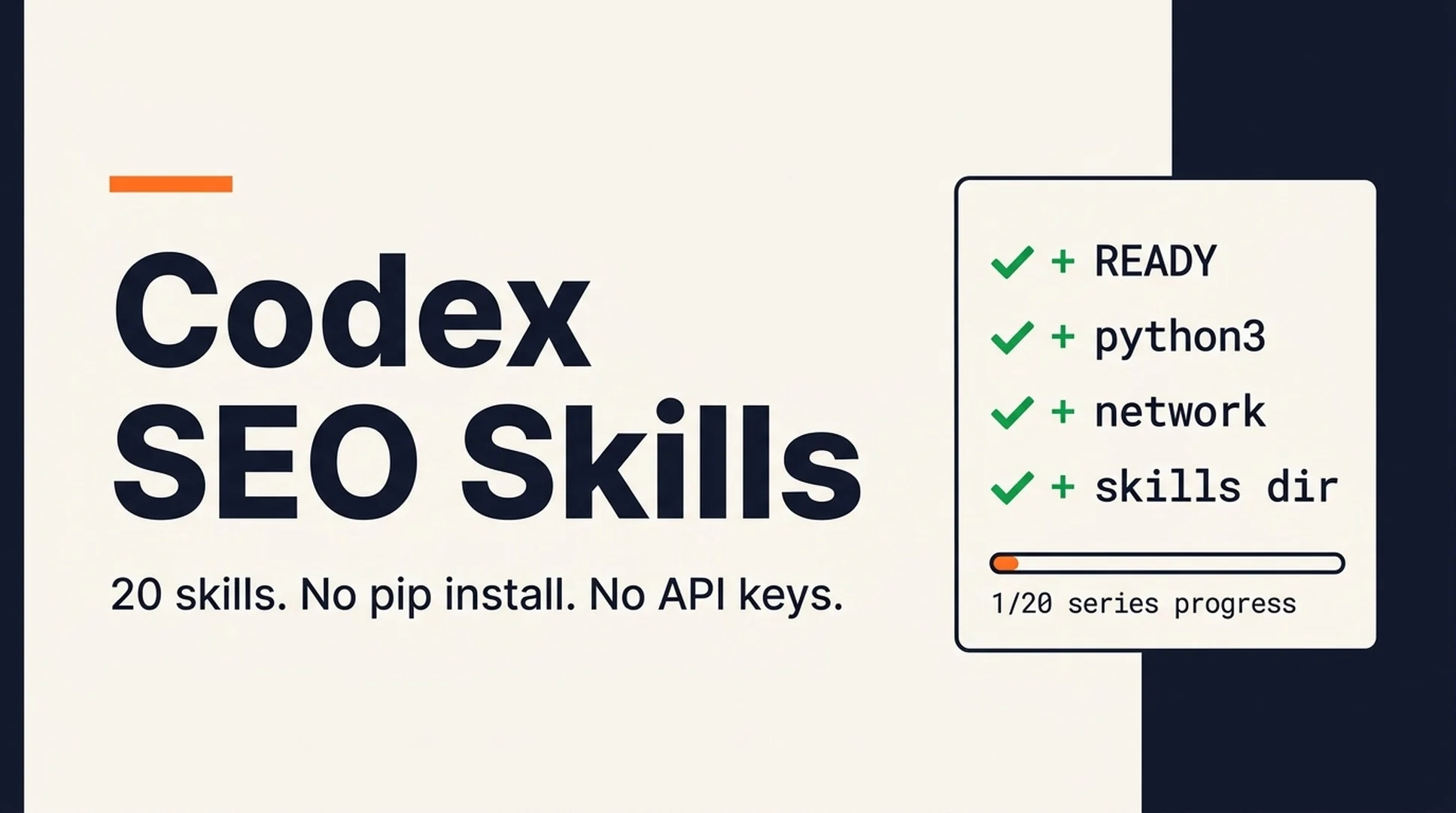
A few minutes ago I ran one command against a fresh machine setup, and this is what it printed:
codex-seo environment: READY
  [ok] python3      3.9.6
  [ok] network      https://example.com reachable
  [ok] curl         found on PATH
  [ok] skills_dir   /Users/me/.codex/skills (writable)

series progress: 1/20 skills installed
  x codex-seo-ready            installed
  - codex-seo-technical        planned
That one-line check is the first of twenty skills you are about to build. By the end of this series, your Codex will run real SEO audits: technical crawlability checks, E-E-A-T content scoring, JSON-LD schema validation, GEO readiness reviews for AI search, sitemap analysis, and a full-site audit that pulls everything together. Every one of those skills ships as a complete, copy-pasteable file in its own article.
The short answer
Codex skills are folders of markdown instructions that sit on your machine and load automatically when the task matches. You install a skill by putting a single file, SKILL.md, into ~/.codex/skills/<skill-name>/. Codex reads the description at the top of that file, decides when to use it, and follows the markdown inside like an operating manual.
This series turns the methodology behind claude-seo, an open-source SEO plugin with over 15,000 GitHub stars, into a set of skills you can run in Codex. The original project targets Claude Code, so every part of it that needs a Claude Code SDK, a managed Python runtime, or parallel subagents has been rewritten in this series to run on nothing but python3 and curl, the tools every Codex install already has.
What Codex skills are, in one minute
If you have never touched skills, this is all you need to know:
Piece | Where it lives | What it does |
|---|---|---|
Skill directory |
| One folder per skill |
SKILL.md |
| The skill: frontmatter + instructions |
Frontmatter | Top of SKILL.md |
|
Scripts |
| Optional small python3 helpers the skill calls |
Invoke it | Type | Explicit call, or automatic load when the description matches |
The description is the trigger surface, so every skill in this series starts with "Use when..." plus the exact phrases a real person would type: "check my crawlability", "validate schema on my page", "optimize for AI Overviews". Practically, that means you can say "my technical SEO feels broken, look at my site" and Codex loads the right skill without you naming it.
One warning: skill names use lowercase letters, digits, and hyphens only, and the folder name must match the name: field exactly. Every file in this series follows that rule.
The 20-skill roadmap
The series is a sequence with a deliberate order, but every article is self-contained. You can install any single skill and use it the same day.
# | Skill installed by this article | What that skill does in one line | Article |
|---|---|---|---|
00 |
| Environment check + series progress | This article |
01 |
| Nine-category technical SEO audit (crawlability, CWV, security, rendering…) | |
02 |
| Deep single-page scorecard | |
03 |
| E-E-A-T and content quality scoring | |
04 |
| SEO content brief generator (intent + competitors + gaps) | |
05 |
| JSON-LD detection, validation, generation | |
06 |
| Image SEO audit and optimization targets | |
07 |
| Sitemap discovery, validation, generation | |
08 |
| AI Overviews, ChatGPT, and Perplexity readiness | |
09 |
| Backlink profile analysis with free sources | |
10 |
| Local SEO: GBP, NAP, reviews, multi-location gates | |
11 |
| PageSpeed/CrUX real field data + GSC fallback | |
12 |
| SERP-overlap clustering and content architecture | |
13 |
| Multilingual and multi-region hreflang audit | |
14 |
| Product schema and marketplace intelligence | |
15 |
| Search experience: page type, user stories, personas | |
16 |
| Programmatic SEO analysis and planning | |
17 |
| Competitor comparison page generation | |
18 |
| Strategic SEO plan per business type | |
19 |
| Full-site audit that orchestrates everything you installed |
If you only take one thing from the series, take codex-seo-technical and codex-seo-geo. They cover the two halves of modern visibility: ranking in classic search, and getting cited by AI answers.
Before you start
Three prerequisites, no paid tools:
- Codex — the CLI or app. If you can run
/skillsinside Codex and see a list, you are fine. Anything from 2026 works; if a skill does not appear after install, update Codex first. A codex-cli bug in spring 2026 briefly hid locally installed skills from that list, and versions from v0.131.0 onward are fixed. - Python 3 — check with
python3 --version. Any 3.x works; every script in the series uses only the standard library, so nopip installever. - Network access to the sites you audit — nothing else. No API keys needed for most of the series; the two skills that can use free APIs (PageSpeed/CrUX) work without them, just with less data.
Install the readiness skill
Two files. First, create the folder:
mkdir -p ~/.codex/skills/codex-seo-ready/scriptsThen save this as ~/.codex/skills/codex-seo-ready/SKILL.md:
---
name: codex-seo-ready
description: Use when the user is about to start the Codex SEO Skills series work, or when any codex-seo-* skill fails with a python/network/path error, or when the user asks "is my environment ready for the SEO skills", "why can't the audit script run", "which codex-seo skills do I still need to install", or wants to see series install progress.
---

# Environment Readiness Check

One-time check that the machine can run every skill in the series and a
progress report on which codex-seo-* skills are already installed.

## Run

```bash
python3 ~/.codex/skills/codex-seo-ready/scripts/check_env.py
```

Add `--json` for machine-readable output.

## What the checks mean

| Check | Fail means | Fix |
|-------|------------|-----|
| python3 | No Python 3 on PATH, or version unreadable | Install Python 3 from python.org (macOS) or python.org/apt (Linux), then restart Codex |
| network | https://example.com unreachable | Check VPN/proxy or firewall; audits fetch live pages |
| curl | Not found even though python3 works | Install curl (macOS: `brew install curl`; Debian/Ubuntu: `sudo apt install curl`) |
| skills_dir | Target skills directory missing or read-only | Run `mkdir -p ~/.codex/skills && chmod u+w ~/.codex/skills` |

## Interpreting progress

The bottom of the output lists all 20 skills in the series. `-` means the
skill is not installed yet, `x` means it is (the preflight tool itself
shows as installed). The total `series progress: N/20` counts installed
skills only.

## Errors

The script never needs third-party packages and exits 0 on ready, 1 on any
unfixable check. If it prints `fatal`, report that line verbatim — it is a
bug in the script, not in your environment.
Then save this as ~/.codex/skills/codex-seo-ready/scripts/check_env.py. One zero-dependency script, no pip install anywhere:
#!/usr/bin/env python3
"""Preflight check for the Codex SEO Skills series."""

import json
import os
import shutil
import subprocess
import sys
import urllib.error
import urllib.request

SERIES = [
    "codex-seo-ready", "codex-seo-technical", "codex-seo-page",
    "codex-seo-content", "codex-seo-content-brief", "codex-seo-schema",
    "codex-seo-images", "codex-seo-sitemap", "codex-seo-geo",
    "codex-seo-backlinks", "codex-seo-local", "codex-seo-google",
    "codex-seo-cluster", "codex-seo-hreflang", "codex-seo-ecommerce",
    "codex-seo-sxo", "codex-seo-programmatic", "codex-seo-competitor-pages",
    "codex-seo-plan", "codex-seo-audit",
]

SKILLS_DIR = os.environ.get("CODEX_SKILLS_DIR") or os.path.expanduser("~/.codex/skills")


def net_reachable(url, timeout=8):
    req = urllib.request.Request(url, method="HEAD",
                                 headers={"User-Agent": "codex-seo-ready/1.0"})
    try:
        with urllib.request.urlopen(req, timeout=timeout) as resp:
            return resp.status < 500
    except urllib.error.HTTPError as e:
        return e.code < 500
    except Exception:
        return False


def get_python():
    py = shutil.which("python3") or shutil.which("python")
    if not py:
        return None, None
    try:
        out = subprocess.run([py, "--version"], capture_output=True,
                             text=True, timeout=10).stdout or ""
        out = out.strip().lower().replace("python", "").strip()
        return py, out
    except Exception:
        return py, None


def main():
    checks = []
    ok = True

    py, ver = get_python()
    if py:
        major = int(ver.split(".")[0]) if ver and ver.split(".")[0].isdigit() else 0
        good = major >= 3
        checks.append({"name": "python3", "ok": good,
                       "detail": ver or "version unreadable"})
        ok = ok and good
    else:
        checks.append({"name": "python3", "ok": False,
                       "detail": "not found on PATH"})
        ok = False

    curl = bool(shutil.which("curl"))
    net = net_reachable("https://example.com")
    checks.append({"name": "network", "ok": net,
                   "detail": ("https://example.com reachable" if net
                              else "outbound HTTPS failed - audits need network")})
    checks.append({"name": "curl", "ok": curl,
                   "detail": "found on PATH" if curl else "not found - some skills use curl"})
    ok = ok and net and curl

    exists = os.path.isdir(SKILLS_DIR)
    writable = False
    if not exists:
        try:
            os.makedirs(SKILLS_DIR, exist_ok=True)
            exists = True
        except Exception:
            pass
    if exists:
        writable = os.access(SKILLS_DIR, os.W_OK)
    checks.append({"name": "skills_dir", "ok": exists and writable,
                   "detail": SKILLS_DIR + (" (writable)" if writable else " (not writable)")})
    ok = ok and exists and writable

    installed = [d for d in os.listdir(SKILLS_DIR)
                 if os.path.isdir(os.path.join(SKILLS_DIR, d)) and d in SERIES] if exists else []

    result = {"ready": ok, "checks": checks,
              "progress": {"installed": sorted(installed),
                           "planned": [s for s in SERIES if s != "codex-seo-ready"]}}
    if "--json" in sys.argv:
        print(json.dumps(result, indent=2))
    else:
        print("codex-seo environment: " + ("READY" if ok else "FIX THE RED ROWS"))
        for c in checks:
            print(f"  [{'ok' if c['ok'] else 'FIX'}] {c['name']:<12} {c['detail']}")
        print(f"\nseries progress: {len(installed)}/{len(SERIES)} skills installed")
        for s in SERIES:
            tag = "installed" if s in installed else ("this skill" if s == "codex-seo-ready" else "planned")
            print(f"  {'x' if tag == 'installed' else '-'} {s:<26} {tag}")
    sys.exit(0 if ok else 1)


if __name__ == "__main__":
    try:
        main()
    except SystemExit:
        raise
    except Exception as e:
        print(json.dumps({"ready": False,
                          "checks": [{"name": "fatal", "ok": False, "detail": str(e)}]}))
        sys.exit(1)
Run the check
From a terminal:
python3 ~/.codex/skills/codex-seo-ready/scripts/check_env.pyWhat a green output looks like:
codex-seo environment: READY
  [ok] python3      3.9.6
  [ok] network      https://example.com reachable
  [ok] curl         found on PATH
  [ok] skills_dir   /Users/you/.codex/skills (writable)

series progress: 1/20 skills installed
When a check fails
Red row | Likely cause | Fix in order |
|---|---|---|
| Not installed, or not on PATH in this shell |
|
| VPN, proxy, or sandboxed shell | Try |
| macOS with a stripped environment |
|
| Folder missing or permissions | Check |
If everything passes but Codex does not list the skill: run /skills inside Codex, confirm codex-seo-ready appears, and if it does not, update Codex (a version from before v0.131.0 may hide locally installed skills) and restart.
Every later skill uses this same pattern
Every article in this series follows the identical shape, so once you have installed one, the rest take two minutes each: create the folder, save the SKILL.md from the article, save the script the skill calls (when there is one), then ask Codex about your site. The skills share one design rule: nothing needs installing except `python3`. No virtual environments, no npm install, no API keys for the core skills.
A note on honesty, because this comes up often: these skills will not rank your site by themselves. What they do is replace guesswork with measurements: a page score, a threshold to compare against, and a prioritized action list where every recommendation carries a "how would we know this failed?" check. The work is still yours; the audit part just stops being a four-hour job.
Install this skill by pasting to Codex
Prefer not to create files by hand? Copy the following paragraph into Codex (with the two code blocks above still in your chat):
Read the two code blocks in the current message. Create~/.codex/skills/codex-seo-ready/SKILL.md(markdown block) and~/.codex/skills/codex-seo-ready/scripts/check_env.py(python block) exactly as written. Then runpython3 ~/.codex/skills/codex-seo-ready/scripts/check_env.pyand explain the output to me — should I fix anything before installing the rest?
Codex will create the files, run the check, and tell you where you stand. From there, follow the roadmap table above and go one article at a time.
FAQ
Can I use these skills while they stay in another folder? Yes. Any of the scripts in this series can run from any path; the skills just expect the canonical location. If you keep your skills in a dotfiles repo, symlink ~/.codex/skills/codex-seo-ready to your repo copy and everything still works.
Is this free? Yes. Every skill in the series uses only your Codex subscription, python3, and curl. The Google data skill optionally uses a free API key; the backlinks skill uses free tiers (Moz free token, Bing Webmaster) and a spreadsheet fallback. Nothing in the core series costs money.
Was the original claude-seo project copied? The original is open source under MIT, whose license explicitly allows reuse with attribution. This series keeps its methodology, thresholds, and primary-source references, rewrites the execution layer for Codex (no Claude Code SDK, no managed runtime, no subagents), and the audit scripts are original work. Attribution is in every article's footer.
Which skill should I install first if I only have five minutes? codex-seo-technical. The nine-category audit is the most common first task, and it produces a complete, actionable report in one run.
Next in the series (post 01 of 20): [How to Audit Technical SEO with Codex (Full SKILL.md Included)](https://auspia.ai/blog/codex-seo-technical-audit) - nine-category technical seo audit: crawlability, cwv, rendering, security.
Pick any other post straight from the roadmap above - every article is self-contained.
Author: Nathan Reed, AI Marketing Workflow Designer at Auspia. Nathan writes about design patterns for AI-powered marketing and growth systems.