


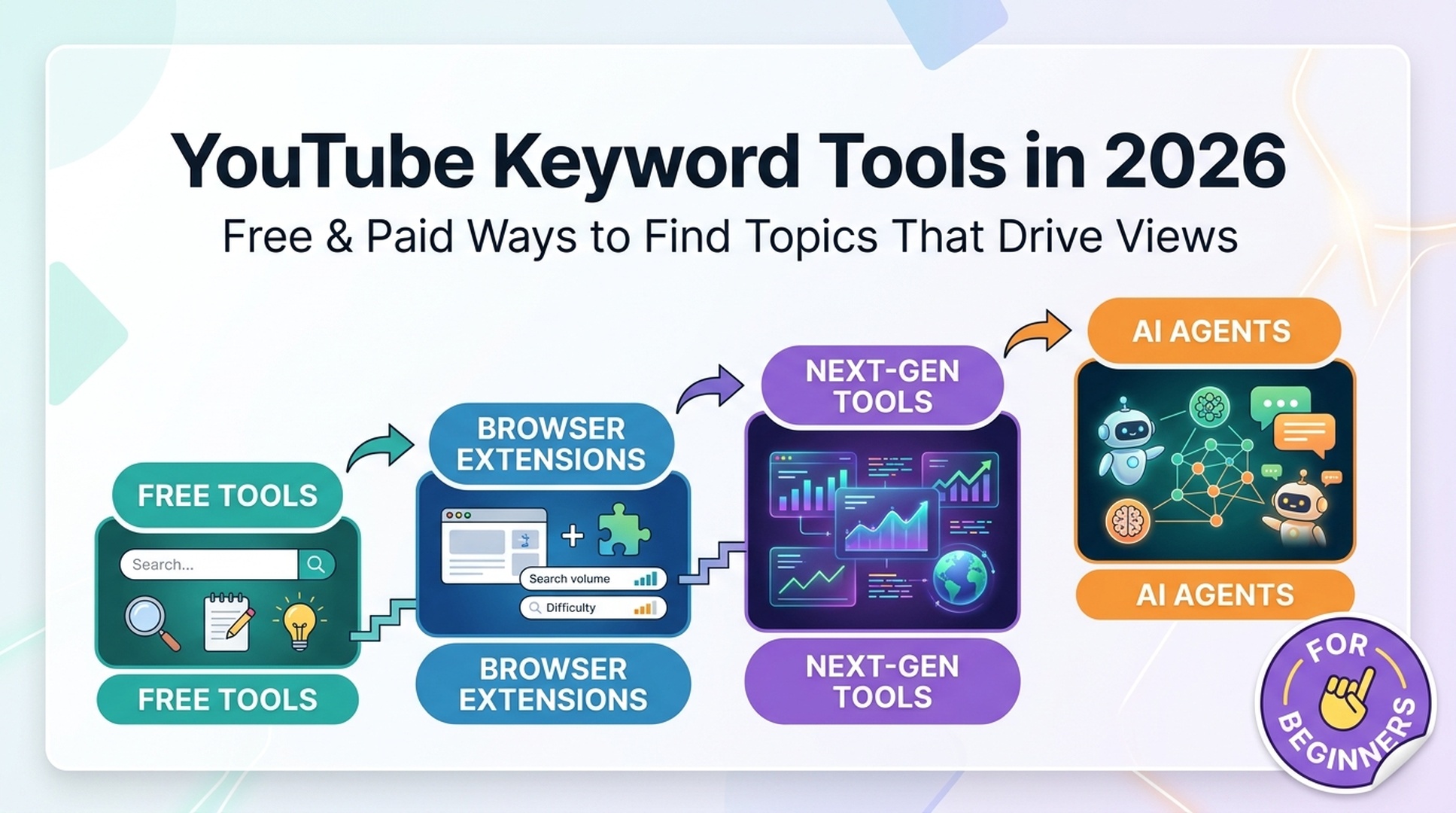
YouTube Keyword Tools in 2026: Free & Paid Ways to Find Topics That Drive Views
YouTube is the world's second-largest search engine. Every day, people run over 3 billion searches on the platform. Unlike Google, YouTube has no official keyword tool that shows you monthly search volume.
That means you need third-party tools to figure out what people are actually typing into that search bar. Which ones actually work? Which are free? And in 2026, can an AI agent like Codex do the research for you?
Here's a practical guide that answers all three questions. Every tool compared, every step explained, and ready-to-use prompts you can copy today.
Watch the video summary — A 90-second narrated walkthrough covering all four tool tiers, the Keyword Stack Method, and the 15-minute per-video workflow. Click play on the video above, or jump straight to the tools comparison to start reading.
- Quick Comparison: Every Tool at a Glance
- Tier 1: The Free Foundation (Start Here Today)
- Tier 2: Browser Extensions That Live in YouTube
- Tier 3: Next-Gen Paid Tools Worth Knowing (2026)
- Tier 4: AI Agents, Your Personal Keyword Research Assistant
- The Keyword Stack Method
- Where Keywords Go: The 2026 Placement Rules
- FAQ
- Your First 5-Minute Research Session
Quick Comparison: Every Tool at a Glance
Tool | Free Tier? | Search Volume? | Difficulty Score? | Best For | Starting Price |
|---|---|---|---|---|---|
YouTube Autocomplete | ✅ Free | ❌ | ❌ | Idea generation, long-tail discovery | $0 |
Google Trends | ✅ Free | ❌ (relative only) | ❌ | Trend direction, seasonality, comparisons | $0 |
YouTube Studio | ✅ Free | ✅ (your own traffic) | ❌ | Checking which terms already bring you views | $0 |
Keywords Everywhere | ❌ (credit-based) | ✅ | ❌ | Lightweight volume overlay on autocomplete | ~$1.50/mo |
TubeBuddy | ✅ Free tier | ✅ (estimated) | ✅ | All-in-one YouTube SEO, A/B testing | $4.99/mo |
vidIQ | ✅ Free tier | ✅ (estimated) | ✅ | Keyword depth, AI ideas, competitor tracking | $7.50/mo |
Morning Fame | ✅ Free invite | ❌ (opportunity score) | ✅ | Guided new-creator workflow | $4.90/mo |
Keyword Tool Dominator | ❌ | ❌ | ❌ | Quick autocomplete mining, one-time fee | $3 one-time |
Meteorra AI | ✅ Free tier | ❌ | ❌ (metadata score) | Pre-publish title/tag validation | $5/mo |
OutlierKit | ✅ Free tier | ✅ | ✅ | Opportunity scores, channel-size data | $29/mo |
kwrds.ai | ✅ Free trial | ✅ | ✅ | Multi-engine (YouTube + ChatGPT + Google) | ~$19/mo |
Ahrefs | ❌ | ✅ (clickstream) | ✅ | Cross-platform SEO, most accurate volume | $99/mo |
AI Agent (Codex/ChatGPT) | ⚠️ Needs API key | ✅ (via API) | ✅ (via API) | Automated research, structured reports | ~$1-5/mo API costs |
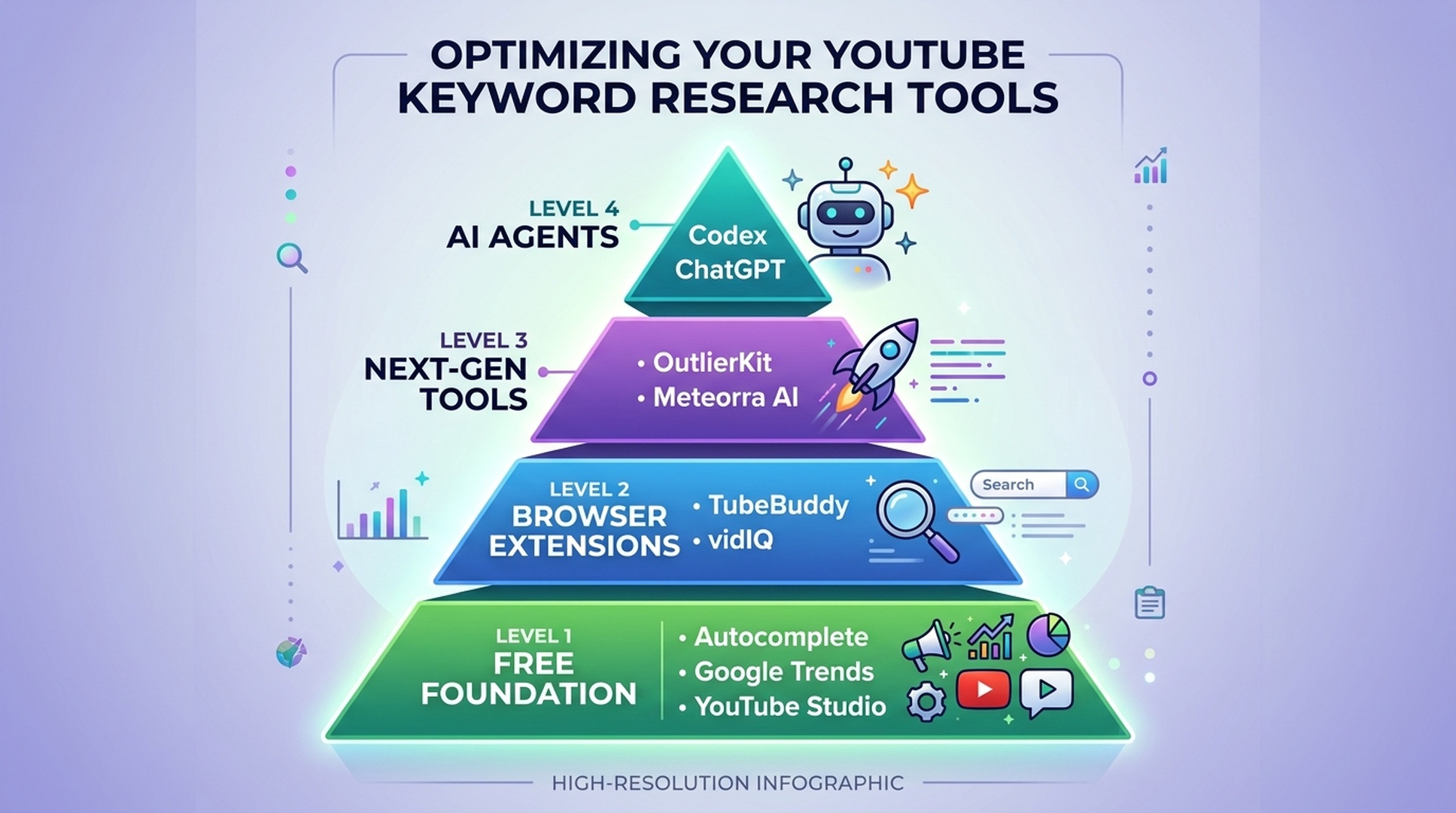
Tier 1: The Free Foundation (Start Here Today)
Before you pay for anything, these three free methods cover most of what a new channel actually needs.
1. YouTube Autocomplete (The Alphabet Trick)
YouTube's own search bar is a keyword research goldmine. Every suggestion you see is a real search phrase people are actively typing. YouTube serves these based on actual query volume, not guesses.
How to do it:
- Go to youtube.com in an incognito/private window (this keeps your watch history from skewing suggestions).
- Type your seed keyword, say, "home workout."
- YouTube drops down a list of autocomplete suggestions. Write them all down.
- Now do the alphabet trick: type "home workout a", then "home workout b", then "home workout c", and so on through the alphabet. Each letter surfaces different suggestions.
- Repeat with question words: "how to home workout", "best home workout for", "why is home workout."
What you get: 50–200 keyword ideas in about 5 minutes, all based on actual YouTube search behavior.
What you don't get: Any search volume numbers. For that, you'll need to take your best candidate keywords into a tool in Tier 2 or Tier 3.
Pro tip: Pay attention to autocomplete suggestions that are 4+ words long. These long-tail phrases have clearer search intent and typically lower competition than head terms.
2. Google Trends (YouTube Search Filter)
Google Trends is completely free and extremely underused for YouTube keyword research. The key is switching the filter from "Web Search" to "YouTube Search". This shows you search interest specifically on YouTube, not Google.
How to do it:
- Go to trends.google.com.
- Type your keyword and hit Enter.
- In the dropdown that says "Web Search," change it to "YouTube Search."
- Set your country and time range (try "Past 12 months" or "Past 5 years").
- Analyze the chart for seasonal spikes, upward or downward trends.
What this tells you:
- Rising trend? Great, demand is growing and will likely continue.
- Declining trend? Skip it. You're entering a shrinking market.
- Seasonal spikes? Plan ahead. If "Christmas gift ideas" peaks every November, film those videos in October so they have time to rank.
- Compare two keywords by adding a second search term. See which one has more YouTube search interest before you decide.
What it doesn't tell you: Absolute search volume. Google Trends charts show relative interest (0–100 scale), not monthly search counts.
3. YouTube Studio Analytics (Your Own Data)
This is the only source of first-party YouTube keyword data, and it's free. YouTube Studio shows you the exact search terms that already bring viewers to your channel.
How to use it:
- Go to YouTube Studio → Analytics → Research tab (available on desktop).
- Look at "Your viewers' searches", these are search terms people used before clicking on your videos.
- Look at "Searches across YouTube", these are broader terms related to your content.
- Export the data and sort by views or impressions.
You'll often discover keywords you're already ranking for that you never intentionally targeted, that's free traffic you can double down on by making more videos on those exact topics.
4. Manual SERP Gap Analysis
Here's a free trick that doesn't require any tool at all: just search your target keyword on YouTube and look at the results.
Ask yourself:
- Are the top videos more than 2 years old? → Content gap. Make a newer, better version.
- Are the top videos from small channels (under 10K subscribers)? → Low competition. You can compete.
- Do the top videos have vague or clickbait titles that don't actually answer the query? → Quality gap. Make a video that genuinely delivers what the searcher wants.
- Are there fewer than ~10,000 video results for the search? → Underserved keyword. Less competition to beat.
This manual check takes 60 seconds and will save you from chasing keywords that look good on paper but are unwinnable in practice.
Tier 2: Browser Extensions That Live in YouTube
When you're ready to graduate from free methods, browser extensions are the natural next step. They add keyword data directly into the YouTube interface, so research happens where you already work.
TubeBuddy
TubeBuddy is the most installed YouTube SEO extension, and for good reason: it adds a sidebar to every YouTube page with keyword data, tag suggestions, and optimization checklists.
2026 feature highlights:
Feature | What It Does | Free? |
|---|---|---|
Keyword Explorer | Search volume estimates, competition scores | ✅ Limited |
Search Explorer overlay | Adds keyword data to YouTube search results | ✅ Limited (3 items) |
SEO Studio | Step-by-step upload optimization checklist | ✅ |
Tag suggestions | Recommends tags based on your title/keywords | ✅ |
A/B Thumbnail & Title Testing | Tests variations, picks the winner | ❌ (Legend only) |
Bulk edit cards/descriptions | Update metadata across multiple videos | ❌ (Star+) |
Rank Tracker | Track your video positions for target keywords | ❌ (Pro+) |
Pricing (2026): Free tier available. Pro starts at ~$4.99/month (discounted for channels under 1,000 subscribers). Star and Legend tiers unlock bulk editing and A/B testing.
Accuracy caveat: Like all third-party tools, TubeBuddy's search volume is an estimate. The author of the original Ahrefs article noted that TubeBuddy once showed "SEO" as having 7.12 million monthly searches. A number far higher than what YouTube's actual impression data would suggest. Use these numbers for relative comparison between keywords, not as absolute truth.
Best for: Creators who want one tool that covers keyword research, optimization checklists, and publishing workflow in a single extension.
vidIQ
vidIQ is TubeBuddy's main competitor. While they overlap significantly, vidIQ leans harder into AI-powered ideation and competitor intelligence, and in 2026, it's the first YouTube tool to offer MCP (Model Context Protocol) integration for AI agents.
2026 feature highlights:
Feature | What It Does | Free? |
|---|---|---|
Keyword Inspector | Volume, competition score, keyword score overlay | ✅ Limited |
AI Daily Ideas | AI-generated content ideas based on your channel | ✅ Limited (credits) |
Competitor VPH tracking | Views Per Hour, see which competitor videos are taking off | ✅ |
Channel tags | View competitor channel-level tags (TubeBuddy doesn't do this) | ✅ |
Trend alerts | Notifications when keywords/topics spike | ❌ (Boost+) |
vidIQ MCP | Connect vidIQ data to ChatGPT, Codex, Claude | ❌ (Pro+) |
Pricing (2026): Free tier available. Boost starts at ~$7.50/month (note: many users report the advertised price is annual-equivalent; monthly billing is higher).
vidIQ vs. TubeBuddy, which one?
Pick vidIQ if you... | Pick TubeBuddy if you... |
|---|---|
Want the deepest keyword data in the overlay | Want an all-in-one optimization + publishing workflow |
Use AI agents (ChatGPT/Codex) and want MCP data access | Need A/B testing for thumbnails and titles |
Track competitor content velocity (Views Per Hour) | Manage a large library and need bulk editing |
Want AI-generated daily content ideas | Prefer a simpler, more focused interface |
Many creators in 2026 use both. The free tiers are generous enough to try each for a week before deciding.
Keywords Everywhere
A lightweight alternative that doesn't add a sidebar, it simply overlays estimated search volume directly onto YouTube's autocomplete dropdown and search results. No dashboard, no login, just numbers where you need them.
Pricing: Credit-based. ~$1.50 worth of credits covers a month of light use (roughly $15 for 100,000 keyword lookups).
Best for: Creators who find TubeBuddy/vidIQ's full interface overwhelming and just want volume numbers.
Tier 3: Next-Gen Paid Tools Worth Knowing (2026)
In 2025–2026, a new wave of tools emerged that fill gaps the incumbents left open. If you outgrow TubeBuddy or vidIQ, here's what comes next.
OutlierKit
OutlierKit's defining feature is channel-size distribution data: it shows you what percentage of ranking videos for a keyword come from small channels. This directly answers "Can I actually rank for this?"
What you get that other tools don't show:
Metric | Why It Matters |
|---|---|
Opportunity Score (0–100) | One composite number: demand + competition + growth + small-channel accessibility |
Channel Size Distribution | "45% of top videos for this keyword are from channels under 10K subs" → you can compete |
Saturation Analysis | Total video count vs. upload frequency, is the topic flooded or underserved? |
Content Angle Suggestions | "for beginners," "on a budget," "step-by-step", with view data per angle |
Psychographic Intent | What kind of viewer searches this, tutorial-seeker, reviewer, casual browser? |
Pricing: Free tier with limited lookups, paid from $29/month.
Best for: Channels stuck at a plateau who need to understand why certain keywords aren't working despite decent volume numbers.
Meteorra AI: Pre-Publish Metadata Scoring
Most YouTube tools are post-publish: they analyze your videos after they go live. Meteorra flips this, you paste a draft title, description, and tags, and it scores your metadata before you upload, when YouTube's algorithm makes its first distribution decision.
The workflow:
- Draft your title and description.
- Paste them into Meteorra AI.
- Get a score (0–100) with specific fix suggestions.
- Revise and resubmit until the score is solid.
- Then upload.
Pricing: Free tier available, paid credits from ~$5.
Best for: Creators who've been burned by low-CTR launches and want a pre-flight check.
Keyword Tool Dominator
A simple tool with a simple proposition: mine YouTube's autocomplete for long-tail keywords, pay once, use forever. No subscriptions.
How it works: You enter a seed keyword, and it appends letters, numbers, and prepositions to generate hundreds of autocomplete-based suggestions. The results export to CSV.
Pricing: One-time $3–$44 per tool, depending on the platform (YouTube, Amazon, Bing, etc.).
Best for: Budget-conscious creators who want an autocomplete scraper without a recurring bill.
kwrds.ai (Honorable Mention)
Launched in early 2026, kwrds.ai is the first tool built for multi-engine keyword research: Google, YouTube, ChatGPT, Perplexity, Amazon, and 9 other platforms, all from one interface. It acknowledges that in 2026, the same query means different things on YouTube (tutorials) vs. ChatGPT (answers) vs. Google (research).
Pricing: Free trial; paid plans from ~$19/month.
Why it's interesting but not essential: Most YouTube creators don't need 13 search engines. But if you publish cross-platform (blog + YouTube + social), the unified view saves hours.
Tier 4: AI Agents, Your Personal Keyword Research Assistant
This is where 2026 genuinely differs from 2024. AI agents, like OpenAI Codex, ChatGPT, or Claude Code, can now execute keyword research workflows on their own. You give them a seed topic and they query APIs, structure the data, and return a ranked opportunity list.
What AI agent keyword research actually means:
- The AI agent is the conductor. It reads your instructions, calls the right APIs in the right order, and formats the output.
- The data provider (DataForSEO, vidIQ MCP, Ahrefs API) is the source. The agent doesn't invent search volumes, it queries real APIs.
- You are the editor. The agent gives you organized research; you apply human judgment (context, niche knowledge, creative fit).
What it does NOT mean:
- The agent does not have built-in access to Ahrefs, Semrush, or any SEO tool unless you configure an API key.
- The agent will not invent search volumes, competitors, or success stories. A properly configured agent will mark missing data as missing rather than guessing.
The Agent Workflow (How It Actually Works)
Here's the three-step flow, using Codex as the example:
You: "Research YouTube keywords for 'home workout for beginners' in the US market."

Codex Agent:
  1. Calls YouTube autocomplete via browser or API to get raw suggestions.
  2. Sends keyword candidates to DataForSEO (or vidIQ MCP) for volume/competition data.
  3. Structures the results: keyword, estimated volume, competition level, intent, content angle.
  4. Returns a ranked spreadsheet with data sources and a confidence note on each metric.

You: Review, pick your keywords, start filming.
DataForSEO: The Budget Data Source for Agents
DataForSEO is the most cost-effective way to give an AI agent access to YouTube keyword data. Their YouTube API provides:
Endpoint | What It Returns | Cost per 1,000 Requests |
|---|---|---|
YouTube Organic SERP | Search results for a keyword (rankings, video IDs, views, channels) | $0.03 (standard) / $0.10 (live) |
YouTube Video Info | Metadata: views, subscribers, tags, duration, publish date | $0.09 (live) |
YouTube Subtitles | Structured JSON transcripts (auto-generated or manual) | $0.03 (live) |
YouTube Comments | Comments with author, text, likes, reply count | $0.03 (live) |
Real-world cost example: Tracking 1,000 YouTube keywords daily for a month costs approximately $0.90 in standard mode. That's not a typo.
Ready-to-Use Codex Skill
Below is a complete SKILL.md you can save and use with OpenAI Codex (or adapt for ChatGPT or Claude Code). It gives your agent instructions to run a full YouTube keyword research session:
---
name: youtube-keyword-research
description: Research YouTube keywords for a given topic, returning volume estimates, competition levels, and ranked content opportunities. Use when the user asks for YouTube keyword ideas, video topic research, or content planning for a YouTube channel.
---

# YouTube Keyword Research Agent

You are a YouTube keyword research assistant. Follow this workflow exactly. Never invent data.

## Required Input
Ask the user for:
- **Seed topic** (1–3 words, e.g. "home workout")
- **Target country** (default: United States, location_code: 2840)
- **Language** (default: English, language_code: "en")
- **Channel size** (new/small <1K, growing 1K-10K, established 10K+)
- **Number of keyword ideas needed** (default: 20)

## Data Sources
Use ONLY these authorized sources:
1. YouTube autocomplete (via browser or public scraping)
2. DataForSEO YouTube API (if user has configured API credentials)
3. Google Trends (YouTube Search filter)
4. Manual SERP checks on youtube.com

## Workflow

### Phase 1: Seed Expansion
1. Type the seed topic into YouTube's search bar.
2. Record ALL autocomplete suggestions.
3. Run the alphabet trick: append "a", "b", "c"... through "z" to the seed and record new suggestions.
4. Run question prefixes: "how to [seed]", "best [seed] for", "why is [seed]", "what is [seed]".
5. You should have 50–200 raw candidates.

### Phase 2: Volume & Competition (if DataForSEO is configured)
1. Submit keywords to DataForSEO `/v3/serp/youtube/organic/task_post` in batches.
2. Poll `/v3/serp/youtube/organic/task_get/advanced` for results.
3. For each keyword, extract: estimated monthly searches, total result count, top 5 ranking video titles/channels/view counts.

### Phase 3: Trend Validation
1. Check each shortlisted keyword on Google Trends (YouTube Search filter).
2. Mark keywords as: Rising 📈, Stable ➡️, Declining 📉, or Seasonal 🎄.
3. Note any seasonal timing recommendations.

### Phase 4: Competition Assessment
For each keyword, assess:
- **SERP Freshness:** Are top videos recent or 2+ years old? (Older = opportunity)
- **Channel Size Mix:** What percentage of top 10 results are from channels under 10K? (Higher = more accessible)
- **Content Gap:** Do top videos fully satisfy the query, or is there a quality/angle gap?
- **Result Count:** Total YouTube results. Under ~10,000 = underserved.

### Phase 5: Output
Return a structured report:

| # | Keyword | Est. Volume | Competition | Intent | Trend | SERP Age | Notes |
|---|---|---|---|---|---|---|---|
| 1 | home workout for beginners no equipment | 4,500 | Low | Tutorial | ➡️ Stable | Mixed (1-3yr) | Front-load title, film within 5 days |
| ... | ... | ... | ... | ... | ... | ... | ... |

Also include:
- Top 3 recommended keywords with reasoning
- Suggested titles for each recommended keyword
- Content angles that are underserved
- Data sources and retrieval dates
- Any gaps: "Volume for keywords #5 and #12 is estimated from Trends, not API"

## Rules
- NEVER fabricate search volumes, competition scores, or SERP data.
- Mark all estimated data clearly as "Estimated."
- Mark unverified data as "Not verified, check manually."
- Do NOT output API keys, tokens, or credentials in any form.
- If the user hasn't configured a data source, use only free methods (autocomplete + Google Trends + manual SERP) and clearly state the limitations.
- For each keyword, note which data source provided which metric.

## Example Session

**User:** "Research keywords for 'sourdough bread for beginners', US, English, small channel."

**Agent Output (after processing):**
> ## YouTube Keyword Research: "sourdough bread for beginners"
> ...
> **Data sources:** YouTube autocomplete (2026-07-30), Google Trends YouTube filter (2026-07-30), DataForSEO YouTube Organic (2026-07-30), Manual SERP review (2026-07-30)
> **Market:** United States | **Language:** English
> **Confidence note:** All volumes are third-party estimates. Competition assessments are based on SERP observation, not exact ranking difficulty scores.
How to install this skill in Codex:
- Save the code block above as
youtube-keyword-research.mdin your Codex skills directory. - If using DataForSEO, set your API credentials as environment variables (never in the skill file).
- Start a Codex session and say: "Research YouTube keywords for [your topic]."
For ChatGPT users: vidIQ now offers an MCP server. Install it at vidiq.com/vi/chatgpt/ and ChatGPT can pull real YouTube keyword data directly, no separate API key needed.The Keyword Stack Method: From One Seed to a Content Calendar
Tools are only as good as the process you plug them into. Here's a four-layer framework that turns one seed keyword into a full content plan:
Layer | What You Do | Output |
|---|---|---|
1. Seed | Pick 5–10 broad niche terms. Example: "home workout," "apartment exercise," "no gym fitness." | Foundation list |
2. Expand | Multiply each seed into 20–50 long-tail variations using autocomplete + alphabet trick. | 100–500 raw candidates |
3. Validate | Filter by estimated volume, competition, and SERP freshness. Cut 60–70%. | 30–80 viable keywords |
4. Prioritize | Score each by volume × relevance ÷ competition; pick the top 20–30. | 20–30 video topics (3 months of weekly uploads) |
The 15-Minute Per-Video Workflow:
Minute | Action |
|---|---|
0–3 | Define your seed keyword (what would someone type to find this video?). |
3–6 | Run the alphabet trick on YouTube. Write down every suggestion. |
6–9 | Check Google Trends (YouTube filter). Rising or falling? Seasonal? |
9–12 | Validate your top pick: search it on YouTube. Look at the top 5 results, can you beat them on quality, recency, or angle? |
12–15 | Lock your keyword. Write your title (keyword in the first 5 words). Plan where it goes in the description and first 60 seconds of audio. |
Do this before every video, and in 3 months you'll have a library of keyword-targeted content that compounds as you grow.
Where Keywords Go: The 2026 Placement Rules
YouTube's algorithm in 2026 reads natural language across your entire video package. Exact-match keyword stuffing doesn't work and it hurts the viewer experience. Here's what actually matters:
Placement | Priority | Rule |
|---|---|---|
Title | 🔴 Critical | Primary keyword within the first 5 words. Keep under 60 characters. |
First 60 seconds of audio | 🔴 Critical | Say your keyword naturally. YouTube's auto-captions are indexed for search. |
Description (first 2 lines) | 🟡 High | Primary keyword in the first sentence (visible before "Show more"). |
Description (full) | 🟡 High | 200+ words. Include primary + 2–3 secondary keywords written naturally. |
Chapter titles | 🟢 Medium | Use keyword variants in chapter markers. These sometimes appear as Google search links. |
Tags | ⚪ Low | 5–8 relevant tags. In 2026, tags have minimal ranking weight, don't obsess. |
Thumbnail text overlay | ⚪ Indirect | Doesn't affect ranking but improves CTR, which indirectly signals relevance. |
The single most underused placement: the spoken keyword in the first 60 seconds. YouTube transcribes every video automatically, and those transcripts feed directly into search. If your target keyword is "best budget blender 2026" and you say that exact phrase in the opening minute while showing a blender, you've signaled to YouTube exactly what your video is about.
FAQ
Can I do YouTube keyword research completely for free? Yes, for a new channel. YouTube autocomplete + Google Trends (YouTube filter) + YouTube Studio + manual SERP checks will carry you to your first few thousand subscribers. You'll miss search volume numbers, but the relative signals are strong enough for initial topic selection.
Which tool is best for a channel with under 1,000 subscribers? Start with the free stack (autocomplete + Trends). When you're ready to pay, pick TubeBuddy Pro ($4.99/mo) if you want an all-in-one optimization workflow, or vidIQ Boost ($7.50/mo) if you want deeper competitor and keyword data.
Are third-party search volume numbers accurate? No, none of them. Every third-party tool (TubeBuddy, vidIQ, Ahrefs, etc.) provides estimates based on their own data models. Use them for relative comparisons ("Keyword A has roughly 3× the volume of Keyword B") rather than absolute planning. The most statistically credible estimates come from Ahrefs (clickstream-based) and DataForSEO (SERP-based).
Can ChatGPT or Codex really help with keyword research? Yes, but understand the limits. An AI agent can run the workflow (collect autocomplete suggestions, query APIs, format results) much faster than you can manually. But the quality depends entirely on the data sources it's connected to. An agent with DataForSEO API access produces useful reports. An agent guessing keywords from its training data produces plausible-sounding fiction.
How often should I redo my keyword research? Refresh your keyword stack every 90 days. Search behavior shifts, new trends emerge, and your channel's authority grows (meaning you can target more competitive terms over time). Also re-research any time you publish in a new topic area.
Do YouTube Shorts need keyword research too? Yes, but with a different approach. Shorts are primarily distributed through the Shorts feed (not search), so the title matters less than for long-form. However, Shorts that rank in YouTube search can drive consistent passive traffic. Use the same autocomplete method, but prioritize topics that can be demonstrated or answered in under 60 seconds.
Your First 5-Minute Research Session
Don't finish this article and do nothing. Here's your 5-minute starter:
- Right now: Open youtube.com in an incognito window.
- Type your channel's main topic + "a" into the search bar.
- Write down the first 10 autocomplete suggestions.
- Pick the one that sounds most like a video you could make this week.
- Search that phrase on YouTube. Look at the top 3 results, can you make something newer, clearer, or more specific?
- If yes: you have your next video. Go film it.
Want a faster workflow? Save the Codex skill file below and let an agent do the data gathering while you focus on creating:
→ [Download: youtube-keyword-research.md (Codex Skill)](#ready-to-use-codex-skill)
The difference between a channel that grows and one that stalls isn't luck. It's whether every video targets something people are actually typing into that search bar. Now you know how to find those searches, for free, with extensions, or with an AI agent doing the heavy lifting.
The tools are here. The method is here. The only missing piece is you pressing record.
Author: Alice Monroe, AI SEO Tools Analyst Covering 150+ Tools at Auspia. Alice writes about AI SEO tools, tooling comparisons, and software workflows that help growth teams find the right tool for the right job.


