


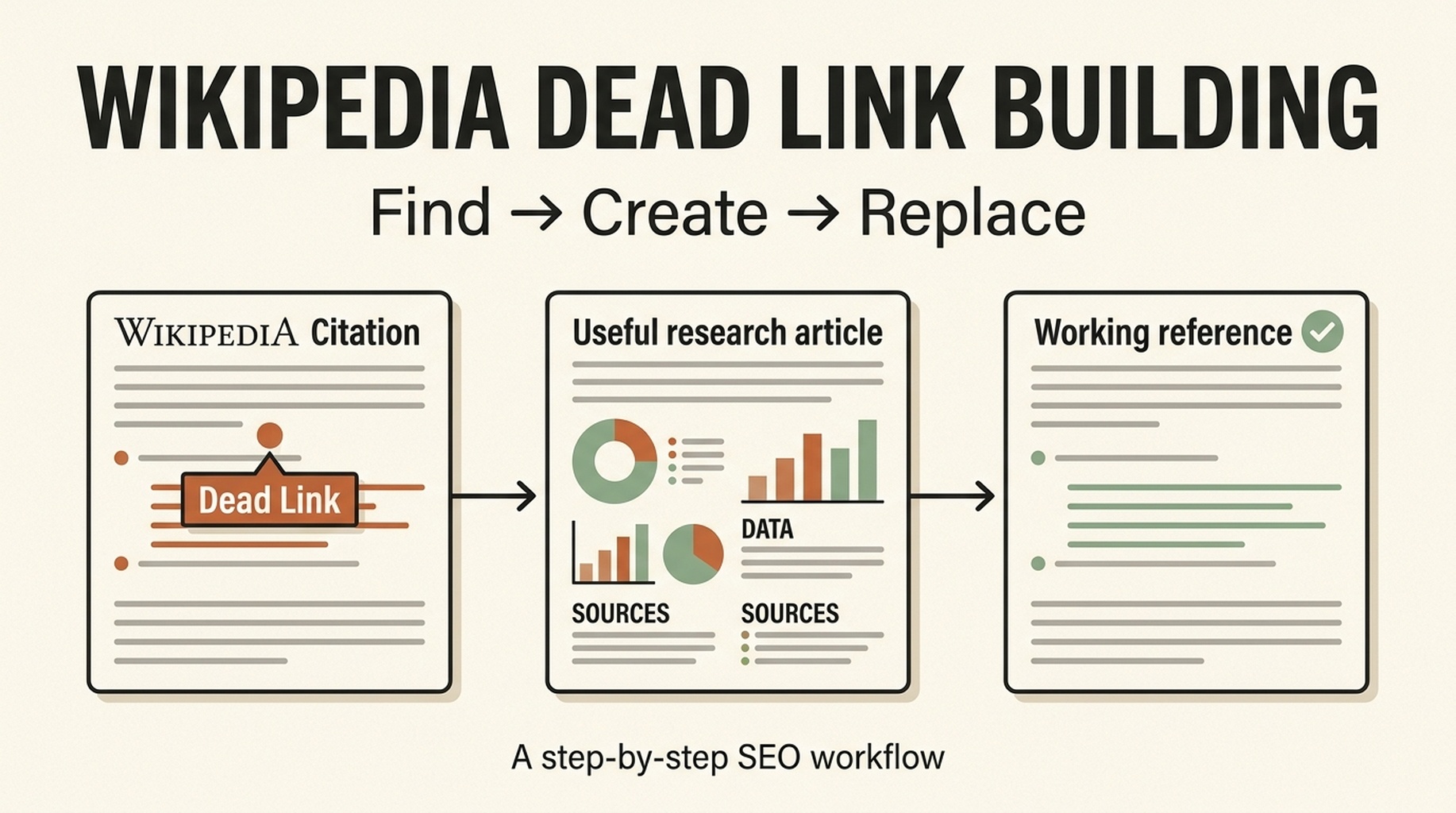
How to get Wikipedia backlinks with the dead link method
The Wikipedia dead link method is straightforward: find a broken reference on a page related to your topic, create a genuinely useful page that supports the same claim, then suggest your working source as the replacement.
You are not trying to add your homepage to Wikipedia. You are repairing one specific citation with a page that is more useful than the unavailable one. Do that well enough and the link can stay; do it badly and the edit will be removed.
This guide shows the exact workflow, from finding an opportunity to checking whether the link appears in Google Search Console.
The workflow at a glance
Step | What you do | What you should have when you finish |
|---|---|---|
1 | Find a relevant Wikipedia page with a dead reference | One article and one broken citation |
2 | Copy the exact claim beside the reference | A sentence your new page must support |
3 | Check the old source | A clear view of what the original source covered |
4 | Create a better replacement resource | A public page with facts, sources, and a stable URL |
5 | Replace the citation or request an edit | A clean, claim-matched suggestion |
6 | Check the result | A live citation and, later, a referring domain in Search Console |
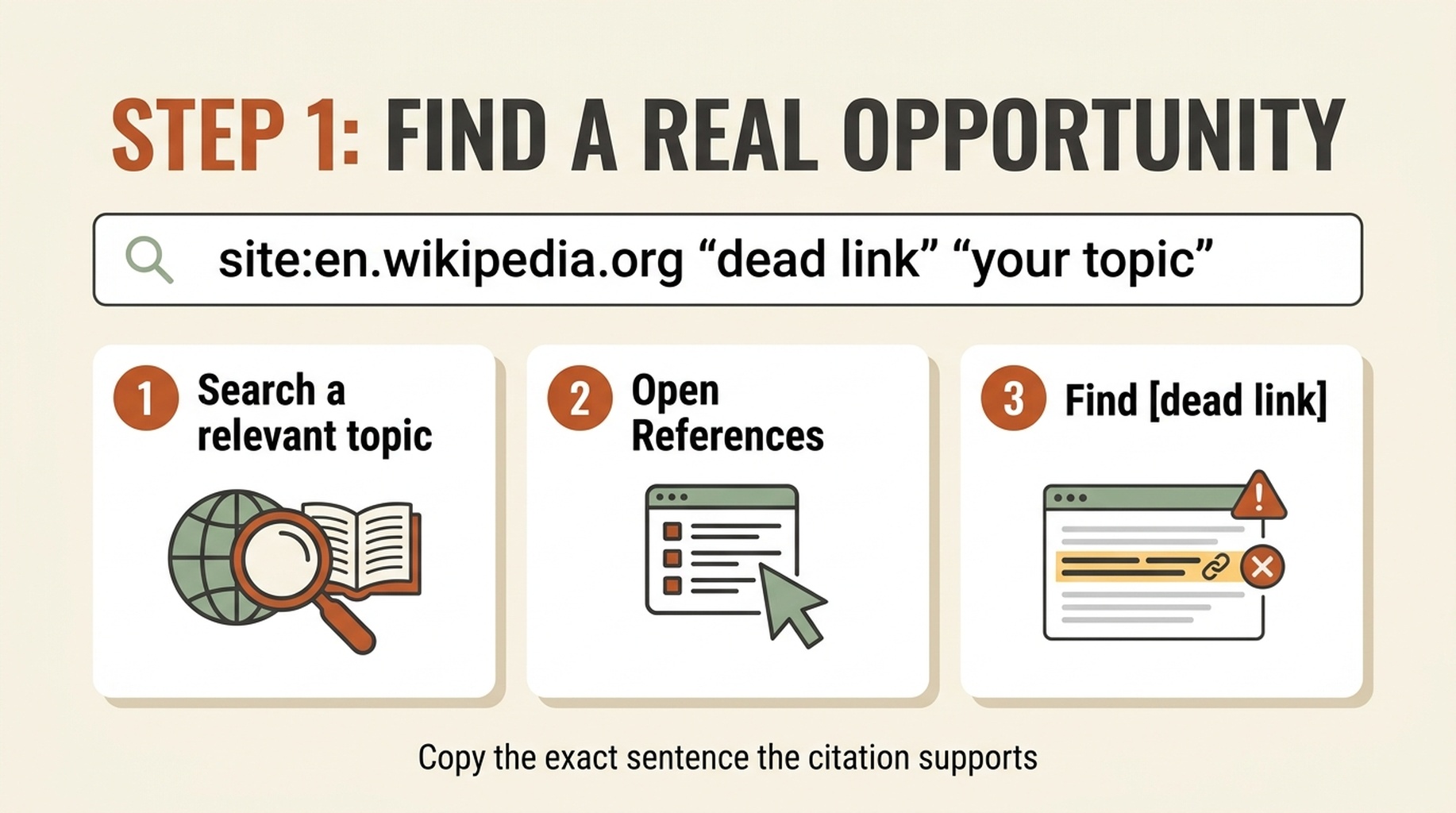
The whole method is Find → Create → Replace. The important part is matching the exact claim, not merely inserting a relevant URL.
Step 1: find a dead-link opportunity
Start with a topic that is close to the content you can credibly create. If you publish data-backed content about email marketing, search for Wikipedia pages about email marketing, newsletters, deliverability, or related industry terms. Do not start with a page about your own company or product.
Use Google to narrow the hunt. Replace your topic with the subject you cover:
site:en.wikipedia.org "dead link" "your topic"
You can also use:
site:en.wikipedia.org "citation needed" "your topic"
site:en.wikipedia.org "link rot" "your topic"
Open a result and use the browser's Find command for dead link, dead URL, 404, or citation needed. Then scroll to the reference number attached to that marker.
Do not start by looking for somewhere to place your domain. Start by finding a claim that has lost its source.
Step 2: copy the exact sentence that needs a source
This is the step most people skip, and it is why their edits fail.
Copy the full sentence immediately before the reference. Put it in a spreadsheet or document, then add four notes beside it:
Note | Example |
|---|---|
Claim | "Email authentication reduced spoofing reports in 2024." |
Evidence type | Survey, official dataset, academic study, or news report |
Scope | Year, country, audience, and definition used in the claim |
Original URL | The broken reference URL and its title, if visible |
Your replacement page must prove that exact sentence. It is not enough that it covers the same broad topic.
For example, an article titled "Email Security Tips" cannot replace a citation for a specific 2024 statistic. A current dataset or research page that states the same metric, scope, and date might.
Step 3: check the old source before creating a new page
Open the dead URL in the Wayback Machine or another web archive. If the old source is available there, read it.
You want to answer three questions:
- What fact did the original source actually support?
- Was it a primary source, a report, a news article, or an opinion piece?
- Is there already a newer version from the same publisher?
If the archive still works, the simplest and most useful edit may be to restore the archived link. If the publisher has a current version, that may be the best replacement. Move on to content creation only when you can add something genuinely better for that claim.
Step 4: create the replacement page around the claim
Now create a page whose job is to answer the sentence you copied. A replacement page should not be a thin blog post with one paragraph about the keyword.
Use this minimum structure:
Section | What to include |
|---|---|
Direct answer | State the fact or question clearly near the top. |
Evidence | Show the source data, method, dates, definitions, and limitations. |
Context | Explain what the number or finding means and does not mean. |
Sources | Link to the primary materials and independent references you used. |
Maintenance | Publish date, author or editor, update date, and a stable URL. |
Here is a simple test: if you removed every mention of Wikipedia, would the page still be useful to a reader, journalist, researcher, or buyer? If the answer is no, it is not ready.
Step 5: replace the dead citation
Create a Wikipedia account if you do not already have one. On the relevant page, click Edit next to the citation or open the full editor. Replace only the broken URL or citation with your working source. Do not rewrite unrelated parts of the article.
Your edit summary can be short and factual:
Replaced a dead source with a working source that supports the same claim.
Before publishing, use Show preview and check three things:
- The new source opens without an error.
- It supports the sentence next to the citation.
- You did not accidentally change any other text or reference.
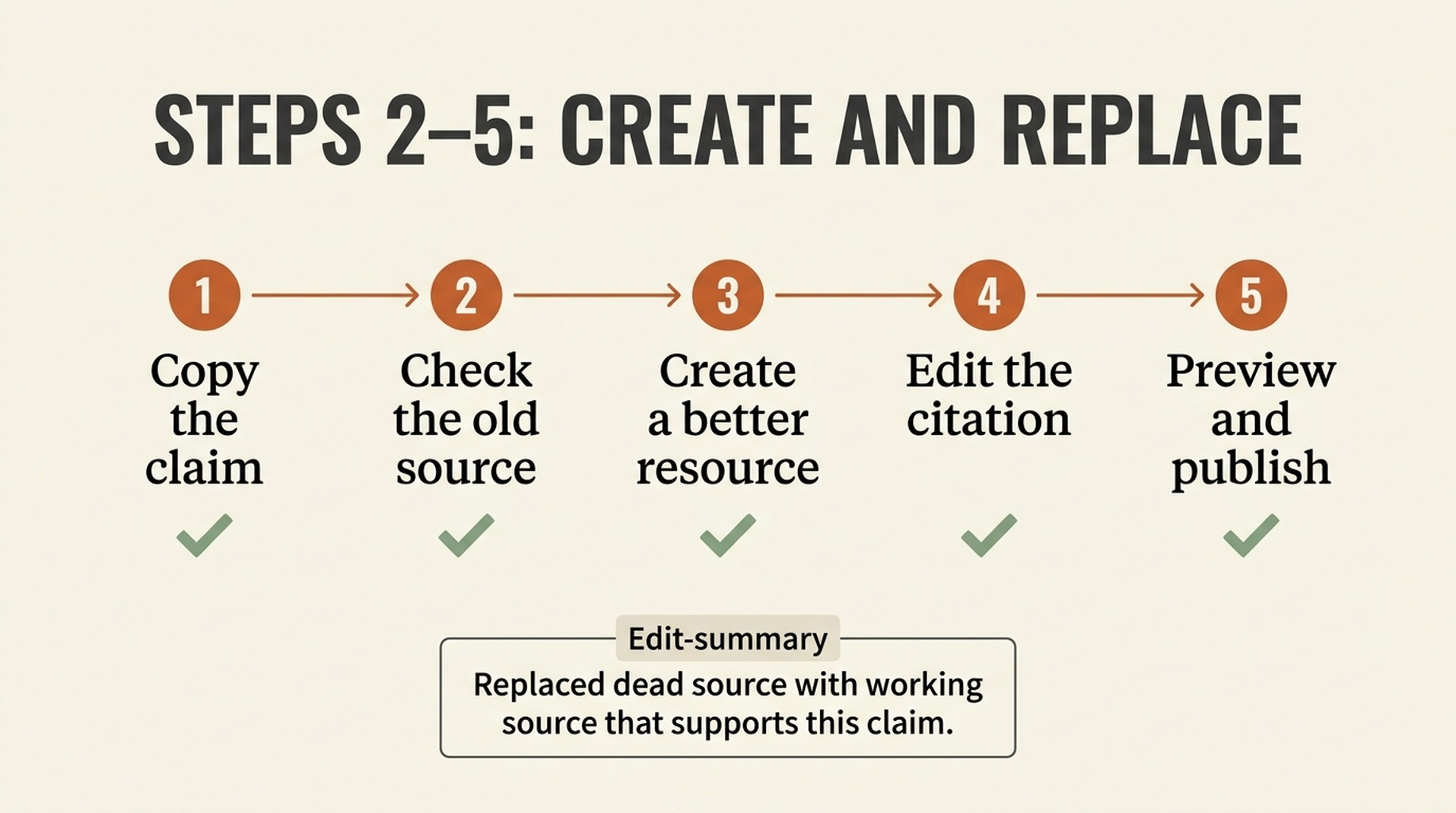
Keep the edit narrow. Replace the failed source, preview the citation, and publish only when the new page supports the same claim.
Step 6: check whether the link is live
After saving, reopen the page in an incognito window or a logged-out browser. Click the reference. If it opens your page, the replacement is live.
Do not expect Google Search Console to show the referring link immediately. Check Links → Top linking sites over the following weeks. Look for wikipedia.org, then inspect the linked pages report. The reporting delay varies, and an edit can still be changed or removed later.
Track each attempt in a simple sheet:
Wikipedia page | Claim replaced | Your URL | Edit date | Link still live? | Search Console seen? |
|---|---|---|---|---|---|
[Page title] | [Exact sentence] | [Your page] | [Date] | Yes / No | Yes / Not yet |
This makes it much easier to learn which types of source pages survive editorial review.
What causes a replacement to get removed
The most common reason is simple: the new page does not prove the same claim.
Avoid these mistakes:
- Replacing a report with a sales page or a generic blog post.
- Adding the same domain to several unrelated articles.
- Replacing a dead citation when an archived original source already works.
- Editing pages about your own company, client, employer, or product without disclosing that relationship.
- Using a source with no author, publication date, method, or evidence.
If you have a commercial connection to the replacement page, use the article's Talk page instead of editing the citation directly. State the exact claim, the broken source, your relationship, and the working candidate source. Independent editors can decide whether it belongs.
A 30-minute first attempt
If you want to test this today, use this timer:
Time | Action |
|---|---|
0–5 minutes | Search for one relevant page and find one broken reference. |
5–10 minutes | Copy the claim and inspect the old source in an archive. |
10–20 minutes | Decide whether you have, or can create, an exact-match resource. |
20–25 minutes | Prepare the citation and edit summary. |
25–30 minutes | Preview, publish, and log the result. |
Your first attempt may end with an archived link rather than a backlink. That is normal. The goal is to build the habit of finding claim-level content gaps, then acting only when your resource is the right fit.
FAQ
Does this method guarantee a Wikipedia backlink?
No. Wikipedia editors can remove or replace any citation. Your odds are better when the original source is genuinely dead and your page supports the exact same claim with clear evidence.
Do I need to create a brand-new article for every opportunity?
No. Sometimes you already have a suitable research page. Often the right answer is an archive or a newer official source. Create new content only when it adds real value.
Are Wikipedia links dofollow?
Wikipedia external links generally use nofollow. The practical value can include referral visibility, a discoverable citation, and stronger source documentation. Do not promise a direct ranking increase.
Can I use this method for my own business page?
Be careful. If you are connected to the page commercially, disclose the connection and use the Talk page to request review rather than placing the link yourself.
Author: Isabel Grant, Researcher of 2,000+ AI Citation Patterns at Auspia. Isabel writes about citation quality, source selection, and the evidence that makes a brand easier to verify.


