


What You'll Finish With
By the end of this checklist, you will have:
- A technically sound website that Google and AI crawlers can access, render, and understand.
- A keyword map that tells you exactly which pages to create or improve.
- Every important page optimized with clear titles, headings, and content that answers real questions.
- Your site ready for AI Overviews, ChatGPT, Perplexity, and other AI search surfaces.
- A backlink strategy that builds real authority instead of chasing spammy links.
- A monitoring dashboard that catches problems before they hurt your traffic.
Who this is for: SEO beginners, solo founders, content marketers, and small teams who want a complete SEO workflow without hiring an agency.
What you need: A website, access to Google Search Console (free), Bing Webmaster Tools (free), Google Analytics 4 (free), and Claude Code or OpenAI Codex installed on your machine. No paid SEO tools are required. Every step includes a Codex prompt that does the technical work for you.
Time required: Most phases take 60–90 minutes with Codex assistance. The full checklist can be completed over one week, working phase by phase.
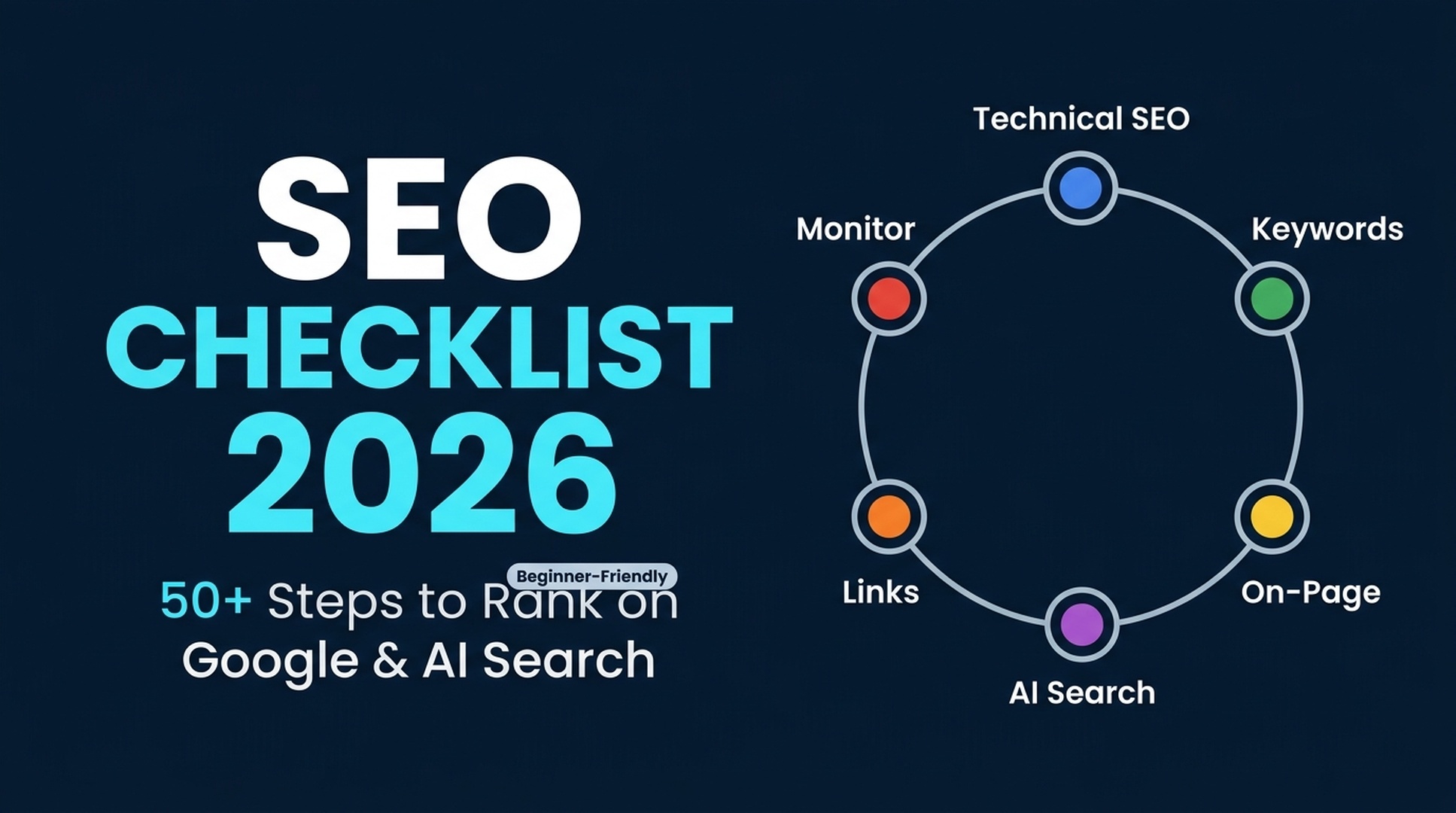
Watch the Video Summary — A 1-minute narrated walkthrough of all 6 phases, from Technical SEO to AI Search readiness and ongoing monitoring.
Before You Start: Access, Inputs, and Assumptions
Before running any Codex prompt, set up these free accounts. Codex cannot create accounts for you, but it can verify that they are configured correctly once active.
Tool | What It Does | Setup Time |
|---|---|---|
Google Search Console | Shows which queries bring traffic, which pages are indexed, and which have errors | 10 min |
Bing Webmaster Tools | Same as GSC, plus AI Performance reports showing Bing Copilot citations | 10 min |
Google Analytics 4 | Tracks visitor behavior, traffic sources, and conversions | 15 min |
Claude Code or Codex | Runs the prompts in this checklist — install via terminal | 5 min |
Assumption: Your site uses HTTPS, has an XML sitemap, and is at least partially indexed by Google. If any of these are missing, Phase 1 covers them.
Phase 1: Technical SEO Foundation
Technical SEO decides whether your content gets seen. If Google cannot crawl or render your pages, nothing else you do counts. This phase also covers AI crawler access — a 2026 requirement, since AI search engines now fetch your content directly.
Phase 1 Checklist
# | Task | Why It Matters |
|---|---|---|
1 | Verify Google Search Console property and submit XML sitemap | Without this, Google has no instruction manual for your site |
2 | Verify Bing Webmaster Tools and enable IndexNow | Instant URL submission to Bing and AI search surfaces that use Bing's index |
3 | Check robots.txt — ensure important pages are not blocked; configure AI crawler rules | AI crawlers (GPTBot, ClaudeBot, PerplexityBot, Google-Extended) respect robots.txt; blocking them prevents AI citations |
4 | Force HTTPS across all pages with 301 redirects | Mixed HTTP/HTTPS versions split your ranking signals |
5 | Set canonical tags on every page | Prevents duplicate-content confusion when the same page is reachable via multiple URLs |
6 | Fix broken links (404s), redirect chains, and server errors (5xx) | Each broken link wastes crawl budget and creates a dead end for visitors |
7 | Check mobile usability — text readable without zoom, buttons tappable, no horizontal scroll | Google indexes the mobile version of your site first |
8 | Measure Core Web Vitals: LCP under 2.5s, INP under 200ms, CLS under 0.1 | Poor performance directly reduces rankings and drives visitors away |
9 | Generate or verify llms.txt file | Helps AI systems understand your site structure and key pages |
10 | Add Organization or LocalBusiness schema via JSON-LD | Tells search engines who you are, which is the foundation for entity-based search |
How Codex Handles Phase 1
Copy the prompt below into Claude Code or Codex. Replace yourdomain.com with your actual domain.
## Technical SEO Audit Prompt

Run a complete technical SEO audit on https://yourdomain.com. For each item, report status (pass/fail/warning), the evidence you found, and the specific fix required.

**Checklist:**
1. **Indexing status** — Check Google Search Console "Pages" report if connected, otherwise use a public site: search operator to estimate indexed pages. Report the count and any URL patterns that suggest under-indexing.
2. **Robots.txt** — Fetch https://yourdomain.com/robots.txt. Check if it blocks search crawlers (`Googlebot`, `Bingbot`) or AI crawlers (`GPTBot`, `ClaudeBot`, `PerplexityBot`, `Google-Extended`, `OAI-SearchBot`). Recommend permissive rules for search crawlers and deliberate rules for AI crawlers based on the user's preference.
3. **HTTPS and redirects** — Check if http://yourdomain.com redirects to https://yourdomain.com with a 301. Check if http://www.yourdomain.com redirects to the canonical domain. Report any redirect chains.
4. **Canonical tags** — Fetch the homepage and 3 sample internal pages. Check if each has a self-referencing canonical `<link rel="canonical">` tag. Flag any that are missing or point to a different URL.
5. **Broken links** — Use a lightweight crawl (list internal links from the homepage and 10 internal pages) and check HTTP status codes. Report any 404, 410, or 5xx URLs.
6. **Mobile usability** — Describe what you would check (readable text without zoom at 360px viewport width, tappable buttons spaced ≥8mm apart, no horizontal scrollbar). Note: Codex cannot render pages, so mark this as "requires manual verification or Lighthouse audit."
7. **Core Web Vitals** — If Google Search Console or PageSpeed Insights data is accessible, report LCP, INP, and CLS values. Otherwise, provide the PageSpeed Insights URL: `https://pagespeed.web.dev/?url=https://yourdomain.com` and ask the user to paste the results.
8. **llms.txt** — Check if https://yourdomain.com/llms.txt exists. If not, draft one based on the site's visible navigation and key pages. Format per the llms.txt spec.
9. **Schema markup** — Fetch the homepage HTML and check for JSON-LD structured data. Verify at minimum Organization or LocalBusiness schema with name, url, and description. Flag missing or invalid schema.

**Output format:** A markdown report with a summary scorecard (pass/fail/warning count), then one section per checklist item with: status, evidence, recommended fix, and the exact code or configuration change needed.

**Safety rules:**
- Do not access or read any file containing API keys, tokens, passwords, or credentials.
- Do not write configuration changes or deploy redirects unless the user explicitly approves each change.
- Mark any finding that requires login access as "needs user verification."
Quality Check for Phase 1
Verification | How to Check |
|---|---|
All important pages are indexed | Search |
HTTPS works everywhere | Visit |
No broken links | Run the Codex audit prompt again after fixes — the broken-link count should be zero |
Core Web Vitals pass | Open |
llms.txt is live | Visit |
Phase 2: Keyword Research That Feeds Both Search and AI
Keyword research in 2026 is no longer about stuffing exact-match phrases. Google and AI search engines both interpret intent, not just word matching. Your keyword research must identify the questions people ask, the problems they want solved, and the decisions they need to make.
Phase 2 Checklist
# | Task | Why It Matters |
|---|---|---|
11 | List your seed topics — the 5–10 core subjects your business covers | Seeds are the root of every keyword cluster; without them you are guessing |
12 | For each seed, identify question-based queries (how, what, why, best, vs, near me) | AI search surfaces prefer answering clear questions; question-keyword pages are your entry point |
13 | Group keywords by search intent: informational, commercial, transactional, navigational | One page per intent cluster prevents keyword cannibalization |
14 | Check Google Search Console for queries you already rank for (positions 4–20) | These are your quickest wins — a small improvement moves them to page one |
15 | Check Bing Webmaster Tools AI Performance report for queries where Bing Copilot cites competitors | The AI citation gap is the 2026 equivalent of a SERP opportunity |
16 | Map each keyword cluster to an existing page or a planned new page | Every keyword must have a home; unassigned keywords are missed traffic |
17 | Prioritize by business value, not just search volume | A low-volume commercial query that converts is worth more than a high-volume informational query that never leads to action |
How Codex Handles Phase 2
## Keyword Research Prompt

Help me build a keyword map for my website. I will provide my seed topics, target market, and business goals.

**Input I provide:**
- My website URL or a description of what my business does
- My 5–10 seed topics
- My target country/market (e.g., United States, United Kingdom)
- My business goal (e.g., generate leads, sell products, grow newsletter subscribers)

**What you do:**

1. **Expand seeds into question keywords.** For each seed topic, generate 10 question-based queries using these patterns:
   - "how to [seed]"
   - "what is [seed]"
   - "best [seed] for [use case]"
   - "[seed] vs [alternative]"
   - "why does [seed] [outcome]"
   - "[seed] near me" (if local)
   - "[seed] checklist" / "[seed] guide" / "[seed] template"

2. **Label intent for every keyword:**
   - `informational` — the searcher wants to learn something
   - `commercial` — the searcher is comparing options before buying
   - `transactional` — the searcher is ready to take action (buy, sign up, download)
   - `navigational` — the searcher wants a specific brand or page

3. **Group keywords into clusters.** A cluster is a set of closely related keywords that one page can cover. Name each cluster and list its keywords.

4. **Create the page map.** For each cluster, recommend:
   - A target URL slug
   - A page type (blog post, product page, category page, landing page, comparison page, FAQ page)
   - A working title that includes the primary keyword naturally
   - The secondary keywords the page should also cover

5. **Prioritize.** Sort clusters by business value using this logic:
   - Commercial + transactional intent > informational intent (unless the informational page is a proven traffic driver)
   - Keywords you already rank for at positions 4–20 > brand-new keywords
   - Keywords where competitors have thin, outdated content > keywords dominated by strong, recent pages

6. **Flag what is missing.** If I cannot provide Google Search Console data, Bing AI performance data, or a paid keyword tool export, mark search volume, difficulty, and AI citation data as "requires tool data — not estimated."

**Output format:** A markdown report with:
- A summary table: cluster name, primary keyword, intent, recommended page type, priority (high/medium/low)
- One section per cluster with: all keywords, recommended slug, working title, secondary keywords to cover
- A "quick wins" section: keywords ranked 4–20 that can be improved immediately

**Safety rules:**
- Do not guess search volume, keyword difficulty, CPC, or SERP features.
- If I provide GSC or Bing data exports, cite the exact report, date range, and market.
- Do not ask for or store API keys in any output.
Quality Check for Phase 2
Verification | How to Check |
|---|---|
Every seed has question-keyword coverage | Count the questions per seed — each should have at least 8–10 |
Intent labels are accurate | Spot-check 5 keywords by searching them on Google; the top 3 results should match your intent label |
Every keyword is assigned to a page | Scan the page map — no orphan keywords |
Priority logic holds | High-priority clusters should be commercial or quick-win keywords, not random high-volume picks |
Phase 3: On-Page SEO and Content Quality
On-page SEO in 2026 serves two audiences: human readers who need clear answers, and AI systems that pull those answers into search results, AI Overviews, ChatGPT, and Perplexity. The same fundamentals work for both — clear structure, direct answers, and content that cites its sources.
Phase 3 Checklist
# | Task | Why It Matters |
|---|---|---|
18 | Write unique title tags under 60 characters, with the primary keyword near the front | The title tag is still the strongest on-page ranking signal and the first thing searchers see |
19 | Write meta descriptions (145–155 characters) that include a freshness signal like "2026" | While not a direct ranking factor, compelling descriptions improve click-through rate, which IS a ranking signal |
20 | Use exactly one H1 per page, matching or closely related to the title tag | The H1 confirms the page topic for both search engines and screen readers |
21 | Structure content with a clear H2 → H3 hierarchy; each H2 answers one distinct question | AI Overviews and AI search pull answers from self-contained sections with clear headings |
22 | Write a 40–60 word direct answer immediately after each H2 heading | AI extraction systems grab concise answer blocks; buried answers get missed |
23 | Include the primary keyword in the first 100 words, in at least one H2, and naturally throughout | Keyword presence confirms relevance without stuffing |
24 | Add 3–5 internal links per 1,000 words using descriptive anchor text | Internal links distribute authority and help both users and crawlers navigate |
25 | Add 2–3 external links to authoritative, non-competing sources | Citing credible sources signals that your content is well-researched — this matters for E-E-A-T |
26 | Use short, descriptive URLs (under 75 characters, hyphens between words) | Clean URLs improve click-through and are easier for AI systems to parse |
27 | Optimize images: compress to WebP/AVIF, add descriptive alt text, enable lazy loading | Images are often the largest page element; optimized images improve Core Web Vitals directly |
28 | Include original data, examples, or first-hand observations | AI search systems prefer citing pages with unique, quotable information over generic rewrites |
29 | Add an author bio with real credentials on every article | E-E-A-T requires demonstrating who wrote the content and why they are qualified |
30 | Set a visible "Last updated" date and refresh content when facts change | Freshness is a query-dependent ranking factor; outdated content loses trust with both readers and AI |
How Codex Handles Phase 3
## On-Page SEO Audit and Content Fix Prompt

Audit and fix the on-page SEO for a specific URL I provide. Produce two things: an audit report showing what is wrong, and the corrected content.

**Input I provide:**
- The URL of the page to audit
- Optionally, the primary keyword this page targets
- Optionally, 2–3 secondary keywords

**What you do:**

1. **Fetch and analyze the page.** Extract:
   - Title tag text and length
   - Meta description text and length
   - H1 text and count (flag if zero or more than one)
   - Heading hierarchy (H2, H3 counts and text)
   - First 100 words of body text — does the primary keyword appear?
   - Internal link count and anchor text variety
   - External link count and destination domains
   - Image count, alt text completeness, and format references
   - Visible publication or "last updated" date
   - Author byline presence

2. **Score each element** as pass, needs-improvement, or missing. Provide the specific fix for each.

3. **Rewrite the content** to meet 2026 on-page standards:
   - If the title tag needs fixing, provide a new one under 60 characters.
   - If the meta description needs fixing, provide a new one with a freshness signal.
   - Restructure headings into a clear hierarchy: one H1, descriptive H2s that each answer a question, and H3s for supporting detail.
   - Add a 40–60 word direct answer block after each H2.
   - Ensure the primary keyword appears in the first 100 words, one H2, and naturally 3–5 times in the body.
   - Add 3–5 internal link suggestions with descriptive anchor text.
   - Add 2–3 external link suggestions to authoritative sources.
   - Generate descriptive alt text for any image placeholders.
   - Add an "About the author" note template and a "Last updated" date.

4. **Check for AI-extractability.** After rewriting, verify:
   - Every H2 is followed by a concise answer block.
   - No section is purely narrative without a takeaway.
   - Lists, tables, and structured formatting are used where they improve scanability.
   - The page can stand alone as a complete answer to its primary question.

**Output format:**
- A scorecard table: element, status, current value, recommended fix
- The rewritten body content in markdown, ready to paste into a CMS
- A separate list of changes the user must make in their CMS (title tag, meta description, URL slug, publish date)

**Safety rules:**
- Do not claim that any specific heading structure, schema, or word count guarantees an AI Overview or featured snippet.
- Do not fabricate statistics, case studies, quotes, or "research shows" claims. If the original page has data, preserve and attribute it. If it does not, note "consider adding original data or examples here" without inventing them.
- Preserve the user's brand voice and factual claims. Do not add opinions or claims the original page did not make.
Quality Check for Phase 3
Verification | How to Check |
|---|---|
Title tag is unique and under 60 chars | View the page source and check |
Every H2 has a direct answer within 60 words of it | Scroll through the page — each H2 should be immediately followed by a short, standalone answer paragraph |
Internal links use varied, descriptive anchor text | Scan the page for linked text — avoid "click here," "read more," or identical anchor text on different links |
Images have alt text | Right-click any image → Inspect — the |
Author and date are visible | Scroll to the top and bottom — both should be visible without clicking |
Phase 4: AI Search and GEO Readiness
This is the newest part of SEO in 2026. AI search traffic grew over 500% in 2025, and AI Overviews show up in roughly 19% of commercial queries. Getting cited by ChatGPT, Perplexity, Google AI Overviews, and Bing Copilot takes the same foundation as good SEO — plus a few extra steps you control.
Phase 4 Checklist
# | Task | Why It Matters |
|---|---|---|
31 | Decide which AI crawlers to allow in robots.txt | Each AI platform has its own crawler; blocking them all prevents AI citations, but allowing all may raise concerns about content use |
32 | Create an llms.txt file listing your key pages with descriptions | The emerging standard for helping AI systems understand your site structure at a glance |
33 | Write 40–60 word concise answer blocks after every H2 heading on your most important pages | AI Overviews and AI search pull direct answers from well-structured content |
34 | Format Q&A sections as clear questions followed by complete, self-contained answers | AI systems can extract and cite individual Q&A pairs when they are clearly separated |
35 | Add Article, FAQPage, Organization, BreadcrumbList, and HowTo schema via JSON-LD | Note: FAQPage schema lost Google rich results in May 2026, but it still helps AI systems parse Q&A structure |
36 | Include at least one original data point, statistic, or expert quote on key pages | AI prefers citing pages with unique, attributable information over generic content |
37 | Ensure your brand name, description, and contact info are consistent across your site, Wikipedia, Wikidata, Crunchbase, and social profiles | Entity consistency is how AI systems know your brand is the same entity across the web |
38 | Create at least one "recommendation" page that directly answers a "[Best X] for [Y]?" style query | AI assistants answering user recommendation requests pull from pages structured this way |
39 | Check your AI search visibility: search your brand and top keywords on ChatGPT, Perplexity, and Google | If you are not cited, your competitors are — this is the 2026 visibility audit |
40 | Make critical pages work without JavaScript | AI crawlers and some search crawlers do not execute JavaScript; content that requires JS to render is invisible to them |
How Codex Handles Phase 4
## GEO / AI Search Readiness Audit Prompt

Run an AI search readiness audit on https://yourdomain.com. Check how well the site is prepared to be cited by ChatGPT, Perplexity, Google AI Overviews, and Bing Copilot.

**Checklist:**

1. **AI crawler access** — Fetch robots.txt and list every AI-specific crawler rule. Flag if any of these are blocked: `GPTBot`, `ClaudeBot`, `PerplexityBot`, `Google-Extended`, `OAI-SearchBot`, `CCBot`. Explain the tradeoff for each: blocking prevents AI training use but may reduce citation visibility.

2. **llms.txt audit** — Check if llms.txt exists and is well-formed. If it exists, score it: does it list the most important pages? Are descriptions concise and accurate? If it does not exist, draft one based on the site structure.

3. **Answer extractability score** — Fetch up to 5 important pages. For each page:
   - Check if each H2 is followed by a self-contained answer block (40–60 words).
   - Check if the page has at least one quotable statement (a unique fact, stat, or definition).
   - Check if Q&A pairs are clearly separated or buried in narrative paragraphs.
   - Score each page: strong / adequate / weak for AI extraction.

4. **Schema coverage** — Check for JSON-LD structured data on the homepage and 3 internal pages. List what schema types are present and what is missing. Flag any use of deprecated types (FAQPage, HowTo, SpecialAnnouncement were retired from Google rich results — they still help AI parsing but will not generate rich snippets).

5. **Entity consistency check** — Search for the brand name across the site's About page, contact page, and homepage. Check if the brand name, description, and core facts are stated consistently. Flag any contradictions (different brand names, different descriptions of what the company does, different addresses or contact details).

6. **JavaScript dependency** — For each sampled page, check if the main content is visible in the raw HTML (before JavaScript execution). Flag pages where the `<body>` is mostly empty or where content is loaded via JavaScript. These pages are at risk of being invisible to AI crawlers.

7. **AI visibility spot-check** — Provide search URLs the user can open to check their own visibility:
   - ChatGPT: "Search for 'who is [brand name]' and 'best [your category]' on ChatGPT with web search enabled"
   - Perplexity: `https://www.perplexity.ai/?q=what+is+[brand+name]`
   - Google: Search your primary keyword and check if AI Overviews appear — if they do, note which sources are cited

**Output format:** A readiness report with:
- Overall AI readiness score: strong / adequate / needs-work
- One section per checklist item with findings and prioritized fixes
- A summary action list ranked by impact: do these first, do these next, consider these later

**Safety rules:**
- Do not search AI platforms programmatically or claim to have fetched AI search results. Provide the search URLs for the user to check manually.
- Do not claim that implementing any specific technique guarantees AI citations.
- The recommendation to allow or block AI crawlers is a business decision — present the tradeoffs and let the user decide.
Quality Check for Phase 4
Verification | How to Check |
|---|---|
llms.txt is live and returns plain text | Visit |
Key pages render without JavaScript | Open a key page in a browser, disable JavaScript (DevTools → Settings → Debugger → Disable JavaScript), reload — main content should be visible |
Brand info is consistent | Compare your About page, homepage footer, and any Wikipedia/Wikidata entry — name, description, and core facts should match |
AI crawler rules are deliberate | Check robots.txt — every AI crawler rule should have a documented reason, not be an accident of a generic template |
Phase 5: Link Building and Authority Signals
Links are still one of the top three ranking factors in 2026. What changed from five years ago: AI search systems now use links and brand mentions as authority signals too. A site that gets referenced widely is more likely to show up in ChatGPT and Perplexity. The playbook has shifted — buying links is riskier than ever, and relevance beats raw count.
Phase 5 Checklist
# | Task | Why It Matters |
|---|---|---|
41 | Audit your existing backlink profile — which domains link to you, and with what anchor text? | You cannot improve what you do not measure; an audit reveals toxic links, competitor gaps, and quick-win opportunities |
42 | Analyze 2–3 competitors' backlink profiles — where do their links come from? | Competitor backlinks are a map of where your industry grants authority; if a site links to three competitors but not you, that is an opportunity |
43 | Find and reclaim unlinked brand mentions | When someone mentions your brand, product, or founder without linking, a polite email converts a mention into a link ~30–50% of the time |
44 | Create at least one linkable asset: an original data study, a free tool, a definitive guide, or a template | The most reliable way to earn links is to publish something worth linking to |
45 | Identify 10–20 relevant sites for outreach — prioritize relevance over domain authority | A link from a small but topically relevant site is worth more than a link from a large, unrelated site |
46 | Write and send personalized outreach emails — no templates, no mass blasts | Template outreach has a response rate near zero; personalized emails that reference specific content on the target site get opened |
47 | Build a few foundation links: relevant directories, industry associations, local chambers of commerce | These are low-risk, legitimate links that establish baseline authority for a new site |
48 | Disavow only obviously toxic or spammy links — do not over-disavow | Google is good at ignoring low-quality links; disavowing normal links can hurt more than it helps |
How Codex Handles Phase 5
## Link Building Research and Strategy Prompt

Help me build a link building strategy. I will provide my domain and 2–3 competitor domains.

**Input I provide:**
- My website URL
- 2–3 competitor URLs
- My industry or niche (1–2 sentences)
- Any existing link data I have (Ahrefs/Semrush export, GSC "Links" report, or none)

**What you do:**

1. **Analyze the backlink landscape from what I provide.** If I share GSC "Top linking sites" data, analyze: which types of sites link to me (blogs, news, directories, forums), what anchor text they use, and whether the link profile looks natural or spammy. If I have no data, provide step-by-step instructions for exporting the GSC Links report and a framework for analyzing it.

2. **Identify competitor link gaps.** If I provide competitor URLs and any backlink data, identify domains that link to competitors but not to me. Prioritize by relevance to my industry.

3. **Find unlinked brand mentions.** Provide search operators the user can run to find pages that mention their brand without linking:
   - `"[Brand Name]" -site:yourdomain.com -link:yourdomain.com`
   - `"[Founder Name]" -site:yourdomain.com`
   - `"[Product Name] review" -site:yourdomain.com`
   Explain how to qualify these (Is the mention positive? Is the page indexed? Does the page link to other resources?) and draft a polite, non-template outreach email.

4. **Brainstorm linkable assets.** Based on the user's industry, suggest 5 linkable asset ideas:
   - Original data studies (survey your customers, analyze public data, compile industry benchmarks)
   - Free tools or calculators
   - Definitive guides that are substantially better than what ranks today
   - Templates, checklists, or swipe files
   - Industry statistics roundups (with proper attribution)

5. **Build an outreach list framework.** Provide a Google Sheets or CSV template with columns: target site, relevance reason, contact method, status, and notes. Seed it with 5–10 site types to look for (e.g., industry blogs, resource pages, "best of" listicles, local business associations, podcast show notes pages).

6. **Draft outreach principles, not templates.** Explain what makes an outreach email work:
   - Reference a specific piece of content on their site
   - Explain why their audience would benefit from your resource
   - Make it easy to link (provide the exact URL)
   - One follow-up only, sent 5–7 days later
   - No "Dear Webmaster," no mass BCC, no link exchange offers

**Output format:** A strategy document with:
- Current backlink profile assessment (if data is available)
- Competitor gap opportunities
- Unlinked mention recovery plan with draft email
- 5 linkable asset ideas ranked by feasibility and impact
- Outreach list template and site-type categories

**Safety rules:**
- Do not recommend buying links, link exchanges, PBNs, comment spam, forum profile links, or any link scheme that violates Google's spam policies.
- Do not fabricate competitor backlink data. If the user cannot provide competitor data, suggest free/low-cost ways to get it (GSC Links report, Bing Webmaster backlinks, free tier of Ahrefs/Semrush).
- Unlinked mention outreach email drafts must be templates that the user personalizes, not copy-paste spam.
Quality Check for Phase 5
Verification | How to Check |
|---|---|
Backlink profile is documented | You should have a list of at least 20 linking domains from GSC and know which are valuable and which are noise |
Competitor gaps are identified | At least 3–5 domains link to competitors but not to you — and you have a plan to reach them |
Unlinked mentions are claimed | Search your brand name and check if any mentions remain unlinked |
A linkable asset is in progress | You have started creating at least one piece of content whose primary purpose is to earn links |
Phase 6: Monitoring and Maintenance
SEO is not a one-time project. Rankings slip, competitors publish better pages, AI search behavior changes, and technical issues pile up. A lightweight monitoring routine catches problems before they turn into traffic drops.
Phase 6 Checklist
# | Task | Why It Matters |
|---|---|---|
49 | Check Google Search Console weekly: new errors, traffic changes, new queries | A sudden traffic drop is usually a technical issue you can fix if caught early |
50 | Review Core Web Vitals monthly via GSC or PageSpeed Insights | Performance regressions are common after content updates, plugin changes, or hosting shifts |
51 | Run a full technical SEO audit quarterly | Site drift happens — redirects break, pages go orphan, schema gets outdated |
52 | Refresh underperforming content quarterly: any page where traffic has declined 20%+ from its peak | Refreshing is faster than writing new content and often recovers lost traffic within weeks |
53 | Monitor AI search visibility monthly: spot-check brand and top-keyword presence on ChatGPT, Perplexity, and Google AI Overviews | AI search is the fastest-growing traffic channel; monthly checks tell you if you are gaining or losing ground |
54 | Track competitor content: what are they publishing that you have not covered? | Competitor monitoring is your content calendar — their new pages reveal gaps in your coverage |
How Codex Handles Phase 6
## SEO Monitoring and Maintenance Prompt

Set up a recurring SEO monitoring workflow. I will run this prompt monthly or quarterly to catch issues early.

**Input I provide:**
- My website URL
- My Google Search Console property (if connected)
- My top 5 priority keywords
- My top 3 competitor URLs

**What you do:**

1. **Weekly GSC check framework.** Provide a checklist of exactly what to look at in GSC each week:
   - Performance report: compare last 7 days to previous 7 days — flag any drop over 20%
   - Coverage report: sort by "Submitted and indexed" — flag any sudden drops
   - New queries in the last 28 days — these are your emerging opportunities
   - Manual actions and security issues — should always be zero; check anyway

2. **Monthly Core Web Vitals check.** Provide the PageSpeed Insights URL for the top 5 pages. Explain what to do if metrics degrade: check for new large images, added third-party scripts, plugin updates, or hosting changes.

3. **Quarterly content refresh framework.** For each page the user wants to refresh, analyze:
   - Current traffic trend from GSC (last 6 months)
   - Current ranking position for the primary keyword
   - Competitor pages that now outrank it — what do they have that this page lacks?
   - Specific update recommendations: add 2026 data, replace outdated examples, expand thin sections, add new FAQ questions, update statistics

4. **AI visibility tracker template.** Provide a simple tracking spreadsheet template with columns: date, platform (ChatGPT/Perplexity/Google AI Overviews/Bing Copilot), query, your brand cited? (yes/no), competitor cited? (which one), notes. Include 10–15 queries to track: your brand name, your top 3 keywords, 5 recommendation-style queries relevant to your business, and 2–3 competitor brand names.

5. **Competitor content monitor.** Search each competitor's blog or resource section for new content published in the last 30 days. List any topics they have covered that you have not. For each gap, assess: should you create a page on this topic, or is it outside your scope?

**Output format:** A monitoring dashboard with:
- This month's GSC summary: traffic change, top new queries, any errors to fix
- Core Web Vitals status for top 5 pages
- Content refresh candidates ranked by potential impact
- AI visibility tracker with this month's entries
- Competitor content gaps

**Safety rules:**
- Do not access the user's GSC account unless they have explicitly connected it. If not connected, provide the exact screens and reports to check manually.
- Traffic predictions must be labeled as estimates based on current trends, not guarantees.
Quality Check for Phase 6
Verification | How to Check |
|---|---|
Weekly GSC checks are happening | Set a recurring calendar event — 15 minutes every Monday |
Content refreshes follow a schedule | Your content inventory should have a "last refreshed" date for every page; no page should be older than 12 months without a review |
AI visibility is tracked monthly | Your tracking spreadsheet should have at least one new row per month |
Competitor gaps are addressed | Each quarter, you should publish at least one page that closes a competitor content gap |
Quick-Start Priority Matrix
If the full 54-step checklist feels overwhelming, start here. These are the highest-impact items in each phase. Complete them in order.
Priority | Phase | Task | Time |
|---|---|---|---|
🔴 Do first | Phase 1 | Verify GSC, submit sitemap, check robots.txt | 45 min |
🔴 Do first | Phase 1 | Force HTTPS, set canonicals, fix broken links | 60 min |
🔴 Do first | Phase 1 | Measure Core Web Vitals — fix anything red | 60–120 min |
🟡 Do next | Phase 2 | Build keyword map with question-based queries | 90 min |
🟡 Do next | Phase 3 | Fix title tags and H1s on top 10 pages | 60 min |
🟡 Do next | Phase 3 | Add direct answer blocks after H2s on top 5 pages | 90 min |
🟢 Do when ready | Phase 4 | Create llms.txt, configure AI crawlers, add schema | 60 min |
🟢 Do when ready | Phase 4 | Add original data or expert quotes to top 3 pages | 120 min |
🟢 Do when ready | Phase 5 | Audit backlinks, reclaim unlinked mentions | 90 min |
🔵 Ongoing | Phase 6 | Weekly GSC check, monthly AI visibility check, quarterly content refresh | 30 min/week |
FAQ
Do I need paid SEO tools to follow this checklist?
No. Every phase includes a Codex prompt that works with free tools: Google Search Console, Bing Webmaster Tools, Google Analytics 4, and public data. Paid tools like Ahrefs, Semrush, or DataForSEO can provide more precise data, but they are not required to complete the checklist.
How long does the full checklist take?
With Codex handling the analysis and generating fixes, most users complete all six phases in 8–12 hours of focused work spread across one week. The monitoring phase is ongoing and takes about 30 minutes per week.
Will this checklist guarantee I rank #1 or appear in AI Overviews?
No. No checklist can guarantee rankings or AI citations. What this checklist does is remove the technical, structural, and content obstacles that prevent your site from being seen. After that, ranking depends on competition, content quality, and authority — all of which are in your control to improve over time.
Do I need to know how to code?
No. The Codex prompts in this checklist handle the technical work. You need to be comfortable copying and pasting prompts into Claude Code or Codex, reading the reports they generate, and applying the fixes they recommend in your CMS or hosting control panel.
Can I use these prompts with ChatGPT or another AI tool?
The prompts are written for Claude Code and Codex, which can fetch URLs, read files, and generate structured reports. ChatGPT's web-browsing mode can handle parts of them, but Codex and Claude Code provide deeper, more consistent results because they can crawl multiple pages, compare data sources, and produce actionable output in one session.
What if my site is brand new with no traffic yet?
Start with Phase 1 (technical foundation) and Phase 2 (keyword research). A new site with clean technicals and a clear keyword-to-page map is already ahead of most established sites that skip these steps. Then publish consistently using the on-page checklist in Phase 3, and revisit the remaining phases once you have 10–20 published pages.
How often should I update this checklist?
Search behavior and AI platforms change frequently. Revisit the full checklist every 6 months. The monitoring routine in Phase 6 will catch major shifts between reviews.
Author: Martin Hayes, GEO Playbook Builder for 200+ Execution Checklists at Auspia. Martin writes step-by-step SEO and AI search workflows that beginners can execute without an agency.


