


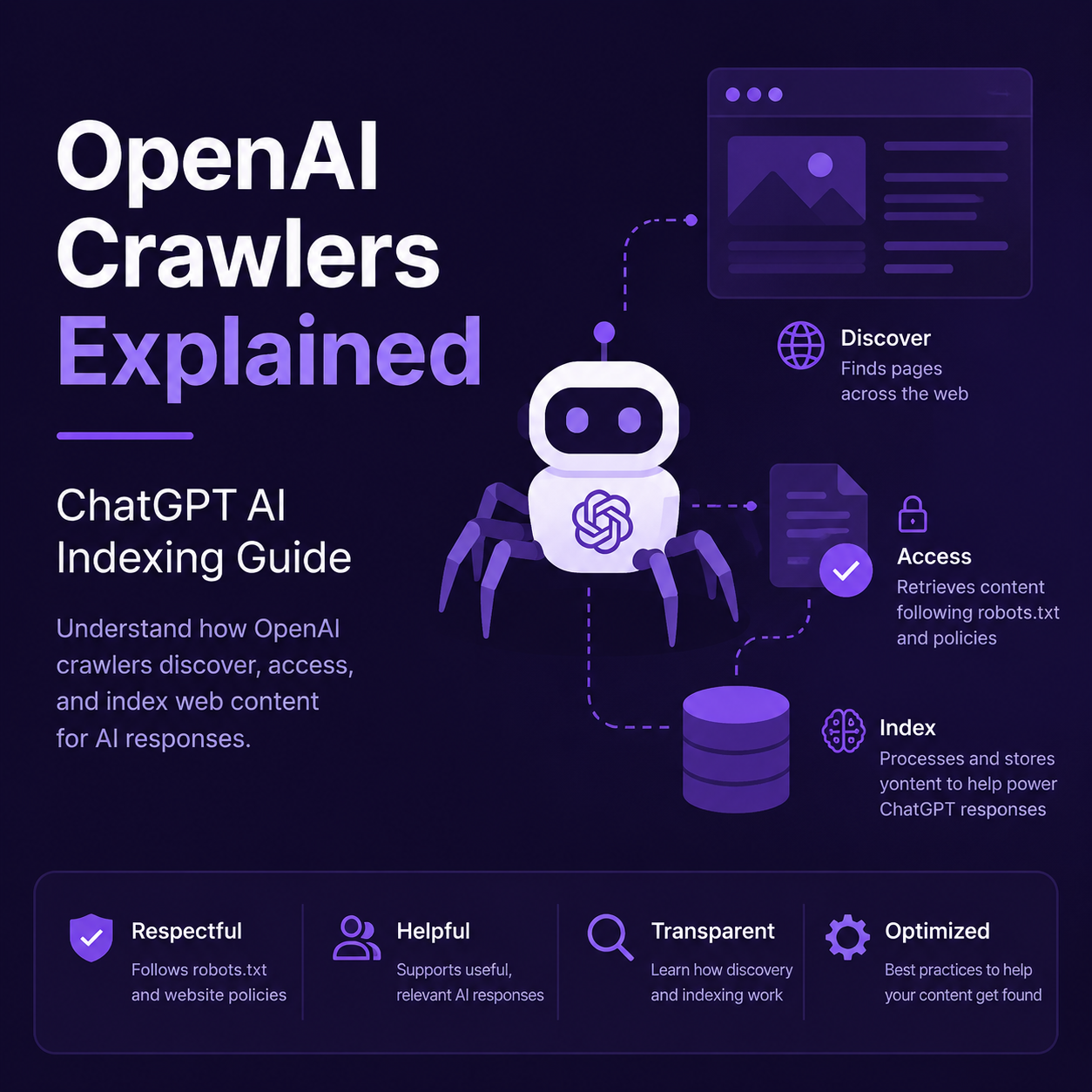
OpenAI operates four distinct web crawlers, each with a separate purpose, a separate robots.txt directive, and a separate impact on whether your site surfaces in ChatGPT. On July 14, 2026, Search Engine Roundtable reported that OpenAI quietly updated its crawler documentation to clarify two things: version numbers in user-agent strings may change over time, and OpenAI may append a robots.txt marker when fetching your robots.txt file to help site owners distinguish those requests in server logs.
This is not a dramatic policy shift. But it is a good reason to audit your robots.txt file and make sure you are not accidentally blocking ChatGPT's search crawler while allowing its training crawler, or vice versa. The four crawlers are independent — you can allow search without allowing training, and the settings do not affect each other.
The four OpenAI crawlers you need to know
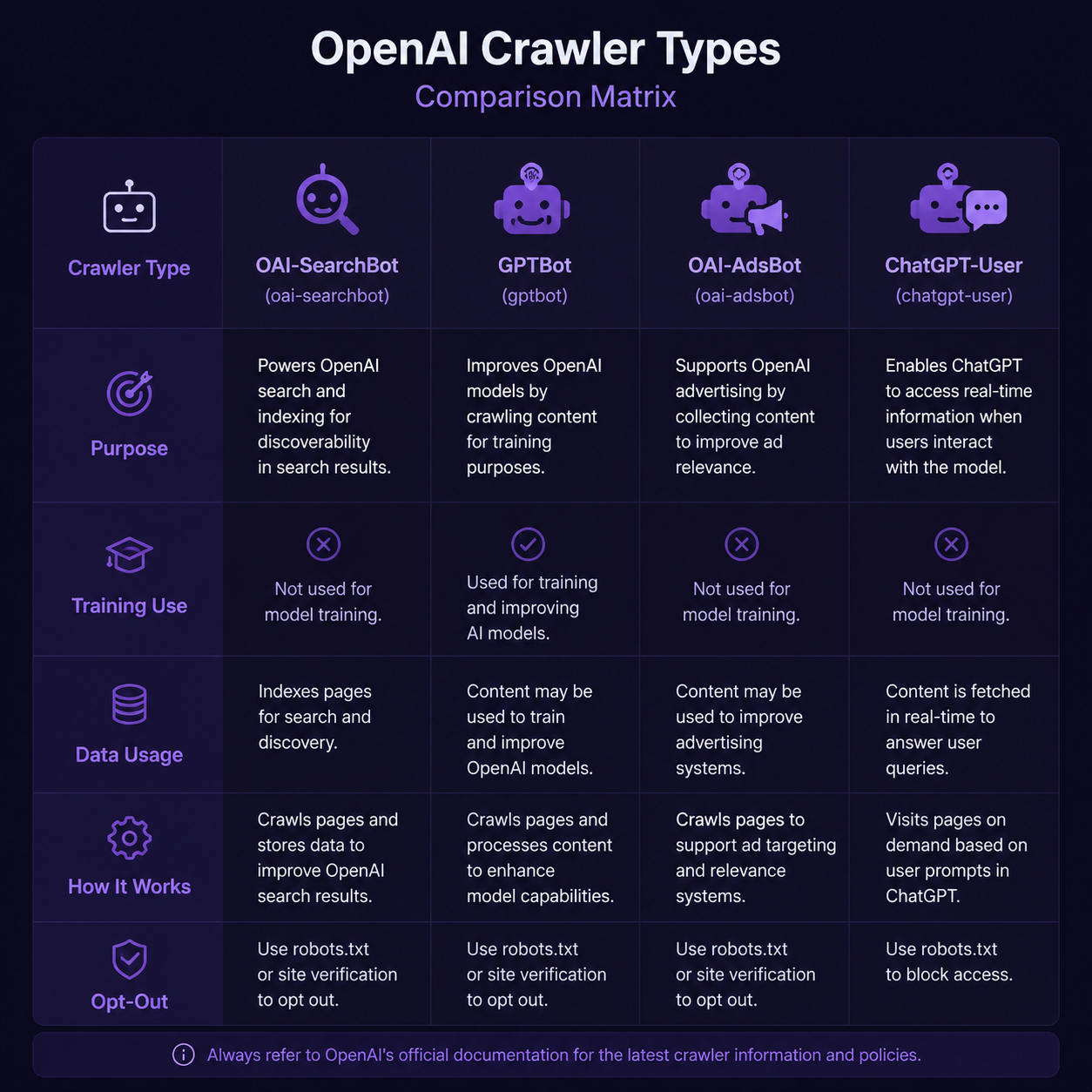
OpenAI's official documentation (updated July 2026, per developers.openai.com/api/docs/bots) defines four user agents. Each has a specific role and a specific robots.txt token.
User agent | Purpose | Crawl trigger | Use for AI training? | Appears in ChatGPT search? |
|---|---|---|---|---|
OAI-SearchBot | Crawl the web to surface pages in ChatGPT search results | Automatic, periodic | No | Yes — this is the one that gets you cited |
GPTBot | Crawl content that may be used in training generative AI models | Automatic, periodic | Yes | No — training data only |
OAI-AdsBot | Validate ad landing pages submitted to ChatGPT ads | Triggered by ad submission | No | No |
ChatGPT-User | Visit pages when a user asks ChatGPT a question or uses a Custom GPT | User-initiated | No | N/A — real-time page fetch, not crawl |
Here is the distinction that matters most: OAI-SearchBot and GPTBot are separate crawlers. Blocking GPTBot does not block ChatGPT search results. Blocking OAI-SearchBot removes your site from ChatGPT's search answers (though it can still appear as a navigational link if a user types your URL directly).
Why this update matters
The July 14, 2026 documentation update is not about new crawlers or new policies. It is about transparency. Two changes were made:
- Version numbers may change. The documented user-agent string shows
OAI-SearchBot/1.4andGPTBot/1.4, but OpenAI now explicitly states the version number may be updated. If your server logs or WAF rules match on a specific version string (e.g.,OAI-SearchBot/1.2), you may unintentionally block a newer version. Always match on the bot name, not the version number. - robots.txt marker for robots.txt fetches. When OpenAI fetches your robots.txt file, it may use a user-agent string with an additional
robots.txtmarker. This helps site owners distinguish robots.txt requests from regular content requests in server logs — especially when logs do not include paths. The marker looks like this:
Mozilla/5.0 (Macintosh; Intel Mac OS X 10_15_7) AppleWebKit/537.36 (KHTML, like Gecko) Chrome/131.0.0.0 Safari/537.36; compatible; OAI-SearchBot/1.4; robots.txt; +https://openai.com/searchbot
The robots.txt token after the version number signals that this request is specifically fetching the robots.txt file, not crawling a content page.
How to configure robots.txt for ChatGPT visibility
The most common question is simple: should you allow OAI-SearchBot? The answer depends on whether you want your pages to appear in ChatGPT search results.
If you want ChatGPT to surface your content in search answers, allow OAI-SearchBot:
User-agent: OAI-SearchBot
Allow: /
If you want to allow search visibility but block AI training, allow OAI-SearchBot and disallow GPTBot:
User-agent: OAI-SearchBot
Allow: /

User-agent: GPTBot
Disallow: /
If you want to block both search and training (not recommended unless you have a specific reason):
User-agent: OAI-SearchBot
Disallow: /

User-agent: GPTBot
Disallow: /
ChatGPT-User does not need robots.txt configuration. Because these visits are user-initiated (a person asks ChatGPT a question, and ChatGPT fetches the page to read it), robots.txt rules may not apply. OpenAI's documentation states this explicitly. You cannot rely on robots.txt to control ChatGPT-User — if you need to block real-time page fetches, you need server-side WAF rules or IP-based blocking.
The IP allowlist factor
OpenAI publishes IP ranges for each crawler. If your WAF or CDN blocks requests from unknown IP ranges, you may be silently blocking OpenAI's crawlers even when your robots.txt allows them.
Crawler | IP range URL |
|---|---|
OAI-SearchBot |
|
GPTBot |
|
OAI-AdsBot |
|
ChatGPT-User |
|
If your site uses Cloudflare, AWS WAF, or a similar service with bot management enabled, verify that these IP ranges are not being challenged or blocked. A robots.txt Allow rule is useless if the crawler never reaches your server.
A practical audit checklist
Run through this checklist to make sure your site is properly configured for ChatGPT AI indexing:
- Check robots.txt for OAI-SearchBot. Is it explicitly allowed or disallowed? If neither, it defaults to allowed — but explicit rules are safer.
- Check for GPTBot separately. Decide independently whether you want your content used for model training.
- Check your WAF or CDN bot rules. Do not rely on robots.txt alone. Verify that OpenAI's published IP ranges are not being blocked or challenged with CAPTCHAs.
- Check server log matches on bot name, not version. If you have rules matching
OAI-SearchBot/1.2orGPTBot/1.0, update them to match the bot name regardless of version. OpenAI has confirmed version numbers may change. - Allow ~24 hours for changes to take effect. OpenAI states that after a robots.txt update, it takes approximately 24 hours for their systems to adjust.
- Test with ChatGPT search. After making changes, ask ChatGPT a question related to your content and see if your pages appear in the search results.
Common mistakes that block ChatGPT visibility
Mistake 1: Blocking all bots with a blanket Disallow.
User-agent: *
Disallow: /
This blocks every crawler, including OAI-SearchBot. If you want to block specific bots, do it by name.
Mistake 2: Blocking GPTBot and assuming ChatGPT search is also blocked. GPTBot is for training only. If you disallow GPTBot but leave OAI-SearchBot unrestricted, your pages can still appear in ChatGPT search. If you want to be excluded from ChatGPT search answers, you must specifically disallow OAI-SearchBot.
Mistake 3: Matching on version numbers in WAF rules. OpenAI has confirmed version numbers may change. A rule that matches OAI-SearchBot/1.2 will fail when the version updates to 1.3 or 1.4. Match on the string OAI-SearchBot without the version suffix.
Mistake 4: Forgetting about ChatGPT-User. When a user asks ChatGPT a question, ChatGPT may fetch the page in real time using the ChatGPT-User agent. This is not a crawl — it is a user-initiated request. Your robots.txt rules may not apply. If you need to block these requests, use server-side controls, not robots.txt.
Mistake 5: Ignoring the IP allowlist. Some CDNs and WAFs have aggressive bot detection that challenges or blocks unknown crawlers. Even if your robots.txt is correct, the crawler may never reach your content. Check your WAF logs for blocked requests from OpenAI IP ranges.
What this means for your AI search visibility strategy
ChatGPT is not just a chatbot anymore. It has a full search engine with real-time web results. Getting your content into those results requires the same crawl accessibility you already manage for Googlebot and Bingbot, but with OpenAI-specific rules.
One thing worth noting: OpenAI treats search and training as independent systems. You can participate in ChatGPT search without consenting to model training. Google does something similar with Google-Extended on top of Googlebot, but OpenAI's approach is more granular from the start - four separate crawlers, four separate decisions.
If you are running a robots.txt audit for AI crawlers, make those decisions deliberately per crawler instead of using a blanket allow or deny rule.
FAQ
Does allowing OAI-SearchBot mean my content will be used to train OpenAI's models?
No. OAI-SearchBot is used only for ChatGPT search results. Training data collection is handled by GPTBot, which is a separate crawler with a separate robots.txt directive. You can allow OAI-SearchBot while disallowing GPTBot.
How long does it take for robots.txt changes to take effect?
OpenAI states it takes approximately 24 hours from a robots.txt update for their systems to adjust. This is faster than Google's typical robots.txt refresh cycle.
If I block OAI-SearchBot, can my site still appear in ChatGPT?
Yes, but only as a navigational link — not as a source in search answers. If a user types your URL directly into ChatGPT, it can still link to your site. But your pages will not be cited as sources in ChatGPT's search-generated answers.
What is the robots.txt marker in the user-agent string?
It is an additional token (robots.txt) that OpenAI appends to the user-agent string when fetching your robots.txt file. It helps you distinguish robots.txt fetch requests from regular content crawl requests in your server logs, especially when your log format does not include request paths.
Should I match on the version number in my server rules?
No. OpenAI has explicitly stated that version numbers may change. Match on the bot name (e.g., OAI-SearchBot or GPTBot) without including the version suffix in your WAF rules, log filters, or access control lists.
Can I control ChatGPT-User with robots.txt?
Not reliably. ChatGPT-User visits are initiated by users asking questions, not by automatic crawling. OpenAI's documentation states that robots.txt rules may not apply to these user-initiated requests. Use server-side controls if you need to block real-time page fetches.
Author: Julian Mercer, 14-Year Technical SEO Practitioner at Auspia. Julian writes about crawlability, robots.txt configuration, structured data, and the technical foundations that make content readable by both search engines and AI systems.


