


A useful result, but not a formula
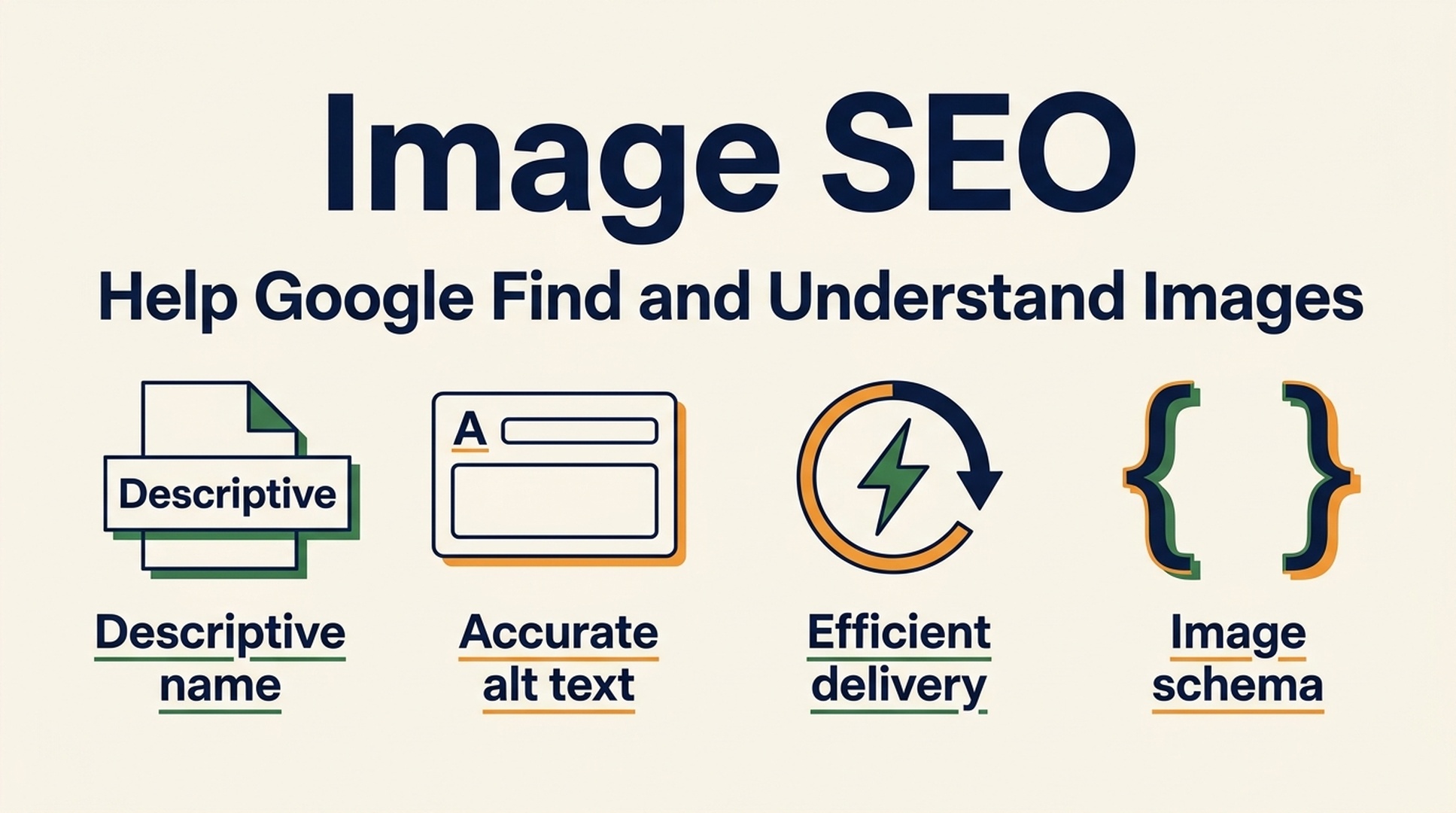
An SEO creator recently said Image SEO alone brought more than 9,200 visitors. Their four changes were simple: rename the files, add keywords to alt text, compress the images, and add ImageObject schema.
That is a good reminder to look at image search. It is not proof that four edits produce 9,200 visitors on another site.
Image traffic depends on what people search for, whether your image is a strong answer to that search, how Google can crawl it, and whether the landing page gives the image useful context. A product photo, a how-to diagram, an original chart, a travel photo, and a generic stock image do not compete on equal terms.
Still, the four fixes point in the right direction. They help in different ways:
Fix | What it can improve | What it cannot guarantee |
|---|---|---|
Descriptive file name | A small, clear relevance signal and easier asset management | Rankings for a competitive query |
Accurate alt text | Accessibility and a text description when the image is meaningful | Visibility for keywords unrelated to the image |
Sensible compression and sizing | Faster loading, better user experience, lower transfer cost | Better image quality after excessive compression |
ImageObject or page-level image markup | A clearer association between the image and the page entity | A rich result or a direct ranking boost |
The goal is not to squeeze a keyword into every image field. The goal is to publish images that Google can find, understand, and connect to a page that answers the searcher's question.
The first problem is usually discovery, not metadata
Before changing a file name or adding JSON-LD, check whether Google can actually find the image.
Google's image documentation is clear on one point that gets missed in redesigns: use a real HTML <img> element or a <picture> element. Google can discover images from the src of those elements. CSS background images are much less useful for Image Search because Google does not index CSS images the same way.
This is a common failure pattern on marketing sites. A beautiful hero image is added as background-image in a CSS class, then the team adds perfect alt text somewhere else and wonders why the image never appears. There is no alt text for a CSS background image, and the image may not be part of the crawlable content model at all.
Start with this short audit:
Check | What good looks like | Red flag |
|---|---|---|
Image element | The meaningful image appears in an | The image exists only as a CSS background |
Source URL | The image URL returns | CDN rules, robots rules, or auth block the file |
Page access | The page is public and indexable | The image only appears after a login or an interaction Google cannot complete |
Lazy loading | The image has a crawlable source URL, not just a JavaScript placeholder | The real URL appears only after scrolling or a client-side event |
Page context | Nearby copy explains what the image shows and why it matters | A gallery of unlabelled assets with no topic context |
If you use a CDN, make sure its host is reachable and monitored. An image sitemap can also help Google discover images that are hard to find through the normal page crawl, including images surfaced by JavaScript. It is a discovery aid, not a ranking lever.
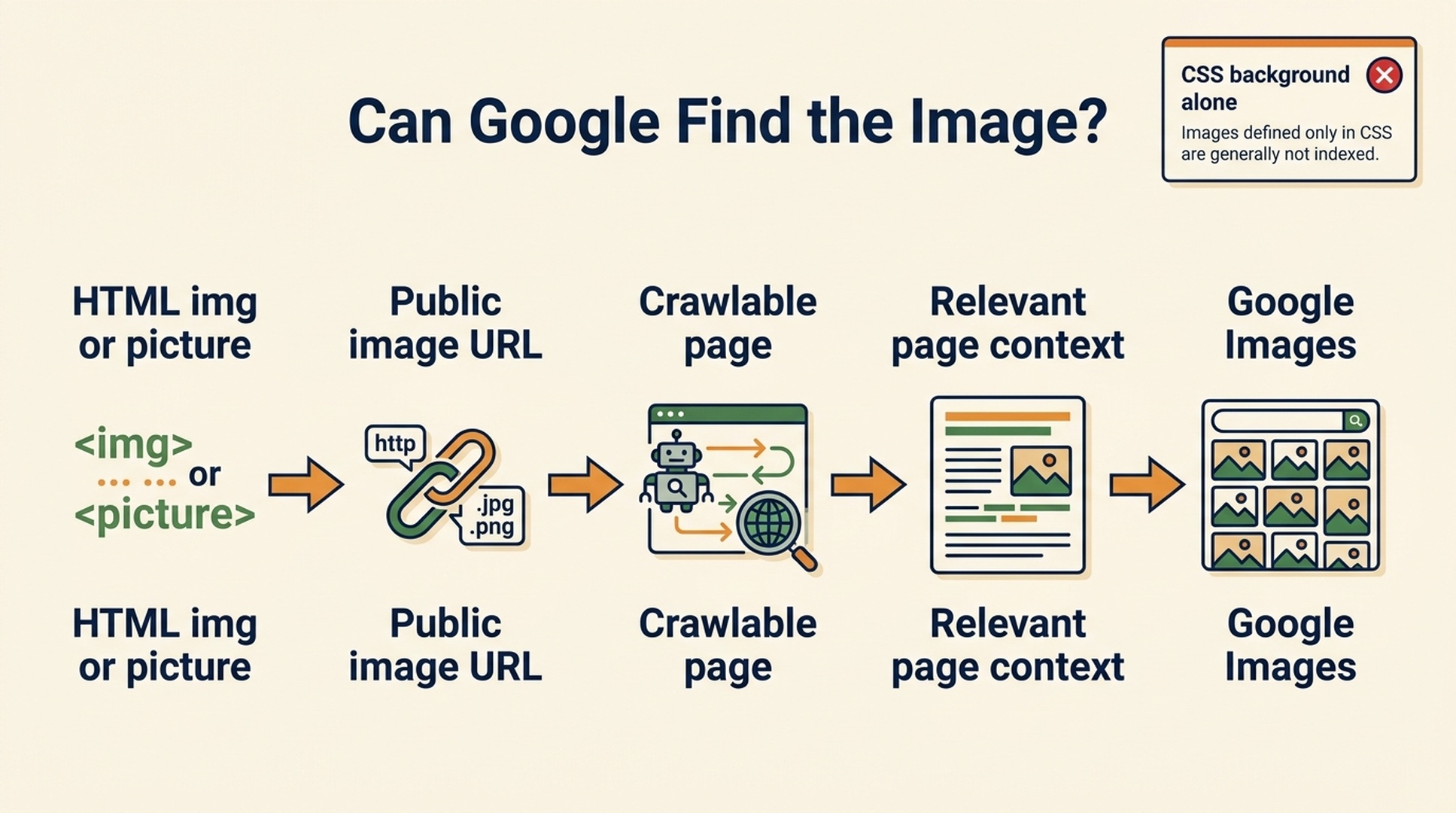
A discoverable image needs crawlable HTML, a public source URL, an indexable page, and relevant surrounding context.
Fix 1: name image files for the thing shown, not for your CMS
IMG_1048.jpg, final-v7.png, and hero-new.webp make life harder for everyone. They give editors no clue what an asset is, and they waste a small piece of descriptive context.
Use a short, human-readable name that says what the image actually depicts. Lowercase words separated by hyphens are easy to manage and consistent across a library.
Weak file name | Better file name | Why it is better |
|---|---|---|
|
| Names the visible product and distinguishing detail |
|
| Names the measure, dimension, and period |
|
| Matches the topic the visual explains |
Do not turn the file name into a search-query dump. best-cheap-water-bottle-water-bottles-buy-online.jpg does not help a person or a system understand the image. It just looks careless.
There is another practical constraint: renaming an existing image changes its URL on many CMSs. If that image already has visibility or backlinks, redirect the old file URL when your stack supports it, update references, and avoid breaking pages just to chase a marginal filename improvement. Apply the naming rule to new assets first, then fix high-value legacy images during normal content maintenance.
Fix 2: write alt text as a description, not a keyword slot
Alt text has two jobs. It gives screen-reader users a useful description, and it supplies text context if the image cannot be rendered. When the image is central to the page, a precise description also helps search systems understand what it contains.
The easy mistake is to repeat the page's target keyword. That produces bad accessibility and weak editorial work.
Image role | Weak alt text | Better alt text |
|---|---|---|
Product detail |
|
|
Data chart |
|
|
How-to screenshot |
|
|
Decorative divider |
| Empty alt text: |
Good alt text does not need to describe every pixel. It should state the information the image adds to the nearby copy. If the surrounding paragraph already says exactly the same thing, keep the alt text brief. If the image contains a chart, diagram, or instructions, describe the takeaway rather than trying to transcribe every label.
The phrase "add a keyword to alt text" is safe only when the keyword is naturally part of an accurate description. The keyword should be a consequence of describing the image well, not the assignment.
Fix 3: reduce bytes without making the image worse
Image compression matters because heavy images slow down pages, especially on mobile connections. It does not turn an irrelevant image into a useful search result. But a page that loads quickly gives people a better chance to see, use, and stay with the content they found.
Use the smallest useful dimensions. Uploading a 4,000-pixel-wide photograph for a 700-pixel content slot wastes bandwidth. Serve responsive variants with srcset or <picture> where your platform supports them, and use modern formats such as WebP or AVIF when the visual quality is acceptable.
The trade-off is real. A blurred product close-up or an unreadable chart harms the page, even if it is lighter. Check the image at the rendered size on a phone and on a desktop screen. For diagrams with small text, SVG or a carefully exported PNG can be a better choice than an aggressively compressed photographic format.
Use these checks before publishing:
- Render the image at its intended container width.
- Compare it at normal viewing distance, not only at 200% zoom.
- Confirm that labels, numbers, and lines are still legible.
- Test the page with a performance tool and identify the largest image requests.
- Fix the largest and most visible images first.
That order prevents a familiar Image SEO mistake: optimizing a dozen tiny thumbnails while one oversized hero image does most of the damage.
Fix 4: use ImageObject markup for association, not magic
ImageObject schema can make the relationship between an image and a page more explicit. On an article page, Google's own documentation shows that a page can identify a primary image through primaryImageOfPage, or attach an image to the page's main entity, such as a BlogPosting.
That is useful structured context. It is not a promise that Google Images will rank the asset, show a special treatment, or send a fixed amount of traffic.
For a blog post, it is often cleaner to use the image property inside your existing BlogPosting markup rather than add a disconnected ImageObject block for every inline visual. Here is a minimal example:
{
  "@context": "https://schema.org",
  "@type": "BlogPosting",
  "headline": "How to audit images for Google Images",
  "mainEntityOfPage": "https://example.com/blog/image-seo-audit",
  "image": {
    "@type": "ImageObject",
    "contentUrl": "https://example.com/images/image-seo-audit-checklist.webp",
    "url": "https://example.com/images/image-seo-audit-checklist.webp",
    "caption": "A five-step image SEO audit checklist",
    "width": 1600,
    "height": 900
  }
}
Use URLs that resolve, describe the actual asset, and match what users can see on the page. Do not claim a caption, creator, license, or dimensions that are not true. If licensing is important to your business, Google also supports image-license metadata through structured data or embedded IPTC metadata. That is a separate use case from ordinary Image SEO.
After adding markup, validate it with a structured-data test, then inspect the rendered page source. Schema that exists only in a staging build or is overwritten by a plugin is not doing any work for the live page.
What the four-point post leaves out
The strongest image field in the world cannot rescue a weak landing page. Google needs to understand the page around the image too.
For every image you expect people to discover, check these questions:
- Does the image answer or clarify the page's main topic?
- Is the image close to relevant text, a descriptive heading, or a useful caption?
- Is it original, or is it a generic stock asset that appears on hundreds of pages?
- Can someone who clicks from Google Images get a useful answer without hunting around the page?
- Does the image work on mobile and remain available when JavaScript is slow or unavailable?
This is why original diagrams, annotated product photos, before-and-after examples, and data charts can perform well. They carry information a searcher may actually want. A decorative gradient does not suddenly become an image-search opportunity because it has schema.
A 30-day image SEO test that produces evidence
Do not rename every file in the media library on Friday afternoon. Run a controlled test on pages where image intent is plausible.
Week 1: choose the candidates
Pick 10 to 20 pages with useful original visuals: ecommerce category or product pages, tutorials, visual explainers, location pages, comparison pages, or case studies. Record the current image URLs, page URLs, image impressions and clicks where available, page traffic, and existing image metadata.
Week 2: repair the fundamentals
Replace opaque names for new or safely changeable assets. Add accurate alt text. Make sure important images use crawlable HTML, have public source URLs, and are not needlessly oversized. Add or correct page-level image schema where it genuinely describes the content.
Week 3: improve the landing page
Add a direct explanation near the image, a clear heading, and a caption when it helps the reader. For a chart, explain what the trend means. For a product photo, explain the material, size, use case, or feature the photo proves.
Week 4: measure before expanding
Use Search Console's search-type reporting when available, plus page analytics and a spot check in Google Images. Look for changes in impressions, clicks, image-query themes, landing-page engagement, and conversion quality. Keep a change log. If an image gets more clicks but visitors leave immediately, the landing page may not match the visual promise.
The aim is a repeatable pattern, not a dramatic screenshot. One useful result is enough to decide whether image SEO deserves a larger content and asset workflow.
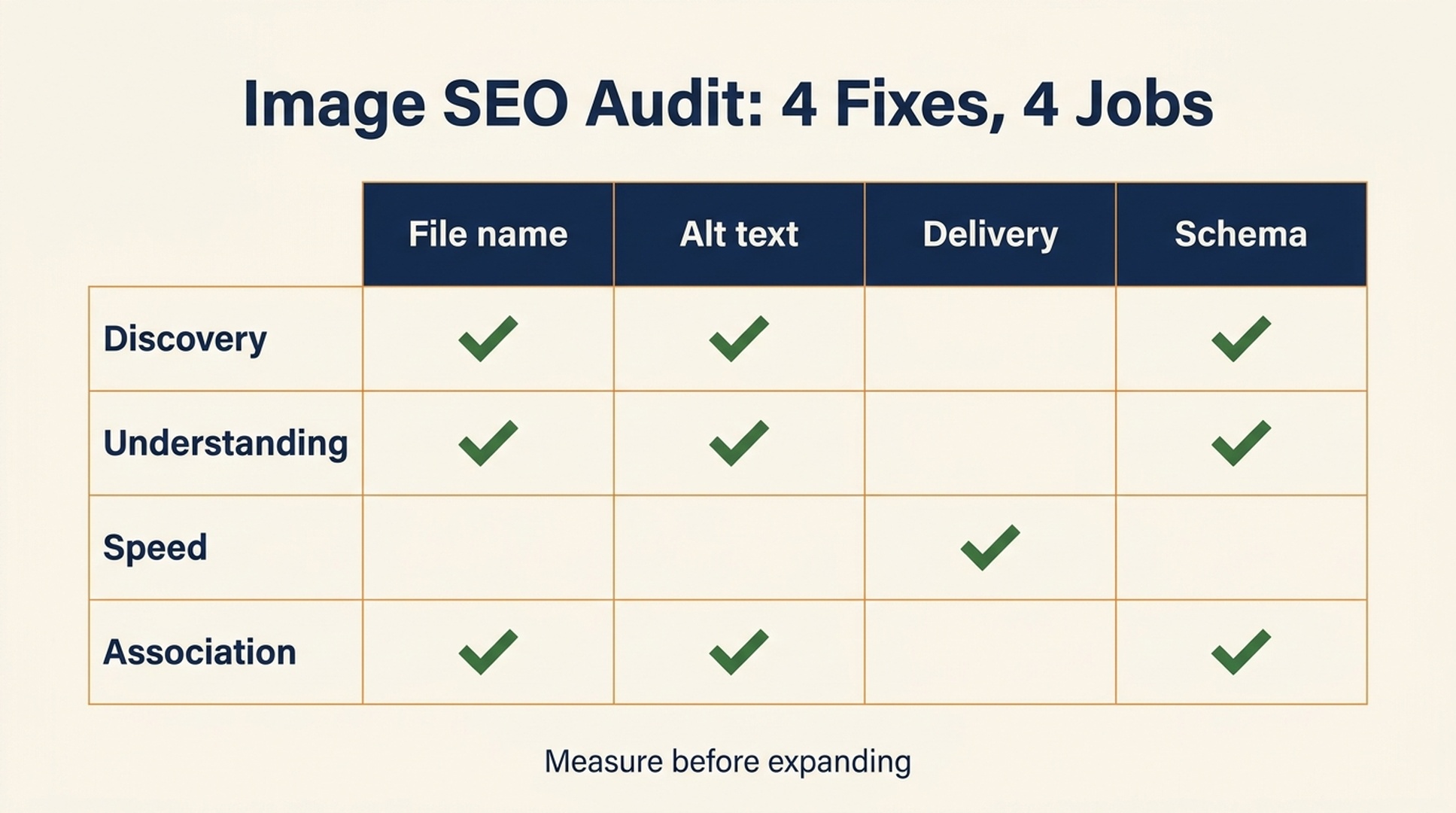
Each fix has a different job. Measure the combination before scaling the work across a media library.
Let AI do the inventory work, not the pretending
Image SEO becomes tedious on a large site because the evidence is scattered across a media library, HTML, CMS fields, performance reports, sitemaps, and Search Console. AI can help assemble the work: list images with missing alt text, flag generic filenames, compare rendered image dimensions with source dimensions, group pages by visual intent, and draft an audit queue for human review.
It should not invent descriptions for images it cannot see or add the same target phrase to hundreds of alt attributes. That is how an audit turns into keyword stuffing at scale.
Auspia's SEO tools can help teams begin with a website-level review, then turn the findings into a focused image SEO backlog. The useful output is not "all images optimized." It is a ranked list of assets with an actual problem: blocked discovery, missing context, oversized delivery, weak descriptions, or broken page associations.
Image SEO checklist
Before you call an image optimized | Check |
|---|---|
The image is discoverable | It is in crawlable HTML and the file URL is publicly accessible |
The filename is useful | It describes the image without stuffing terms |
The alt text is honest | It describes meaningful content; decorative images use empty alt text |
The page gives context | Relevant copy, headings, and captions explain the image's role |
The delivery is efficient | Correct display size, responsive sources, and acceptable visual quality |
The markup is accurate | Image properties describe a visible, reachable asset |
The result is measured | Search Console and page metrics are compared before and after changes |
FAQ
Does changing an image filename improve Google Images rankings?
A descriptive filename is a sensible supporting signal and improves media-library hygiene. It is rarely the reason an image ranks on its own. Avoid breaking established image URLs merely to rename low-value assets.
Should every image have an alt text keyword?
No. Alt text should describe meaningful images accurately. Use a target phrase only when it naturally belongs in that description. Decorative images should usually have alt="" so screen readers can skip them.
Does ImageObject schema rank images?
No. ImageObject and related page markup help make the image-page relationship explicit. They do not guarantee Google Images placement, rich-result treatment, or traffic.
Do I need an image sitemap?
Not always. Google can discover many images through normal HTML crawling. An image sitemap is useful when images are hard to discover, including some JavaScript-driven implementations, or when you need a more complete discovery map.
Which images should I optimize first?
Start with images on pages that already have demand and a clear visual-search use case. Original product images, diagrams, charts, tutorials, and before-and-after examples are usually better candidates than generic decoration.
The takeaway
The creator's four-point lesson is worth acting on, with one correction: Image SEO is not a four-field form. File names, alt text, compression, and ImageObject markup help when they support a crawlable, useful, context-rich image on a page people actually want to visit.
Start with a small set of strong visual assets, fix the obvious technical and editorial gaps, and measure the landing-page outcome. That produces a better image library, a better page experience, and a defensible case for investing further in Google Images.
Author: Julian Mercer, 14-Year Technical SEO Practitioner at Auspia. Julian writes about crawlability, schema, rendering, site architecture, and the technical foundations of AI-readable content.


