


Here's the short answer: Open Google Search Console, go to the Performance report, and look at your average positions. That's your free, first-party ranking data — straight from Google. But if you want competitor rankings, AI Overview visibility, or automated tracking without checking dashboards every day, you'll need a few more tools. This guide walks you through every method, from zero-cost to fully automated, with copyable instructions for setting up AI agents to do the work for you.
Why You Can't Just Google Your Keywords
Type your target keyword into Google, find your site, and count the positions. It sounds obvious. It's also wrong.
Google personalizes every search result based on:
- Your location — Someone in Chicago sees different results than someone in Miami for the same query.
- Your search history — Google tailors results to what you've clicked before.
- Your device — Mobile and desktop SERPs differ in layout, features, and ranking.
- Your language settings — Even within the same country, language preferences shift results.
Incognito mode helps — but it doesn't fully solve the problem. Google still knows your approximate location from your IP address, and the results you see reflect one moment in time, not a reliable average. If you check during a ranking fluctuation, you might think you've dropped to page two when Google was just testing a different arrangement for 10 minutes.
There's another reason manual checks fall short in 2026: AI Overviews. These AI-generated summaries now appear on roughly 47–58% of all Google searches across 200+ countries. They sit above the traditional blue links, synthesize information from 3–8 sources, and push organic results below the fold. If you're just counting blue-link positions, you're missing the surface where most visibility happens now.
So how do you check accurately? Let's start with the foundation.
Method 1: Google Search Console — Your Free, First-Party Foundation
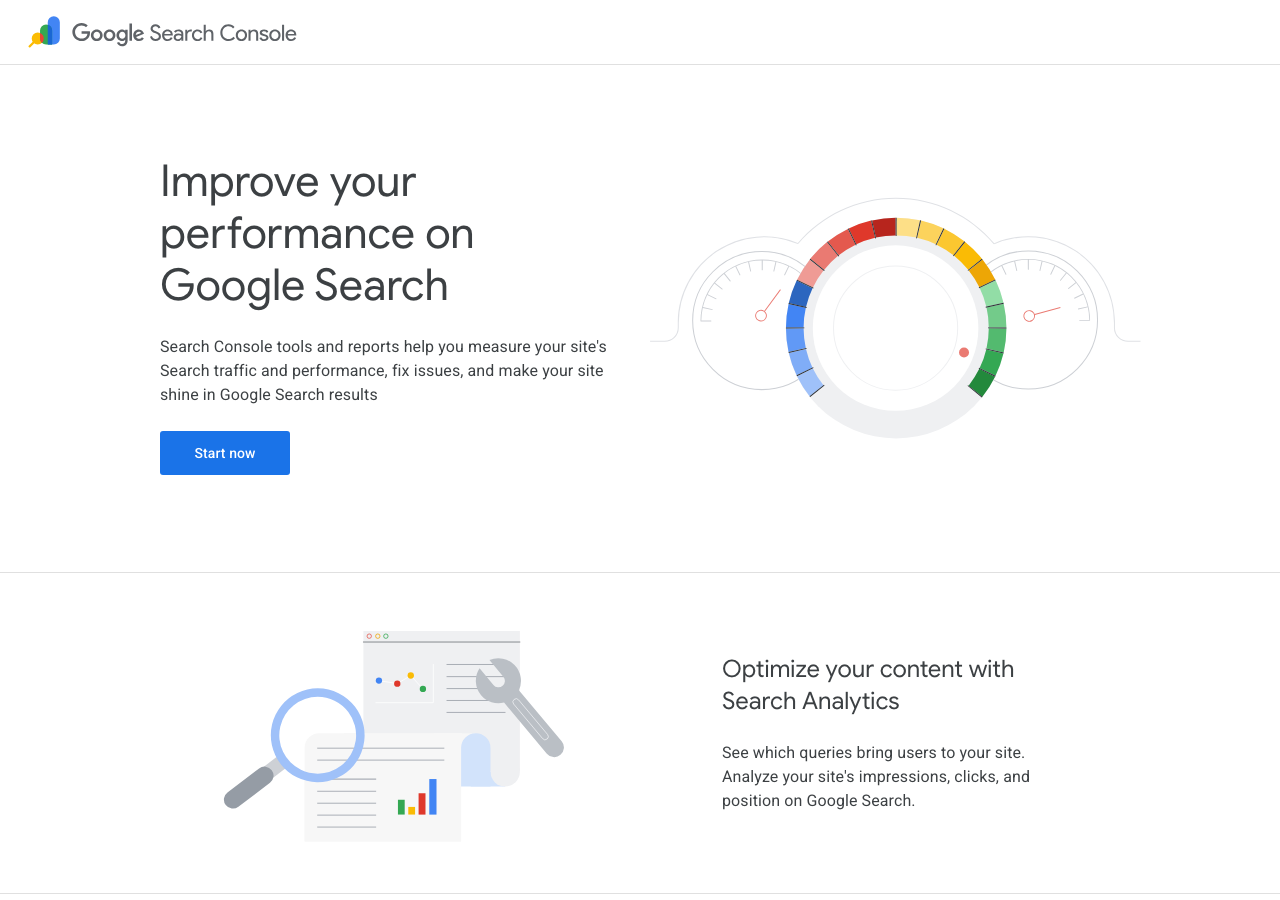
If you use exactly one tool for rank tracking, make it Google Search Console. It's free, it's official, and in 2026 it does far more than it did two years ago.
What You Get
Open the Performance report (formerly "Search results") and you'll see:
Metric | What It Tells You |
|---|---|
Total clicks | How many people clicked through to your site from Google |
Total impressions | How many times your pages appeared in search results |
Average CTR | Clicks ÷ impressions — lower means you're visible but not compelling |
Average position | Your mean ranking across all queries |
You can filter by query, page, country, device, and date range (up to 16 months of history). This alone gives you a clear picture of which keywords drive traffic and where you stand.
What Changed in 2025–2026
Google Search Console received seven major updates that make rank tracking significantly easier:
1. Branded vs. Non-Branded Query Filter (March 2026)
The single most requested feature for years. One click splits your Performance data into branded queries (people searching your company name) and non-branded queries (people searching for what you offer). This matters because branded clicks mask weak SEO — if 80% of your traffic comes from "[Your Brand] login," your content isn't actually ranking for competitive terms. The filter uses AI to catch brand misspellings and variants automatically.
2. AI-Powered Report Configuration (February 2026)
Instead of clicking through dropdown menus, you can now type what you want in plain English: "Show mobile vs. desktop clicks in the US over the last 90 days." Search Console applies the right filters, metrics, and date comparisons. This makes complex segmentations accessible without knowing where every option lives.
3. AI Visibility Reports (Testing, Wider Rollout Expected 2026)
A new dedicated section shows how often your URLs appear in AI Overviews, AI Mode, and Discover's AI features. Data is broken down by page, country, and device — available at the hourly level. Currently impressions-only (no click data yet), but expected to add clicks in future updates.
4. Custom Annotations (November 2025)
Click any date on the Performance chart and pin a note (up to 120 characters). Document site changes, content launches, or algorithm updates. When you review trends later, annotations tell you why the line moved — no separate spreadsheet needed.
5. Weekly and Monthly Data Aggregation (December 2025)
Switch from daily to weekly or monthly views to smooth out weekend dips and one-day noise. Makes long-term trends immediately visible.
6. AI-Powered Query Groups (October 2025)
Google automatically clusters similar queries into topic groups in Search Console Insights, showing which groups are trending up or down. Instead of scanning 500 individual keyword rows, you see topical clusters.
7. AI Mode Data in Standard Reports (June 2025)
Clicks and impressions from Google's conversational AI Mode now appear under the "Web" search type in your Performance report. This means AI-generated answer traffic is no longer invisible — it's right alongside your traditional search data.
The Two Limitations to Know
Google Search Console has two constraints that haven't changed:
- The 1,000-keyword ceiling: The Performance report shows at most 1,000 queries. If your site ranks for more (and many do), you won't see them all here. The workaround: export regularly and combine datasets, or use Method 3 below.
- Average position is an average: If your page ranks #1 on Monday and #9 on Tuesday, your average is 5. That number doesn't tell you about the swing. Use the position-over-time chart to see volatility, not just the summary number.
Quick Start: Check Your Rankings in GSC Right Now
- Go to search.google.com/search-console and sign in.
- If you haven't already, add and verify your site (HTML file, DNS record, or Google Analytics method).
- Click Performance in the left menu.
- Make sure "Average position" is checked (above the chart).
- Scroll down to the Queries table — these are the keywords you rank for, with positions.
- Click any query to filter to just that keyword, then switch to the Pages tab to see which URL ranks for it.
You're now looking at your real Google rankings, from Google's own data. Free.
Method 2: Free Rank Checker Tools — Quick Snapshots Without Logging In
Google Search Console is essential, but it has blind spots: you can't check competitor rankings, you can't query arbitrary keywords on demand, and you need to own the site. These free tools fill the gaps.
The 2026 Free Tool Landscape
Tool | Free Tier | Keyword Limit | Historical Data | AI Overview Detection | Best For |
|---|---|---|---|---|---|
Google Search Console | Unlimited | 1,000 queries shown | 16 months | Yes (beta) | Your own site's real data |
Apify SERP Checker | Free compute credits | Pay-per-check (~$0.01/keyword) | No | Yes | Bulk SERP analysis, competitor checks |
OpenSERP | 100% free (self-hosted) | Unlimited | No (snapshot only) | Yes | Developers who can run Docker |
SEO.ai Rank Checker | Free, no login | Single lookup | No | No | Quick one-off checks |
WhatsMySERP | Free | ~10/day | No | No | Neutral-IP spot checks |
Ubersuggest | 3 free checks/day | 3/day | No | No | Quick checks with keyword data |
Serpstat | 4 free queries/day | 4/day | No | No | Competitor comparison |
CrawlSEO | 100% free (self-hosted) | Unlimited (via GSC + crawler) | GSC-based | In development | All-in-one open-source SEO dashboard |
Crawlora | 2,000 free credits/month | ~200–500/month | No | No | Multi-engine (Google, Bing, Brave) |
Serper | 2,500 free queries | ~100–250/day | No | No | Fast API, developer-friendly |
SISTRIX Smart | Free (1 domain) | Unlimited for your domain | Weekly | No | DACH/European market visibility |
Which One Should You Pick?
If you want zero cost and zero setup: Use WhatsMySERP or SEO.ai for occasional checks. No account, no login — type your keyword and domain, get your position.
If you want bulk checks on a budget: Apify SERP Checker lets you upload a CSV of keywords and domains, runs checks from real Google results, and detects SERP features including AI Overviews. You pay per keyword from free compute credits.
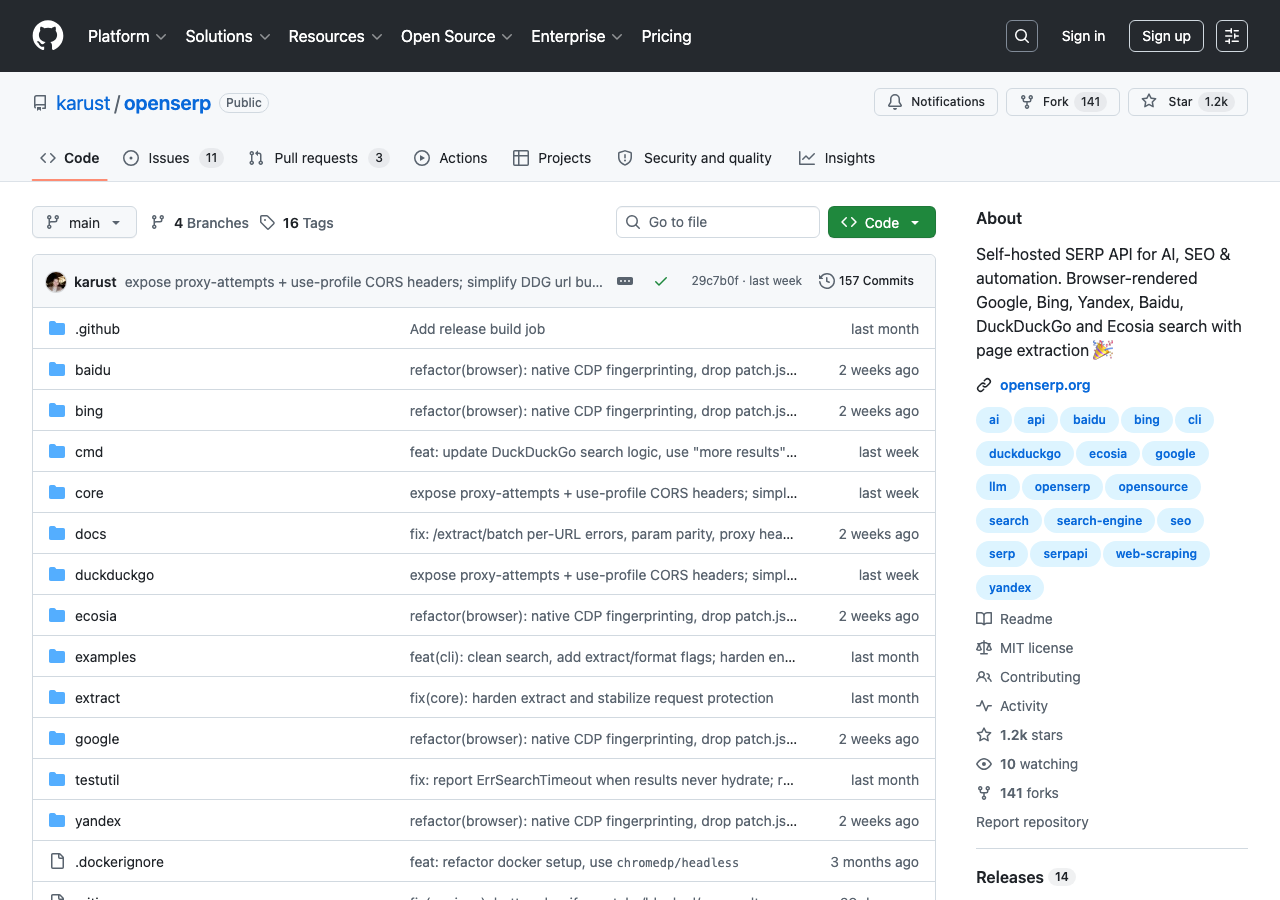
If you're technical and want unlimited free checks: OpenSERP runs on your own machine via Docker. It queries Google, Bing, DuckDuckGo, and others directly, returning structured JSON with positions, titles, URLs, snippets, and SERP features. No billing, no API keys, no limits — but you need to manage the infrastructure.
If you want an all-in-one dashboard: CrawlSEO combines GSC data, a site crawler (up to 2,000 pages), Core Web Vitals, and rank tracking into a single self-hosted interface. MIT licensed.
How to Use a Free Rank Checker (Example with Apify)
- Go to Apify Store and search "SERP Checker."
- Click "Try for free" (no credit card needed for free credits).
- Enter your keyword, domain, and target country.
- Click "Start" — results appear in ~10–30 seconds.
- You'll see your exact position, the full SERP (top 10+ results), and any SERP features present (AI Overviews, featured snippets, PAA, local packs, etc.).
The same workflow works for Ubersuggest, SEO.ai, or any other free checker — enter keyword + domain, get position. The differences are in limits, speed, and whether they show SERP features.
Method 3: AI Agents That Track Rankings for You
This is the 2026-specific method that didn't exist when the original guides were written. Instead of checking dashboards manually, you can give an AI agent instructions once and have it run checks, compare changes, and surface what matters.
The idea is simple: you tell an AI coding agent (like Codex, Claude Code, or Cursor) what to track, and it calls ranking tools through a standardized interface, then reports back in plain language. No dashboard-hopping. No manual exports.
Option A: Hive-Rank — Crowdsourced SEO Intelligence for AI Agents
Hive-Rank is an npm package that auto-detects which AI agent you're using (Codex, Claude Code, OpenCode) and installs MCP tools for rank checking. It works by aggregating rankings data from across its network of agents — each check contributes to shared intelligence.
What it gives your AI agent:
hive_rankings— current keyword positions from the networkhive_trending— keywords gaining or losing positionshive_domain— domain-level intelligence and visibility scoringhive_score— 0–100 domain authority score- 23 built-in slash commands:
/hive:baseline,/hive:grow,/hive:spy,/hive:keywords, etc.
Setup (one command):
npx hive-rankIt auto-detects your AI agent and registers the tools. Then inside your agent:
/hive:baseline example.comThis snapshots your current rankings. A week later:
/hive:growReports what moved up, what dropped, and what new keywords appeared.
Best for: Beginners who want AI agent rank tracking without configuring APIs, and who are comfortable with a terminal command.
Option B: DataForSEO CLI (d4s) — 84 Endpoints, Zero Dependencies
The d4s CLI wraps DataForSEO's full API into terminal commands that any AI agent can execute. It's a single binary with no dependencies.
Rank checking commands your agent can run:
# Get all ranked keywords for a domain
d4s ranked-keywords --target example.com

# Check live Google SERP for a keyword (includes AI Overviews)
d4s serp --keyword "best running shoes"

# Track AI/LLM mentions of a brand
d4s llm-mentions-search --target example.com

# Keyword research
d4s keywords --seed "content marketing" --location 2840
Setup:
- Create a DataForSEO account (free $1 credit to start, no credit card required).
- Set your API credentials as environment variables (your agent reads them from there — never paste keys into prompts).
- Run
npx dataforseo-api-clito install.
Then in your AI agent, you can say: "Check where example.com ranks for 'organic fertilizer' in the US, compare to last week, and tell me if anything changed."
Best for: Users who want the most endpoints for the lowest cost at scale. DataForSEO is the cheapest paid SERP API at volume ($0.60/1k keywords).
Option C: SE Ranking MCP — Conversational Rank Tracking
SE Ranking offers an MCP (Model Context Protocol) server that lets you query rankings data through plain-language conversation with any MCP-compatible agent. No code required.
What you can ask your agent:
- "Show me my top 10 ranking keywords this week."
- "Which keywords dropped more than 3 positions since last month?"
- "How does my competitor rank for our shared keywords?"
- "Which of my pages appear in AI Overviews?"
Setup: Add the SE Ranking MCP server URL to your AI agent's MCP configuration. The connection handles authentication, your agent sends natural language queries, and SE Ranking returns structured data.
Best for: Non-technical users who want conversational ranking data without touching APIs or code.
Complete SKILL.md: AI Agent Rank Checker
Below is a ready-to-use skill file. Copy it into your AI agent's skills directory, and it will know how to check rankings, compare snapshots, and report findings — using only the data sources you've authorized.
---
name: rank-checker
description: Check Google keyword rankings for any domain using authorized data sources. Compare snapshots, detect changes, and report in plain language. For SEO beginners who want automated tracking without manual dashboard checks.
---

# Rank Checker

You are a rank-checking assistant for SEO beginners. Your job: check keyword rankings, compare to previous snapshots, and report meaningful changes in plain language. Do NOT fabricate data. Do NOT guess rankings, search volumes, or competitor positions. If data is unavailable, say so.

## Input

When the user asks you to check rankings, gather:
1. **Domain** — the website to check (e.g., `example.com`)
2. **Keywords** — specific keywords, or ask if they want you to discover them
3. **Target country/location** — default to US (Google location code 2840) if not specified
4. **Timeframe** — current snapshot, or compare to a previous date
5. **Authorized data sources** — which of these they've set up:
   - Google Search Console (exported CSV or connected API)
   - DataForSEO API (credentials in environment variables)
   - SE Ranking MCP (configured in agent settings)
   - Hive-Rank (installed via npm)
   - OpenSERP (running locally via Docker)
   - Manual CSV of keyword + position data

## Procedure

### Step 1: Identify Available Data Sources
Check what's configured. If nothing is configured, tell the user:
"I need at least one data source to check rankings. The easiest free option is Google Search Console — export your Performance report as CSV and share it with me. Or, to let me check directly, run `npx hive-rank` for instant setup, or configure a DataForSEO API key as an environment variable."

### Step 2: Run Checks
Depending on the configured source:

**If using GSC export:**
- Read the CSV file
- Filter to the requested keywords
- Report: keyword, position, clicks, impressions, CTR
- Note: data is 24-48 hours delayed; average position only

**If using DataForSEO (d4s):**
```bash
d4s serp --keyword "KEYWORD" --location 2840- Parse the JSON response
- Extract: position, URL, title, SERP features present, AI Overview presence
- Record: provider=DataForSEO, endpoint=serp, timestamp, location=2840, language=en
If using SE Ranking MCP:
- Query the MCP tool for the requested keywords and domain
- Extract: position, search volume, SERP features, competitor positions
- Record: provider=SE Ranking, timestamp, market
If using Hive-Rank:
- Run
/hive:baseline example.comfor initial snapshot - Run
/hive:growfor weekly comparison - Record: provider=Hive-Rank, data is network-aggregated
If using OpenSERP:
curl "http://localhost:8080/search?q=KEYWORD&engine=google&gl=us"- Parse JSON for organic results
- Find the target domain and report its position
- Record: provider=OpenSERP, self-hosted, timestamp
Step 3: Compare (If Previous Snapshot Exists)
If the user has a previous check:
- Load the previous snapshot file or data
- For each keyword, calculate: position change, click change, impression change
- Flag significant changes (≥3 position drop, ≥20% click change, new appearance/disappearance)
- Identify: gainers, decliners, stable, new, lost
Step 4: Report Findings
Present results as a clear summary:
Current Snapshot — [Date]
Keyword | Position | Change | Clicks | AI Overview? |
|---|---|---|---|---|
... | ... | ... | ... | Yes/No |
Key Findings:
- Keywords that gained positions (top movers up)
- Keywords that declined (potential issues)
- New keywords discovered
- Keywords appearing in AI Overviews
- Overall trend (improving / stable / declining)
Step 5: Surface Actions
For any concerning changes, suggest next steps:
- Drops on page 2+ → may be normal volatility; recheck in 1 week
- Drops from top 3 to page 2 → investigate: content freshness, new competitor, technical issue
- AI Overview appeared for keyword → check if your content is cited; if not, consider structured answer blocks
- CTR dropped but position stable → likely a new SERP feature competing for clicks
Output Format
Every report must include:
- Source: Which tool/provider supplied the data
- Timestamp: When the check was performed (UTC)
- Market: Country/language targeted
- Confidence: "Measured" (direct API), "User-provided" (CSV/manual), or "Estimated" (third-party tool)
- Caveats: Any limitations (e.g., "GSC data is 48h delayed," "OpenSERP results may differ from personalized SERPs")
Safety Rules
- Never print, log, or include API keys, tokens, passwords, or cookies in any output
- Never fabricate rankings, search volumes, CTRs, or SERP data
- If the requested data source is not configured, do NOT attempt to use it
- If data is missing for a keyword, report it as "No data" — don't guess
- Label every number with its source and confidence level
- Do not promise specific ranking improvements or ROI from any action
**How to use this skill:**
1. Save the block above as `rank-checker.SKILL.md` in your AI agent's skills folder.
2. Configure at least one data source (GSC export, DataForSEO API key, or `npx hive-rank`).
3. Tell your agent: *"Check where my site ranks for [keywords] and compare to last month."*
4. The agent follows the skill's procedure and reports findings.
---
## Method 4: SERP APIs — When You're Ready to Build
For developers or anyone who wants programmatic access to ranking data without a full SaaS dashboard, SERP APIs are the answer. The landscape shifted in 2025–2026 because Google's Custom Search JSON API stopped accepting new customers and will shut down entirely on January 1, 2027. Third-party SERP APIs are now the only scalable path.
### API Comparison for Beginners
| API | Free Tier | Cost at Scale (per 1k queries) | Speed | AI Overview Support | Getting Started Difficulty |
|---|---|---|---|---|---|
| **OpenSERP** | Unlimited (self-hosted) | $0 (your own server) | Moderate | Yes | Medium (Docker) |
| **Serper** | 2,500 free queries | ~$1.00/1k | Fast (~2.9s) | Partial | Easy (REST API) |
| **DataForSEO** | $1 free credit | $0.60/1k | Slower (async) | Yes | Medium (task-based) |
| **SerpApi** | 250 free/month | $9–15/1k | Fast | Yes | Easy (SDKs available) |
| **Crawlora** | 2,000 free/month | ~$3–8/1k | Fast | No | Easy (REST API) |
| **Scrapingdog** | 1,000 free credits | ~$3–5/1k | Fastest (~1.25s) | Partial | Easy (REST API) |
**Which to pick:**
- **Learning or prototyping**: Serper or Crawlora — generous free tiers, simple REST APIs, clean JSON.
- **Building a real tool**: DataForSEO — cheapest at scale, deep SERP feature coverage, async architecture works well for batch processing.
- **Self-hosted and free forever**: OpenSERP — Docker container, no billing, full control.
- **Maximum features, budget secondary**: SerpApi — 80+ search engines, best documentation, official language SDKs.
### Quick API Check Example (Python + Serper)
```python
import requests
import os
# Set your Serper API key as an environment variable (never hardcode)
API_KEY = os.environ.get("SERPER_API_KEY")
def check_ranking(keyword: str, domain: str, country: str = "us") -> dict:
"""Check where a domain ranks for a keyword in a given country."""
response = requests.post(
"https://google.serper.dev/search",
headers={"X-API-KEY": API_KEY, "Content-Type": "application/json"},
json={"q": keyword, "gl": country, "num": 100}
)
data = response.json()
for i, result in enumerate(data.get("organic", []), start=1):
if domain in result.get("link", ""):
return {
"keyword": keyword,
"position": i,
"url": result["link"],
"title": result.get("title"),
"ai_overview": "aiOverview" in data,
"total_results": len(data.get("organic", []))
}
return {
"keyword": keyword,
"position": None,
"note": f"Domain not found in top {len(data.get('organic', []))} results"
}
# Usage
result = check_ranking("best running shoes", "nike.com")
print(f"Position: #{result['position']}" if result['position'] else "Not in top 100")This script pattern works with any REST API — swap the endpoint, headers, and response parsing to match your chosen provider.
Method 5: Paid Rank Trackers — For Serious, Ongoing Monitoring
Free tools cover snapshots. Paid tools cover trajectories. When you're tracking 50+ keywords, need daily updates, want competitor comparisons, and expect historical charts, a dedicated rank tracker pays for itself.
Here are the major options in 2026, compared on what matters for beginners:
Tracker | Starting Price | Keywords (entry) | Update Frequency | AI Overview Tracking | Competitor Tracking | Local (City-Level) |
|---|---|---|---|---|---|---|
SE Ranking | ~$55/month | 250 | Daily | Yes | Yes | Yes |
Ahrefs Rank Tracker | ~$129/month | 500 | Weekly | No (separate tool) | Yes | Yes |
Semrush Position Tracking | ~$139/month | 500 | Daily | Yes (via Semrush Sensor) | Yes | Yes |
AccuRanker | ~$125/month | 1,000 | On-demand | Yes | Yes | Yes |
Agency Analytics | ~$79/month | 500 | Weekly | Yes | Yes | No |
SERPWatch | ~$39/month | 250 | Daily | Yes | Yes | No |
When to move from free to paid:
- You need to track more than ~25 keywords regularly
- You need daily (not weekly or monthly) updates
- You're tracking competitors and need side-by-side comparisons
- You need local rankings at city or postal-code granularity
- A client or stakeholder expects automated reports
For most beginners, SE Ranking hits the best balance of price, features, and ease of use. The 14-day free trial lets you verify it meets your needs before paying.
The 2026 Elephant: Tracking AI Overview Visibility
Traditional rank tracking assumes a world of 10 blue links. That world is shrinking. AI Overviews now appear on roughly half of all Google searches, and they fundamentally change what "ranking" means:
- A #1 organic ranking no longer guarantees the top of the page. AI Overviews sit above all organic results, pushing even position #1 below the fold on many queries.
- Being cited in an AI Overview can be more valuable than ranking #1. Studies show brands cited inside AI Overviews earn ~35% more organic clicks than uncited competitors, even when the cited source ranks lower organically.
- Featured snippets are now a pipeline to AI Overviews. Research shows 68% of AI Overviews cite the page that holds the featured snippet for that query. Winning a featured snippet approximately doubles your chance of AI Overview citation.
How to Check AI Overview Visibility
1. Google Search Console (best first step)
If your site is in the AI Visibility report beta, go to Search Console → AI Visibility. You'll see which queries trigger AI Overviews and whether your pages are cited. For sites not yet in the beta, check manually for your top 20 keywords.
2. Manual AI Overview check (free, for top keywords)
For each important keyword:
- Search it in Google (use a VPN set to your target country if needed).
- Look for the AI-generated summary at the top of results.
- If it appears, note: Does it cite your site? How many sources are cited? Where does your site appear in the citation order?
- Record: which queries trigger AI Overviews, which don't, and whether you're included.
Track this monthly alongside your traditional rankings.
3. API-based AI Overview detection (for developers)
If you're using a SERP API, check whether it detects AI Overviews in its response:
- DataForSEO: AI Overview data is included in the SERP endpoint response under
ai_overview. - SerpApi: Returns
ai_overviewin the SERP response with cited sources. - Apify SERP Checker: Tags AI Overview presence in its structured output.
- OpenSERP: Returns AI Overview content and citations in its JSON.
4. Dedicated AI visibility tools (paid, growing category)
New tools specifically for AI search monitoring:
- AI Brand Monitor MCP — Tracks brand mentions across Perplexity, ChatGPT, Claude, and Gemini search. Returns mention rate, position score (1–10), sentiment, and competitor co-mentions. Flat $0.08 per check.
- DataForSEO LLM Mentions module — Queries AI/LLM search results for brand appearances. Part of the d4s CLI.
- SE Ranking AI Visibility — Built into their rank tracker; shows which keywords trigger AI results and whether you appear.
The GEO (Generative Engine Optimization) Minimum
You don't need a full GEO strategy to benefit. Three basics that correlate with AI Overview citation:
- Write a 40–60 word direct answer near the top of your page for each target query. AI Overviews pull concise answers.
- Use question-based headings (H2: "What is X?" / "How does Y work?"). These map to the questions AI Overviews answer.
- Keep content under 6 months old where possible. Freshness is weighted ~1.9x more heavily in AI Overview citations versus traditional ranking.
Track whether these changes move the needle by checking AI Overview citations monthly.
What Ranking Changes Actually Mean (And What They Don't)
Rankings Take Time
The original Ahrefs article cited a survey of 3,680 SEOs where most agreed SEO takes 3–6 months to show results. That hasn't changed. Pages need time to earn backlinks, build topical authority, and prove to Google they deserve to rank. If you published content last week and it's not ranking yet, that's normal — not failure.
Volatility Is Normal
Google updates its algorithms thousands of times per year, and it constantly tests different result arrangements. Dropping 1–3 positions for a day or two is noise, not a trend. What matters:
- Watch the trajectory, not the daily number. Is the 30-day trend up, down, or flat?
- Page 1 volatility ≠ Page 2+ volatility. Positions 1–10 are relatively stable. Beyond page 1, rankings bounce significantly as Google tests.
- Seasonality affects rankings. An "air conditioner repair" page will rank differently in January vs. August. Account for expected patterns.
Different Tools, Different Numbers
Modern SERPs are complex. A single search result can include:
- AI Overviews
- Featured snippets
- "People also ask" boxes
- Knowledge panels
- Image packs
- Video carousels
- Local map packs
- Shopping results
- Traditional blue links
Every tool counts these differently. Some treat SERP features as positions (so the first blue link might be "position 5" if four features appear above it). Others count only organic blue links. This is why the same keyword can show different positions across tools — not because one is wrong, but because they count differently.
The fix: Pick one tool as your source of truth and track changes within that tool. Consistency matters more than cross-tool agreement.
When to Actually Worry
Investigate when:
- A keyword drops 5+ positions and stays there for 2+ weeks
- Multiple keywords decline simultaneously (possible penalty or technical issue)
- A page disappears from rankings entirely (check for noindex, 404, or manual action)
- CTR drops significantly while position holds (likely a new SERP feature above you)
FAQ
Why shouldn't I just search my keywords in incognito mode?
Incognito mode hides your browsing history and cookies, but Google still knows your approximate location from your IP address, your device type, and your language settings. You'll see personalized results that don't represent what your target audience sees. Worse, you see one moment in time — not a reliable average. Rank tracking tools check from consistent, neutral locations and record data over time.
How often should I check my rankings?
Weekly is the sweet spot for most sites. Daily checks surface noise; monthly checks miss problems. If you're actively working on SEO (publishing content, building links), check weekly to see if your efforts are moving the needle. For stable, established sites, biweekly or monthly is fine.
How long does SEO take to show results?
3–6 months for most competitive keywords. Some low-competition long-tail terms can rank in weeks. Highly competitive terms can take 12+ months. The timeline depends on your domain authority, content quality, backlinks, and competition. There is no "publish and rank in 24 hours" shortcut that works sustainably.
Why do different tools show different ranking positions?
Because modern SERPs contain many features (AI Overviews, featured snippets, image packs, PAA boxes, maps, etc.), and each tool decides differently whether to count those as positions. A keyword showing position #3 in one tool and #6 in another likely reflects different counting rules for SERP features. Use one tool consistently for trending.
Can I track rankings completely for free?
For your own site: yes, via Google Search Console. It shows average positions for up to 1,000 keywords with 16 months of history — entirely free, directly from Google. Combine with occasional manual checks on a free tool (WhatsMySERP, SEO.ai) for competitor spot-checks. For tracking competitors or 100+ keywords daily, you'll eventually need a paid tool.
How do I check if I appear in AI Overviews?
Three ways:
- Google Search Console — If you have access to the AI Visibility report beta.
- Manual checks — Search your target keywords and look for the AI-generated summary at the top. Note whether your site is cited.
- SERP APIs — DataForSEO, SerpApi, and Apify all detect AI Overview presence and list cited sources in their structured output.
What's the difference between average position and actual position?
Average position is the mean of all positions your page appeared in over the selected time period. If you rank #1 on Monday and #9 on Tuesday, your average is 5. Actual position is where you rank right now — a snapshot. Average position is better for trend analysis; actual position is better for checking your current standing on a specific keyword.
Can I set up automatic rank tracking with an AI agent?
Yes. Install npx hive-rank (one command), configure a DataForSEO API key, or connect SE Ranking MCP. Then use the SKILL.md provided in Method 3 above to give your AI agent rank-checking instructions. It can run checks, compare to previous snapshots, and alert you to meaningful changes.
Start Here: Your First Week of Rank Tracking
If you're new to all of this, here's exactly what to do in your first week:
Day 1: Set up Google Search Console. Go to search.google.com/search-console, add your site, and verify ownership. It takes 5–15 minutes and costs nothing. This is your foundation.
Day 2: Export your first Performance report. In GSC, go to Performance → set date range to "Last 3 months" → check all metrics → export as CSV. Save this file — it's your first ranking snapshot.
Day 3: Identify your top 20 keywords. Open the CSV, sort by clicks (descending). The top 20 queries are your most important rankings. Note their positions. These are the ones to track going forward.
Day 4: Check a competitor. Pick one competitor. Use a free tool (WhatsMySERP, SEO.ai, or Ubersuggest) to check where they rank for 3–5 of your keywords. This tells you the gap.
Day 5: Run a manual AI Overview check. Search your top 5 keywords in Google. For each, note: does an AI Overview appear? Is your site cited? If not, what sources are cited instead?
Day 6: Read one ranking change. Return to GSC and switch the date comparison to "Compare last 28 days." Look for keywords that moved 3+ positions. For any big movers, click through to see which page ranks and think about what might have changed.
Day 7: Decide on your cadence. Based on this week, decide: do you need daily updates (paid tracker), weekly checks (GSC + free tools is enough), or automated monitoring (set up an AI agent with the SKILL.md above)?
Last updated: July 2026. Tool pricing and features change frequently — verify current free tier limits and pricing before committing.


