


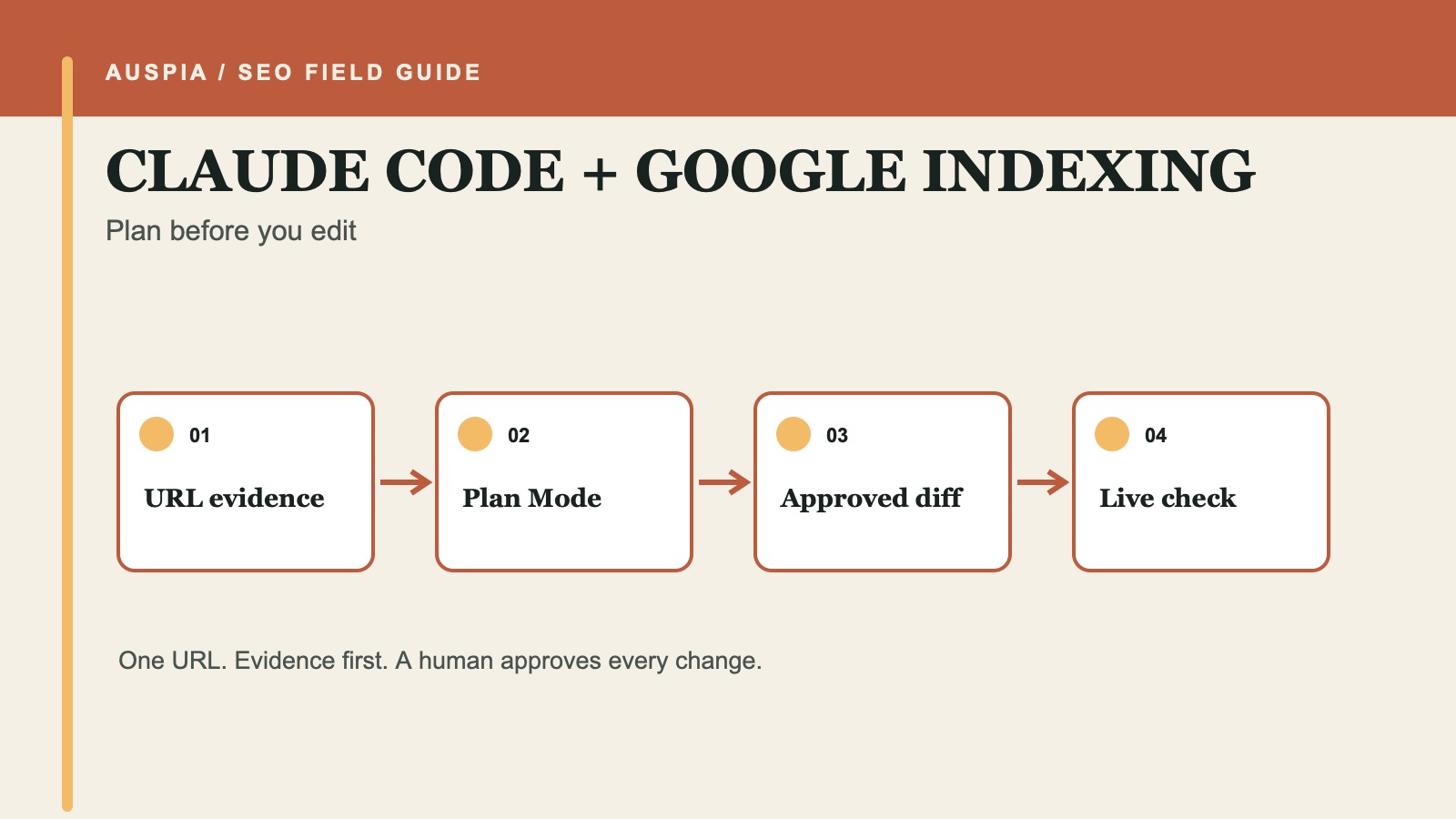
Start in Plan Mode, not edit mode
Claude Code is most useful for Google indexing when it can inspect the repository that produces a page. It can find a noindex directive, trace a canonical through a template, compare sitemap generation with routes, and show where an internal link belongs. That does not mean it should edit first.
For one missing URL, start Claude Code in Plan Mode and ask for an evidence report. The finished job is not "Google indexed the page." No coding agent can promise that. The finished job is narrower: you know whether the page should be searchable, which signals agree or conflict, what the smallest repair would be, and how you will check the live result.
Before you start | What you should have at the end |
|---|---|
Exact URL, page purpose, intended canonical, copied URL Inspection evidence, and the local site project | A diagnosis, an approved implementation plan, a reviewable diff, and a live verification record |
Allow 30 to 60 minutes for a single URL when the repository is already available. A sitewide indexing problem needs a crawl, logs, and a separate scope.
Put the boundary in CLAUDE.md
Claude Code loads project instructions from CLAUDE.md. Use that file for durable repository rules, not the facts of one investigation. A short indexing policy can stop an innocent page repair from turning into a sitewide directive change.
## Google indexing investigations

- Begin in Plan Mode and inspect one named URL at a time.
- Treat copied Search Console results as supplied evidence; never assume account access.
- Label unavailable checks `not_checked`.
- Do not edit robots.txt, redirects, canonicals, sitemaps, or noindex directives without approval that names the file and change.
- Do not deploy, submit a sitemap, or request indexing.
- After an approved edit, show the diff and run the repository's relevant checks.
Anthropic documents Plan Mode as a permission mode for read-only analysis. That is a better fit for the first half of an indexing investigation than a prompt that says "fix everything."
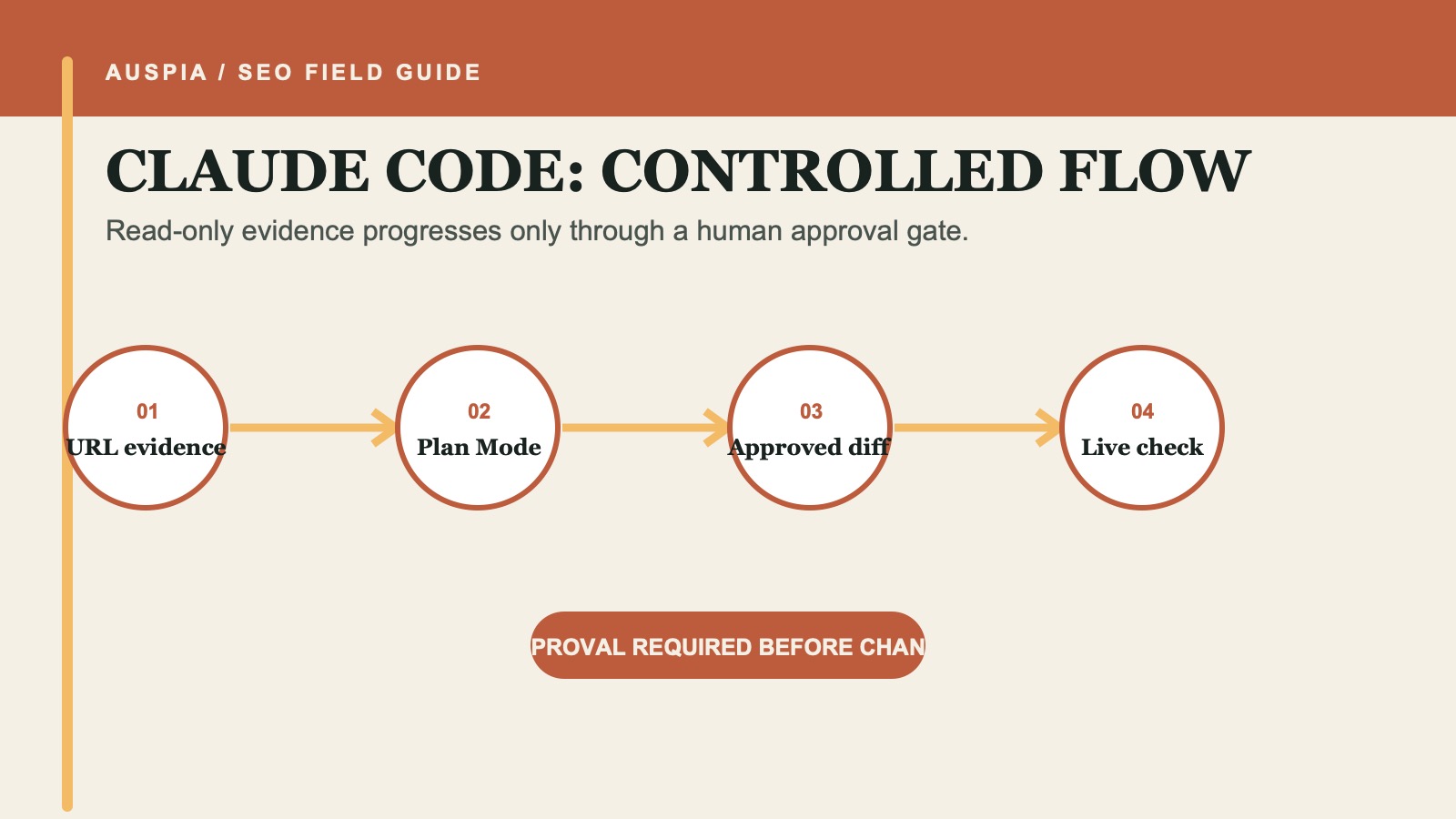
Plan Mode keeps repository discovery and technical diagnosis separate from the edit that follows approval.
Give Claude Code one URL and one expected state
Open the repository root, enter Plan Mode, and use a prompt like this:
Investigate why this exact URL may not be indexed by Google:
[URL]

Expected state: [searchable / intentionally excluded / unknown]
Intended canonical: [URL / unknown]
Page purpose: [one sentence]

URL Inspection evidence:
[paste the result or write not_checked]

In Plan Mode, inspect the repository and public same-domain evidence only.
Return:
1. confirmed evidence with file paths or public URLs;
2. hypotheses kept separate from evidence;
3. unavailable checks marked not_checked;
4. the smallest repair plan, with risk, rollback, and acceptance check.

Do not edit files, deploy, operate Search Console, submit a sitemap, or request indexing.
The expected state matters. A checkout route, internal search result, preview page, or duplicate print view may be correctly excluded. Removing every noindex is not an indexing strategy.
Review the repository evidence in four passes
Claude Code can search broadly, but a beginner should review the findings in a fixed order.
Confirm what the route returns
Identify the source route, template, middleware, headers, and redirect logic for the exact URL. A local component named after the page is not proof of the production response. The plan should say what is known from code and what still needs a live HTTP check.
Trace indexability directives
Look for meta robots output and X-Robots-Tag headers. Google must crawl a URL to discover noindex. If robots.txt prevents that crawl, the page-level directive may be invisible to Google. Ask Claude Code to show the specific rule and where it is generated rather than merely reporting "robots issue."
Decide canonical ownership
A canonical is a preference for substantially similar URLs, not a visitor redirect and not a guaranteed command. Compare the competing pages before changing it. Google describes redirects and rel="canonical" as strong canonical signals; sitemap inclusion is weaker. robots.txt and noindex are not canonicalization tools.
Check discovery without confusing it with inclusion
Confirm that the intended canonical appears in the sitemap and has a crawlable link from a relevant page. A sitemap helps discovery. It does not force Google to crawl or index a URL.
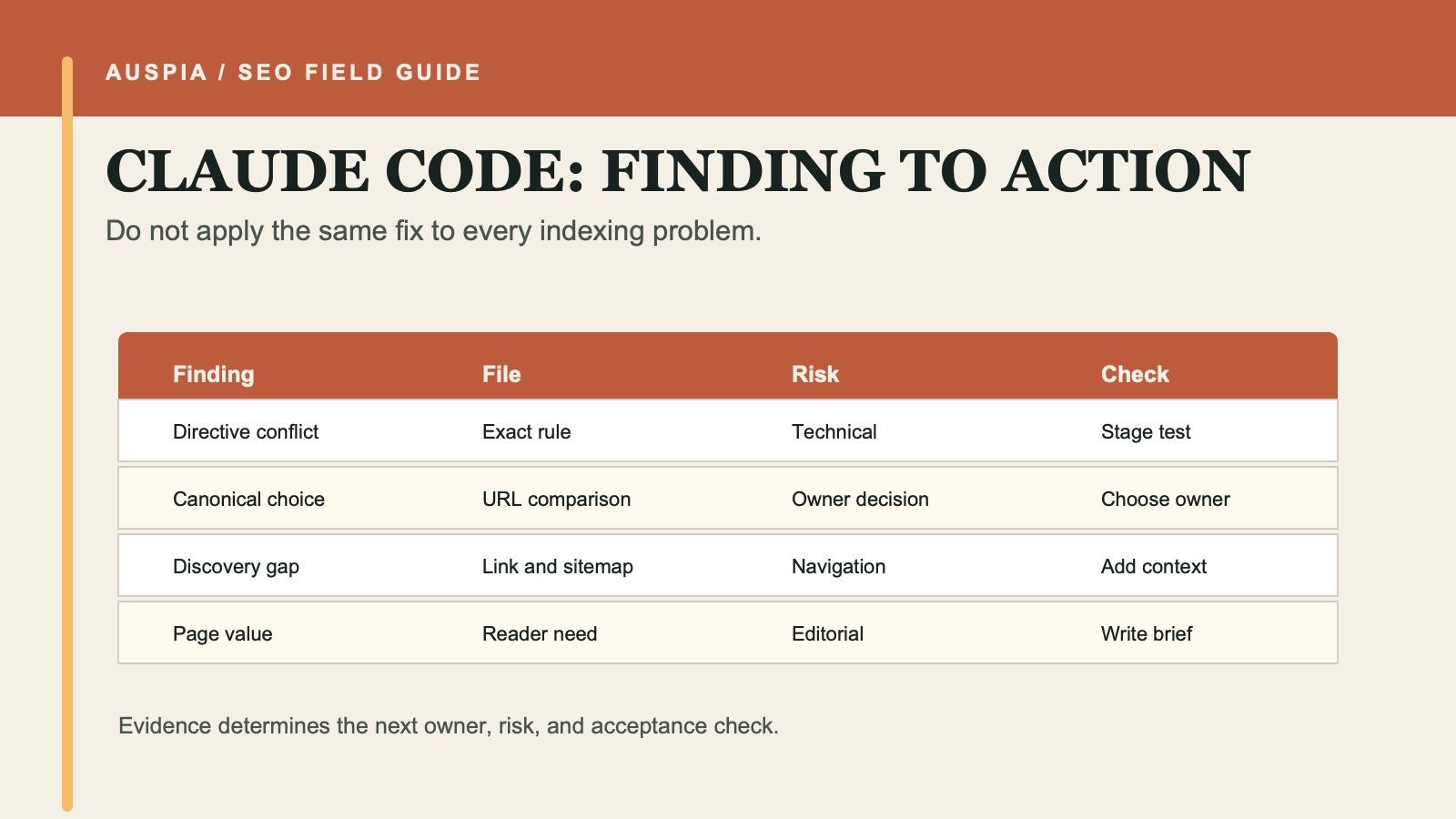
A finding becomes actionable only when the repository location, intended state, risk, and acceptance check are clear.
Approve an implementation plan by file and behavior
If the diagnosis is sound, leave Plan Mode only after naming the approved work. For example:
I approve only these local changes:
1. Remove the accidental noindex output for the public product route in [file].
2. Add one contextual internal link from [source page] to [target URL].

Do not change robots.txt, redirects, other canonicals, or sitemap rules.
Do not deploy or operate Search Console.
Show the diff and run [test/build command].
This is where Claude Code has an advantage over a chat-only tool: it can connect a finding to the exact implementation and produce a diff. The human advantage is deciding whether that implementation matches the page's business purpose.
Reject a plan when it lacks a file path, changes a shared template without listing affected routes, or proposes content expansion without identifying what distinct information the page needs.
Inspect the diff like a release reviewer
Use a compact release gate:
Question | Pass condition |
|---|---|
Did the diff stay in scope? | Only approved files and behaviors changed |
Does the page still serve its intended audience? | Visible content and user journey remain correct |
Are robots and canonical signals consistent? | The agreed searchable state is expressed without conflicts |
Did shared templates change? | Affected routes are listed and tested |
Can the change be reversed? | Rollback is obvious from the diff or commit |
Run the repository's tests and build checks. If the project has no relevant test, inspect the rendered page or staging response. Do not treat a successful build as proof that Google can access the live URL.
Verify the release in two layers
After a human deploys the approved change, first check the public page:
- The exact URL resolves to the intended final URL.
- The HTTP status is expected and there is no surprise redirect chain.
- The live canonical and robots directives match the decision.
- The sitemap and relevant internal links point to the intended canonical.
- The visible page still contains the promised content.
Then run URL Inspection's live test. A human may choose Request indexing after a meaningful change is live. Google says crawling can take from days to weeks, individual requests have quotas, and repeating a request for an unchanged URL does not make crawling faster.
Record the inspection date, deployed change, and next review date. If Google still does not index the URL, revisit page purpose, duplicate ownership, internal discovery, and distinct value instead of issuing the same request again.
When Claude Code is the wrong surface
Use a different workflow when you do not have the repository or the issue lives entirely in a hosted CMS, CDN, or account setting. Claude Code can still prepare a technical brief from exported evidence, but it should not pretend a local source inspection proves the production state.
For dozens of URLs, create a separate crawl analysis. For one URL whose technical signals are already clean, switch from code diagnosis to a content and duplication review.
FAQ
Can Claude Code access Google Search Console for me?
Not by default. Copy the URL Inspection result or provide an authorized export. Do not paste passwords, cookies, or tokens into the prompt.
Should Claude Code remove a noindex when it finds one?
Only after the owner confirms that the page is public, useful, distinct, and intended for search. Many routes should remain excluded.
Can a successful diff guarantee indexing?
No. It can remove a technical obstacle or make signals consistent. Google still decides whether and when to index the page.
Does Plan Mode prevent every external action?
Plan Mode is designed for read-only analysis, but your project instructions should still state the external boundaries. Keep deployment and account actions separately approved.
Official references
- Claude Code permission modes
- Claude Code permissions
- Google: Ask Google to recrawl URLs
- Google: Block indexing with noindex
- Google: Consolidate duplicate URLs
Author: Julian Mercer, 14-Year Technical SEO Practitioner at Auspia. Julian writes about crawlability, site architecture, and small technical changes that can be reviewed before release.


