


The short answer
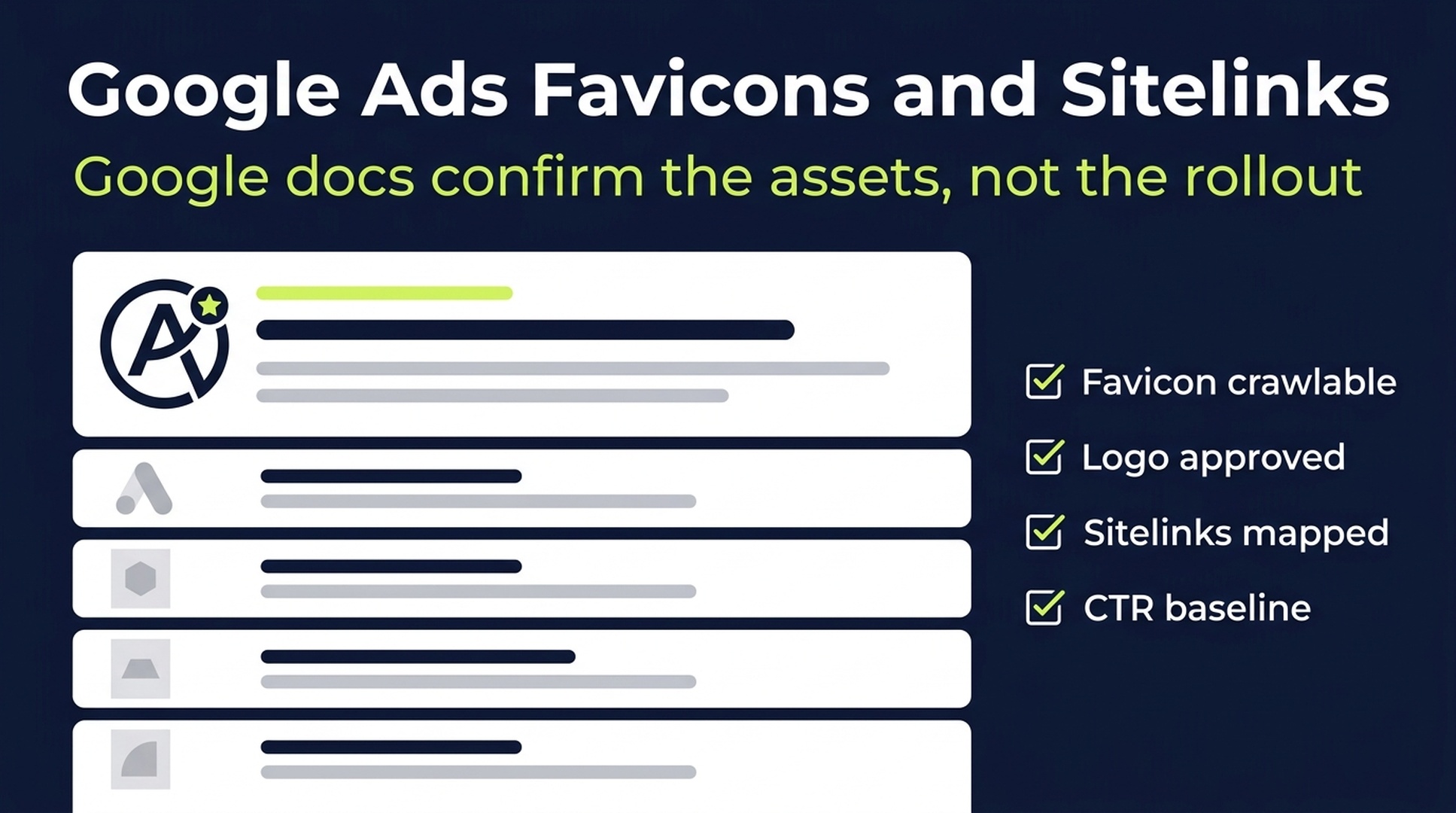
Google has not officially confirmed a broad rollout of favicons inside Google Ads sitelinks. I could not find a Google Ads announcement or Help Center page that says individual Search ad sitelinks now receive favicons as a launched feature.
What Google does confirm is still useful:
- Google Search can show a site's favicon when the favicon follows Google's crawl, size, and quality rules.
- Google Ads supports business information assets, including business name and business logo, for Search campaigns.
- Google Ads says business logo assets may be resized into smaller placements in some ad formats.
- Google Ads sitelink assets can show extra links under ads, but Google decides when eligible assets are expected to improve performance.
That gives advertisers a clear operating rule: do not claim a confirmed sitelink-favicon rollout, but do prepare the assets that Google already uses to represent brands and links in Search.
Source note: this article cites only Google Search Central and Google Ads Help documentation.
What Google has not confirmed
The specific claim is that favicons may appear beside sitelinks in sponsored search results. Based on Google sources alone, that exact treatment is not confirmed as a broad Google Ads feature.
That matters for how teams communicate the news. A search UI observation can be interesting, but a product launch needs a Google source. Until Google documents it, the right label is "unconfirmed visual treatment," not "new Google Ads feature."
Still, the asset-readiness question is real. Google already documents several systems that affect how a brand and its links can appear in search results: website favicons, Google Ads business logos, business names, and sitelink assets. Those systems are enough reason to audit the basics now.
What Google officially documents
Google Search Central's favicon documentation says Google can include a site's favicon in Search results. The same documentation says the favicon should be crawlable, square, stable, and visually representative of the site. It also notes that following the guidelines does not guarantee display.
Google Ads Help documents business information assets for Search campaigns. Advertisers can upload a business name and business logo at the account or campaign level. Google may also crawl a landing page and dynamically create business information assets. These assets are not guaranteed to serve, and ads may fall back to the display URL and a placeholder icon when business information does not serve.
Google Ads Help also documents sitelink assets. Advertisers provide sitelink text and URLs, and Google may show eligible sitelinks when it predicts better performance. Google recommends creating enough sitelinks for coverage and using links that route people to specific pages.
Put plainly: Google has not confirmed per-sitelink favicons, but Google has confirmed the building blocks around the idea.
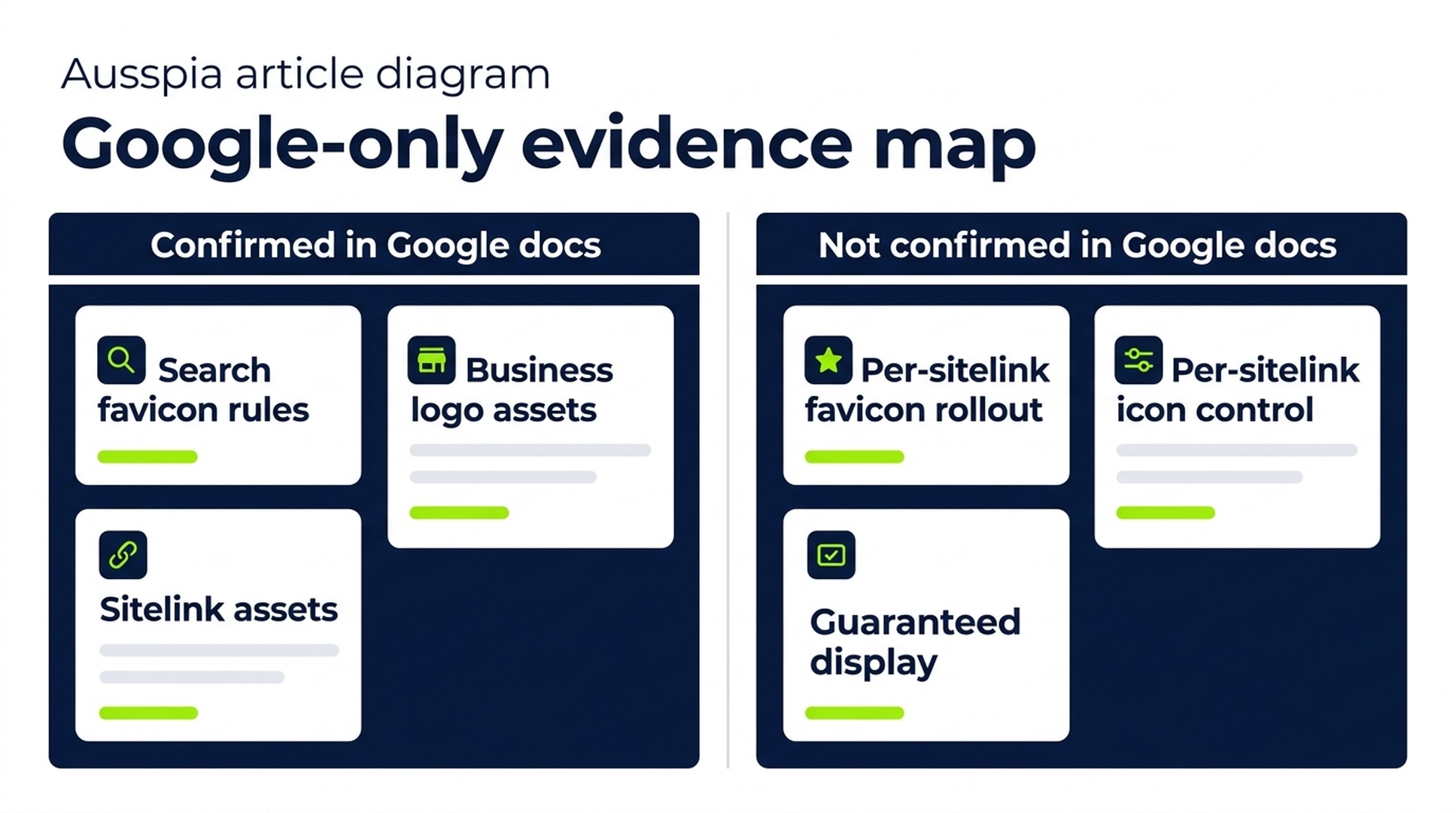
Caption: The article uses only Google sources: favicon documentation, business information assets, and sitelink asset documentation. The exact per-sitelink favicon treatment remains unconfirmed by Google.
Google-only reliability check
Claim | Status from Google sources | Practical reading |
|---|---|---|
Google officially launched favicons inside Google Ads sitelinks | Not confirmed | Do not state this as a launched feature unless Google publishes documentation. |
Google can show a website favicon in Search results | Confirmed | Maintain a crawlable, square, brand-representative favicon. |
Google Ads supports business logos for Search campaigns | Confirmed | Upload and verify business logo assets where eligible. |
Business information assets always serve | Not confirmed | Google says assets are not guaranteed to serve. |
Sitelink assets always serve when added | Not confirmed | Google decides whether eligible sitelinks are expected to improve performance. |
Advertisers can assign an icon to each sitelink | Not found in Google docs | Treat per-sitelink icon control as unsupported unless Google documents it. |
Auspia's view: the right response is not panic, and it is not dismissal. Treat this as an asset-readiness prompt. If Google makes search ads more visual, the accounts with clean brand assets and useful sitelinks will be in a better position.
Why this matters for SEO and paid search teams
This issue sits between three teams that often work separately: SEO, paid search, and brand design.
SEO usually owns the favicon and crawlability checks. Paid search owns business information assets and sitelinks. Brand design owns the logo system. Users do not see those internal boundaries. They see one search results page, with a brand mark, a domain, ad copy, links, and landing-page promises all compressed into a small space.
That is why favicon hygiene is no longer just a tiny technical task. It affects recognition. And recognition affects whether a searcher trusts the result enough to click.
The same logic applies to sitelinks. A vague sitelink such as "About" or "Services" wastes attention. A specific sitelink such as "Pricing Plans," "Book a Demo," or "Customer Case Studies" gives the searcher a useful next step.
The asset audit advertisers should run
Start with a quick audit. This should take hours, not weeks.
Asset | What to check | Why it matters |
|---|---|---|
Website favicon | It is square, crawlable, stable, and recognizable at small sizes | Google documents favicon quality and crawl requirements for Search results. |
Business logo | It is uploaded, approved, high quality, and consistent with the landing page | Google Ads business information assets can change how a Search ad represents the business. |
Business name | It matches the legal name, domain name, or approved brand path | Mismatches can create approval problems or weak brand presentation. |
Sitelink coverage | Major campaigns have at least four useful sitelinks | Google recommends enough sitelinks and decides which eligible links to show. |
Sitelink labels | Each label maps to a clear user intent | If links become more visually prominent, vague labels become more visible too. |
Landing pages | Each sitelink URL matches the label and loads quickly | More visible links can send traffic to pages that were previously ignored. |
Measurement | CTR, sitelink click share, and conversion rate are tracked by URL | You need a baseline before attributing changes to a SERP treatment. |
A simple test works well: remove your brand name from the ad and read only the sitelinks. Can a buyer still tell where to click? If not, the sitelinks are too generic.
How to rewrite weak sitelinks
Weak sitelinks are usually written like a website navigation menu:
- About Us
- Services
- Contact
- Blog
Those links are familiar, but they rarely match the buyer's immediate decision. Stronger sitelinks act like small landing-page ads:
- Pricing Plans
- Book a Demo
- Compare Features
- Customer Case Studies
For ecommerce, the same pattern applies. "Best Sellers," "Size Guide," "New Arrivals," and "Sale Items" usually give clearer choices than generic category labels, assuming the query and landing pages match.
The rule is simple: every sitelink needs a job. One can support evaluation, one can support conversion, one can support proof, and one can capture navigational intent.
What not to overreact to
Do not rebuild every campaign because of an unconfirmed visual treatment.
Do not promise a CTR lift. Google has not published performance data for favicons inside individual Google Ads sitelinks.
Do not assume a business logo upload forces icons into every sitelink. Google Ads documentation is more limited: assets may serve when eligible and when Google expects better performance.
Do not use a detailed logo that only works in a brand deck. In search results, a simple recognizable mark usually beats a dense lockup.
And do not treat organic favicon work as separate from paid search. Google separates Search favicon documentation from Google Ads logo specifications, but users experience them together on the same results page.
Auspia recommendation
Run a seven-day SERP asset sprint.
Pull your top five branded queries, top five non-branded paid queries, and top five competitor queries. Capture the results on mobile and desktop. Then review them with one person from SEO, one from paid search, and one from brand or design.
Score each result with four questions:
Question | Pass condition |
|---|---|
Is the brand mark recognizable at search-result size? | A user can identify it without zooming. |
Is the business name consistent? | It matches the domain, verified name, or approved brand name. |
Do sitelinks map to real user intent? | Each visible link has a clear reason to be clicked. |
Are landing pages ready for extra clicks? | Pages load fast and match the sitelink promise. |
If you want a lightweight technical starting point, run your site through Auspia's Website SEO Score Checker and pair the output with a manual Google Ads asset review. The tool will not confirm whether Google is showing a specific ad UI treatment in your market, but it can catch crawlability, metadata, and page-readiness issues that often weaken search-result presentation.
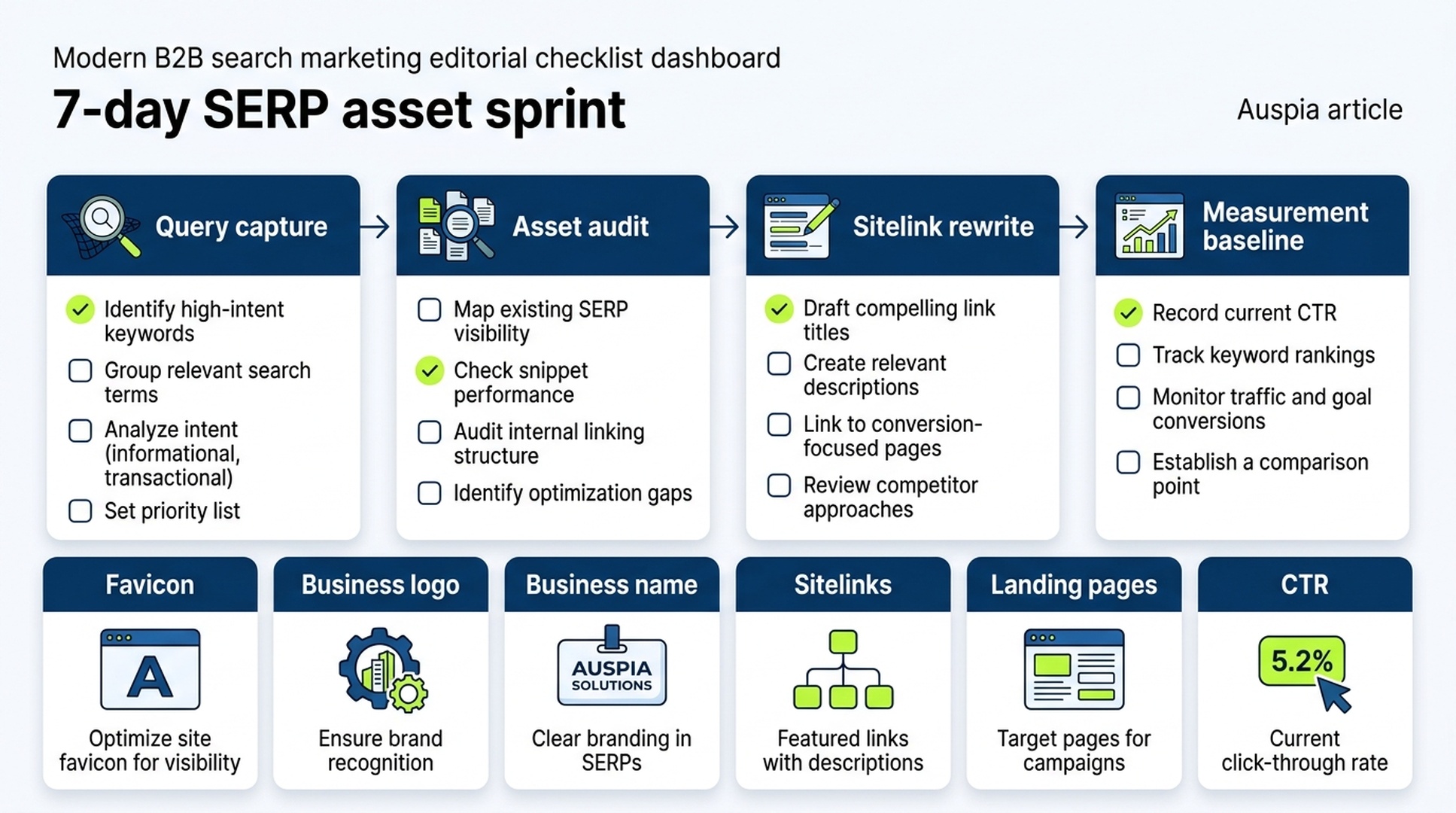
Caption: A practical seven-day sprint connects SEO, paid search, and brand teams around the same search-result asset checklist.
FAQ
Did Google officially announce favicons inside Google Ads sitelinks?
No. I did not find a Google announcement or Help Center page confirming a broad launch of favicons inside individual Google Ads sitelinks.
What can we say using only Google sources?
We can say that Google documents Search favicons, Google Ads business information assets, business logo requirements, and sitelink assets. We cannot say, using only Google sources, that icons beside individual ad sitelinks are a confirmed launched feature.
Can advertisers control sitelink favicons?
No official Google control was found for assigning a unique icon to each Google Ads sitelink. Advertisers can control related inputs: website favicon setup, business logo assets, business name assets, sitelink text, and sitelink URLs.
Should SEO teams care about a Google Ads asset issue?
Yes. Search results mix organic results, ads, domains, icons, and brand cues. SEO teams should keep the favicon crawlable and brand-representative, while paid teams should keep business information assets and sitelinks clean.
What should teams measure if a new visual treatment appears?
Watch CTR, sitelink click share, conversion rate by sitelink URL, and brand versus non-brand query behavior. Compare against a baseline instead of attributing every movement to one UI change.
Google sources only
- Google Search Central favicon documentation: https://developers.google.com/search/docs/appearance/favicon-in-search
- Google Ads Help, business information: https://support.google.com/google-ads/answer/12497613?hl=en
- Google Ads Help, sitelink assets: https://support.google.com/google-ads/answer/2375416?hl=en
- Google Ads Help, brand verification for business information: https://support.google.com/google-ads/answer/13819790?hl=en
- Google Ads Help, assets overview: https://support.google.com/google-ads/answer/7331111?hl=en
Author: Sophie Renard, AI Search Briefing Analyst Tracking 30+ Platforms at Auspia. Sophie writes concise platform-change briefs for teams that need to separate confirmed Google documentation from unconfirmed SERP chatter.


