


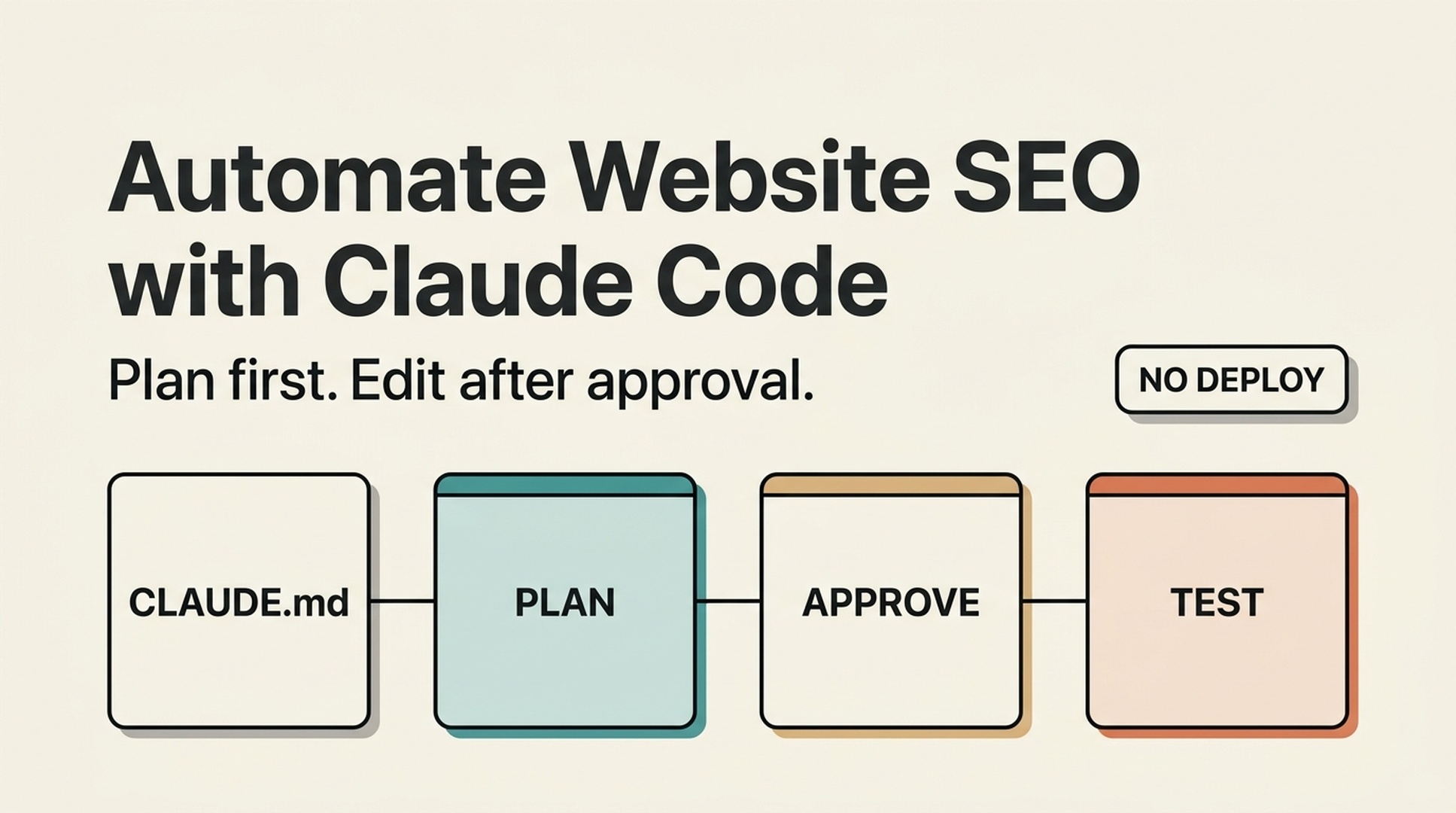

You do not need to know what a canonical tag does before you use Claude Code to improve a page. You need one page URL, a local copy of your website project, and a clear rule: Claude Code plans first; you approve the plan before it edits.
This guide shows a beginner-safe way to automate repetitive SEO work with Claude Code and the seo-auto-optimizer skill. You will use Claude Code to inspect a page, explain the findings in ordinary language, prepare approved updates in your site files, and test the result before it goes live.
Claude Code works best here as an editor with a written operating policy. Let it read the repository, explain the likely edit, and wait for permission. This keeps a beginner from turning an SEO suggestion into an accidental site-wide configuration change.
What you will finish with
By the end of this first workflow, you will have:
- one important URL checked for visible SEO issues;
- a short, prioritized list of changes Claude Code can support;
- a plain-English explanation of each recommendation;
- a reviewed change set in your local website project, if you choose to implement it; and
- a checklist for testing before deployment.
For a first run, plan for 30 to 60 minutes. Pick one page that matters to your business: a homepage, product page, service page, or a blog post that already receives some traffic. Do not start with the entire site.
Here is what "done" means: you can point to the page, explain what was changed and why, and confirm that the page still works after the update. It does not mean a guaranteed ranking increase. Search engines need time to recrawl and evaluate pages.
Before you begin: four things to have ready
You can begin without Google Search Console or a technical background. The first check uses public page signals. Keep these items nearby:
What you need | Why you need it | If you do not have it yet |
|---|---|---|
A public page URL | Claude Code needs a specific page to inspect. | Start with your homepage or one service page. |
Your website project files | Claude Code can prepare approved changes in the actual source files. | Ask whoever manages your website for a copy or repository access. Do not edit production files blindly. |
A local preview or staging site | You need to see the page before it is published. | Use your platform's preview feature or ask a developer for a staging link. |
A way to deploy changes | This may be Git, a CMS, or a hosting dashboard. | Keep deployment manual for your first run. |
Google Search Console, Bing Webmaster Tools, and a crawler export are useful later. They answer questions that a single page cannot answer, such as whether a page is losing clicks, competing with another URL, or blocked from indexing at scale.
Create the SEO Auto Optimizer skill in your Claude Code workspace
You need to create the skill file yourself. Nothing needs to be downloaded from this article.
The quickest option: send this article to Claude Code
If this article is published, you can give its URL to Claude Code and ask it to set up the skill for you. Copy this prompt, replace [ARTICLE URL] with this article's live URL, and send it to Claude Code:
Read this article and install the seo-auto-optimizer skill exactly as it instructs:
[ARTICLE URL]

I am a beginner. Find the complete SKILL.md code block in the article. First inspect this repository's CLAUDE.md and local Claude Code configuration to identify the configured project skills directory. Then create the required seo-auto-optimizer/SKILL.md file there and copy the code block into that file exactly.

Before writing the file, tell me the full path you will use. After writing it, show me the first 10 lines and confirm that the skill name is seo-auto-optimizer.

Do not inspect my website, edit website files, change settings, deploy anything, or run an SEO audit yet. Only install and verify this skill.
If Claude Code cannot open the article URL, follow the manual method below. You can paste the complete code block into the chat after the prompt if needed. Keep a project-specific skill with the project where possible, rather than adding it to an unknown shared location.
In the root folder of the Claude Code workspace you will use for SEO, create these folders and file:
your-claude-code-workspace/
  skills/
    seo-auto-optimizer/
      SKILL.md
For a project-local Claude Code skill, use this directory structure:
your-website-project/
  .claude/
    skills/
      seo-auto-optimizer/
        SKILL.md
If your Claude Code installation documents another configured skills directory, use that location instead. The folder name and the name in the file must both be seo-auto-optimizer. Claude Code can then call it with $seo-auto-optimizer.
Open a new plain-text file named SKILL.md and paste the complete content below. Do not paste it into your website code. It belongs in the skills/seo-auto-optimizer/ folder.
The skill begins in read-only mode. That is intentional. It checks public evidence and prepares a fix plan, but it does not publish pages, submit sitemaps, edit Search Console, or alter your live site.
---
name: seo-auto-optimizer
description: Audit one public URL or a group of website URLs with evidence, then create an SEO optimization plan ranked by impact and effort. Use when a user asks to check, diagnose, optimize, or create an SEO task list, especially for indexing, technical SEO, metadata, structured data, content quality, internal links, search intent, keyword cannibalization, Core Web Vitals, mobile experience, CTR, Google Search Console, Bing Webmaster Tools, sitemaps, robots.txt, or E-E-A-T. By default, audit and provide code or copy recommendations only. Do not change the website, CMS, search-engine consoles, or third-party platforms.
---

# SEO Auto Optimizer

Turn a supplied URL into a verifiable SEO optimization plan that a developer, content team, or growth team can act on. Never present an item as checked or fixed when public evidence cannot confirm it.

## Working boundaries

- Default to read-only work. Inspect public pages, resources, and public site files. Do not change live pages, submit a sitemap, publish content, buy links, or operate any account.
- For a single-URL request, audit that URL and only the same-domain public files needed to verify it, such as `robots.txt`, a sitemap, or page links. Do not turn a single-page observation into a site-wide conclusion.
- Mark work that needs a login, search-performance data, a full crawl, server logs, or business facts as `Needs data`. State what data is needed and how to check it.
- Do not recommend black-hat, manipulative, or fabricated SEO: no purchased links, fake reviews/authors/comments, doorway pages, keyword stuffing, or bulk low-value AI pages.
- Follow the site's market, page language, URL conventions, and content standards. Proposed titles, meta descriptions, H1s, and body copy must use the target page's language.

## Inputs and clarification

A request needs at least one URL. If available, use the target market, language, business model, primary conversion, target keywords, Google Search Console or Bing exports, and local website project.

When those details are missing, do not block the work. Infer what you can from the page language, page type, and visible content, then state your assumptions at the beginning of the report. Ask one focused question only when the user requests keyword strategy, competitive content, or a site-wide change and the answer would materially depend on the target market or business.

## Audit process

### 1. Build an evidence baseline

1. Record the inspection date, final URL, HTTP status, redirect chain, `<html lang>`, visible robots instructions, and page-rendering limits.
2. Read the first screen, main content, and available source or DOM. Record the title, meta description, canonical, robots meta, viewport, H1-H6, visible publish or update date, author information, approximate body length, images, internal and external links, JSON-LD, and important JavaScript dependencies.
3. Check the same-domain `/robots.txt`. Check a sitemap only when one is discoverable; do not say a sitemap does not exist merely because its URL is not explicitly listed.
4. Keep locatable evidence for every conclusion: tag text, HTTP header, link URL, DOM observation, screenshot observation, or public-tool result. If the page is blocked by a WAF, login, geography, or another access limit, state the limitation immediately.

### 2. Classify every check

Use exactly one status for each item:

| Status | Meaning |
| --- | --- |
| `Pass` | Public evidence shows the item meets its purpose. |
| `Issue` | Public evidence shows an error, risk, or clear omission. |
| `Opportunity` | It may not be an error, but there is a reasonable opportunity to improve visibility, click-through rate, user experience, or conversion. |
| `Needs data` | Google Search Console, Bing, logs, a full crawl, field performance data, or keyword data is required. |
| `Not applicable` | The page type or business does not need this item; explain why. |

Do not turn `Needs data` into an `Issue` just to fill a checklist. Resolve the root causes that affect crawling, indexing, user experience, or the page's main intent before minor copy changes.

### 3. Create an action plan

Merge findings into non-duplicative tasks and rank them:

- `P0`: The page cannot be crawled or indexed; an incorrect canonical; accidental `noindex`; critical 4xx/5xx; site-wide robots blocking; severe mobile or rendering failure.
- `P1`: Main-page intent or content mismatch; duplicate or thin content; missing or conflicting title and H1; unacceptable structured data; missing key internal links; obvious performance bottleneck.
- `P2`: CTR improvements; images and alt text; FAQs; author and update information; content expansion; topic or comparison pages; local link and URL improvements.
- `P3`: Growth experiments, link earning, business profiles, and monitoring that require performance data or external coordination.

For every task, state the problem, evidence, recommended action, owner (developer, content, SEO, or growth), acceptance criteria, and risk or prerequisite. Give specific code or copy only when current information supports it. Where brand facts are missing, use clear placeholders instead of inventing facts.

## What to check

### A. Crawling, indexing, and URLs

Check and report:

- HTTP status, whether redirects are single-hop and appropriate, loops, and HTTP/HTTPS or www/non-www confusion.
- `robots.txt`, meta robots, `X-Robots-Tag`, and whether canonical URLs are reachable, absolute, single, self-referencing, or point to a sensible preferred URL.
- Whether canonical, `noindex`, pagination or filtering rules, and sitemap behavior agree. Mark uncertain cases as `Needs data`.
- Whether URLs are stable, readable, descriptive, free of meaningless parameters, case or trailing-slash duplication, and keyword stuffing. Do not recommend casual URL changes unless the plan includes 301 redirects, internal-link updates, canonical updates, sitemap updates, and rollback conditions.
- Whether main content appears in initial HTML or can render reliably. When important content depends only on client-side JavaScript, recommend verification with URL Inspection, rendering tests, and server-side rendering or prerendering options.
- Discoverable broken links, 404s, soft 404s, and incorrect internal destinations. A single URL cannot prove that a whole site has no broken links.

### B. Page structure and metadata

Check:

- A unique, accurate, intent-matched title. For Latin-script languages, a rough 50-60 characters can be useful, but accuracy matters more than reaching a count.
- A unique meta description that describes the page's real value without keyword lists or false promises. A meta description is not a ranking guarantee; prioritize relevance and likely click-through appeal.
- One H1 that describes the page's main question. Organize H2 and H3 headings by real topic hierarchy, without skipped levels or decorative text disguised as headings.
- `lang`, viewport, mobile usability, the ratio of main content to template noise, and breadcrumb visibility and semantics.
- Appropriate image formats, dimensions, lazy loading, and specific alt text. Decorative images should have empty alt text. Do not force keywords into alt text.

When recommending a rewrite, provide one adoptable title, meta description, H1, and heading outline. Label any information that needs a brand-owner confirmation.

### C. Structured data and trust signals

Check whether visible page content and JSON-LD, Microdata, or RDFa agree. Consider only schema appropriate to the page type: `BreadcrumbList`, `Article` or `BlogPosting`, `Product`, `SoftwareApplication`, `Organization`, `LocalBusiness`, `FAQPage`, and `WebPage`.

- Recommend schema only when it represents visible, real page information. Never add invented ratings, reviews, prices, authors, FAQs, or awards.
- Identify required fields such as URL, name, description, image, author, publish date, `dateModified`, breadcrumb positions, and entity identifiers.
- For content pages, check visible author information, author page or experience, editorial policy, sources, contact information, organization information, update date, and factual citations. E-E-A-T is not a tag that can be added; it comes from verifiable content and entity information.
- When schema exists, recommend the Google Rich Results Test and Schema Markup Validator as acceptance checks.

### D. Content, intent, and duplication

Identify the page's main query intent: informational, commercial research, transactional, local, navigational, or mixed. Check whether the main content answers the question early and adds value through original evidence, examples, steps, data, or product detail.

- Flag clear thin content, template repetition, unanswered core questions, intent mismatch, and stale content. Do not define thin content by word count alone.
- A single URL cannot prove site-wide duplicate content, keyword cannibalization, or orphan pages. Explain that these require a URL inventory, canonical and index status, GSC query-to-page data, an internal-link graph, and similarity analysis.
- For overlapping pages, first define the evidence and decision criteria for keep, merge, split, or redirect. Never recommend deleting a page based on a guess.
- When content creation is requested, provide a search-intent brief, unique value, information architecture, sources needed for claims, and internal-link targets. Original content means independent insight or verification, not a competitor rewrite.
- Suggest comparison, alternatives, list, or FAQ pages only when they have distinct intent, real comparison criteria, and maintainable facts. Do not create batches of low-value templates.

### E. Internal links, architecture, and topic coverage

Assess how the page can be found and understood:

- Check whether important pages have crawlable HTML links from relevant parent pages, topic hubs, navigation, or breadcrumbs. Anchor text should naturally describe the destination.
- Mark orphan pages as `Needs data` unless a sitemap and full link graph prove the finding.
- For a topic cluster, define one pillar or owner URL, a distinct intent for each support page, link direction, and a cannibalization rule. Multiple near-identical owner pages should not compete for one head topic.
- Before suggesting feature, use-case, integration, comparison, alternatives, or FAQ pages, define the user question, target query, unique content, owner URL, and link-back path.

### F. Performance, mobile use, and Core Web Vitals

Separate lab data from field data. Prefer real-user data from CrUX or PageSpeed Insights to validate LCP, INP, and CLS. Without it, inspect obvious risks: oversized hero media, images without dimensions, render-blocking CSS or JavaScript, third-party scripts, font loading, layout shifts, and heavy client-side rendering.

Every performance recommendation must explain its mechanism and test method. For example: responsive, compressed hero media may improve LCP; image width and height reduce CLS risk; splitting long tasks may improve INP. Do not promise a score or ranking improvement.

### G. Search performance, keywords, and external authority

Unless the user supplies data or access, mark these items as `Needs data`:

- Page-two rankings, traffic or ranking declines, and query-to-page keyword cannibalization.
- URLs or queries with high impressions and low CTR, plus title and meta tests.
- High-volume, low-difficulty keywords, SERP and People Also Ask opportunities, competitor gaps, and search intent.
- High-quality backlinks, broken-link opportunities, brand mentions, Google Business Profile, and local citations.
- GSC or Bing sitemap submission, URL Inspection, index coverage, and crawl errors.

Give an executable data-checking instruction. For example: in GSC, compare the last 28 days with the previous 28 days, filter to the target URL, export queries, impressions, clicks, CTR, and average position, then test a new title or meta description for high-impression, same-intent queries with weak CTR. Link strategies must use audience-relevant, editorially independent, verifiable channels and genuinely useful assets.

## Default deliverable format

Unless the user asks for a shorter response, return these sections in this order:

1. `Scope and limits`: target URL, check date, accessibility, what could not be verified, and key assumptions.
2. `Executive summary`: the three to seven most important findings and what to address first.
3. `Check matrix`: status, evidence, and short conclusion for items A-G. Cover the user's supplied checklist, and state `Needs data` where necessary.
4. `Prioritized action list`: P0-P3 tasks with owner, effort (S/M/L), acceptance criteria, and dependencies.
5. `Implementation-ready recommendations`: where appropriate, include metadata, heading structure, JSON-LD templates, internal-link locations, content briefs, or performance fixes.
6. `Data and human follow-up`: needed GSC, Bing, crawl, log, keyword, and business inputs, plus exact validation steps.

Use careful language. Say a change may improve relevance, discoverability, or CTR. Do not promise indexing, first place rankings, or that every SEO issue has been fixed.

## Completion standard

Before delivering the work, confirm:

- Every conclusion has public evidence or is explicitly labeled as an assumption or `Needs data`.
- Tasks are ordered by impact, dependency, and actual executability, not copied mechanically from a checklist.
- Recommendations do not risk breaking URLs, canonicals, index status, or content facts. Migration, deletion, and merge suggestions include redirect and rollback conditions.
- Schema and E-E-A-T recommendations come from visible facts or are clearly marked as information still needed.
- The report makes clear that no live changes, submissions, or publishing actions were performed.
Save the file. Then restart or reload Claude Code if your setup requires it, and ask: List the skills available in this workspace. Is seo-auto-optimizer available? Do not begin the tutorial until Claude Code confirms the skill is available.
Write a CLAUDE.md policy before your first edit
Claude Code can use CLAUDE.md as project guidance. This makes it the right place to set the rules for a beginner SEO workflow. If a CLAUDE.md already exists, add these rules carefully instead of replacing the file.
# Safe SEO automation

For SEO tasks, begin with a read-only inspection using seo-auto-optimizer.
Explain findings in plain English and label uncertain findings as Needs data.
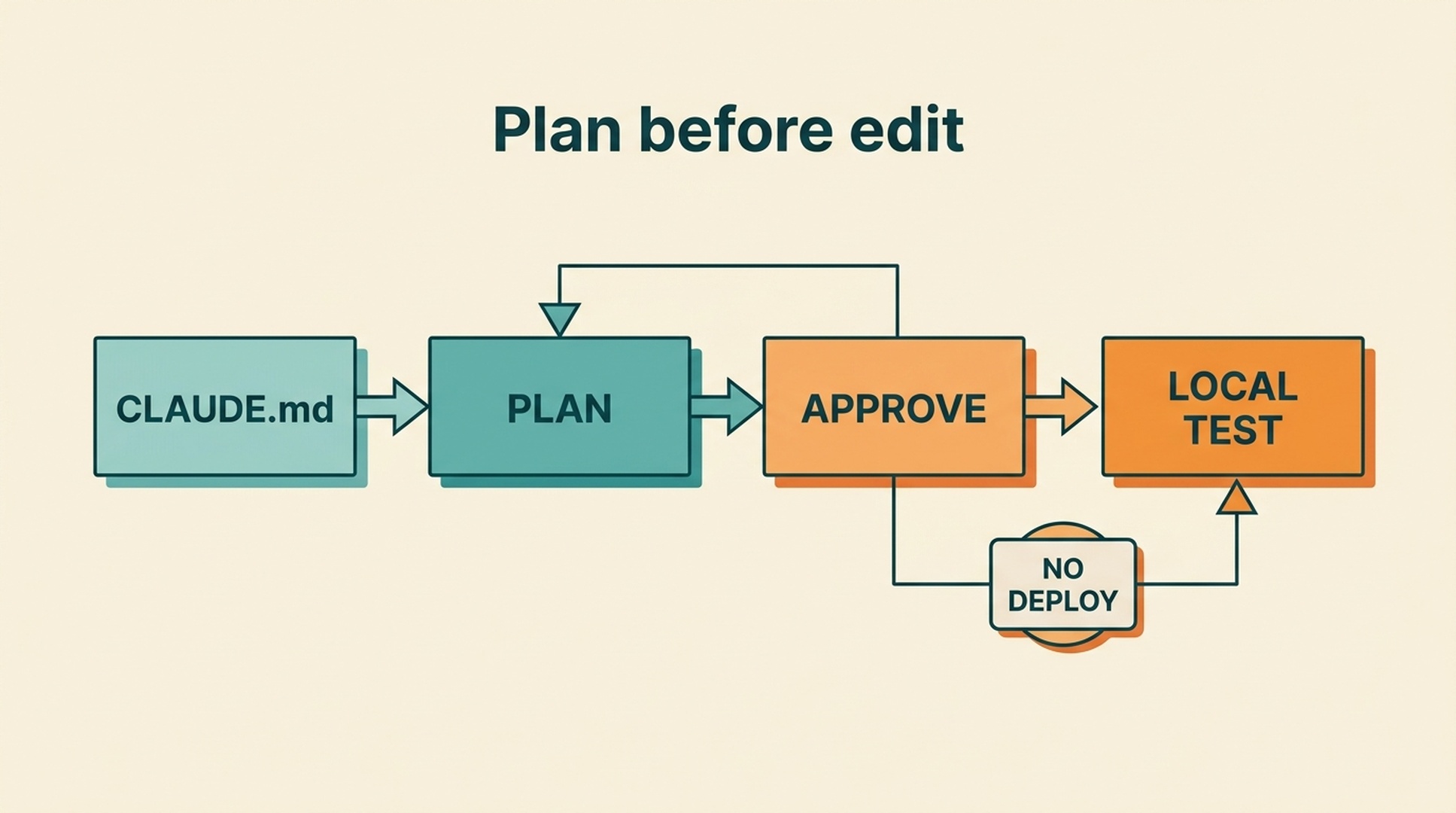
Before editing, provide a plan with affected files, expected page changes, checks, and rollback instructions. Wait for approval.
Do not change URLs, robots.txt, noindex, canonical tags, redirects, sitemap files, deployment configuration, or CMS content without explicit per-change approval.
After approved edits, show the diff and run relevant local checks. Do not deploy, commit, or push unless asked.
When you ask Claude Code to implement a repair, start with the plan-only request in this article. Read the plan. If it is too broad, say "revise the plan so it changes only [file or component]." That short pause is the most useful protection a new user has.
Run a page check before asking Claude Code to change anything
Open Claude Code and paste this prompt. Replace the example URL with your own page.
Use $seo-auto-optimizer to inspect this page:
https://example.com/your-page

I am new to SEO. Explain every finding in plain English.
Do not change files, publish pages, submit anything, or make live-site changes.

For every recommendation, show:
1. What Claude Code found and where it found it.
2. Why it may matter for visitors or search engines.
3. Whether it is a confirmed issue, an improvement opportunity, or needs more data.
4. The safest next action.
5. Whether I need a developer or Google Search Console data.

Put the work in priority order: P0, P1, P2, then P3.
The first output should be a report, not a changed website. That is correct.
Claude Code can usually inspect visible signals such as a page title, meta description, main heading, image alt text, internal links, canonical tag, robots instructions, structured data, mobile viewport, and obvious broken links. It can also spot clear page-level content gaps.
It should not claim to know everything. A report that says "needs data" is often more trustworthy than one that confidently diagnoses your whole site from one URL.
Read the report without becoming an SEO expert
The skill uses two simple labels: a status and a priority. Read both before approving anything.
Label | What it means | A beginner-friendly response |
|---|---|---|
| Public evidence suggests the page is fine on this point. | Leave it alone. |
| Claude Code found a specific problem, such as a missing H1 or a bad link. | Review the evidence and consider a fix. |
| The page is not broken, but it could be clearer or more useful. | Treat this as optional improvement work. |
| Claude Code needs GSC, Bing, analytics, logs, or a full crawl to know. | Do not guess. Collect the data later. |
Priority tells you what to look at first:
Priority | Plain-English meaning | Typical examples |
|---|---|---|
| A serious problem may stop an important page from appearing or working correctly. | Incorrect |
| The page's structure, intent, or technical setup has a meaningful weakness. | Missing or conflicting title/H1, wrong page intent, invalid relevant schema, missing important internal links. |
| A worthwhile improvement, but not an emergency. | Better image alt text, clearer FAQs, author or update details, title and description tests. |
| Work that needs data, another team, or an ongoing experiment. | Link earning, local profiles, ranking monitoring, or keyword research. |
Do not approve every item because it appears in a report. Your first implementation should contain one to three low-risk changes. A smaller first release is easier to check and easier to undo.
Pick safe first changes and leave risky decisions for later
Most beginners can start with clear page-level improvements. The table below is a useful boundary.
Usually safe to prepare and review | Pause and ask for technical or SEO review |
|---|---|
A more accurate title or meta description | Changing URLs or removing pages |
A single clear H1 and sensible H2 headings | Editing |
Specific alt text for meaningful images | Redirect rules or migration settings |
A broken internal link with an obvious correct destination | Merging pages because they look similar |
Schema that reflects visible, verified content | Adding ratings, reviews, prices, authors, or FAQs that are not real |
A short answer that makes an existing page clearer | Publishing many AI-generated pages for keywords |
For example, a canonical tag is a small instruction that tells search engines which version of similar pages should be considered the main version. Changing it can be important, but it can also accidentally tell Google to ignore the page you care about. Ask Claude Code to show the current and proposed canonical URL, then get a technical review before changing it.
The same rule applies to robots.txt and noindex. These settings can be correct for a thank-you page, a private preview, or a filtered result page. They are not automatically mistakes.
Ask Claude Code for an implementation plan, not a surprise edit
Copy the approved items from your report and use this next prompt inside the website project. It tells Claude Code what it may change and, just as importantly, what it must leave alone.
I approve only these SEO changes:
[PASTE THE APPROVED ITEMS]

Review my local website project and prepare an implementation plan.
Before editing any file, show:
1. Every file you expect to change.
2. The exact page or component each file affects.
3. What visitors and search engines will see differently.
4. How we will test the result.
5. A rollback path if the change is wrong.

Do not change URLs, delete pages, edit robots.txt, add noindex tags,
change redirects, publish content, deploy the site, or make changes outside
the approved list.

Wait for my approval after showing the plan.
Check the file list before replying. If Claude Code wants to touch files you do not recognize, ask why. If the plan says "optimize SEO" but cannot name a file and an expected result, ask it to be more specific.
Once the plan looks right, give a narrow approval:
Approved. Implement only the plan above.

After editing:
- show me a concise file-by-file summary;
- show the relevant diff or before-and-after text;
- explain anything I need to verify manually;
- run the project's existing checks if they are available;
- do not deploy.
This is the part that makes automation useful. Claude Code can make the repetitive edits, but you retain the decision about what changes and when it is published.
Check the result before the page goes live
Do not skip the preview. A technically valid change can still sound strange, break layout, or make a page less useful.
Use this release checklist:
Check | What you are looking for |
|---|---|
Browser preview | The page loads and the changed text reads naturally. |
Mobile preview | Headings, images, menus, and buttons still work on a narrow screen. |
Title and description | They describe the actual page and do not promise something visitors will not get. |
Heading structure | One clear H1 describes the page; H2s organize real sections. |
Links | Changed internal links lead to the intended live or staging page. |
Images | Important images have useful alt text; decorative images do not have keyword-stuffed alt text. |
Source or SEO extension | The expected canonical, robots instruction, and structured data have not changed unexpectedly. |
Project checks | The site's existing build, test, lint, or validation commands pass. |
For schema changes, run Google's Rich Results Test or Schema Markup Validator after deployment or against a reachable staging page. A valid schema format is not enough: it must also match what users can see on the page.
If a check fails, do not ask Claude Code to make random follow-up edits. Give it the exact error, say which approved change caused it, and ask for the smallest repair. If you cannot explain a change or validate it, revert it before deployment.
What SEO automation cannot know from one page
This is where beginners often get misled by confident-looking AI output. Some SEO questions require data that is not visible in a browser.
Question | What Claude Code needs before answering responsibly |
|---|---|
Why did traffic drop? | GSC and analytics data for two comparable periods. |
Which pages have high impressions but low click-through rate? | GSC query and page export. |
Do two pages compete for the same keyword? | GSC query-to-page data plus a content comparison. |
Which pages are orphaned? | A full site crawl, sitemap, and internal-link graph. |
Are Core Web Vitals actually failing for visitors? | Field data such as CrUX or PageSpeed Insights, not only a local test. |
Which low-difficulty keywords should you target? | Keyword and SERP research, plus your actual audience and offer. |
Should you submit a sitemap or request indexing? | Access to GSC or Bing Webmaster Tools and a reason to do it. |
You can automate the collection and organization of these inputs later. For your first page, it is enough to let Claude Code mark them as Needs data rather than pretending a guess is a diagnosis.
A simple weekly routine that stays manageable
Once the first page is live and checked, repeat the workflow on one important page each week:
- Choose a page with a business purpose, not a random URL.
- Run the read-only Claude Code check.
- Approve no more than a few clear, low-risk updates.
- Review the implementation plan and the file diff.
- Test locally or on staging before deployment.
- Record the page, date, changes, and any open questions in a simple spreadsheet or Markdown file.
After you have a few weeks of changes, add GSC exports. Then Claude Code can help you find pages where the next improvement is supported by real impressions, clicks, or query data. For broader diagnostics, use a website SEO score checker alongside your code-level review.
FAQ
Can Claude Code automate all of my website SEO?
No. Claude Code can automate repeatable work such as reviewing public page signals, organizing an issue list, drafting titles and descriptions, preparing code or content changes, and checking an approved change list. Decisions involving page deletion, redirects, indexing controls, canonicals, business claims, deployment, or performance data still need human review.
Do I need to know SEO keywords before I start?
No. Begin with an important page and ask Claude Code to explain its visible SEO setup in plain English. Keyword research becomes useful when you want to create new pages or decide which existing pages deserve more work. It needs research data and an understanding of your customers, not just a list generated by an agent.
Can Claude Code edit a WordPress, Webflow, or Shopify page for me?
Only if your Claude Code environment has authorized access to that system or to its website files. For a first workflow, ask Claude Code to prepare the exact text, code, or file-level change, then make the CMS update yourself or have the site owner approve it. Do not grant publishing access before you have a reliable review process.
Will these changes make my page rank first on Google?
No. SEO changes can improve crawlability, relevance, clarity, and user experience. Rankings also depend on competition, search intent, site quality, links, and how search engines evaluate the page over time. Treat Claude Code as a way to make better, safer decisions, not as a ranking guarantee.
Author: Julian Mercer, 14-Year Technical SEO Practitioner at Auspia. Julian writes about crawlability, schema, rendering, site architecture, and technical foundations for AI-readable content.


