


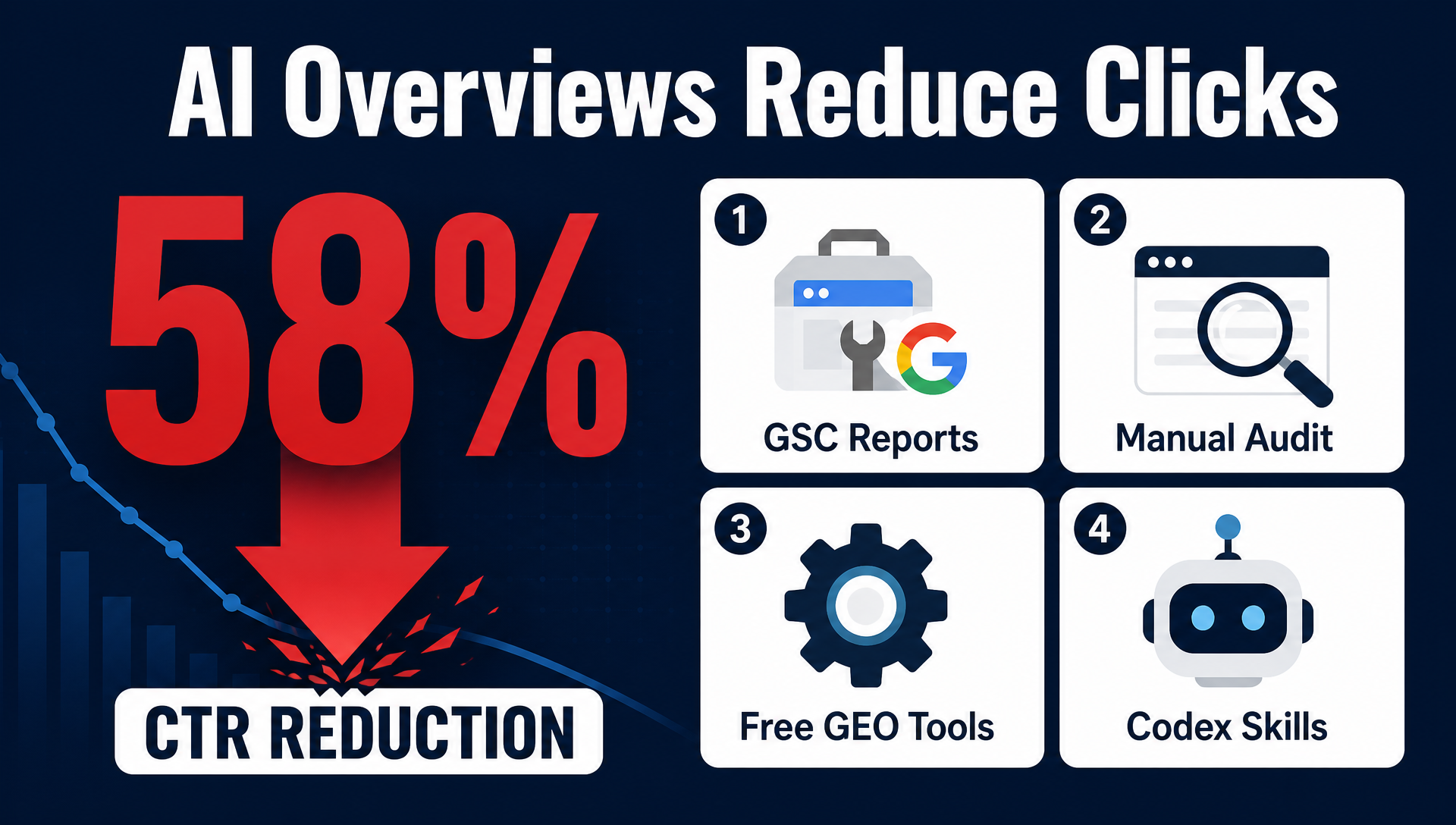
Update: AI Overviews Reduce Clicks by 58% (2026 Edition) — Here's How to Track and Adapt
The headline number is worse than last time. In early 2025, we reported that AI Overviews reduced organic clicks by 34.5%. Eight months later, that number has jumped to 58% for position one — and corroborating studies now put the range between 38% and 61% depending on query type.
For every 100 clicks a top-ranking page used to earn, Google now keeps roughly 58.
This article covers the updated data, the new tools available in 2026, and — most importantly — four methods any SEO beginner can use today to measure AI Overviews' impact on their own site, including ready-to-use Codex and Claude Code agent prompts you can copy and paste.
🎬 Watch the 2-Minute Video Summary
>
Prefer to watch? We made a narrated data-journalism explainer covering every key stat — the 58% number, the four free tracking methods, and what to do this week.
>
▶ Watch the video
What Changed Since the Last Update
When we first measured AI Overviews' CTR impact in April 2025, AIOs appeared on roughly 7.6% of searches. A lot has changed:
- AI Overviews now appear on 50–60% of US searches, up from 6.5% in January 2025. Google confirmed 2.5 billion monthly active users at I/O 2026.
- Google AI Mode launched — a dedicated conversational search interface that has already surpassed 1 billion monthly users. It generates referrals on just 1.6–2.5% of queries, with a 93% zero-click rate.
- Search Console added Generative AI Performance reports, giving site owners their first native visibility into AI Overview impressions.
- The AIO query mix shifted hard toward commercial intent. In October 2024, 89% of AIOs appeared on informational queries. By October 2025, 43% appeared on commercial, navigational, or transactional searches.
- Google-Extended and llms.txt became standard — sites that block the
Google-Extendedcrawler or lack anllms.txtfile are invisible to AI Overview citations regardless of their organic rankings.
The takeaway: this is no longer an informational-content problem. It affects nearly every type of query.
The 58% Number: How It Was Measured
The methodology is straightforward enough that you can replicate a version of it for your own site (we'll show you how in Method 4).
What Ahrefs did:
- Analyzed 300,000 keywords from Keywords Explorer — 150,000 with an AI Overview present, 150,000 informational-intent keywords without one.
- Used aggregated Google Search Console data to calculate average desktop CTR per keyword (clicks ÷ impressions).
- Compared December 2023 (pre-AIO baseline) against December 2025.
- Calculated what position-one CTR would have been without AIOs by applying the non-AIO CTR decline rate to the AIO keyword group, then measured the gap between forecasted and actual.
The math, in plain English: Non-AIO informational keywords saw their position-one CTR drop from 7.6% to 3.9% (a natural decline from other SERP features). Applying that same decline rate to AIO keywords gave a forecast of 3.7%. The actual CTR was 1.6%. The difference — roughly 58% — is the portion attributed specifically to AI Overviews.
CTR Impact by Ranking Position
The damage isn't limited to position one. Here's the full breakdown:
Position | CTR Reduction (from AI Overviews) | What It Means |
|---|---|---|
1 | −58.0% | More than half of expected clicks gone |
2 | −50.8% | Half of clicks lost |
3 | −46.4% | Nearly half |
4 | −38.8% | Over a third |
5 | −32.6% | One in three clicks gone |
6 | −30.5% | |
7 | −29.7% | |
8 | −28.8% | |
9 | −29.7% | |
10 | −19.4% | One in five clicks lost |
Lower positions saw smaller relative drops, but their baseline CTRs were already low. A position-10 page losing 19.4% of an already-tiny CTR is losing nearly all of its traffic.
One important detail: about 9% of AI Overviews appear outside position one — meaning even the top organic result isn't always the source being cited.
What Other Studies Found
The 58% number doesn't stand alone. Multiple independent research teams have measured the same phenomenon with different methodologies — and the results converge:
The Field Experiment (Agarwal & Sen, 2026)
A randomized controlled trial with 1,065 US participants — the strongest causal evidence to date. Researchers assigned users to either standard Google Search or a version with AI Overviews removed. Result: AI Overviews caused a 38% reduction in outbound organic clicks on triggered queries. Zero-click searches rose from 54% to 72%. Critically, the study found no measurable improvement in user satisfaction when AIOs were present.
Pew Research Center (2026)
Users clicked traditional results on just 8% of searches when an AI Overview was present, versus 15% without one.
SparkToro / Datos (Jan–Apr 2026)
68% of all Google searches now end without a click — up from ~60% in 2024 and ~49% in 2019. AI Mode alone has a 93% zero-click rate.
Seer Interactive (5.47M Queries, Jan 2025–Feb 2026)
Organic CTR on AI Overview queries fell 61% in September 2025 before partially recovering to 2.4% by February 2026. Brands cited inside the AI Overview earned ~120% more organic clicks per impression than uncited brands.
NP Digital / Neil Patel (Aggregated, June 2026)
Informational queries saw the largest decline at 61%. Even informational queries without AIOs dropped 41% — suggesting broader user behavior change. Branded queries with AIOs actually gained 18.7% CTR, the only positive category.
The consistency across studies — using field experiments, clickstream panels, GSC aggregation, and SERP tracking — makes the conclusion hard to dispute: AI Overviews are permanently reducing organic click-through rates, and the trend is accelerating.
The Other Side: AI Referral Traffic Converts Better
Not all the news is bad. While traditional blue-link clicks are declining, traffic from AI-generated citations is growing — and it converts at significantly higher rates:
- AI search visitors are 4.4× more valuable than average organic visitors (Semrush/Wix AI Search Lab).
- AI referral traffic converts at roughly 14.2% versus 2.8% for traditional organic traffic.
- AI search visits grew 42.8% year-over-year to 27.4 billion in Q1 2026.
The strategic shift isn't "abandon SEO." It's add AI citation tracking to your measurement stack and optimize for the surfaces where your audience now finds answers.
How to Track AI Overviews' Impact on Your Site: 4 Methods
Below are four methods, ordered from simplest to most powerful. Methods 1–3 require no budget. Method 4 requires access to Codex or Claude Code (both have free tiers).
Method 1: Google Search Console AI Performance Reports (Free, 10 Minutes)
Google now provides dedicated Generative AI Performance reports inside Search Console. They show how often your content appears as a cited source in AI Overviews and AI Mode.
What you can see:
- AI Overview impressions, broken down by page, country, device, and date
- AI Mode impressions and clicks (separate Search Appearance filter)
- Trend data showing whether Google's AI is citing you more or less over time
What you cannot see (yet):
- AI Overview clicks are still bundled with standard organic clicks
- Citation-source URLs aren't shown per query
- Competitor citation data isn't available
Setup steps:
- Verify your domain in Search Console using the Domain property option.
- Link Search Console to Google Analytics 4 (Admin → Product links → Search Console links).
- Navigate to Performance → look for the "Generative AI" report section (gradual rollout — if you don't see it yet, check back every two weeks).
- In the standard Performance report, apply the Search Appearance filter for "AI Mode" to isolate AI Mode-specific impressions and clicks.
How to read the data: Focus on month-over-month trends in AI impressions. Growth means Google's AI is relying on your content more frequently. If AI impressions are rising while organic clicks are flat or falling, that's the AI Overview substitution effect in action.
Pro tip — spot AIO impact without the dedicated report: Export your top queries from the standard Performance report. Filter for queries where impressions stayed flat or rose but clicks and CTR dropped >30%. These are high-probability candidates where an AI Overview is intercepting your traffic.
Method 2: Manual Incognito Audit (Free, 30 Minutes)
If you want to check which specific queries trigger AI Overviews — and whether your site gets cited — a manual audit is the fastest starting point.
What you need: A browser in incognito/private mode, a spreadsheet, and 30 minutes.
Steps:
- Export your top 20–50 queries from Google Search Console (queries that drive the most clicks or have the highest CTR).
- Search each query in an incognito window. Make sure you're logged out of Google and not using a personalized browser profile.
- For each query, record:
- Whether an AI Overview appears (yes/no)
- Which domains are cited in the AI Overview (list up to 5)
- Which position each cited domain holds in the organic results below
- Whether your domain appears in either the AI Overview citations or the organic top 10
- Add a "CTR drop" column from your GSC export. Sort by the largest drops — these are your highest-priority queries.
What to do with the results:
Scenario | Action |
|---|---|
You rank top 3 but aren't cited in the AIO | Optimize for extraction: add a direct 40–60 word answer at the top of your page, use question-format H2s, add FAQ schema |
You're cited in the AIO but CTR is still down | Your visibility is working; the traffic loss is structural. Focus on conversion rate optimization for the traffic you do get |
An AIO appears and you rank below position 10 | The AI Overview is effectively your only shot at visibility for this query — prioritize citation over ranking |
No AIO appears | Monitor monthly; prevalence is rising fast |
Repeat this audit monthly. AI Overview citations rotate — roughly 40–60% of cited sources change month to month, so your presence today doesn't guarantee presence tomorrow.
Method 3: Free GEO Tools (No Budget, No Setup)
Several free, open-source tools launched in 2026 that check AI Overview visibility without requiring payment or account creation:
Tool | What It Does | Best For |
|---|---|---|
SEOFliq (Chrome/Firefox extension) | Gives your page an AEO score (0–100) for Google AI Overviews plus 7 other AI platforms. Audits AI crawler access, schema, and content answerability. | Instant visual check of any page you're browsing |
GEO Optimizer (CLI tool, | Audits your site's visibility to ChatGPT, Perplexity, Gemini, Claude, and Google AI Overviews. The | Developers comfortable with terminal commands |
geoready.dev (web-based) | Paste any URL and get a free GEO score. No account required. | One-off URL checks with zero setup |
AuditAE (WordPress plugin) | AI Readiness Score for WordPress sites. Tracks ~30 AI crawlers including Google-Extended, generates llms.txt, and checks schema. | WordPress site owners |
Start with SEOFliq for instant feedback on any page, then try geoready.dev for a quick cross-AI-platform check.
Method 4: Codex and Claude Code Agent Skills (Copy-Paste Prompts)
This is the most powerful approach — and it's the one that didn't exist when we published the original version of this article. You can give an AI coding agent (Codex or Claude Code) a structured prompt that automates the research, analysis, and monitoring tasks described above.
Below are three ready-to-use skill prompts. Copy any of them into a .md file, save it to your agent's skills directory, and run it.
Skill 1: AI Overview Citation Tracker
This skill checks whether your domain appears in AI Overviews for your target queries. Save as ai-overview-citation-tracker.md:
---
name: ai-overview-citation-tracker
description: Check whether a domain is cited in Google AI Overviews for a list of target queries. Run monthly to catch citation rotation.
---

# AI Overview Citation Tracker

## Input
- A list of target queries (10–50 queries that matter to your business)
- Your domain name (e.g., `example.com`)
- Optional: competitor domains to track alongside your own

## Prerequisites
- You have access to a browser automation tool or the `image-agent-screenshot` skill for capturing SERP screenshots.
- You understand that AI Overview availability varies by country, device, and time. Run checks in incognito/private mode, logged out of Google.

## Steps

1. **Load the query list.** Read the queries from a text file or spreadsheet column. If no file is provided, ask the user to paste 10–50 queries.

2. **For each query**, perform an incognito Google search with the query exactly as written. Use `navigate_page` or equivalent to open `https://www.google.com/search?q={query}&gl=us&hl=en`.

3. **Detect the AI Overview.** Check the page snapshot or screenshot for:
   - An AI-generated answer block at the top of the results (typically labeled "AI Overview" or containing a Gemini-generated summary with source links).
   - If no AI Overview appears, record: `AI Overview: No`.

4. **If an AI Overview is present**, extract:
   - The cited source domains (usually 3–5 link cards below the AI-generated text)
   - The cited source URLs (if visible)
   - Whether your domain appears among them (`Cited: Yes/No`)
   - Whether each competitor domain appears among them

5. **Record organic rankings.** For the same query, note:
   - Your domain's highest-ranking position in the organic results below the AI Overview
   - Each tracked competitor's highest-ranking position

6. **Output a CSV** with these columns:
   - `query`, `date_checked`, `aio_present`, `your_domain_cited`, `cited_domains`, `your_organic_position`, `competitor_cited`, `competitor_organic_position`, `notes`

7. **Flag priority actions:**
   - Queries where you rank top 3 organically but are NOT cited → highest priority for content optimization
   - Queries where a competitor ranks below you but IS cited → analyze their page structure for differences
   - Queries where no AI Overview appeared last month but appears now → new risk to monitor

## Output
A CSV file with one row per query, plus a summary table showing:
- Total queries checked
- AI Overview prevalence (% of queries with an AIO)
- Your citation rate (% of AIO queries where you're cited)
- Competitor citation comparison
- Top 5 priority actions

## Limitations
- This tool checks AI Overviews at a single point in time. Results may vary by location, device, and Google's real-time model behavior.
- Do not claim that Google has permanently included or excluded your site based on one check.
- AI Overview citations rotate frequently. Run this monthly at minimum.
- Do not store or log API keys, cookies, or authentication tokens in the output.
Skill 2: GSC CTR Drop Analyzer
This skill analyzes Google Search Console data to find queries where AI Overviews are likely stealing your clicks. Save as gsc-aio-ctr-analyzer.md:
---
name: gsc-aio-ctr-analyzer
description: Analyze Google Search Console export data to identify queries where AI Overviews are likely intercepting clicks. Flags queries with high impressions but declining CTR.
---

# GSC AI Overview CTR Drop Analyzer

## Input
- A Google Search Console performance export (CSV or Excel) containing at minimum: `query`, `clicks`, `impressions`, `ctr`, `position`
- Data covering at least 3 months, ideally 6–12 months for trend detection
- Optional: a second export from a comparison period (e.g., same month last year)

## Prerequisites
- You have exported data from Google Search Console (Performance → Search Results → Export). Do not share GSC login credentials or API keys.
- If using the GSC API, the user must have configured OAuth or a service account in their own environment. Never ask for or store API secrets.

## Steps

1. **Load and validate the GSC export.** Read the CSV/Excel file. Confirm it contains the required columns. If column names differ from expected, ask the user to map them.

2. **Split the data into time periods.** If a single file covers multiple months, group rows by month. If two comparison files are provided, label the earlier period "baseline" and the later period "current."

3. **Calculate per-query metrics for each period:**
   - Average CTR
   - Average position
   - Total clicks
   - Total impressions
   - Click-to-impression ratio trend (is CTR declining while impressions hold steady?)

4. **Flag high-risk queries** using this heuristic:
   - CTR dropped by **>30%** between periods
   - Average position stayed the same or improved (rules out ranking drops as the cause)
   - Impressions stayed flat or grew (confirms the query still gets search volume)
   - These are the queries where an AI Overview — not a ranking change — is the most likely explanation for the CTR decline.

5. **Categorize each flagged query:**
   - `Likely AIO Impact` — CTR down >30%, position stable, impressions stable/up
   - `Possible AIO Impact` — CTR down 15–30%, position stable
   - `Ranking-Related Drop` — CTR down but position also dropped (ranking change is more likely the cause)
   - `Low Confidence` — insufficient data or high volatility

6. **Estimate click loss.** For each `Likely AIO Impact` query:
   - Calculate expected clicks = current impressions × baseline CTR
   - Estimated clicks lost = expected clicks − actual clicks
   - Sum across all flagged queries for a total estimated monthly click loss

7. **Output findings as:**
   - A summary table with total queries analyzed, number flagged, and total estimated click loss
   - A CSV of flagged queries with category, metrics, and estimated loss
   - A priority list: top 10 queries by estimated click loss (these are your highest-ROI targets for AIO optimization)

## Output
A report containing:
1. Executive summary (total queries, flagged queries, estimated monthly click loss)
2. Flagged queries CSV
3. Top 10 priority queries ranked by estimated click loss
4. Recommended next actions per query category

## Limitations
- This is a heuristic method. It cannot confirm AI Overview presence — only flag queries consistent with AIO impact. Confirm flagged queries with a manual incognito check or the Citation Tracker skill.
- GSC data is sampled and anonymized (thresholds apply for low-volume queries). Treat small-number estimates as directional.
- Do not present estimated losses as guaranteed or precise. Label them as "estimated" and explain the methodology.
Skill 3: AI Readiness Auditor
This skill scores your site's readiness for AI Overview citations and gives you a prioritized fix list. Save as ai-readiness-auditor.md:
---
name: ai-readiness-auditor
description: Audit a website for AI Overview citation readiness. Checks technical access, content structure, schema, and entity signals. Produces a scored report with a prioritized 30-day action plan.
---

# AI Readiness Auditor

## Input
- A website URL to audit (e.g., `https://example.com` or `https://example.com/blog/post-slug`)
- Optional: 3–5 target queries the page should rank for (used to check current AI Overview presence)

## Prerequisites
- You have permission to audit the target website. Do not scan sites you do not own or manage without authorization.
- The user understands that a high readiness score does not guarantee AI Overview citations.

## Steps

### Phase 1: Technical Access Check

1. **Check robots.txt for Google-Extended.** Fetch `https://example.com/robots.txt`. Look for a `User-agent: Google-Extended` block. If it contains `Disallow: /`, the site is **blocked from all AI Overview citations** regardless of content quality. Flag as CRITICAL.

2. **Check for llms.txt.** Fetch `https://example.com/llms.txt`. If missing (404), note it as a recommended addition. An llms.txt file tells AI crawlers which pages are canonical and approved for ingestion.

3. **Check indexability.** For the target URL, verify:
   - No `noindex` meta tag or X-Robots-Tag header
   - No `nosnippet` directive (this blocks AI Overview citations specifically)
   - Page returns 200 status (not 404, 410, or a redirect chain)

### Phase 2: Content Structure Check

4. **Evaluate the opening answer.** Read the first 200 characters of the main content area. Does it:
   - Directly answer the primary query the page targets?
   - Stand alone as a complete thought (no throat-clearing, no "In today's digital landscape...")?
   - Score: Strong / Adequate / Weak

5. **Check heading structure.** Extract all H2 and H3 headings. Count:
   - How many are phrased as complete questions (e.g., "How does X work?" vs "Features")
   - Whether headings mirror real user query language (check against People Also Ask data if available)
   - Score: Strong / Adequate / Weak

6. **Check for structured formats.** Scan the page body for:
   - Numbered lists (critical for how-to content)
   - Comparison tables (critical for "X vs Y" queries)
   - Definition blocks (critical for "What is X" queries)
   - Bulleted best-practice lists
   - Score: count how many of these 4 formats are present

### Phase 3: Schema and Entity Check

7. **Validate schema markup.** Check the page source for JSON-LD structured data. Look for:
   - `Article` or `BlogPosting` schema with `author`, `datePublished`, `dateModified`
   - `FAQPage` schema (strongly correlated with AI Overview citations)
   - `HowTo` schema (for procedural content)
   - Report which schema types are present and flag any validation errors

8. **Check E-E-A-T signals.** Look for:
   - Visible author name with credentials/expertise markers
   - Publication date and "last updated" date on the page
   - References to primary sources (studies, official docs, original research)
   - About page with organization information
   - Score: count of signals present out of 4

### Phase 4: Produce the Report

9. **Calculate readiness scores** across six categories (0–100 each):
   - Technical Access (robots.txt, llms.txt, indexability)
   - Content Answerability (opening answer quality)
   - Content Structure (headings, question formats, extraction readiness)
   - Structured Data (schema presence and validity)
   - Authority Signals (E-E-A-T markers)
   - Format Variety (lists, tables, definitions)

10. **Produce a prioritized 30-day action plan:**
    - Week 1: Fix all CRITICAL issues (robots.txt blocks, noindex, broken pages)
    - Week 2: Add missing schema and improve opening answers on top 3 pages
    - Week 3: Restructure headings to question format, add structured formats (tables, lists)
    - Week 4: Add E-E-A-T signals, create llms.txt, verify fixes with a re-audit

## Output
A report containing:
1. Overall readiness score (0–100) with category breakdowns
2. CRITICAL issues list (blockers that prevent any AI Overview citation)
3. Prioritized fix list ordered by impact × effort
4. 30-day action plan with weekly milestones
5. Before/after comparison guidance (re-run in 30 days to measure improvement)

## Limitations
- This audit measures readiness factors correlated with AI Overview citations; it does not guarantee citations.
- Google's AI Overview source selection is a black box. Correlation evidence comes from published studies, not from Google's internal ranking logic.
- Do not claim that implementing these fixes will result in specific traffic or citation outcomes.
- Re-run quarterly — Google's extraction behavior evolves.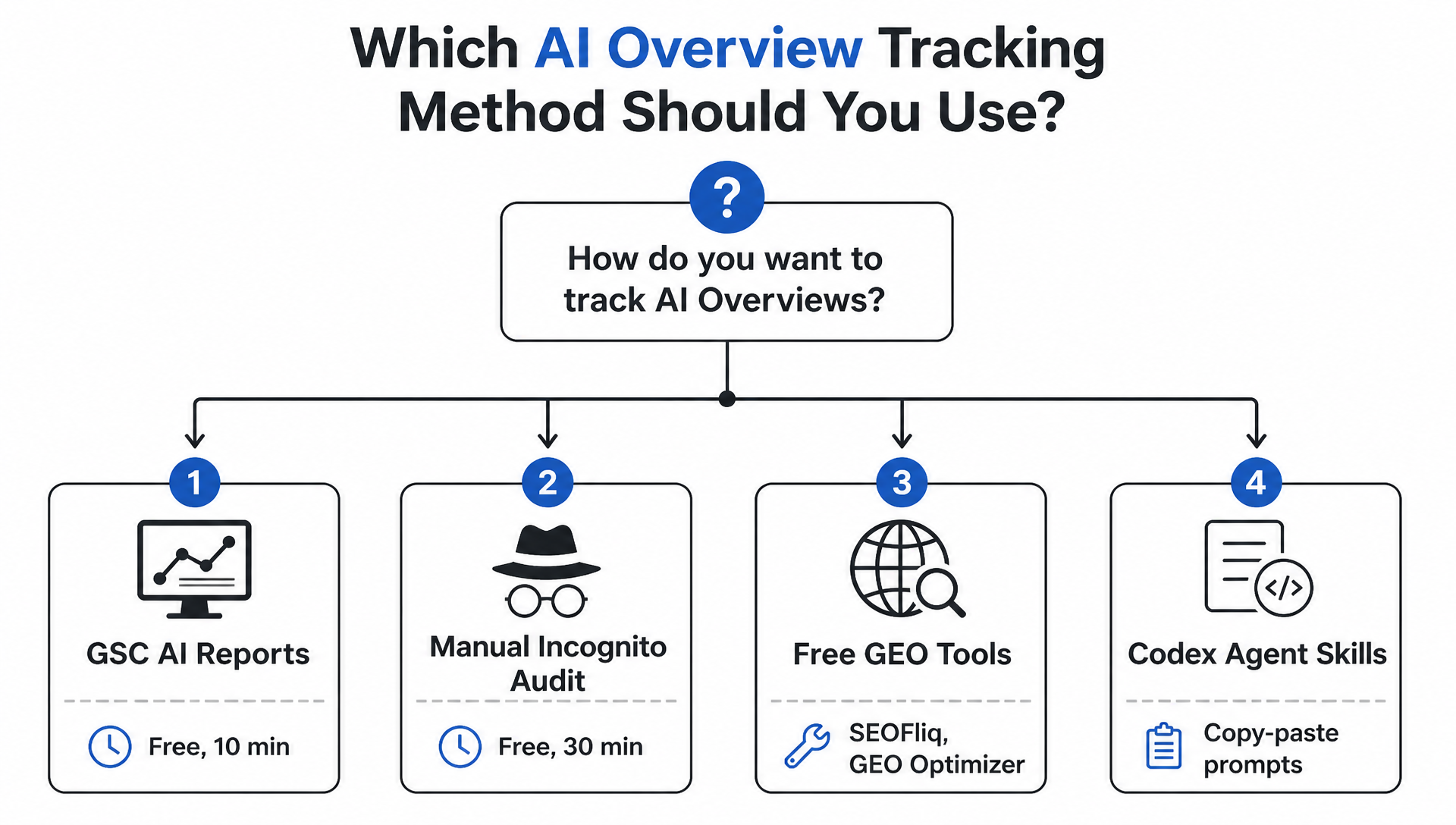
Beginner's 30-Day Action Plan
If you're new to AI Overview tracking and don't know where to start, here's a week-by-week plan:
Week 1: Set Up Measurement
- [ ] Verify your domain in Google Search Console (Domain property)
- [ ] Link GSC to Google Analytics 4
- [ ] Export your top 50 queries from the last 3 months
- [ ] Run Method 2 (manual incognito audit) on those 50 queries
- [ ] Install SEOFliq browser extension for quick page checks
Week 2: Identify the Damage
- [ ] Run Method 4, Skill 2 (GSC CTR Drop Analyzer) to flag high-risk queries
- [ ] Cross-reference flagged queries with manual incognito checks
- [ ] Calculate your estimated monthly click loss from AI Overviews
- [ ] Prioritize your top 10 queries by estimated loss
Week 3: Fix the Foundations
- [ ] Run Method 4, Skill 3 (AI Readiness Auditor) on your top 3 traffic pages
- [ ] Fix any CRITICAL issues: robots.txt blocks, noindex tags, broken pages
- [ ] Add FAQPage schema to your top informational pages
- [ ] Add an llms.txt file to your site root
Week 4: Optimize for Extraction
- [ ] Rewrite the opening 50–80 words of your top 3 pages to give a direct, standalone answer
- [ ] Restructure at least 5 H2s into question format matching real user queries
- [ ] Add one comparison table or numbered list to each target page
- [ ] Re-run the AI Readiness Auditor and compare scores
Ongoing: Re-run the Citation Tracker (Skill 1) monthly. AI Overview citations rotate frequently, and Google's source preferences shift. What gets cited today may not be cited next month.
FAQ
Can I block my site from AI Overviews?
Yes. Add this to your robots.txt:
User-agent: Google-Extended
Disallow: /
This prevents your content from being used as a source in AI Overviews and AI Mode without affecting your traditional organic rankings. Google Search Console also has a content control toggle (Settings → AI controls → Search generative AI) that does the same thing.
Does ranking #1 guarantee an AI Overview citation?
No. Studies consistently find that 40–60% of pages ranking in the organic top 10 are never cited in the AI Overview for the same query. AI Overviews extract passages, not rankings. A page at position 7 with a clear, direct answer structure can get cited over a position-1 page with vague or meandering content.
Is AI Overview traffic actually valuable?
Yes — and in some ways, more valuable than traditional organic traffic. AI referral visitors convert at roughly 14.2% versus 2.8% for traditional organic traffic, and are valued at 4.4× the average visitor. The catch is volume: AI Overviews generate fewer total referrals than traditional organic listings. The value per visitor is higher, but total traffic is lower.
Do I need paid tools to track this?
No. Google Search Console is free and now includes AI Performance reports. The manual incognito audit method costs nothing but time. SEOFliq, GEO Optimizer, and AuditAE are all free. The Codex/Claude Code agent skills above require access to an AI coding agent (both have free tiers), but the skills themselves cost nothing.
Will this get worse?
The data strongly suggests yes. AI Mode — Google's dedicated conversational search interface — is currently at just 0.34% of all Google searches and already has a 93% zero-click rate. When (not if) AI Mode expands, the zero-click trend will accelerate by another order of magnitude. The time to build AI visibility measurement into your workflow is now.
What's the difference between AI Overviews and AI Mode?
AI Overviews are the AI-generated answer boxes that appear at the top of standard Google search results. AI Mode is a separate, full-screen conversational search interface (like ChatGPT or Perplexity, but from Google). AI Mode generates far fewer external referrals — 1.6–2.5% of queries produce a click versus 17–19% in traditional search. They're two different surfaces with different citation behavior and different measurement requirements.
Author: Owen Hartwell, Google AI Overview Tracker Across 40+ Verticals at Auspia. Owen writes about AI Overview measurement, SERP shift analysis, and practical AI search visibility for SEO teams.


