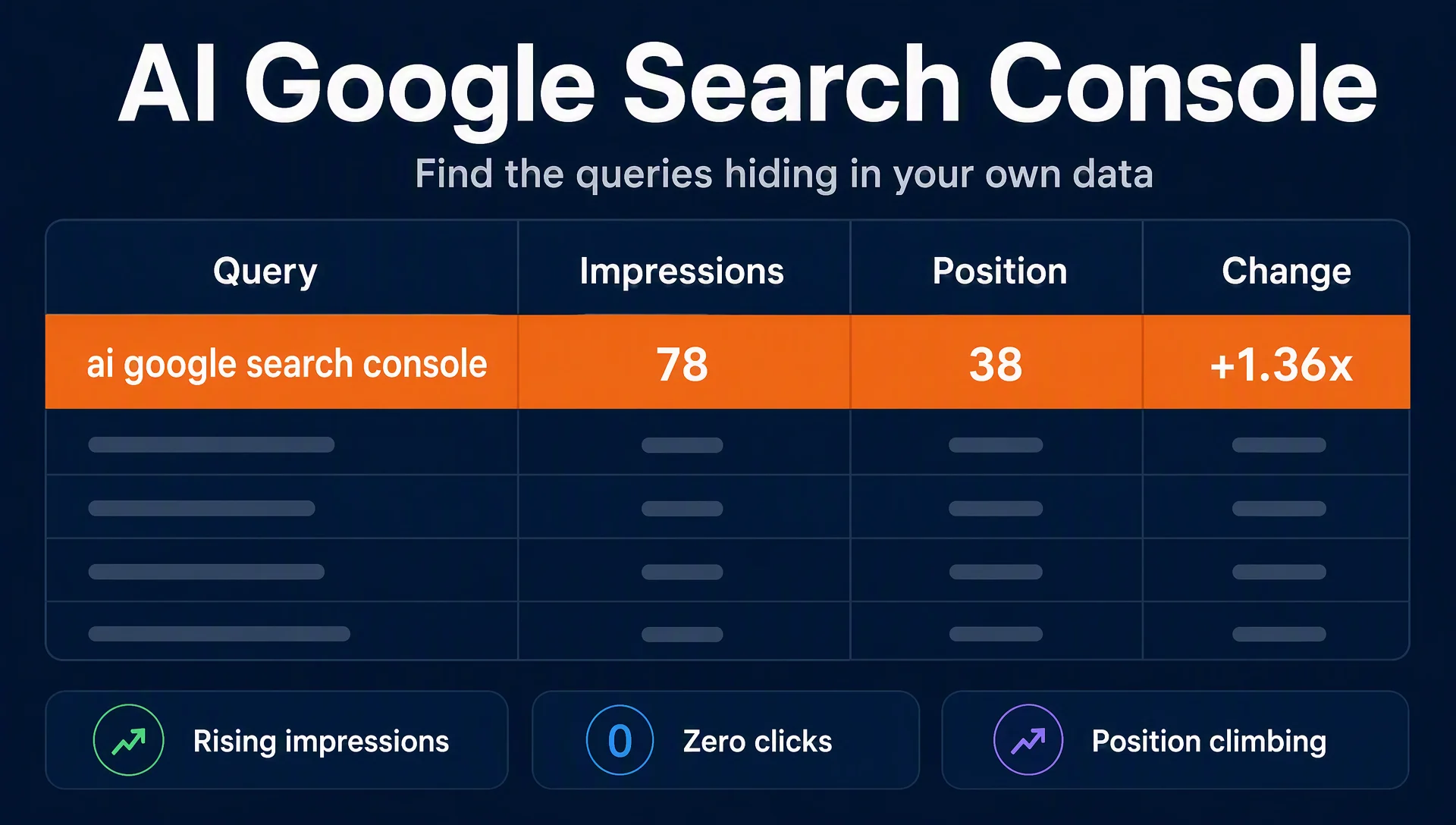
AI search demand almost never arrives as a big keyword. It shows up in Google Search Console months earlier as a small, rising, zero-click query — and most teams filter that row out because it "doesn't rank yet." This workflow finds those queries in about 30 minutes, confirms which ones are real AI search demand, and turns them into pages that AI assistants actually cite. You only need Search Console access and a browser. Done means a shortlist of at least five confirmed queries with one action assigned to each — or an honest "no signal yet" if your site genuinely has none.
Three query signatures of AI search demand
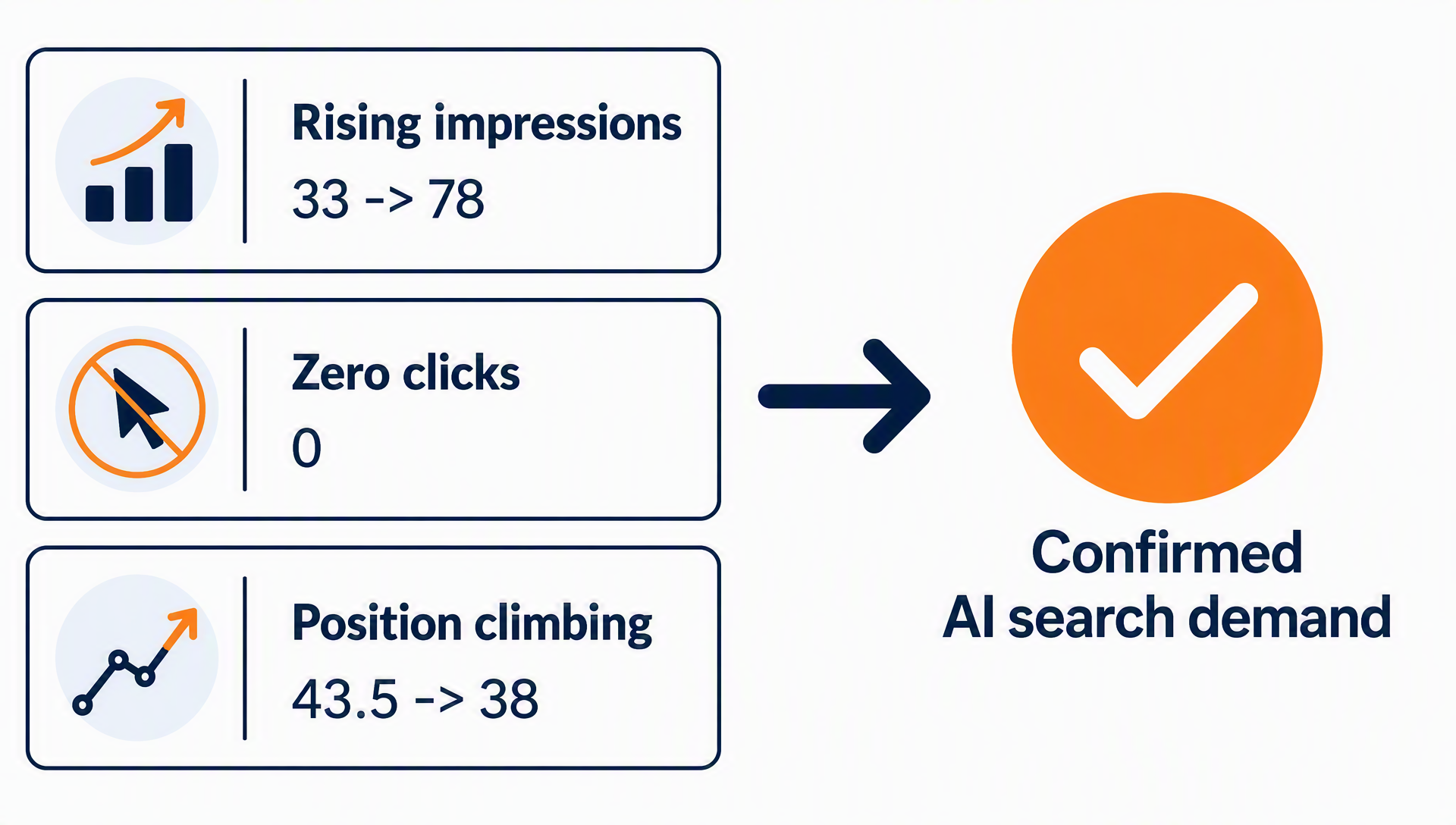
You are looking for a pattern, not a keyword list. AI-driven queries share three signatures in the standard Search Console performance report:
Signature | What it looks like | Why it signals AI search |
|---|---|---|
Rising impressions, zero clicks | Impressions up 20%+ vs the previous period, CTR at 0% | Users get the answer from an AI overview or assistant instead of clicking |
Position climbing inside the 20–60 band | Average position improving period over period, still short of page one | Retrieval is starting to include your content, but no human click winner yet |
Intent that matches assistant behavior | "best X for Y", "vs", "how to", "is X worth it", or AI-tool names (chatgpt, gpt, ai, copilot) | These are the question shapes people type into assistants |
A real example from our own site's data (pulled 2026-08-27): the query "ai google search console" sat at position ~43.5 on 08-24 with 84 impressions and zero clicks. Three days later it was at position ~38 with 78 impressions in the window, up 1.36× against the previous period — still zero clicks. Nothing about that row looks like an opportunity in a default dashboard. It was the only query on our site that month with exactly that shape, and it is the query this article answers. That is the hiding-in-plain-sight pattern.
Pull the last 28 days with a comparison
Open Performance → Search results → Queries in Search Console. Set the date range to 28 days and enable Compare last period so the report shows impression and position deltas. Sort by impressions change and look at the tail, not the top: the top of the table is where your existing traffic lives; the signal you want is in rows 50–500.
Expected output: a table of queries with clicks, impressions, CTR, position, and period-over-period deltas.
Quality check: your date range includes a complete recent period and the comparison column renders. If you manage a large site, export the table or pull the same fields from the Search Analytics API and sort by impressionsChange — the UI caps the visible rows.
If the comparison column is missing, you have the comparison toggle off or your date range is too short (Google needs two comparable periods); re-enable it before continuing.
Apply the signature filter
Filter the list to rows that match all three signatures. Keep a query when:
- Impressions rose at least ~20% vs the previous period (or the query is new),
- Average position sits in the 20–60 band,
- The query carries an AI-intent token: an AI tool or model name (chatgpt, gpt, ai, copilot, gemini, perplexity), a decision or comparison word (best, vs, alternative, worth it), or a question starter (how, why, is, what).
Drop a query when any of these is true: it is exact-brand navigational (your own name or a well-known tool's name with no modifier), it already earns clicks (CTR above ~2% — you are already winning it, no action needed), or it is a huge-volume head term you cannot realistically serve in the next quarter.
Expected output: a shortlist of usually 5–50 queries, often single-digit impressions each.
Quality check: the shortlist reads like questions, not like your existing target keywords. If it looks like your normal keyword list, your filter is too loose — tighten the position band to 20–60 and require the AI-intent token.
Classify what is left
Every shortlisted query falls into one of three buckets:
Bucket | Example shape | What it means | Action |
|---|---|---|---|
AI-native demand | "ai google search console", "chatgpt for seo" | Users want AI search itself explained | Write the answer: a definition/how-to page |
AI-assisted research | "best seo tool for small business 2026", "tool X vs Y" | Users compare before buying, often via assistants | Build an answer block plus a comparison table |
False positive | "google ai overview" (reporting bug reports), "ai" alone | The query is about news or noise, not your niche | Exclude, log the reason |
Expected output: each shortlisted query tagged with a bucket and a one-line reason.
Quality check: no query is left untagged. If more than half your list is false positives, your site is early in the AI visibility cycle — that is a finding too, and the next section tells you what to do with it.
Verify one query on the real surface
Pick the three highest-priority queries and check them where users actually ask: open the AI assistant of your choice (ChatGPT, Gemini, Perplexity — pick the one your audience uses), ask the query, and note whether your site is named or cited. Do the same in a Google search to see whether an AI Overview appears and what it cites.
Expected output: for each query, one of two results — your site appears (confirmed demand, you are being retrieved), or it does not (confirmed gap).
Quality check: at least one of your three verified queries shows a gap. A gap is not bad news: it is the unserved demand this workflow exists to find. If all three queries are already answered by your site, the shortlist is lower priority — keep it on the watch list and widen your date range.
If you have access to the new Generative AI performance report in Search Console (currently rolling out to accounts), treat it as a second, complementary signal: it shows engagements from Google AI features directly, while this workflow reads the classic query data that exists for every site. Our guide to reading that report covers the click path and its current gaps.
Turn the shortlist into retrieval targets
One confirmed query, one concrete action. The order that works:
- Answer block first. Write the direct answer at the top of the page (the page this article lives on is one example — the query "ai google search console" is answered in the first paragraph, which is the text an assistant can retrieve and cite).
- Entity page second. If the query is about a thing (a tool, a product, a category), make sure a stable page exists that says what it is, what it does, and who it is for — assistants cite definition pages before they cite blog posts.
- Add the citable fact. One table, stat, or step list that no other page on the topic has — data points are what get quoted, not adjectives.
For AI-native demand, a single page can answer several shortlisted queries at once: our "ai google search console" query is served by this article's first section, the verification workflow, and the report guide link in one pass.
Keep the loop running
Ten minutes a week, same three steps: re-pull the 28-day comparison, run the signature filter, and move any confirmed query into your content backlog with an owner. Log the shortlist in a plain file — weekly values of impressions, position, and clicks per query. Do not chase the numbers: the signal is direction (rising impressions, improving position), not size. Queries that stay at zero clicks while impressions climb for 8+ weeks are the ones to watch — that is the shape of a page that gets retrieved by assistants but has not converted into a click, and it usually means the answer is incomplete or the link is missing.
The 10-minute checklist
- [ ] 28-day query report with comparison enabled
- [ ] Signature filter applied: rising impressions, 20–60 position band, AI-intent token
- [ ] Shortlist classified: AI-native / AI-assisted / false positive
- [ ] Top 3 verified on a real assistant and Google SERP
- [ ] One action assigned per confirmed query
- [ ] Weekly 10-minute re-check scheduled
FAQ
Why does my Search Console show impressions for AI search queries if nobody clicks?
Because the click was absorbed by the answer. An AI overview or assistant surfaces the information, the user's question is answered, and the session ends without a visit. The impression row is the evidence that your content is being retrieved — which is the stage before the click, and the stage AI citation targets first.
Is there a native AI search filter in Google Search Console?
No. The classic performance report has no AI filter, and the Search Analytics API has no AI search type yet. The two working options are the Generative AI performance report (beta, rolling out to accounts) and the signature workflow in this article, which works on every account today.
How is this different from the Generative AI performance report?
The report shows engagements from Google's own AI features in search results. This workflow reads ordinary query data — impressions, position, clicks — and infers AI-driven demand from query shape and trends. The report is narrower and official; the signature method is broader, immediate, and works for sites that do not have the beta report yet.
I found zero queries with the signature. Is my site invisible to AI?
Not necessarily. It usually means one of three things: your date range is too short, your content is too new to be retrieved, or your niche's AI demand starts with different tokens than the ones listed. Widen the range to 90 days, drop the token requirement to just "rising impressions with zero clicks," and re-run. An empty shortlist after a widened pass is itself the report: you have an entity and content gap, not a measurement problem.
Do I need a paid AI visibility tool to do this?
No. Everything in this workflow runs in the free Search Console interface. Paid tools are faster for large portfolios and for tracking many assistants at once, but the earliest signal — the rising, zero-click query — appears in your own data first.
Author: Simon Vale, 11-Year Search Intent Researcher at Auspia. Simon writes about search intent, SERP analysis, and query mapping for growth teams.