Most accounting firms choose AI software in the wrong order. They watch a demo, get excited about a feature, run a trial on one client, and then discover the real problem three weeks later: the tool does not connect to the ledger the way the sales call implied, or it automates a step that was never the bottleneck, or it works beautifully for a five-person bookkeeping shop and falls apart in a firm with review layers and a partner sign-off.
The fix is not a longer feature checklist. It is choosing in the right sequence.
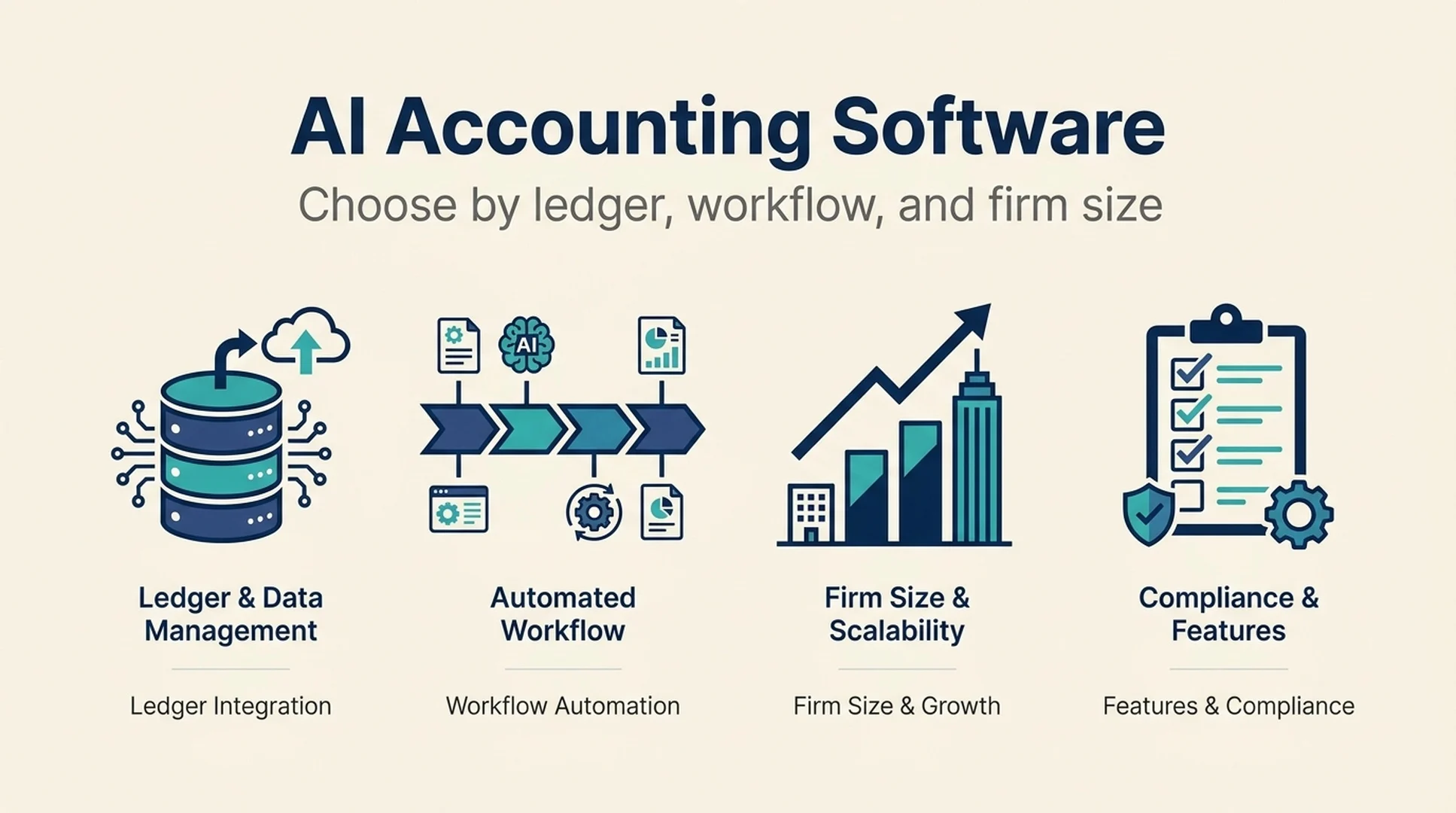
Short answer: Decide in this order. First, confirm which ledger system the tool actually integrates with and at what depth. Second, identify the specific workflow you are trying to improve, not "AI for the firm" in general. Third, match the tool to your firm's size and review structure. A tool that fails any one of those three tests will not survive past the pilot.
This guide walks through that sequence, shows where each decision usually breaks, and gives you a shortlist process you can run without a vendor in the room.
Why the demo-first approach fails
AI accounting software is a crowded category now, and the marketing has converged. Almost every vendor claims to automate bookkeeping, speed up month-end close, and free up your team for advisory work. Those claims are not false. They are just not the part that determines whether the tool works for your firm.
What determines that is narrower and less exciting:
- Integration depth. Does the tool read from your ledger, write to it, or both? A tool that only reads is a reporting layer. A tool that writes needs a review path, because an automated journal entry that lands in the wrong account is worse than no automation at all.
- Where the work actually sits. If your bottleneck is chasing clients for documents in January, a month-end close tool does not help you. If your bottleneck is the close itself, a document-chasing tool does not help you either.
- Firm structure. A solo practitioner can adopt a tool in an afternoon. A 40-person firm with a preparer-review-partner chain needs the tool to fit inside that chain, not replace it.
Firms that skip these three questions end up with a tool that demos well and stalls in production. The rest of this guide is the sequence that avoids that.
Step 1: Map the ledger before you look at tools
The ledger system is the constraint that eliminates the most options, so it belongs first. Not because it is the most interesting decision, but because it is the least negotiable.
Confirm the integration is real, not implied
"Works with QuickBooks" can mean four different things:
Integration level | What it means | What to verify |
|---|---|---|
Export only | You download a file and upload it elsewhere | File format, field mapping, how often you repeat it |
Read-only sync | The tool pulls ledger data for analysis | Sync frequency, which objects sync, what breaks when the chart of accounts changes |
Two-way sync | The tool reads and writes entries | Write permissions, review/approval step, audit trail, reversal behavior |
Native module | The tool operates inside the ledger's own ecosystem | Which ledger tier is required, what the ledger vendor supports directly |
The difference between read-only and two-way is the difference between a reporting tool and a system of record change. Treat them as separate purchase decisions.
Check the ledger version, not just the ledger name
Accounting firms rarely run a single clean ledger. A firm might have clients on QuickBooks Online, a few on Xero, some on desktop QuickBooks, and a handful on a niche industry system. A tool that integrates with "QuickBooks" may only support the online version, or only a specific tier, or only the US edition.
Before a pilot, write down the actual systems your clients use and the share of revenue attached to each. If 60% of your book sits on a ledger the tool does not support well, the tool is a partial solution no matter how good it is.
Decide whether the tool touches the ledger at all
Some of the most useful AI tools in an accounting firm never write to the ledger. Document intake, client communication, and reporting tools sit alongside the ledger and feed into it through a human. That is often the safer first adoption, because the blast radius of a mistake is smaller.
If your firm is early in its AI adoption, a read-only or adjacent tool is usually the right first step. Two-way ledger writes are a second-phase decision, after you have a review process that can catch errors.
Step 2: Name the workflow, not the category
"AI for accounting firms" is not a workflow. It is a category label that hides six or seven different jobs. Firms that buy against the label end up with overlapping tools and no clear owner for any of them.
Map your firm's actual work into the workflows below, then pick the one with the worst combination of volume, error rate, and staff time.
Document intake and client requests
This is the front of the pipeline. Clients send bank statements, receipts, invoices, and payroll files in whatever format they prefer. The work is collecting, chasing, sorting, and coding.
- What AI does well: extracting data from unstructured documents, matching documents to the right client and period, flagging missing items, and drafting chase messages.
- What still needs a human: deciding how to treat an ambiguous document, handling a client who sends the wrong thing repeatedly, and confirming that a flagged item is genuinely missing rather than misfiled.
- Where it breaks: when the tool assumes a consistent document format, or when the client base is messy enough that extraction accuracy drops without anyone noticing.
Bookkeeping and transaction coding
This is the core automation story, and it is also where the risk is highest, because coding errors compound quietly.
- What AI does well: suggesting categories based on history, flagging unusual transactions, and drafting recurring entries.
- What still needs a human: approving suggestions, handling new vendors and one-off transactions, and reviewing anything that changes the shape of a client's books.
- Where it breaks: when the tool learns from uncorrected errors, or when nobody reviews the suggestions because the interface makes them look final.
Month-end close and reconciliation
Close is where firms feel the most pain, and it is the workflow with the clearest measurement: how many days from period end to signed-off financials.
- What AI does well: tracking close task status, flagging unreconciled accounts, drafting variance explanations, and surfacing what changed period over period.
- What still needs a human: judgment calls on accruals, unusual adjustments, and anything a client or auditor will question.
- Where it breaks: when the tool automates the checklist but not the reconciliation, so the close looks organized while the underlying work is unchanged.
Client communication and advisory
This is the workflow firms most often under-invest in, and it is where AI can create the most visible value to clients.
- What AI does well: drafting status updates, summarizing financials in plain language, preparing meeting agendas, and turning a close package into a client-ready summary.
- What still needs a human: the relationship, the judgment, and any advice that carries professional responsibility.
- Where it breaks: when the output sounds confident but is not grounded in the client's actual numbers, which is a reputational risk, not just an accuracy one.
Reporting, analysis, and tax preparation support
- What AI does well: building recurring reports, explaining movements, and preparing workpapers for review.
- What still needs a human: sign-off, tax positions, and anything with regulatory consequence.
- Where it breaks: when the tool produces analysis that looks polished but cannot be traced back to source data.
Pick one workflow for the first pilot. Firms that try to fix all five at once end up with five half-adopted tools and no clear evidence that any of them worked.
Step 3: Match the tool to your firm size and review structure
The same tool can be right for a three-person firm and wrong for a thirty-person firm. What changes is not the feature set. It is the review structure around it.
Solo practitioners and very small firms
- Constraint: no separate reviewer. The person using the tool is also the person accountable for the output.
- What matters most: accuracy you can trust without a second pair of eyes, simple setup, and clear pricing.
- What to avoid: tools that require configuration or training before they produce value. You do not have a spare week.
- Good first move: a read-only or adjacent tool that saves time without writing to the ledger.
Small firms with a preparer and a reviewer
- Constraint: the review step is the quality gate, and the tool must make review easier, not harder.
- What matters most: a visible audit trail, clear flags on anything the tool changed, and output that a reviewer can scan quickly.
- What to avoid: tools that produce final-looking output with no indication of what was automated versus what a human entered.
- Good first move: a tool that drafts work for review rather than completing work autonomously.
Mid-size firms with multiple teams and clients
- Constraint: consistency across teams. One team adopting a tool differently from another creates a mess at the firm level.
- What matters most: admin controls, role-based permissions, standardized templates, and reporting on adoption.
- What to avoid: per-user tools that spread through the firm without a firm-level decision, because you end up with five tools doing the same job.
- Good first move: a tool that one team can pilot with a documented process, then hand to the next team as a repeatable playbook.
Firms with complex or regulated client bases
- Constraint: auditability and defensibility. Every automated step needs to be explainable after the fact.
- What matters most: data retention policies, export of the full audit trail, and a clear answer to "how do we explain this to an auditor or a regulator."
- What to avoid: anything that cannot produce a record of what it did and why.
- Good first move: confirm the data handling and retention terms in writing before the pilot, not after.
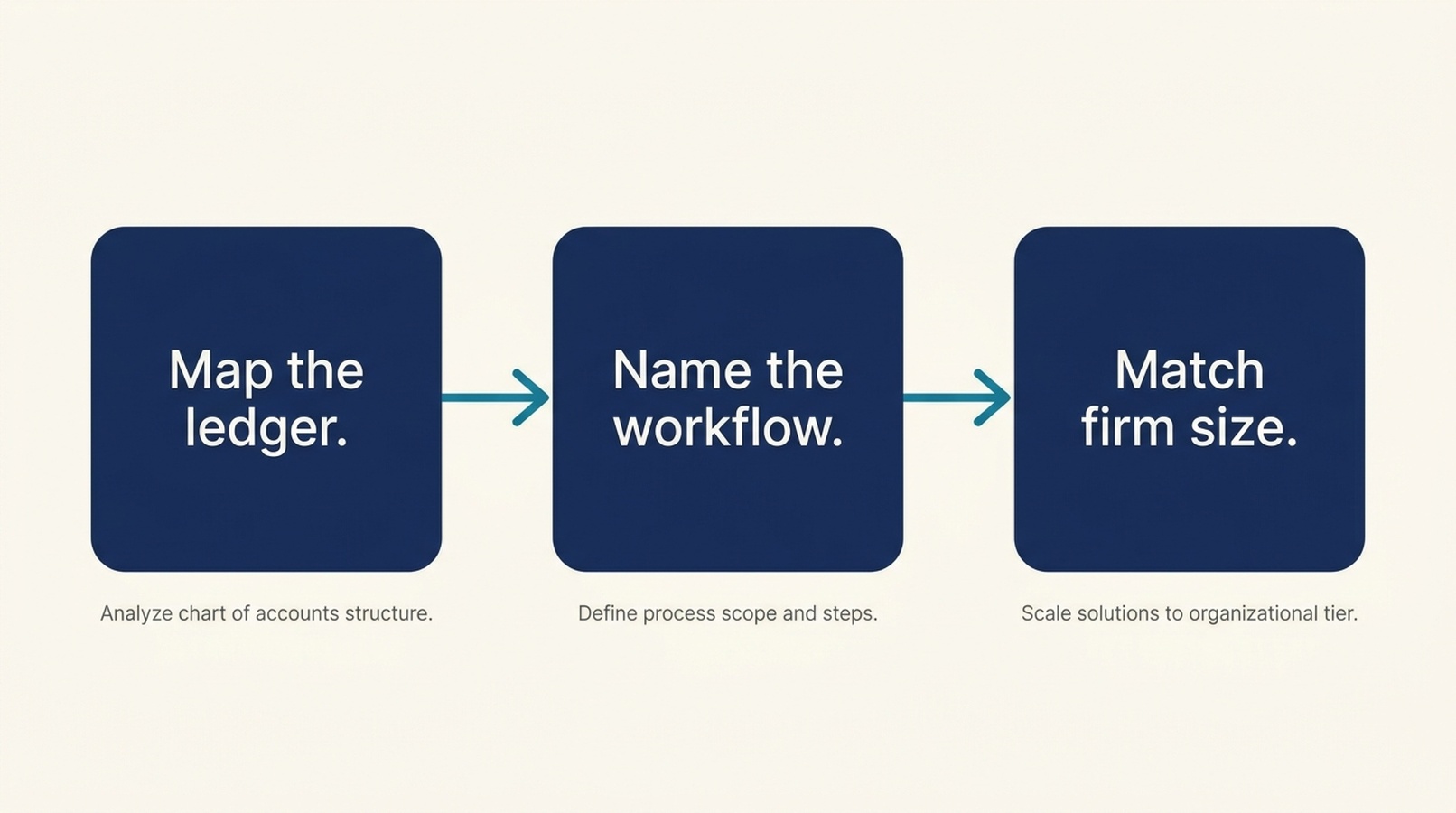
The selection order matters more than the feature list. Ledger compatibility filters the field, the workflow defines the goal, and firm size determines what the tool has to fit inside.
A shortlist process you can run without a vendor
You do not need a formal RFP to make a good decision. You need a short, disciplined process. This one takes about two weeks and does not require buying anything.
Week 1: define the problem
- Pick one workflow from Step 2. Write down the current process, step by step, including who does each step.
- Measure the baseline. How many hours per month, how many errors, how many days to close, how many client follow-ups. You cannot evaluate a pilot without a before number.
- List the ledgers involved and the share of the book on each. This becomes your integration filter.
- Write down your review structure. Who reviews what, and at which point.
Week 2: filter and test
- Build a shortlist of three to five tools that pass the ledger filter. Do not evaluate tools that fail it, no matter how good the demo was.
- For each, ask the four questions below in writing, not on a call. Written answers are harder to walk back.
- Run a single-client pilot with the top candidate. Use a real client, a real period, and a real deadline.
- Compare the pilot result against the baseline from step 2. If the tool did not move the number, the pilot failed, regardless of how the team felt about it.
The four questions to ask every vendor in writing
- Which ledgers, versions, and tiers do you support, and what is the integration level for each? Ask for the specific list, not a logo wall.
- What does the tool change in the ledger, and what does a reviewer see afterward? Ask for a screenshot or a recorded walkthrough of the review step.
- Where does your data go, how long is it retained, and can we export the full audit trail? Ask for the policy document, not a verbal assurance.
- What happens when the tool is wrong? Ask how errors surface, how they are corrected, and whether corrections feed back into the model.
A vendor that answers all four clearly is worth a pilot. A vendor that deflects any of them is telling you something.
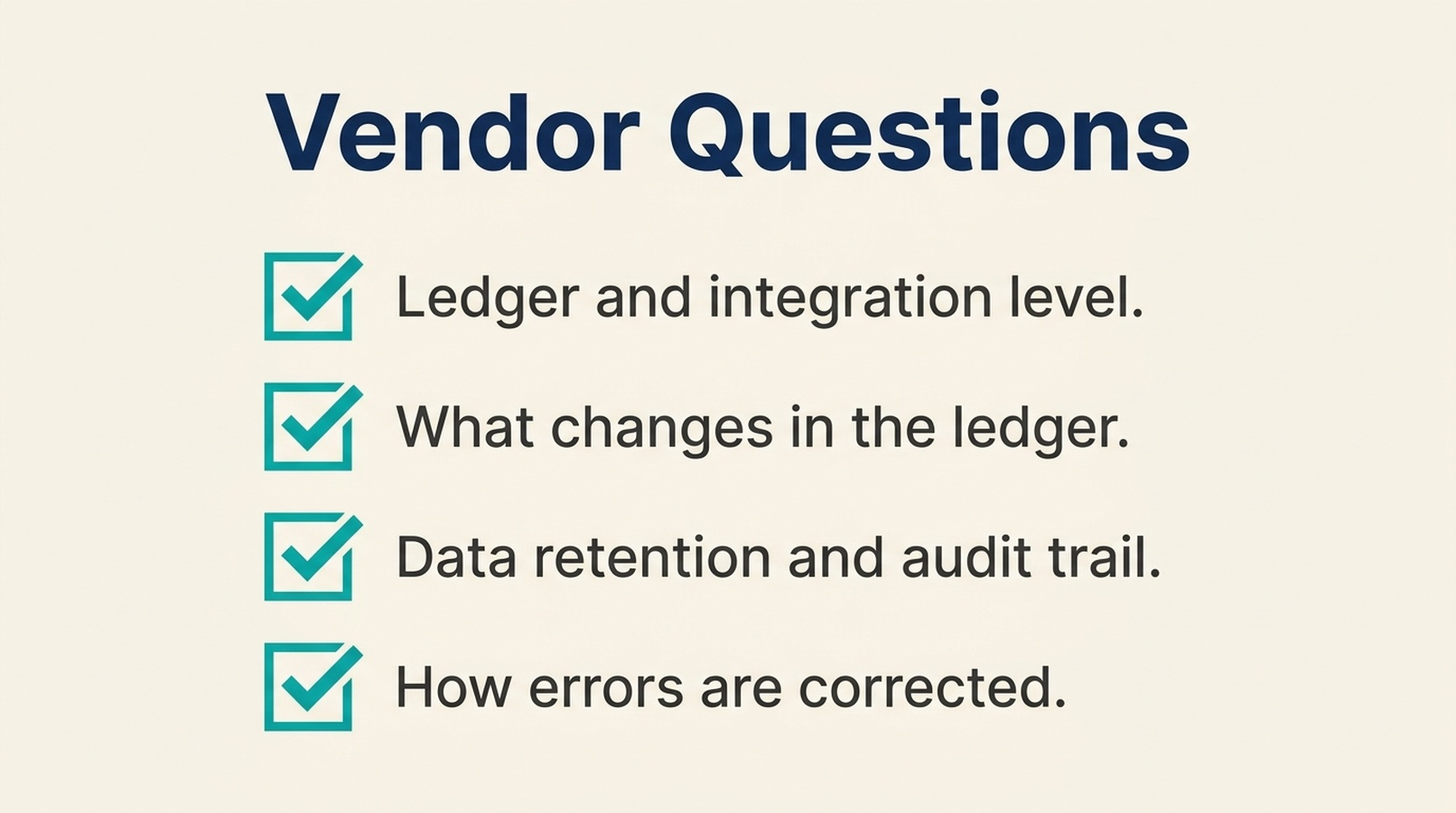
Ask these four questions in writing before a pilot. A vendor that answers all four clearly is worth testing; one that deflects is telling you something.
Where firms get this wrong
Buying the category instead of the workflow. "AI accounting software" is not a problem statement. The firms that succeed pick one painful workflow and fix it before moving on.
Trusting the integration claim without testing it. A logo on a website is not an integration. Test with your actual ledger, your actual client, and your actual chart of accounts.
Skipping the baseline. Without a before number, every pilot looks successful because everyone wants it to be. Measure first.
Letting the tool write to the ledger before the review process exists. Automation without a review gate moves errors faster. Build the review step first, then automate into it.
Adopting per-user instead of per-firm. When each accountant picks their own tool, the firm loses consistency, buying power, and any ability to standardize. Make it a firm-level decision even for a small pilot.
Judging the pilot on enthusiasm instead of the metric. The team liking a tool is not evidence. The baseline moving is evidence.
A note on where to look
The hard part of this process is not the framework. It is finding tools that actually match a specific ledger, workflow, and firm size, because vendor marketing is written to sound universal.
LedgerAtlas is a directory that organizes accounting AI tools by firm size, ledger system, and workflow, with dated evidence records for each tool. If you are building a shortlist, it is a faster starting point than working through vendor sites one at a time, and it lets you filter by the ledger you actually use rather than the one the vendor prefers to mention.
FAQ
How many AI tools should an accounting firm adopt at once?
One, for the first pilot. Run it long enough to measure against a baseline before adding a second tool. Firms that adopt several at once cannot tell which one produced the result.
Does AI accounting software replace the review step?
No. It changes what the reviewer looks at. A good tool makes the review faster by flagging what changed and why. A tool that removes the review step is increasing risk, not reducing work.
What is the biggest integration risk?
Assuming "works with QuickBooks" means two-way sync at the tier you use. Confirm the specific ledger version, the integration level, and whether the tool writes to the ledger or only reads from it.
Is it safe to let AI write journal entries?
Only after you have a review process that catches errors and an audit trail that shows what the tool did. Start with read-only or adjacent tools, then move to ledger writes once the review path is proven.
How long should a pilot run?
At least one full close cycle, ideally two. A single month can be unrepresentative, and you need enough data to compare against your baseline.
What should we measure in a pilot?
Pick the metric tied to the workflow you chose: hours per month, error count, days to close, or client response time. Measure it before the pilot, during, and after.
Do small firms need a different tool than large firms?
Usually yes, but not because the features differ. Small firms need tools that work without a separate reviewer. Larger firms need tools that fit inside an existing review chain and can be standardized across teams.
Author: Caleb Brooks, SaaS SEO Strategist for 100+ Product-Led Pages at Auspia. Caleb writes about product-led content, comparison pages, and how software buyers actually evaluate tools.