
คุณไม่จำเป็นต้องรู้ว่าแท็ก canonical ทำงานอย่างไรก่อนใช้ Codex ปรับปรุงหน้าเว็บ สิ่งที่ต้องมีคือ URL ของหน้าหนึ่งหน้า สำเนาโปรเจกต์เว็บไซต์เมื่อพร้อมแก้ไข และกติกาง่าย ๆ: Codex ตรวจสอบก่อน แล้วคุณจึงอนุมัติการแก้ไข
คู่มือนี้อธิบายวิธีใช้ Codex และทักษะ seo-auto-optimizer เพื่อทำงาน SEO ซ้ำ ๆ แบบปลอดภัยสำหรับมือใหม่ คุณจะให้ Codex ตรวจหน้าเว็บ อธิบายสิ่งที่พบด้วยภาษาธรรมดา เตรียมการแก้ไขที่คุณอนุมัติในไฟล์เว็บไซต์ และทดสอบก่อนเผยแพร่จริง
การทำ SEO อัตโนมัติไม่ได้หมายถึงยกเว็บไซต์ให้อีกเอเจนต์แล้วสั่งว่า “แก้ทุกอย่าง” แต่หมายถึงให้เอเจนต์จัดการงานช้า ๆ ที่ทำซ้ำได้ ขณะที่คุณยังควบคุมการตัดสินใจที่อาจทำให้หน้าหายจากผลค้นหาหรือทำให้ผู้เข้าชมสับสน
สิ่งที่คุณจะได้เมื่อทำเสร็จ
เมื่อจบขั้นตอนแรก คุณจะมี:
- URL สำคัญหนึ่งรายการที่ตรวจปัญหา SEO ซึ่งเห็นได้จากสาธารณะแล้ว
- รายการเปลี่ยนแปลงตามลำดับความสำคัญที่ Codex ช่วยได้
- คำอธิบายที่เข้าใจง่ายของคำแนะนำแต่ละข้อ
- ชุดการแก้ไขในโปรเจกต์เว็บไซต์บนเครื่องของคุณที่ผ่านการทบทวนแล้ว หากเลือกทำต่อ และ
- เช็กลิสต์ทดสอบก่อนนำขึ้นใช้งานจริง
ครั้งแรกควรเผื่อเวลา 30 ถึง 60 นาที เลือกหน้าที่สำคัญต่อธุรกิจ เช่น หน้าแรก หน้าสินค้า หน้าบริการ หรือบทความที่เริ่มมีทราฟฟิก อย่าเริ่มจากทั้งเว็บไซต์
คำว่า “เสร็จ” ในที่นี้หมายถึงคุณชี้ได้ว่าหน้าใดเปลี่ยนอะไรและเพราะเหตุใด และยืนยันได้ว่าหน้ายังทำงานหลังอัปเดต ไม่ได้หมายความว่าอันดับจะสูงขึ้นแน่นอน เพราะเสิร์ชเอนจินต้องใช้เวลาเก็บข้อมูลและประเมินหน้าใหม่
ก่อนเริ่ม: เตรียม 4 สิ่งนี้
คุณเริ่มได้โดยไม่ต้องมี Google Search Console หรือพื้นฐานเทคนิค การตรวจครั้งแรกใช้สัญญาณสาธารณะของหน้าเว็บ เตรียมสิ่งต่อไปนี้ไว้:
สิ่งที่ต้องมี | เหตุผลที่ต้องใช้ | ถ้ายังไม่มีให้ทำอย่างไร |
|---|---|---|
URL หน้าเว็บที่เปิดสาธารณะ | Codex ต้องมีหน้าที่เจาะจงเพื่อดู | เริ่มจากหน้าแรกหรือหน้าบริการหนึ่งหน้า |
ไฟล์โปรเจกต์เว็บไซต์ | Codex จะเตรียมการแก้ไขที่อนุมัติแล้วในไฟล์ต้นฉบับได้ | ขอสำเนาโปรเจกต์หรือสิทธิ์เข้าถึงรีโพจากผู้ดูแลเว็บ อย่าแก้ไฟล์ production โดยไม่ตรวจ |
ตัวอย่างบนเครื่องหรือ staging | ต้องเห็นหน้าก่อนเผยแพร่ | ใช้ preview ของแพลตฟอร์มหรือขอลิงก์ staging จากนักพัฒนา |
วิธีนำการเปลี่ยนแปลงขึ้นระบบ | อาจเป็น Git, CMS หรือแดชบอร์ดโฮสติ้ง | ในครั้งแรกให้ deploy ด้วยตนเอง |
Google Search Console, Bing Webmaster Tools และผลส่งออกจาก crawler จะมีประโยชน์ในภายหลัง เพราะช่วยตอบคำถามที่หน้าเดียวตอบไม่ได้ เช่น หน้าเสียคลิกหรือไม่ แข่งกับ URL อื่นหรือไม่ หรือถูกบล็อกการจัดทำดัชนีเป็นวงกว้างหรือไม่
สร้างทักษะ SEO Auto Optimizer ในเวิร์กสเปซ Codex
คุณต้องสร้างไฟล์ทักษะด้วยตนเอง ไม่ต้องดาวน์โหลดสิ่งใดจากบทความนี้
วิธีเร็วที่สุด: ส่งบทความนี้ให้ Codex
หากบทความนี้เผยแพร่แล้ว คุณส่ง URL ให้ Codex และให้ตั้งค่าทักษะแทนได้ คัดลอกพรอมป์ต์นี้ แทนที่ [ARTICLE URL] ด้วย URL จริงของบทความ แล้วส่งให้ Codex:
อ่านบทความนี้แล้วติดตั้งทักษะ seo-auto-optimizer ตามคำสั่งในบทความทุกประการ:
[ARTICLE URL]

ฉันเป็นมือใหม่ ให้หาบล็อกโค้ด SKILL.md ที่ครบถ้วนในบทความ สร้างไฟล์ skills/seo-auto-optimizer/SKILL.md ในไดเรกทอรีทักษะที่ถูกต้องของเวิร์กสเปซ Codex แล้วคัดลอกบล็อกโค้ดลงไปโดยห้ามแก้ไข

ก่อนเขียนไฟล์ ให้บอก full path ที่จะใช้ หลังเขียนแล้วแสดง 10 บรรทัดแรกและยืนยันว่าชื่อทักษะคือ seo-auto-optimizer

อย่าตรวจเว็บไซต์ อย่าแก้ไฟล์เว็บไซต์ เปลี่ยนการตั้งค่า deploy สิ่งใด หรือเริ่มตรวจ SEO ในตอนนี้ ให้ติดตั้งและตรวจสอบทักษะนี้เท่านั้น
หาก Codex เปิด URL บทความไม่ได้ ให้ใช้วิธีทำเองด้านล่าง และวางบล็อกโค้ดทั้งหมดในแชตต่อจากพรอมป์ต์ได้หากจำเป็น
ในโฟลเดอร์รากของเวิร์กสเปซ Codex ที่จะใช้กับ SEO ให้สร้างโฟลเดอร์และไฟล์ดังนี้:
your-codex-workspace/
  skills/
    seo-auto-optimizer/
      SKILL.md
หากการติดตั้ง Codex ของคุณตั้งค่าไดเรกทอรีทักษะไว้ที่อื่น ให้สร้างโครงสร้าง seo-auto-optimizer/SKILL.md เดียวกันที่นั่น ชื่อโฟลเดอร์และค่า name ในไฟล์ต้องเป็น seo-auto-optimizer ทั้งคู่ แล้ว Codex จะเรียกใช้ด้วย $seo-auto-optimizer ได้
เปิดไฟล์ข้อความใหม่ชื่อ SKILL.md แล้ววางเนื้อหาทั้งหมดด้านล่าง อย่าวางลงในโค้ดเว็บไซต์ เพราะไฟล์นี้ต้องอยู่ในโฟลเดอร์ skills/seo-auto-optimizer/
ทักษะนี้เริ่มต้นในโหมดอ่านอย่างเดียวโดยตั้งใจ มันตรวจหลักฐานสาธารณะและเตรียมแผนแก้ไข แต่จะไม่เผยแพร่หน้าเว็บ ส่ง sitemap แก้ Search Console หรือเปลี่ยนเว็บไซต์จริงของคุณ
---
name: seo-auto-optimizer
description: Audit one public URL or a group of website URLs with evidence, then create an SEO optimization plan ranked by impact and effort. Use when a user asks to check, diagnose, optimize, or create an SEO task list, especially for indexing, technical SEO, metadata, structured data, content quality, internal links, search intent, keyword cannibalization, Core Web Vitals, mobile experience, CTR, Google Search Console, Bing Webmaster Tools, sitemaps, robots.txt, or E-E-A-T. By default, audit and provide code or copy recommendations only. Do not change the website, CMS, search-engine consoles, or third-party platforms.
---

# SEO Auto Optimizer

Turn a supplied URL into a verifiable SEO optimization plan that a developer, content team, or growth team can act on. Never present an item as checked or fixed when public evidence cannot confirm it.

## Working boundaries

- Default to read-only work. Inspect public pages, resources, and public site files. Do not change live pages, submit a sitemap, publish content, buy links, or operate any account.
- For a single-URL request, audit that URL and only the same-domain public files needed to verify it, such as `robots.txt`, a sitemap, or page links. Do not turn a single-page observation into a site-wide conclusion.
- Mark work that needs a login, search-performance data, a full crawl, server logs, or business facts as `Needs data`. State what data is needed and how to check it.
- Do not recommend black-hat, manipulative, or fabricated SEO: no purchased links, fake reviews/authors/comments, doorway pages, keyword stuffing, or bulk low-value AI pages.
- Follow the site's market, page language, URL conventions, and content standards. Proposed titles, meta descriptions, H1s, and body copy must use the target page's language.

## Inputs and clarification

A request needs at least one URL. If available, use the target market, language, business model, primary conversion, target keywords, Google Search Console or Bing exports, and local website project.

When those details are missing, do not block the work. Infer what you can from the page language, page type, and visible content, then state your assumptions at the beginning of the report. Ask one focused question only when the user requests keyword strategy, competitive content, or a site-wide change and the answer would materially depend on the target market or business.

## Audit process

### 1. Build an evidence baseline

1. Record the inspection date, final URL, HTTP status, redirect chain, `<html lang>`, visible robots instructions, and page-rendering limits.
2. Read the first screen, main content, and available source or DOM. Record the title, meta description, canonical, robots meta, viewport, H1-H6, visible publish or update date, author information, approximate body length, images, internal and external links, JSON-LD, and important JavaScript dependencies.
3. Check the same-domain `/robots.txt`. Check a sitemap only when one is discoverable; do not say a sitemap does not exist merely because its URL is not explicitly listed.
4. Keep locatable evidence for every conclusion: tag text, HTTP header, link URL, DOM observation, screenshot observation, or public-tool result. If the page is blocked by a WAF, login, geography, or another access limit, state the limitation immediately.

### 2. Classify every check

Use exactly one status for each item:

| Status | Meaning |
| --- | --- |
| `Pass` | Public evidence shows the item meets its purpose. |
| `Issue` | Public evidence shows an error, risk, or clear omission. |
| `Opportunity` | It may not be an error, but there is a reasonable opportunity to improve visibility, click-through rate, user experience, or conversion. |
| `Needs data` | Google Search Console, Bing, logs, a full crawl, field performance data, or keyword data is required. |
| `Not applicable` | The page type or business does not need this item; explain why. |

Do not turn `Needs data` into an `Issue` just to fill a checklist. Resolve the root causes that affect crawling, indexing, user experience, or the page's main intent before minor copy changes.

### 3. Create an action plan

Merge findings into non-duplicative tasks and rank them:

- `P0`: The page cannot be crawled or indexed; an incorrect canonical; accidental `noindex`; critical 4xx/5xx; site-wide robots blocking; severe mobile or rendering failure.
- `P1`: Main-page intent or content mismatch; duplicate or thin content; missing or conflicting title and H1; unacceptable structured data; missing key internal links; obvious performance bottleneck.
- `P2`: CTR improvements; images and alt text; FAQs; author and update information; content expansion; topic or comparison pages; local link and URL improvements.
- `P3`: Growth experiments, link earning, business profiles, and monitoring that require performance data or external coordination.

For every task, state the problem, evidence, recommended action, owner (developer, content, SEO, or growth), acceptance criteria, and risk or prerequisite. Give specific code or copy only when current information supports it. Where brand facts are missing, use clear placeholders instead of inventing facts.

## What to check

### A. Crawling, indexing, and URLs

Check and report:

- HTTP status, whether redirects are single-hop and appropriate, loops, and HTTP/HTTPS or www/non-www confusion.
- `robots.txt`, meta robots, `X-Robots-Tag`, and whether canonical URLs are reachable, absolute, single, self-referencing, or point to a sensible preferred URL.
- Whether canonical, `noindex`, pagination or filtering rules, and sitemap behavior agree. Mark uncertain cases as `Needs data`.
- Whether URLs are stable, readable, descriptive, free of meaningless parameters, case or trailing-slash duplication, and keyword stuffing. Do not recommend casual URL changes unless the plan includes 301 redirects, internal-link updates, canonical updates, sitemap updates, and rollback conditions.
- Whether main content appears in initial HTML or can render reliably. When important content depends only on client-side JavaScript, recommend verification with URL Inspection, rendering tests, and server-side rendering or prerendering options.
- Discoverable broken links, 404s, soft 404s, and incorrect internal destinations. A single URL cannot prove that a whole site has no broken links.

### B. Page structure and metadata

Check:

- A unique, accurate, intent-matched title. For Latin-script languages, a rough 50-60 characters can be useful, but accuracy matters more than reaching a count.
- A unique meta description that describes the page's real value without keyword lists or false promises. A meta description is not a ranking guarantee; prioritize relevance and likely click-through appeal.
- One H1 that describes the page's main question. Organize H2 and H3 headings by real topic hierarchy, without skipped levels or decorative text disguised as headings.
- `lang`, viewport, mobile usability, the ratio of main content to template noise, and breadcrumb visibility and semantics.
- Appropriate image formats, dimensions, lazy loading, and specific alt text. Decorative images should have empty alt text. Do not force keywords into alt text.

When recommending a rewrite, provide one adoptable title, meta description, H1, and heading outline. Label any information that needs a brand-owner confirmation.

### C. Structured data and trust signals

Check whether visible page content and JSON-LD, Microdata, or RDFa agree. Consider only schema appropriate to the page type: `BreadcrumbList`, `Article` or `BlogPosting`, `Product`, `SoftwareApplication`, `Organization`, `LocalBusiness`, `FAQPage`, and `WebPage`.

- Recommend schema only when it represents visible, real page information. Never add invented ratings, reviews, prices, authors, FAQs, or awards.
- Identify required fields such as URL, name, description, image, author, publish date, `dateModified`, breadcrumb positions, and entity identifiers.
- For content pages, check visible author information, author page or experience, editorial policy, sources, contact information, organization information, update date, and factual citations. E-E-A-T is not a tag that can be added; it comes from verifiable content and entity information.
- When schema exists, recommend the Google Rich Results Test and Schema Markup Validator as acceptance checks.

### D. Content, intent, and duplication

Identify the page's main query intent: informational, commercial research, transactional, local, navigational, or mixed. Check whether the main content answers the question early and adds value through original evidence, examples, steps, data, or product detail.

- Flag clear thin content, template repetition, unanswered core questions, intent mismatch, and stale content. Do not define thin content by word count alone.
- A single URL cannot prove site-wide duplicate content, keyword cannibalization, or orphan pages. Explain that these require a URL inventory, canonical and index status, GSC query-to-page data, an internal-link graph, and similarity analysis.
- For overlapping pages, first define the evidence and decision criteria for keep, merge, split, or redirect. Never recommend deleting a page based on a guess.
- When content creation is requested, provide a search-intent brief, unique value, information architecture, sources needed for claims, and internal-link targets. Original content means independent insight or verification, not a competitor rewrite.
- Suggest comparison, alternatives, list, or FAQ pages only when they have distinct intent, real comparison criteria, and maintainable facts. Do not create batches of low-value templates.

### E. Internal links, architecture, and topic coverage

Assess how the page can be found and understood:

- Check whether important pages have crawlable HTML links from relevant parent pages, topic hubs, navigation, or breadcrumbs. Anchor text should naturally describe the destination.
- Mark orphan pages as `Needs data` unless a sitemap and full link graph prove the finding.
- For a topic cluster, define one pillar or owner URL, a distinct intent for each support page, link direction, and a cannibalization rule. Multiple near-identical owner pages should not compete for one head topic.
- Before suggesting feature, use-case, integration, comparison, alternatives, or FAQ pages, define the user question, target query, unique content, owner URL, and link-back path.

### F. Performance, mobile use, and Core Web Vitals

Separate lab data from field data. Prefer real-user data from CrUX or PageSpeed Insights to validate LCP, INP, and CLS. Without it, inspect obvious risks: oversized hero media, images without dimensions, render-blocking CSS or JavaScript, third-party scripts, font loading, layout shifts, and heavy client-side rendering.

Every performance recommendation must explain its mechanism and test method. For example: responsive, compressed hero media may improve LCP; image width and height reduce CLS risk; splitting long tasks may improve INP. Do not promise a score or ranking improvement.

### G. Search performance, keywords, and external authority

Unless the user supplies data or access, mark these items as `Needs data`:

- Page-two rankings, traffic or ranking declines, and query-to-page keyword cannibalization.
- URLs or queries with high impressions and low CTR, plus title and meta tests.
- High-volume, low-difficulty keywords, SERP and People Also Ask opportunities, competitor gaps, and search intent.
- High-quality backlinks, broken-link opportunities, brand mentions, Google Business Profile, and local citations.
- GSC or Bing sitemap submission, URL Inspection, index coverage, and crawl errors.

Give an executable data-checking instruction. For example: in GSC, compare the last 28 days with the previous 28 days, filter to the target URL, export queries, impressions, clicks, CTR, and average position, then test a new title or meta description for high-impression, same-intent queries with weak CTR. Link strategies must use audience-relevant, editorially independent, verifiable channels and genuinely useful assets.

## Default deliverable format

Unless the user asks for a shorter response, return these sections in this order:

1. `Scope and limits`: target URL, check date, accessibility, what could not be verified, and key assumptions.
2. `Executive summary`: the three to seven most important findings and what to address first.
3. `Check matrix`: status, evidence, and short conclusion for items A-G. Cover the user's supplied checklist, and state `Needs data` where necessary.
4. `Prioritized action list`: P0-P3 tasks with owner, effort (S/M/L), acceptance criteria, and dependencies.
5. `Implementation-ready recommendations`: where appropriate, include metadata, heading structure, JSON-LD templates, internal-link locations, content briefs, or performance fixes.
6. `Data and human follow-up`: needed GSC, Bing, crawl, log, keyword, and business inputs, plus exact validation steps.

Use careful language. Say a change may improve relevance, discoverability, or CTR. Do not promise indexing, first place rankings, or that every SEO issue has been fixed.

## Completion standard

Before delivering the work, confirm:

- Every conclusion has public evidence or is explicitly labeled as an assumption or `Needs data`.
- Tasks are ordered by impact, dependency, and actual executability, not copied mechanically from a checklist.
- Recommendations do not risk breaking URLs, canonicals, index status, or content facts. Migration, deletion, and merge suggestions include redirect and rollback conditions.
- Schema and E-E-A-T recommendations come from visible facts or are clearly marked as information still needed.
- The report makes clear that no live changes, submissions, or publishing actions were performed.
บันทึกไฟล์ จากนั้นรีสตาร์ตหรือโหลด Codex ใหม่หากการติดตั้งของคุณต้องทำ แล้วถามว่า List the skills available in this workspace. Is seo-auto-optimizer available? อย่าเริ่มขั้นตอนตรวจจนกว่า Codex จะยืนยันว่าสามารถใช้ทักษะได้
ตั้งกติการีโพหนึ่งชุดก่อนให้ Codex แก้ไข
Codex ควรทำงานจากบริบทของรีโพ ไม่ใช่เดาโครงสร้างเว็บไซต์ ก่อนตรวจหรือแก้ไข ให้เปิด AGENTS.md ที่มีอยู่และโฟลเดอร์ .codex หากมี แล้วทำตามกติกาที่ทีมเขียนไว้ก่อนเสมอ โดยเฉพาะคำสั่ง build, test, lint และข้อห้ามเกี่ยวกับไฟล์ production
หากรีโพยังไม่มี AGENTS.md คุณอาจเพิ่มไฟล์เล็ก ๆ เพื่อกำหนดขอบเขต SEO สำหรับงานแรกได้ อย่าเขียนทับไฟล์ที่มีอยู่ และอย่าเพิ่มกติกาที่กว้างเกินจำเป็น:
# กติกา SEO สำหรับงานแรก

- อ่านไฟล์ README, package manifest และโครงสร้างโปรเจกต์ก่อนเสนอการแก้ไข
- เริ่มจาก URL หนึ่งหน้าและข้อค้นพบ SEO ที่อนุมัติแล้วเท่านั้น
- ก่อนแก้ ให้ระบุไฟล์ ผลต่อหน้าเว็บ และวิธีทดสอบ
- ห้ามเปลี่ยน URL, redirect, robots.txt, noindex, canonical, sitemap หรือการตั้งค่า deploy หากไม่ได้รับอนุมัติเป็นลายลักษณ์อักษร
- แสดง `git diff` หลังแก้ไข และรันการตรวจที่มีอยู่ในรีโพ
- ห้าม commit, push หรือ deploy เว้นแต่ผู้ใช้สั่งแยกต่างหาก
การมี AGENTS.md ไม่ได้ทำให้ SEO ดีขึ้นเอง แต่ช่วยให้ Codex เข้าใจว่าควรทำงานอย่างไรในรีโพของคุณ และทำให้ diff ที่คุณตรวจมีขอบเขตชัดเจน
ตรวจหน้าก่อนขอให้ Codex เปลี่ยนแปลงสิ่งใด
เปิด Codex แล้ววางพรอมป์ต์นี้ แทน URL ตัวอย่างด้วยหน้าของคุณเอง
ใช้ $seo-auto-optimizer เพื่อตรวจหน้านี้:
https://example.com/your-page

ฉันเพิ่งเริ่มทำ SEO อธิบายทุกสิ่งที่พบด้วยภาษาง่าย ๆ
อย่าแก้ไฟล์ เผยแพร่หน้าเว็บ ส่งข้อมูลใด ๆ หรือเปลี่ยนแปลงเว็บไซต์จริง

สำหรับทุกคำแนะนำ ให้แสดง:
1. Codex พบอะไรและพบที่ใด
2. เหตุใดจึงอาจสำคัญต่อผู้เข้าชมหรือเสิร์ชเอนจิน
3. เป็นปัญหาที่ยืนยันแล้ว เป็นโอกาสปรับปรุง หรือจำเป็นต้องมีข้อมูลเพิ่ม
4. ขั้นตอนถัดไปที่ปลอดภัยที่สุด
5. ฉันต้องใช้นักพัฒนาหรือข้อมูล Google Search Console หรือไม่

เรียงงานตามลำดับความสำคัญ: P0, P1, P2 แล้วจึง P3
ผลลัพธ์แรกควรเป็นรายงาน ไม่ใช่เว็บไซต์ที่ถูกแก้แล้ว นั่นคือสิ่งที่ถูกต้อง
โดยทั่วไป Codex ตรวจสัญญาณที่มองเห็นได้ เช่น title, meta description, หัวข้อหลัก, alt text ของรูป, ลิงก์ภายใน, canonical, คำสั่ง robots, structured data, viewport บนมือถือ และลิงก์เสียที่เห็นชัดได้ รวมถึงสังเกตช่องว่างของเนื้อหาในระดับหน้าได้
ไม่ควรอ้างว่ารู้ทุกอย่าง รายงานที่ระบุว่า Needs data มักน่าเชื่อถือกว่ารายงานที่วินิจฉัยทั้งเว็บไซต์อย่างมั่นใจจาก URL เดียว

อ่านรายงานได้โดยไม่ต้องเป็นผู้เชี่ยวชาญ SEO
ทักษะนี้ใช้ป้ายกำกับง่าย ๆ สองชนิด คือสถานะและลำดับความสำคัญ อ่านทั้งสองอย่างก่อนอนุมัติสิ่งใด
ป้ายกำกับ | ความหมาย | สิ่งที่มือใหม่ควรทำ |
|---|---|---|
| หลักฐานสาธารณะชี้ว่าหน้าเว็บผ่านในประเด็นนี้ | ปล่อยไว้ |
| Codex พบปัญหาเฉพาะ เช่น ไม่มี H1 หรือลิงก์ผิด | ดูหลักฐานแล้วพิจารณาแก้ |
| หน้าเว็บไม่เสีย แต่อาจชัดเจนหรือมีประโยชน์ขึ้นได้ | ถือเป็นงานปรับปรุงที่เลือกทำได้ |
| Codex ต้องใช้ GSC, Bing, analytics, log หรือการ crawl ทั้งเว็บ | อย่าเดา ให้รวบรวมข้อมูลภายหลัง |
ลำดับความสำคัญบอกว่าควรดูอะไรก่อน:
ลำดับ | ความหมายอย่างง่าย | ตัวอย่างทั่วไป |
|---|---|---|
| ปัญหาร้ายแรงอาจทำให้หน้าสำคัญไม่ปรากฏหรือทำงานผิด |
|
| โครงสร้าง เจตนาการค้นหา หรือการตั้งค่าทางเทคนิคของหน้ามีจุดอ่อนสำคัญ | title/H1 ไม่มีหรือขัดกัน, เจตนาหน้าผิด, schema ที่ไม่ถูกต้อง, ลิงก์ภายในสำคัญหายไป |
| การปรับปรุงที่คุ้มค่า แต่ไม่ใช่เหตุฉุกเฉิน | alt text ที่ดีขึ้น, FAQ ที่ชัดขึ้น, ข้อมูลผู้เขียนหรือการอัปเดต, การทดสอบ title และคำอธิบาย |
| งานที่ต้องใช้ข้อมูล ทีมอื่น หรือการทดลองต่อเนื่อง | การหา backlink, โปรไฟล์ธุรกิจท้องถิ่น, ติดตามอันดับ หรือวิจัยคีย์เวิร์ด |
อย่าอนุมัติทุกข้อเพียงเพราะมีอยู่ในรายงาน การทำครั้งแรกควรมีการเปลี่ยนแปลงความเสี่ยงต่ำเพียงหนึ่งถึงสามข้อ ชุดแรกที่เล็กกว่าจะตรวจและย้อนกลับได้ง่ายกว่า
เลือกการแก้ไขแรกที่ปลอดภัย และเก็บการตัดสินใจเสี่ยงไว้ทีหลัง
มือใหม่ส่วนใหญ่เริ่มจากการปรับปรุงที่ชัดเจนในระดับหน้าได้ ตารางนี้ช่วยแบ่งขอบเขต:
โดยทั่วไปเตรียมและตรวจได้อย่างปลอดภัย | หยุดและขอให้ผู้เชี่ยวชาญเทคนิคหรือ SEO ตรวจ |
|---|---|
title หรือ meta description ที่ตรงกว่า | เปลี่ยน URL หรือลบหน้า |
H1 เดียวที่ชัดเจน และ H2 ที่สมเหตุผล | แก้ |
alt text เฉพาะเจาะจงของภาพสำคัญ | กฎ redirect หรือการตั้งค่าย้ายเว็บ |
ลิงก์ภายในที่เสียและมีปลายทางถูกต้องชัดเจน | รวมหน้าเพียงเพราะหน้าดูคล้ายกัน |
Schema ที่สะท้อนเนื้อหาซึ่งผู้ใช้เห็นและตรวจสอบได้ | เพิ่มคะแนน รีวิว ราคา ผู้เขียน หรือ FAQ ที่ไม่มีจริง |
คำตอบสั้น ๆ ที่ทำให้หน้าปัจจุบันชัดขึ้น | เผยแพร่หน้า AI จำนวนมากเพื่อหวังคีย์เวิร์ด |
ตัวอย่างเช่น แท็ก canonical คือคำสั่งสั้น ๆ ที่บอกเสิร์ชเอนจินว่าควรถือหน้าที่คล้ายกันเวอร์ชันใดเป็นหน้าหลัก การเปลี่ยนอาจสำคัญ แต่อาจบอก Google ให้ละเลยหน้าที่คุณต้องการโดยไม่ตั้งใจ ขอให้ Codex แสดง canonical URL ปัจจุบันและที่เสนอ แล้วให้ผู้เชี่ยวชาญตรวจสอบก่อนเปลี่ยน
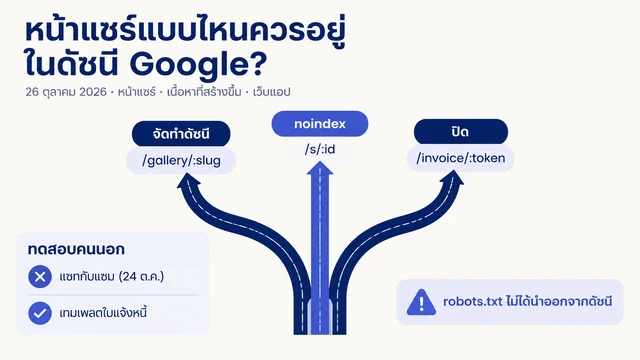
กฎเดียวกันใช้กับ robots.txt และ noindex การตั้งค่าเหล่านี้อาจถูกต้องสำหรับหน้าขอบคุณ ตัวอย่างส่วนตัว หรือหน้าผลลัพธ์ที่กรองแล้ว จึงไม่ใช่ข้อผิดพลาดโดยอัตโนมัติ
ขอให้ Codex วางแผนการลงมือทำจากรีโพ ไม่ใช่แก้ไขแบบไม่คาดคิด
คัดลอกข้อที่อนุมัติจากรายงาน แล้วใช้พรอมป์ต์ต่อไปนี้ในโปรเจกต์เว็บไซต์ มันบอก Codex ว่าแก้อะไรได้ และที่สำคัญไม่แพ้กัน คืออะไรที่ต้องปล่อยไว้
ฉันอนุมัติการเปลี่ยนแปลง SEO ต่อไปนี้เท่านั้น:
[วางรายการที่อนุมัติ]

อ่าน `AGENTS.md` และ `.codex` ก่อนหากมี จากนั้นตรวจโปรเจกต์เว็บไซต์บนเครื่องของฉันและเตรียมแผนการลงมือทำ
ก่อนแก้ไฟล์ใด ให้แสดง:
1. ทุกไฟล์ที่คาดว่าจะเปลี่ยน
2. หน้าเว็บหรือคอมโพเนนต์ที่แต่ละไฟล์ส่งผลโดยตรง
3. สิ่งที่ผู้เข้าชมและเสิร์ชเอนจินจะเห็นต่างออกไป
4. วิธีทดสอบผลลัพธ์
5. วิธี rollback หากการแก้ไขผิด

อย่าเปลี่ยน URL ลบหน้า แก้ robots.txt เพิ่มแท็ก noindex เปลี่ยน canonical หรือ redirect
เผยแพร่เนื้อหา deploy เว็บไซต์ commit หรือ push หรือทำสิ่งนอกเหนือจากรายการที่อนุมัติ

หลังแสดงแผนแล้วให้รอการอนุมัติของฉัน
ตรวจรายการไฟล์ก่อนตอบ หาก Codex ต้องการแตะไฟล์ที่คุณไม่รู้จัก ให้ถามเหตุผล หากแผนบอกเพียงว่า “ปรับ SEO” แต่ระบุไฟล์และผลที่คาดหวังไม่ได้ ให้ขอรายละเอียดเพิ่ม
เมื่อแผนดูถูกต้อง ให้อนุมัติอย่างจำกัดขอบเขต:
อนุมัติแล้ว ให้ทำตามแผนด้านบนเท่านั้น

หลังแก้ไข:
- แสดงสรุปสั้น ๆ แยกตามไฟล์
- แสดง `git diff` ที่เกี่ยวข้องหรือข้อความก่อนและหลัง
- อธิบายสิ่งที่ฉันต้องตรวจเอง
- รันการตรวจที่มีอยู่ของโปรเจกต์หากทำได้
- ห้าม deploy
นี่คือส่วนที่ทำให้ระบบอัตโนมัติมีประโยชน์ Codex ทำการแก้ไขซ้ำ ๆ ในรีโพได้ แต่ git diff คือหลักฐานหลักที่คุณใช้ตรวจว่ามีอะไรเปลี่ยน คุณยังเป็นผู้ตัดสินใจว่าจะแก้อะไรและจะเผยแพร่เมื่อไร
ตรวจผลลัพธ์ก่อนนำหน้าเว็บขึ้นใช้งานจริง
อย่าข้ามการดูตัวอย่าง การแก้ไขที่ถูกต้องทางเทคนิคอาจยังอ่านแปลก ทำให้เลย์เอาต์พัง หรือทำให้หน้ามีประโยชน์น้อยลงได้
ใช้เช็กลิสต์ก่อนเผยแพร่นี้:
รายการตรวจ | สิ่งที่ต้องดู |
|---|---|
ตัวอย่างในเบราว์เซอร์ | หน้าโหลดได้ และข้อความที่แก้ไขอ่านเป็นธรรมชาติ |
ตัวอย่างบนมือถือ | หัวข้อ ภาพ เมนู และปุ่มยังทำงานบนหน้าจอแคบ |
Title และคำอธิบาย | อธิบายหน้าจริงและไม่สัญญาสิ่งที่ผู้เข้าชมจะไม่ได้ |
โครงสร้างหัวข้อ | มี H1 เดียวที่ชัดเจน และ H2 จัดระเบียบส่วนจริง |
ลิงก์ | ลิงก์ภายในที่เปลี่ยนนำไปยังหน้า live หรือ staging ที่ตั้งใจ |
ภาพ | ภาพสำคัญมี alt text ที่มีประโยชน์ ภาพตกแต่งไม่มี alt ที่ยัดคีย์เวิร์ด |
ซอร์สหรือส่วนขยาย SEO | canonical, คำสั่ง robots และ structured data ที่ควรมีไม่ได้เปลี่ยนโดยไม่ตั้งใจ |
การตรวจโปรเจกต์ | คำสั่ง build, test, lint หรือ validation ที่มีอยู่ผ่าน |
สำหรับการแก้ schema ให้รัน Google's Rich Results Test หรือ Schema Markup Validator หลัง deploy หรือกับหน้า staging ที่เข้าถึงได้ รูปแบบ schema ที่ถูกต้องยังไม่พอ เพราะต้องตรงกับสิ่งที่ผู้ใช้เห็นบนหน้าเว็บด้วย
หากการตรวจไม่ผ่าน อย่าขอให้ Codex แก้ต่อแบบสุ่ม ส่งข้อผิดพลาดที่แน่นอน บอกว่าการแก้ไขที่อนุมัติข้อใดเป็นต้นเหตุ และขอการแก้ที่เล็กที่สุด หากอธิบายหรือยืนยันการเปลี่ยนแปลงไม่ได้ ให้ย้อนกลับก่อน deploy
สิ่งที่การทำ SEO อัตโนมัติรู้ไม่ได้จากหน้าเดียว
ตรงนี้คือจุดที่มือใหม่มักเข้าใจผิดจากคำตอบ AI ที่ดูมั่นใจ คำถาม SEO บางอย่างต้องใช้ข้อมูลที่มองไม่เห็นในเบราว์เซอร์
คำถาม | สิ่งที่ Codex ต้องมีก่อนตอบอย่างรับผิดชอบ |
|---|---|
เหตุใดทราฟฟิกจึงลดลง | ข้อมูล GSC และ analytics ของสองช่วงเวลาที่เปรียบเทียบกันได้ |
หน้าใดมี impressions สูงแต่ CTR ต่ำ | ข้อมูล query และ page ที่ export จาก GSC |
สองหน้าแข่งกันเองสำหรับคีย์เวิร์ดเดียวหรือไม่ | ข้อมูล query-to-page จาก GSC และการเปรียบเทียบเนื้อหา |
หน้าใดเป็น orphan page | การ crawl ทั้งเว็บไซต์, sitemap และกราฟลิงก์ภายใน |
Core Web Vitals มีปัญหากับผู้เข้าชมจริงหรือไม่ | ข้อมูลภาคสนาม เช่น CrUX หรือ PageSpeed Insights ไม่ใช่แค่การทดสอบในเครื่อง |
ควรเลือกคีย์เวิร์ดความยากต่ำใด | งานวิจัยคีย์เวิร์ดและ SERP พร้อมความเข้าใจลูกค้าและข้อเสนอจริง |
ควรส่ง sitemap หรือขอให้ index หรือไม่ | สิทธิ์ GSC หรือ Bing Webmaster Tools และเหตุผลในการทำ |
ภายหลังคุณอาจทำให้การเก็บและจัดระเบียบข้อมูลเหล่านี้เป็นอัตโนมัติได้ สำหรับหน้าแรก เพียงให้ Codex ระบุว่า Needs data แทนการทำให้การเดาดูเหมือนการวินิจฉัยก็เพียงพอแล้ว
กิจวัตรรายสัปดาห์ที่ทำต่อได้จริง
เมื่อหน้าแรกเผยแพร่และตรวจเรียบร้อยแล้ว ให้ทำขั้นตอนนี้ซ้ำกับหน้าสำคัญหนึ่งหน้าทุกสัปดาห์:
- เลือกหน้าที่มีเป้าหมายทางธุรกิจ ไม่ใช่ URL แบบสุ่ม
- รัน Codex ในโหมดอ่านอย่างเดียว
- อนุมัติการแก้ไขที่ชัดเจนและเสี่ยงต่ำเพียงไม่กี่ข้อ
- ตรวจแผนการทำงานและ diff ของไฟล์
- ทดสอบบนเครื่องหรือ staging ก่อน deploy
- บันทึกหน้า วันที่ การเปลี่ยนแปลง และคำถามที่ยังเปิดอยู่ในสเปรดชีตหรือไฟล์ Markdown ง่าย ๆ
หลังทำต่อเนื่องสักสองสามสัปดาห์ ให้เพิ่มข้อมูล export จาก GSC แล้ว Codex จะช่วยหาหน้าที่การปรับปรุงครั้งถัดไปมีข้อมูล impressions, clicks หรือ query จริงรองรับ สำหรับการวินิจฉัยที่กว้างขึ้น ให้ใช้ เครื่องมือตรวจคะแนน SEO เว็บไซต์ ควบคู่กับการตรวจระดับโค้ด
คำถามที่พบบ่อย
Codex ทำ SEO ทั้งเว็บไซต์ให้ฉันแบบอัตโนมัติได้หรือไม่
ไม่ได้ Codex ทำงานซ้ำ ๆ ให้เป็นอัตโนมัติได้ เช่น ตรวจสัญญาณสาธารณะของหน้า จัดรายการปัญหา ร่าง title และคำอธิบาย เตรียมการแก้โค้ดหรือเนื้อหา และตรวจรายการเปลี่ยนแปลงที่อนุมัติแล้ว แต่การตัดสินใจเกี่ยวกับการลบหน้า redirect การควบคุม index canonical คำกล่าวทางธุรกิจ การ deploy หรือข้อมูลประสิทธิภาพ ยังต้องมีคนตรวจ
ต้องรู้คีย์เวิร์ด SEO ก่อนเริ่มหรือไม่
ไม่ต้อง เริ่มจากหน้าสำคัญ แล้วขอให้ Codex อธิบายการตั้งค่า SEO ที่มองเห็นได้ด้วยภาษาง่าย ๆ การวิจัยคีย์เวิร์ดจะมีประโยชน์เมื่อคุณต้องการสร้างหน้าใหม่หรือตัดสินใจว่าหน้าเดิมใดควรทำต่อ ซึ่งต้องใช้ข้อมูลวิจัยและความเข้าใจลูกค้า ไม่ใช่แค่รายการที่เอเจนต์สร้างขึ้น
Codex แก้หน้า WordPress, Webflow หรือ Shopify ให้ได้หรือไม่
ทำได้ก็ต่อเมื่อสภาพแวดล้อม Codex ของคุณมีสิทธิ์ที่อนุญาตสำหรับระบบนั้นหรือไฟล์เว็บไซต์ สำหรับขั้นตอนแรก ให้ Codex เตรียมข้อความ โค้ด หรือการแก้ระดับไฟล์ที่ชัดเจนก่อน แล้วคุณอัปเดต CMS เองหรือให้เจ้าของเว็บไซต์อนุมัติ อย่าให้สิทธิ์เผยแพร่ก่อนมีขั้นตอนตรวจที่เชื่อถือได้
การแก้เหล่านี้จะทำให้หน้าเว็บเป็นอันดับหนึ่งบน Google หรือไม่
ไม่ การแก้ SEO อาจช่วยการ crawl ความเกี่ยวข้อง ความชัดเจน และประสบการณ์ผู้ใช้ แต่อันดับขึ้นกับการแข่งขัน เจตนาการค้นหา คุณภาพเว็บไซต์ ลิงก์ และวิธีที่เสิร์ชเอนจินประเมินหน้าเมื่อเวลาผ่านไป ให้มอง Codex เป็นวิธีตัดสินใจที่ดีและปลอดภัยขึ้น ไม่ใช่การรับประกันอันดับ
ผู้เขียน: Julian Mercer, ผู้ปฏิบัติงานด้าน Technical SEO ของ Auspia มากว่า 14 ปี Julian เขียนเรื่องการ crawl, schema, rendering, สถาปัตยกรรมเว็บไซต์ และพื้นฐานทางเทคนิคสำหรับเนื้อหาที่ AI อ่านได้