


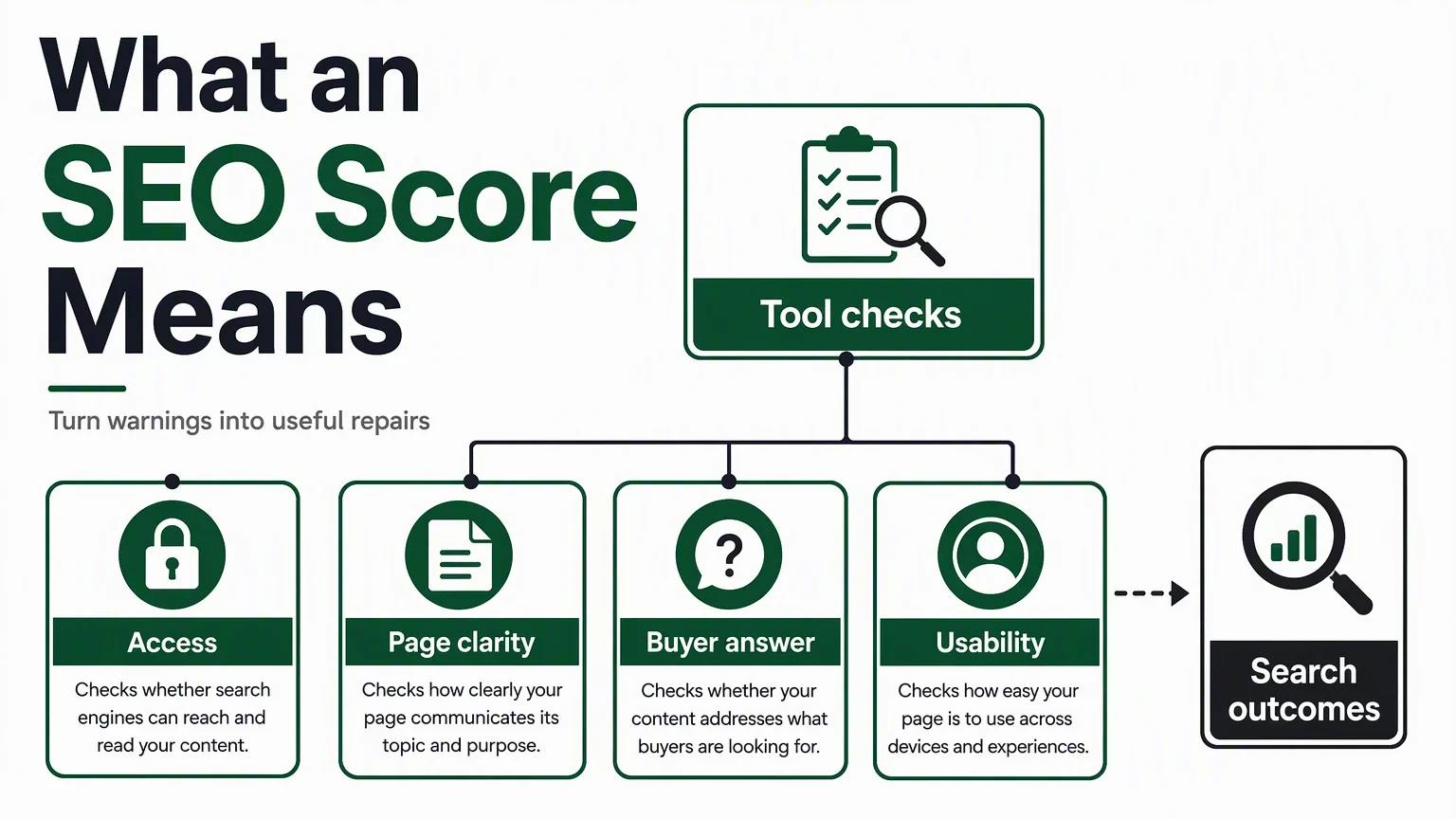
An SEO score is a tool's summary of the checks it applies to a page or website. It is useful for finding work to review, but it is not a measurement of your position in Google or a prediction of how much traffic you will receive. To decide what to fix first, inspect the failed checks and ask which ones prevent a valuable page from being found, understood, or used.
A score of 92 can coexist with almost no search traffic. A lower-scoring page can still answer a valuable query and attract customers. The score helps describe a tested condition; it does not settle whether the page serves a market.
What the number actually compresses
Different tools test different things. Some inspect one URL's HTML. Some crawl internal links. Others combine content, performance, structured data, and site-level observations. A result from a quick preview should therefore be read within that preview's limits.
For example, Lighthouse's documentation describes its SEO category as a set of audits, with equal weighting except for a manual structured-data audit. Its Performance score uses a different calculation. Even within one tool, "SEO" and "Performance" are different numbers. Lighthouse's SEO audit note, performance scoring
Before comparing scores, write down four things: the tool and version, what was tested, when it ran, and the checks included. If the method is undisclosed, treat the score as that tool's signal rather than a number you can compare across providers.
Result you see | Question it can help answer | What you still need to investigate |
|---|---|---|
One-page automated score | Did this page pass the tool's checks? | Whether the whole site has the same condition |
Crawl report | Where do tested problems appear across the site? | Which affected pages matter to search and customers |
Performance measurement | What loading or interaction behavior was measured? | Which users and journeys the measurement represents |
Search Console report | What Google recorded for your property | Why performance changed and whether a repair caused it |
A high score can leave the important question unanswered
Imagine a fictional accounting-software page. It has a title, a description, readable headings, and working links. Its automated report looks healthy. Yet the page never explains whether it supports the tax workflow its intended customers need.
The missing answer is a content problem a checklist may not capture. Another site might have a low score because of several minor template warnings, while the useful page is indexed, well explained, and generating qualified inquiries.
Neither example is a reason to ignore technical checks. It is a reason to pair them with the page's job. A pricing page must explain the purchase conditions. A product page must make the relevant capability and limitations clear. A support article should let someone complete the task.
At Auspia, our preferred audit output is a short repair queue with evidence, owners, and a way to verify each change. The overall score is a convenient entry point to that queue.
Use a dependency order for repairs
A sensible priority order begins with obstacles that can invalidate the work that follows.
Priority | Condition to inspect | Evidence that supports a task | Completion check |
|---|---|---|---|
1. Access and indexing | Valuable public pages are inaccessible or unintentionally excluded | Fetch failure, exclusion directive, or indexing report | Confirm the intended page can be fetched and review indexing status |
2. Page identity and comprehension | Wrong page is selected, content is missing, or the page's purpose is unclear | Canonical records, rendered content, title and page review | Confirm the intended content and URL relationship |
3. Buyer answer | The page does not resolve the query or decision | Query review and a concrete unanswered question | A reader can find the answer and its conditions |
4. Usability | The page is slow, unstable, or difficult to use on a relevant device | Field measurements and a reproducible journey | Repeat the journey and compare relevant evidence |
5. Lower-impact cleanup | Remaining warnings affect a limited or low-value area | A verified report item with limited reach | Retest the specific check |
This is a review order, not a universal ranking of every SEO factor. A broken checkout can deserve immediate attention even when every page is indexed. A harmless warning on an unused template can wait.
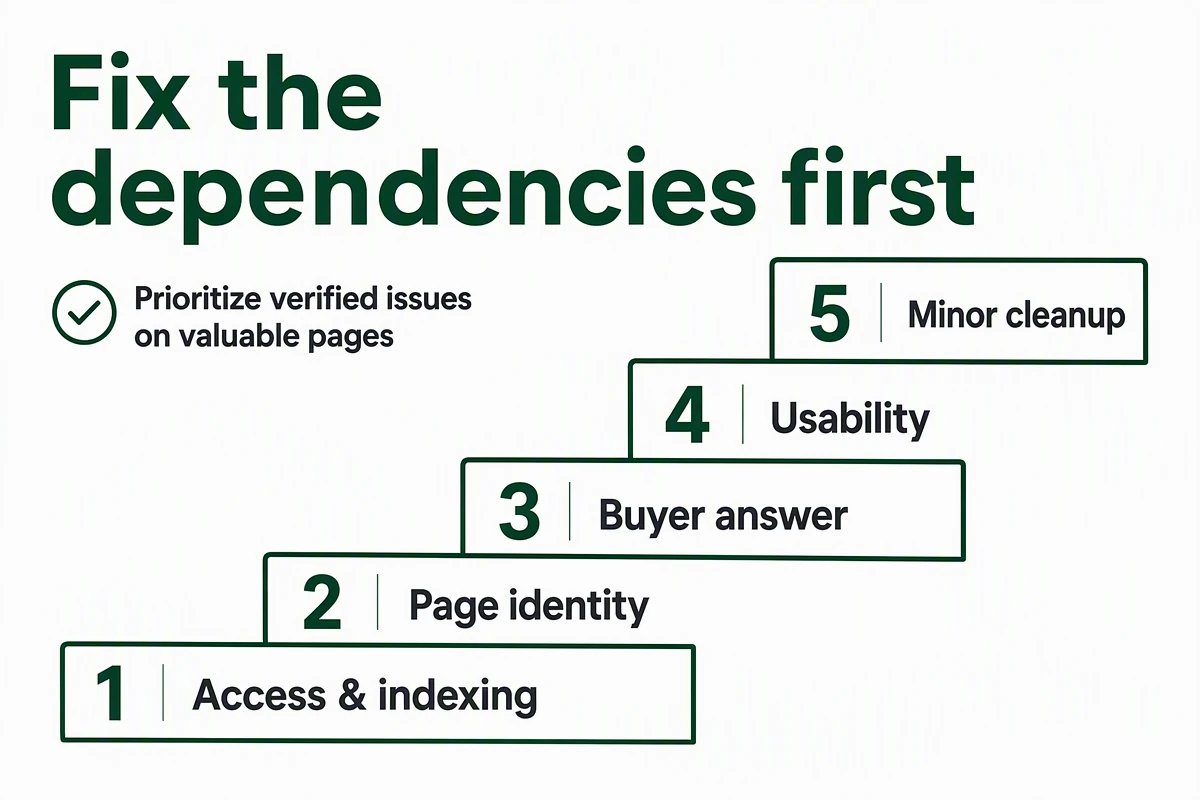
Review the conditions a useful page depends on before minor warnings.
Indexing warnings need a second source of evidence
Check a flagged URL in Search Console's URL Inspection tool when you have access to the property. The indexed report describes Google's stored version; the live test examines the current page's accessibility for indexing. Save both when a recent change could explain their disagreement. URL Inspection documentation
A successful live test does not guarantee inclusion in the index. It also does not predict Google's eventual canonical selection. Use the result to narrow the problem rather than treating it as a final ranking verdict.
Do not remove every noindex instruction simply to raise a score. A private, duplicate, or deliberately excluded page may be configured correctly. Confirm the intended visibility with the page owner first.
Crawling and indexing controls are also different. Google's robots.txt documentation explains that a disallowed URL can still appear in results when discovered elsewhere; robots.txt is not a reliable removal mechanism. Google's robots.txt guide
The task should name the actual failure: "Remove the accidental exclusion from the public product page" is actionable. "Improve indexability" leaves too much unspecified.
Write repair tickets that survive a handoff
A useful ticket contains the affected URL, the observed condition, the desired state, and a test. Add business relevance so the team understands why the work is being prioritized.
Here is a fictional example:
Ticket field | Entry |
|---|---|
Affected page | Public payroll integration page |
Observed condition | Main integration instructions are absent from the inspected rendered content |
Desired state | The public instructions and supported-version conditions are available on the page |
Business relevance | The page answers a recurring pre-sales integration question |
Verification | Reinspect rendered output and complete the task as a reader |
Owner | Documentation lead and web engineer |
Recovery | If rendering still omits the instructions, review how the content is loaded before editing more copy |
This ticket stays useful even if a tool changes its scoring formula next month. A request to "move the score from 78 to 90" might be completed without solving the original problem.
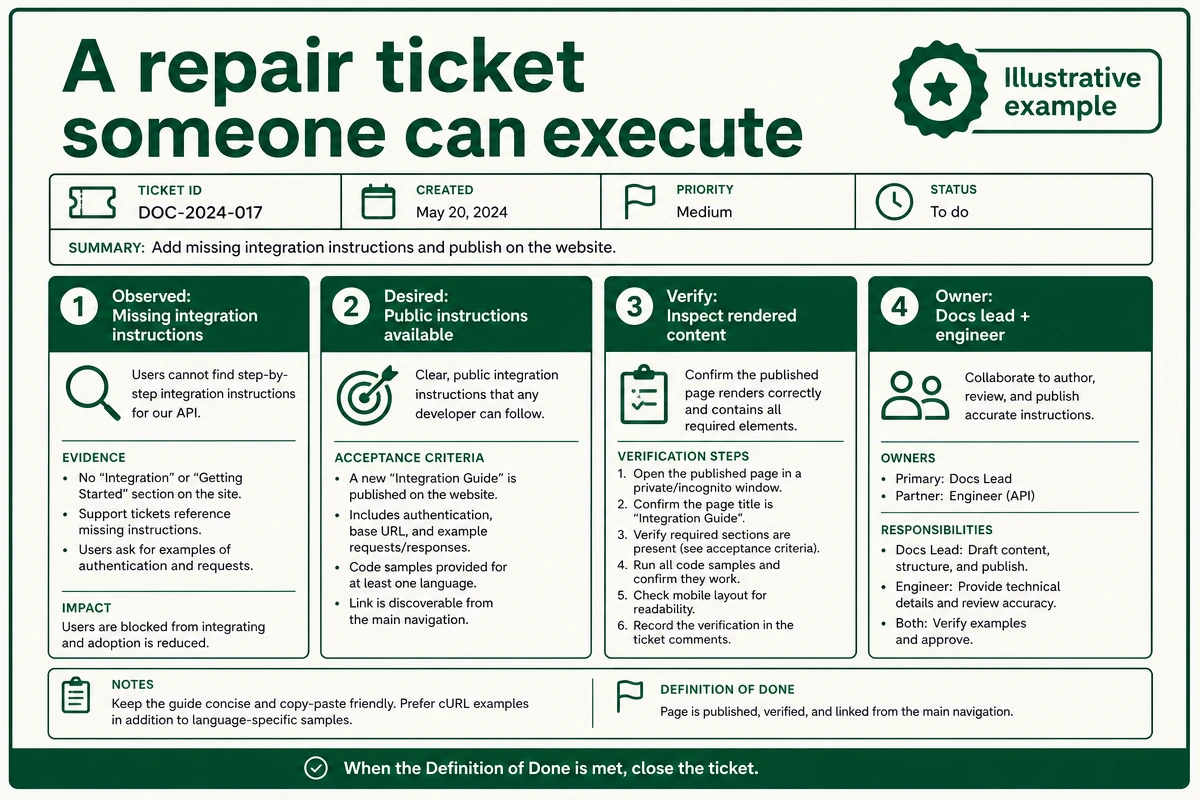
Illustrative example: specify the condition, the owner, and a completion test.
Track the repair and the outcome separately
First confirm that the specific condition changed. Then review the relevant search or conversion evidence over a sensible period.
Search Console defines CTR as clicks divided by impressions and reports average position for the selected grouping. Those are different measurements from an audit score. Search Console's performance-report definitions
For an indexing task, the near-term check is access and index status. For a clearer page title, review the relevant query mix, impressions, and clicks. For a buyer-answer improvement, also inspect what happens after visitors arrive.
Keep a dated change log. If you revise the title, redesign the page, and launch a campaign together, a later traffic movement cannot isolate the effect of one repair. Record the combined change honestly and choose a narrower test next time.
Where a quick checker fits
If you need an initial page review, the Auspia Website SEO Score Checker offers a public URL preview. The page describes the preview as a quick estimate based on URL-level checks; the fuller saved audit requires login. Use the preview to find items to inspect, then verify important conditions with the underlying page and relevant reports.
Vendor score bands are review guidance. There is no universal score threshold that certifies a page will rank or earn an AI citation.
FAQ
What is a good SEO score?
A useful score is one whose method you understand and whose remaining failures have been reviewed. Aim to resolve important verified issues in that tool. Avoid treating a particular number as a universal search requirement.
Why did my score improve while traffic stayed flat?
You may have fixed a condition the tool measures without changing query demand, page relevance, or competition. Check which items improved and whether the affected pages had a realistic traffic opportunity.
Should I run an audit on every page?
Start with valuable pages and representative templates. If a defect is shared across a template, expand the inspection to identify its reach. A homepage-only result cannot establish that every product or article page is healthy.
Author: Victor Lane, GEO Audit Specialist with 300+ Readiness Reviews at Auspia. Victor writes about readiness audits, practical scorecards, and turning findings into specific repairs.


